
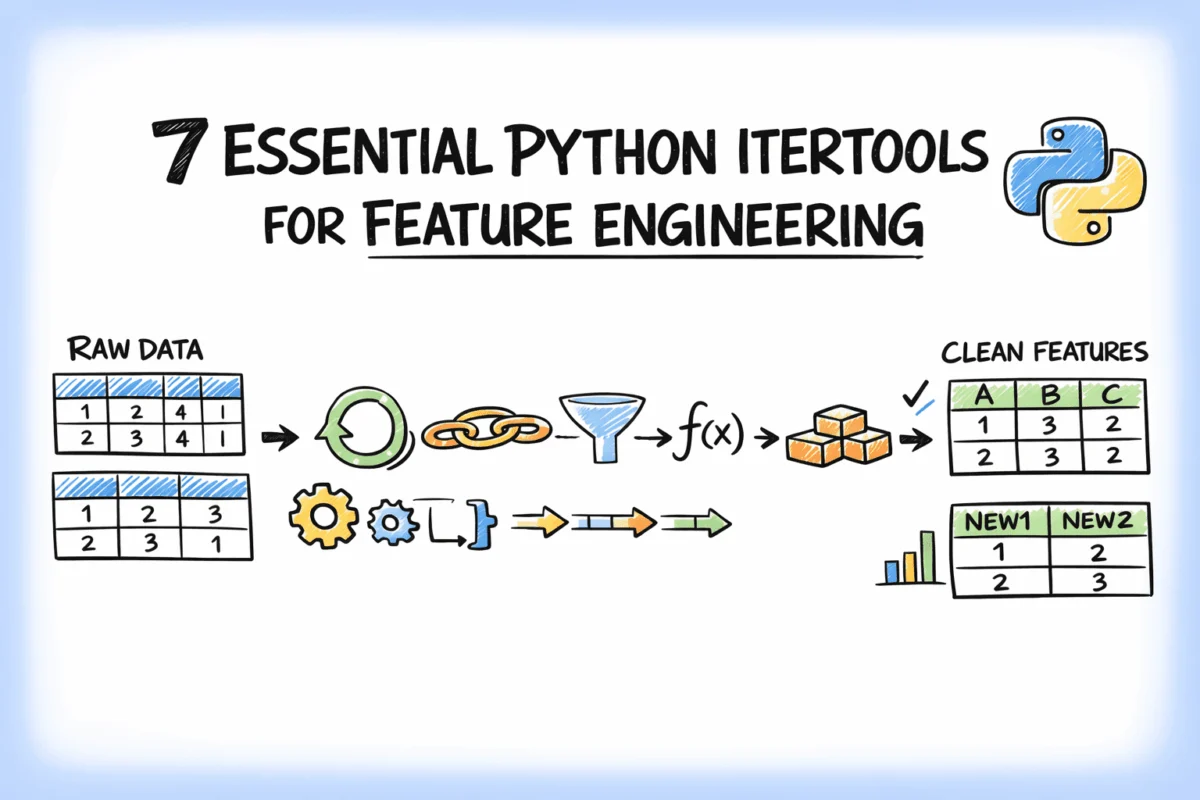

In the dynamic landscape of machine learning, where model performance often hinges on the quality and relevance of input features, Python’s itertools module stands out as a powerful, yet frequently underutilized, toolkit for data scientists. This article delves into how this standard library can be leveraged to simplify common feature engineering tasks, transforming complex data manipulation into clean, efficient, and scalable patterns. By harnessing itertools, practitioners can significantly enhance their data preprocessing pipelines, leading to more robust and accurate predictive models.
The Critical Role of Feature Engineering: A Modern Imperative
Feature engineering is widely acknowledged as one of the most impactful stages in the machine learning workflow. Experts often assert that a well-crafted feature can improve a model’s predictive power more significantly than merely switching to a different algorithm. Despite its criticality, this phase frequently results in cumbersome and error-prone code, characterized by deeply nested loops, manual indexing, and ad-hoc combinations. Such approaches not only hinder readability and maintainability but also pose significant challenges when scaling to larger datasets or adapting to evolving business requirements.
At its core, much of feature engineering involves structured iteration: examining pairs of variables, analyzing data within sliding windows, grouping sequences, or exploring various subsets of a feature set. Python’s itertools module, designed specifically for efficient iteration, offers an elegant solution to these common challenges. Its functions provide memory-efficient iterators that process data on demand, avoiding the creation of large intermediate lists that can consume vast amounts of memory, especially in big data environments. This capability is paramount for developing machine learning pipelines that are not only effective but also performant and sustainable.
This analysis will explore seven key itertools functions, demonstrating their practical application in addressing typical feature engineering problems. Using illustrative examples drawn from a simulated e-commerce context, we will cover the creation of interaction features, lag windows, category combinations, and more. The goal is to equip data professionals with a set of proven patterns that can be directly integrated into their own feature engineering processes, elevating code quality and model efficacy.
Enhancing Feature Interaction and Grid Generation
One of the foundational aspects of feature engineering involves uncovering complex relationships between variables. itertools offers robust tools to systematically generate these insights.
1. Generating Interaction Features with combinations
Interaction features capture the synergistic relationship between two or more variables, providing insights that neither variable expresses in isolation. For instance, in an e-commerce setting, the combined effect of a "discount rate" and "average order value" might reveal nuanced customer segments that a model could leverage. Manually enumerating every unique pair from a multi-column dataset, particularly as the number of features grows, is a tedious and error-prone task. itertools.combinations provides a concise and efficient solution.
Consider a dataset with five numeric columns: avg_order_value, discount_rate, days_since_signup, items_per_order, and return_rate. To create all possible pairwise interaction features (e.g., avg_order_value multiplied by discount_rate), combinations(numeric_cols, 2) generates every unique pair exactly once, without duplicates. For 5 columns, this yields 10 distinct interaction features; for 10 columns, it produces 45. This method scales linearly and gracefully with the addition of new features, ensuring comprehensive coverage without redundant calculations. The underlying iterator yields pairs as needed, preserving memory for larger feature sets.
import itertools
import pandas as pd

df = pd.DataFrame(
    "avg_order_value":   [142.5, 89.0, 210.3, 67.8, 185.0],
    "discount_rate":     [0.10,  0.25, 0.05,  0.30, 0.15],
    "days_since_signup": [120,   45,   380,   12,   200],
    "items_per_order":   [3.2,   1.8,  5.1,   1.2,  4.0],
    "return_rate":       [0.05,  0.18, 0.02,  0.22, 0.08],
)

numeric_cols = df.columns.tolist()

for col_a, col_b in itertools.combinations(numeric_cols, 2):
    feature_name = f"col_a_x_col_b"
    df[feature_name] = df[col_a] * df[col_b]

interaction_cols = [c for c in df.columns if "_x_" in c]
print("Generated Interaction Features (Truncated Output):")
print(df[interaction_cols].head())
Output would show new columns like avg_order_value_x_discount_rate, avg_order_value_x_days_since_signup, etc., filled with the product of the original columns. This systematic approach ensures that potentially vital non-linear relationships, which linear models might otherwise miss, are explicitly presented to the algorithm.
2. Building Cross-Category Feature Grids with product
When the goal is to generate every possible combination across multiple independent categorical iterables, itertools.product is the ideal function. It computes the Cartesian product, yielding all permutations, including repeats across different groups. This is particularly valuable when constructing comprehensive feature matrices or lookup tables.
Consider an e-commerce scenario where customer segments (new, returning, vip), product categories (electronics, apparel, home_goods, beauty), and sales channels (mobile, desktop) each influence conversion rates. To understand and feature-engineer for every possible intersection of these attributes, a complete grid is necessary. itertools.product ensures no combination is missed, providing a structured way to model complex, multi-dimensional interactions.
import itertools
import pandas as pd
import numpy as np

customer_segments = ["new", "returning", "vip"]
product_categories = ["electronics", "apparel", "home_goods", "beauty"]
channels = ["mobile", "desktop"]

# All segment × category × channel combinations
combos = list(itertools.product(customer_segments, product_categories, channels))
grid_df = pd.DataFrame(combos, columns=["segment", "category", "channel"])

# Simulate a conversion rate lookup per combination
np.random.seed(7)
grid_df["avg_conversion_rate"] = np.round(
    np.random.uniform(0.02, 0.18, size=len(grid_df)), 3
)

print("nCross-Category Feature Grid (Truncated Output):")
print(grid_df.head(12))
print(f"nTotal combinations generated: len(grid_df)")
The output would display a grid with 24 rows (3 4 2), each representing a unique segment-category-channel combination with an associated simulated conversion rate. This grid can then serve as a lookup feature, merged back onto transaction data to enrich individual customer interactions with context-specific conversion likelihoods. This level of granular insight is critical for targeted marketing campaigns, personalized recommendations, and sophisticated demand forecasting models.
Streamlining Data Integration and Sequential Analysis
Efficiently managing diverse feature sources and deriving insights from sequential data are common challenges in feature engineering. itertools offers streamlined solutions.
3. Flattening Multi-Source Feature Sets with chain
In real-world machine learning pipelines, features rarely originate from a single table. They typically span multiple data sources: customer profiles, product metadata, browsing history, and transactional logs. Before model training, these disparate feature lists often need to be consolidated into a single, unified list for tasks such as column selection, validation, or schema enforcement.
While simple list concatenation (+) works for basic scenarios, itertools.chain provides a more flexible and memory-efficient alternative, especially when dealing with numerous feature sources, large lists, or when some sources are generators rather than fully materialized lists. It concatenates iterables sequentially, yielding elements from the first iterable until it’s exhausted, then from the second, and so on. This keeps the code clean, readable, and composable, particularly when feature groups are conditionally included based on data availability or model requirements.
import itertools

customer_features = [
    "customer_age", "days_since_signup", "lifetime_value",
    "total_orders", "avg_order_value"
]
product_features = [
    "category", "brand_tier", "avg_rating",
    "review_count", "is_sponsored"
]
behavioral_features = [
    "pages_viewed_last_7d", "search_queries_last_7d",
    "cart_abandonment_rate", "wishlist_size"
]

# Flatten all feature groups into one list
all_features = list(itertools.chain(
    customer_features,
    product_features,
    behavioral_features
))

print(f"nTotal features: len(all_features)")
print("Unified Feature List:")
print(all_features)
The output clearly shows a single list containing all 14 features from the three distinct sources. This approach simplifies feature management, ensuring that all necessary features are accounted for in the final model input without manual oversight.
4. Creating Windowed Lag Features with islice
Lag features, which incorporate values from previous time steps or preceding events, are indispensable in modeling sequential data and time series. For instance, in an e-commerce context, a customer’s total spend over the last three purchases, or their average basket size from the last five transactions, can be powerful predictors of future behavior. Manually constructing these features using index arithmetic can be complex and prone to off-by-one errors.
itertools.islice offers an elegant solution by allowing iteration over a specific slice of an iterable without first converting the entire iterable into a list. This is particularly advantageous when working with long transaction histories or streaming data, where materializing the full history in memory would be inefficient or impossible. By operating on iterators, islice maintains memory efficiency, making it suitable for large-scale data processing.
import itertools
import pandas as pd

# Transaction history for customer C-10482, ordered chronologically
transactions = [
    "order_id": "ORD-8821", "amount": 134.50, "items": 3,
    "order_id": "ORD-8934", "amount": 89.00, "items": 2,
    "order_id": "ORD-9102", "amount": 210.75, "items": 5,
    "order_id": "ORD-9341", "amount": 55.20, "items": 1,
    "order_id": "ORD-9488", "amount": 178.90, "items": 4,
    "order_id": "ORD-9601", "amount": 302.10, "items": 7,
]

# Build lag-3 features for each transaction (using 3 most recent prior orders)
window_size = 3
features = []

for i in range(window_size, len(transactions)):
    # islice provides the window without copying the whole list
    window = list(itertools.islice(transactions, i - window_size, i))
    current = transactions[i]
    lag_amounts = [t["amount"] for t in window]

    features.append(
        "order_id":         current["order_id"],
        "current_amount":   current["amount"],
        "lag_1_amount":     lag_amounts[-1],
        "lag_2_amount":     lag_amounts[-2],
        "lag_3_amount":     lag_amounts[-3],
        "rolling_mean_3":   round(sum(lag_amounts) / len(lag_amounts), 2),
        "rolling_max_3":    max(lag_amounts),
    )

print("nWindowed Lag Features (Full Output):")
print(pd.DataFrame(features).to_string(index=False))
The output clearly shows the lag_N_amount features and rolling statistics for each transaction, derived from the three preceding orders. islice(transactions, i - window_size, i) precisely extracts the desired window of transactions, facilitating the calculation of various rolling aggregates without the overhead of slicing large lists repeatedly. This pattern is fundamental for building sophisticated time-series features essential for forecasting, anomaly detection, and churn prediction.
Advanced Aggregation and Non-Linear Transformations
Beyond simple interactions and sequential analysis, itertools extends its utility to complex aggregations and the creation of non-linear features.
5. Aggregating Per-Category Features with groupby
Customer behavior often exhibits significant variation across different product categories. For instance, a customer’s average spend on "electronics" might be considerably higher than their average spend on "accessories." Treating all orders as a single pool of data would obscure these vital signals. itertools.groupby enables efficient, per-group statistics computation on a sorted iterable.
It is crucial to remember that, unlike pandas.groupby, itertools.groupby groups consecutive elements. Therefore, the input iterable must be pre-sorted by the grouping key to ensure correct aggregation. Once sorted, groupby yields a key and an iterator for all items belonging to that key, allowing for clean and efficient calculation of group-specific metrics.
import itertools
import pandas as pd

orders = [
    "customer": "C-10482", "category": "electronics", "amount": 349.99,
    "customer": "C-10482", "category": "electronics", "amount": 189.00,
    "customer": "C-10482", "category": "apparel",     "amount": 62.50,
    "customer": "C-10482", "category": "apparel",     "amount": 88.00,
    "customer": "C-10482", "category": "apparel",     "amount": 45.75,
    "customer": "C-10482", "category": "home_goods",  "amount": 124.30,
]

# Must be sorted by the grouping key before using groupby
orders_sorted = sorted(orders, key=lambda x: x["category"])

category_features =
for category, group in itertools.groupby(orders_sorted, key=lambda x: x["category"]):
    amounts = [o["amount"] for o in group]
    category_features[category] =
        "order_count":  len(amounts),
        "total_spend":  round(sum(amounts), 2),
        "avg_spend":    round(sum(amounts) / len(amounts), 2),
        "max_spend":    max(amounts),


cat_df = pd.DataFrame(category_features).T
cat_df.index.name = "category"
print("nPer-Category Aggregation Features:")
print(cat_df)
The resulting DataFrame clearly shows aggregated metrics for "apparel," "electronics," and "home_goods." These per-category aggregates, such as electronics_avg_spend or apparel_order_count, become powerful features on the customer level, enriching the model’s understanding of individual spending habits and preferences.
6. Building Polynomial Features with combinations_with_replacement
Polynomial features, which include squared terms (e.g., $X^2$) and interaction terms (e.g., $X cdot Y$), are a standard technique to enable linear models to capture non-linear relationships. While libraries like Scikit-learn offer dedicated PolynomialFeatures transformers, itertools.combinations_with_replacement provides a flexible, native Python approach with fine-grained control over the feature expansion process.
The key distinction from itertools.combinations is in its name: combinations_with_replacement allows elements to be chosen multiple times. This property is precisely what generates the squared terms (e.g., avg_order_value multiplied by avg_order_value results in avg_order_value^2) alongside the cross-product terms.
import itertools
import pandas as pd

df_poly = pd.DataFrame(
    "avg_order_value":  [142.5, 89.0, 210.3, 67.8],
    "discount_rate":    [0.10,  0.25, 0.05,  0.30],
    "items_per_order":  [3.2,   1.8,  5.1,   1.2],
)

cols = df_poly.columns.tolist()

# Degree-2: includes col^2 and col_a * col_b
for col_a, col_b in itertools.combinations_with_replacement(cols, 2):
    feature_name = f"col_a^2" if col_a == col_b else f"col_a_x_col_b"
    df_poly[feature_name] = df_poly[col_a] * df_poly[col_b]

poly_cols = [c for c in df_poly.columns if "^2" in c or "_x_" in c]
print("nPolynomial Features (Degree 2, Truncated Output):")
print(df_poly[poly_cols].round(3))
The output clearly shows the generated polynomial features, including squared terms like avg_order_value^2 and interaction terms such as avg_order_value_x_discount_rate. This method offers the advantage of generating polynomial expansions without introducing additional dependencies, providing a clean and understandable way to inject non-linearity into models.
7. Accumulating Cumulative Behavioral Features with accumulate
Cumulative features, such as a customer’s running total spend, cumulative order count, or running average basket size, are vital signals for models focused on lifetime value prediction, churn prediction, or risk assessment. The value of these features often changes significantly over a customer’s history; for example, cumulative spend at order 5 conveys different information than at order 15. itertools.accumulate efficiently computes running aggregates over a sequence without requiring external libraries like pandas or NumPy for basic operations.
accumulate takes an optional func argument, allowing any two-argument function to define the accumulation logic. While the default is addition, it can be customized with max, min, operator.mul, or a custom lambda function to derive a wide array of cumulative statistics. This flexibility makes it an invaluable tool for capturing rich historical context from sequential data.
import itertools
import pandas as pd

# Customer C-20917: chronological order amounts
order_amounts = [56.80, 123.40, 89.90, 245.00, 67.50, 310.20, 88.75]

# Cumulative spend (default: addition)
cumulative_spend = list(itertools.accumulate(order_amounts))

# Cumulative max spend (highest single order so far)
cumulative_max = list(itertools.accumulate(order_amounts, func=max))

# Cumulative order count (using addition on 1s)
cumulative_count = list(itertools.accumulate([1] * len(order_amounts)))

features_df = pd.DataFrame(
    "order_number":       range(1, len(order_amounts) + 1),
    "order_amount":       order_amounts,
    "cumulative_spend":   cumulative_spend,
    "cumulative_max_order": cumulative_max,
    "order_count_so_far": cumulative_count,
)

features_df["avg_spend_so_far"] = (
    features_df["cumulative_spend"] / features_df["order_count_so_far"]
).round(2)

print("nCumulative Behavioral Features (Full Output):")
print(features_df.to_string(index=False))
Each row in the output DataFrame represents a snapshot of the customer’s history at that particular order, providing valuable context. This pattern is crucial for building training data for sequential models or for creating features that rigorously avoid data leakage, as each cumulative metric is calculated only from information available up to that specific point in time.
Expert Perspectives and Broader Implications
The itertools module, though part of Python’s standard library, often remains an untapped resource for many data scientists accustomed to explicit loops or higher-level libraries. However, industry leaders and seasoned practitioners increasingly emphasize its role in crafting more efficient, readable, and scalable machine learning pipelines. "Leveraging itertools isn’t just about writing less code; it’s about writing more Pythonic and performant code," states a lead data engineer at a major e-commerce firm. "For large datasets, the memory efficiency of iterators can make the difference between a pipeline that runs in minutes versus one that crashes due to memory exhaustion."
The implications of adopting itertools patterns extend beyond mere code aesthetics. They contribute to:
- Enhanced Performance: Lazy evaluation and iterator-based processing minimize memory footprint and improve execution speed for complex iterative tasks.
- Improved Code Maintainability: Concise, declarative
itertoolsfunctions replace verbose and error-prone custom loops, making the code easier to understand, debug, and extend. - Increased Scalability: Solutions built with
itertoolsare inherently better suited for handling growing datasets, as they process data in streams rather than loading everything into memory. - Reduced Development Time: Standardized patterns accelerate the feature engineering process, allowing data scientists to focus on the strategic aspects of feature creation rather than low-level implementation details.
In essence, recognizing when a feature engineering problem is fundamentally an iteration problem is the first step toward unlocking the power of itertools. When that recognition occurs, itertools almost invariably offers a cleaner, more efficient, and more maintainable solution than a hand-rolled custom function. As machine learning models become more sophisticated and data volumes continue to swell, the mastery of such fundamental, yet potent, tools will become an increasingly vital skill for any data professional.
This exploration underscores that while specialized data science libraries are powerful, the core Python standard library provides robust, high-performance primitives that can significantly elevate the quality and efficiency of machine learning workflows. The adoption of itertools represents a step towards more robust, scalable, and elegantly crafted data science solutions.