

The advent of USB-C has undeniably streamlined the technological landscape, offering a reversible, compact connector that promised to simplify our digital lives. Its small, rounded-corner design allows it to be plugged in any orientation, eliminating the frustration of multiple attempts. This seemingly minor convenience, however, belies a far more significant innovation: the ability for a single cable to handle a multitude of functions, from charging smartphones and laptops to transferring high-speed data and delivering video output. This versatility has led many consumers to assume that all USB-C cables are interchangeable, a misconception that often surfaces when demanding maximum performance from their devices, particularly during high-wattage charging or high-resolution video transmission.
The Genesis of a Universal Connector
The journey towards USB-C began with the USB Implementers Forum (USB-IF), a non-profit organization founded in 1995 to support and promote USB technology. For decades, the digital world was characterized by a proliferation of connectors: the bulky USB-A for peripherals, the square USB-B for printers, the smaller Mini-USB and Micro-USB for mobile devices, HDMI for video, and various audio jacks. Each served a specific purpose, necessitating a tangle of cables and adapters for even basic connectivity.
The vision for USB-C, officially introduced in 2014, was to consolidate these disparate standards into a single, unified interface. It was designed from the ground up to be more robust, more powerful, and significantly more versatile than its predecessors. Key features included its reversible design, a compact footprint suitable for increasingly thin devices, and its foundational support for "Alternate Modes" (Alt Modes) which allow the USB-C port to carry non-USB signals, such as DisplayPort, HDMI, or Thunderbolt. This was a radical departure from the specialist ports of old, positioning USB-C as the ultimate "Swiss Army knife" of hardware connectivity. The intention was clear: one port, one cable, for everything.
The Illusion of Uniformity: Not All USB-C Cables Are Created Equal
While the physical connector of USB-C is standardized, its internal wiring and capabilities are not. This crucial distinction is the root cause of consumer confusion. A cable that charges a smartphone adequately might utterly fail to power a high-performance laptop or transmit 4K video to an external monitor. The challenge is exacerbated by the fact that, to the naked eye, most USB-C cables look identical. Their thickness, braiding, and aesthetic finishes offer no reliable indication of their underlying specifications.
This disparity in capabilities stems from the various underlying USB standards that a USB-C cable can support. A cable might merely conform to the older USB 2.0 standard, offering data transfer speeds of 480 Mbps (megabits per second) and basic charging, while another might support USB 3.2 Gen 2×2, pushing speeds up to 20 Gbps, or even Thunderbolt 4, capable of 40 Gbps and advanced video features. Similarly, power delivery capabilities can range from a few watts to a groundbreaking 240 watts, depending on the Power Delivery (PD) specification it adheres to.
Deep Dive into USB-C Standards and Capabilities
To truly appreciate the complexity and potential of USB-C, it’s essential to understand the various protocols and standards it can encapsulate:
- USB 2.0 (480 Mbps): The most basic and common standard, often found in cheaper cables primarily designed for charging and minimal data transfer. Many bundled smartphone cables fall into this category.
- USB 3.2 Gen 1 (formerly USB 3.0/3.1 Gen 1, 5 Gbps): Offers significantly faster data transfer, suitable for external hard drives and many peripherals.
- USB 3.2 Gen 2 (formerly USB 3.1 Gen 2, 10 Gbps): Doubles the speed of Gen 1, enabling quicker transfers of large files and supporting higher bandwidth peripherals.
- USB 3.2 Gen 2×2 (20 Gbps): Utilizes both high-speed data lanes within the USB-C cable to achieve 20 Gbps, primarily found in performance-oriented peripherals and docking stations.
- USB4 (20/40 Gbps): The latest iteration, built upon the Thunderbolt 3 protocol. USB4 supports 20 Gbps or 40 Gbps, intelligent bandwidth allocation, and mandatory support for DisplayPort Alt Mode. It aims to unify USB and Thunderbolt experiences.
- Thunderbolt 3/4 (40 Gbps): While physically compatible with USB-C, Thunderbolt is a distinct technology developed by Intel. Thunderbolt 3, released in 2015, adopted the USB-C connector and offered 40 Gbps bandwidth, supporting dual 4K displays, external GPUs, and high-speed storage. Thunderbolt 4, released in 2020, maintains the 40 Gbps speed but introduces stricter requirements for video support (two 4K displays or one 8K display) and data transfer (32 Gbps PCIe minimum), along with enhanced security.
- USB Power Delivery (USB PD): This protocol allows for flexible power negotiation between devices and chargers. Initial versions supported up to 100W, but with the release of USB PD 3.1 in 2021, capabilities expanded to 240W (Extended Power Range, EPR). This enables USB-C to power high-end laptops, gaming systems, and even some monitors, making it a true universal charging solution. However, both the charger and the cable must support the specific PD profile and wattage.
- DisplayPort Alternate Mode (Alt Mode): This feature allows the USB-C port to output video signals directly, effectively turning it into a DisplayPort, HDMI, or DVI port. The version of DisplayPort Alt Mode supported by the cable and device dictates the maximum resolution and refresh rate (e.g., 4K at 60Hz, 8K at 30Hz).
A high-quality, fully-featured USB-C cable—often referred to as a "full-featured" or "active" cable—is akin to D’Artagnan’s motto: "One for all." It can simultaneously carry power, high-speed data, and video signals. Imagine returning home, connecting your smartphone via a single USB-C cable to a monitor, instantly transforming it into a mini-computer with Samsung DeX. The monitor provides visual output and audio, while a Bluetooth keyboard and mouse connect wirelessly, and the phone charges – all through that single cable. This is the "magic" of a truly capable USB-C cable.
The Labeling Labyrinth: Identifying Cable Capabilities
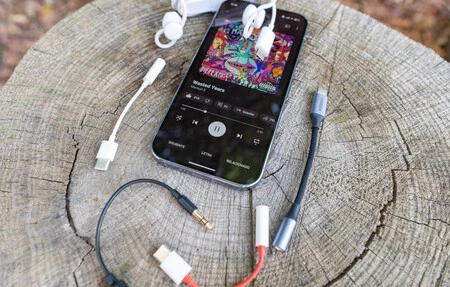
One of the most significant hurdles for consumers is the lack of clear, consistent labeling on USB-C cables themselves. Unlike older cables where distinct connectors indicated their function, the uniform USB-C connector provides no visual cues regarding its internal specifications. While the physical port on a device might sometimes carry symbols, the cable itself rarely does in an easily decipherable manner.
Manufacturers are encouraged by the USB-IF to use specific logos and branding, but adoption is inconsistent. A lightning bolt symbol often indicates power delivery or Thunderbolt compatibility. The letters "SS" (SuperSpeed) or numbers like "10" or "20" near the connector signify data transfer speeds (10 Gbps or 20 Gbps respectively). A small "D" symbol might denote DisplayPort Alt Mode, though this is less common. However, these symbols are often tiny, difficult to read, or simply absent, especially on generic or unbranded cables.
The most reliable method for consumers is to consult the product specifications provided by the cable manufacturer or retailer. However, this often requires proactive research before purchase, a step many users overlook until they encounter performance limitations. The EU’s recent mandate for a common charger (effectively USB-C) for many electronic devices, set to take effect in 2024, aims to reduce electronic waste and simplify charging, but it also indirectly highlights the need for greater clarity on cable capabilities to prevent performance bottlenecks.
Industry Efforts and Consumer Guidance
The USB-IF has been actively working to standardize branding and certification programs to help consumers. The "Certified USB" logo, for example, indicates that a product has passed compliance testing. For Power Delivery, logos indicating wattage (e.g., "USB PD 60W" or "USB PD 240W") are encouraged. Similarly, for data transfer, specific logos denote "SuperSpeed USB 10Gbps" or "USB4 40Gbps." Thunderbolt cables also carry distinct lightning bolt logos. However, the sheer volume of generic cables on the market means that many products lack these crucial identifiers.
For the average consumer, a practical approach to navigate this complexity involves:

- Check Device Requirements: Understand the capabilities of your device’s USB-C port (e.g., "Does my laptop support Thunderbolt 4?", "Does my phone support DisplayPort Alt Mode?").
- Read Product Descriptions Carefully: When purchasing a cable, always scrutinize the specifications listed by the seller. Look for explicit mentions of data speed (e.g., 10Gbps, 20Gbps, 40Gbps), power delivery wattage (e.g., 60W, 100W, 240W), and video capabilities (e.g., 4K@60Hz).
- Prioritize Certified Cables: Whenever possible, opt for cables from reputable brands that clearly state their certifications (USB-IF certified, Thunderbolt certified). While often more expensive, they offer assurance of performance and safety.
- Examine Connector Markings: As a quick trick, check for any symbols printed near the metallic connector, as described earlier (lightning bolt, SS, numbers like 10/20, or a ‘D’).
- Distinguish Between "Charging" and "Data/Video" Cables: If a cable came bundled with a low-power device (like a basic smartphone charger), it’s highly likely to be a USB 2.0 cable primarily for charging and basic data, not high-speed data or video.
Broader Implications and The Road Ahead
The varied capabilities of USB-C cables have broader implications beyond individual user frustration. For businesses, inconsistent cable performance can lead to inefficiencies in workspaces relying on USB-C docking stations or external displays. For IT departments, managing and procuring the correct cables for diverse hardware can be a logistical challenge. Environmentally, the confusion might contribute to e-waste if consumers discard seemingly faulty cables when the issue is merely a mismatch of specifications.
Economically, the market for USB-C accessories is booming, driven by the increasing adoption of the port across devices. This creates both opportunities for manufacturers of high-quality, certified cables and challenges in combating the proliferation of uncertified or misleadingly advertised products.
Looking to the future, the introduction of USB4 and Thunderbolt 4 continues the trend of consolidating functionality. USB4, being built on Thunderbolt 3, natively supports 40 Gbps data transfer, DisplayPort Alt Mode, and USB Power Delivery, aiming to provide a more consistent "full-featured" experience. Thunderbolt 4 further refines this by mandating specific minimum capabilities, ensuring that any Thunderbolt 4 certified cable will deliver a predictable high-performance experience. The ongoing evolution is towards a truly universal, high-performance connector, but consumer education and clear industry labeling remain paramount.
In conclusion, while USB-C has indeed simplified our physical connections, its underlying complexity demands an informed approach. Understanding the distinctions between various USB-C cables and their supported standards is crucial for unlocking the full potential of our modern devices and avoiding the pitfalls of underperforming connectivity. The promise of "one cable for everything" is within reach, but only for those who know how to identify the right cable for the job.
