
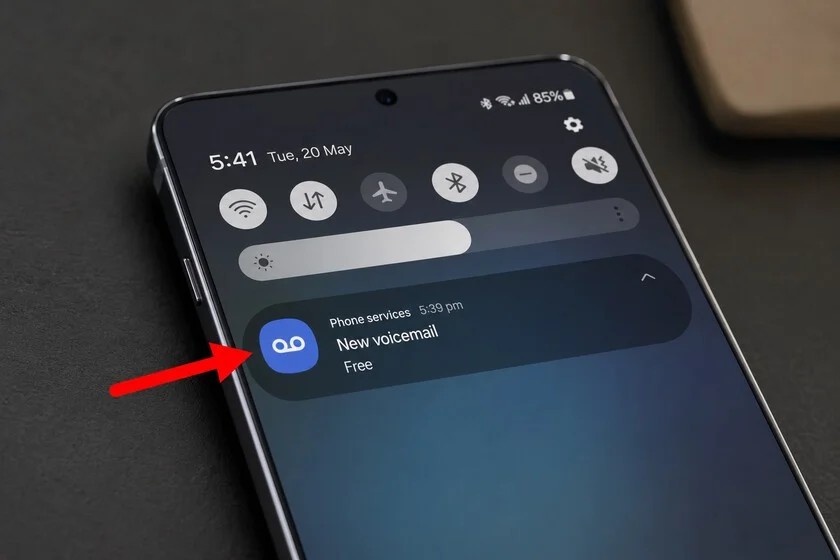

In the bustling digital landscape of modern smartphones, where a glance at the notification bar often dictates immediate action, certain icons have become universally recognizable. The battery indicator, the Wi-Fi signal strength, or the airplane mode symbol require no second thought. Yet, amidst these familiar visual cues, a particular blue circle adorned with two small rings connected by a line frequently surfaces as a source of widespread confusion, particularly among Samsung Galaxy users. Often mistaken for glasses, headphones, or even a nascent form of virtual reality gear, this icon, in reality, carries a much older lineage: it is the contemporary digital representation of a message waiting in your voicemail box, a direct descendant of the indicators found on the earliest automatic telephone answering machines.
The mystery surrounding this specific notification has deepened with recent advancements in mobile operating systems. With the advent of One UI 8.5, Samsung’s custom Android interface, and its updated visual language featuring rounded and slightly bolder icons, the voicemail symbol’s resemblance to eyeglasses has become even more pronounced. This aesthetic shift, while intended to modernize the user experience, has inadvertently amplified user queries and frustration, as a significant segment of the smartphone user base struggles to decipher what their device is attempting to communicate. This article delves into the origins, technical underpinnings, troubleshooting methods, and enduring significance of this often-misunderstood icon, offering clarity for those navigating the intricate world of mobile notifications.
A Legacy of Unanswered Calls: The Historical Context of Voicemail
To fully appreciate the blue circle icon, one must first understand the technology it represents: voicemail. The concept of a machine recording messages when a call goes unanswered is not new. Its roots can be traced back to the mid-20th century with the development of electro-mechanical answering machines. These devices, bulky and often requiring magnetic tapes, provided a crucial bridge for communication in an era before pervasive digital connectivity. The indicator on these early machines was typically a physical light or a counter, signaling the presence of new messages.
As telecommunications evolved, particularly with the advent of digital switching and mobile networks in the late 20th century, the answering machine transitioned from a physical device in one’s home or office to a network-based service. Mobile voicemail, as we know it today, became a standard feature offered by cellular carriers, allowing callers to leave messages that are stored digitally on the operator’s servers rather than on the user’s personal device. This shift to a network-centric model necessitated a new way for mobile phones to indicate the presence of waiting messages, leading to the adoption of a standardized digital icon. The chosen symbol, echoing the spools or recording elements of its analog predecessors, was designed to convey the essence of a recorded audio message. This historical context is crucial, as it explains why a modern smartphone, capable of displaying highly sophisticated graphics, still utilizes an icon whose design principles hark back to an earlier technological era.
The Icon’s Technical Genesis: Beyond Samsung’s Interface
A common misconception among users, especially those experiencing persistent notification issues, is that the voicemail icon is an integral part of Samsung’s One UI or even a flaw within the Android operating system itself. However, this is fundamentally incorrect. The notification for a waiting voicemail message does not originate from the phone’s manufacturer or its operating system, but rather from the mobile network operator.
When a caller leaves a message in your voicemail box, the operator’s network generates a specific signal known as the Message Waiting Indicator (MWI). This MWI signal is then transmitted to your mobile device. Your Samsung Galaxy phone, or any smartphone for that matter, acts as a receiver and interpreter of this signal. It translates the MWI into a visual icon in the notification bar—the blue circle in question—and often accompanies it with a textual notification, typically "New voice message" or similar phrasing. The phone’s role is primarily to display the status reported by the network. This distinction is paramount for understanding why troubleshooting often involves interacting with the operator’s system rather than just the phone’s settings.
Industry standards for MWI signals ensure interoperability across different device manufacturers and network providers. However, the exact visual representation of this MWI can vary slightly between phone brands and even across different versions of the same mobile OS. Samsung’s One UI, with its distinct design language, renders this standard signal in its characteristic style, which, as noted, has recently accentuated its resemblance to eyeglasses. This highlights a fascinating challenge in UI design: how to maintain clear, universally understood iconography while simultaneously evolving a brand’s unique visual identity.
The Persistent Puzzle: Why the Voicemail Icon Gets Stuck
One of the most frustrating aspects reported by users regarding the voicemail icon is its stubborn persistence. In an ideal scenario, after accessing your voicemail, listening to the message, and deleting it, the icon should promptly vanish from the notification bar. However, countless users experience the icon remaining stubbornly in place, sometimes for hours or even days, despite their best efforts to clear it.
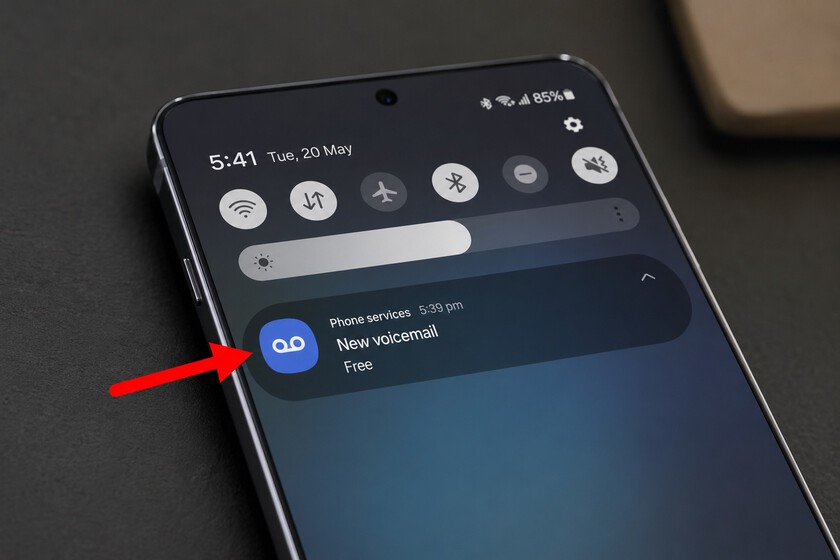
The root cause of this persistence lies in the network-dependent nature of the MWI. Unlike many other notifications that are generated and cleared locally on the device (e.g., app alerts), the voicemail icon is a direct reflection of the status reported by your mobile operator’s network. The phone continuously checks with the network for the MWI status. If the operator’s system still registers an unlistened message, even if you have already cleared it on your end, the MWI signal will continue to be sent, and the icon will remain.
Several factors can contribute to this synchronization lag or "stuck" status:
- Network Latency: There can be a delay between when you delete a message and when the operator’s system updates your MWI status and propagates that change across its network.
- System Glitches: Occasionally, the operator’s voicemail system itself might experience a temporary glitch, causing it to incorrectly send the MWI signal even when no messages are pending.
- Device Caching Issues: While the primary source is the network, the phone might also sometimes cache the MWI status locally, leading to a temporary display issue that doesn’t immediately reflect the network’s updated status. However, clearing app data or rebooting the phone often only offers a temporary fix if the underlying network signal is still active.
This complex interplay between device and network underscores why a simple phone reboot or clearing the "Phone" app’s cache doesn’t always resolve the issue. The ultimate authority on the icon’s presence is the operator’s MWI signal.
Comprehensive Troubleshooting for the Stubborn Icon
When faced with a persistent voicemail icon, users have a structured approach they can follow to resolve the issue:
-
Access Voicemail Correctly: The most crucial step is to ensure you access and clear your voicemail completely.
- Dial your voicemail number (often 123, *610, or a specific number provided by your operator).
- Listen to all new messages. Do not hang up halfway.
- Follow the prompts to delete or save messages. Crucially, if there are no new messages, listen to the system’s confirmation that your mailbox is empty before hanging up.
- Some operators also offer a "mark all as read" option or a "review old messages" option. Ensure you’ve navigated all possible message categories.
-
Clear Phone App Data/Cache (Local Device Reset): While often ineffective if the network is the culprit, this can sometimes resolve local display issues.
- Go to
Settings>Apps. - Find and select the
Phoneapp (it might be listed asDialerorCall). - Tap
Storage. - Select
Clear Cacheand thenClear Data. Be aware that clearing data for the Phone app might reset some call settings or preferences, though it generally won’t delete your call history or contacts. - Reboot your device after this step.
- Go to
-
Contact Your Mobile Operator (Network Reset): If the icon persists after correctly clearing your voicemail and performing a local device reset, the issue almost certainly lies with the operator’s MWI system.
- Call your operator’s customer service.
- Explain that you have a persistent voicemail icon despite having cleared your mailbox.
- Request that they perform a "voicemail reset" or "MWI refresh" on your line. This action forces their system to resynchronize your voicemail status.
-
Deactivate Voicemail Service: For users who rarely or never use voicemail, and find the persistent icon a significant annoyance, deactivating the service entirely is a viable option.
- Contact your mobile operator and explicitly request that your voicemail service be disabled. Be aware that this means callers will no longer be able to leave you messages when you’re unavailable.
-
Reboot the Device: A simple reboot can sometimes force the device to re-poll the network for its status, which might clear a transient display error. This should always be one of the first troubleshooting steps, though it often doesn’t solve network-level issues.
The Enduring Importance of Voicemail in Modern Communication
Despite the rise of instant messaging, email, and social media, voicemail retains a significant, albeit often understated, role in professional and personal communication. Many users, accustomed to immediate text-based exchanges, might be tempted to ignore the voicemail icon, viewing it as an archaic remnant. However, overlooking this notification can lead to missed critical information.
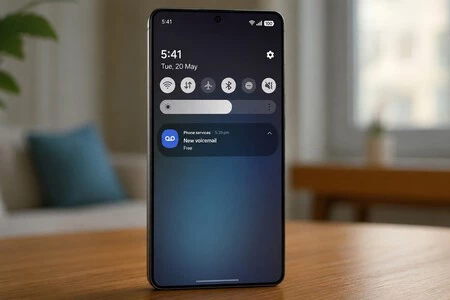
Voicemail serves as a crucial backup communication channel, particularly in scenarios where direct, synchronous contact is impossible. Consider these implications:
- Professional Communications: A potential employer calling for a job interview, a client needing urgent assistance, or a colleague sharing critical project updates. These are often situations where a text message might be insufficient or inappropriate.
- Emergency Situations: Family members needing to relay urgent news, medical offices attempting to reach you, or service providers alerting you to a critical issue (e.g., utility outage).
- Official Notifications: Banks, government agencies, or other institutions often rely on phone calls and voicemails for important alerts, security verifications, or appointment reminders.
- Undocumented Missed Calls: Sometimes, a network glitch or a brief signal drop means a call doesn’t register as a "missed call" in your phone’s log, but the caller still manages to leave a voicemail. In such cases, the voicemail icon is the only indicator that someone tried to reach you.
Samsung, in fact, appears to recognize the enduring importance of missed communications. With One UI 8.5, the company has reportedly enhanced the visibility and accessibility of missed calls within its new Now Bar, giving them a dedicated space alongside active timers or media playback. This strategic placement underscores a broader commitment to ensuring that users do not overlook critical information, reinforcing the idea that legacy communication methods like voicemail still hold significant value in a multi-channel world.
Distinguishing the Voicemail Icon from Other Notifications
Given the visual ambiguity and the increasing complexity of smartphone interfaces, it’s easy to confuse the voicemail icon with other similar symbols. To avoid misinterpretations, users should pay close attention to two key distinguishing features:
- Color: The voicemail icon is almost universally displayed in blue on Samsung Galaxy devices, consistent with Samsung’s brand palette for system notifications.
- Context: It invariably appears in conjunction with a missed call, even if that missed call isn’t immediately visible in your call log due to the reasons mentioned above. It will also often be accompanied by a "New voice message" text notification in the pull-down shade.
It’s important not to confuse it with other common Galaxy icons, such as:
- Wi-Fi Calling Icon: This typically depicts a phone receiver with a Wi-Fi symbol or waves emanating from it, indicating that your calls are being routed over a Wi-Fi network. It’s distinct from the "two rings connected by a line" design.
- NFC (Near Field Communication) Icon: This often looks like a stylized "N" or a wave-like symbol, indicating that NFC for payments or data transfer is active.
- Bluetooth Icon: The familiar stylized ‘B’ symbol.
- Headphones Icon: While the voicemail icon is often mistaken for headphones, the actual headphone icon usually depicts a pair of over-ear or in-ear headphones.
By observing the color, specific shape, and accompanying textual context, users can confidently identify the blue circle as an alert for a waiting voicemail message, rather than a system error or an activation of an unknown feature.
Implications for User Interface Design and Future Communication
The ongoing confusion surrounding the voicemail icon serves as a salient case study in the challenges of user interface design in an era of rapid technological evolution. Designers must constantly balance the need for intuitive, visually appealing interfaces with the requirement to represent legacy functions using universally understood symbols. The voicemail icon, with its historical roots and somewhat abstract digital form, highlights how a design that was clear in one era can become ambiguous in another, especially as newer technologies (like VR headsets) introduce similar visual paradigms.
For mobile operators and device manufacturers, this situation underscores the importance of clear communication and user education. While the icon itself is a standard representation, proactive efforts to explain its meaning, perhaps through in-app tutorials, contextual help, or improved notification details, could significantly reduce user frustration and support queries. As communication methods continue to diversify, the challenge for UI designers will be to develop flexible, context-aware notification systems that guide users effortlessly through their digital interactions, without requiring them to decipher an ever-growing lexicon of abstract symbols.
In conclusion, the enigmatic blue circle on your Samsung Galaxy’s notification bar is neither a glitch nor a cryptic warning of an unknown setting. It is, quite simply, your mobile operator politely reminding you that someone has attempted to reach you and has left an audio message. Understanding its origin, its operator-dependent nature, and the straightforward steps to manage it can transform a source of frustration into a functional and valuable aspect of your smartphone experience, ensuring you stay connected to important communications in an increasingly complex digital world.
