
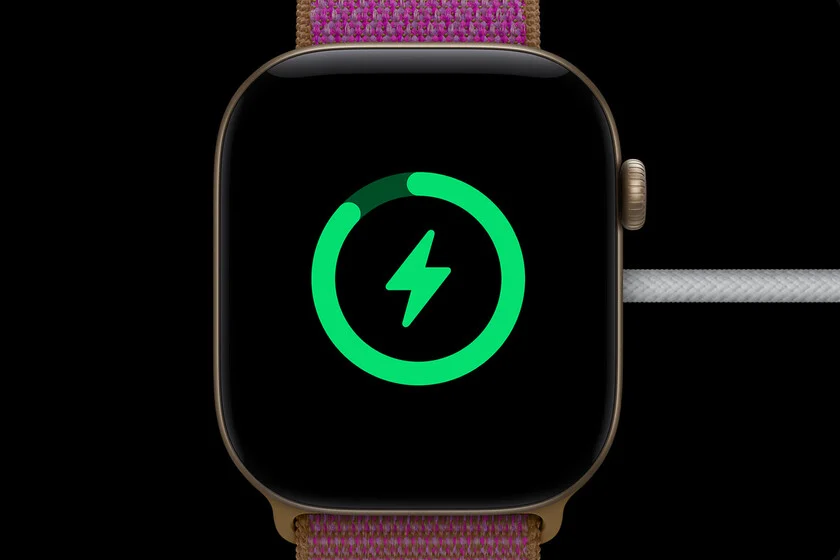

The persistent requirement for nightly recharging remains the most significant consumer critique of the Apple Watch ecosystem since its inception. While Apple has consistently marketed each successive generation of the device as having improved energy efficiency, the practical reality for power users often involves the device entering low-power states well before the conclusion of a standard 24-hour cycle. Data from internal benchmarks suggests that while the Apple Watch Series 12 is rated for 24 hours of standard use, and the Apple Watch SE 3 is calibrated for approximately 18 hours, these figures are derived from laboratory conditions that rarely mirror the complex, multi-tasking reality of a modern user’s day. By recalibrating specific background processes and display settings, users can bridge the gap between manufacturer specifications and real-world performance, often extending device uptime to 36 hours or more.
The Chronology of Apple Watch Power Efficiency
Since the launch of the original Apple Watch in 2015, the primary hardware challenge for engineers has been balancing the demands of a high-resolution, always-on display with the physical constraints of a compact lithium-ion battery. The 2015 iteration faced immediate scrutiny regarding its inability to last a full day under heavy usage.
By the release of the Series 4 in 2018, Apple introduced more efficient S-series processors, which helped stabilize performance, but the introduction of the Always-On display in the Series 5 (2019) introduced new power consumption hurdles. The subsequent introduction of the Apple Watch Ultra line in 2022 marked a strategic pivot, offering larger battery capacities and more aggressive power management firmware. However, for the standard and SE models, the "all-day" battery life promise remains an ongoing iterative process. The release of the Series 12 and SE 3 confirms that Apple is prioritizing software-led energy optimization alongside incremental hardware improvements to manage heat and power draw.
Supporting Data on Battery Degradation and Usage Patterns
The degradation of a lithium-ion battery in a wearable device is accelerated by a high number of charge cycles and constant thermal stress. According to industry standards, an Apple Watch battery is designed to retain up to 80% of its original capacity after 1,000 complete charge cycles. However, improper charging habits—such as leaving the device on a high-speed charger overnight at 100%—can accelerate chemical aging.
Recent diagnostic data indicates that the primary drivers of battery drain in the watchOS environment include:
- Always-On Display (AOD): In models where this is active, the refresh rate reduction and backlight maintenance account for approximately 25-30% of total daily energy expenditure.
- Background App Refresh: Applications that constantly ping for location or cloud data in the background consume significant energy cycles.
- Continuous Health Monitoring: Features such as blood oxygen tracking, heart rate variability, and ECG snapshots, while critical for health insights, are computationally intensive.
- Push Notifications: The constant activation of the haptic engine and screen brightness for notifications can deplete power by an additional 10% throughout an eight-hour workday.
Official Perspectives and Technical Implications
Apple’s technical documentation emphasizes that its power management software is designed to prioritize system stability over raw longevity. In response to consumer feedback regarding battery life, Apple has introduced features like "Optimized Battery Charging," which learns the user’s daily charging routine to prevent the battery from sitting at a full charge for extended periods.
Engineering white papers from the company suggest that the "18-hour" benchmark is calculated based on 90 time checks, 90 notifications, 45 minutes of app use, and a 60-minute workout with music playback via Bluetooth. When a user exceeds these thresholds—by, for example, using the GPS for an hour-long run or utilizing LTE streaming—the battery life drops significantly below the advertised baseline. The implications of this are clear: the device is designed for a modular usage pattern rather than continuous heavy-duty operation.
Recommended Configuration Adjustments for Improved Autonomy
To extend the functional life of an Apple Watch beyond the standard daily cycle, users are encouraged to perform an audit of their system settings. The following adjustments are based on performance benchmarks that minimize background power leakage:
1. Managing Background App Refresh
Navigate to the Watch app on the iPhone, select General, and then Background App Refresh. Disabling this for non-essential applications prevents them from consuming processor cycles and data connectivity while the device is in an idle state.
2. Optimizing Display Settings
For models with an Always-On display, disabling this feature during office hours or while in stationary environments can yield a significant increase in battery retention. Additionally, reducing the screen wake-on-wrist-raise sensitivity ensures the screen does not activate unintentionally during movement.
3. Streamlining Push Notifications
The most frequent cause of screen activation is incoming notifications. By filtering notifications to only the most critical apps, the user reduces the frequency with which the device must power the display and haptic motor.
4. Adjusting Heart Rate and Blood Oxygen Tracking
While these metrics are vital for fitness enthusiasts, users who do not require real-time tracking can opt to disable continuous background monitoring, switching to manual measurements when necessary.
5. Utilizing Low Power Mode Proactively
Rather than waiting for the 10% alert, activating Low Power Mode during periods of low activity—such as during a long commute or a sedentary work meeting—can drastically extend the device’s operational window without sacrificing core functionality.
6. Managing Cellular Connectivity
For users with GPS + Cellular models, the watch frequently searches for a signal. If the user is consistently in a location with Wi-Fi or near their iPhone, disabling the cellular radio until it is strictly required saves substantial power.
7. Reducing Haptic Feedback Intensity
The haptic engine requires physical movement of a weighted component, which consumes energy. Changing the haptic feedback setting from "Prominent" to "Default" or turning it off for non-critical alerts saves energy over the course of a day.
8. Disabling Sound Alerts
Replacing audible alerts with subtle haptic taps reduces the power needed to drive the speaker, which is one of the most energy-demanding components of the watch.
Broader Impact and Future Outlook
The industry-wide trend toward more capable wearables creates a paradox: as smartwatches become more advanced—integrating more sophisticated sensors for sleep tracking, blood pressure monitoring, and advanced GPS mapping—the energy demands grow. While the hardware side of the equation involves larger batteries, this is often restricted by the need to maintain a sleek, ergonomic form factor.
The shift in the market is now toward intelligent software optimization and the adoption of more efficient silicon, such as the S-series chips found in recent Apple models. Furthermore, as the European Union and other regulatory bodies push for more sustainable technology, including the potential for standardized or more easily replaceable batteries, the longevity of wearable devices will become a central pillar of product development.
For the average user, the takeaway is that the Apple Watch is a highly customizable instrument. By treating the device’s power management as a user-controlled variable rather than a static hardware limitation, one can achieve a more reliable experience that extends well beyond the manufacturer’s conservative estimates. The goal for future generations will likely involve a combination of low-temperature polycrystalline oxide (LTPO) display technology advancements and improved energy density in battery chemistry, but until then, manual configuration remains the most effective tool for the end-user.
