

The Evolving Landscape of Software Development: From Code to Concept
For decades, the journey from an application idea to a tangible product involved a complex sequence of steps: requirements gathering, architectural design, coding in various languages (Java, Kotlin, Swift, Python, etc.), debugging, testing, and deployment. This process necessitated years of training and a deep understanding of programming paradigms, data structures, and software engineering principles. Consequently, app development remained largely the domain of specialized professionals or well-funded corporate teams.
However, the past few years have witnessed the emergence of several trends aimed at democratizing this process. The "low-code" and "no-code" movements provided visual interfaces and drag-and-drop functionalities, allowing business users to build simpler applications. While effective for specific use cases, these platforms often lacked the flexibility and customization options required for truly tailored solutions. The true inflection point arrived with the proliferation of generative AI. Initially, AI assistants like GitHub Copilot augmented professional developers by suggesting code snippets and automating repetitive tasks. Now, tools like Google AI Studio are pushing beyond mere assistance, venturing into autonomous application generation from high-level user intent.
The concept of "vibe coding" encapsulates this shift. Instead of writing lines of code, users articulate their desired application’s functionality, design aesthetics, and user experience in conversational language. The AI interprets these "vibes" or intents, translating them into executable code and visual interfaces. This paradigm fundamentally alters the entry point to software creation, making it accessible to anyone who can clearly describe their vision. The excitement surrounding this trend is palpable among both tech enthusiasts and industry professionals, signaling a potential seismic shift in how software is conceptualized and brought to life.
Google AI Studio and Gemini 3.5 Flash: A Technical Deep Dive into Accessibility
Google AI Studio stands as a pivotal tool in this new era. It is Google’s dedicated web-based environment, meticulously designed to allow developers and enthusiasts alike to interact directly and flexibly with its sophisticated large language models (LLMs). Unlike a general-purpose chatbot interface, AI Studio is engineered specifically for the task of model prompting, testing, and, crucially, application generation. Its interface eschews the intimidating complexity often associated with integrated development environments (IDEs) like Android Studio, opting instead for a clean, intuitive layout that prioritizes clarity and ease of use. This design philosophy underscores Google’s commitment to making advanced AI capabilities accessible to a broader audience, transforming abstract linguistic commands into tangible digital experiences.
The core engine driving AI Studio’s remarkable capabilities is Gemini 3.5 Flash. This iteration of Google’s Gemini model family is specifically optimized for speed and efficiency, making it ideal for real-time application generation. When a user inputs a prompt describing an app, Gemini 3.5 Flash performs several complex operations almost simultaneously:
- Logical Interpretation: It parses the natural language prompt, understanding the underlying intent, desired features, and functional requirements of the application.
- Code Generation (Backend Logic): Based on the interpretation, it generates the necessary backend code, defining the application’s core logic, data handling, and operational flows. This might involve setting up databases, API interactions, or internal processing routines.
- User Interface (Frontend) Rendering: Concurrently, it constructs the graphical user interface (GUI), translating design cues and layout instructions into visual components. This includes creating buttons, menus, text fields, and arranging them according to modern design principles, often adhering to Google’s Material Design guidelines (e.g., Material 3 Expressive, as noted in the user experience).
The speed of Gemini 3.5 Flash is particularly noteworthy. The ability to process complex requests, generate intricate code, and render a complete user interface at a pace that feels instantaneous is what truly differentiates this experience. It simulates the efficiency of an entire development team working in real-time, instantly translating abstract ideas into concrete, interactive software. This rapid feedback loop is critical for iterative design, allowing users to refine their prompts and see the results immediately, accelerating the development cycle exponentially.
A Practical Demonstration: Crafting a Personalized Sleep Aid App
To fully grasp the transformative power of Google AI Studio, examining a real-world application of its capabilities is instructive. A recent case study involved an individual with no programming background who sought to create a personalized Android application. The objective was to develop a sleep aid app that offered nature sounds and white noise, addressing specific shortcomings found in existing Play Store alternatives, such as intrusive advertisements or suboptimal design.
The journey began with a simple, yet descriptive, prompt provided to Gemini 3.5 Flash:
"An app with nature sounds and music for relaxing and sleep. Material 3 Expressive design with 3 tabs in the bottom navigation menu: Play (controls), Sound Selector and Mixer, and Favorites."

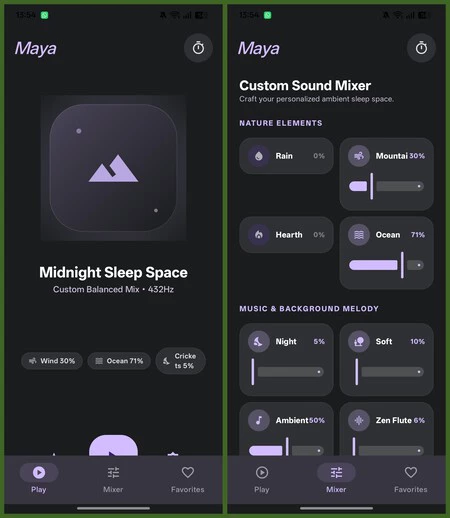
Within approximately four minutes, the AI processed this directive and presented a nascent application, provisionally named "Luna Aura." This initial iteration already featured a dark design theme with accent colors and, remarkably, a functional audio engine pre-loaded with sounds like rain, wind, ocean, and ambient melodies. This rapid prototyping capability underscores the efficiency of AI Studio; a task that would typically consume hours or days for a human developer was completed in mere minutes.
The process then became iterative, with the user refining the application through subsequent prompts:
- Enhanced Functionality: The user requested support for the Android multimedia player to ensure background playback without interruption, a crucial feature for a sleep aid app.
- Design Refinement: The sound mixer interface was redesigned to feature a two-column layout with individual volume sliders, offering granular control over sound combinations.
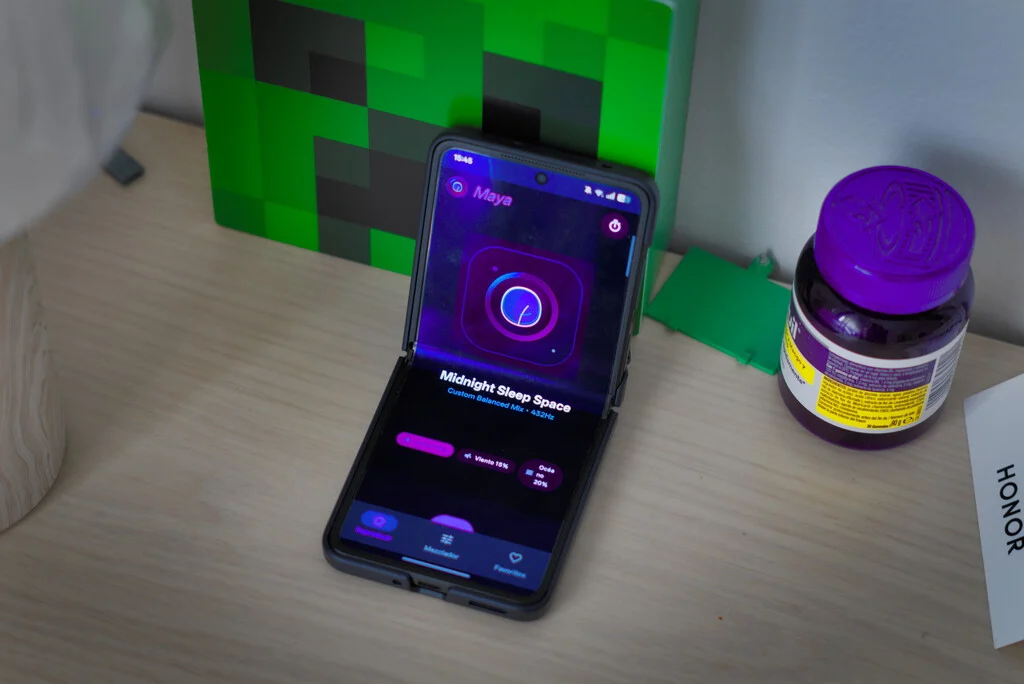
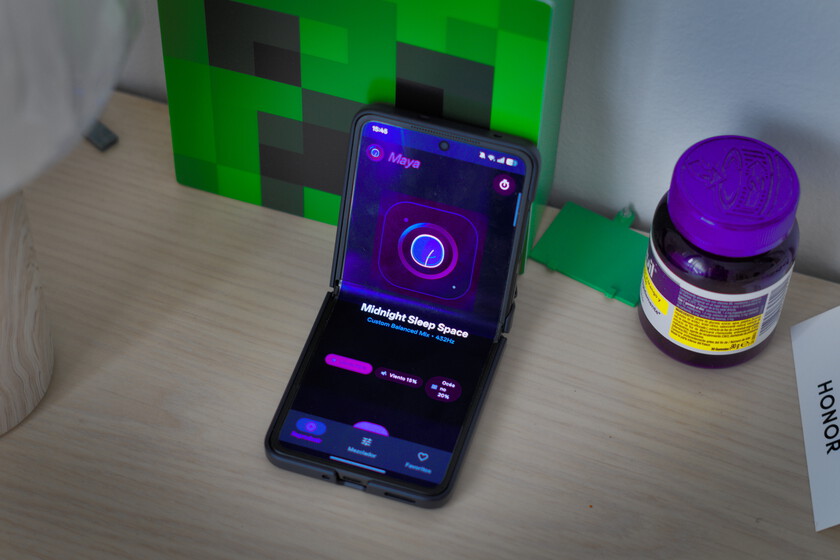
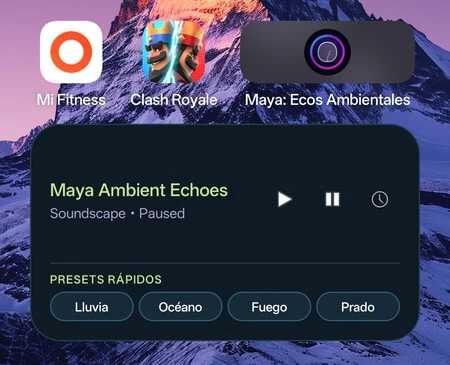
- Branding and Localization: A custom vector icon (a leaf on an aqua blue background) was generated. The app’s name was changed to "Maya," with the subtitle "Ambient Echoes" designed to be automatically translated based on the Android device’s language settings, demonstrating advanced localization capabilities.
- Widget Integration: A Material-style home screen widget was requested, providing quick access to specific sounds. This request, however, presented a temporary hurdle. Upon deployment to a physical device, the widget displayed a "Widget loading error." This moment served as a valuable test of AI Studio’s resilience and self-correction. The user simply copied the error message and fed it back into AI Studio. In a matter of seconds, the AI identified its own coding flaw related to the widget’s provider, rewrote the problematic code segment, and resolved the issue. This demonstrated that while AI is not infallible, its ability to diagnose and rectify errors based on user feedback is a powerful feature, significantly reducing the debugging burden on the user.
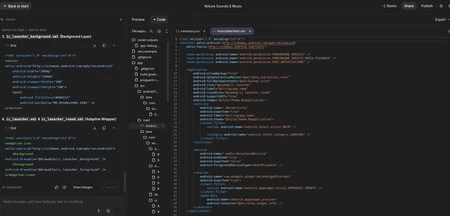
Further refinements included implementing the latest Android standards for automatic language configuration (eliminating manual selectors) and integrating native animations between tabs using Jetpack Compose, a modern Android UI toolkit. Even the inclusion of a personal logo, uploaded as a PNG file, was handled by the AI, which removed the background, converted it into an adaptive icon, and adjusted other design elements, including the widget, to ensure visual coherence. Throughout these modifications, the AI Studio’s chat interface provided step-by-step explanations of the underlying code changes, offering an educational layer to the development process.
Seamless Deployment: From Browser to Pocket
One of the most compelling aspects of Google AI Studio is its end-to-end integration, eliminating the need for external development environments for deployment. While traditional AI chatbots can generate code, users typically still require tools like Android Studio to compile, test, and install applications on a device. AI Studio, however, provides a self-contained ecosystem.
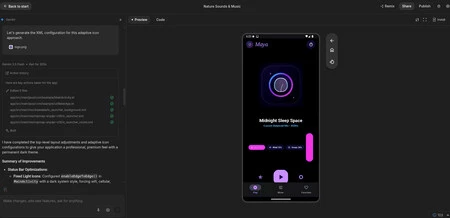
Central to this seamless experience is the inclusion of a small, in-browser Android emulator. This virtual device, running on Google’s cloud servers, provides real-time visual feedback of the app being developed. Users can interact with the app, test its functionality, slide volume bars, and verify the design’s responsiveness directly within their web browser. This immediate visual feedback loop is invaluable for iterative design and debugging, allowing for rapid adjustments without the overhead of physical device deployment at every step.
Once the application is deemed ready and debugged within the web interface, the transition to a physical Android device is remarkably straightforward. By simply enabling USB debugging mode on an Android phone and connecting it to the computer via a USB-C cable, AI Studio facilitates direct installation from the web interface. In less than ten seconds, the custom-built app, complete with its unique icon, is installed on the user’s mobile device, ready for use. This frictionless deployment process is a testament to the platform’s user-centric design, removing yet another significant barrier that previously deterred non-developers. The author’s personal experience of using their AI-generated "Maya: Ambient Echoes" app for sleep highlights the tangible utility and immediate gratification offered by this technology.
Broader Implications and the Future of Software Creation
The advent of tools like Google AI Studio, powered by advanced LLMs such as Gemini 3.5 Flash, carries profound implications across various sectors:
- Democratization of Innovation: The most immediate impact is the lowering of the barrier to entry for software development. Individuals, small businesses, educators, and researchers can now translate ideas into functional applications without investing in extensive programming education or hiring expensive development teams. This fosters a new wave of personal and niche applications, solving highly specific problems that might not warrant commercial development.
- Transformation of Developer Roles: For professional developers, this technology does not signal obsolescence but rather a shift in focus. Instead of meticulously writing boilerplate code, developers will increasingly become "AI orchestrators" or "prompt engineers." Their expertise will pivot towards defining high-level architectures, designing robust prompts, integrating AI-generated components into larger systems, ensuring code quality, security, and performance, and tackling complex debugging challenges that AI might not autonomously resolve. The ability to understand and refine AI-generated code will be a crucial skill.
- Acceleration of Prototyping and Iteration: Businesses can leverage AI Studio for rapid prototyping, quickly generating functional mock-ups to test market viability or internal processes. This drastically reduces the time and cost associated with early-stage development, allowing for faster iteration and more agile product development cycles.
- Impact on the App Ecosystem: The potential for a surge in new applications could further diversify app stores. While this could lead to more niche and personalized tools, it also presents challenges for app store curation, quality control, and discoverability. Concerns about the potential for low-quality or even malicious AI-generated apps (as hinted by early "vibe coding" issues of thousands of apps with sensitive data) will necessitate robust review processes and security measures.
- Educational Revolution: AI Studio could revolutionize computer science education, allowing students to experiment with app development concepts without getting bogged down in syntax and debugging intricacies. It could shift the focus from rote coding to problem-solving, design thinking, and prompt engineering.
- Ethical and Security Considerations: As with all powerful AI technologies, ethical considerations are paramount. Issues such as bias in AI-generated code, intellectual property rights for AI-created content, and the potential for introducing security vulnerabilities through AI-generated code require careful consideration and robust safeguards. Google, along with other developers of similar tools, will need to implement stringent guidelines and continuous monitoring to mitigate these risks.
Challenges and the Road Ahead
Despite its remarkable capabilities, Google AI Studio is not without limitations. As the author acknowledges, it is currently not designed to replace the architectural complexity and rigorous engineering required for large-scale commercial projects like WhatsApp or banking applications. These enterprise-grade systems demand intricate database management, advanced security protocols, scalability, and integration with diverse legacy systems, tasks that still firmly reside in the domain of human software architects and expert development teams.
The occasional need for human intervention, such as correcting the widget error, highlights that AI-driven development is a collaborative process. While AI can self-correct basic errors, complex logical flaws or deep architectural issues might still require a human with programming knowledge to diagnose and guide the AI towards a solution. Therefore, the future of software development will likely be a symbiotic relationship between human creativity and AI efficiency, where AI acts as an indispensable partner rather than a complete replacement.
The question that now looms large for individuals empowered by these tools is not "Can I build an app?" but "What idea do I want to bring to life next?" This fundamental shift in perspective underscores the profound impact of AI Studio. It transforms software development from an exclusive craft into an accessible medium for personal expression and problem-solving. As AI continues to evolve, the boundaries of what is possible with natural language prompts will undoubtedly expand, making the vision of a world where imagination is the only limit to software creation an increasingly tangible reality.
