
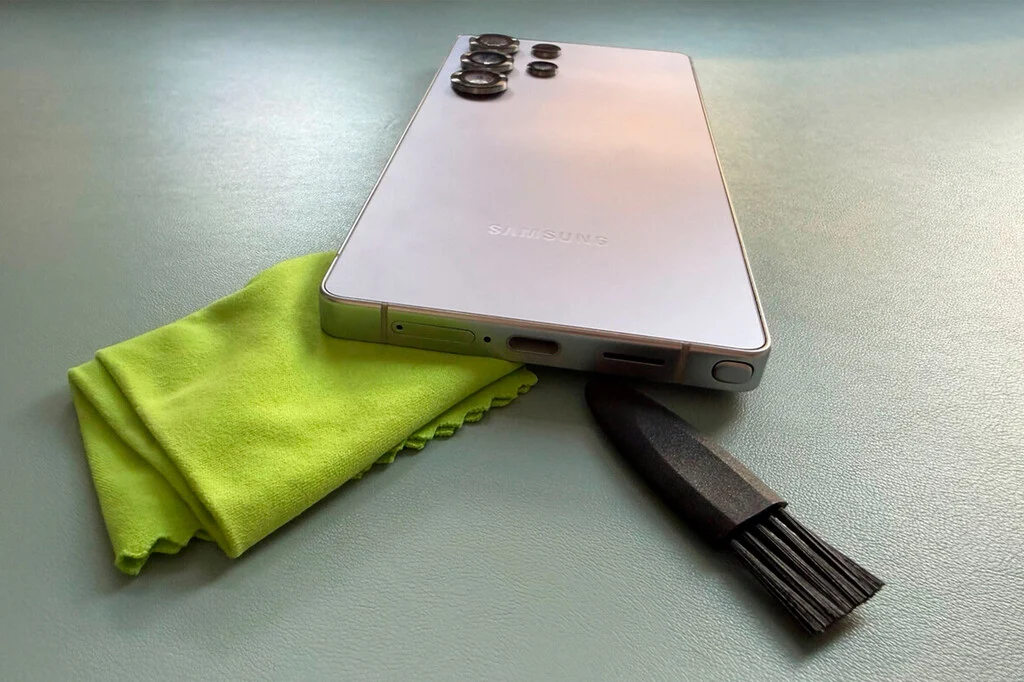

The functionality of a smartphone, particularly its ability to charge reliably, is fundamental to its utility in modern life. However, a common and often overlooked issue, the accumulation of dust and debris within the charging port, frequently leads to charging malfunctions, causing significant inconvenience and unnecessary concern for users. A recent incident involving an iPhone 6 at an official Apple Store’s Genius Bar highlighted a critical misstep in addressing this prevalent problem, where a technician reportedly employed a SIM ejector tool for cleaning—a practice widely condemned by technical experts as potentially damaging. This incident underscores the urgent need for both consumers and service providers to adhere to established best practices for charging port maintenance to prevent device damage and ensure device longevity.
The User’s Ordeal: A Case Study in Misguidance
The account begins with a user experiencing an abrupt cessation of charging functionality on their iPhone 6. Following standard troubleshooting protocols, which included testing with new charging cables and power adapters, the user determined the issue was intrinsic to the device. The logical next step, visiting an official Apple Store’s Genius Bar, unexpectedly unveiled a concerning lack of adherence to proper technical procedures. The technician attending the device, in an attempt to resolve the charging issue, proceeded to clean the charging port using a SIM card ejector tool. This method is unequivocally recognized within the professional technical community as a severe breach of proper device handling and a direct pathway to potential hardware damage.
The use of a metal object, such as a SIM ejector tool, inside a delicate electronic component like a charging port, poses multiple risks. The fine, conductive pins within the port are highly susceptible to bending, scratching, or even short-circuiting when contacted by a rigid, metallic instrument. Such damage can render the port permanently inoperable, necessitating costly repairs that often involve replacing the entire charging assembly or even the logic board. The user’s surprise at this procedure was well-founded, as any reputable technical service professional is trained to understand the fragility of these components and the specific tools and techniques required for their safe maintenance. This particular incident serves as a stark reminder that even in seemingly official and trusted service environments, vigilance regarding proper repair methodologies is essential.
The Silent Enemy: Understanding Charging Port Contamination
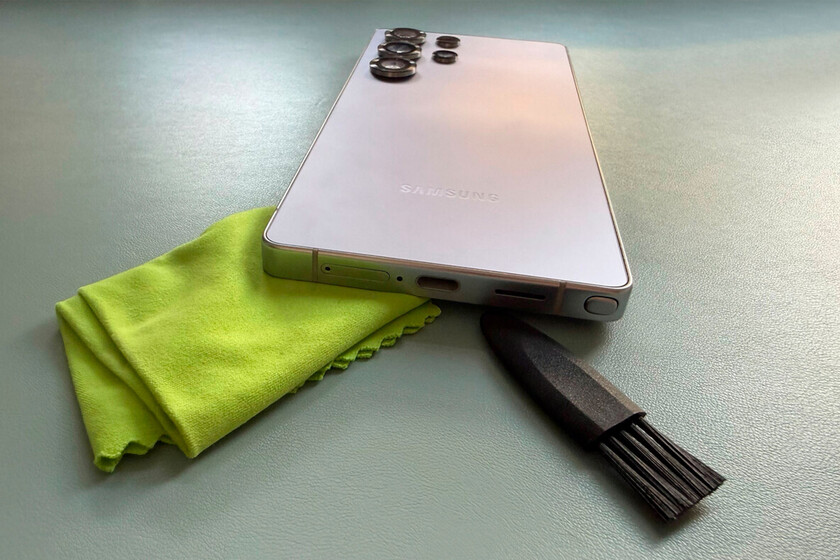
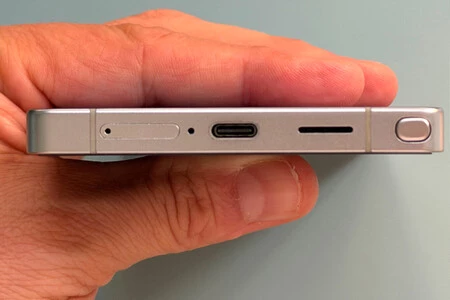
The primary antagonist in the battle for a healthy charging port is environmental debris, predominantly lint, dust, and minute particles accumulated from everyday use. Smartphones are frequently carried in pockets, purses, or bags, environments notorious for harboring textile fibers, pocket lint, and other microscopic detritus. Over time, these foreign particles inevitably migrate into the exposed charging port.
The physical mechanics of this accumulation are straightforward yet insidious. As a device is repeatedly inserted and removed from a pocket or bag, tiny fibers are pushed deeper into the port cavity. These particles compact over time, forming a dense layer at the base of the port. This compacted debris then interferes with the proper seating of the charging cable connector. When the cable cannot fully insert, the electrical pins inside the port fail to make adequate contact with the corresponding pins on the cable, leading to intermittent charging, slow charging, or a complete failure to charge.
The evolution of charging ports, from the older Micro-USB to Apple’s proprietary Lightning connector and the increasingly ubiquitous USB-C, has introduced varying degrees of robustness and design. While modern USB-C ports are designed to be more durable and reversible, they are by no means immune to debris accumulation. The intricate internal structure of these ports, containing multiple small pins for power and data transfer, makes them particularly vulnerable to obstruction. Data from independent repair shops consistently highlight charging port issues as one of the top five most common hardware problems encountered in smartphones, accounting for a significant percentage of all non-software related repairs. This prevalence underscores the critical need for effective preventive maintenance and informed troubleshooting.
Best Practices for Charging Port Cleaning: A Professional Approach
Addressing a dirty charging port effectively requires a methodical and gentle approach, utilizing specific tools to prevent damage. Before any cleaning attempt, it is paramount to ensure the device is powered off and completely disconnected from any power source to mitigate the risk of electrical short circuits or static discharge.
The recommended tools for safe and effective cleaning include:
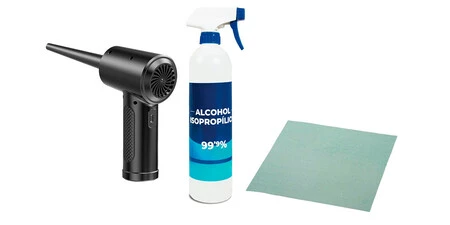
- Compressed Air: Specifically designed for electronics, compressed air cans provide a controlled, powerful burst of air capable of dislodging loose dust and lint.
- Wooden or Plastic Toothpick: These non-conductive, relatively soft tools are ideal for gently scraping away compacted debris without risking damage to the metal pins.
- High-Percentage Isopropyl Alcohol (IPA): With a purity of 90% or higher, IPA evaporates quickly and leaves no residue, making it safe for electronics. It acts as a solvent for stubborn grime.
- Microfiber Cloth: Useful for wiping away any external residue.
- Magnifying Glass (Optional but Recommended): Allows for a clear visual inspection of the port’s interior, helping to identify debris and assess the condition of the pins.
The cleaning procedure should follow these steps:
- Initial Inspection: Using a magnifying glass, carefully examine the port’s interior to identify the type and extent of debris. This helps in strategizing the cleaning method.
- Compressed Air Application: Hold the compressed air can upright and at a distance of several inches from the port. Use short, controlled bursts to blow out loose debris. Avoid holding the nozzle too close or tilting the can, which can cause propellant to spray out, potentially damaging components.
- Gentle Mechanical Removal: If compacted lint remains, carefully insert a wooden or plastic toothpick into the port. Gently scrape along the inner walls and the bottom of the port, avoiding direct pressure on the pins. The goal is to dislodge the compacted material, pulling it out in small pieces. Repeat this process until visible debris is removed.
- Isopropyl Alcohol (If Necessary): For stubborn, sticky residues that compressed air and dry scraping cannot remove, lightly moisten the tip of a wooden toothpick with high-percentage isopropyl alcohol. The key is to use a minimal amount, ensuring no liquid pools inside the port. Gently wipe the internal contacts and walls with the alcohol-dampened toothpick. The alcohol will help dissolve grime and quickly evaporate.
- Drying Time: After using IPA, allow several minutes for the port to thoroughly dry before attempting to charge the device. This ensures all alcohol has evaporated and minimizes any risk of short-circuiting.
- Final Inspection and Testing: Re-inspect the port with a magnifying glass to confirm cleanliness. Then, attempt to charge the device to verify functionality.
Adhering to these meticulous steps ensures that the charging port is cleaned effectively without compromising its delicate internal structure. Regular, preventive cleaning, perhaps once every few months or when noticing the cable doesn’t seat perfectly, can significantly prolong the life of the port and prevent more serious issues.
The "Never Do" List: Avoiding Irreversible Damage
While proper cleaning techniques are crucial, understanding what not to do is equally, if not more, important to prevent irreversible damage. The incident at the Apple Store serves as a prime example of a critical misjudgment.
- Absolutely No Metal Objects: This is the golden rule. Never use metal tools such as SIM ejector pins, paperclips, needles, tweezers, or knives to clean a charging port. The risk of bending or breaking the fragile internal pins, scratching the internal contacts, or creating a short circuit between pins is extremely high. Such damage often results in a completely non-functional port, requiring expensive professional repair or even device replacement.
- Avoid Harsh Chemicals and Water: Household cleaners, detergents, or even plain water can cause severe damage. These substances can corrode the delicate metal contacts, leave conductive residues, or cause liquid damage to the device’s internal electronics. Only high-percentage isopropyl alcohol, used sparingly, is generally considered safe due to its rapid evaporation and non-conductive properties when dry.
- No Excessive Force: Whether using compressed air or a toothpick, all actions within the port must be gentle. Forcing tools or applying excessive pressure can physically damage the port’s structure or internal components.
- Do Not Blow with Your Mouth: While seemingly innocuous, blowing into the port introduces moisture (saliva) and can also carry more dust or tiny food particles into the delicate area. The moisture can cause corrosion or short circuits.
Manufacturer Stance and Expert Opinions
Major smartphone manufacturers, including Apple, Samsung, and Google, generally advise users to seek professional service for any hardware issues, including charging port malfunctions. Their official support documentation often provides very limited or no guidance on DIY cleaning, primarily due to liability concerns associated with users potentially damaging their devices. However, this general stance can create a disconnect, as evidenced by the Apple Store incident, where the prescribed professional solution was flawed.
Independent repair technicians and industry experts, unburdened by corporate liability policies, are often more forthcoming with practical advice for safe self-maintenance. They consistently advocate for the use of non-metallic tools and compressed air, emphasizing the fragility of the internal components. The consensus among these experts is that a significant percentage of charging issues can be resolved by a careful and correct cleaning process, thereby avoiding costly and often unnecessary professional repairs. The unfortunate reality is that while manufacturers aim for a seamless user experience, the specific training and execution at the individual technician level can vary, sometimes leading to outcomes that contradict best practices. This highlights a need for more consistent and rigorous training protocols across all official service channels.
Broader Implications: Device Longevity, Consumer Trust, and Environmental Impact
The issue of charging port maintenance extends beyond individual inconvenience, touching upon broader themes of device longevity, consumer trust, and environmental responsibility. A well-maintained charging port directly contributes to the extended lifespan of a smartphone. By empowering users with the knowledge and tools for safe self-maintenance, the frequency of device failures due to preventable issues can be significantly reduced. This, in turn, lessens the demand for new device purchases, contributing positively to efforts to reduce electronic waste (e-waste), a growing global environmental concern.
Incidents like the one at the Apple Store can erode consumer trust in official brand repair services. When a user seeks professional help and receives advice or service that contradicts established best practices and potentially harms their device, it can lead to disillusionment and a preference for independent repair options or even the decision to discard a device prematurely. This erosion of trust also fuels the "right to repair" movement, advocating for consumers’ ability to repair their own devices or have them repaired by independent shops without undue restrictions from manufacturers.
Economically, unnecessary repairs or premature device replacements represent a significant cost to consumers. A simple, correct cleaning procedure, which can often be performed at home with minimal expense, prevents the need for a professional repair that might cost hundreds of dollars or, worse, the purchase of a brand-new device.
In conclusion, the humble charging port, often taken for granted, plays a pivotal role in the functional life of a smartphone. Understanding its vulnerabilities to environmental debris and adhering to stringent, professional cleaning methodologies are critical for device longevity. The cautionary tale from the Apple Store incident serves as a vital reminder that even in official service settings, knowledge and adherence to best practices can sometimes be inconsistent. For consumers, being informed about proper maintenance techniques is not just about extending their device’s life; it’s about empowering themselves, preserving their investment, and contributing to a more sustainable technological ecosystem.