
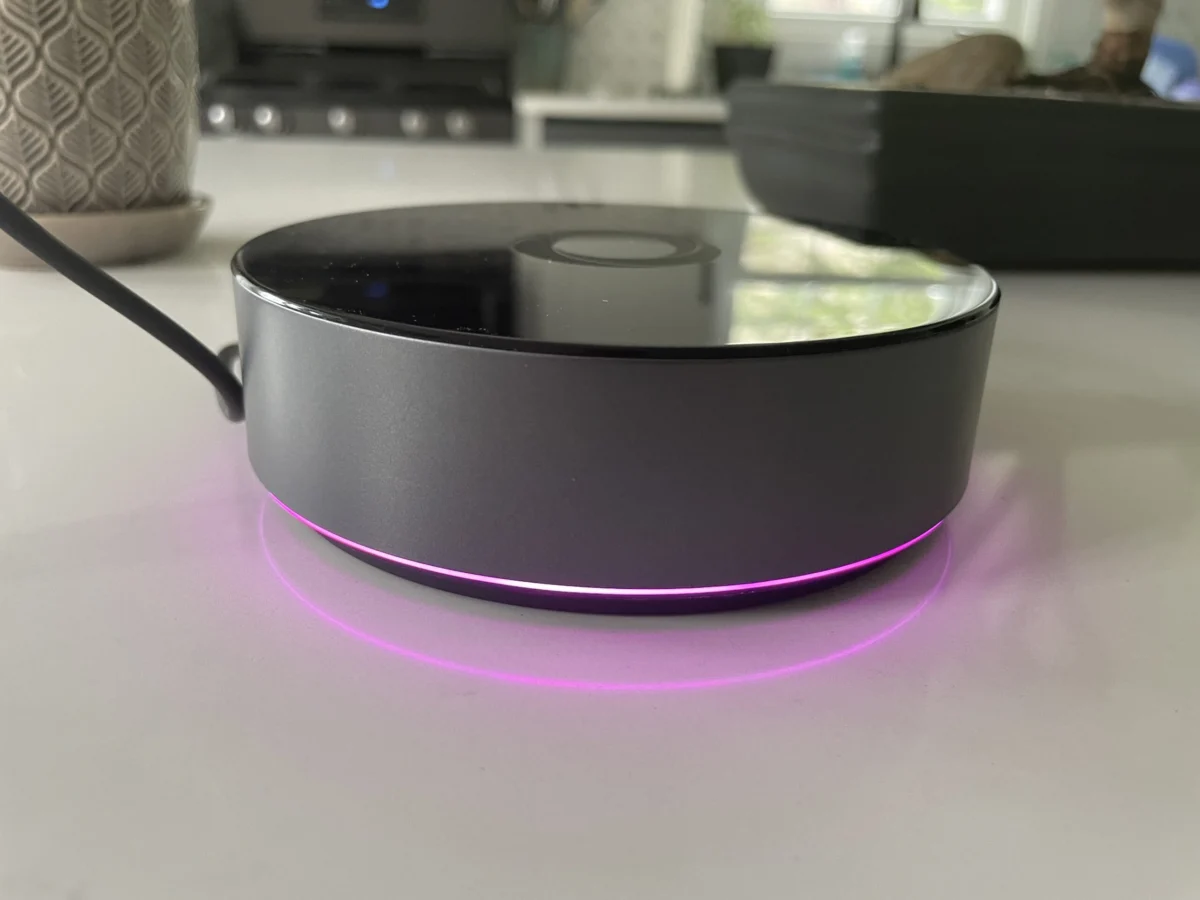

The smart home landscape is continuously evolving, with new devices and hubs vying for a central role in managing our connected lives. Following the introduction of its more accessible Homey Bridge, manufacturer Homey has now launched its premium offering, the Homey Pro, in the United States. Priced at $399, the Homey Pro aims to deliver a more robust and localized smart home experience compared to its predecessor, the $69 Homey Bridge, which was reviewed in March and received a generally positive reception. The Pro model distinguishes itself by minimizing subscription fees and limitations, offering optional Ethernet connectivity for an additional $29, and promising future support for the burgeoning Matter standard, including Matter over Thread.
While the Homey Pro presents a compelling proposition for smart home enthusiasts, its true value hinges on the compatibility with an individual’s existing device ecosystem. This review delves into the capabilities of the Homey Pro, examining its strengths, weaknesses, and overall suitability for the modern connected home.
Homey Pro: A Deeper Dive into Features and Hardware
The Homey Pro is not merely an iteration but a significant upgrade over the original Homey Pro released in 2019. Homey claims a substantial performance boost, boasting 3.5 times more CPU power. This enhanced processing capability is complemented by doubled storage and memory compared to the Bridge model, with the Pro featuring 8 GB of storage and 2 GB of RAM. These hardware enhancements are crucial for the Pro’s core philosophy: prioritizing local control for smart home operations.
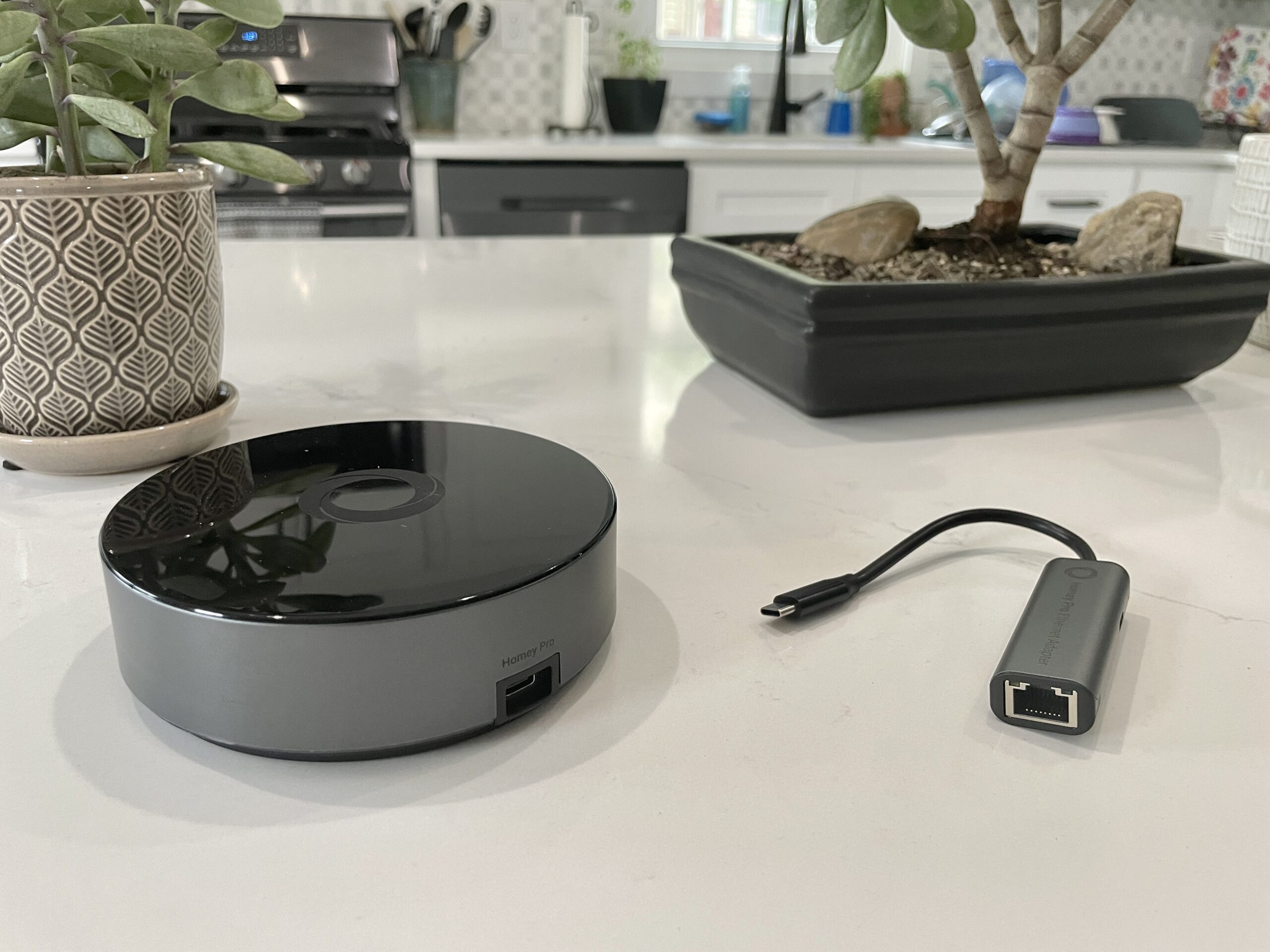
Unlike the cloud-dependent approach of the Homey Bridge, the Homey Pro is designed to operate as much as possible offline. This local-first architecture offers significant advantages from a privacy perspective, ensuring that user data and control remain within the home network. Furthermore, it provides a critical layer of resilience, allowing essential smart home functions and automations to continue operating even during internet outages, provided they do not rely on external cloud services.
From a functional standpoint, both the Bridge and the Pro share core capabilities. Users can add and manage devices, configure automations, and leverage a comprehensive suite of wireless radios. The U.S. model of the Homey Pro is equipped with Wi-Fi (supporting both 2.4 GHz and 5 GHz bands), Bluetooth, infrared, Zigbee, and Z-Wave. The Pro model further distinguishes itself by including a 833MHz Thread radio, essential for future Matter over Thread devices, and crucially, it bypasses the Homey Bridge’s limitation of supporting only five connected devices. While the Bridge imposes a $2.99 monthly fee for adding more devices beyond the initial five, the Homey Pro eliminates this constraint. The only optional subscription available for the Pro is a $0.99 monthly fee for cloud backups, a modest price for data redundancy.
Setting Up the Homey Pro: An Intuitive Initial Experience
The initial setup process for the Homey Pro mirrors the ease of use noted for the Homey Bridge. Users are guided through a straightforward process via the Homey mobile application. After powering the device with the included USB-C cable and charger, the app prompts users to answer basic questions about their home environment, including the number of floors and the layout of rooms on each floor. This detailed pre-configuration, which asks users to map their home’s structure, is a notable departure from many competing smart home platforms and can significantly streamline the subsequent device organization and automation setup.
Once connected to the home’s Wi-Fi network, the user is prompted to begin adding devices. Homey advertises support for over 50,000 devices, a figure that initially suggests broad compatibility. However, real-world testing reveals that the actual integration success can vary significantly based on the specific devices within a user’s smart home.

Device Compatibility: The Crucial Bottleneck
During testing, the Homey Pro successfully integrated a range of popular devices, including Lutron Caseta switches, Philips Hue bulbs, and Sonos speakers. These integrations generally performed well, with supported devices responding almost instantaneously to commands. The intuitive nature of the Homey app was evident in the seamless control offered for these devices.
However, a significant number of devices in the reviewer’s test setup failed to integrate. Notable non-starters included a Schlage door lock, Ecobee Thermostat, Nanoleaf bulb and light strip, Govee electric kettle, Wyze cameras, Eve Home devices, Logitech video doorbell, and a collection of smart plugs.
The exclusion of many smart plugs was partially attributed to their reliance on the Matter standard, which was not yet fully implemented in the Homey Pro at the time of the review, though future support was promised. It’s important to note that a Homey representative clarified that Matter devices operating over Wi-Fi should be compatible, while those relying on Thread (as many of the tested smart plugs did) would require the Thread radio implementation.
The lack of support extended beyond Matter devices. While brands like Nanoleaf and Ecobee are listed as supported, specific models within those brands proved incompatible. For instance, while various Nanoleaf light panels were recognized, the standard Nanoleaf bulbs and smart lights were not. Similarly, although Ecobee is a supported brand, only the Ecobee 3 Lite and Room Sensor were listed as compatible, leaving users with newer models like the Ecobee Thermostat Premium out of luck.

The integration process for incompatible devices often resulted in either a "No devices found" message, even after successful authentication (as seen with the Schlage Encode Wi-Fi lock), or an error message, as experienced with the Govee Wi-Fi kettle. The reviewer’s Cync by GE smart plug, a non-Matter device, also lacked a specific integration. The reviewer noted that while they had largely transitioned away from Zigbee and Z-Wave devices, users with a substantial collection of these protocols might find better compatibility.
Navigating Device Support: A Proactive Approach is Necessary
The absence of a readily accessible, comprehensive list of supported devices on Homey’s website was a point of concern. While a Homey representative later pointed to the "Apps" section on their website as the source for integration information, this detail was not immediately apparent during the initial review process. This lack of easily discoverable information presents a potential hurdle for consumers. Homey’s recommendation to download the free Homey app and search for specific devices before purchasing a Bridge or Pro is a practical suggestion, allowing potential buyers to verify compatibility firsthand.
For developers and technically inclined users, Homey Pro offers the intriguing possibility of creating custom integrations. The device’s web interface provides an API key and example code using JavaScript and Node.js, suggesting that the Homey Pro operates on a Node.js server architecture. While this feature is a significant plus for advanced users, it is unlikely to be utilized by the average consumer.
The Homey App: A Polished User Experience
Despite the challenges with device compatibility, the Homey mobile application itself is a strong point. It presents a modern and intuitive interface, offering access to both basic and advanced smart home controls. The ability to easily assign devices to specific rooms and floors, though ideally integrated into the initial setup, is a well-executed feature.

A particularly noteworthy aspect of the Homey app is its energy usage monitoring. The system allows users to estimate the energy consumption of their smart home devices, providing near real-time and historical data. This feature requires manual input of wattage for each device during setup, a minor effort that yields valuable insights into energy management. The system accurately adjusts energy usage estimates based on dimming levels and other device-specific controls. This data can be viewed within the app or via the web interface, which also provides access to local temperature, barometric pressure, and humidity readings. Homey representatives have indicated that if a device can report actual electricity usage, the Homey Pro will utilize and display that data.
Flows: Powerful Automation Capabilities
Homey’s automation engine, dubbed "Flows," is another area where the Pro model shines. These automations bear a strong resemblance to the sophisticated capabilities found in platforms like Home Assistant, moving beyond the simpler "if this, then that" logic of more mainstream assistants. Flows employ a "When… and… then…" structure, allowing for complex conditional logic, including "else" conditions, and the ability to trigger other Flows. The reviewer found that Flows operated flawlessly during testing, and the web interface offers an advanced mode for creating even more intricate automations.
Analysis and Implications: A Niche Appeal for the Technologically Savvy
The Homey Pro represents a significant step forward for local-first smart home hubs. The inclusion of nearly every relevant wireless radio and the emphasis on local control address a growing consumer desire for enhanced privacy and system resilience. The market has indeed seen a shift towards cloud-centric ecosystems, making the Homey Pro’s approach a refreshing alternative for those wary of constant internet dependence.
The polished user experience of the Homey app, from initial setup to device management and the powerful Flow automation engine, contributes to a positive overall impression. The ability to create custom integrations further enhances its appeal for developers and tinkerers.

However, the Homey Pro’s $399 price tag, coupled with its current device compatibility limitations, positions it as a niche product. For users with a diverse and modern smart home setup, the inability to integrate a significant portion of their devices could be a deal-breaker. The reviewer’s personal decision to continue using a lower-cost Home Assistant setup, where nearly all devices function seamlessly, highlights this critical trade-off.
The Future of Homey Pro and Smart Home Hubs
The success of the Homey Pro will likely depend on its ability to expand its device support and solidify its position in the evolving smart home market. The promised Matter support, particularly Matter over Thread, will be a crucial factor in attracting users who are investing in the latest generation of smart home devices.
For consumers who prioritize local control, data privacy, and are willing to invest time in verifying compatibility with their existing or planned smart home devices, the Homey Pro offers a compelling, albeit premium, solution. The onus is on the consumer to conduct thorough research, leveraging the Homey app’s device search functionality, to ensure that the Pro aligns with their specific smart home ecosystem before making a purchase. The Homey Pro’s potential is undeniable, but its immediate practical application is directly tied to the compatibility of the devices it aims to control.
This article was updated on August 16, 2023, at 11:00 AM ET, to include clarifications and corrections based on communication with Homey representatives.