
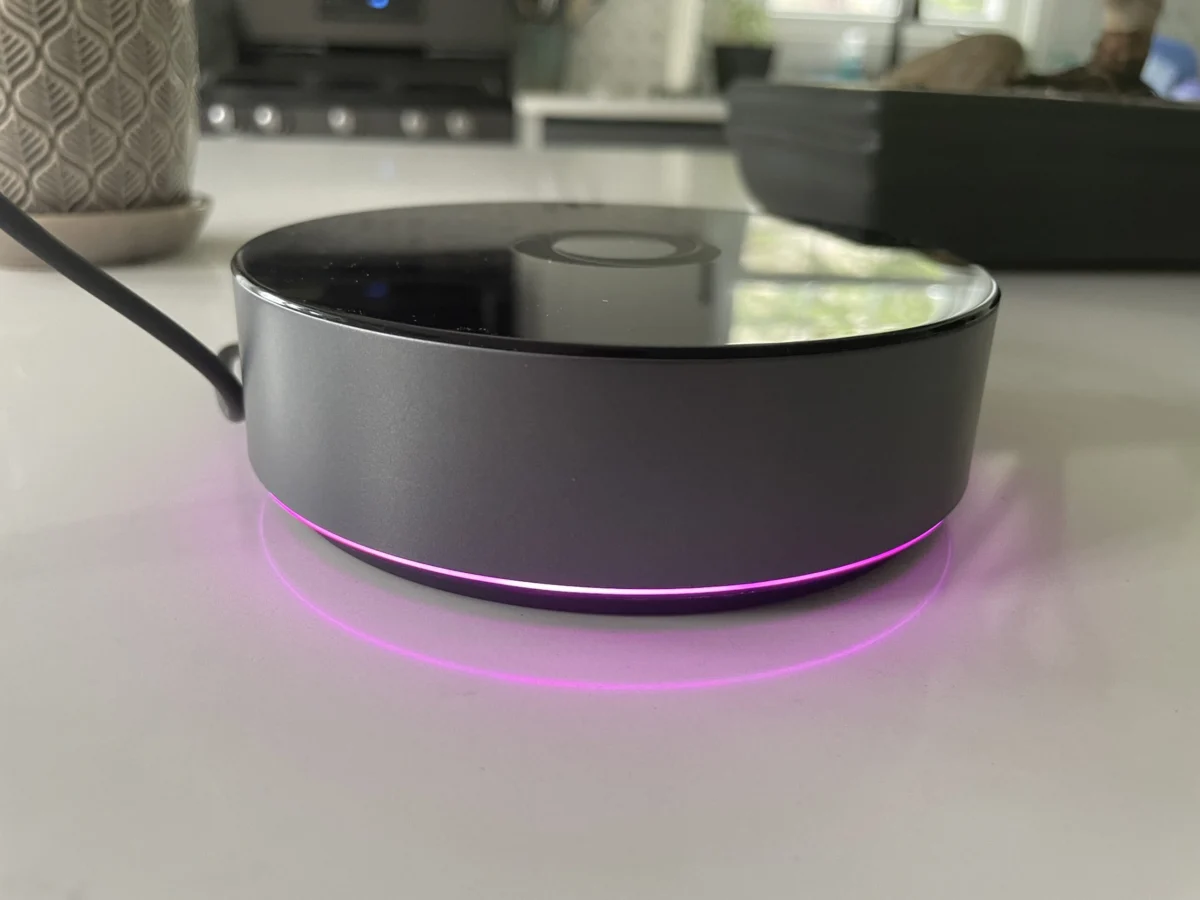

The smart home landscape continues to evolve, with a growing emphasis on local control and enhanced privacy. In this evolving market, Homey has introduced its more powerful Homey Pro hub to the United States, priced at $399. This comes on the heels of the $69 Homey Bridge, which received a generally positive reception for its simplicity. The Homey Pro aims to address many of the limitations of its less expensive counterpart, offering a more robust, locally-controlled smart home experience, though its true value hinges significantly on existing device compatibility.
Homey Pro: A Step Up in Power and Control
The Homey Pro represents a significant upgrade from the original 2019 Homey Pro, boasting a claimed 3.5 times increase in CPU performance. This enhanced processing power is complemented by doubled storage and memory, offering 8 GB of storage and 2 GB of RAM. These upgrades are crucial for its core design philosophy: prioritizing local control for smart home devices. Unlike the more cloud-dependent Homey Bridge, the Homey Pro is engineered to function with minimal reliance on internet connectivity, ensuring that automations and device controls continue to operate even during internet outages, provided those devices do not inherently require cloud access.
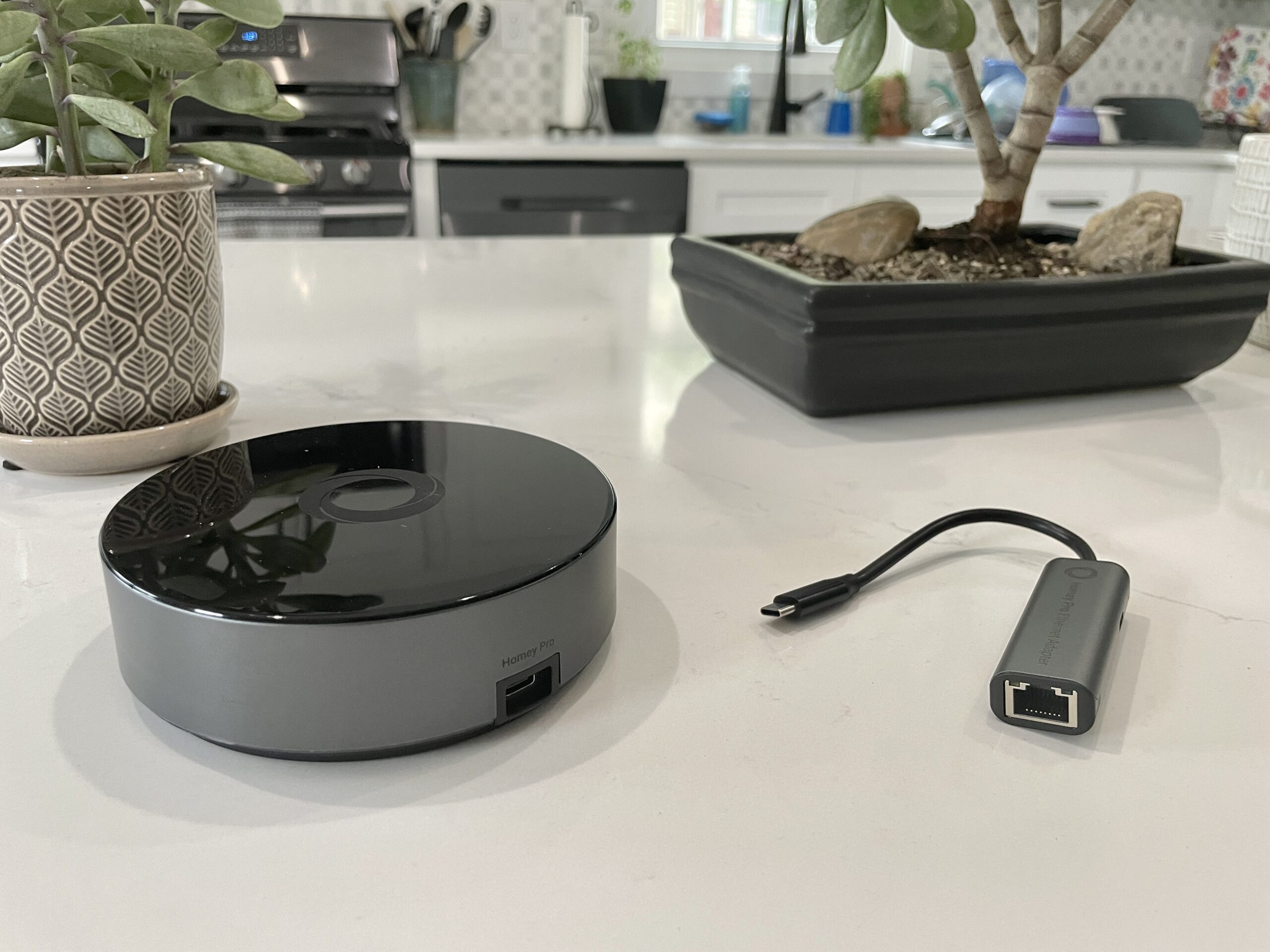
Both the Bridge and Pro models share core functionalities, including the ability to add and manage devices, and configure automations. They also feature a comprehensive suite of radios. For the U.S. market, this includes Wi-Fi (2.4 GHz and 5 GHz), Bluetooth, infrared, Zigbee, and Z-Wave. The Pro model distinguishes itself further by including a Thread radio, essential for the burgeoning Matter ecosystem and future-proofing smart home setups. Furthermore, the Pro eliminates the device limitations found in the Bridge. While the Bridge restricts users to five connected devices without a subscription, the Homey Pro supports an unlimited number of devices. A modest $0.99 monthly fee is available for optional cloud backups, a significant reduction from the previous $1.99 price point. An optional Ethernet connectivity module is also available for an additional $29, providing an alternative to Wi-Fi for network connection.
The Setup Experience: Intuitive and User-Friendly
The initial setup of the Homey Pro mirrors the ease of use experienced with the Homey Bridge. Users connect the Pro device via the included USB-C cable and charger, download the Homey app to their smartphone, and proceed through a brief, guided configuration. A notable aspect of the Homey app’s onboarding process is its intelligent questioning about home layout, specifically asking about the number of floors and the arrangement of rooms. This approach is a refreshing departure from many smart home platforms, where users often have to manually create and assign rooms, potentially saving significant time during the initial setup.
Once connected to the home’s Wi-Fi network, the process of adding devices begins. Homey claims support for over 50,000 devices, a figure that suggests broad compatibility. However, real-world testing revealed that this broad claim requires careful scrutiny, as only about half of the reviewer’s diverse smart home devices were successfully integrated.

Device Compatibility: The Crucial Hurdle
The success of any smart home hub hinges on its ability to communicate with a wide array of devices. While the Homey Pro supports a multitude of protocols, the actual integration of specific devices can be a complex issue. In testing, devices such as Lutron Caseta switches, Philips Hue bulbs, and Sonos speakers were integrated without issue. However, a significant number of other popular devices failed to connect. This included Schlage door locks, Ecobee thermostats, Nanoleaf lighting products, Govee smart appliances, Wyze cameras, Eve Home devices, Logitech video doorbells, and a variety of smart plugs.
The absence of Matter support at launch was a contributing factor to some of these connectivity issues, particularly with Matter-certified smart plugs that rely on Thread. A Homey representative clarified that while Matter support is anticipated later this year, devices that function solely over Wi-Fi might be compatible now. However, the reviewer’s Matter devices primarily utilized Thread, explaining their inability to connect.
Specific brand integrations also presented challenges. While Nanoleaf was listed as a supported brand, only certain product lines, like the traditionally shaped light panels (triangles, hexagons, and lines), were recognized. The standard Nanoleaf bulbs and smart lights, even older Nanoleaf Essentials models, were not supported. Similar issues arose with a Meross garage door opener and a Govee Wi-Fi kettle, which either failed to be found or returned error messages.

The Schlage Encode Wi-Fi lock, despite appearing in the Homey app, proved problematic. After authenticating with Schlage credentials, the integration reported "No devices found." The Cync by GE smart plug also lacked direct integration. Even within supported brands like Ecobee, compatibility was limited to specific models, such as the Ecobee 3 Lite and Room Sensor, excluding newer models like the Ecobee Thermostat Premium. The reviewer noted that a move away from Zigbee and Z-Wave devices might explain some of these issues, suggesting that users with a strong presence of these protocols might experience better results.
Navigating Integrations: A Proactive Approach Recommended
The lack of a readily accessible, comprehensive list of supported product integrations on the Homey website posed a significant challenge for potential buyers. Homey representatives later pointed to the "Apps" section on their website as the source for integration information. This highlights a critical recommendation for prospective Homey Pro users: before committing to a purchase, it is imperative to download the free Homey app and verify the compatibility of your existing and planned smart home devices. This pre-purchase check can prevent disappointment and ensure that the investment aligns with the user’s specific ecosystem.
For developers and technically inclined users, Homey Pro offers the capability to create custom integrations. The device’s web interface provides an API key and example code for JavaScript and Node.js development, suggesting that the Homey Pro is built upon a Node.js server architecture. While this extensibility is a valuable feature for a niche audience, it is unlikely to be utilized by the average consumer.

The Homey App: A Polished User Experience
Despite the device compatibility hurdles, the Homey app itself is a strong point. It presents a modern and intuitive interface, surpassing many competing smart home applications. The app effectively exposes both basic and advanced functionalities, making device management and automation setup accessible. The ability to easily assign devices to rooms and floors is a well-implemented feature, though it would be more streamlined if this assignment could occur during the initial device integration process rather than requiring a separate trip to device settings.
A particularly innovative feature is the estimated smart home energy usage tracker. Users can manually input the wattage of their devices to enable this function, which provides near real-time and historical data on energy consumption. The system intelligently adjusts these estimates based on device dimming levels, reflecting changes in power draw when lights are set to lower percentages. This energy data can be viewed within the mobile app or through the web interface. The web interface also offers additional environmental data, such as local temperature, barometric pressure, and humidity, adding another layer of utility. It’s worth noting that Homey representatives have indicated that if a device can report its actual electricity usage, Homey will display and utilize that data, further enhancing the accuracy of energy monitoring.
Flows: Advanced Automation Capabilities
Homey’s automation engine, known as "Flows," draws comparisons to the robust automation capabilities found in platforms like Home Assistant. Flows utilize a "When… and… then…" structure, similar to IFTTT but with more sophisticated logic. The system supports "else" conditions, allowing for more complex decision-making within automations, and Flows can even trigger other Flows, creating intricate automation chains. The reviewer found the Flows to be highly reliable, with created automations functioning flawlessly. While Flows can be configured within the mobile app, the web interface offers an advanced mode for creating more complex automation sequences, mirroring the app’s functionality for device viewing and control.

Analysis and Implications: A Niche Player with Promise
The Homey Pro emerges as a compelling option for those prioritizing local control and privacy in their smart homes. Its comprehensive radio support, powerful processing, and intuitive app interface present a strong foundation. The market has seen a shift towards cloud-based solutions, making a dedicated local hub like the Homey Pro a welcome addition for privacy-conscious consumers. The ability to create custom integrations further enhances its appeal for advanced users.
However, the significant caveat remains device compatibility. The $399 price point demands a high level of integration for a wide range of devices. For users with a diverse collection of smart home gadgets, particularly those newer to the market or employing less common protocols, the Homey Pro’s current device support may prove insufficient. The lack of a clear, easily accessible compatibility list prior to purchase is a significant barrier to entry for mainstream consumers.
The Homey Pro’s potential is undeniable, offering a glimpse into a more private and resilient smart home. Yet, its success in the U.S. market will likely depend on the company’s commitment to expanding its device integration library and making that information more readily available. Until then, users with a broad spectrum of smart home devices may find more comprehensive support and cost-effectiveness in alternative solutions, such as self-hosted platforms like Home Assistant, where device compatibility is often driven by a larger, community-based development effort.

The Homey Pro represents a strategic move to capture a segment of the market that values local control and data privacy. As the smart home industry continues to mature, the emphasis on these factors is likely to increase, positioning Homey Pro as a potentially valuable long-term investment for the right user. However, prospective buyers are strongly advised to conduct thorough research into device compatibility before making a purchase.
Updated on 8/16/2023 at 11 am ET with clarifications and corrections based on communication with Homey representatives.