


It is a common scenario in the digital age: a smartphone user encountering a minor glitch, a frozen application, or a noticeable slowdown. The immediate, almost instinctual, reaction for many is to initiate a power cycle. This act, whether a full shutdown followed by a power-up or a simple restart, has become a universal troubleshooting step, a digital equivalent of "turning it off and on again." While the efficacy of this simple action is widely acknowledged, the subtle differences between a "restart" and a "power off and then on" remain a point of discussion for many users. This article delves into the technical distinctions, practical implications, and the broader context of this fundamental interaction with our most ubiquitous personal device.
The Ubiquitous Smartphone: A Modern Dilemma of Continuous Operation
For a significant portion of the global population, the smartphone operates almost continuously, rarely experiencing a complete power cycle. Modern devices are designed for perpetual readiness, capable of staying awake for days, weeks, or even months, with only intermittent reboots necessitated by system updates or critical software failures. This stands in stark contrast to the computing habits of previous generations, where regular shutdowns of desktop computers were a routine part of digital hygiene. The persistent "on" state of smartphones reflects their integration into daily life, serving as communication hubs, entertainment centers, navigation tools, and personal assistants, making any downtime feel disruptive.
The notion that "pulling the plug" or a simple power cycle can resolve a myriad of technical issues is a legacy inherited from earlier eras of computing. From the often-unstable operating systems of the late 20th century to the more robust but still fallible platforms of today, the act of resetting the system has consistently offered a clean slate, clearing temporary anomalies that accumulate during continuous operation. However, with the advancements in mobile operating systems like Android and iOS, which boast sophisticated memory management, background process handling, and self-healing capabilities, the necessity and frequency of these manual interventions have evolved.
Understanding the Technical Nuances: Restart vs. Power Off
At the heart of the debate lies a fundamental technical distinction, albeit one that has become increasingly subtle with technological progress. While both processes ultimately aim to refresh the device’s operational state, they achieve this through slightly different mechanisms, leading to variations in speed and the extent of system reset.
The Full Power Off and On Sequence:
When a smartphone is completely powered off, its entire hardware system enters a dormant state. All active components, including the central processing unit (CPU), graphics processing unit (GPU), memory modules (RAM), storage drives (flash memory), and various peripheral controllers, cease to receive power (save for minimal residual power for components like real-time clocks or specific alarm functions, which are becoming less common). The device effectively becomes an inert piece of hardware.

The subsequent power-on sequence is a comprehensive boot process:
- Hardware Initialization: The mainboard receives power, and the boot firmware (BIOS or UEFI equivalent) initiates a Power-On Self-Test (POST) to verify the integrity of essential hardware components.
- Bootloader Activation: The boot firmware then loads a small program called the bootloader from the device’s internal storage.
- Operating System Kernel Load: The bootloader’s primary role is to load the operating system’s kernel into RAM. The kernel is the core component of the OS, responsible for managing system resources and enabling communication between hardware and software.
- System Services and Applications: Once the kernel is active, it begins to launch various system services, drivers for hardware components, and essential background processes. This includes initializing the display, network modules, and other core functionalities.
- User Interface and Authentication: Finally, the graphical user interface loads, and the device prompts the user for authentication (PIN, pattern, fingerprint, or facial recognition).
This entire process is visually accompanied by a boot animation, which serves not only as a brand identifier but also as a progress indicator, masking the complex sequence of operations occurring in the background.
The Restart Sequence:
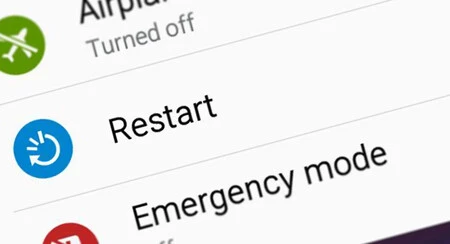
A restart, often termed a "soft reboot" or "warm boot," largely mirrors the full power-on sequence but with a crucial difference: it does not entirely cut power to all hardware components. Instead, the operating system initiates a controlled shutdown of software processes, clears temporary memory (RAM and cache), and then immediately triggers a re-initialization of the system, bypassing some of the initial hardware power-down and self-test phases.
During a restart:
- Software Shutdown: All open applications are closed, and the operating system performs a graceful shutdown of its running processes and services.
- Memory Clearing: The contents of the volatile Random Access Memory (RAM) are flushed, effectively clearing out any accumulated data, corrupted processes, or memory leaks that might have been causing performance issues. Similarly, system caches might be cleared or refreshed.
- Partial Hardware Reset: While the core hardware (like the SoC — System on a Chip) remains powered, many of its internal registers and states are reset. Peripheral components that are not critical for the boot process might also maintain a low-power state rather than fully powering down and back up.
- Re-initialization: The system then proceeds to reload the operating system kernel and subsequent services, much like a full power-on, but it often skips the deeper hardware checks that occur during a cold boot.
The Key Distinction: Speed and Extent of Reset
The primary practical difference for the user is speed. A restart is generally faster because it circumvents the complete power cycling of all hardware, thus omitting some initial boot-up diagnostics and power sequencing steps. Both processes, however, achieve the critical goal of clearing the device’s RAM and restarting all software processes from scratch, which is usually sufficient to resolve common software-related glitches.
Why Restarting Matters: Beyond the Immediate Fix
While often employed as a remedy for an immediate problem, regular restarting offers several benefits that contribute to the overall health and performance of a smartphone, even when no apparent issues exist.
1. Performance Optimization and Resource Management:
Over time, as applications are opened, closed, and background processes run, temporary data accumulates in RAM. While modern operating systems are highly efficient at managing memory, "memory leaks" (where an application fails to release memory it no longer needs) or fragmented memory can still occur. A restart effectively flushes the RAM, providing a clean slate and ensuring that system resources are allocated optimally. This can lead to smoother performance, faster app loading times, and a more responsive user interface. Industry studies, though varying by OS and device, consistently show a measurable improvement in benchmark scores and user-perceived responsiveness after a device refresh.
2. Enhanced Security:
In an increasingly complex cybersecurity landscape, a restart can serve as a simple yet effective security measure. Many types of malware, especially those designed to be persistent, operate by maintaining active processes or open network connections. While sophisticated malware can survive reboots, a significant number of less persistent threats or temporary vulnerabilities (such as open network sessions that could be exploited) are terminated upon a system restart. This provides a fresh, more secure operating environment, making it harder for unauthorized access or malicious processes to maintain their foothold. Cybersecurity experts often recommend regular reboots as part of a layered security strategy, especially for devices that handle sensitive information.
3. Effective Application of Updates:
Operating system updates, security patches, and application updates often require a system restart to fully integrate changes and replace core system files. While some updates can be applied on the fly, a full system refresh ensures that all components load the newly installed versions correctly, preventing potential conflicts or instability that might arise from running mixed versions of libraries or services. Users who consistently defer reboots after updates may experience subtle bugs or incomplete functionality.
4. Mitigating Battery Drain from Runaway Apps:
One of the most common issues prompting a restart is unexplained battery drain. This is frequently caused by a "runaway" application or a background process that has become stuck in a loop, consuming excessive CPU cycles and, consequently, battery power. By restarting the device, all applications are forced to close, and processes are reset. If the issue was indeed a software glitch, the battery drain typically normalizes after the reboot. While this is a temporary fix if the app itself is poorly designed, it offers immediate relief.
Expert Perspectives and Industry Consensus
Mobile operating system developers, such as Apple for iOS and Google for Android, design their platforms with robust memory management and crash recovery mechanisms. Their goal is to minimize the need for user intervention, making devices stable enough to run for extended periods. However, they also acknowledge the benefits of occasional reboots. Official support documentation for both major mobile OS platforms frequently recommends restarting as a primary troubleshooting step for various issues.
Device manufacturers typically echo this advice. While they emphasize the durability and continuous operation capabilities of their hardware, they also recognize that software can encounter unforeseen states. Hence, the "restart" option is prominently featured in power menus.
From a cybersecurity standpoint, organizations like the National Security Agency (NSA) have, in certain contexts, recommended restarting mobile devices regularly (e.g., weekly) as a basic hygiene practice to thwart sophisticated adversaries who might exploit vulnerabilities to establish persistent access. This highlights the "clean slate" aspect of a reboot from a security perspective.
When a Full Shutdown is Preferable
Despite the general consensus that a restart is usually sufficient and more convenient, there are specific scenarios where a full power off and then on might be marginally more beneficial:

- Long-Term Storage: If a device is to be stored for an extended period (weeks or months), a full shutdown is advisable to conserve battery life and prevent any minimal background processes from running.
- Deep Hardware Issues: While rare, some hardware-related glitches (e.g., issues with specific sensors or communication modules) might benefit from a complete power cycle that fully re-initializes all hardware components, something a restart might not fully achieve.
- Complete System Reset: In cases of severe, persistent software corruption or before performing a factory reset, ensuring the device has been fully powered down can sometimes aid in the stability of these more drastic operations.
- Travel (Flight Mode vs. Off): While flight mode is sufficient for air travel, powering off the device completely ensures zero radio emissions and maximum battery conservation, though the practical difference during a typical flight is negligible for most modern devices.
The Frequency Debate: How Often is Optimal?
The question of how often one should restart a smartphone lacks a universally agreed-upon answer. Unlike the desktop computers of old that sometimes demanded daily reboots, modern smartphones are far more resilient. Based on expert recommendations and practical observations:
- Weekly or Bi-weekly: This frequency is often cited as a good balance for maintaining optimal performance and security without being overly intrusive. It allows for the regular clearing of RAM, resolution of minor software glitches, and application of pending updates.
- As Needed: Many users simply restart their devices when they encounter a specific issue (e.g., an app freezing, slow performance, unusual battery drain). Given the robustness of current operating systems, this approach is often perfectly adequate.
- After Major Updates: It is always a good practice to restart the device after installing a significant operating system update to ensure all new components are properly loaded and integrated.
Anecdotal evidence from users who rarely power off their phones suggests that devices can function without major issues for extended periods. The personal experience of many, including the author of the original piece, indicates that constant uptime does not inherently "damage" the phone. However, this perspective often overlooks the subtle performance degradations and potential security benefits that periodic reboots can offer.
Conclusion: Dispelling Myths and Empowering Users
In the perennial debate between restarting and fully powering off a smartphone, the practical conclusion is clear: for the vast majority of common software-related issues, a restart is equally effective as a full power off and on, with the added benefit of being faster and more convenient. Both actions achieve the crucial objective of flushing temporary memory and restarting the operating system’s software processes, thereby resolving accumulated glitches, improving performance, and enhancing security.
Modern smartphones are engineered for continuous operation, making the historical necessity of frequent full shutdowns largely obsolete. Users can confidently rely on the restart function to address most performance anomalies and software hiccups. While a full power off has its niche applications, such as long-term storage or addressing very specific hardware initialization issues, it offers minimal additional benefit for day-to-day troubleshooting.
Ultimately, empowering users with this understanding allows them to make informed choices about device maintenance. A simple, quick restart remains a powerful and effective tool for keeping our indispensable digital companions running smoothly and securely, reflecting the ongoing evolution of technology and user interaction.