


Virtual machine (VM) software has evolved from a niche developmental tool into a foundational pillar of modern enterprise IT infrastructure. By allowing organizations to emulate complete computer systems—complete with CPUs, memory, network interfaces, and storage—on a single physical machine, virtualization dramatically optimizes hardware utilization. This capability has fundamentally shifted how businesses approach server consolidation, software development testing cycles, disaster recovery, and hybrid cloud deployments. As businesses increasingly demand flexibility, robust security isolation, and dynamic scalability, the market for Windows-compatible VM software has diversified significantly, presenting organizations with a wide array of specialized solutions tailored to distinct operational needs.

The historical trajectory of virtualization technology provides essential context for today’s diverse market landscape. Pioneered largely by enterprise mainframes decades ago, x86 virtualization gained mainstream traction in the early 2000s primarily through desktop-level hypervisors and rudimentary server virtualization tools. Over the subsequent two decades, virtualization transitioned from a software-emulated novelty to hardware-assisted virtualization natively supported by modern microprocessors from Intel and AMD. Today, the integration of containerization platforms, hyper-converged infrastructure (HCI), and cloud-native management tools like Kubernetes has reshaped the timeline of enterprise IT. Microsoft’s recent strategic pivot away from standalone hypervisor products like Microsoft Hyper-V Server toward integrated cloud-hybrid platforms such as Azure Stack HCI marks a defining moment in this ongoing evolution, compelling IT administrators to reevaluate their infrastructure strategies.
To help organizations navigate this complex ecosystem, industry analysts and technical evaluators regularly benchmark leading solutions across multiple performance vectors. A comprehensive evaluation of the current market highlights six standout VM software options for Windows users, each addressing distinct operational requirements ranging from local desktop virtualization to massive enterprise cloud scaling.

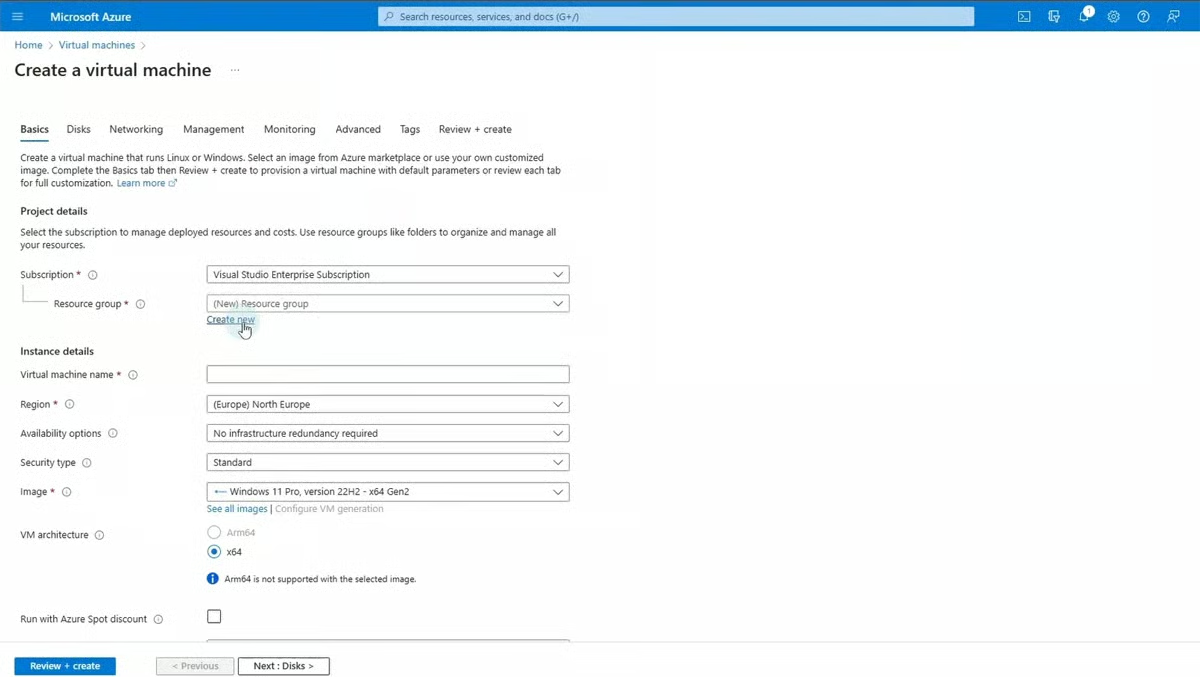
Azure Virtual Machines (Azure VM) stands out as the premier choice for scalable, cloud-based computing. Operating as a core component of Microsoft’s Azure cloud computing service, Azure VMs empower enterprises to provision scalable computing resources globally. The platform supports a vast array of operating systems, including diverse Linux distributions and Windows editions, making it exceptionally versatile for web hosting, database management, and enterprise application deployment. Priced starting at approximately $7.59 per month depending on resource configuration, Azure VMs offer elastic scalability and seamless integration with native cloud services like Azure Active Directory and Azure SQL Database. However, critics note that configuring these environments can become cost-prohibitive under high-performance workloads, and the sheer complexity of Microsoft’s cloud ecosystem can overwhelm smaller organizations lacking dedicated IT resources.
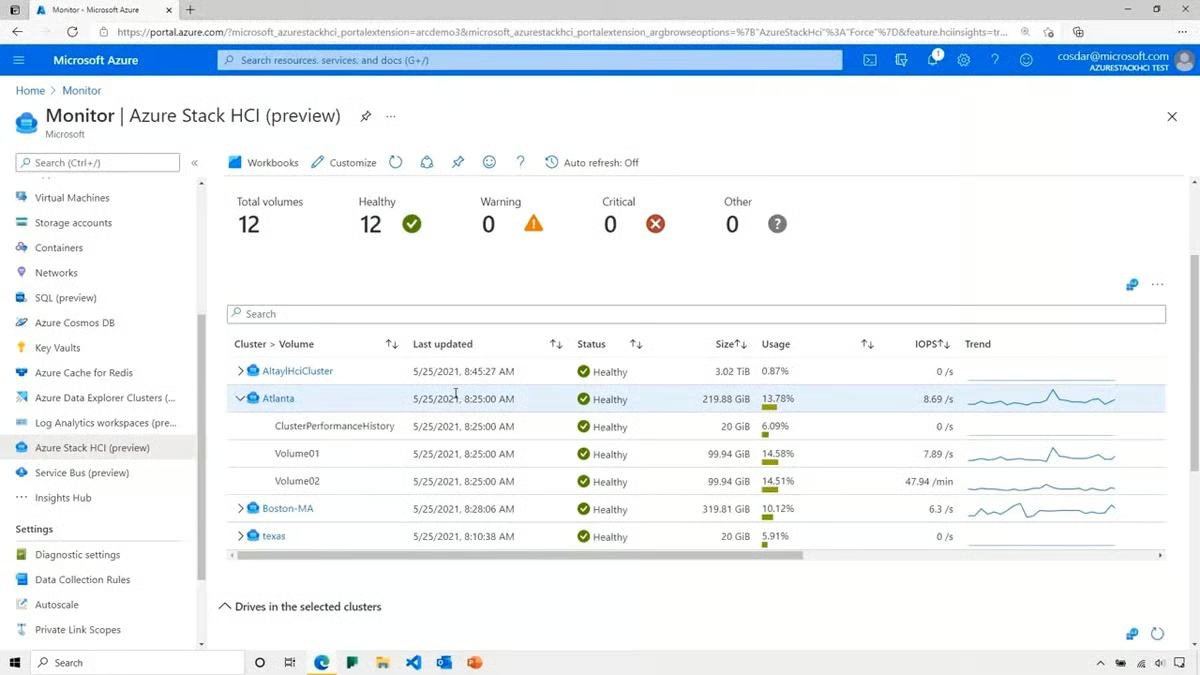
For organizations requiring a balance between cloud agility and strict on-premises control, Azure Stack HCI provides a compelling hybrid alternative. Designed as a hyper-converged infrastructure solution, it integrates virtualization, storage, and networking into a unified on-premises system that acts as an extension of the Azure cloud. Starting at roughly $10 per physical core per month, Azure Stack HCI is optimized for modernizing enterprise data centers while keeping sensitive workloads localized. While it offers unified management through Windows Admin Center and robust hybrid networking, initial deployments demand sophisticated architectural planning and can incur significant capital and operational expenditures.
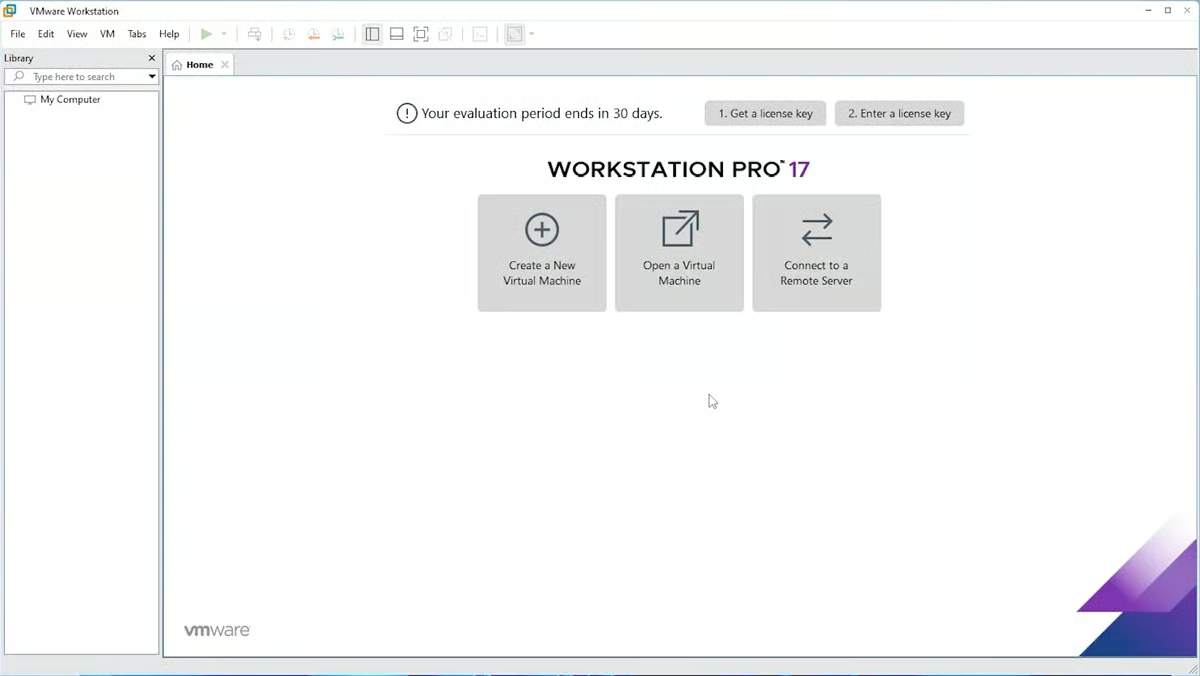
For local development, advanced networking simulation, and power users, VMware Workstation Pro remains a benchmark product. Retailing at a flat $199 for local virtualization features, VMware Workstation Pro delivers high-performance resource management, comprehensive multi-OS support, and sophisticated snapshot and cloning capabilities. Its advanced virtual networking features allow developers to construct complex, isolated network topologies directly on a Windows host. Nevertheless, running multiple resource-heavy VMs locally can place severe demands on host hardware, and the advanced feature set introduces a steeper learning curve for novice administrators.
Enterprise-scale server virtualization is heavily anchored by open-source solutions such as Citrix Hypervisor (formerly known as XenServer). Engineered for massive deployments of Windows and Linux virtual servers, Citrix Hypervisor excels in performance and hardware compatibility for data centers and cloud computing environments. Although its pricing typically requires direct custom quoting from Citrix, the platform earns high marks for raw server processing efficiency and open-source customization potential. Conversely, its enterprise focus means it is ill-suited for desktop virtualization use cases, and its initial setup complexity can challenge organizations with limited technical staff.
Reflecting the broader industry shift toward cloud-native architectures, Red Hat OpenShift Virtualization addresses the needs of organizations managing both traditional virtual machines and modern containerized applications. Built atop the enterprise Kubernetes platform, OpenShift Virtualization allows administrators to run VMs and containers side-by-side on a unified, hybrid cloud-friendly infrastructure. Pricing varies depending on server editions and enterprise support tiers. While it offers unmatched synergy for DevOps teams modernizing legacy applications, it requires deep technical expertise in both traditional hypervisor management and Kubernetes orchestration.
Finally, for professionals operating within mixed-OS environments, Parallels Desktop serves as the definitive solution for running Windows applications natively on Apple macOS hardware. Priced at $99.99 per year for the Standard Edition, Parallels enables seamless integration between macOS and Windows virtual machines through features like shared clipboards, drag-and-drop file sharing, and Coherence mode, which hides the Windows desktop while keeping applications fully functional. While exceptionally optimized for productivity tasks on Mac, it is not recommended for high-end 3D gaming or heavily graphics-intensive enterprise simulation workloads.
Evaluating these platforms requires a rigorous analysis of core technical features, which industry benchmarks typically weight across several critical categories: overall product features (50%), cost transparency and structure (25%), and vendor support availability (25%). Within the feature category, performance and resource management command the highest analytical weight (10%), measuring a hypervisor’s ability to dynamically allocate CPU, memory, and storage without inducing host latency. Compatibility and system requirements (7.5%), usability and management (7.5%), security and isolation (7.5%), networking capabilities (5%), scalability and flexibility (5%), reliability and uptime (5%), and infrastructure integration (2.5%) round out the scoring matrix.
Security and isolation represent non-negotiable criteria in contemporary IT infrastructure. Enterprise VM software must enforce robust isolation boundaries to ensure that a compromise or instability within a single virtual machine does not breach the host operating system or adjacent virtual environments. Advanced products incorporate hardware-assisted security features, encrypted virtual disks, secure boot options, and micro-segmentation networking rules to thwart potential malware propagation and unauthorized access vectors.
Similarly, networking flexibility dictates how effectively virtual machines communicate internally and externally. Standard hypervisors utilize three primary networking modes: bridged networking, where each VM appears as a distinct physical device on the local network; Network Address Translation (NAT), which routes VM traffic through the host machine’s IP address; and host-only networking, which completely isolates the VM environment from external network interfaces. Enterprise deployments frequently demand advanced network virtualization capabilities, including Virtual Local Area Network (VLAN) tagging, bandwidth throttling, and simulated network latency for rigorous software testing.
Selecting the appropriate VM software ultimately requires a methodical assessment of an organization’s specific operational objectives, budgetary constraints, and internal technical capabilities. Businesses must carefully weigh upfront software licensing costs or recurring cloud subscription fees against the long-term productivity gains and hardware optimization benefits delivered by virtualization. Furthermore, organizations must proactively implement comprehensive backup and disaster recovery strategies tailored to virtual environments. Because virtual machine image files are prone to corruption or data loss resulting from cyber threats, human error, or hardware failure, investing in dedicated virtual machine backup and replication tools is essential to guaranteeing business continuity in an increasingly digital economy.
