
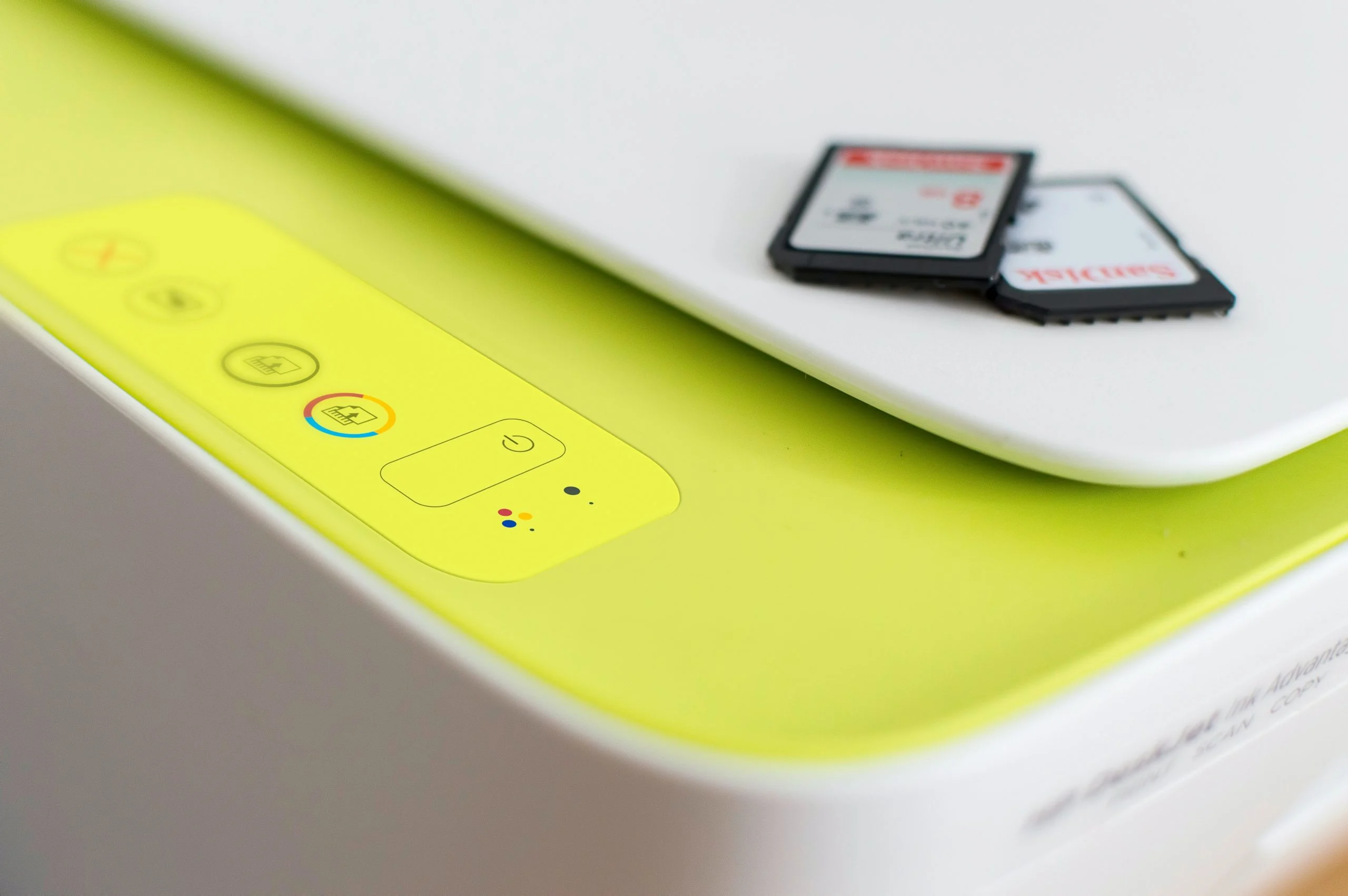

A print server acts as the central nervous system for an organization’s printing operations, orchestrating the flow of print jobs from numerous devices to a shared pool of printers. In today’s interconnected workplaces, where a multitude of computers, laptops, and mobile devices need to access printers efficiently, the print server is not merely a convenience but a critical component for streamlining workflows, optimizing resource utilization, and maintaining robust network security. Understanding its purpose, features, and operational intricacies is paramount for any business aiming to enhance its printing capabilities and leverage its technology investments effectively. This comprehensive exploration delves into the necessity of print servers, dissects their multifaceted features and functions, addresses common operational challenges, and highlights the significant advantages they offer to organizations of all sizes.
Understanding the Print Server: A Networked Printing Hub
At its core, a print server is a dedicated hardware device or a software application that establishes and manages network connections between multiple computers and one or more printers. Instead of requiring each individual computer to maintain a direct physical or logical connection to every printer on the network, users submit their print requests to the print server. The print server then intelligently queues these requests and dispatches them to the appropriate printer based on availability, configuration, and job priority. This centralized approach eliminates the need for complex, point-to-point cabling, significantly simplifies network administration, optimizes the use of network bandwidth by preventing individual print jobs from monopolizing connections, and crucially, avoids the bottlenecks that can arise when multiple users attempt to print simultaneously to directly connected printers.
While dedicated hardware print servers have historically been the norm, the evolution of networking and computing technology has introduced greater flexibility. Many modern print server functionalities can now be managed by networked computers acting in a server role, or even integrated directly into the sophisticated firmware of Wi-Fi enabled printers themselves. However, for large enterprises with extensive printing demands, complex multi-printer environments, or dispersed campus networks, a dedicated print server often remains the most robust and manageable solution, offering superior control and scalability. Print servers broadly fall into two primary categories: wired and wireless. Wired print servers typically connect to the network via Ethernet cables, offering stable and high-speed connectivity, while wireless print servers leverage Wi-Fi technology, providing greater placement flexibility and catering to environments where cabling is impractical.
The Indispensable Need for a Print Server
The rationale behind implementing a print server in a networked environment is multifaceted and directly addresses common pain points associated with managing shared printing resources. The primary driver is the need for centralized control and efficient distribution of print jobs. In an office setting with dozens or even hundreds of employees, each needing to print documents, the absence of a print server would lead to a chaotic and inefficient printing landscape.
- Centralized Management and Control: A print server acts as a single point of administration for all networked printers. IT departments can manage printer settings, driver installations, user access, and print policies from one location, drastically reducing the time and effort required for routine maintenance and troubleshooting. This centralized approach is particularly beneficial in large organizations where managing individual printer configurations across numerous workstations would be an administrative nightmare.
- Resource Optimization and Cost Savings: By pooling printers and managing print queues, organizations can better utilize their existing printing hardware. Instead of each department or floor having its own dedicated, potentially underutilized, printer, a print server allows for a more efficient allocation of a smaller number of printers across the entire network. This can lead to significant cost savings in terms of hardware acquisition, maintenance, and consumables like toner and paper. Furthermore, by queuing jobs, print servers prevent situations where multiple users send large print jobs simultaneously, which could overload a printer and cause delays or even hardware strain.
- Enhanced Accessibility and Convenience: Employees no longer need to worry about which specific printer is connected to their workstation or if a particular printer is available. They can simply send their print job to the print server, which then directs it to the most suitable printer. This universal accessibility significantly improves user convenience and productivity. For mobile workforces or guest networks, wireless print server capabilities further enhance accessibility, allowing printing from virtually any location within the network.
- Improved Security and Auditability: Print servers offer robust security features that are often difficult to implement with directly connected printers. Administrators can control who can print to which devices, set access restrictions, and even monitor print activity. This is crucial for organizations handling sensitive or confidential information, as it allows for the auditing of print jobs, the prevention of unauthorized printing, and the secure deletion of sensitive documents from print queues once printed. Features like secure print release, where a user must authenticate at the printer to release their job, add an extra layer of protection.
- Streamlined IT Support: When printing issues arise, having a centralized print server simplifies troubleshooting. IT support staff can diagnose problems remotely by examining the print server’s status, logs, and queues, rather than having to visit individual workstations or printers. This leads to faster resolution times and reduced downtime for users.
The Mechanics of Print Server Operation
Print servers function as intermediaries, bridging the communication gap between computers and printers over a network. They are equipped with software that allows them to receive print data from client devices, process it, and then transmit it to the designated printer in a format it understands. The process typically unfolds as follows:
- Job Submission: A user on a networked computer initiates a print job. The application they are using (e.g., a word processor, spreadsheet program) sends the print data, along with printing instructions (e.g., number of copies, paper size, duplex printing), to the print server. This data is often in a high-level format like PostScript or PCL.
- Queuing and Spooling: The print server receives this data and places it into a temporary storage area known as a spooler. This spooler acts as a holding queue, allowing the print server to manage multiple print jobs concurrently without overwhelming the printer. Jobs are typically processed in the order they are received, though administrators can often set priorities.
- Rendering and Translation: Before sending the job to the printer, the print server’s software may need to "render" or "translate" the print data into a printer-specific language that the target printer can understand. This process ensures compatibility, especially when multiple types of printers are connected to the same server.
- Job Transmission: Once the job is ready, the print server transmits it to the selected printer over the network. This transmission uses specific printing protocols that govern how data is exchanged.
- Printer Execution: The printer receives the data and begins the physical printing process.
- Status Monitoring: Throughout this process, the print server monitors the status of the printer (e.g., online, offline, out of paper, low toner) and the progress of the print job. This information can be relayed back to the user and is crucial for effective management and troubleshooting.
Essential Maintenance for Optimal Performance
To ensure a print server operates reliably and efficiently over the long term, a proactive maintenance schedule is indispensable. Neglecting these tasks can lead to performance degradation, increased downtime, and potential data loss.
- Regular Software Updates: Keeping the print server’s operating system and print server software up-to-date with the latest patches and security updates is critical. These updates often address bugs, improve performance, and patch security vulnerabilities.
- Disk Space Monitoring: Print jobs, especially large ones, can consume significant disk space in the spooler. Regularly monitoring disk usage and clearing out old or stalled print jobs is essential to prevent the server from running out of space, which can halt all printing operations.
- Print Queue Management: Actively monitoring the print queue for stalled, failed, or excessively long jobs is crucial. These jobs can block subsequent tasks. The ability to cancel or restart jobs remotely from the print server console is a key benefit.
- Printer Status Monitoring: The print server should be configured to alert administrators to printer issues, such as low toner, paper jams, or offline printers. Prompt notification allows for quicker resolution and minimizes user disruption.
- Preventive Hardware Checks: For dedicated hardware print servers, periodic checks of physical components, cooling systems, and network connections can prevent unexpected failures.
- Security Audits and Access Control: Regularly reviewing user access permissions and security logs helps ensure that only authorized individuals can manage the print server and access sensitive print data.
- Backup and Disaster Recovery: Implementing regular backups of the print server’s configuration and critical data is vital. In the event of a hardware failure or other disaster, these backups enable a swift restoration of services.
- Documentation: Maintaining clear and up-to-date documentation of the print server’s configuration, network settings, connected printers, and troubleshooting procedures is invaluable for IT staff, especially during staff changes or for complex problem-solving.
The Landscape of Print Server Software
Print server software is the engine that transforms a standard computer or server into a print management hub. This software allows a computer to perform the functions of receiving, queuing, rendering, and distributing print jobs to network printers. While some operating systems include basic print server functionalities, more advanced and specialized print server software solutions offer a richer feature set designed for professional environments.
Key features commonly found in robust print server software include:
- Job Scheduling and Prioritization: The ability to define rules for job processing, allowing critical or urgent print jobs to be processed ahead of less important ones. This can be based on user, department, document type, or time of day.
- Print Monitoring and Reporting: Comprehensive tools for tracking print activity, generating reports on usage, costs, and potential issues. This data is invaluable for budgeting, resource allocation, and identifying areas for optimization.
- Printer Pooling: The capability to group multiple identical printers together so that they are treated as a single virtual printer. When a print job is sent to the pool, the server can automatically direct it to the next available printer, balancing the load and improving throughput.
- Secure Print Release: Features that require users to authenticate at the printer before their document is released. This prevents sensitive documents from being left unattended on printer output trays. Common authentication methods include PIN codes, badge readers, or active directory integration.
- Remote Management: The ability for administrators to manage the print server, printers, and print queues from a remote location, often through a web-based interface or dedicated management console.
- Accounting and Cost Allocation: Tools to track printing costs by user, department, or project, facilitating chargeback mechanisms and helping to control overall printing expenditure. For instance, a company might track that Department A printed 5,000 pages in a month, allowing for accurate internal cost allocation.
- Load Balancing: Distributing print jobs across multiple printers or servers to prevent any single device from becoming a bottleneck. This is particularly important in high-volume printing environments.
- Cross-Platform Support: The ability to manage printers and serve print jobs to clients running different operating systems (e.g., Windows, macOS, Linux).
Print server software is particularly beneficial for businesses that have multiple network printers but may not require the full complexity and cost of a dedicated enterprise-level print management system. It offers a cost-effective way to significantly improve print job efficiency, reduce IT overhead associated with managing printing, and enhance the overall security posture of printing operations.
The Language of Printing: Understanding Protocols
For computers and printers to communicate effectively, they rely on a set of standardized rules and conventions known as printing protocols. These protocols define how print jobs are formatted, transmitted, and acknowledged across a network. The selection of appropriate protocols is crucial for ensuring accurate, reliable, and efficient printing. While numerous protocols exist, several are widely adopted in modern networking environments:
-
Line Printer Remote (LPR) / Line Printer Daemon (LPD): A long-standing protocol, LPR is known for its simplicity. The LPD component runs on the server to receive jobs, while LPR runs on the client to send them.
- Advantages: Easy to implement and widely supported, especially in older systems and UNIX-like environments.
- Disadvantages: Can be slow for large print jobs due to its basic functionality. It offers limited feedback on job status.
-
Internet Printing Protocol (IPP): A more modern and feature-rich protocol that operates over HTTP. IPP is designed for network printing and offers enhanced capabilities for job management.
- Advantages: Supports advanced features like job status monitoring, job cancellation, authentication, and encryption. It’s a more robust and secure protocol than LPR.
- Disadvantages: Can be more complex to configure than simpler protocols.
-
Server Message Block (SMB) / Common Internet File System (CIFS): Primarily used in Windows networks, SMB/CIFS is a file-sharing protocol that also handles print spooling.
- Advantages: Seamless integration with Windows environments, making it very easy to set up for users within a Windows domain.
- Disadvantages: Less versatile and powerful than IPP for cross-platform environments or advanced print management features.
-
JetDirect (Raw TCP/IP Port): A proprietary protocol developed by Hewlett-Packard (HP), JetDirect is commonly used for direct network printing with HP printers. It typically operates by sending raw printer data to a specific TCP/IP port.
- Advantages: Known for its speed and reliability with compatible HP devices.
- Disadvantages: Primarily vendor-specific, limiting its universal applicability across different printer brands.
-
Transmission Control Protocol/Internet Protocol (TCP/IP): While TCP/IP is the foundational suite of protocols for the internet and most modern networks, it’s also the underlying transport mechanism for many printing protocols like IPP and JetDirect. When used directly for printing (often referred to as "raw TCP/IP printing"), it provides a reliable way to send data to a printer’s IP address.
- Advantages: Highly reliable and can be used for both wired and wireless network printing. It’s the backbone of most modern network communications.
- Disadvantages: When used without a higher-level printing protocol, it offers minimal print job management features and can be more complex to configure for advanced functionalities.
Beyond these common protocols, specialized printing protocols exist for niche applications, such as printing to large-format plotters or for mobile device printing solutions. The choice of protocol often depends on the printer manufacturer, the network environment, and the specific requirements for print job management and security.
Navigating Common Print Server Challenges
Despite their benefits, print servers can encounter issues that disrupt printing operations. Proactive identification and swift resolution of these problems are key to maintaining a smooth workflow.
Network Connectivity Issues
A fundamental requirement for print server functionality is stable network connectivity.
- Diagnosis: Problems here often manifest as printers appearing offline to users or the print server itself being unreachable.
- Troubleshooting:
- Physical Connections: Verify that the print server is physically connected to the network via Ethernet cables. Ensure cables are not damaged and are securely plugged into both the server and network switch.
- IP Addressing: Confirm that the print server has a valid and unique IP address on the network. Use network scanning tools or check the server’s network configuration.
- Firewall Rules: Ensure that any firewalls between client machines and the print server, or between the print server and printers, are not blocking the necessary ports for printing protocols.
- Switch/Router Health: Check the health of network switches and routers that the print server relies on.
Print Job Failures
When print jobs fail to complete, it can stem from various sources.
- Diagnosis: Users receive error messages, jobs remain stuck in the queue indefinitely, or printers produce incomplete or garbled output.
- Troubleshooting:
- Printer Settings: Incorrect driver configurations, wrong paper size settings, or duplexing options not supported by the printer can cause failures.
- Malformed Print Data: Corrupted files or complex graphics within a document can sometimes cause the print server or printer to choke.
- Insufficient Storage Space: As mentioned in maintenance, a full spooler can prevent new jobs from being processed.
- Driver Issues: Outdated, incompatible, or corrupted printer drivers are a common culprit. Reinstalling or updating drivers is often necessary.
- Print Queue Examination: Accessing the print server’s queue to view error logs associated with failed jobs provides crucial diagnostic information. Terminating stalled jobs is often the first step to clearing the queue.
Print Queue Handling and Management
An inefficiently managed print queue can lead to significant delays and user frustration.
- Diagnosis: A backlog of jobs builds up, and legitimate print requests are delayed for extended periods.
- Troubleshooting:
- Regular Monitoring: Actively monitor the print queue for stuck or failing jobs.
- Job Cancellation: Develop a policy and the capability to cancel jobs that are taking too long, are no longer needed, or are causing issues.
- Prioritization: Implement job prioritization where appropriate to ensure critical documents are printed promptly.
- Queue Clearing: Periodically clear the queue of old, completed, or failed jobs to maintain a clean and responsive system.
Security Vulnerabilities
Print servers, like any networked device, can be targets for security threats if not properly secured.
- Diagnosis: Unauthorized access to print jobs, data breaches, or the server being used as a pivot point for network attacks.
- Troubleshooting:
- Regular Updates: Apply the latest security patches to the print server’s operating system and print server software promptly.
- Strong Passwords and Access Control: Implement strong, unique passwords for administrator accounts and enforce granular user permissions to control who can access and manage printers.
- Network Segmentation: If possible, isolate the print server and printers on a separate network segment to limit the potential impact of a breach.
- Firewalls and Security Tools: Ensure that firewalls are properly configured and consider using intrusion detection/prevention systems.
- Secure Print Release: Implement secure print release mechanisms to prevent sensitive documents from being compromised.
- Antivirus and Endpoint Protection: Install and maintain up-to-date antivirus software on the print server.
The Bottom Line: Print Servers as Pillars of Modern Infrastructure
In the complex tapestry of modern network printing systems, particularly within larger organizations, print servers stand as indispensable pillars. They are the silent orchestrators that ensure print jobs are managed efficiently, printers are controlled centrally, and sensitive data remains secure. Whether implemented as dedicated hardware appliances or through sophisticated software applications running on general-purpose servers, print servers significantly simplify print processes, reduce the burden on IT departments, lower operational overhead costs, and enable seamless, reliable printing experiences across diverse network configurations. Their role extends beyond mere convenience; they are critical components that contribute directly to organizational productivity, resource efficiency, and overall IT infrastructure robustness.
For organizations looking to further streamline their server infrastructure management, exploring dedicated server management tools can provide advanced capabilities for monitoring, automation, and optimization, complementing the essential functions of a well-managed print server environment.
