
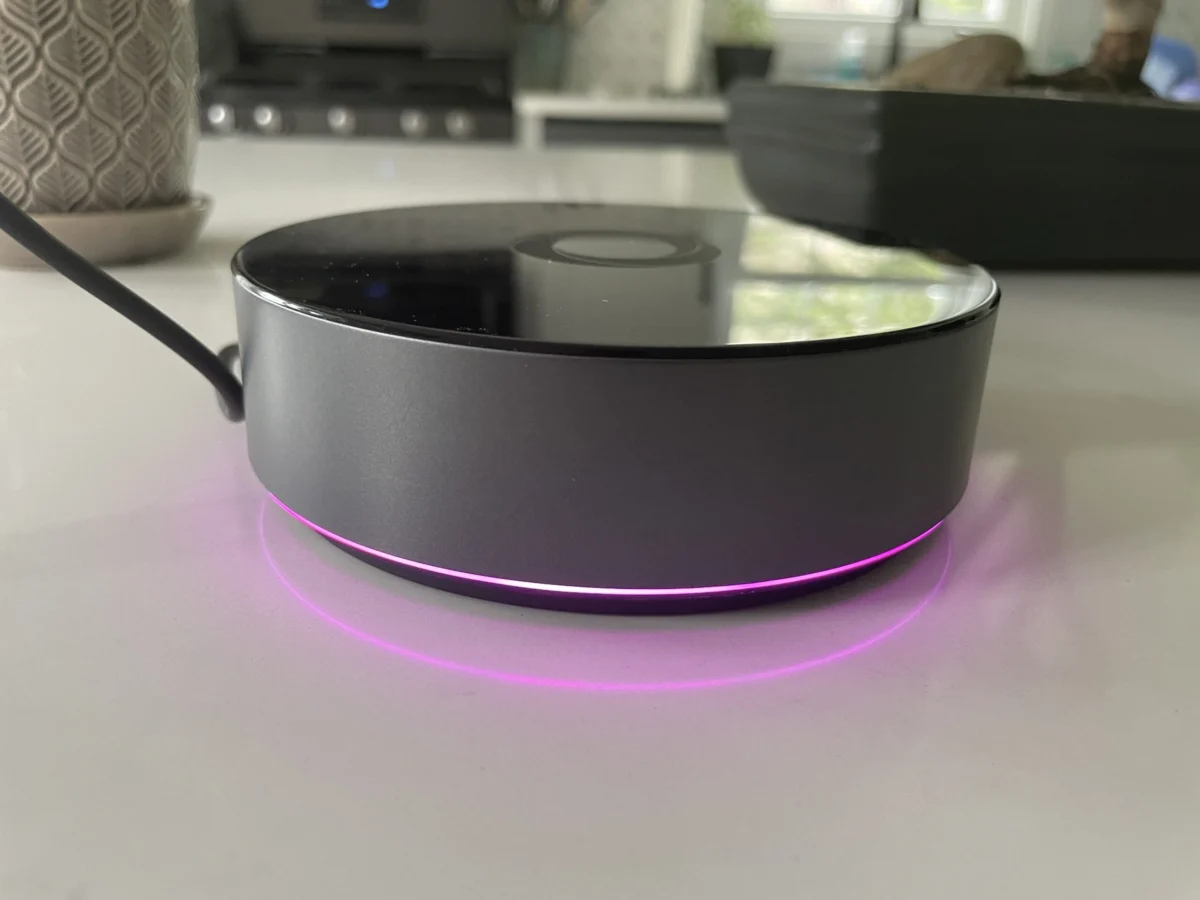

The smart home landscape is continuously evolving, with a growing emphasis on local control and user privacy. In this evolving market, Homey has introduced its more powerful and feature-rich Homey Pro hub to the United States, following the earlier release of the more budget-friendly Homey Bridge. Priced at $399, the Homey Pro aims to offer a robust, locally-focused smart home experience, significantly differing from its cloud-dependent predecessor. This review delves into the capabilities of the Homey Pro, examining its potential, its current limitations, and its place in the increasingly complex smart home ecosystem.
Unpacking the Homey Pro: A Leap in Local Control
The Homey Pro represents a significant upgrade from the Homey Bridge, which was reviewed in March and found to be a promising, albeit simpler, smart home hub. While the Bridge retails for $69, the Pro model commands a higher price point but offers substantial enhancements, most notably the reduction of subscription fees and limitations. A key differentiator is the Homey Pro’s commitment to local processing for smart home operations. This is a crucial aspect for users concerned about data privacy and the reliability of their smart home systems during internet outages. Unlike cloud-centric hubs, the Homey Pro is designed to operate autonomously, ensuring that core device control and automation routines continue to function even when the internet connection is down, provided those functions do not inherently rely on external cloud services.
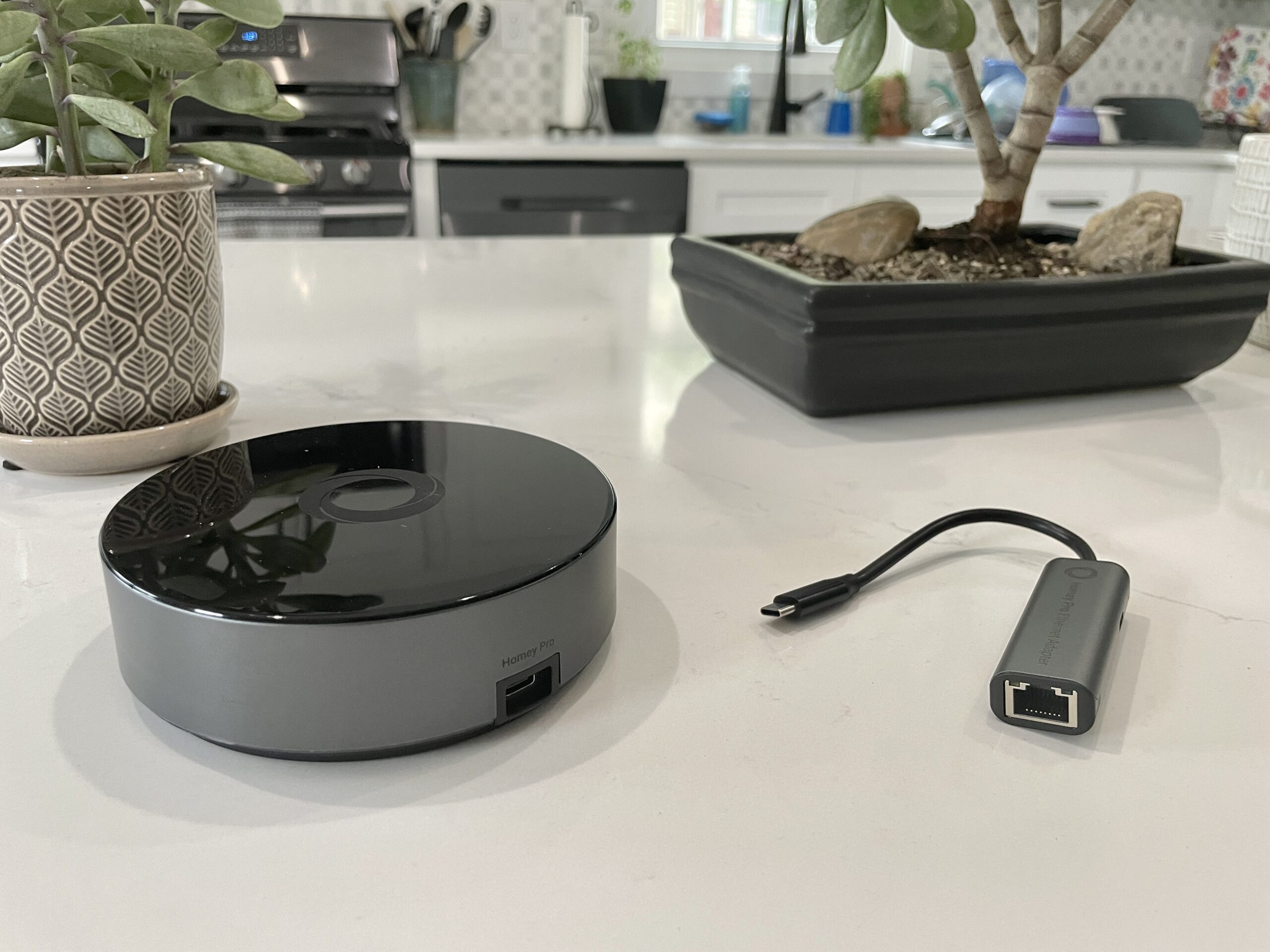
The Pro model boasts a considerable performance boost over its 2019 predecessor, with Homey claiming 3.5 times more CPU power. It also doubles the storage and memory capacity to 8 GB and 2 GB, respectively, compared to the Bridge. These hardware upgrades are directly linked to its local processing capabilities. While both the Bridge and Pro models share core functionalities such as device management and automation setup, and possess a similar array of radios including Wi-Fi, Bluetooth, infrared, Zigbee, and Z-Wave, the Pro introduces a Thread radio and eliminates the Bridge’s five-device limit. For users exceeding this limit on the Bridge, a monthly fee of $2.99 is incurred. The Homey Pro does offer an optional $0.99 monthly fee for cloud backups, a stark contrast to the Bridge’s tiered device limitations.
An optional Ethernet connectivity module is available for an additional $29, further enhancing network reliability. Furthermore, Homey has pledged future support for Matter, the new industry-standard smart home protocol, including Matter over Thread, which is anticipated to broaden device compatibility significantly.
The Setup Experience: Intuitive and User-Friendly
The initial setup process for the Homey Pro mirrors the ease of use noted with the Homey Bridge. The device is powered via an included USB-C cable and charger. Users download the Homey app on their smartphone and proceed through a series of straightforward questions. A particularly commendable aspect of the Homey app’s onboarding is its intelligent approach to home mapping. It prompts users to detail their home’s layout, including the number of floors and the specific rooms on each floor. This structured approach is a notable advantage over many competing smart home applications, which often require manual room assignment after devices have been added.

Once connected to the home’s wireless network – the Pro supports both 2.4 GHz and 5 GHz Wi-Fi bands – users can begin integrating their smart devices. Homey claims support for over 50,000 devices, a figure that suggests broad compatibility. However, real-world testing revealed that the actual integration success rate can vary significantly depending on the specific devices in a user’s smart home.
Device Compatibility: The Crucial Bottleneck
Despite Homey’s extensive device support claims, the real-world experience highlights a critical caveat: not all devices from supported brands are immediately compatible. During testing, a significant portion of the reviewer’s smart home ecosystem remained unsupported. While common devices like Lutron Caseta switches, Philips Hue bulbs, and Sonos speakers were successfully integrated, several other devices encountered issues. These included a Schlage door lock, an Ecobee Thermostat, Nanoleaf lighting products, a Govee electric kettle, Wyze cameras, Eve Home devices, a Logitech video doorbell, and various smart plugs.
The absence of Matter support at the time of review partially explains the inability to connect some Matter-certified smart plugs, which predominantly rely on Thread. A Homey representative clarified that while direct Matter support is pending, Matter devices operating over Wi-Fi should be integrable. However, the majority of the reviewer’s Matter devices utilized Thread, leading to their exclusion.

The issue extends beyond just Matter devices. For instance, while Nanoleaf is listed as a supported brand, only certain product lines, such as the traditional triangles, hexagons, and lines, were recognized. The standard Nanoleaf bulbs and smart lights, including older Nanoleaf Essentials, were not compatible. Similarly, a Meross Garage Door opener also failed to integrate.
Connectivity problems were also encountered with more established brands. The Schlage Encode Wi-Fi lock, despite being listed, failed to connect after authentication, reporting "No devices found." The Govee Wi-Fi kettle, while progressing further in the setup, returned an error message. A Cync by GE smart plug, a non-Matter device, lacked any specific integration within the Homey app. Even with Ecobee, a supported brand, only the Ecobee 3 Lite and Room Sensor were compatible, leaving the Ecobee Thermostat Premium and newer sensors unsupported. The reviewer noted that a historical preference for moving away from Zigbee and Z-Wave devices might have impacted compatibility testing, suggesting that users with a substantial presence of these protocols might experience better results.
Navigating Integrations and the Path Forward
The lack of a readily accessible, comprehensive list of supported products on Homey’s website presented a challenge for potential buyers. While an update indicated that integrations are categorized under "Apps" on their website, the initial difficulty in locating this information underscores the importance of user due diligence. Homey’s recommendation for prospective customers to download the free Homey app and search for their specific devices before purchasing a Bridge or Pro is a prudent one. For the devices that were successfully integrated, the responsiveness was noted as nearly instantaneous.

For technically inclined users, Homey Pro offers the capability to create custom integrations. The web interface provides an API key and example code using JavaScript and Node.js, suggesting that the Homey Pro operates as a Node.js server. This developer-friendly approach, while powerful, is likely to appeal to a niche audience of hobbyists and developers rather than the mainstream consumer.
The Homey App: A Polished User Experience
Beyond device compatibility, the Homey app itself is a strong point. It presents a modern and intuitive interface, offering access to both basic and advanced smart home functionalities. The ease of assigning devices to rooms and floors during or after integration is a significant plus. The app also provides estimated smart home energy usage, a feature that can be viewed in near real-time and historically. To enable this feature, users must manually input the wattage of each device. While this requires an initial effort, it offers valuable insights into energy consumption. The system dynamically adjusts energy usage estimates based on device output, such as dimming lights, and this data can be accessed via the app or the web interface. The web interface further enhances this by displaying local environmental data like temperature, barometric pressure, and humidity. A Homey representative confirmed that if a device can report actual electricity usage, Homey will utilize and display that data.
Flows: Powering Advanced Automation
Homey’s automation engine, known as "Flows," is designed to be more akin to the sophisticated automation capabilities found in platforms like Home Assistant, rather than the simpler routines offered by major tech giants like Amazon, Apple, and Google. Flows utilize a "When… and… then…" structure, allowing for complex logic with "else" conditions and the ability to trigger other Flows. The reviewer found these Flows to be robust and reliable, with the option to create even more intricate automations through an advanced mode in the web interface. This dual interface, offering both mobile app and web access for device control and management, provides flexibility for users.

Analysis and Implications
The Homey Pro enters a market segment where local control and privacy are increasingly valued. The shift away from cloud-dependent devices has created an opportunity for hubs like Homey Pro to gain traction. The device’s comprehensive radio support, powerful local processing, and intuitive app experience are compelling features. However, the primary hurdle for widespread adoption remains device compatibility. With a $399 price tag, users are investing in a central hub that must effectively manage their existing and future smart home devices. The current integration limitations, as experienced by the reviewer, mean that a significant portion of a modern smart home ecosystem might not be fully supported.
The implications of this are twofold. For users with a predominantly Zigbee and Z-Wave-based smart home, the Homey Pro may offer a more seamless experience. For those with a more diverse collection of Wi-Fi, Bluetooth, and proprietary protocol devices, careful pre-purchase research is essential. The availability of custom integration tools is a significant advantage for developers and advanced users, ensuring that the platform’s capabilities can be extended. However, for the average consumer, the reliance on out-of-the-box compatibility is paramount.
Conclusion: A Promising Hub with a Critical Caveat
The Homey Pro presents a compelling vision for a locally-controlled, privacy-focused smart home. Its robust hardware, intuitive app, and powerful automation engine are undeniable strengths. The commitment to local processing is a critical feature in today’s data-conscious world. However, the current state of device integration is its most significant drawback. The inability to connect a substantial portion of modern smart home devices, even from well-known brands, presents a substantial barrier.

For consumers prioritizing local control and willing to invest time in verifying compatibility, the Homey Pro holds significant promise. The ability to create custom integrations further solidifies its appeal for tech enthusiasts. Yet, for the broader market, the success of the Homey Pro hinges on its ability to expand its device support rapidly and demonstrably. Until then, potential buyers are strongly advised to meticulously check the Homey app for compatibility with their existing and planned smart home devices before committing to this powerful, yet potentially restrictive, smart home hub. The journey towards a truly universal and locally controlled smart home continues, and while Homey Pro offers a glimpse of that future, it is not yet a fully realized destination for all.
