

In an era defined by constant connectivity, a smartphone’s battery life is its very pulse, and the inability to charge it effectively can transform a minor inconvenience into a major disruption. The frustration of a device that charges intermittently, slowly, or not at all is a widespread concern, often leading users to immediately fear a costly repair or replacement. However, before succumbing to such anxieties, it is crucial to understand that many charging issues stem from surprisingly simple causes that can be resolved with basic troubleshooting. This comprehensive guide delves into the common culprits behind smartphone charging failures, offering a structured approach to diagnosis and resolution, backed by industry insights and best practices.
The Digital Tether: Why Smartphone Charging is Critical
Smartphones have become indispensable tools, integral to communication, work, entertainment, and navigation. A survey by Deloitte in 2023 revealed that an average user checks their phone dozens of times a day, highlighting the profound reliance on these devices. Consequently, a dead or unchargeable phone isn’t just a nuisance; it can impact productivity, safety, and social connections. While the simple act of plugging into a power outlet usually provides a quick fix, issues arise when this fundamental function falters. Understanding the potential points of failure, from the electrical outlet to the device’s internal components, is the first step toward restoring reliable power.
The Anatomy of a Charging Problem: Understanding the Core Issues
Smartphone charging systems are a complex interplay of hardware and software. The process involves an electrical outlet, a charging adapter, a cable, the phone’s charging port, its internal battery management system, and the battery itself. Any disruption along this chain can manifest as a charging problem. Industry data indicates that a significant percentage of reported smartphone malfunctions relate to power and battery issues, with charging port damage and battery degradation being particularly prevalent. Addressing these systematically can save users time, money, and unnecessary stress.
Initial Diagnostics: Software and Settings
While physical damage often comes to mind first, software glitches can deceptively mimic hardware failures. It is prudent to begin troubleshooting with the simplest, least invasive steps.
Restarting Your Device: The First Line of Defense
A fundamental troubleshooting step, restarting a smartphone can resolve a multitude of software-related issues. Background processes can sometimes become stuck, consuming excessive power or interfering with the battery management system. A simple reboot clears temporary data, resets active processes, and can often restore normal charging functionality. This action, often dismissed as too basic, is frequently recommended by technical support teams as a primary diagnostic measure.
System Software Updates: Patching Potential Bugs
Operating systems like Android and iOS are regularly updated to introduce new features, enhance security, and, critically, fix bugs. A software bug might inadvertently interfere with the charging process or misreport battery status. Ensuring your device is running the latest available version of its operating system is crucial. Manufacturers frequently release patches that address known power management issues, improving efficiency and reliability. Users should routinely check for updates via their phone’s settings (e.g., Settings > General > Software Update on iOS, or Settings > System > System update on Android, though paths may vary by manufacturer). Neglecting updates not only leaves devices vulnerable to security threats but can also perpetuate performance and charging anomalies.
Optimized Charging Features: A Double-Edged Sword
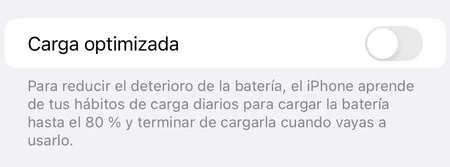
Modern smartphones incorporate intelligent charging features designed to prolong battery lifespan by adapting to user habits. Apple’s "Optimized Battery Charging" is a prime example. This feature learns a user’s daily charging routine and, if activated, will charge the iPhone to 80% and then pause, only completing the charge to 100% shortly before the user typically unplugs it. While beneficial for battery health—reducing the time a battery spends at peak charge, which can accelerate degradation—it can be confusing if unexpected. If your iPhone consistently stops charging at 80%, checking and potentially temporarily disabling this feature (found under Settings > Battery > Battery Health & Charging) is a logical step. Similar features exist on various Android devices under different names, all aiming to manage charge cycles intelligently.
Factory Reset: The Last Software Resort
If software issues persist after restarts and updates, a factory reset stands as the ultimate software-level solution. This process wipes all user data and settings, restoring the device to its original factory state. It effectively eliminates any deeply entrenched software conflicts or corrupted files that might be hindering charging. However, the destructive nature of a factory reset necessitates a comprehensive backup of all important data (photos, contacts, documents, app data) beforehand. Both Android and iOS offer robust backup solutions (Google Drive, iCloud) to facilitate this. The path to a factory reset typically involves Settings > System > Reset options (Android) or Settings > General > Transfer or Reset iPhone > Erase All Content and Settings (iOS). This step should only be taken after all other software diagnostics have been exhausted.
Hardware Inspection: Cables, Adapters, and Ports
Once software has been ruled out, attention shifts to the physical components involved in the charging process. These external elements are often subjected to wear and tear, making them common points of failure.
The Lifeline: Inspecting Charging Cables for Damage
The charging cable is frequently the weakest link in the charging chain. Constant bending, twisting, and pulling can fray internal wires or damage connectors. A visual inspection should be the first step: look for kinks, cuts, exposed wires, or bent/corroded pins on the connector ends. Even subtle internal damage, invisible to the naked eye, can cause intermittent charging or complete failure. Industry data suggests that charging cables have a shorter average lifespan than the devices they charge, making them a recurring replacement item for many users. Testing with a known good, certified cable is paramount. It’s advisable to invest in cables from reputable brands or those certified by the device manufacturer (e.g., MFi certification for Apple devices) to ensure quality and compatibility.
Power Source: Evaluating the Charging Adapter’s Integrity and Compatibility
The charging adapter (the wall plug) converts AC power from the outlet into DC power suitable for the phone. Like cables, adapters can fail due to internal component degradation, power surges, or physical impact. Visually check the adapter for burn marks, cracks, or loose components. More importantly, consider its compatibility. While many adapters use universal USB standards, older or non-original adapters may not deliver the correct voltage and amperage (power output) required by your specific phone. Modern smartphones, especially those supporting fast charging, rely on specific power delivery protocols (like USB Power Delivery or Qualcomm Quick Charge). Using an adapter that doesn’t meet these specifications can result in slow charging, intermittent charging, or no charge at all. A study by the Electrical Safety First charity found that a significant percentage of counterfeit or unbranded chargers failed basic safety tests, highlighting both performance and safety risks. Always use the original adapter or a high-quality, certified third-party alternative.
The Gateway: Cleaning and Assessing the Charging Port
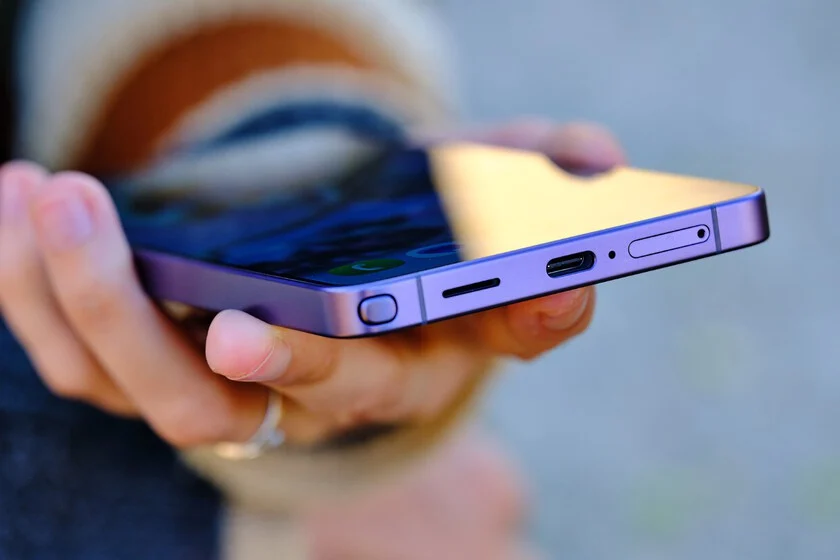
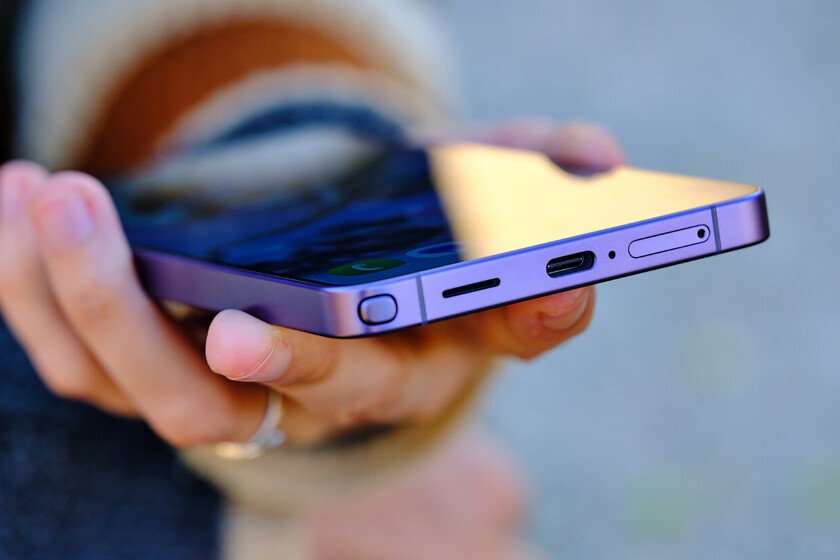
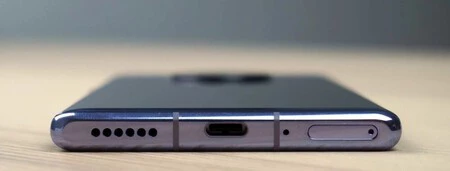
The charging port on the smartphone is a dust and lint magnet. Over time, pocket lint, dirt, and debris can accumulate, preventing the charging cable from making a proper, secure connection. This often leads to intermittent charging, where the phone only charges when held at a specific angle, or no charging whatsoever. A careful visual inspection using a flashlight can reveal such blockages. Cleaning the port requires extreme caution to avoid damaging the delicate internal pins. Experts recommend using non-metallic tools, such as a wooden toothpick, a plastic dental pick, or a can of compressed air. A soft-bristled, clean toothbrush can also be effective. Under no circumstances should metal objects, liquids, or excessive force be used, as this can cause irreparable damage to the port or even short-circuit the device. For devices with USB-C or Lightning ports, the small size makes them particularly susceptible to lint accumulation.
The Power Outlet: A Frequently Overlooked Culprit
It might seem obvious, but a faulty electrical outlet is an often-forgotten possibility. Assuming all outlets in a home are functional simply because other devices work can be a misstep. An outlet might have an internal wiring issue, be connected to a tripped circuit breaker, or simply be loose. To diagnose, simply plug another small appliance (a lamp, a hairdryer, a radio) into the same outlet. If that device also fails to power on or function, the outlet is the problem. In such cases, trying a different outlet is the immediate solution, and consulting an electrician for the faulty outlet would be necessary. This simple test eliminates the entire house’s electrical system as a potential variable.
Leveraging Wireless Charging for Diagnosis
For smartphones equipped with wireless charging capabilities (Qi standard), this feature can be an invaluable diagnostic tool. If the phone charges normally using a wireless charger but fails to charge via the cable, it strongly indicates that the problem lies with the physical charging port, the cable, or the wired charging adapter. Conversely, if neither wired nor wireless charging works, the issue is likely internal, pointing towards a battery management system fault or a deeply degraded battery. This simple test helps narrow down the potential points of failure considerably.
Battery Health: The Heart of Your Device

Beyond external components, the internal battery itself is a finite resource with a limited lifespan. Its degradation is an unavoidable aspect of smartphone ownership.
Monitoring Battery Degradation: Tools and Metrics
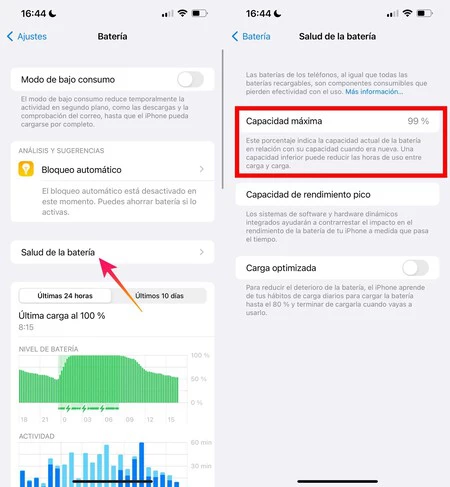
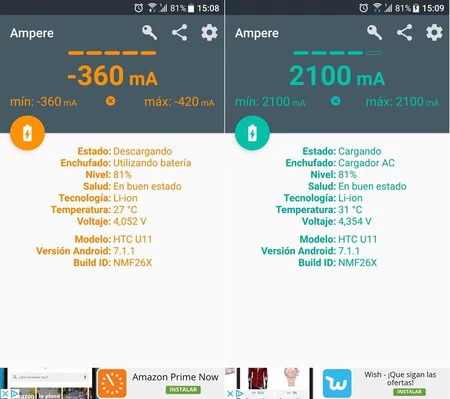
Lithium-ion batteries, prevalent in modern smartphones, degrade over time and use. Each full charge-discharge cycle contributes to a gradual reduction in its maximum capacity. Industry estimates suggest that a typical smartphone battery retains about 80% of its original capacity after 300 to 500 charge cycles. Apple provides a native tool to check battery health on iPhones (Settings > Battery > Battery Health & Charging), displaying a "Maximum Capacity" percentage. A percentage below 80% is generally considered a point where battery performance noticeably declines, affecting daily usability. For Android devices, while a native, universal tool doesn’t exist, third-party apps like Ampere or AccuBattery can provide valuable insights into battery health, charging speed, and estimated capacity. These apps analyze current flow during charging and discharging to give an approximation of the battery’s health relative to its original design capacity.
Understanding Battery Cycles and Lifespan
A charge cycle is defined as using 100% of the battery’s capacity, whether it’s from 100% down to 0% in one go, or from 80% down to 30% and then later from 50% down to 0% (totaling 100% discharge). Factors accelerating degradation include frequent full discharges, prolonged exposure to extreme temperatures (hot or cold), and consistent fast charging, which can generate more heat. Maintaining a charge between 20% and 80% is often cited as a best practice to extend a battery’s chemical lifespan.
When to Consider a Battery Replacement: Performance Thresholds
When the battery’s maximum capacity drops below 80%, users typically experience significantly reduced battery life, unexpected shutdowns, and potentially slower device performance (as the operating system may throttle performance to prevent further shutdowns). At this point, a battery replacement becomes a practical necessity rather than an optional upgrade. While some users might tolerate diminished performance, a severely degraded battery can also impact the overall user experience and even lead to safety issues like swelling.

Beyond Basic Troubleshooting: When to Seek Professional Help
If all the aforementioned troubleshooting steps fail, the problem likely lies deeper within the device’s internal hardware.
Identifying Deeper Hardware Failures
Persistent charging issues after thorough checks of cables, adapters, ports, software, and battery health strongly suggest a more serious internal hardware malfunction. This could include damage to the battery management chip, internal wiring, or the battery itself. Such issues are beyond the scope of user-level repair and require specialized tools and expertise.
Authorized Service Centers vs. Third-Party Repairs: Risks and Benefits
When professional intervention is required, users face a choice: authorized service centers or independent repair shops. Authorized centers (e.g., Apple Store, Samsung Service Center) use genuine parts, factory-trained technicians, and often provide warranties for their repairs. However, they can be more expensive and may require longer turnaround times. Independent repair shops, while potentially more affordable and quicker, carry risks. The quality of replacement parts, the expertise of technicians, and the warranty on repairs can vary widely. Using non-genuine parts, especially for batteries, can pose safety risks and may not perform to original specifications. Manufacturers often issue warnings about third-party repairs, particularly regarding the integrity of water resistance seals and potential issues with non-genuine components. It’s crucial for consumers to weigh the cost savings against potential risks and the validity of any remaining device warranty.
The Environmental and Economic Imperative of Repair
Choosing to repair a smartphone, particularly by replacing a degraded battery, aligns with broader environmental goals of reducing electronic waste (e-waste). Globally, e-waste is a rapidly growing problem, with discarded electronics contributing to pollution and resource depletion. Extending the lifespan of a smartphone through repair, rather than immediate replacement, is an economically sensible and environmentally responsible decision. The cost of a battery replacement is typically a fraction of the cost of a new device, offering significant savings while reducing environmental impact.
Preventative Measures and Best Practices
Proactive measures can significantly extend the life of your smartphone’s battery and charging components, minimizing the likelihood of encountering charging issues.
Choosing Quality Accessories
Investing in high-quality, certified charging cables and adapters is paramount. Counterfeit or cheap accessories can not only fail prematurely but also deliver inconsistent power, potentially damaging your device’s charging circuitry or, in extreme cases, posing fire hazards. Look for certifications like MFi (Made for iPhone/iPad) for Apple devices or reputable brands for Android. These accessories undergo rigorous testing to ensure compatibility and safety.

Optimal Charging Habits
While modern batteries are smart enough to prevent overcharging, certain habits can still contribute to premature degradation. Avoiding consistent deep discharges (letting the battery drain to 0%) and prolonged periods at 100% charge, especially in hot environments, can help. Maintaining a charge between 20% and 80% is often recommended. Also, try to avoid using your phone for intensive tasks (like gaming) while it’s charging, as this can generate excessive heat.
Maintaining Device Cleanliness
Regularly inspecting and gently cleaning your phone’s charging port can prevent lint and debris from accumulating. A quick check every few weeks with a flashlight and a soft brush can avert many common charging issues before they arise. Protecting your phone from drops and moisture also safeguards the integrity of the charging port and internal components.
Conclusion: Empowering Users in the Face of Charging Challenges
Smartphone charging issues, while frustrating, are often solvable. By systematically approaching troubleshooting, starting with software and progressing through external hardware components before considering internal failures, users can effectively diagnose and resolve many common problems. Understanding battery health, choosing certified accessories, and adopting sensible charging habits are key to prolonging a device’s lifespan and ensuring reliable performance. When problems persist, informed decisions about professional repair—balancing cost, quality, and environmental impact—empower users to maintain their digital tether without unnecessary expense or contribution to e-waste. This structured approach not only saves money but also fosters a more sustainable relationship with our essential technological companions.
