
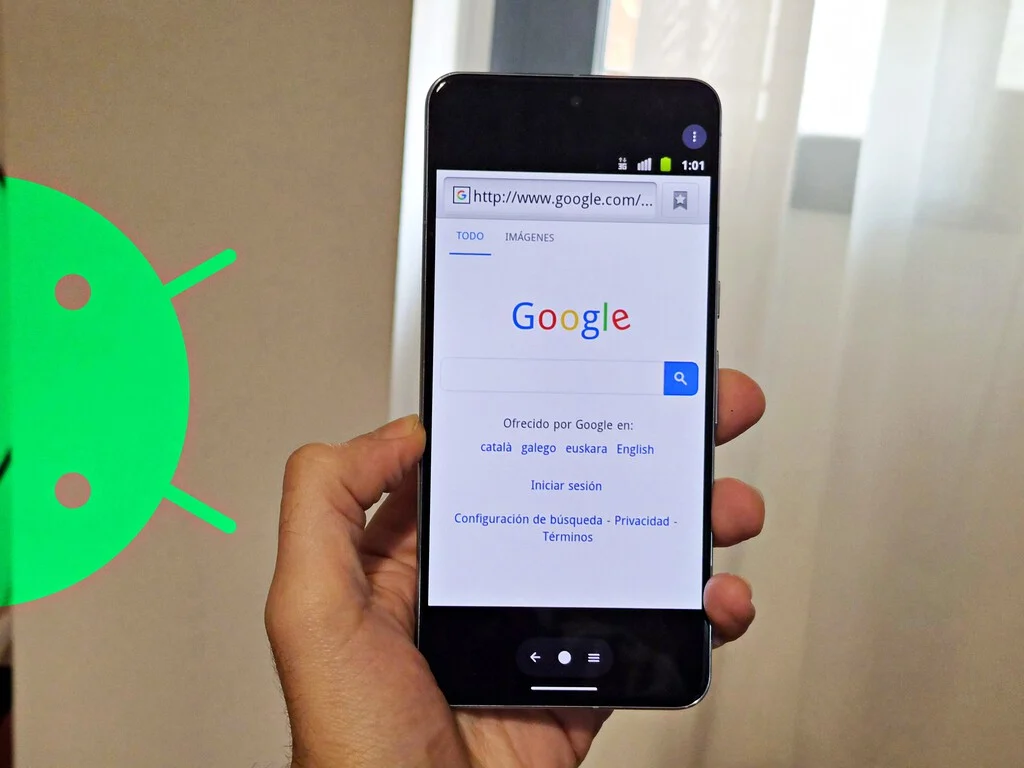

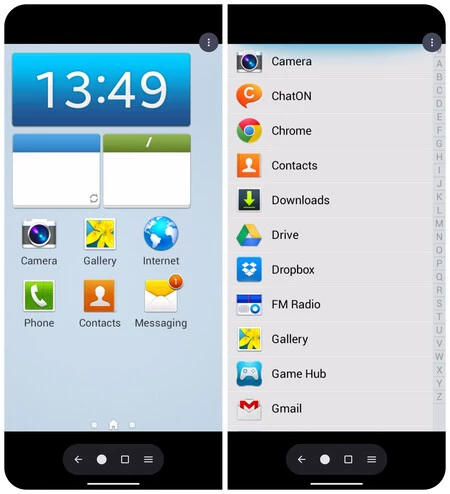
The mobile computing landscape has undergone a radical transformation since the late 2000s, evolving from a fragmented, experimental ecosystem into the highly standardized, secure, and performant platform that dominates the global market today. For early adopters, the era of Android 2.3 Gingerbread or 4.4 KitKat is remembered as a period of unbridled innovation where manufacturers prioritized distinct visual identities over cohesive design languages. Today, the release of Aemulator provides a unique window into that history, allowing users to run legacy firmware directly on modern smartphones without the need for root access or external hardware interfaces. This development marks a significant milestone in digital preservation, effectively turning contemporary mobile devices into historical archives of software evolution.
The Evolution of the Android Ecosystem: From Chaos to Consolidation
To understand the significance of Aemulator, one must analyze the state of mobile software development between 2010 and 2014. During this timeframe, the Android Open Source Project (AOSP) allowed manufacturers such as Samsung, HTC, and LG to deeply modify the user experience. This resulted in iconic, if often bloated, interfaces like HTC Sense, TouchWiz, and Motorola’s Blur.
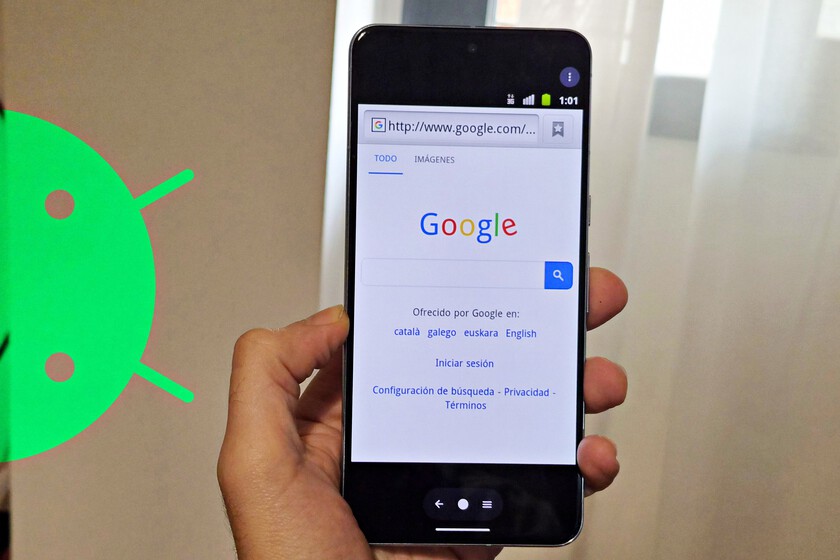
In 2010, Android held roughly 22.7% of the global smartphone market share, trailing behind Symbian and BlackBerry. By 2014, with the maturation of Android 4.4 KitKat, the platform had surged to command over 80% of the market. This period of rapid growth saw the introduction of the "Material Design" philosophy in 2014, which signaled the end of the "wild west" era of custom skins in favor of a unified aesthetic. As the platform matured, the industry shifted toward long-term support and security, often rendering legacy devices obsolete and leaving behind a treasure trove of software history that became increasingly difficult to access as hardware decayed.
Technical Architecture: How Aemulator Virtualizes Legacy Firmware
Aemulator distinguishes itself from simple "launcher" applications or superficial skins by functioning as a robust, low-level virtualization environment. The application utilizes a modified version of QEMU—the open-source emulator and virtualizer—to translate ARM-based instruction sets for modern hardware.
The technical challenge of running legacy software on modern silicon is substantial. Modern kernels differ drastically from the 2.6.x or 3.x kernels found in the Android 2.x and 4.x eras. Aemulator overcomes this by emulating the Binder driver, the core inter-process communication mechanism of Android, and creating a specialized graphics bridge. This bridge intercepts OpenGL calls from the guest operating system and translates them for modern GPUs, leveraging hardware acceleration to ensure that the user experience remains fluid despite the emulation overhead.
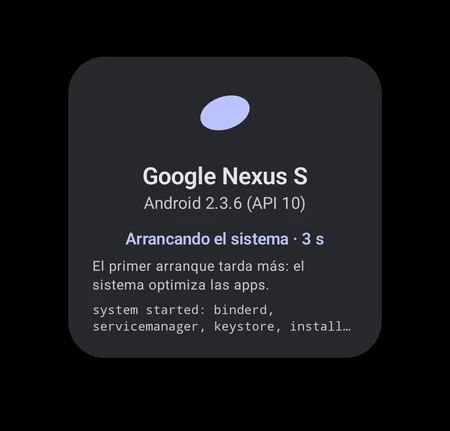
Furthermore, the application supports a wide array of legacy file formats, including official factory images, ZIP-based recovery packages, and the TAR format historically utilized by Samsung’s Odin firmware flashing tool. By incorporating a proxy with modern encryption standards, the emulator allows legacy browsers—which would otherwise be unable to connect to modern, HTTPS-only websites—to function within the virtualized environment.
Chronology of Android’s Visual Identity
The following timeline highlights the evolution of the operating system that Aemulator aims to preserve:
- 2010 (Android 2.3 Gingerbread): Introduced a distinct "black and neon green" aesthetic and improved battery management, becoming the backbone of the smartphone revolution.
- 2011 (Android 3.0 Honeycomb): The tablet-exclusive update that introduced the holographic UI, setting the stage for future design standards.
- 2011 (Android 4.0 Ice Cream Sandwich): The watershed moment where Google began to harmonize the look of the OS, introducing the "Roboto" font and a more professional, refined interface.
- 2013 (Android 4.4 KitKat): A focus on performance optimization, designed to run on devices with as little as 512MB of RAM, representing the pinnacle of the early Android design era.
Analysis of Stability and Performance Metrics
Field testing reveals that performance is highly dependent on the complexity of the ROM being emulated. Stock, "clean" builds—such as the firmware for the Nexus S—exhibit the highest level of stability. In these instances, the emulator provides a responsive, authentic experience, successfully recreating the fluidity of the original user interface.

Conversely, heavily customized firmware, such as older iterations of Samsung’s TouchWiz, presents greater challenges. These builds were designed to interact directly with specific hardware components that no longer exist in the modern stack. Consequently, users may encounter intermittent stability issues, including launcher crashes or graphical artifacts. These limitations are not indicative of a failure in the software but rather the inherent difficulty of replicating a hardware-software ecosystem that was originally built for vastly different thermal and processing constraints.
The Broader Implications for Digital Preservation
The release of Aemulator touches upon a critical debate in the technology sector: the ethics and necessity of software preservation. As smartphones move toward becoming "disposable" consumer electronics, the loss of early digital experiences has become a growing concern for archivists.
"Digital heritage is as fragile as the silicon it runs on," notes Dr. Elena Vance, a digital forensics researcher who has tracked the shift in mobile OS architecture. "When we lose the ability to boot these old operating systems, we lose a tangible piece of history. Projects like Aemulator are not just tools for hobbyists; they are essential for researchers who need to understand how the foundational UX patterns of our current devices were established."
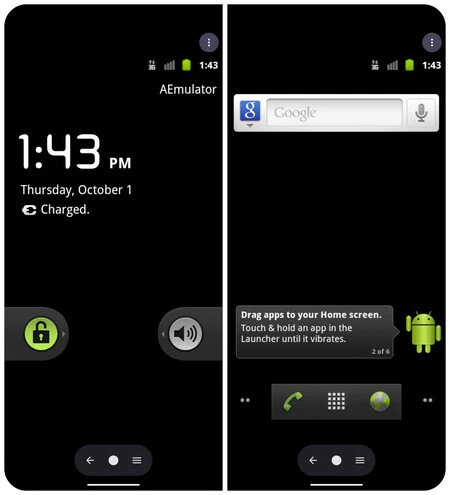
The impact of this tool extends to developers who may wish to analyze the evolution of API calls or to enthusiasts seeking to run "abandonware" applications that have been removed from modern app stores. By enabling the execution of these systems on contemporary, secure hardware, Aemulator provides a sandbox that is both safe and functional.
Future Development and Community Integration
The developers behind Aemulator have emphasized that the project is currently in an iterative development phase. The community surrounding the tool has already begun crowdsourcing a repository of functional ROMs, categorized by stability and device compatibility. This collaborative effort is crucial for navigating the extreme fragmentation that defined the early Android era.
For users wishing to explore this tool, the project is hosted via its official web portal. It is recommended that users consult the community-driven forums to identify which specific firmware builds have been tested for optimal performance. While the project is not a panacea for the loss of legacy devices, it serves as a sophisticated bridge to the past, offering a level of technical depth that has rarely been achieved in previous emulation attempts.
As mobile technology continues to accelerate toward AI-driven interfaces and cloud-based OS architectures, the ability to "roll back" to the origins of the handheld computing revolution remains a vital pursuit. Aemulator, through its clever utilization of QEMU and modern GPU bridging, successfully captures a fleeting moment in technological history, ensuring that the legacy of Gingerbread and KitKat remains accessible for future generations of users and developers alike.
