
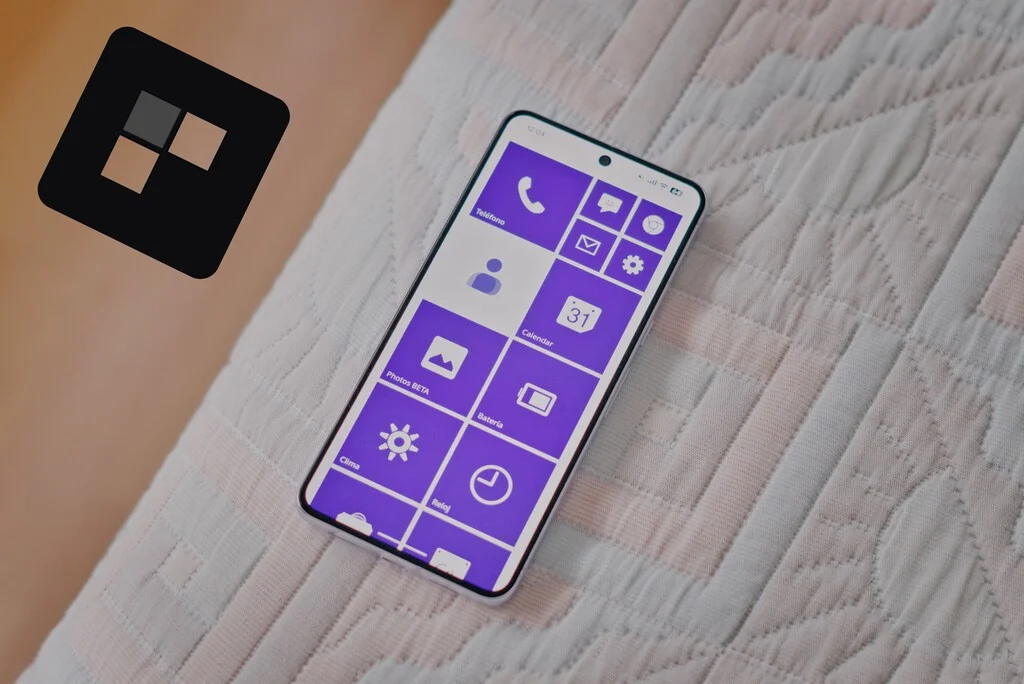

A novel application, Metrov Launcher, is rapidly gaining traction among Android users for its meticulous recreation of the distinct Windows Phone user interface, known as Metro UI. This development is not merely a nostalgic callback but presents a robust, functional alternative to conventional Android interfaces, appealing to a segment of the mobile market that cherished Microsoft’s innovative, albeit ultimately unsuccessful, venture into smartphone operating systems. The launcher, available on the Google Play Store, offers a comprehensive overhaul of the Android home screen, transforming it into a dynamic landscape of Live Tiles and a vertically scrolling information stream reminiscent of the original Windows Phone experience.
The Enduring Legacy of Windows Phone and the Metro UI
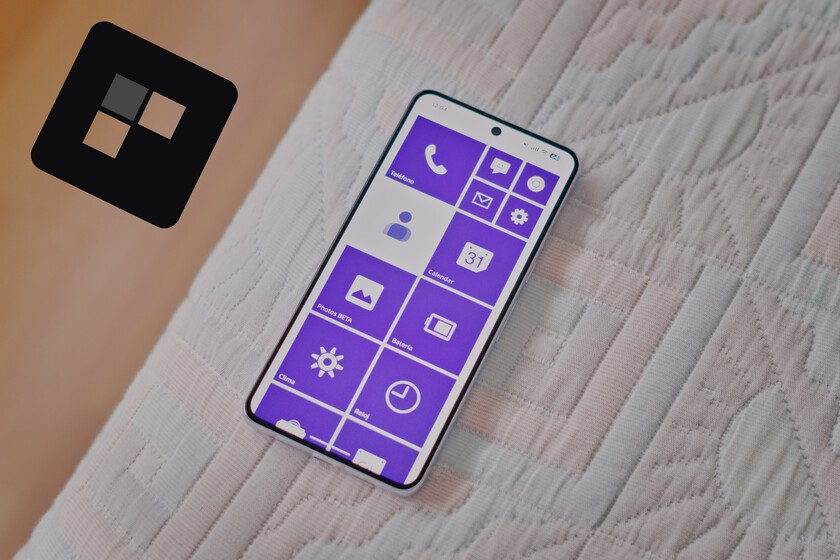
To fully appreciate the significance of Metrov Launcher, it is essential to contextualize the rise and fall of Windows Phone. Launched in October 2010 with Windows Phone 7, Microsoft aimed to disrupt a rapidly evolving mobile market already dominated by Apple’s iOS and Google’s Android. Its flagship design principle was the "Metro UI," characterized by a clean, minimalist aesthetic, vibrant typography, and a grid of "Live Tiles" that provided real-time information at a glance without needing to open individual applications. This stood in stark contrast to the static icon grids prevalent on competing platforms.
Microsoft’s mobile strategy evolved through several iterations, including Windows Phone 8 (2012) and Windows 10 Mobile (2015). Key partnerships, most notably the acquisition of Nokia’s devices and services division in 2014, saw a range of colorful and distinct Lumia smartphones enter the market. Devices such as the Lumia 535, 730, 635, and 640 became synonymous with the Windows Phone ecosystem, attracting users with their unique interface and robust camera capabilities, particularly in the mid-range segment. For many, the vertical scroll of the home screen, where information flowed seamlessly through animated tiles, offered an unparalleled sense of utility and aesthetic appeal that they argue modern interfaces have yet to fully replicate.
Despite its innovative design and a dedicated user base, Windows Phone ultimately struggled to compete. The primary challenge was the significant "app gap" – a severe lack of third-party applications compared to iOS and Android, which deterred widespread adoption. Inconsistent marketing, a fragmented developer strategy, and a late entry into a mature market further contributed to its decline. Microsoft officially ceased support for Windows 10 Mobile in January 2020, marking the end of an era for a platform that, while commercially unsuccessful, left an indelible mark on mobile UI design. The Metro UI’s influence extended beyond smartphones, shaping the aesthetics of Windows 8, Xbox dashboards, and various Microsoft applications, demonstrating its inherent design strength.
Metrov Launcher: A Bridge Between Eras
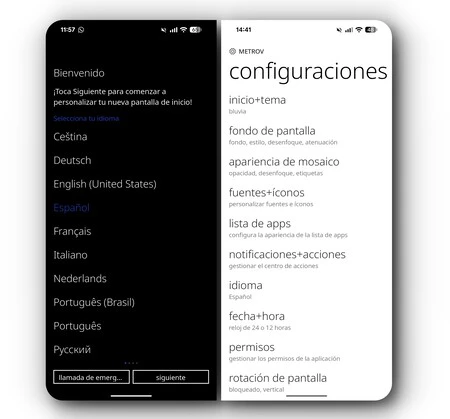
Metrov Launcher emerges as a testament to the enduring appeal of the Metro UI. Unlike other Android launchers such as "Square Home" or "Launcher10," which often emulate the later Windows 10 Mobile aesthetic, Metrov Launcher aims for a more foundational and fluid recreation, resonating deeply with those who remember the earlier, purer Metro iterations. Its initial setup is streamlined, guiding users through a quick personalization process rather than presenting a blank slate. Users can select custom fonts, choose primary accent colors (faithfully replicating the iconic cyan, magenta, and other hues of the original system), and decide on icon background transparency, allowing for either a uniform Metro look or the retention of individual app color schemes. An exquisite parallax effect, creating a sense of depth with horizontal background movement, further enhances the visual experience.
The core strength of Metrov Launcher lies in its faithful implementation of "Live Tiles." These dynamic, information-rich tiles operate much like their Windows Phone predecessors, displaying real-time updates. For instance, the contacts tile may flip to reveal contact photos, while the weather tile can instantly show current forecasts without requiring the user to open the application. This "information at a glance" functionality was a cornerstone of the Metro UI’s productivity and is meticulously replicated here, transforming the home screen into an interactive dashboard.
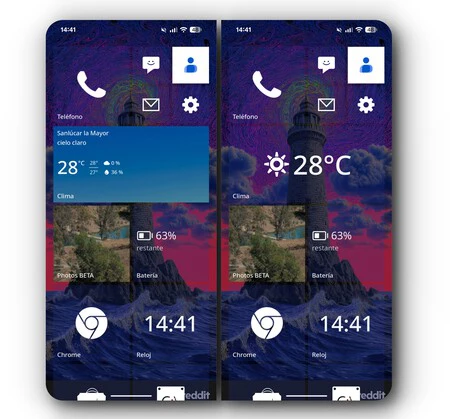
Beyond mere replication, Metrov Launcher introduces enhancements that even Microsoft’s original operating system did not offer. Users can customize the tile grid, choosing between four, six, or eight columns, and precisely adjust the spacing (padding) between tiles. This level of granular control allows for a highly personalized layout that can accommodate various screen sizes and user preferences, moving beyond the fixed layouts of the past. The launcher also includes an "All Apps" list that mirrors the original Windows Phone design, complete with a movable search bar, and even features a "Windows Phone 7 mode" that reintroduces the distinctive thick black margin and circular arrow on the right side of the screen, catering to the purists.
Integrating the "Action Center" and Addressing Technical Nuances
One of Metrov Launcher’s most ambitious and successful integrations is its rendition of the "Action Center." Activated by a right-swipe gesture, this panel closely resembles the Windows Phone notification and quick settings center. While Android’s native notification system remains active, Metrov Launcher’s Action Center provides a consolidated space for reading messages, controlling media playback, and accessing essential quick settings. This feature significantly reduces the need to pull down Android’s native notification shade, streamlining daily interactions. However, the current implementation could benefit from further refinement, such as the ability to add a second row of toggles or a direct button for mobile data, and improved visual demarcation for notifications to prevent them from blending into the background.
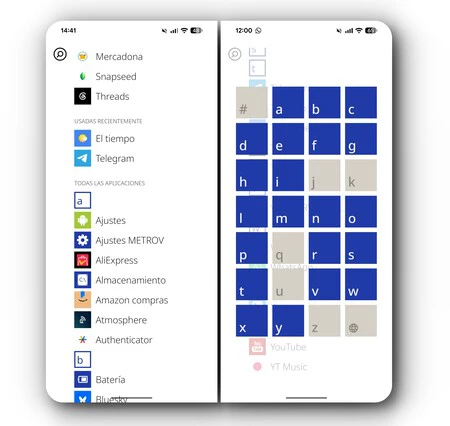
Despite its impressive fidelity, Metrov Launcher, like many independent software projects, exhibits some minor technical imperfections. Users have reported occasional glitches, including dynamic tiles freezing until manually refreshed, slight lags during slow scrolling, and momentary black screens when rapidly exiting applications. Additionally, some native Android widgets may not scale perfectly within the Metro UI framework, though the majority function without issues. These minor hitches are often inherent to third-party launchers, which operate as an overlay on a different operating system, requiring intricate compatibility solutions. The developer’s commitment to continuous improvement, however, suggests that these issues may be addressed in future updates.
Business Model and Future Outlook
Metrov Launcher operates on a freemium model. While the application can be downloaded for free, several of its most compelling features – including the Action Center, Live Tiles, and extensive icon customization – are gated behind a paywall. The developer offers a three-day free trial, providing sufficient time for users to evaluate the premium features before committing to a purchase. A lifetime premium version is available, indicating a sustainable model designed to support ongoing development and provide a comprehensive experience for dedicated users. This approach is common among high-quality third-party launchers, balancing accessibility with the need to fund development efforts.
Looking ahead, there are clear avenues for Metrov Launcher’s evolution. Constructive feedback from the user community highlights a desire for better support for modern hardware, such as foldable screens, and optimized horizontal viewing modes. A "hybrid mode" that allows users to mix and match features and animations from different Windows Phone iterations (WP7, WP8, W10M) would offer even greater customization. The developer has also indicated plans to integrate gesture navigation, which would further enhance the modern user experience while maintaining the Metro aesthetic.
Metrov Launcher represents more than just an application; it is a vibrant testament to the power of design and the enduring loyalty of a niche user base. In a mobile market often criticized for its increasingly homogenized user interfaces, Metrov Launcher offers a distinctive "breath of fresh air," demonstrating that innovative design concepts from the past can still find relevance and utility in the present. Its success underscores the significant demand for customization and alternative user experiences that challenge the prevailing norms, proving that the legacy of Windows Phone’s Metro UI continues to inspire and redefine mobile interaction.
