
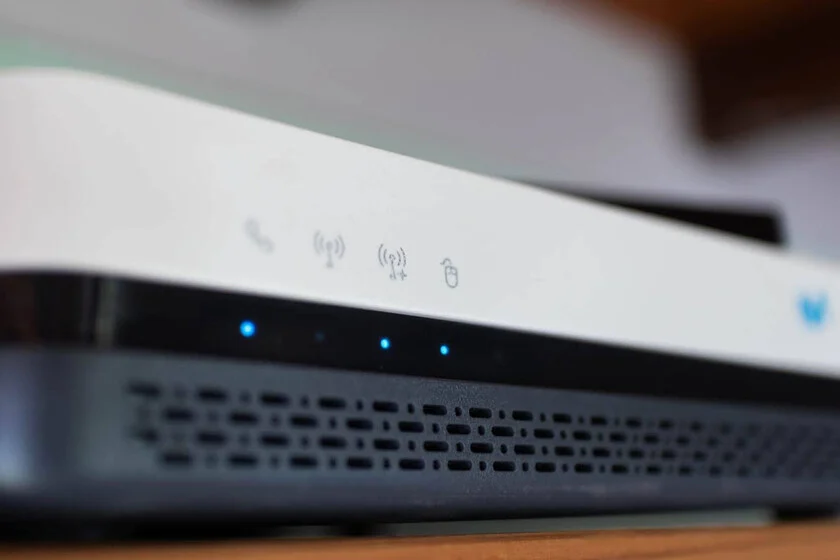

Maintaining the firmware of your Movistar fiber router is a critical practice for ensuring both the optimal performance and robust security of your home network. An updated router not only safeguards your digital environment against evolving cyber threats but also unlocks the maximum potential of your internet connection, whether through Wi-Fi or wired Ethernet. While the process of updating a router might appear less straightforward than a mobile phone or computer, understanding the available methods is essential for all Movistar subscribers. This guide delves into the intricacies of router firmware management, outlining the various pathways to keep your device current, the inherent challenges, and the broader implications for your connectivity experience.
The importance of regular firmware updates for network hardware, particularly routers, cannot be overstated. These updates are essentially software patches and enhancements designed by the manufacturer and often customized by the Internet Service Provider (ISP), in this case, Movistar. They address a spectrum of issues ranging from critical security vulnerabilities to performance bottlenecks and the introduction of new functionalities. In an increasingly interconnected world, where home networks support a multitude of devices for work, entertainment, and communication, an outdated router can become a significant liability, compromising data integrity, network speed, and overall user experience.
Understanding Movistar’s Router Update Mechanisms
Movistar, like most major telecommunication providers, typically manages the firmware distribution for its proprietary routers. The ideal scenario involves automatic, seamless updates pushed directly by the operator to the devices in customers’ homes. This approach aims to minimize user intervention, ensure widespread security patches, and maintain a consistent network environment. However, the reality is that these automatic updates do not always occur instantaneously or universally for all devices. Factors such as specific router models, geographical regions, network load, or even minor configuration discrepancies can lead to delays or missed updates.
Movistar’s router configuration interface, accessible via a web browser, generally presents a bifurcated structure. There’s a "basic" area, designed for ease of use and common settings adjustments, and a more complex "advanced" options menu. The latter, which often houses critical functions like manual firmware updates, is frequently obscured or simplified by the operator’s customized interface. This design choice is largely intended to prevent inadvertent misconfigurations by less tech-savvy users, which could lead to service disruptions or increased support calls. Consequently, users seeking to actively manage their router’s firmware must often navigate beyond the superficial layers of the interface to access these deeper settings.
Navigating the Router Interface: Your Primary Update Pathway
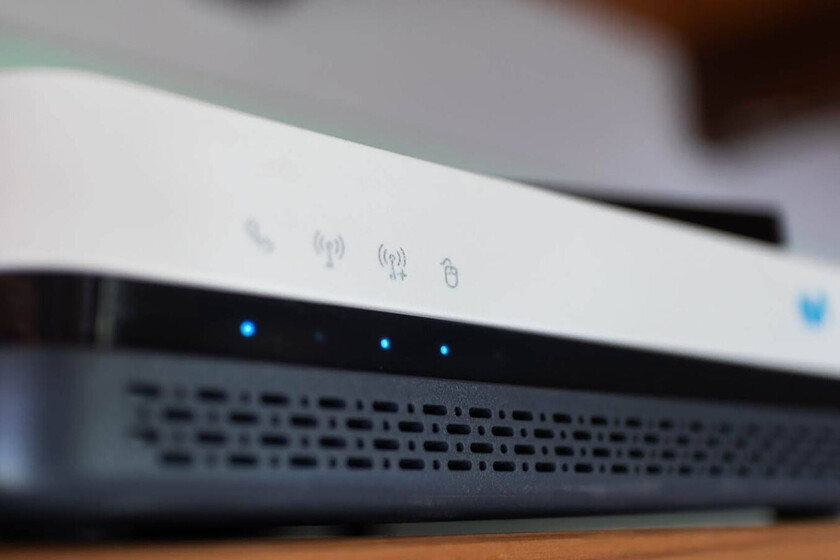
For most Movistar users, the most direct and recommended method to check for and apply firmware updates involves accessing the router’s web administration panel. This process, while requiring a few technical steps, empowers users to verify their device’s status and potentially expedite critical updates.
- Establishing a Connection: The first step is to connect to your router. This is best done via a wired Ethernet cable directly from your computer to one of the LAN ports on the Movistar router. While a Wi-Fi connection can also be used, a wired connection provides greater stability and reduces the risk of interruption during a sensitive process like a firmware update.
- Accessing the Administration Panel: Open a web browser (Chrome, Firefox, Edge, etc.) and type the router’s default gateway IP address into the address bar. For most Movistar routers, this is commonly
192.168.1.1. Press Enter. You will then be prompted to enter login credentials. These are typically found on a sticker on the back or bottom of the router itself. Common default usernames are "admin" or "1234", and passwords might be "admin", the Wi-Fi password, or a specific key provided by Movistar. If you have previously changed these credentials, you will need to use your customized login. - Locating Firmware Information: Once logged in, navigate through the router’s interface. The exact path can vary depending on the router model (e.g., HGU, Smart WiFi models, WiFi 6 routers), but you should look for sections labeled "System," "Administration," "Maintenance," "Firmware," or "Software Update." Within these sections, you will typically find information about your current firmware version. This is a crucial detail for comparison if you are trying to ascertain if your device is up-to-date.
- Initiating an Update Check: Most modern router interfaces will offer an option to "Check for Updates" or "Firmware Upgrade." Clicking this option will prompt the router to query Movistar’s servers for the latest available firmware for your specific model. If a newer version is found, the interface will usually present an option to download and install it.
- Applying the Update: If an update is available, follow the on-screen prompts to begin the installation. It is paramount during this phase to ensure that the router remains powered on and that the connection is not interrupted. A power outage or accidental disconnection during a firmware flash can corrupt the device, rendering it inoperable. The update process typically involves a download, verification, installation, and a final reboot of the router. This entire sequence can take several minutes, during which your internet connection will be temporarily unavailable. Once the router restarts, it should be running on the new firmware.
The Advanced and Risky Path: Manual Firmware File Installation
While Movistar primarily manages firmware distribution through automated pushes or the direct interface, a third, highly advanced, and significantly riskier method involves manually uploading a firmware file. It is imperative to preface this method with a stern warning: Movistar does not publicly distribute firmware files for its routers. Obtaining such files typically involves specialized online forums, unofficial repositories, or reverse-engineering efforts. Proceeding with this method carries substantial risks, including:
- Bricking the Device: Flashing incorrect or corrupted firmware can permanently damage the router, rendering it unusable. This is often referred to as "bricking."
- Voiding Warranty: Using unofficial firmware or performing unauthorized modifications will almost certainly void your warranty with Movistar.
- Security Vulnerabilities: Firmware obtained from unofficial sources may contain malware, backdoors, or unpatched vulnerabilities, severely compromising your network’s security.
- Compatibility Issues: Even if the firmware seems to be for your model, subtle hardware revisions or regional variations might make it incompatible, leading to instability or non-functional features.
Given these severe risks, Movistar would likely disclaim responsibility for any issues arising from a manual installation using unofficial firmware. This method should only be considered by highly experienced users who fully understand the implications and are prepared to accept the consequences.
Should one possess a verified, correct firmware file for their exact router model and version (a rare and often problematic acquisition), the general steps for manual installation via the router’s web interface are:
- Access Router Interface: Log in to the router’s web administration panel as described previously.
- Navigate to Firmware Upload: Locate the "Firmware Update," "System Upgrade," or similar section within the advanced settings.
- Select File: There will typically be an option to "Browse" or "Choose File." Click this and select the downloaded firmware file from your computer.
- Initiate Upload: Once the file is selected, click "Upload" or "Upgrade." The router will then upload the file, verify its integrity, and proceed with the installation and reboot sequence. Again, power stability is crucial.
The Legacy of Portal Alejandra: A Chapter Closed
For many years, Movistar offered a convenient alternative for customers to manage certain aspects of their router’s configuration remotely through a web portal known as Portal Alejandra. This service allowed users to access and modify settings such as Wi-Fi network names, passwords, port forwarding rules, and even perform basic diagnostic checks without needing to directly log into the router’s local interface. It was particularly useful for those who found the router’s direct interface daunting or for troubleshooting from outside the home network.
However, Movistar announced the closure of Portal Alejandra in 2024, citing an evolution in their network management strategy and user interaction platforms. The decision likely stemmed from several factors:
- Consolidation of Services: Movistar has been investing heavily in its "Smart WiFi" ecosystem, which includes a dedicated mobile application. This app provides many of the functionalities previously offered by Portal Alejandra, often with a more intuitive and integrated user experience.
- Security Concerns: Centralized web portals, while convenient, can present a larger attack surface for cyber threats. Moving functionalities to local router interfaces or secure mobile applications might be part of a broader security enhancement strategy.
- Technological Advancements: As router hardware and firmware become more sophisticated, direct local control offers greater granularity and immediacy for advanced configurations and diagnostics.
- Cost Efficiency: Maintaining a separate web portal infrastructure alongside evolving mobile apps and direct router management systems might have become redundant or less cost-effective.
The discontinuation of Portal Alejandra means that Movistar users now primarily rely on direct access to their router’s web interface or the Movistar Smart WiFi mobile application for configuration and management tasks, including checking for updates.
Why Proactive Updates Matter: Beyond Automatic Schedules
While Movistar’s automatic update system aims for broad coverage, there are compelling reasons why users might want to proactively check for and even manually initiate updates:
- Mitigating Emerging Cybersecurity Threats: The landscape of cyber threats is constantly evolving. New vulnerabilities in router firmware are discovered regularly. While Movistar endeavors to patch these promptly, a manual check can ensure your device receives critical security updates as soon as they are available, potentially protecting your network from zero-day exploits or newly identified attack vectors.
- Unlocking Enhanced Network Performance and Features: Firmware updates often include performance optimizations. These can translate into improved Wi-Fi range, better signal stability, more efficient bandwidth allocation, reduced latency for online gaming or video conferencing, and enhanced compatibility with new Wi-Fi standards (e.g., WiFi 6, WiFi 6E, and future WiFi 7 devices). Updates can also introduce new features like advanced parental controls, improved Quality of Service (QoS) settings, or enhanced VPN capabilities.
- Addressing Specific Connectivity Issues: If you are experiencing persistent issues such as intermittent disconnections, slow speeds despite a high-bandwidth plan, or compatibility problems with certain devices, a firmware update can often provide a resolution. Manufacturers frequently release updates to fix known bugs and improve overall stability.
Movistar’s Approach to Home Network Management: A Broader Perspective
Movistar’s strategy in managing customer routers reflects a delicate balance between providing a seamless, "hands-off" experience for the majority of users and offering advanced control for those who seek it. The emphasis on automatic updates and the development of user-friendly tools like the Smart WiFi app are designed to simplify home network management. This approach minimizes the burden on technical support and reduces the likelihood of users inadvertently misconfiguring their network.
However, this simplification can sometimes come at the cost of granular control for power users. The obfuscation of advanced settings and the lack of publicly available firmware files are examples of this trade-off. It underscores a broader industry trend where ISPs seek to maintain a tight grip on the hardware they deploy, ensuring network stability and consistency across their vast customer base. This centralized control also enables them to push security patches efficiently and manage network resources more effectively.

Industry Context and Best Practices for Home Routers
Compared to other ISPs, Movistar’s approach to router updates is fairly standard. Most major providers like Vodafone, Orange, and MásMóvil also rely on a system of automatic, carrier-pushed firmware updates for their proprietary hardware. The general recommendation across the industry is to keep your router’s firmware updated. This isn’t just a Movistar-specific concern but a fundamental best practice for home cybersecurity and network optimization.
For users across all providers, adopting a proactive stance on router maintenance is empowering. Even if automatic updates are enabled, periodically checking the router’s interface for firmware status can provide peace of mind and ensure you are benefiting from the latest improvements. Beyond firmware, other best practices include changing default router login credentials, using strong and unique Wi-Fi passwords, enabling network encryption (WPA2/WPA3), and occasionally rebooting the router to clear temporary glitches.
Conclusion: A Secure and Optimized Digital Experience
In conclusion, ensuring your Movistar router’s firmware is up-to-date is a non-negotiable aspect of maintaining a secure, efficient, and high-performing home network. While Movistar’s system aims for automatic updates, understanding how to manually verify and initiate these processes through the router’s web interface is invaluable. The closure of Portal Alejandra further emphasizes the importance of direct router access or utilizing the Smart WiFi application for management tasks. By embracing these practices, Movistar subscribers can actively contribute to the stability and security of their digital lives, unlocking the full potential of their fiber optic connection and safeguarding against the ever-present threats of the digital age. Staying informed and proactive about router firmware ensures a robust and reliable foundation for all your online activities.
