


Virtual machine (VM) software for Windows continues to serve as a foundational pillar of modern enterprise IT, enabling organizations to maximize hardware efficiency, run legacy applications, and test software across disparate operating systems on a single physical host. Emulating complete computer systems—from processing cores and memory architectures to network interface cards and local storage volumes—these software solutions have evolved far beyond basic testing tools into sophisticated enterprise-grade management platforms. Recent evaluations of top-tier Windows-compatible hypervisors highlight a diverse market shaped by hybrid cloud demands, containerization trends, and shifting vendor lifecycles.

Background Context and Technological Evolution
The virtualization landscape has transformed radically over the past two decades. Early virtualization was primarily restricted to enterprise data centers utilizing bare-metal type-1 hypervisors to consolidate physical servers and reduce hardware footprints. However, the proliferation of multi-core processors, high-performance solid-state drives (SSDs), and advanced hardware-assisted virtualization extensions (such as Intel VT-x and AMD-V) has brought robust type-2 desktop virtualization and advanced cloud-hybrid models directly into Windows environments.
Organizations today face complex infrastructure challenges, including the need to bridge on-premises legacy systems with cloud-native architectures. This shift has prompted a major reconfiguration of software portfolios by industry giants like Microsoft, VMware, Red Hat, and Citrix. Notably, Microsoft’s ongoing transition away from standalone hypervisor models toward cloud-integrated ecosystems—exemplified by the phase-out of traditional Hyper-V Server architectures in favor of solutions like Azure Stack HCI—has forced IT administrators to re-evaluate their long-term deployment strategies.
Comparative Analysis of Leading Virtual Machine Software for Windows
Selecting the correct virtualization platform requires a granular understanding of performance metrics, security isolation, networking complexity, and total cost of ownership. Industry evaluations categorize the leading Windows-compatible VM solutions based on distinct enterprise use cases:
Azure Virtual Machines (Azure VM)
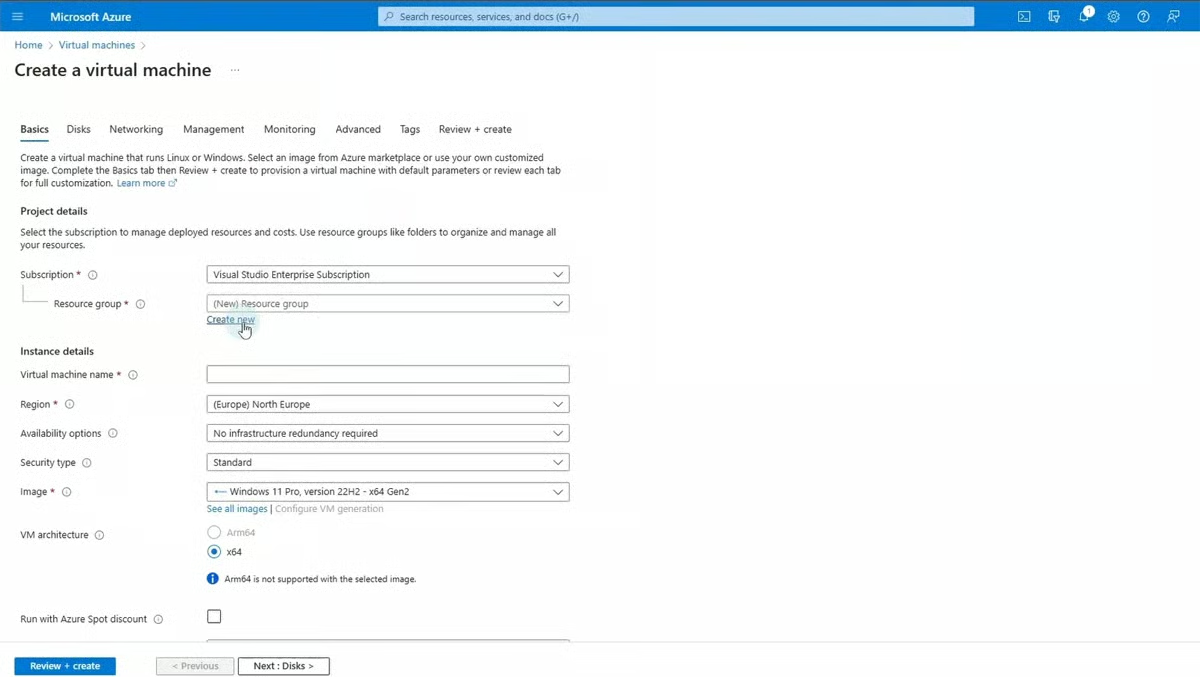
Positioned as the premier choice for scalable, cloud-based computing, Azure VMs integrate deeply within Microsoft’s global cloud ecosystem. Operating on a flexible pay-as-you-go pricing model starting around $7.59 per month, Azure VMs allow enterprises to rapidly deploy Windows and Linux instances for web hosting, databases, and heavy data processing. While offering unmatched global redundancy and seamless integration with identity management services like Azure Active Directory, the platform can incur high operational expenses at scale and present a steep learning curve for lean IT departments.
Azure Stack HCI
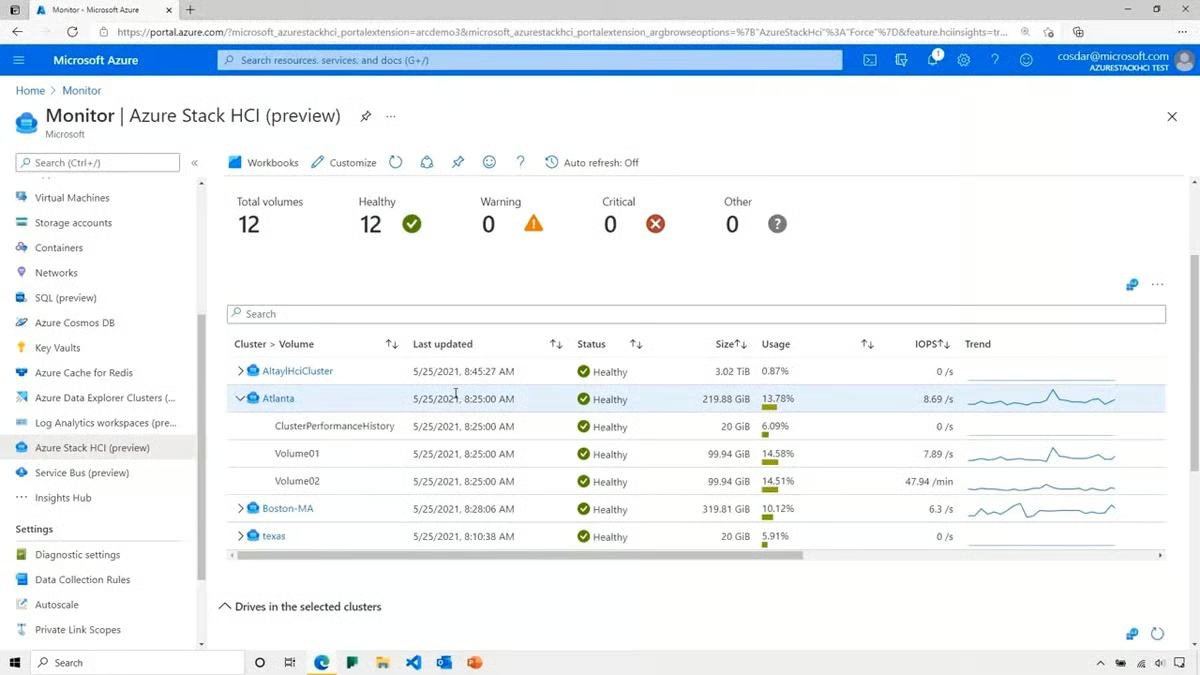
For organizations requiring strict on-premises data control paired with hybrid cloud agility, Microsoft offers Azure Stack HCI. Starting at approximately $10 per physical core monthly, this hyper-converged infrastructure solution unifies compute, storage, and networking into a modernized local system managed via Windows Admin Center and Azure Arc. It serves enterprises transitioning toward cloud-hybrid models, though its rigorous hardware prerequisites and intricate initial configuration require specialized administrative expertise.
VMware Workstation Pro
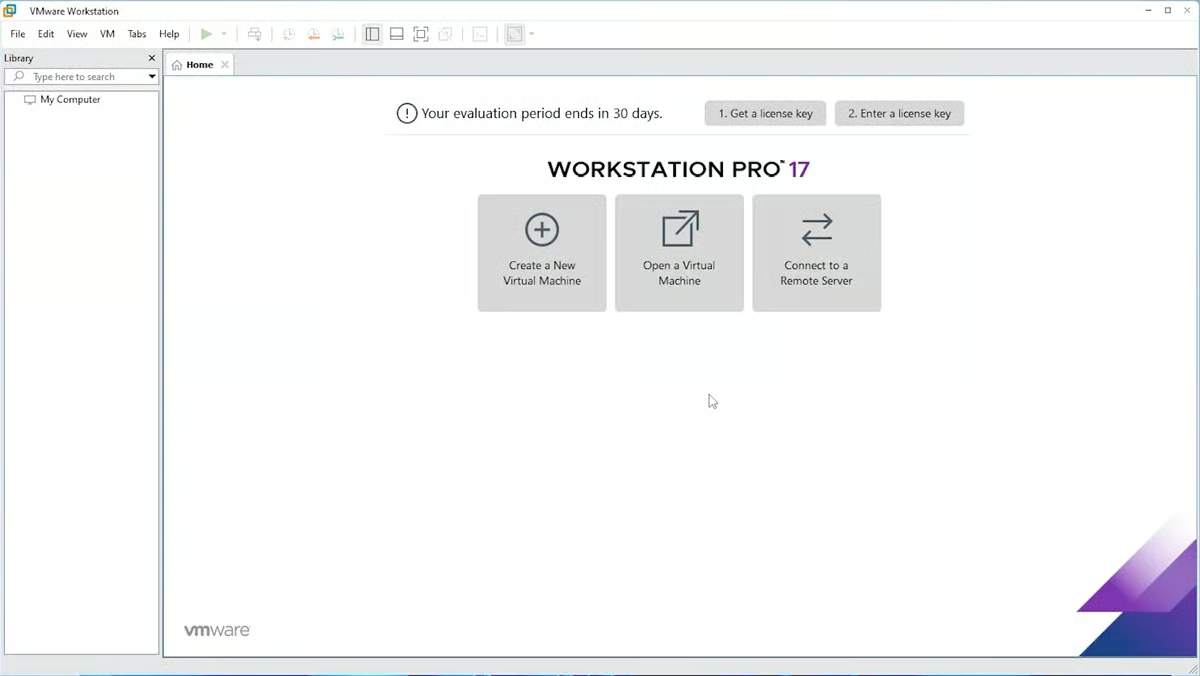
Long considered the gold standard for desktop-level virtualization and complex networking simulation, VMware Workstation Pro delivers high performance, robust snapshot management, and broad operating system compatibility. Priced around $199 for local feature licenses, it excels in software development and testing pipelines where engineers must replicate intricate, multi-node network topologies locally. Nevertheless, heavy multi-VM usage can heavily tax local host hardware resources.
Citrix Hypervisor
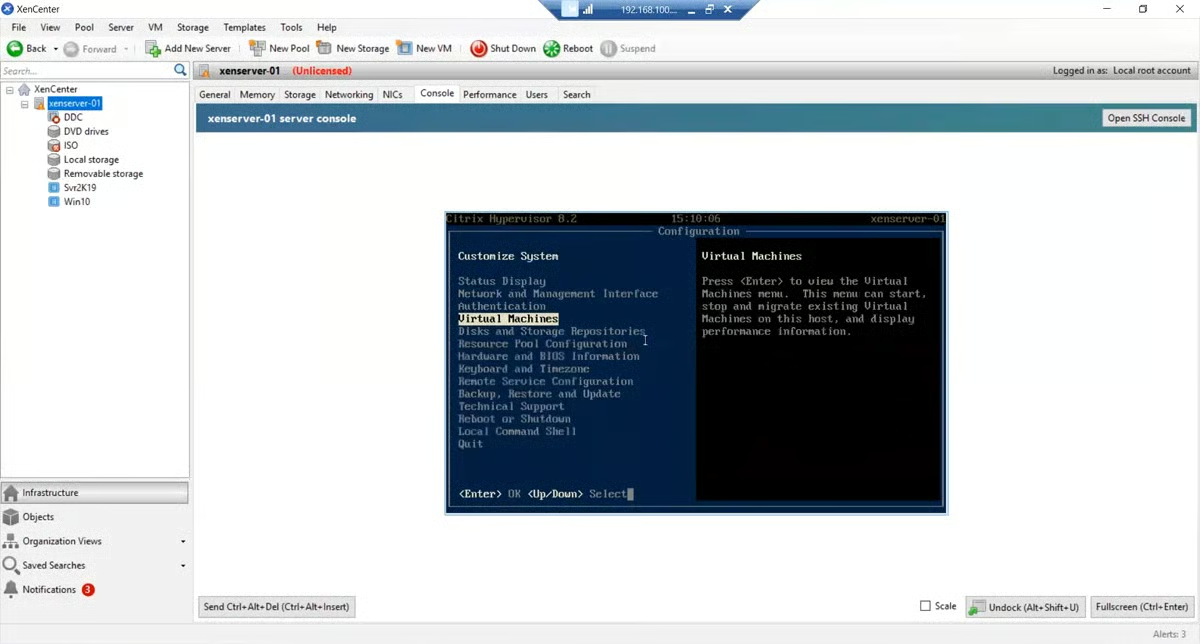
Formerly known as XenServer, Citrix Hypervisor is an enterprise-grade virtualization platform tailored for large-scale data center deployments and cloud computing environments. Operating on an open-source heritage, it boasts exceptional performance when handling vast numbers of virtual servers. While offering high-level enterprise security and sophisticated networking configurations, its primary focus on server virtualization makes it less suitable for desktop-centric use cases, and its licensing details typically require direct corporate consultation.
Red Hat OpenShift Virtualization
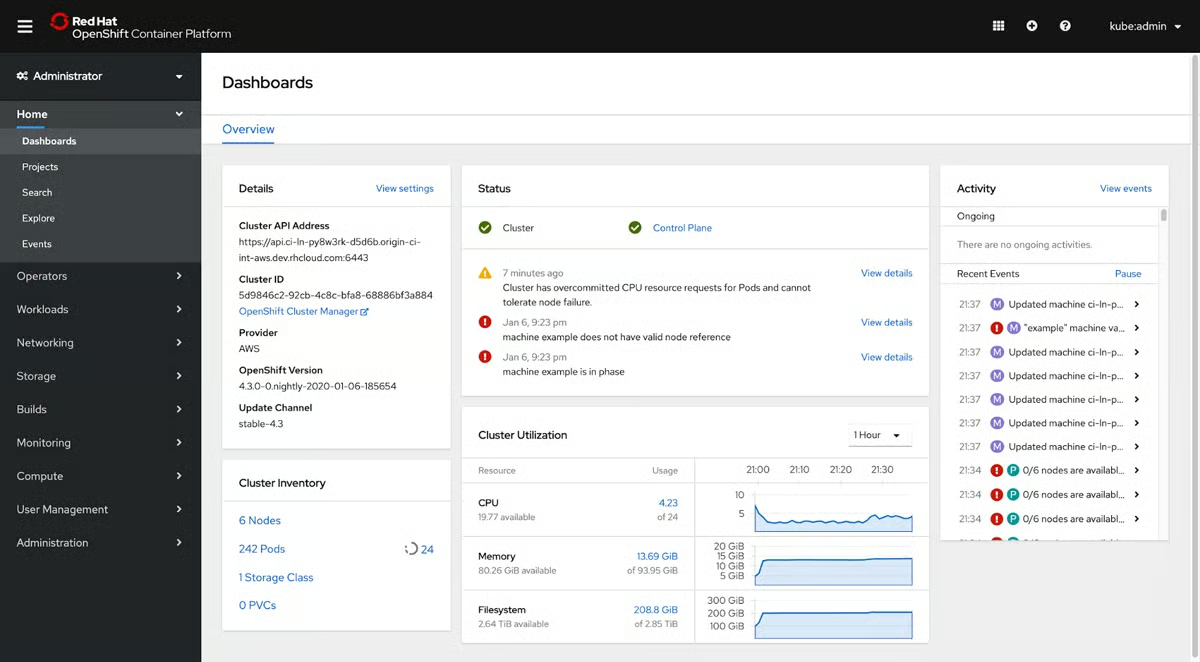
Bridging the gap between traditional virtual machines and modern containerization, Red Hat OpenShift Virtualization enables enterprises to run VMs and Kubernetes containers side-by-side on a unified platform. Designed for cloud-native modernization, it allows IT teams to migrate legacy virtualized workloads into Kubernetes clusters without abandoning existing operational workflows. However, successful deployment demands advanced proficiency in both container orchestration and traditional virtualization administration.
Parallels Desktop
Tailored specifically for macOS hardware running Windows environments, Parallels Desktop (starting at $99.99 annually for the Standard Edition) provides seamless cross-platform functionality. Features like Coherence mode allow Windows applications to run alongside native Mac apps without requiring system reboots, making it a favorite among developers and corporate professionals who rely on Apple hardware.
Core Evaluation Metrics and Weighting Methodology

Industry analysts utilize rigorous evaluation frameworks to score VM software, dividing assessment criteria into weighted categories that reflect real-world operational priorities:
Features and Capabilities (50% Total Weight)
- Performance and Resource Management (10%): Evaluates dynamic resource allocation, CPU and memory efficiency under heavy loads, and load balancing. Industry benchmarks consistently favor solutions like VMware Workstation Pro for local tasks and Azure VM for elastic cloud scaling.
- Compatibility and System Requirements (7.5%): Assesses hardware versatility, support for legacy versus modern Windows editions, and peripheral integration.
- Usability and Management (7.5%): Measures interface intuitiveness, ease of snapshot deployment, and administrative overhead. Top honors in this category are shared by VMware Workstation Pro and Parallels Desktop.
- Security and Isolation (7.5%): Examines hardware-assisted security, VM encryption, secure boot compliance, and cross-VM isolation to prevent malware propagation. Citrix Hypervisor, Azure VM, and VMware lead in this domain.
- Networking Capabilities (5%): Focuses on the configuration flexibility of Network Address Translation (NAT), bridged networks, VLAN support, and bandwidth throttling.
- Scalability, Reliability, and Infrastructure Integration (15% combined): Measures automated backups, failover capabilities, uptime guarantees, and seamless migration pathways across hybrid environments.
Cost and Financial Transparency (25% Weight)
Evaluating total cost of ownership extends beyond initial sticker prices. Analysts scrutinize pricing clarity, licensing complexity, tiered volume structures, and custom bundle negotiations. Cloud-based models like Azure VM and hybrid solutions like Azure Stack HCI score high on transparent consumption metrics, whereas enterprise-tier platforms often require bespoke vendor quoting.
Vendor Support and Reliability (25% Weight)
Because system downtime directly impacts corporate bottom lines, accessible, multi-channel technical support is crucial. Evaluations favor vendors providing 24/7 assistance via phone, live chat, dedicated account managers, and extensive knowledge bases, with Microsoft Azure and Red Hat scoring particularly well for enterprise-grade support infrastructures.

Implications for Enterprise IT Strategies
The choice of virtual machine software directly impacts an organization’s operational agility, security posture, and capital expenditure forecasting. As businesses navigate an increasingly digital-first economy, the dividing line between local desktop virtualization and cloud-native orchestration continues to blur.
For software developers and local IT testers, type-2 desktop hypervisors like VMware Workstation Pro remain indispensable tools for replicating complex network environments. Conversely, enterprise data centers are rapidly shifting toward hyper-converged infrastructure and container-integrated platforms—such as Azure Stack HCI and Red Hat OpenShift—to future-proof their operations against shifting hardware lifecycles and cybersecurity threats.
Ultimately, IT leadership must carefully audit their specific infrastructural requirements, internal administrative capabilities, and budgetary constraints before committing to a virtualization platform. Ensuring that the selected software integrates smoothly with existing backup protocols, security frameworks, and disaster recovery strategies will remain critical to maintaining uninterrupted business continuity in an increasingly interconnected technological landscape.
