


Virtual machine (VM) software for Windows has evolved from a niche tool utilized primarily by enterprise IT administrators and software developers into a cornerstone of modern digital infrastructure. By allowing users to create and execute one or multiple isolated virtual environments on a single physical host, VM software emulates a complete, self-contained computer system—including its own virtual CPU, memory, networking interfaces, and persistent storage. As organizations increasingly adopt hybrid cloud strategies, microservices, and complex multi-platform application testing regimens, selecting the optimal virtualization platform has become a critical operational decision.

This analysis evaluates the market’s leading Windows-compatible virtual machine solutions, examining their architectural strengths, performance profiles, pricing structures, and ideal enterprise use cases.
Industry Context and the Evolution of Windows Virtualization
The demand for robust desktop and server virtualization is propelled by the need for hardware consolidation, secure software testing, and legacy application continuity. Historically, local hypervisors like VMware Workstation and built-in tools such as Microsoft Hyper-V dominated local development loops. However, shifts in licensing, enterprise containerization trends, and the maturation of hybrid cloud architectures have reshaped the marketplace.
A notable industry development involves Microsoft’s strategic pivot away from standalone hypervisor products like Hyper-V Server 2019—whose mainstream support officially concluded in January 2024, with extended support scheduled to terminate in January 2029. In response, enterprise architects are migrating toward integrated hybrid solutions such as Azure Stack HCI or cloud-native orchestration frameworks like Red Hat OpenShift Virtualization, which bridge traditional virtual machines with modern Kubernetes deployments.
Top Virtual Machine Solutions for Windows Compared
To assist IT professionals, developers, and system administrators in navigating this shifting landscape, six standout platforms have been thoroughly evaluated based on performance, security, networking capabilities, and cost efficiency.
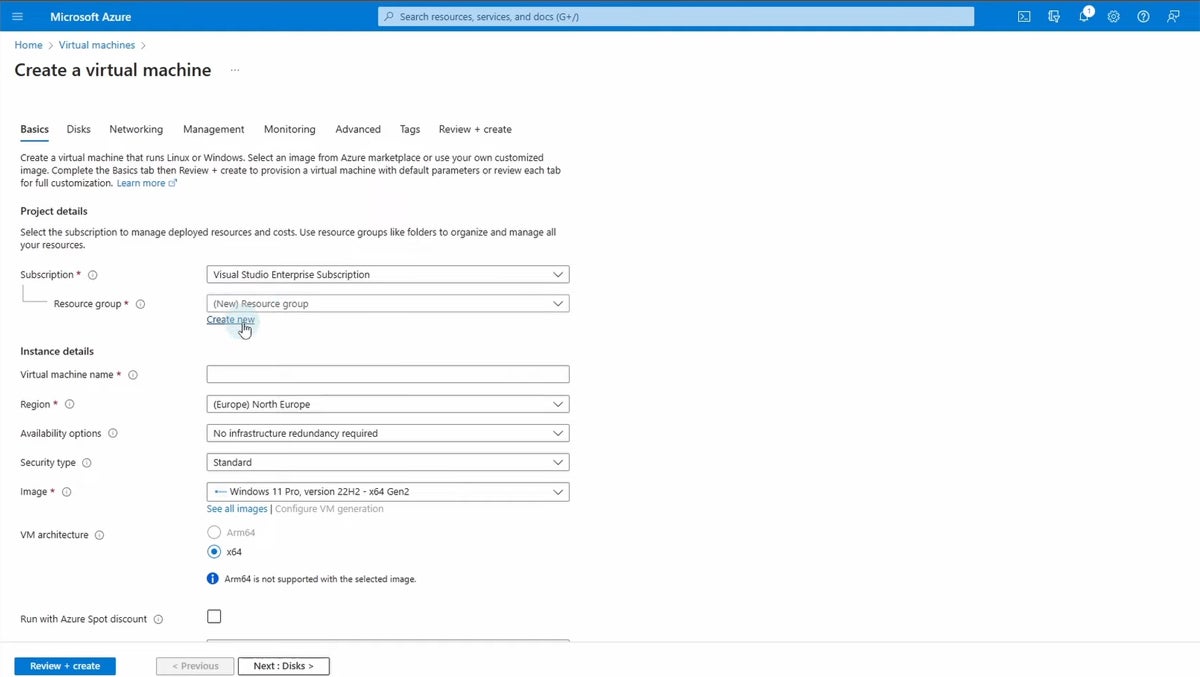
1. Microsoft Azure Virtual Machines (Azure VM)
- Best For: Scalable, cloud-based computing and enterprise cloud extension.
- Pricing: Starting at approximately $7.59/month, with diverse consumption-based tiers.
- Overview: Azure VM provides elastic, on-demand compute resources housed within Microsoft’s global cloud infrastructure. It supports a vast array of operating systems, including specialized Windows Server distributions and open-source Linux kernels.
- Key Advantages: Unmatched global scalability, seamless integration with native Azure security services (such as Azure Active Directory and Azure SQL Database), and robust high-availability configurations.
- Limitations: Can become cost-prohibitive under high-performance or continuous heavy workloads; the sheer breadth of configuration options can overwhelm smaller IT teams.
2. Microsoft Azure Stack HCI
- Best For: Hybrid cloud environments requiring localized, on-premises control.
- Pricing: Approximately $10 per month per physical core.
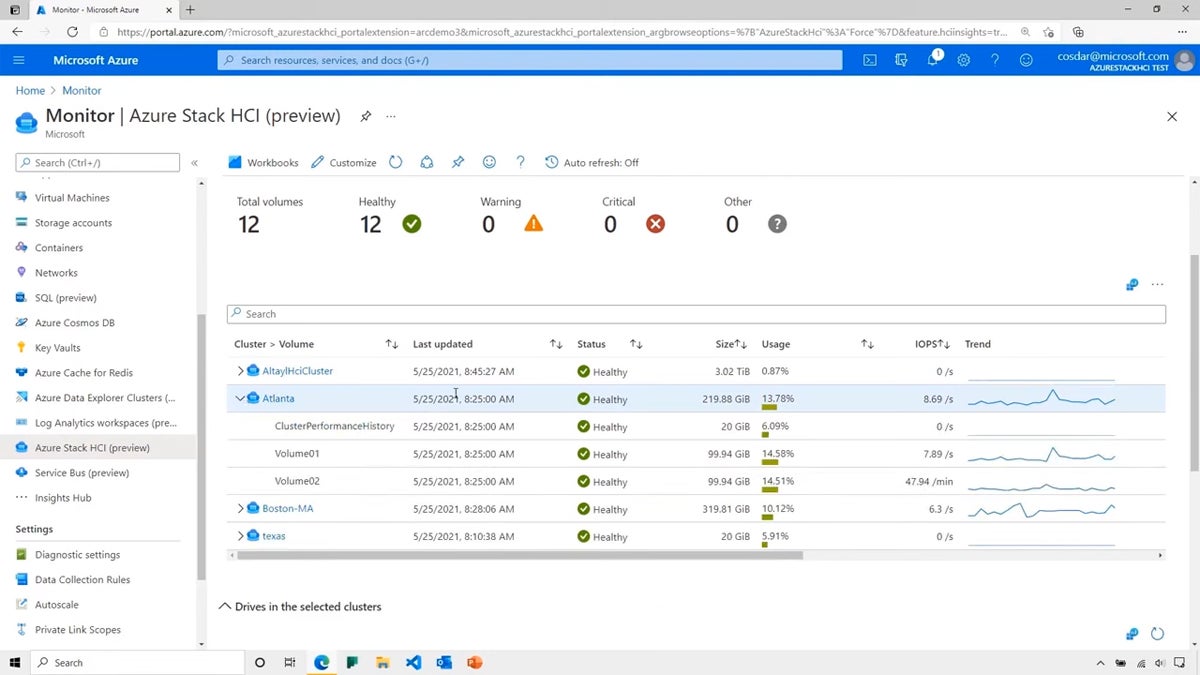
- Overview: Designed as a hyper-converged infrastructure (HCI) solution, Azure Stack HCI unifies virtualization, storage, and networking into a modernized on-premises appliance. It extends cloud management paradigms directly into local corporate data centers.
- Key Advantages: Offers a unified management experience via Windows Admin Center and Azure Arc, blending cloud flexibility with strict localized data governance.
- Limitations: Complex initial deployment procedures require specialized expertise in both cloud and on-premises infrastructure.
3. VMware Workstation Pro
- Best For: Advanced local development and complex networking simulations.
- Pricing: Local virtualization features priced at $199.
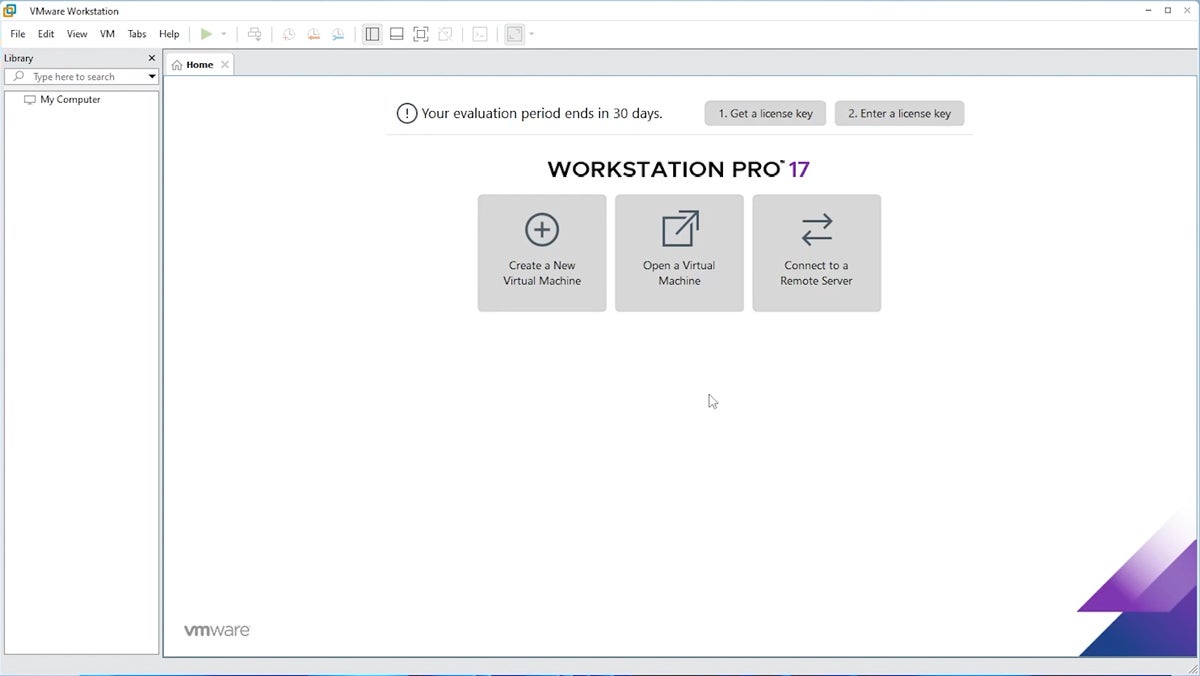
- Overview: A long-standing industry standard for local desktop and server virtualization, VMware Workstation Pro enables developers and engineers to spin up multi-OS environments directly on a physical Windows or Linux PC.
- Key Advantages: Exceptional performance, advanced snapshot and cloning utilities, and sophisticated virtual networking capabilities that accurately simulate intricate network topologies.
- Limitations: Demands substantial host system resources when running concurrent heavy VMs; features a steeper learning curve for novices.
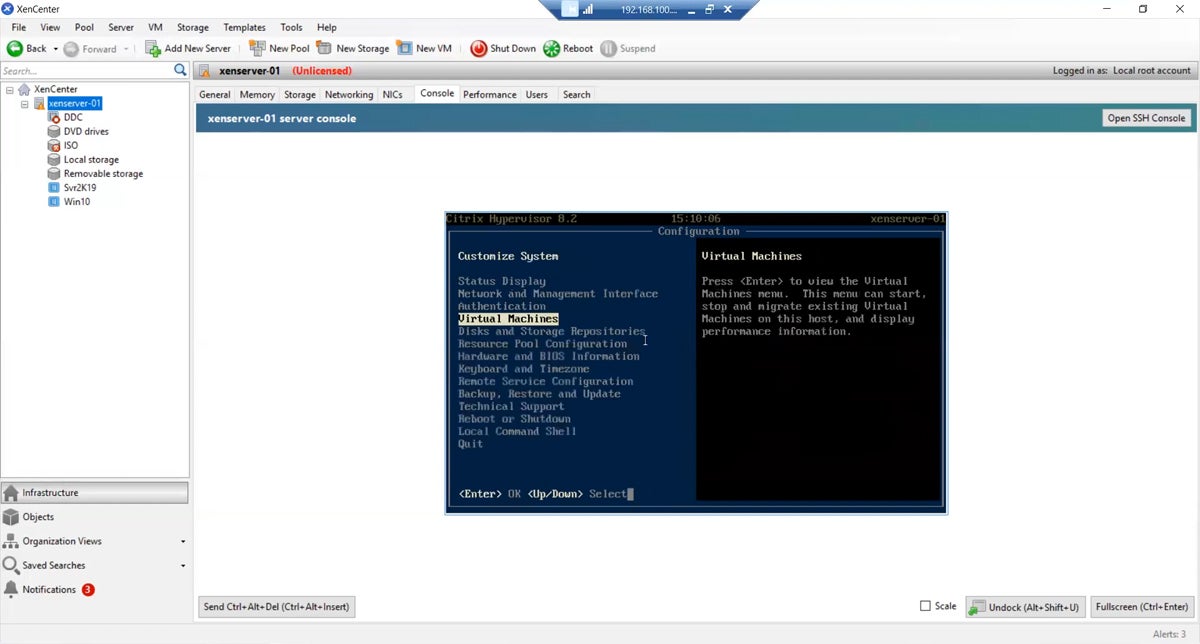
4. Citrix Hypervisor
- Best For: Large-scale enterprise server virtualization and open-source flexibility.
- Pricing: Available upon direct consultation with Citrix.
- Overview: Formerly known as XenServer, Citrix Hypervisor is an open-source virtualization management platform engineered for massive enterprise deployments. It excels in optimizing data center density and managing large fleets of virtual servers.
- Key Advantages: High performance under heavy server loads, strong enterprise security features, and deep customization potential derived from its open-source foundation.
- Limitations: Complex deployment and maintenance overhead make it less suitable for smaller organizations or desktop-centric virtualization use cases.
5. Red Hat OpenShift Virtualization
- Best For: Unified management of Kubernetes containers and traditional VMs.
- Pricing: Variable, dependent on server editions and enterprise agreements.
- Overview: Integrated directly into the Red Hat OpenShift enterprise Kubernetes platform, this solution allows IT organizations to run virtual machines and containerized microservices side-by-side on a single, unified control plane.
- Key Advantages: Bridges legacy virtualized workloads with modern cloud-native container architectures, streamlining application modernization strategies.
- Limitations: Requires deep operational knowledge of both Kubernetes and traditional virtualization frameworks.
6. Parallels Desktop
- Best For: Running Windows seamlessly on Apple macOS hardware.
- Pricing: $99.99/year for the Standard Edition.
- Overview: While primarily targeting macOS users who require Windows environments without system reboots, Parallels Desktop represents a benchmark in desktop-level virtualization efficiency and user experience.
- Key Advantages: Features like Coherence mode allow Windows applications to run alongside native Mac apps seamlessly, supported by shared clipboards and file drag-and-drop functionality.
- Limitations: Optimized primarily for consumer and desktop business applications rather than heavy server virtualization or high-end graphics rendering.
Key Evaluation Criteria for Enterprise Selection
When deploying virtual machine software within a corporate Windows ecosystem, administrators must weigh several foundational technological pillars:

- Performance and Resource Management: The hypervisor must efficiently allocate CPU cycles, volatile memory, and storage IOPS without starving the host operating system. Dynamic resource scaling and real-time telemetry are essential for identifying bottlenecks during peak production cycles.
- Security and Isolation: Hypervisors must maintain strict logical separation between guest VMs and the host machine. Enterprise-grade features—such as hardware-assisted virtualization security, secure boot configurations, and VM encryption—mitigate the risk of lateral malware propagation during a security breach.
- Networking Flexibility: Support for diverse network operating modes (Bridged, Network Address Translation, and Host-Only) ensures that virtual machines can safely communicate with external corporate networks or remain entirely sandboxed for security testing.
- Reliability and Disaster Recovery: Automated snapshotting, live migration capabilities, and failover clustering ensure business continuity, minimizing downtime in the event of underlying hardware failure.
Analytical Summary and Strategic Implications
The choice of virtual machine software for Windows ultimately depends on the specific operational horizon of the enterprise. Organizations committed to rapid cloud migration benefit immensely from elastic infrastructure solutions like Azure VMs. Conversely, software development agencies and systems engineers requiring granular control over local test environments continue to rely heavily on desktop hypervisors like VMware Workstation Pro.
As virtualization technology converges with containerization and edge computing, IT leaders must prioritize platforms that offer architectural flexibility, transparent pricing models, and robust vendor support. Securing these virtual environments with comprehensive backup solutions remains an indispensable final step in safeguarding enterprise data integrity against unforeseen system failures.
