


Virtualization software for Linux serves as the underlying backbone for modern server architecture, cloud computing, and software development pipelines. By allowing multiple isolated operating systems—referred to as virtual machines (VMs)—to run concurrently on a single physical host, this technology has fundamentally transformed data center management and developer workflows. As the demand for high-density compute power, hybrid cloud environments, and robust containerization grows, understanding the landscape of available Linux hypervisors and virtualization platforms is more critical than ever for enterprise IT strategists, systems administrators, and software engineers.
The Evolution of Linux Virtualization: A Historical Chronology

The journey of Linux virtualization spans several decades, evolving from sluggish emulation to hyper-efficient, hardware-assisted bare-metal execution. In the early 2000s, virtualization was predominantly proprietary and resource-heavy, dominated by commercial enterprise tools that required expensive licensing agreements.
The turning point for the open-source ecosystem arrived in 2007 with the integration of the Kernel-based Virtual Machine (KVM) directly into the mainline Linux kernel. This milestone converted the Linux kernel itself into a type-1 (bare-metal) hypervisor, allowing organizations to tap directly into hardware-level virtualization extensions built into modern x86 and ARM processors.
Concurrently, projects like QEMU and the Xen Project matured. Xen established itself as the bedrock of early public cloud infrastructure, powering massive multi-tenant cloud environments due to its superior paravirtualization capabilities and strict security isolation boundaries. Meanwhile, desktop-focused platforms like VirtualBox—originally developed by Innotek, later acquired by Sun Microsystems, and eventually stewarded by Oracle—bridged the gap for cross-platform developers needing a straightforward way to spin up guest operating systems on Linux, Windows, and macOS hosts.

By the 2010s and into the 2020s, the virtualization paradigm shifted yet again. The rise of containerization technologies like Docker and Kubernetes threatened to make traditional VMs obsolete. However, rather than replacing VMs, the industry gravitated toward convergence. Modern enterprise platforms, such as Red Hat OpenShift Virtualization, emerged to bridge the divide, allowing traditional virtual machines and modern containerized microservices to run side-by-side on a unified cloud-native control plane.
Comprehensive Comparison of Top Virtual Machine Software for Linux
Selecting the appropriate virtualization software requires a careful balancing act between performance, system requirements, security isolation, networking flexibility, and total cost of ownership. Industry evaluations consistently rank six solutions at the forefront of the Linux ecosystem: Red Hat OpenShift Virtualization, oVirt, Linux-KVM, QEMU, the Xen Project, and Oracle VirtualBox.
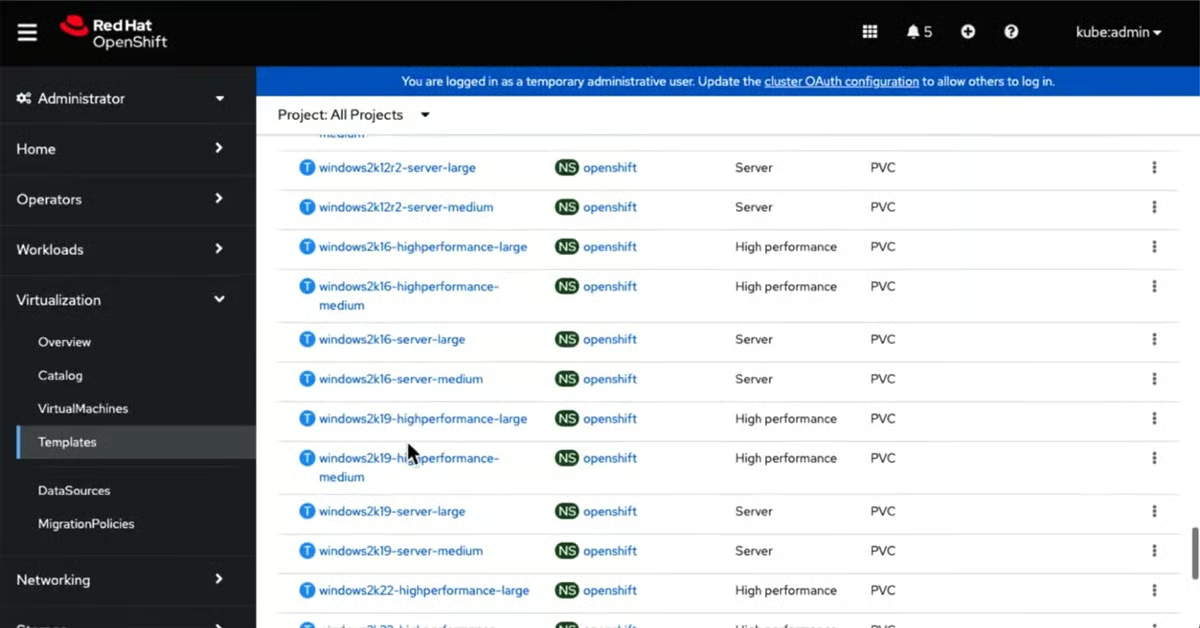
Red Hat OpenShift Virtualization: Best Overall Enterprise Solution
Built upon the rock-solid foundation of KVM, Red Hat OpenShift Virtualization represents the pinnacle of modern enterprise hybrid cloud strategy. Rather than forcing organizations to choose between legacy virtualized workloads and modern container orchestration, OpenShift merges VMs directly into Kubernetes clusters.
- Overall Rating: 3.75 / 5
- Pricing: Commercial licensing (pricing depends on server editions; requires contacting Red Hat sales).
- Pros: Seamlessly combines VMs and containerized applications; offers centralized management for hybrid cloud environments; highly scalable resource adjustment.
- Cons: Demands significant technical expertise in both VM and container technologies; resource-heavy in large-scale deployments; the only paid commercial solution in this category.
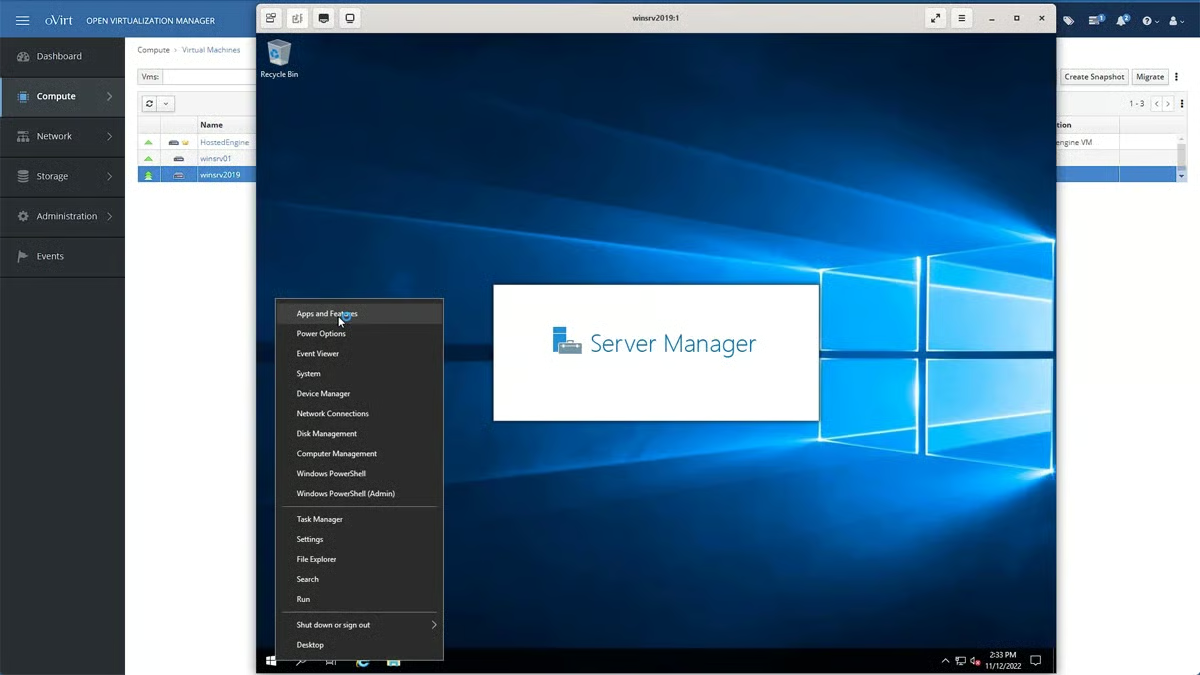
oVirt: Best for Large-Scale Data Center Management
oVirt is a robust, open-source virtualization management platform designed specifically for overseeing large clusters of virtual machines across diverse hardware configurations. Originating from the upstream community project that fed into Red Hat Enterprise Virtualization (RHEV), oVirt provides an enterprise-grade management console without the proprietary price tag.
- Overall Rating: 3.25 / 5
- Pricing: Free, open-source.
- Pros: Highly budget-friendly alternative to commercial solutions; exceptional capability in handling thousands of VMs across expansive data centers; comprehensive administrative feature set.
- Cons: Steeper learning curve; setup and ongoing maintenance can overwhelm smaller IT teams lacking dedicated virtualization specialists.
Linux-KVM: Best for Native Linux Performance
As a native module integrated directly into the Linux kernel, KVM turns any compatible Linux distribution into an efficient hypervisor. It leverages modern CPU virtualization extensions (Intel VT-x or AMD-V) to deliver near-native execution speeds.

- Overall Rating: 3 / 5
- Pricing: Free, open-source.
- Pros: Deepest possible kernel integration ensuring maximum efficiency and stability; backed by a massive global developer community; utilizes hardware-level acceleration.
- Cons: Restricted primarily to Linux-centric environments; requires advanced command-line proficiency and deep Linux systems knowledge for troubleshooting.
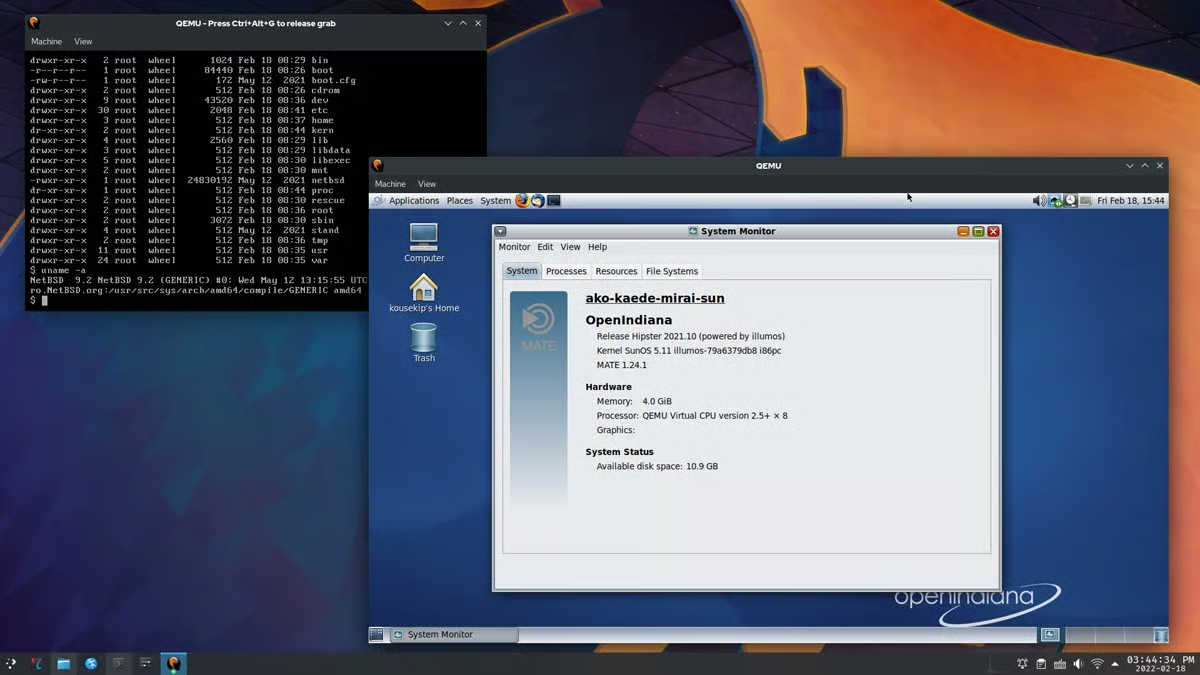
QEMU: Best for Cross-Architecture Emulation
While KVM excels at hardware-assisted virtualization on matching CPU architectures, QEMU (Quick Emulator) offers unmatched versatility by supporting full system emulation across different processor architectures (such as running ARM code on an x86 host).
- Overall Rating: 3 / 5
- Pricing: Free, open-source.
- Pros: Unrivaled capacity to emulate diverse CPU architectures; ideal for cross-platform software testing and debugging; capable of running even without hardware virtualization support.
- Cons: Pure emulation mode incurs a performance penalty compared to native hardware virtualization; configuration complexity can be daunting for novices.
Xen Project: Best for Secure Cloud and Server Environments
The Xen Project is a specialized, open-source type-1 hypervisor celebrated for its paravirtualization efficiency and military-grade security isolation boundaries. It remains a foundational hypervisor for many major commercial cloud service providers.
- Overall Rating: 3 / 5
- Pricing: Free, open-source.
- Pros: Exceptional security isolation making it ideal for multi-tenant cloud environments; highly efficient paravirtualization minimizes performance overhead.
- Cons: Complex setup and management overhead; optimized more heavily for Linux and Unix-like guest operating systems over Windows.
VirtualBox: Best for Desktop and Cross-Platform Testing
Oracle’s VirtualBox is widely recognized for its intuitive graphical user interface and broad cross-platform host compatibility (running seamlessly on Linux, Windows, macOS, and Solaris).
- Overall Rating: 2.75 / 5
- Pricing: Free, open-source (with proprietary extension packs available under specific licenses).
- Pros: Extremely user-friendly graphical interface; broad compatibility with diverse host and guest operating systems; quick and effortless deployment for desktop users.
- Cons: Less efficient memory and CPU resource management under heavy loads; lacks advanced high-availability features required for complex enterprise clusters.
Core Architectural Features of Linux Virtualization Software
Deploying virtualization within a Linux environment requires evaluating several core functional pillars that dictate system reliability, speed, and security.
Performance and Resource Management
Efficient hypervisors ensure that physical hardware resources—specifically CPU cycles, RAM allocation, and disk I/O throughput—are distributed equitably among active VMs. Advanced features like dynamic resource scheduling, CPU pinning, and memory ballooning prevent single workloads from starving the host system, while integrated performance counters provide real-time telemetry.

Security and Isolation Boundaries
In multi-tenant and enterprise deployments, hypervisor-level isolation is non-negotiable. Strong virtualization software guarantees that a security breach, memory leak, or kernel panic within a guest virtual machine remains completely quarantined, preventing malicious code or system failures from propagating to the host operating system or neighboring VMs.
Networking Flexibility and Scalability
Modern Linux hypervisors support advanced networking topologies, including bridged networking, Network Address Translation (NAT), host-only configurations, and Virtual Local Area Network (VLAN) tagging. These options allow systems administrators to precisely control internal and external traffic routing, establish isolated testing subnets, and scale network interfaces dynamically as business operations expand.
Methodology for Evaluating Linux Virtualization Platforms
Industry analyses typically score virtualization software across a standardized weighted framework to assist IT decision-makers in objective procurement. The evaluation criteria generally break down as follows:
-
Core Feature Set (50% Total Weight):
- Performance and Resource Management (20%): Measured by CPU/memory overhead efficiency under heavy load. (Top performers: Linux-KVM, Xen Project, OpenShift Virtualization).
- Compatibility and System Requirements (15%): Evaluated on hardware footprint and breadth of supported guest operating systems. (Top performers: VirtualBox, QEMU).
- Usability and Management (15%): Assessed via GUI intuitiveness, ease of deployment, and administrative tooling. (Top performers: VirtualBox, oVirt).
- Security and Isolation (15%): Scrutinized based on sandbox integrity and vulnerability mitigation. (Top performers: Xen Project, Linux-KVM).
- Networking, Scalability, Reliability, and Infrastructure Integration (remaining 35% combined): Measured by failover automation, uptime metrics, and API integration capabilities.
-
Cost Considerations (25% Weight):
Analyzing total cost of ownership, software licensing transparency, availability of legacy versions, and open-source documentation accessibility.
-
Support Ecosystem (25% Weight):
Evaluating the responsiveness of vendor support channels, active developer community engagement, and comprehensive knowledge-base documentation.
Frequently Asked Questions (FAQs)
What is Linux virtualization software and how does it function?
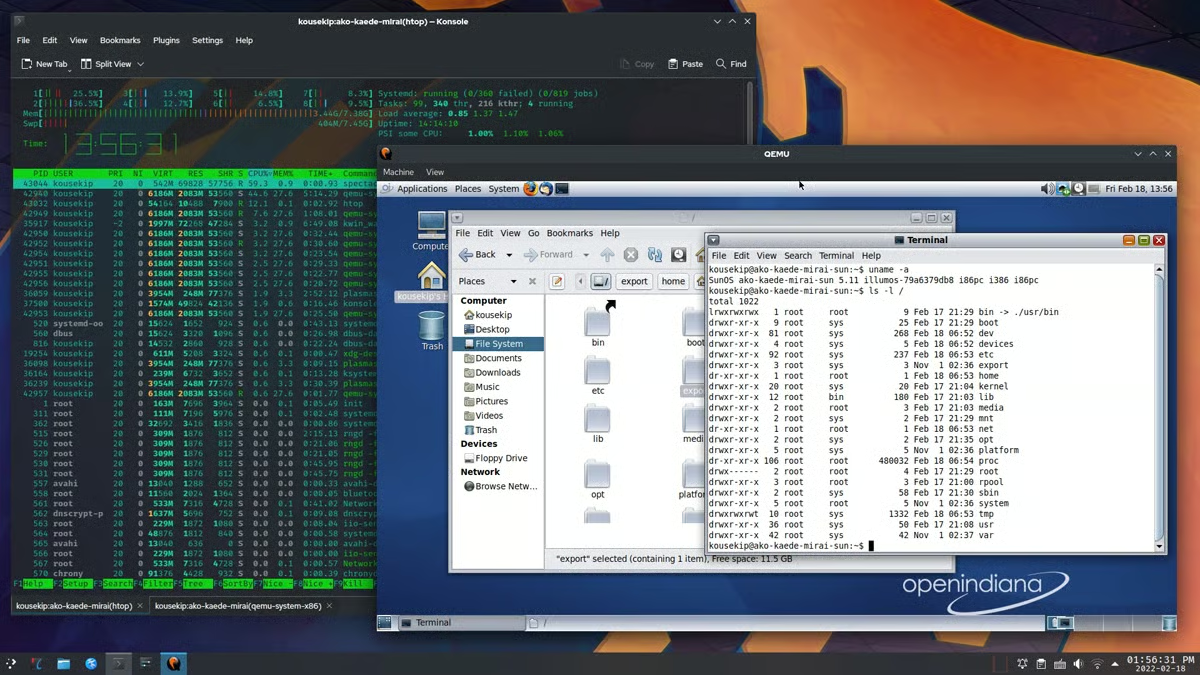
Linux virtualization software, commonly referred to as a hypervisor or VM manager, is a foundational software layer that sits directly between physical computer hardware and guest operating systems. It slices physical CPU, memory, and storage into isolated virtual containers, ensuring each VM operates as an independent physical machine.
Is open-source hypervisor software reliable enough for mission-critical enterprise deployment?
Yes. Major global cloud providers, financial institutions, and telecommunications firms rely heavily on open-source hypervisors like Linux-KVM and Xen. Their reliability is backed by rigorous peer review from a global developer community, continuous security auditing, and robust native kernel integration.
Can Linux virtualization software scale effectively alongside business growth?
Modern Linux hypervisors are engineered specifically for horizontal and vertical scalability. Administrators can hot-add virtual CPUs and memory, migrate running virtual machines across physical hosts with zero downtime via live migration, and integrate hypervisor pools with automated orchestration tools.
Conclusion and Strategic Recommendations
Choosing the right virtual machine software for a Linux environment hinges entirely on aligning technical capabilities with organizational goals. While desktop users and developers seeking rapid prototyping will find immediate value in user-friendly solutions like VirtualBox or QEMU, enterprise data centers and cloud architects require the industrial-grade performance, native kernel efficiency, and container convergence offered by platforms like Linux-KVM, oVirt, and Red Hat OpenShift Virtualization. Regardless of the chosen platform, organizations must prioritize robust security hardening, reliable backup and disaster recovery protocols, and careful alignment with long-term IT infrastructure strategies.
