
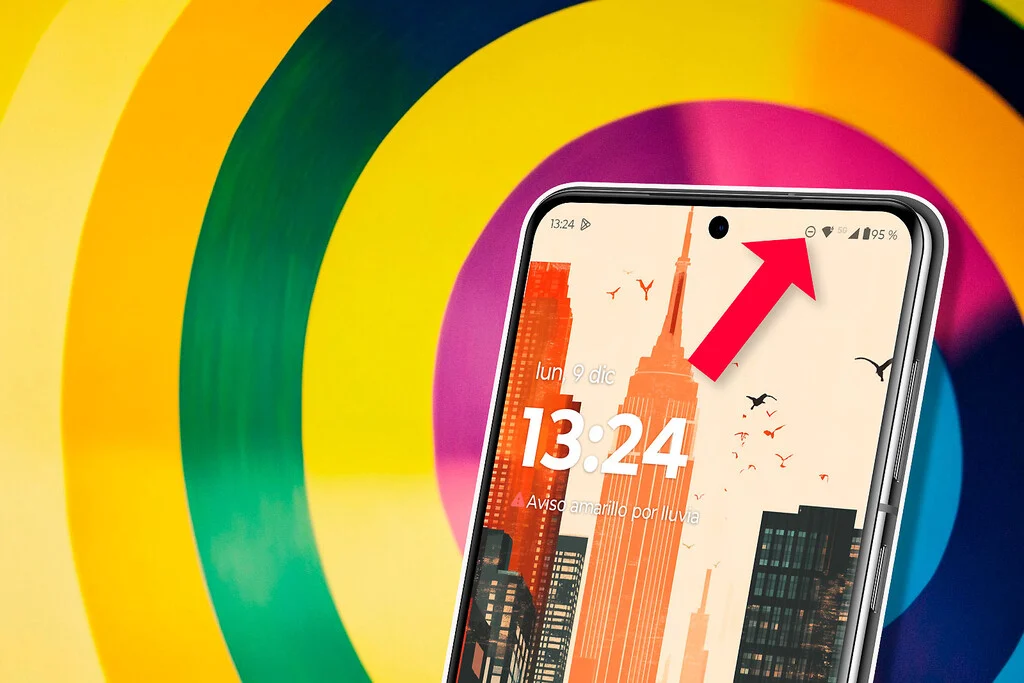

The top of an Android smartphone screen, often referred to as the status bar, is a dynamic canvas of small symbols. These ‘status icons’ serve as critical visual cues, offering immediate insights into the device’s operational state and connectivity. Among these various indicators – ranging from Wi-Fi signal strength and battery levels to Bluetooth and NFC activity – one particular symbol frequently sparks curiosity and, at times, confusion among users: a circle with a horizontal line or a minus sign traversing its center. This seemingly simple graphic is the universally recognized emblem for Android’s "Do Not Disturb" (DND) mode, a powerful feature designed to provide users with much-needed respite from the relentless stream of digital interruptions. Its presence signifies a deliberate, or sometimes accidental, decision to temporarily silence all incoming notifications, calls, and alerts, thereby transforming the typically vibrant and responsive smartphone into a quiet haven of focused activity or undisturbed rest.
The modern smartphone, while an indispensable tool for communication and information, has also become a significant source of digital overload. With an ever-increasing number of applications vying for attention through constant pings, vibrations, and visual alerts, users often find themselves caught in a cycle of notification fatigue. This constant barrage of digital stimuli can detrimentally impact concentration, productivity, and overall mental well-being. Studies consistently highlight the pervasive nature of this issue; for instance, research by Deloitte indicates that smartphone users check their devices, on average, dozens of times a day, with notifications playing a significant role in prompting these checks. Recognizing this growing challenge, smartphone manufacturers and operating system developers, notably Google with Android, have invested heavily in creating sophisticated tools aimed at helping users manage their digital interactions more effectively. The "Do Not Disturb" mode stands as a cornerstone of these efforts, offering a customizable shield against the cacophony of the digital world.
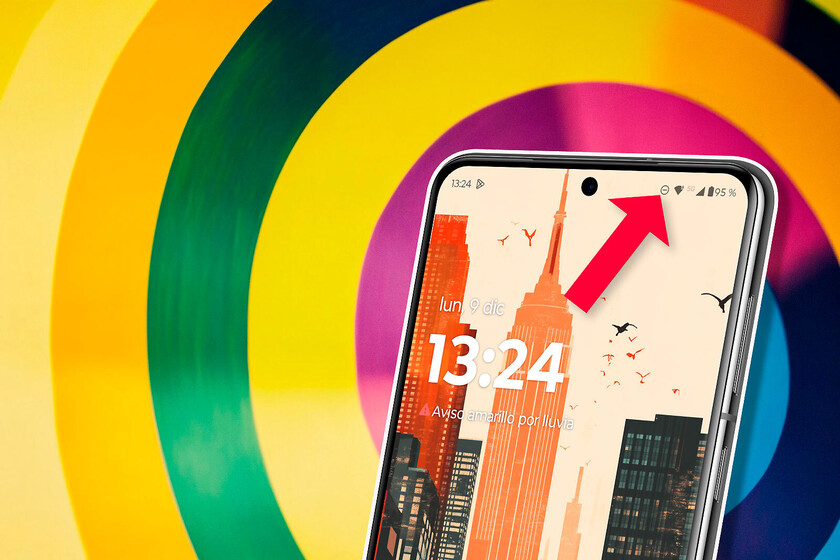
The Anatomy of the "Do Not Disturb" Icon and Its Visual Cues
The icon for "Do Not Disturb" mode is remarkably consistent across most Android devices, regardless of manufacturer (such as Samsung, Google Pixel, Xiaomi, OnePlus, LG, Sony, and Huawei) or Android version. It typically manifests as a circular outline with a horizontal bar, often resembling a minus sign, positioned centrally. This design intuitively conveys the concept of "blocking" or "silencing," akin to a universal "no entry" or "prohibited" sign. Its placement is invariably in the status bar, usually alongside other essential system icons like the clock, battery indicator, and network status, ensuring it is always visible at a glance.
While the core design remains uniform, subtle variations may exist due to manufacturers’ custom user interfaces (UIs), such as Samsung’s One UI, Xiaomi’s MIUI, or OnePlus’s OxygenOS. These custom UIs might introduce minor stylistic differences in color, thickness, or exact position of the icon within the status bar, but the fundamental visual message remains intact. The primary purpose of this icon is to act as a persistent visual reminder that the device’s notification system is currently suppressed. Without such an indicator, a user might mistakenly believe their phone is malfunctioning or that others are not attempting to reach them, leading to missed communications and potential frustration. The icon effectively communicates, "Your phone is intentionally quiet."
A Journey Through Android’s Notification Landscape: The Evolution of Silence
The concept of controlling phone interruptions is not new; early mobile phones offered basic silent or vibrate modes. However, with Android’s burgeoning ecosystem of applications and the rapid increase in digital communication, the need for more granular control over notifications quickly became apparent.

- Pre-Lollipop Era (Before 2014): Prior to Android 5.0 Lollipop, users primarily relied on simple sound profiles (loud, vibrate, silent). Managing notifications from individual applications was often a manual, app-by-app process, lacking a centralized, comprehensive system-wide solution. This led to a less efficient and more cumbersome experience for users seeking quiet periods.
- Android 5.0 Lollipop (2014) – The Dawn of Priority Mode: This version marked a pivotal moment with the introduction of "Priority Mode." Users could choose between "None," "Priority," and "All" modes. "None" effectively silenced everything, while "Priority" allowed only specific types of notifications (e.g., calls from starred contacts, messages from certain people, or reminders) to break through. This was the direct precursor to the modern "Do Not Disturb" mode, laying the groundwork for selective silencing. The icon in Lollipop for "None" was often a circle with a line, similar to today’s DND symbol. This feature was lauded for offering a much-needed layer of control in an increasingly noisy digital environment.
- Android 6.0 Marshmallow (2015) – Refinements and Schedules: Marshmallow refined Priority Mode, making it more user-friendly and introducing critical scheduling capabilities. Users could now set DND to activate automatically during specific hours (e.g., overnight) or for calendar events. This allowed for a more "set-it-and-forget-it" approach to managing interruptions, enhancing its practical utility for daily routines and planned quiet times. The system also began to offer more options for exceptions.
- Android 9 Pie (2018) – Digital Wellbeing Integration: With Android Pie, Google introduced its "Digital Wellbeing" suite, a broader initiative aimed at helping users achieve a healthier balance with their devices. DND became an integral part of this suite, working in conjunction with features like "Wind Down" (which grays out the screen and activates DND at bedtime) and "App Timers." The focus shifted from just silencing to promoting mindful smartphone usage, reflecting a growing industry concern about smartphone addiction and digital overload.
- Android 10, 11, 12, and beyond – Enhanced Customization and Focus Modes: Subsequent Android versions have continued to enhance DND, integrating it deeper into the system’s focus and productivity tools. Features like "Focus Mode" (to pause distracting apps), "Bedtime Mode" (an evolution of Wind Down), and more intricate rules for exceptions have been added. Users can now allow calls from repeat callers (a second call from the same number within a short period), ensuring urgent communications can still get through without opening the floodgates to all notifications. Notification channels, introduced in Android Oreo, further empower DND by allowing users to mute specific types of notifications within an app while allowing others. For instance, a user might silence promotional notifications from a shopping app but allow order updates, offering unprecedented levels of granular control.
This chronological development underscores Google’s commitment to providing users with robust tools to control their digital environment, recognizing that a "one-size-fits-all" approach to notifications is no longer sufficient in our hyper-connected world. The evolution of DND mirrors the growing complexity of our digital lives and the continuous efforts by tech companies to help users navigate this complexity effectively.
Beyond Simple Silencing: The Power of Customization
The strength of Android’s Do Not Disturb mode lies not just in its ability to silence the device, but in its deep and extensive customization options. This granular control allows users to tailor their quiet periods precisely to their needs, ensuring critical information can still reach them while general distractions are kept at bay.
- Scheduled Activation: Perhaps the most widely used customization is scheduling. Users can set DND to turn on and off automatically based on time (e.g., from 10 PM to 7 AM daily) or linked to specific calendar events (e.g., during work meetings, dentist appointments, or even during commuting hours). This is particularly useful for maintaining consistent sleep patterns or ensuring focus during regular work hours without manual intervention.
- Event-Based Activation: Integration with the user’s calendar allows DND to activate automatically when a user has an event scheduled. Options often include choosing whether it applies to all events or only those marked as "busy" in their calendar, providing intelligent, context-aware silencing.
- Exceptions for Calls and Messages: This is where DND truly shines in balancing peace with essential connectivity. Users can configure DND to:
- Allow calls from "Starred Contacts" (Favorites): This ensures that calls from immediate family members, crucial colleagues, or designated emergency contacts can always break through the silence.
- Allow calls from "Repeat Callers": A clever setting that permits a second call from the same number within a short, configurable period (e.g., 15 minutes) to ring, operating on the assumption that a repeated call might indicate an urgent situation. This filters out non-urgent calls while allowing critical ones to reach the user.
- Allow messages from specific contacts: Similar to calls, certain messaging apps or the default SMS app can be configured to allow messages from designated individuals to bypass DND.
- Prioritize app notifications: While DND primarily silences, some critical applications (e.g., security alerts, health monitoring apps, smart home emergency alerts) can be configured to bypass DND, ensuring users are always aware of urgent, life-critical information. This selective allowance is crucial for safety and immediate responsiveness.
- Visual and Sound Suppression: DND allows users to choose how notifications are handled both audibly and visually. Options include:
- No sound from notifications: The default DND behavior, silencing all audible alerts.
- No vibration: Prevents tactile alerts, ensuring complete physical quietness.
- Hide visual notifications: This can range from suppressing pop-up notifications (heads-up notifications) to preventing icons from appearing in the status bar or on the lock screen. Some advanced settings even allow hiding notification dots on app icons, providing a truly clean and distraction-free interface.
- Full screen alerts: These can be disabled to prevent intrusive disruptions, especially beneficial during presentations or media consumption.
The ability to fine-tune these settings means a user can configure DND for a night’s sleep that blocks everything except an emergency call from a child, or for a focused work session that silences all social media alerts but allows notifications from a critical project management tool. This level of control empowers users to define their boundaries with technology.

The Psychological Impact: Reclaiming Focus and Serenity
The profound impact of Do Not Disturb mode extends beyond mere technical functionality; it touches upon fundamental aspects of digital well-being, productivity, and mental health. In an era where constant connectivity often translates into constant distraction, DND offers a powerful antidote.
- Combating Notification Fatigue: Studies, such as those conducted by institutions like the University of British Columbia and various market research firms like Pew Research Center, consistently highlight the detrimental effects of excessive notifications. Users report increased stress, decreased attention spans, and a perpetual feeling of being "on call." DND directly addresses this by creating a buffer, allowing individuals to decide when and how they engage with their digital world, rather than being dictated by it. A 2016 study published in the Journal of Experimental Psychology found that even the mere presence of a smartphone can reduce cognitive capacity, let alone constant notifications.
- Boosting Productivity and Concentration: Each notification, even a brief glance, can take several minutes for the brain to recover from in terms of focused attention. For professionals, students, or anyone engaged in deep work, DND is an invaluable tool. By silencing alerts, it helps users enter and maintain a state of "flow," a state of complete immersion in an activity, leading to higher quality output and reduced errors. Research from the University of California, Irvine, suggests that constant interruptions can lead to a 20% reduction in productivity. DND significantly mitigates this.
- Improving Sleep Quality: The blue light emitted by screens and the psychological arousal caused by notifications are well-documented disruptors of sleep. Activating DND, especially with scheduled bedtime modes, ensures that sleep is not interrupted by late-night messages, emails, or app updates. This contributes to better sleep hygiene and overall health, as consistent sleep is crucial for cognitive function, mood regulation, and physical health.
- Enhancing Social Interactions: In face-to-face meetings, family dinners, or social gatherings, an incessantly buzzing phone can be perceived as disrespectful and distracting. DND allows individuals to be fully present in their real-world interactions without the urge to check every incoming alert, fostering more meaningful and respectful personal connections. This reflects a growing societal etiquette around smartphone usage.
- Reducing Anxiety and FOMO (Fear Of Missing Out): While some might initially fear missing out on important information or social interactions, many users report a significant reduction in anxiety once they embrace DND. The realization that the world continues perfectly fine without immediate responses to every digital ping can be liberating, fostering a healthier, more intentional relationship with technology. This psychological shift can lead to a greater sense of control and reduced stress levels.
Common Scenarios and Troubleshooting: Identifying and Deactivating DND
The utility of Do Not Disturb mode is evident in a wide array of daily scenarios:
- Professional Settings: During important meetings, presentations, interviews, or focused work blocks requiring deep concentration.
- Educational Environments: In classrooms, lectures, examinations, or study sessions to minimize distractions for both the user and those around them.
- Personal Time: While sleeping, during meals, exercising, meditating
