
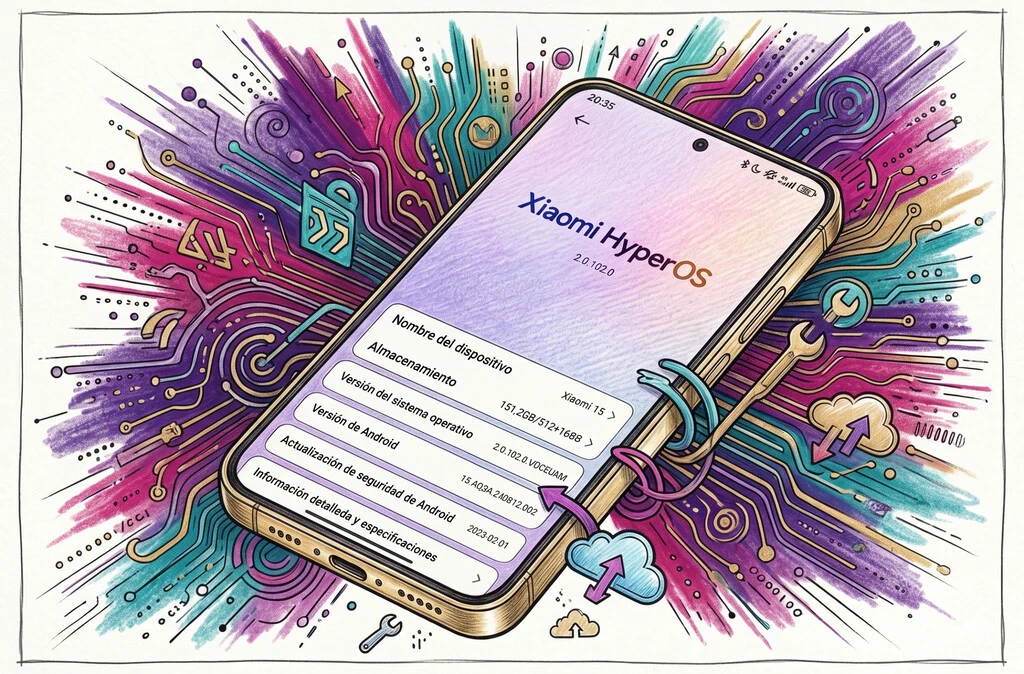

Xiaomi’s HyperOS, the successor to the long-standing MIUI, is rapidly establishing itself as one of the most comprehensive and feature-rich Android-based operating systems available on the market. Designed to integrate seamlessly across Xiaomi’s vast ecosystem of devices, from smartphones to smart home products, HyperOS prioritizes performance, security, and an intuitive user experience. While no software is without areas for improvement, the platform continually surprises users with its depth of customization and array of practical tools, many of which are subtly integrated and enhance daily mobile interactions. Recent observations highlight several such functionalities that underscore HyperOS’s commitment to user convenience and digital well-being.
The transition from MIUI to HyperOS marked a significant strategic pivot for Xiaomi, aiming to create a unified software architecture capable of powering a diverse range of hardware. Launched with the explicit goal of fostering a "Human-Centric Smart Ecosystem," HyperOS focuses on five key areas: low-level refactoring, cross-device intelligent connectivity, proactive intelligence, end-to-end security, and an open platform. This foundational shift allows for deeper optimization, better resource management, and a more fluid experience across devices like the Xiaomi 13, a device frequently cited for demonstrating the OS’s capabilities. Users are increasingly discovering features that extend beyond basic smartphone operation, offering enhanced control, privacy, and efficiency.
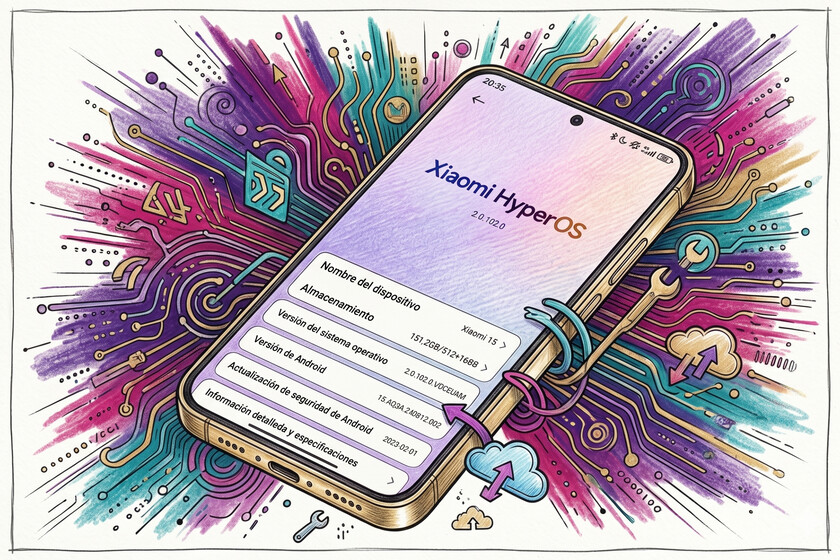
One notable discovery involves the system’s advanced Bluetooth device management. In an era where individuals connect numerous peripherals—from earbuds and smartwatches to car systems and home speakers—maintaining an organized list of connected devices is crucial. HyperOS includes a specialized setting that enables users to categorize and manage their Bluetooth connections more effectively, streamlining the process of identifying and interacting with frequently used accessories. This seemingly minor addition significantly reduces the friction associated with managing multiple Bluetooth devices, a common pain point for many smartphone users.
Beyond connectivity, HyperOS offers a broad spectrum of functionalities designed to cater to diverse user needs. These include sophisticated charging optimizations, extensive personalization options, robust image editing tools, and a suite of AI-powered enhancements, some of which are integrated through HyperAI. Furthermore, the OS incorporates granular adjustments aimed at extending battery life, a constant priority for mobile users. While many of these features are well-documented, a deeper dive reveals several lesser-known yet exceptionally useful capabilities that elevate the overall user experience.
Independent Volume Control for Applications
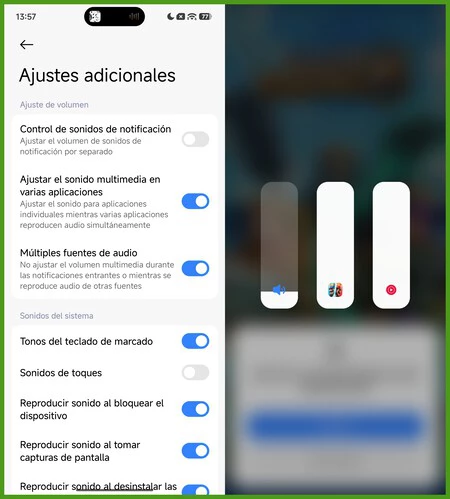
Modern smartphone usage often involves multitasking, such as gaming while listening to a podcast or watching a video in the background. HyperOS addresses this common scenario with a highly practical feature: independent volume control for individual applications. This functionality allows users to precisely adjust the audio levels of each running application, preventing disruptive overlaps and ensuring an optimized auditory experience. For instance, a user engaged in a mobile game like ‘Clash Royale’ or ‘Fortnite’ can simultaneously play a YouTube video or podcast, adjusting the game’s volume independently to ensure the background audio is neither too loud nor too quiet.
Activating this feature is straightforward: users navigate to "Settings," then "Sound & Vibration," followed by "Additional Settings," and finally enable the toggle for "Adjust media sound in multiple applications." Once enabled, pressing the physical volume buttons during media playback reveals an additional on-screen icon. Tapping this icon expands a set of sliders, providing granular control over the volume of each active application. This level of audio management is a significant convenience, allowing for a more tailored and less interrupted multitasking environment.
Expedited Picture-in-Picture (PiP) Mode
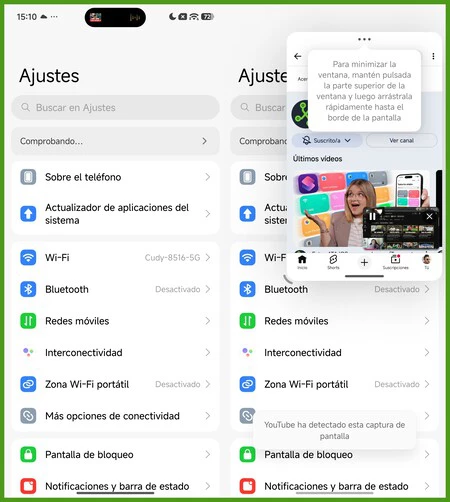
For users who frequently consume video content on their smartphones, interruptions can be particularly frustrating. HyperOS offers an efficient method for managing these situations through an expedited Picture-in-Picture (PiP) mode, accessible via intuitive gestures. This feature allows users to quickly transform a full-screen video into a compact, non-intrusive floating window, enabling them to attend to other tasks, such as responding to a WhatsApp message, without losing track of their video content.
The streamlined activation of this PiP mode differentiates it from more cumbersome methods. Instead of navigating through multiple menus, users can simply drag an active floating window (initiated from the multitasking view) towards the upper-right corner of the screen. Releasing the window in this area automatically compresses it into a small, discreet box, which then anchors itself in a corner, leaving the majority of the screen free for other applications. This gesture-based approach significantly enhances productivity and ensures a seamless transition between tasks, highlighting Xiaomi’s focus on fluid user interfaces.
Enhanced Application Security with App Locking

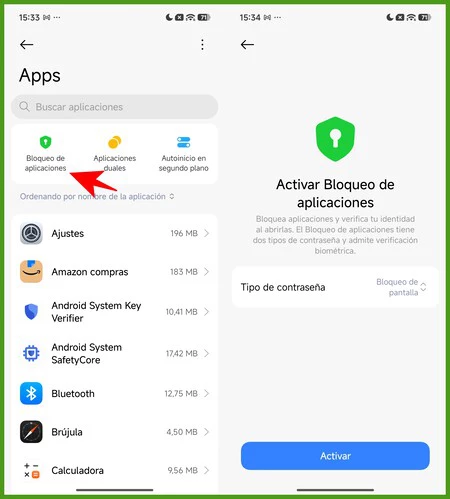
The security and privacy of personal data stored on smartphones are paramount concerns for users. HyperOS provides robust solutions to these concerns, including a comprehensive application locking feature. This functionality adds an extra layer of security, requiring biometric authentication (such as a fingerprint scan) or a pattern unlock to access designated sensitive applications. This is particularly useful in scenarios where a user might lend their phone to a friend to view photos or allow children to play games, mitigating the risk of unauthorized access to personal information.
To implement app locking, users can go to "Settings," then "Applications," and select "App lock" (this option is also available within the native "Security" app). After setting up an initial password or pattern, the system presents a list of installed applications, allowing the user to select which ones require additional authentication. Once configured, even if the phone is unlocked, applications like photo galleries or messaging platforms remain inaccessible without the correct biometric or pattern input, providing peace of mind and safeguarding private data. The recommendation is to enable fingerprint unlock for convenience.
Rapid Camera Launcher for Fleeting Moments
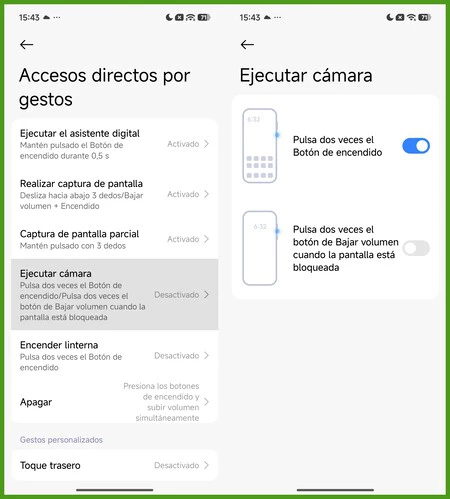
Photography is often about capturing spontaneous moments, and the speed at which a camera can be activated can be the difference between a missed opportunity and a cherished memory. HyperOS integrates a highly efficient quick camera launcher, designed to minimize the time taken to access the camera application. This feature addresses the common frustration of delays caused by retrieving the phone, unlocking the screen, and manually locating the camera icon.
Within "Settings," users can navigate to "Additional Settings," then "Gesture Shortcuts," and finally "Launch Camera." Here, HyperOS offers various customizable combinations to activate the camera. A highly recommended option is to enable the double-press gesture on the volume down button. This method allows the camera to be launched almost instantaneously, even when the phone is locked and the screen is off. This rapid access significantly improves the chances of capturing unexpected moments, reinforcing the smartphone’s utility as a versatile photographic tool.
Advanced Privacy: Hiding Applications
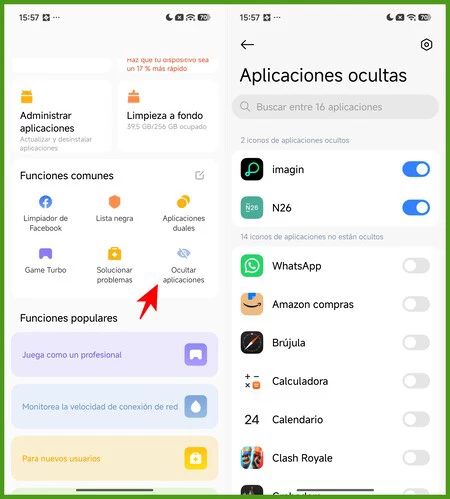
Taking digital privacy a step further than mere locking, HyperOS offers the ability to completely hide applications from the app drawer and home screen. This feature is particularly useful for highly sensitive apps, such as banking applications, which users might prefer to keep entirely out of sight. By rendering these apps invisible, HyperOS ensures that even if someone gains access to the unlocked phone, they remain unaware of the presence of these hidden applications.
The "Hide apps" function is located within the native "Security" application, typically found in the lower section. Users can select the applications they wish to make invisible. Once hidden, these apps disappear from all conventional viewing areas. To access hidden applications, a unique gesture is required: users perform an outward pinch gesture (similar to zooming out on a photo) on an empty section of the home screen. This action reveals a "secret folder" where all hidden applications reside, accessible only to those who know the specific gesture, providing an exceptional level of discretion and security.
Configurable Back Tap Gestures for Quick Actions
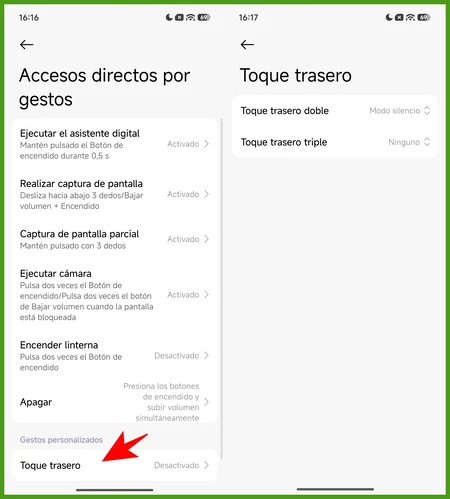
One of the more innovative and arguably surprising features embedded within HyperOS is the ability to transform the phone’s rear panel into a customizable tactile button. Leveraging the device’s accelerometer and gyroscope, HyperOS allows users to assign specific actions to double or triple taps on the back of the phone. This feature offers a novel way to interact with the device, providing quick access to functions without needing to interact with the screen or physical buttons.
For example, a user might configure a double tap to activate silent mode at night, a convenient option that avoids the need to illuminate the screen or fumble for volume controls in the dark. The customization extends further, allowing different actions to be assigned to double and triple taps. This functionality, often met with disbelief when demonstrated, significantly enhances accessibility and personal convenience. The settings for this feature are found under "Settings," then "Additional Settings," "Gesture Shortcuts," and finally "Back tap." This innovative use of hardware sensors exemplifies Xiaomi’s dedication to exploring new interaction paradigms.
Heart Rate Measurement via Optical Fingerprint Sensor

Perhaps one of the most unexpected health-related features integrated into HyperOS for devices with optical under-display fingerprint sensors is the ability to measure heart rate. This functionality leverages the same optical sensor used for unlocking the device, repurposing its light emission and detection capabilities to read variations in blood flow and calculate pulse rates. This convergence of security hardware with health monitoring capabilities highlights the evolving multi-functional nature of smartphone components.
Users can check for this feature by navigating to "Settings," then "Additional Settings," and looking for "Heart rate." If available, the system will prompt the user to place their finger on the fingerprint reader area for approximately 15 seconds. Following a brief scan, the device displays the user’s heart rate in beats per minute. Comparative tests against dedicated wearables, such as smartwatches, have shown that the accuracy of HyperOS’s heart rate measurement is remarkably close, offering a convenient and accessible way for users to monitor their vital signs without requiring additional hardware. This integration of health tech into a core smartphone component underscores the trend towards devices becoming central hubs for personal data and well-being.
Implications and Future Outlook
These advanced features within HyperOS collectively contribute to Xiaomi’s competitive positioning in the global smartphone market. By offering a rich and deeply customizable user experience, Xiaomi not only caters to the immediate needs of its diverse user base but also sets a precedent for what a comprehensive Android skin can achieve. The emphasis on privacy features like app locking and hiding, coupled with innovative interaction methods like back tap gestures and efficient multitasking tools, demonstrates a holistic approach to smartphone design.
The integration of health monitoring capabilities, even if supplementary to dedicated devices, further positions Xiaomi smartphones as versatile personal assistants. As the mobile technology landscape continues to evolve, the ability of an operating system to adapt, offer sophisticated controls, and maintain a high standard of security and performance will be crucial. HyperOS, with its continuous refinement and discovery of these "hidden gems," appears well-equipped to meet these demands, solidifying Xiaomi’s reputation for delivering value-packed and feature-rich mobile experiences. The ongoing development of HyperOS suggests a future where smartphones are not just communication tools but increasingly intelligent, secure, and personalized extensions of the user.
