
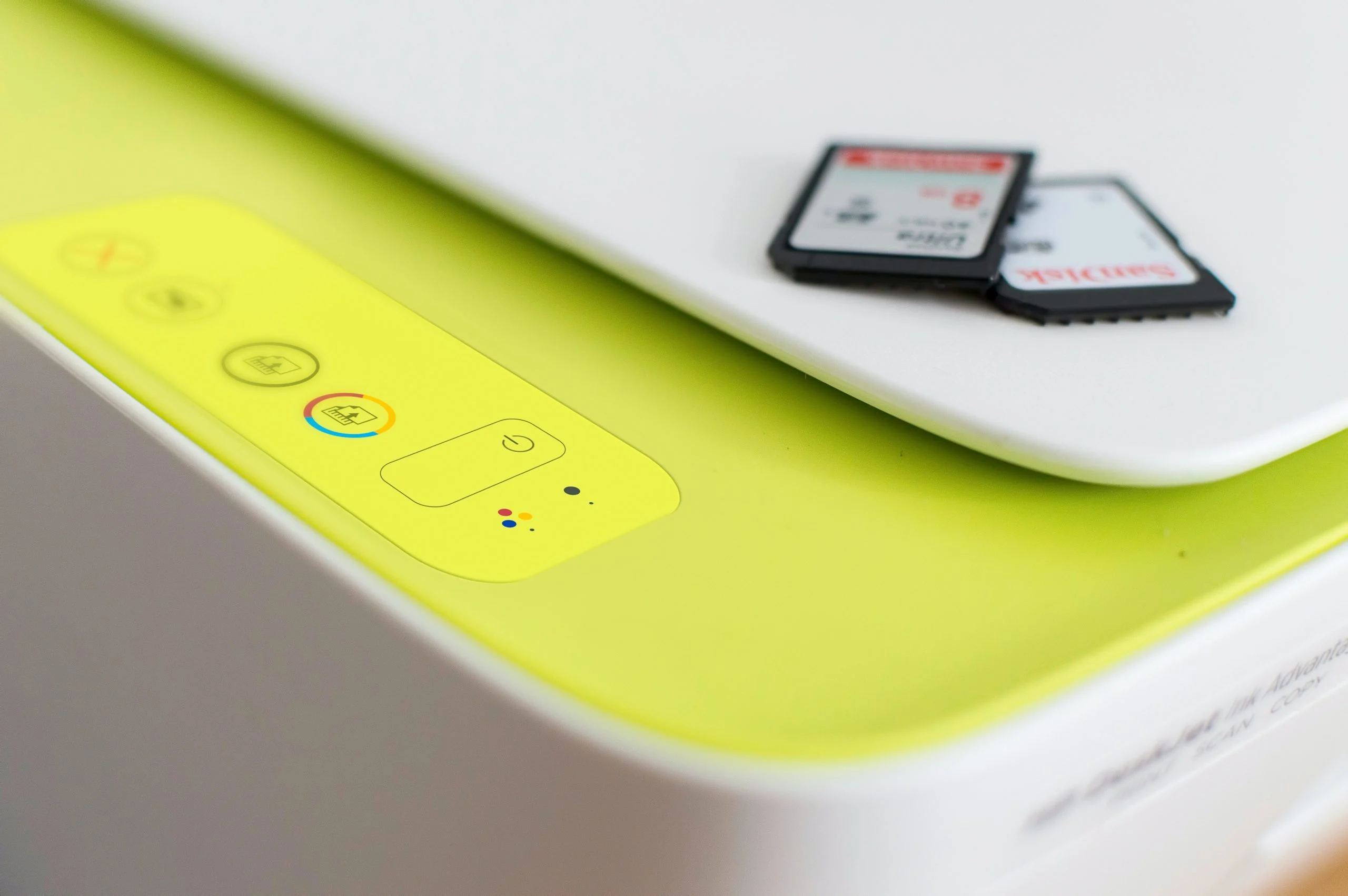

A print server acts as the central nervous system for managing print requests across a network, efficiently directing jobs from various devices to the appropriate printers. By consolidating printer access and eliminating the need for individual device-to-printer connections, print servers streamline workflows, optimize resource utilization, and enhance overall printing efficiency within organizations. Understanding their purpose, features, and operational nuances is paramount for businesses aiming to maximize their printing capabilities and achieve cost-effective resource management. This article delves into the necessity, functionalities, potential challenges, and significant advantages offered by print servers, providing a comprehensive overview for IT professionals and business leaders alike.
The evolution of printing technology has seen a significant shift from direct peripheral connections to sophisticated network-based solutions. In early computing eras, each printer was directly linked to a specific computer via a parallel or serial port. This setup proved cumbersome and inefficient as the number of devices and printers grew. The introduction of network printing, spearheaded by the concept of the print server, revolutionized this landscape. A print server, at its core, is a dedicated hardware appliance or a software application that facilitates communication between computers and printers over a network. Instead of each workstation maintaining individual printer drivers and connection settings for every available printer, all print jobs are sent to the print server. This central hub then queues, manages, and dispatches these jobs to the designated printers, significantly simplifying network administration and user experience.
Understanding the Core Functionality of a Print Server
At its most fundamental level, a print server is a bridge that connects multiple computers to one or more shared printers. Users submit their print requests to the print server, which then acts as an intelligent dispatcher, ensuring that each job is routed to the correct printer at the opportune moment. This central management not only optimizes bandwidth utilization by preventing direct, potentially overwhelming, connections to individual printers but also crucially mitigates bottlenecks that can arise from a high volume of print demands. The result is a smoother, more predictable, and efficient printing process across the entire network.
Print servers can broadly be categorized into two primary types: wired and wireless. Wired print servers typically connect to the network via Ethernet cables, offering robust and stable connections, often preferred in environments where reliability is paramount and network infrastructure is well-established. Wireless print servers, on the other hand, leverage Wi-Fi technology to connect to the network, offering greater flexibility in printer placement and reducing the need for extensive cabling. This can be particularly advantageous in dynamic office layouts or in older buildings where running new cables might be impractical or costly.
It is also important to acknowledge the modern trend where the distinct role of a dedicated print server has, in many cases, been absorbed by other network components. Advances in processing power and wireless technologies have enabled many print server functionalities to be integrated directly into networked computers acting as print hosts, or even built directly into Wi-Fi-enabled printers themselves. This convergence means that smaller offices or departments might not require a separate hardware appliance. However, for large enterprises, organizations with complex printing needs, or those operating across dispersed campus environments, a dedicated print server often remains a necessary and highly beneficial component of their IT infrastructure.
The Indispensable Need for a Print Server in Modern Workplaces
The rationale behind implementing a print server is rooted in the inefficiencies and complexities of direct printer-to-computer connections, especially in environments with multiple users and shared printing resources. A print server acts as the central orchestrator, transforming a potentially chaotic printing environment into an organized and efficient system. The arguments for adopting a print server are compelling and directly address common operational pain points:
- Centralized Management: Instead of IT administrators having to configure and maintain printer settings on dozens or even hundreds of individual computers, a print server allows for centralized management. This drastically reduces the administrative overhead associated with printer deployment, driver updates, and troubleshooting.
- Resource Optimization: By pooling printers and managing print queues, print servers ensure that printing resources are utilized effectively. This prevents situations where one printer is heavily utilized while others sit idle. It also allows for load balancing, distributing print jobs across multiple printers to prevent any single device from becoming a bottleneck.
- Cost Savings: The ability to share a smaller number of printers among a larger number of users, managed efficiently by a print server, can lead to significant cost savings. Organizations can invest in fewer, higher-quality printers rather than equipping every workstation with a dedicated device. Furthermore, reduced IT management time translates directly into labor cost savings.
- Enhanced Security: Print servers can enforce security policies, such as restricting access to certain printers, requiring user authentication for print jobs, or enabling secure printing options like pull printing (where users must authenticate at the printer to release their documents). This is crucial for protecting sensitive or confidential information.
- Improved Accessibility and Flexibility: Users can print from any networked computer to any available printer, regardless of their physical location within the network. This flexibility is invaluable in modern, mobile work environments.
- Streamlined Troubleshooting: When printing issues arise, having a central point of management simplifies diagnosis. Administrators can quickly access logs and queues on the print server to identify the source of the problem, whether it’s a printer malfunction, a network issue, or a corrupted print job.
- Scalability: As an organization grows and its printing needs evolve, a print server infrastructure can be scaled to accommodate additional users and printers without requiring a complete overhaul of the existing system.
How Print Servers Operate: The Underlying Mechanics
Print servers function by acting as an intermediary between the sending computers and the receiving printers, utilizing a network connection to facilitate communication. Whether implemented as hardware or software, their primary role is to receive print jobs from various workstations, process them, and then send them to the designated printer. This process typically involves storing print jobs temporarily in a local queue on the print server itself. This queuing mechanism is critical because it prevents a busy printer from being overwhelmed by multiple simultaneous requests, ensuring that each job is handled in an orderly fashion and that no data is lost.
The fundamental workflow of a print server can be broken down into several key steps:
- Job Submission: A user on a networked computer initiates a print command. The print driver on the user’s machine formats the document into a language the printer understands (e.g., PostScript, PCL).
- Network Transmission: The formatted print job is sent across the network to the print server.
- Queueing and Spooling: The print server receives the job and places it into a print queue. This queue acts as a holding area, managing the order of jobs waiting to be printed. The process of storing the job temporarily is known as spooling.
- Job Processing and Dispatch: The print server manages the print queue, prioritizing jobs based on various factors (e.g., user settings, job priority). Once it’s the job’s turn, the print server sends the data to the appropriate printer.
- Printer Execution: The printer receives the data and renders the document, printing it.
- Status Reporting: The print server often receives status updates from the printer (e.g., printing complete, out of paper, error) and can relay this information back to the user or IT administrator.
Effective maintenance of a print server is crucial for ensuring its optimal performance, reliability, and longevity. This involves a proactive approach to several key areas:
- Regular Software Updates: Keeping the print server’s operating system and any associated print management software up-to-date with the latest patches and security updates is vital to address vulnerabilities and improve functionality.
- Disk Space Monitoring: Print servers store print job data (spool files). Insufficient disk space can lead to job failures and performance degradation. Regular monitoring and management of disk usage are essential.
- Print Queue Management: Actively monitoring and managing print queues to identify and clear stalled, failed, or excessively large jobs prevents them from blocking other legitimate print requests.
- Printer Status Monitoring: Keeping track of the operational status of all connected printers allows for early detection of issues like low toner, paper jams, or device malfunctions, enabling prompt resolution before it impacts users.
- Preventive Maintenance: Implementing scheduled checks and basic maintenance on the print server hardware and connected printers can help prevent unexpected failures.
- Security Measures: Ensuring strong access controls, using firewalls, and regularly reviewing security logs are critical to protect the print server and the data it handles from unauthorized access or malicious attacks.
- Backups: Regularly backing up the print server’s configuration and spool files can be invaluable for disaster recovery and quick restoration in case of hardware failure or data corruption.
- Documentation: Maintaining clear and up-to-date documentation of the print server’s configuration, network setup, and any custom settings or scripts is essential for efficient troubleshooting and knowledge transfer.
The Power of Print Server Software
Print server software is the underlying program that transforms a standard computer into a functional print server. This software is responsible for managing the entire print job lifecycle, from receiving requests to distributing them to network printers and monitoring their status. Many operating systems, such as Windows Server and various Linux distributions, include built-in print server capabilities. Alternatively, organizations can opt for specialized third-party print management software solutions that offer advanced features and greater customization.
The array of features available in print server software can vary significantly, but common functionalities include:
- Job Spooling and Queuing: The core function of temporarily storing and managing print jobs in an ordered sequence.
- Printer Sharing: Enabling multiple users and devices to access a single printer over the network.
- Driver Management: Centralizing the management of printer drivers, ensuring compatibility across different client operating systems.
- Print Job Accounting and Auditing: Tracking print usage by user, department, or printer, which is invaluable for cost allocation and resource management.
- Access Control and Permissions: Defining who can print to which printers and with what level of privilege.
- Print Job Prioritization: Allowing administrators or users to assign priorities to specific print jobs.
- Remote Management: Enabling IT staff to manage the print server and connected printers from a remote location.
- Job Scheduling: Allowing print jobs to be scheduled for specific times or days.
- Secure Printing: Implementing features like PIN-based release or card reader authentication for sensitive documents.
- Reporting and Analytics: Generating reports on print volumes, errors, and usage patterns to inform decision-making.
Print server software is particularly beneficial for businesses and organizations that have multiple network printers but do not necessarily possess the extensive IT infrastructure required for large-scale, complex network deployments. By leveraging print server software, these entities can significantly enhance their printing efficiency, reduce the burden on their IT departments, and bolster the security of their printing operations. For instance, a mid-sized accounting firm with a dozen employees and three network printers could use print server software to manage all printing centrally, implement access controls for sensitive financial documents, and track printing costs accurately, all without needing a dedicated hardware server.
Navigating the Landscape of Printing Protocols

Printing protocols are the standardized sets of rules and conventions that govern how computers and printers communicate with each other over a network. Their role is to ensure that print jobs are transmitted accurately, interpreted correctly, and processed without errors. While the underlying technology of printing has evolved, the need for robust and interoperable protocols remains.
Several printing protocols are currently in widespread use, each with its own set of characteristics and suitability for different network environments:
- Line Printer Daemon (LPD) / Line Printer Remote (LPR): One of the oldest and most straightforward printing protocols, LPD/LPR is a simple client-server protocol. The LPD daemon runs on the print server, listening for incoming print requests from LPR clients.
- Internet Printing Protocol (IPP): A more modern and feature-rich protocol, IPP is an extension of HTTP. It offers advanced capabilities such as job status monitoring, job cancellation, and authentication, making it a robust choice for contemporary networks. IPP is becoming increasingly prevalent and is often the default protocol for many modern devices.
- Server Message Block (SMB) / Common Internet File System (CIFS): Primarily used in Windows networks, SMB/CIFS is a file-sharing protocol that also supports printer sharing. It’s known for its ease of use within Windows environments.
- JetDirect (Raw TCP/IP Printing): Developed by Hewlett-Packard (HP), JetDirect is a proprietary protocol that offers fast and reliable printing, particularly with HP printers. It typically operates by sending raw data directly to the printer over a TCP/IP port.
- Transmission Control Protocol/Internet Protocol (TCP/IP): While not exclusively a printing protocol, TCP/IP is the foundational networking protocol suite that underpins most modern network communication, including printing. Protocols like LPR, IPP, and JetDirect often run on top of TCP/IP, allowing for printing across both wired and wireless networks.
A closer examination of the advantages and disadvantages of these commonly used protocols reveals their respective strengths and weaknesses:
| Protocol | Description | Advantages | Disadvantages |
|---|---|---|---|
| LPR | Simple protocol that is still widely used. | Easy to use, widely compatible. | Can be slow for large print jobs, limited features. |
| IPP | Newer protocol that offers more features. | Supports job status monitoring and job cancellation, secure. | More complex to configure than LPR. |
| SMB/CIFS | Simple protocol that is easy to use. | Easy to use for Windows networks, integrated with file sharing. | Can be less performant than other protocols. |
| JetDirect | Proprietary protocol that is popular for HP printers. | Fast and reliable, efficient for HP devices. | Not as widely supported by non-HP hardware. |
| TCP/IP | Reliable protocol that can be used to print over both wired and wireless networks. | Widely supported, foundation for most network printing. | Not a standalone printing protocol; relies on others. |
Beyond these widely adopted protocols, a variety of specialized printing protocols exist, catering to niche requirements. These might include protocols designed for printing to large-format plotters, industrial printers, or for facilitating mobile printing solutions, ensuring that the diverse needs of modern printing applications are met.
Addressing Common Print Server Issues and Troubleshooting
Managing print servers, while offering significant advantages, can also present a range of common issues that can disrupt printing operations. These typically fall into categories such as network connectivity problems, print job failures, and security vulnerabilities. Proactive identification and swift resolution of these challenges are crucial for maintaining a seamless and efficient printing environment.
Network Connectivity
When users report that they cannot print or that print jobs are not reaching the server, the first area to investigate is network connectivity.
- Verification: Ensure that the print server hardware is physically connected to the network via a functioning Ethernet cable or that its wireless connection is active and stable.
- IP Addressing: Confirm that the print server has been assigned a valid IP address (either static or via DHCP) and that this address is accessible on the network. Network scanning tools can help verify the server’s presence.
- Cable and Port Checks: Examine network cables for any visible damage and ensure they are securely plugged into both the print server and the network switch or router. Test different network ports to rule out a faulty port.
- Firewall Rules: Verify that no firewall rules on the print server or network infrastructure are blocking the necessary ports for printing protocols (e.g., ports 9100 for JetDirect, 515 for LPR, 631 for IPP).
Print Job Failures
Print job failures, where jobs get stuck in the queue or disappear without printing, can stem from various sources.
- Corrupted Data: Occasionally, print jobs can become corrupted during transmission or due to issues with the print driver or the application generating the job.
- Printer Settings Mismatch: Incorrect printer settings on the server or client can lead to failures. This includes incorrect paper size, resolution, or duplexing settings.
- Insufficient Server Resources: If the print server’s hard drive is full, it cannot spool new print jobs. Similarly, low memory or high CPU utilization can impede job processing.
- Printer Malfunctions: The issue might lie with the printer itself, such as an out-of-paper condition, a paper jam, or a hardware error.
- Troubleshooting Steps:
- Examine the Print Queue: Access the print server’s print queue to identify any jobs that are stuck, showing an error status, or have been pending for an unusually long time.
- Clear Stalled Jobs: Cancel and delete any stalled or failed print jobs. Sometimes, simply restarting the print spooler service on the server can resolve persistent queue issues.
- Check Printer Status: Verify that the physical printer is online, has sufficient paper and toner, and is not reporting any error messages.
- Update Drivers: Ensure that the correct and latest printer drivers are installed on the print server and that they are compatible with the operating system.
Print Queue Handling
Effective management of print queues is essential to prevent workflow disruptions.
- Monitoring: Regularly monitor the print queues for any signs of congestion or stalled jobs.
- Prioritization: Utilize the print server’s capabilities to prioritize critical print jobs if necessary.
- Canceling Stuck Jobs: Promptly cancel any jobs that are consistently failing or excessively large and consuming server resources.
Security Vulnerabilities
Print servers, like any networked device, can be targets for security threats, potentially exposing sensitive documents.
- Regular Updates: Keep the print server’s operating system, firmware, and any management software updated with the latest security patches. This is a fundamental step in mitigating known vulnerabilities.
- Strong Authentication: Implement strong, unique passwords for accessing the print server and network resources. Consider multi-factor authentication where appropriate.
- Access Control: Configure appropriate user permissions to restrict access to sensitive printers or print management functions. Only grant necessary privileges.
- Firewall Protection: Ensure that the print server is protected by a robust firewall, and only necessary ports are open.
- Antivirus and Malware Protection: Install and maintain up-to-date antivirus and anti-malware software on the print server.
- Network Segmentation: For enhanced security, consider placing print servers on a separate network segment or VLAN, isolating them from more sensitive parts of the network.
- Secure Printing Solutions: Implement secure printing features like PIN release or badge authentication to prevent unauthorized individuals from collecting sensitive documents.
The Definitive Advantage of Print Servers
In the intricate ecosystem of modern network printing, print servers stand as indispensable components, particularly for organizations of any significant size. They provide a centralized, controlled, and efficient method for managing print jobs, offering granular control over printer resources and significantly bolstering network security. Whether implemented as dedicated hardware appliances designed for high-volume throughput or as software solutions integrated into existing server infrastructure, print servers undeniably simplify complex printing processes. They contribute to reduced IT overhead costs by streamlining administration and enabling more efficient resource allocation. Ultimately, print servers facilitate a more seamless, reliable, and secure printing experience across diverse network configurations, proving their value as a foundational element of effective business operations.
For organizations looking to further optimize their server infrastructure management, exploring leading server management tools can offer comprehensive solutions for monitoring, automation, and security, hand-picked and reviewed by industry experts.
