
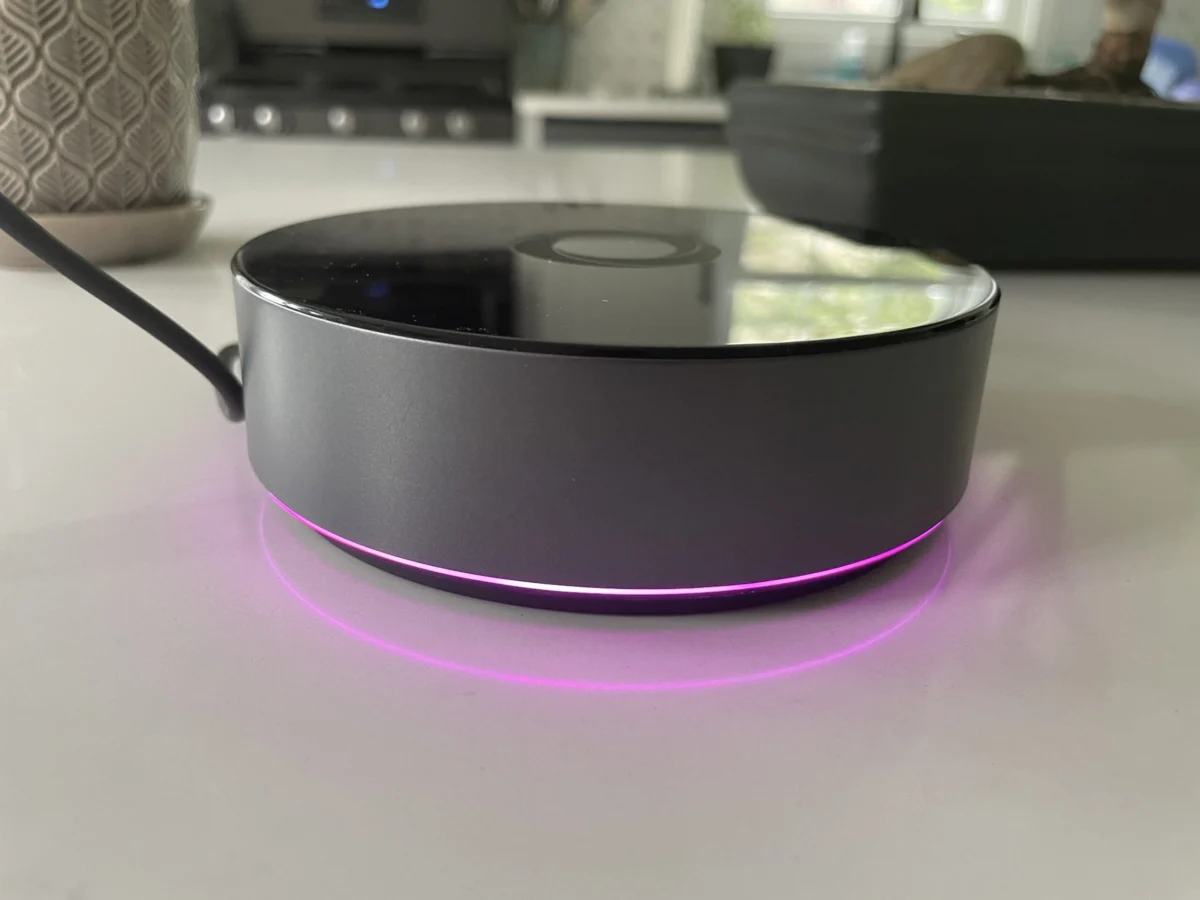

The $399 Homey Pro smart home hub has officially launched in the United States, marking a significant expansion for Athom, the Dutch company behind the device. This premium offering follows the earlier release of the more budget-friendly Homey Bridge, priced at $69. While the Bridge provides a foundational smart home experience, the Pro model aims to deliver a more robust, local-first approach, shedding many of the subscription limitations and cloud dependencies that characterize its predecessor. This review delves into the capabilities and limitations of the Homey Pro, assessing its suitability for the diverse landscape of modern smart homes.
A Leap Forward: Features and Upgrades in the Homey Pro
The Homey Pro represents a substantial upgrade over the original 2019 Homey Pro, boasting a claimed 3.5 times increase in CPU performance. This enhanced processing power is complemented by doubled storage and memory capacities, with 8 GB of storage and 2 GB of RAM. These hardware improvements are not merely for bragging rights; they underpin the Homey Pro’s core philosophy: prioritizing local control for smart home devices. This approach offers a compelling advantage for privacy-conscious users and ensures continued functionality during internet outages, provided automations and device control do not rely on cloud services.
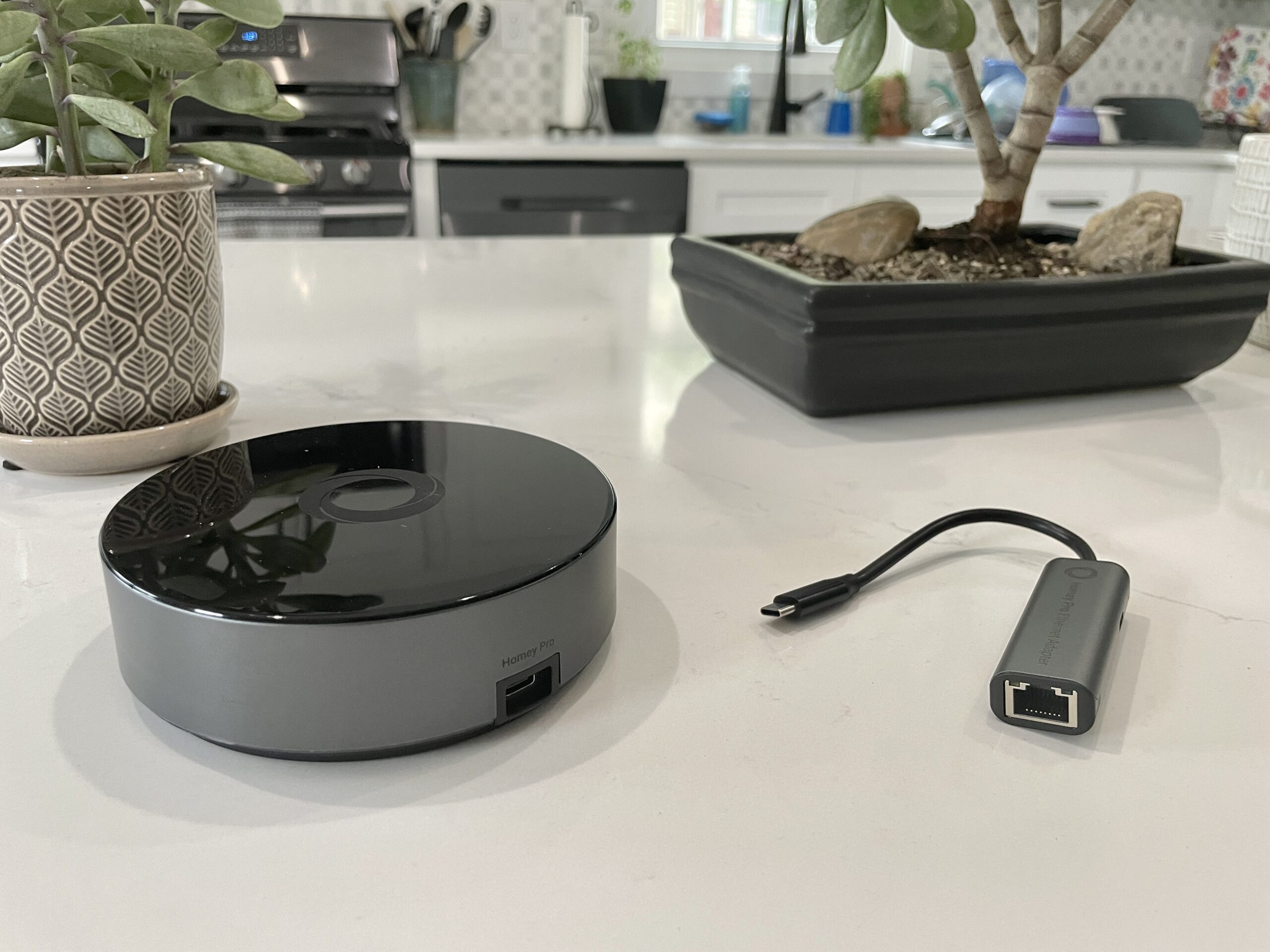
While both the Bridge and Pro models offer similar core functionalities – device management and automation creation – the Pro distinguishes itself through its connectivity and feature set. The U.S. model includes Wi-Fi (supporting both 2.4GHz and 5GHz bands), Bluetooth, infrared, Zigbee, and Z-Wave radios. Crucially, the Homey Pro adds a Thread radio, a vital component for the emerging Matter standard. Unlike the Homey Bridge, which imposes a limit of five connected devices without a subscription, the Pro removes this restriction. The only optional subscription for the Pro is for cloud backups, priced at a reduced $0.99 per month.
The Setup Experience: Intuitive and User-Friendly
The initial setup of the Homey Pro proved to be a smooth and intuitive process, mirroring the positive experience reported by Stacey with the Homey Bridge. Users are guided through a straightforward process: powering the device via the included USB-C cable and charger, downloading the Homey app, and answering a few basic questions about their home environment. The app’s intelligent approach to understanding home layout, asking for details like the number of floors and room assignments, stands out as a significant time-saver compared to many other smart home platforms. This detailed initial mapping can streamline subsequent device organization and automation creation.
Device Compatibility: The Crucial Hurdle
Despite Homey’s ambitious claim of supporting over 50,000 devices, the reality of integrating existing smart home ecosystems can be more complex. During testing, the Homey Pro successfully integrated a range of devices, including Lutron Caseta switches, Philips Hue bulbs, and Sonos speakers. However, a significant portion of the reviewer’s smart home devices proved incompatible. These included a Schlage door lock, Ecobee Thermostat, Nanoleaf lighting products, a Govee electric kettle, Wyze cameras, Eve Home devices, a Logitech video doorbell, and various smart plugs.

A key factor contributing to these compatibility issues appears to be the nascent stage of Matter support on the Homey Pro. While the device is slated to receive Matter support, including Matter over Thread, later this year, many modern smart devices are adopting this standard. The reviewer noted that their Matter-certified smart plugs, which operate over Thread, did not connect. Homey representatives clarified that while Matter over WiFi devices might connect, Thread-based Matter devices may not until full Thread support is implemented.
Beyond Matter, a lack of specific device integrations within the Homey app for certain brands also presented challenges. While brands like Nanoleaf and Ecobee are listed, the specific models owned by the reviewer were not supported. For instance, while some Nanoleaf light shapes were recognized, standard bulbs and light strips were not. Similarly, the Schlage Encode Wi-Fi lock, despite being listed, failed to connect after authentication, and the Govee kettle integration returned an error message. Even non-Matter devices, such as a Cync by GE smart plug, lacked direct integration. The Ecobee integration was limited to older models, excluding the reviewer’s Ecobee Thermostat Premium. The reviewer noted that a greater prevalence of Zigbee and Z-Wave devices in their setup might have yielded better results, as the Pro includes robust support for these protocols.
The absence of a comprehensive, easily accessible list of supported devices on Homey’s website was a notable drawback. While an "Apps" section on their website provides integration details, users are strongly advised to download the free Homey app and search for their specific devices before committing to a purchase. This pre-purchase verification is critical for ensuring a positive user experience. On a positive note, devices that did connect responded with near-instantaneous control, a testament to the Pro’s local processing capabilities.

Developer Flexibility and Advanced Features
For technically inclined users and developers, the Homey Pro offers a degree of customization through its API. The web interface provides access to an API key and sample code for creating custom integrations using JavaScript and Node.js, suggesting the Homey Pro operates as a Node.js server. This feature, while primarily targeted at hobbyists and developers, adds a layer of potential extensibility for those willing to dive into custom scripting. However, for the average consumer, this functionality may remain largely inaccessible or overlooked.
The Homey App: A Polished User Interface
Where the Homey Pro truly shines is in its accompanying mobile application. The Homey app is lauded for its modern and intuitive design, surpassing many competing smart home applications. It effectively exposes both basic and advanced device controls. The ability to easily assign devices to rooms and floors, though requiring a separate step after initial integration, contributes to a well-organized smart home environment.
One particularly innovative feature is the estimated smart home energy usage monitoring. Users can input the wattage of their devices to track power consumption in near real-time and historically. The system dynamically adjusts energy usage estimates based on device output, such as dimming lights, providing valuable insights into energy efficiency. This data can be viewed within the app or on the web interface. The web interface also offers additional environmental data, including local temperature, barometric pressure, and humidity. Homey representatives have indicated that if a device reports actual electricity usage, the Homey Pro will utilize and display this data, further enhancing accuracy.

Automations: Powerful and Flexible "Flows"
Homey’s automation engine, dubbed "Flows," offers a sophisticated alternative to the simpler routines found on platforms like Amazon Alexa, Apple HomeKit, and Google Assistant. Flows operate on a "When… and… then…" logic, similar to IFTTT, but with the added capacity for more complex conditional programming, including "else" conditions. The ability for Flows to trigger other Flows provides a powerful framework for intricate automation scenarios.
The reviewer found the creation of Flows within the Homey app to be straightforward, and the implemented automations functioned flawlessly. For users seeking even greater complexity, the Homey web interface provides an advanced mode for designing highly customized Flows. This dual-interface approach caters to a wide range of user needs, from novice automation creators to experienced smart home enthusiasts.
Analysis and Implications
The Homey Pro enters a smart home market that has seen a significant shift towards cloud-dependent ecosystems. Its commitment to local control positions it as a compelling option for users prioritizing privacy and resilience against internet outages. The extensive radio support, including the upcoming Matter integration, signals a forward-looking design.

However, the primary challenge for the Homey Pro lies in its device compatibility. With a $399 price tag, users must meticulously verify that their existing and planned smart home devices are supported before investing. The current limitations in device integration, particularly with newer Matter-over-Thread devices and specific models from popular brands, could deter potential buyers who have built diverse smart home ecosystems.
The availability of custom integration development through its API is a niche but valuable feature for power users and developers. It suggests a platform that can adapt and grow, potentially addressing compatibility gaps over time.
Conclusion: A Hub with Potential, Conditional on Your Devices
The Homey Pro presents a compelling vision for a local, privacy-centric smart home hub. Its powerful hardware, robust connectivity options, and polished user interface, especially its automation engine, are significant strengths. The estimated energy monitoring feature is a standout addition, offering practical insights into household energy consumption.

Nevertheless, the Homey Pro’s success hinges on its device compatibility. For users with a curated selection of Zigbee, Z-Wave, or well-supported Wi-Fi devices, the Homey Pro could be an excellent choice. However, for those with a mixed bag of newer smart home technologies, particularly those relying heavily on Matter over Thread, a thorough investigation of device support via the Homey app is an absolute necessity. Without this due diligence, the $399 investment may not deliver the seamless smart home experience it promises. The reviewer’s personal preference for a more cost-effective Home Assistant setup, where nearly all their devices function, underscores this critical consideration. The Homey Pro offers great potential, but only for those whose smart home devices align with its current integration capabilities.
This article was updated on August 16, 2023, at 11:00 AM ET, to incorporate clarifications and corrections based on communication with Homey representatives.
