


Virtual machine (VM) software for Windows serves as a powerful conduit, enabling users to establish and operate multiple isolated virtual environments on a single physical computer. These virtual environments, known as virtual machines (VMs), meticulously emulate complete computer systems, encompassing everything from the central processing unit (CPU) and memory to network interfaces and storage. This sophisticated technology is not merely for IT professionals; it’s a vital tool for developers, researchers, and even everyday users seeking enhanced flexibility and security in their digital operations. The ability to snapshot a VM, effectively preserving its current state and allowing for seamless reversion, stands out as a particularly valuable feature for testing, development, and disaster recovery scenarios. With the ever-increasing complexity of software and the need for diverse operating system compatibility, the demand for robust VM solutions on Windows has surged. This comprehensive analysis delves into the leading VM software options available for Windows, examining their capabilities, performance, security features, and suitability for various use cases.
Top Virtual Machine Software for Windows: A Comparative Overview
Selecting the right virtual machine software is paramount, whether you’re embarking on a personal project or managing multiple demanding VMs on a server. The ideal choice hinges on matching the software’s capabilities with your specific needs. Here’s a comparative snapshot of six leading VM software solutions for Windows, highlighting their key attributes:
| Software | Performance & Resource Management | Compatibility & System Requirements | Security & Isolation | Networking Capabilities | Starting Pricing |
|---|---|---|---|---|---|
| Azure VM | Efficient scaling, robust resource allocation for cloud-based VMs. | Cloud-based, wide OS compatibility; requires strong internet. | Strong cloud-based security and isolation. | Extensive cloud networking, complex configurations. | $7.59/mo. (various plans) |
| Azure Stack HCI | Optimized for hybrid, balanced resource utilization. | Integrated with Windows, requires specific on-premises hardware. | Tailored security for hybrid cloud. | Optimized hybrid cloud networking, Azure integration. | $10/mo. per core |
| VMware Workstation Pro | High performance, advanced resource management. | Broad OS support. | Advanced security, robust isolation. | Comprehensive networking features. | $199 (one-time) |
| Citrix Hypervisor | Ideal for large-scale enterprise environments. | Wide hardware compatibility. | High-level security for enterprise. | Strong enterprise network configurations. | Contact for pricing |
| Red Hat OpenShift Virtualization | Designed for cloud-native environments. | Primarily Linux, dependable on Windows. | Container-based isolation and security. | Advanced Kubernetes networking. | Varies by edition |
| Parallels Desktop | Optimized for Windows on Mac. | Specifically tailored for macOS running Windows VMs. | Good security for desktop-level virtualization. | Solid networking for desktop virtualization. | $99.99/yr (Standard) |
Azure VM: Scalable Cloud-Based Computing Powerhouse
Best for scalable, cloud-based computing
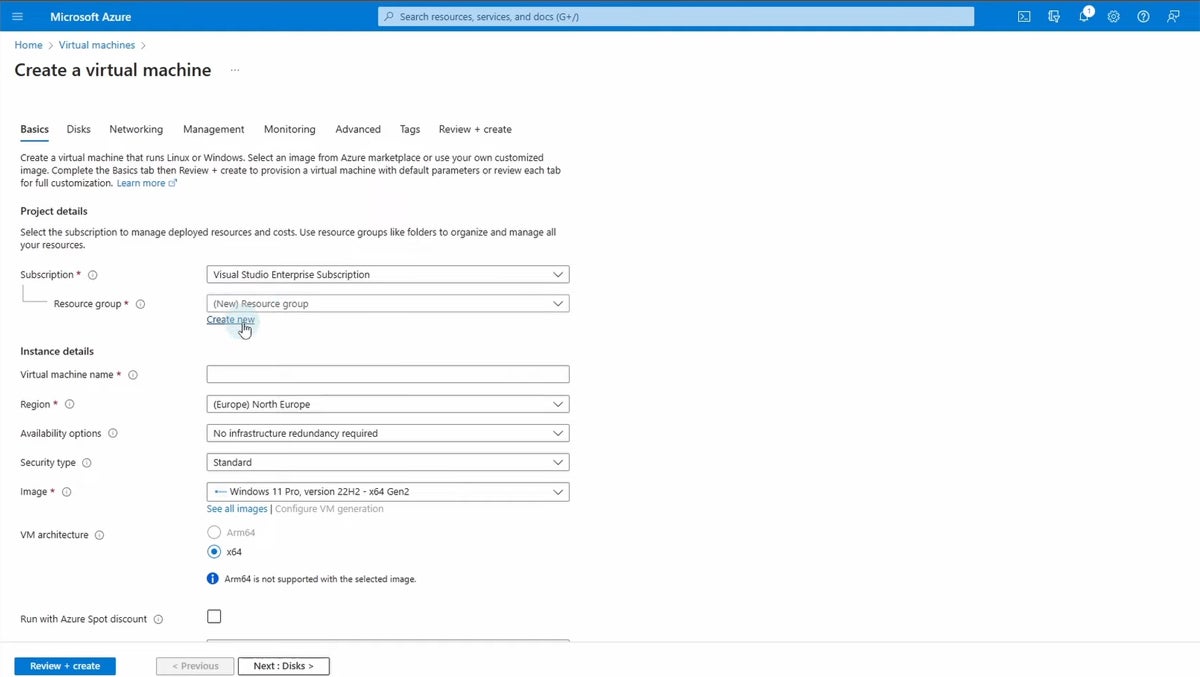
Microsoft Azure Virtual Machines (VM) stands as a cornerstone of Microsoft’s expansive Azure cloud computing service. It provides highly scalable computing resources within Azure’s robust cloud environment, empowering users to create and deploy a diverse array of virtual machines. These VMs are designed to cater to a wide spectrum of applications, from hosting web servers and databases to supporting demanding gaming servers.

The platform’s inherent flexibility allows users to select from a comprehensive suite of operating systems, including Windows, Linux, and various others. Furthermore, VMs can be meticulously configured to meet specific performance benchmarks, making Azure VMs an exceptionally versatile solution for businesses aiming to extend their existing infrastructure into the cloud. Whether for development and testing environments, application hosting, or intensive data processing tasks, Azure VMs offer a dynamic and powerful solution.
Overall Rating: 4.5/5
Pricing
Azure VM offers a flexible pay-as-you-go model, starting at approximately $7.59 per month, with various pricing plans and options available based on VM size, region, and commitment levels. This model allows businesses to scale their spending according to their actual usage, a significant advantage for fluctuating workloads.
| Pros | Cons |
|---|---|
| Offers a high degree of scalability and the flexibility to choose from a wide range of VM sizes and types. | Depending on the configuration and usage, Azure VMs can be expensive, especially for high-performance setups. |
| Seamless integration with other Azure services like Azure Active Directory and Azure SQL Database. | The wide array of options and settings, coupled with Microsoft and Azure’s complex product structure, can be overwhelming for beginners or smaller organizations without dedicated IT resources. |
| Benefits from Microsoft Azure’s extensive global infrastructure, offering high availability and redundancy. |
Features
Azure VMs boast a comprehensive feature set, including a vast array of VM sizes optimized for different workloads, from general-purpose to compute-intensive and memory-optimized instances. Advanced networking capabilities, including virtual private networks (VPNs) and load balancing, ensure robust connectivity and performance. Security is paramount, with features like Azure Security Center, network security groups, and encryption at rest and in transit.
Azure Stack HCI: Bridging the Gap Between Cloud and On-Premises
Best for hybrid cloud environments needing on-premises control
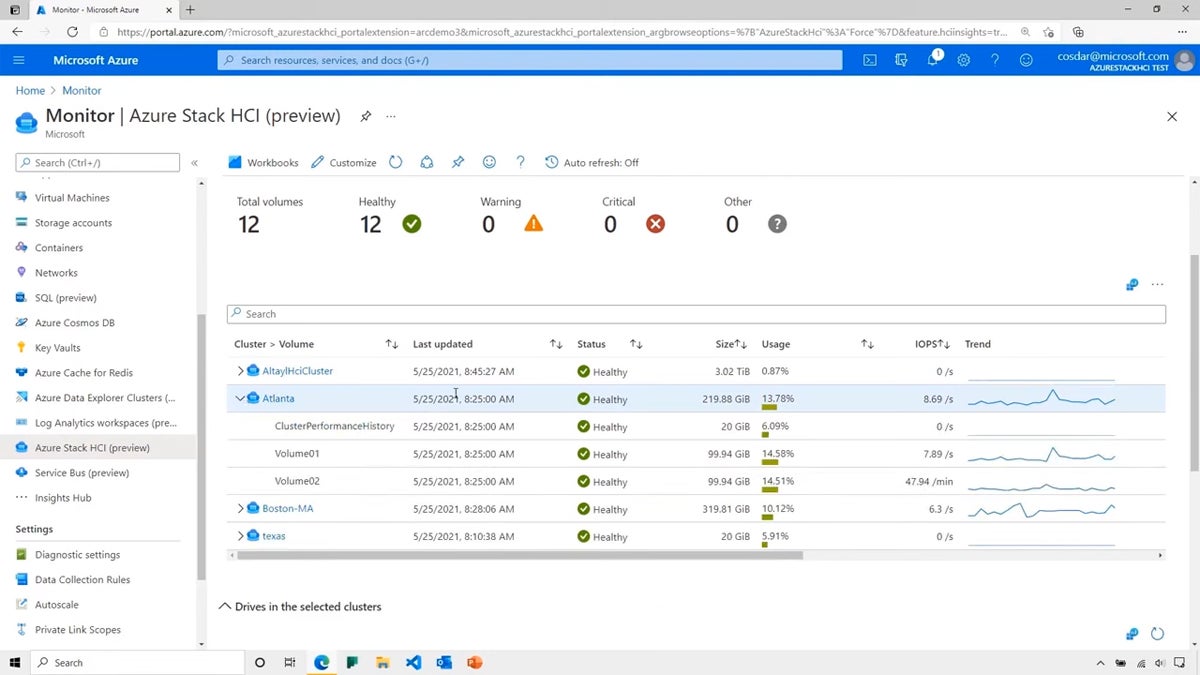
Azure Stack HCI represents a sophisticated hyper-converged infrastructure solution from Microsoft, ingeniously merging virtualization, storage, and networking into a highly integrated, on-premises system. Engineered to execute virtualized workloads with enhanced modernization and efficiency, Azure Stack HCI acts as a direct extension of Azure, extending many of its cloud-native capabilities directly into the customer’s data center. This makes it an exceptionally appealing solution for organizations seeking to modernize their infrastructure while retaining sensitive workloads within their own secure perimeters.

The solution is particularly well-suited for enterprises that require a robust hybrid strategy, effectively blending the agility and scalability of the cloud with the stringent control and enhanced security typically associated with on-premises infrastructure. It provides a streamlined and unified approach to managing and scaling resources, and is meticulously optimized for both Windows and Linux virtual machines.
Overall Rating: 4.25/5
Pricing
Azure Stack HCI is priced at approximately $10 per month per physical core. This model is designed to align costs with the underlying hardware resources, providing a predictable expense for on-premises infrastructure.
| Pros | Cons |
|---|---|
| Seamlessly integrates with Azure for cloud services while maintaining on-premises workloads. | The initial setup and configuration can be complex and may require a good understanding of both Azure and on-premises infrastructures. |
| Offers excellent scalability and flexibility in configuring storage, compute, and networking to meet specific needs. | While offering a flexible pricing model, the overall costs can be significant, especially for larger deployments. |
| Provides a unified management experience using Windows Admin Center and Azure Arc. | Small and growing organizations without dedicated IT teams may find Azure and Microsoft products confusing. |
Features
Azure Stack HCI leverages modern hyper-converged infrastructure principles, offering integrated storage solutions like Storage Spaces Direct and software-defined networking. Management is streamlined through Windows Admin Center and Azure Arc, providing a single pane of glass for hybrid cloud operations. Its security features are robust, benefiting from Azure’s security posture and extending it to the on-premises environment.
VMware Workstation Pro: A Powerhouse for Developers and IT Professionals
Best for advanced and complex networking environments
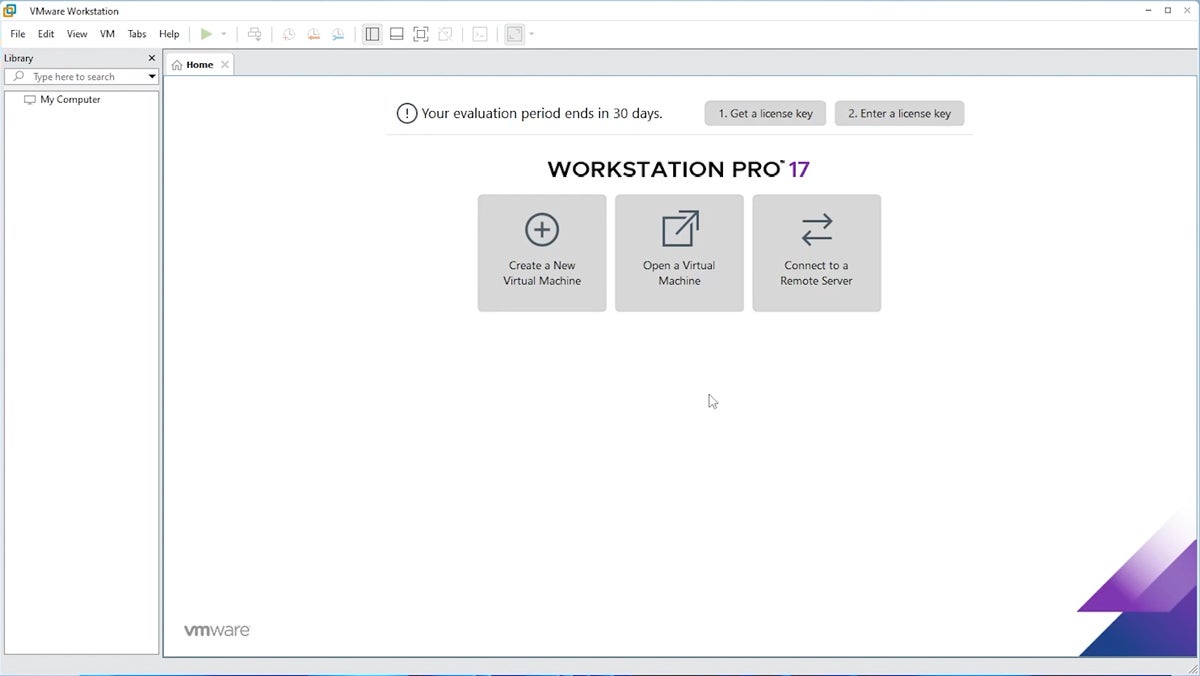
VMware Workstation Pro has long been a recognized leader in the virtualization software landscape, developed by the industry giant VMware, Inc. It empowers users to create and operate numerous virtual machines (VMs) on a single physical machine. Each VM can independently run its own operating system, supporting a wide array of platforms including various versions of Windows, Linux distributions, and other operating systems. This versatility makes it an indispensable tool for developers, IT professionals, and businesses that require sophisticated testing and development environments.
The solution is renowned for its exceptional performance, unwavering reliability, and an extensive suite of features. It particularly excels in supporting complex networking configurations and development scenarios, rendering it an ideal choice for rigorously testing new software, running legacy applications that may not be compatible with modern systems, or meticulously simulating intricate networked systems for analysis and planning.
Overall Rating: 4.25/5
Pricing
VMware Workstation Pro is available for a one-time purchase, typically priced around $199 for its local virtualization features. This perpetual license model can be cost-effective for users who prefer not to pay recurring subscription fees.
| Pros | Cons |
|---|---|
| VMware Workstation Pro supports a wide range of operating systems, offering greater flexibility for users. | Can be demanding on system resources, especially when running multiple or resource-heavy VMs. |
| Includes features like snapshot and clone capabilities, allowing users to save and duplicate VM states easily. | The extensive feature set and advanced capabilities might present a steeper learning curve for new users. |
| Offers advanced networking features, enabling users to simulate complex network environments for testing and development. |
Features
Key features of VMware Workstation Pro include support for over 200 guest operating systems, 3D graphics acceleration for enhanced visual performance, and robust snapshot capabilities for easy rollback. Its advanced networking editor allows for the creation of complex virtual network topologies. Security is enhanced through features like encryption of VM files and secure boot options.
Citrix Hypervisor: Enterprise-Grade Open-Source Virtualization
Best open-source virtualization solution
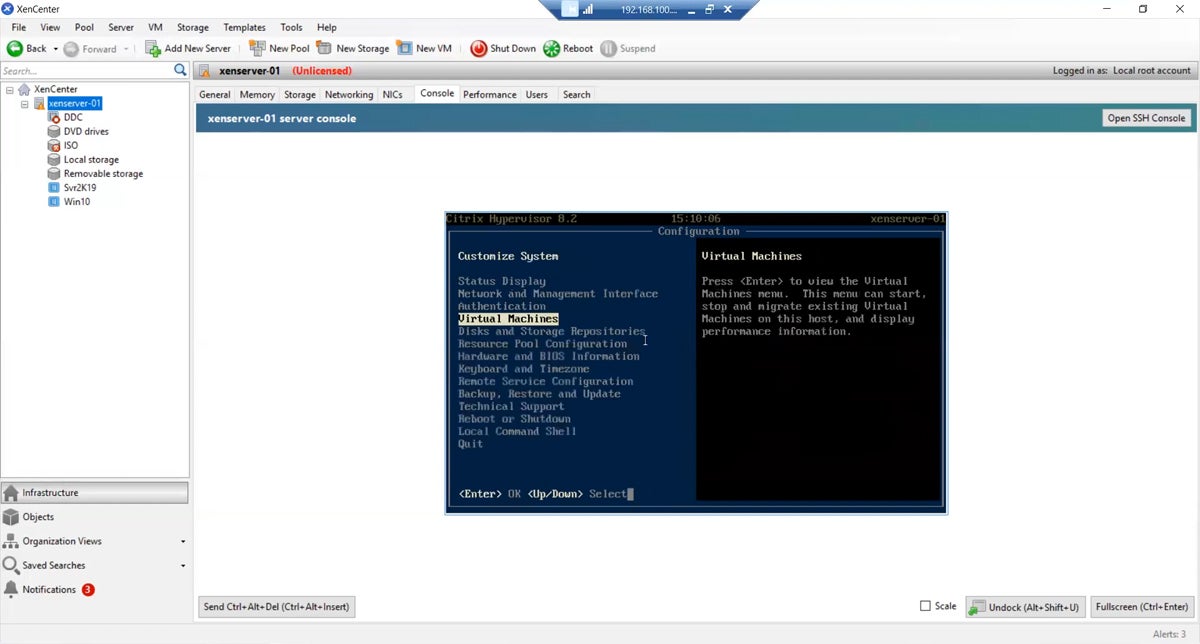
Citrix Hypervisor, formerly recognized as XenServer, is a distinguished, open-source virtualization management platform that holds a leading position in the industry. It is meticulously engineered for the efficient oversight of both Windows and Linux virtual servers, making it a highly favored selection within enterprise environments. Citrix Hypervisor distinguishes itself through its remarkable scalability, inherent robustness, and a profound concentration on server virtualization. It is particularly adeptly suited for cloud computing infrastructures and expansive virtual infrastructure deployments.
This hypervisor is widely acclaimed for its superior performance, comprehensive feature set, and extensive compatibility with a broad spectrum of hardware and intricate network configurations, thereby solidifying its status as a preferred choice for businesses actively seeking to optimize their virtualization strategies.
Overall Rating: 3/5
Pricing
Citrix Hypervisor offers a free, open-source version, providing a cost-effective entry point for many organizations. For advanced features and enterprise-level support, paid editions are available, and pricing typically requires direct contact with Citrix sales.
| Pros | Cons |
|---|---|
| Excellently suited for large-scale deployments, offering great scalability options. | Can be complex to set up and manage, especially for smaller businesses or those with limited IT resources. |
| Known for robust performance, particularly in handling large numbers of virtual servers. | More focused on server virtualization, may not be the best fit for desktop virtualization needs. |
| Being open-source, it offers flexibility and customization options for specific enterprise needs. |
Features
Citrix Hypervisor provides advanced features such as live migration, workload balancing, and robust disaster recovery capabilities. Its security features include role-based access control and encrypted storage. The platform’s open-source nature allows for extensive customization and integration with third-party tools, making it a flexible choice for enterprises with unique requirements.
Red Hat OpenShift Virtualization: Unifying Containers and VMs
Best for running both Kubernetes containers and VMs
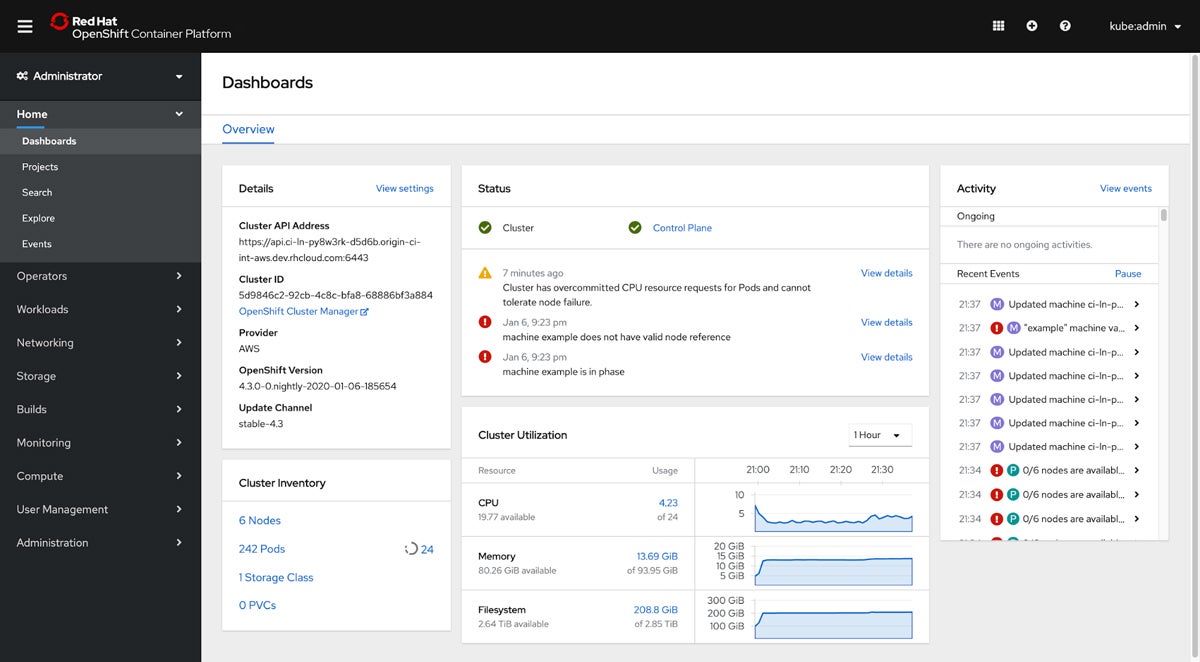
Red Hat OpenShift Virtualization is an integral feature of Red Hat OpenShift, a premier enterprise Kubernetes platform. This capability empowers users to seamlessly run and manage both containerized and virtualized applications on a single, unified platform. This convergence significantly facilitates the modernization of traditional applications, allowing them to coexist and evolve alongside cloud-native applications and services.
Specifically engineered for hybrid cloud environments, Red Hat OpenShift Virtualization offers a flexible, highly efficient, and unified platform capable of managing a diverse array of workloads. It is particularly appealing to businesses aiming to streamline their application infrastructure, enhance operational agility, and progressively transition towards a more cloud-native operational model without necessitating the abandonment of their existing virtualized applications.
Overall Rating: 3/5
Pricing
The pricing for Red Hat OpenShift Virtualization is integrated within the broader Red Hat OpenShift platform. Costs vary based on the chosen server editions and the scale of deployment. Prospective customers are advised to contact Red Hat directly for detailed pricing information tailored to their specific needs.
| Pros | Cons |
|---|---|
| Seamlessly integrates VMs and containers, offering a consistent platform for all types of workloads. | Can be complex to set up and manage, requiring a good understanding of both Kubernetes and traditional virtualization concepts. |
| Ideal for hybrid cloud strategies, supporting both on-premises and cloud environments. | May require substantial resources for optimal performance, particularly in larger deployments. |
| Benefits from the robust Red Hat and Kubernetes ecosystems, including extensive community and enterprise support. |
Features
Red Hat OpenShift Virtualization leverages KVM for virtualization, providing a consistent management interface through the OpenShift console. It supports live migration of VMs, advanced networking through OpenShift SDN, and robust security features inherited from the Kubernetes platform. This unification allows for a more agile and efficient management of diverse application architectures.
Parallels Desktop: Seamless Windows Experience on macOS
Best for running Windows on Mac computers
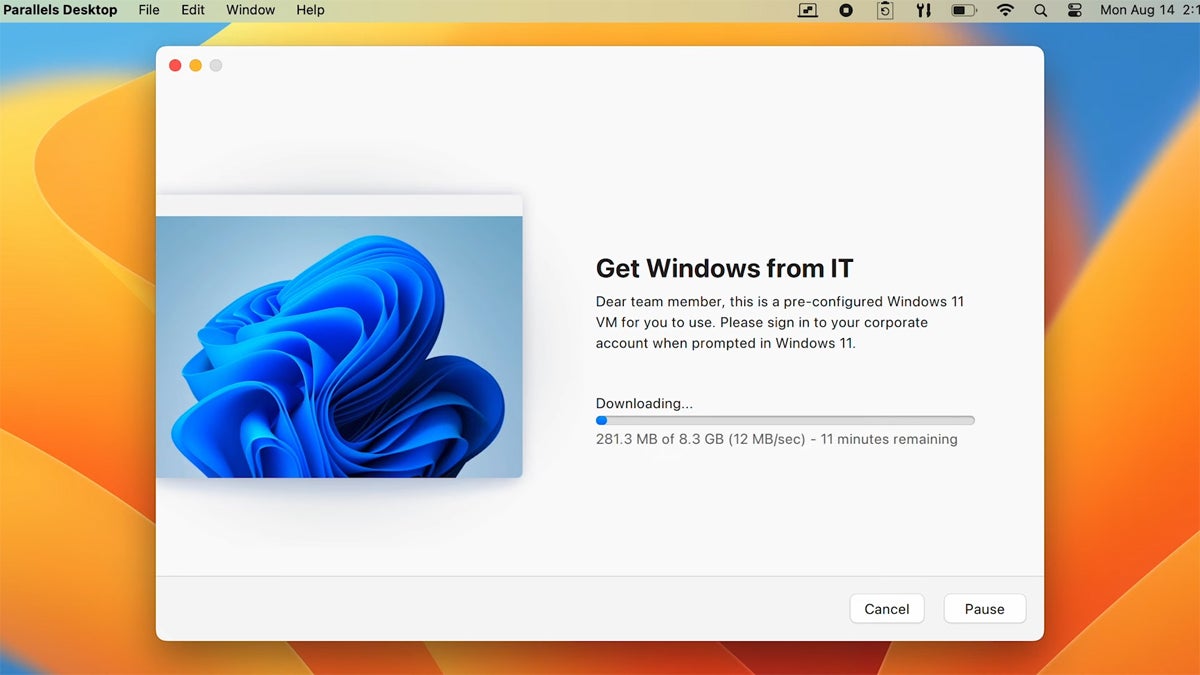
Parallels Desktop is a specialized virtualization software meticulously crafted for macOS, offering users the unique ability to run Windows, Linux, and other operating systems directly alongside macOS without the need for disruptive reboots. Renowned for its intuitive ease of use and its exceptionally seamless integration with the Mac ecosystem, Parallels Desktop has garnered significant popularity among Mac users who require access to Windows-specific applications or those who wish to rigorously test cross-platform solutions.
It consistently stands out for its remarkable performance, particularly when running Windows applications, and offers innovative features such as Coherence mode. This mode ingeniously allows Windows applications to run as if they were native macOS applications, providing an uninterrupted and fluid user experience. This software is ideally suited for professionals, developers, and even casual users who demand a reliable and high-performing virtualization solution on their Mac computers.
Overall Rating: 3.5/5
Pricing
Parallels Desktop is offered through an annual subscription model. The Standard Edition is priced at $99.99 per year, with other editions offering additional features at higher price points.
| Pros | Cons |
|---|---|
| Offers features like shared folders and clipboard, and support for Mac gestures in Windows apps. | While it handles business applications well, it may not be the best choice for running high-end games or graphics-intensive applications. |
| Known for its user-friendly interface, making it simple for users to install and manage different operating systems. | |
| Especially effective in running Windows applications on Mac, providing a smooth user experience. |
Features
Parallels Desktop excels in its integration features, allowing for seamless sharing of files, applications, and clipboard content between macOS and Windows. It supports DirectX 11 and OpenGL 3.3 for enhanced graphics performance in Windows applications. Its Coherence mode is a standout feature, blending Windows applications into the macOS desktop environment for a unified user experience.
Key Features of Virtual Machine Software for Windows
Virtual machine software for Windows is a fundamental component of modern computing, providing unparalleled flexibility, efficiency, and a wide array of capabilities. It offers a versatile and efficient method for running multiple operating systems, rigorously testing software, and managing servers. This section delves into the core features of VM software for Windows, emphasizing aspects that are critical for both individual and professional utilization.
Performance and Resource Management
Effective performance and resource management within VM software are paramount to maximizing operational efficiency while minimizing any adverse impact on the host system. Advanced VM software possesses the capability to dynamically allocate more resources to VMs during periods of peak usage and scale back these allocations during idle times.

This dynamic resource allocation is absolutely crucial for maintaining system stability and overall performance. Integrated performance monitoring tools are also indispensable, providing critical insights into resource utilization. This data is vital for identifying potential bottlenecks and for optimizing VM settings to achieve superior performance and enhance server virtualization efficiency.
Compatibility and System Requirements
The inherent versatility of VM software is largely derived from its broad compatibility with a wide range of Windows versions and diverse hardware configurations. High-end VM software typically supports both legacy and the most recent Windows versions, thereby ensuring an extensive range of usability.
Crucially, compatibility with different CPU architectures, such as x86 and ARM, and robust support for Direct X and OpenGL for graphics rendering, are significant considerations. The software should also be adept at handling a variety of networking and storage devices and should be optimized for Solid State Drives (SSDs) to ensure faster performance and reduced load times.
Usability and Management
The most effective VM software for Windows is characterized by an intuitive and user-friendly interface, making it accessible to users of all skill levels, from novices to seasoned experts. Key functionalities include simplified VM creation wizards, easily navigable settings menus, and swift access to frequently used tasks such as cloning, configuring networks, and managing storage resources.
Moreover, efficient management tools are essential for handling backups, snapshots, and system restores. These capabilities are vital for maintaining data integrity and ensuring rapid recovery from unexpected system crashes or instances of data corruption.
Security and Isolation
Security is a non-negotiable aspect of VM software. Robust isolation mechanisms are critical to ensure that activities conducted within a virtual machine do not pose any risk to the integrity or security of the host system.
Features such as VM encryption, secure boot options, and hardware-assisted security measures significantly enhance protection against malware and other emergent threats. Seamless integration with enterprise-grade antivirus solutions and comprehensive support for network security features, including firewalls and isolated network configurations, add further layers of critical security.
Networking Capabilities
The networking capabilities inherent in VM software are designed to facilitate complex network configurations and seamless interactions between virtual machines and the external network environment. Essential support for various network modes, such as bridged (where the VM is recognized as a distinct entity on the network), NAT (Network Address Translation, allowing VMs to share the host’s IP address), and host-only (which isolates VMs from external network access), is fundamental.
Advanced features, including Virtual Local Area Network (VLAN) support, the ability to simulate network conditions, and bandwidth throttling, are also of significant importance, particularly for testing and development environments where precise network simulation is required.
Scalability and Flexibility
Scalability is a key attribute, referring to the software’s capacity to gracefully handle increasing workloads. VM software should empower users to effortlessly add or remove virtual machines and dynamically scale resources in direct response to evolving demand.

Flexibility, on the other hand, pertains to the software’s ability to run a diverse range of operating systems, including various Windows versions, multiple Linux distributions, and even macOS, where legally permissible. Features such as cloning, snapshotting, and the use of templates streamline the process of deploying and managing multiple virtual machines efficiently.
Reliability and Uptime
Reliability and sustained uptime are critical, especially within a business context where any period of downtime can incur significant financial losses. Features that actively contribute to maintaining high reliability include automated backup mechanisms, which ensure that data is not lost in the event of unforeseen hardware failures, and failover capabilities, which provide continuous operational continuity in the event of hardware failure.
High-availability configurations, which enable virtual machines to operate across multiple host machines, are instrumental in ensuring that if one host experiences a failure, the VM can be rapidly resumed on an alternative host, minimizing disruption.
Integration and Compatibility with Existing Infrastructure
For businesses, the seamless integration of VM software with their existing IT infrastructure is a pivotal consideration. This encompasses robust compatibility with cloud platforms, facilitating the effortless migration of virtual machines to and from cloud environments.
Support for Application Programming Interfaces (APIs) and scripting languages is essential for enabling automation and integration with other IT management tools. The capacity to migrate VMs across different hosts, cloud environments, and even between disparate VM software solutions ensures adaptability and future-proofing of technological investments.
How to Choose the Best Virtual Machine Software for Windows
For businesses operating within the Windows ecosystem, the selection of the appropriate VM software is a decision of critical importance. This guide aims to assist you through the methodical process of evaluating and ultimately selecting the best VM software that aligns precisely with your unique business requirements.
Understanding Your Business Requirements
The foundational step involves a thorough identification of your business’s specific use cases for VM software. Are you primarily looking to test software across a spectrum of different operating systems, to run legacy applications that are no longer supported on modern hardware, or to provide a highly secure, isolated environment for particularly sensitive tasks? A clear understanding of these specific requirements will effectively guide your focus towards software solutions that offer the precise features you need.
Subsequently, it is essential to consider the inherent scalability of the VM software. The chosen solution should not only adequately meet your current operational needs but also possess the inherent capability to accommodate future growth. This encompasses the potential to support a larger number of virtual machines, to integrate seamlessly with additional hardware components, or to scale up resources for more computationally intensive workloads.
Evaluating Key Features
Leveraging the insights gained from the preceding section, it becomes imperative to thoroughly explore the key features that hold the most significance for your business requirements. Ideally, seek out solutions that offer a trial version or a demonstration installation, allowing you to rigorously test the core functionalities before making a commitment.
Below are some of the most critical capabilities you should meticulously evaluate:

- Performance and Resource Management: Assess how efficiently the software manages CPU, memory, and storage.
- Compatibility and System Requirements: Ensure it supports your Windows version and hardware.
- Usability and Management: Look for an intuitive interface and straightforward management tools.
- Security and Isolation: Prioritize robust security features and strong VM isolation.
- Networking Capabilities: Evaluate the flexibility and performance of networking options.
- Scalability and Flexibility: Determine its ability to grow with your needs and adapt to different scenarios.
- Reliability and Uptime: Research its stability and track record for consistent operation.
- Integration: Check for compatibility with your existing IT infrastructure and cloud services.
Support and Reliability
Access to reliable and responsive support is a critical necessity, particularly in situations where rapid troubleshooting is essential to prevent or minimize costly downtime. Businesses should actively seek out vendors that offer comprehensive support through a variety of channels, including phone, email, live chat, and extensive online knowledge bases and forums.
Furthermore, the inherent reliability and consistent uptime of the VM software are of paramount importance
