
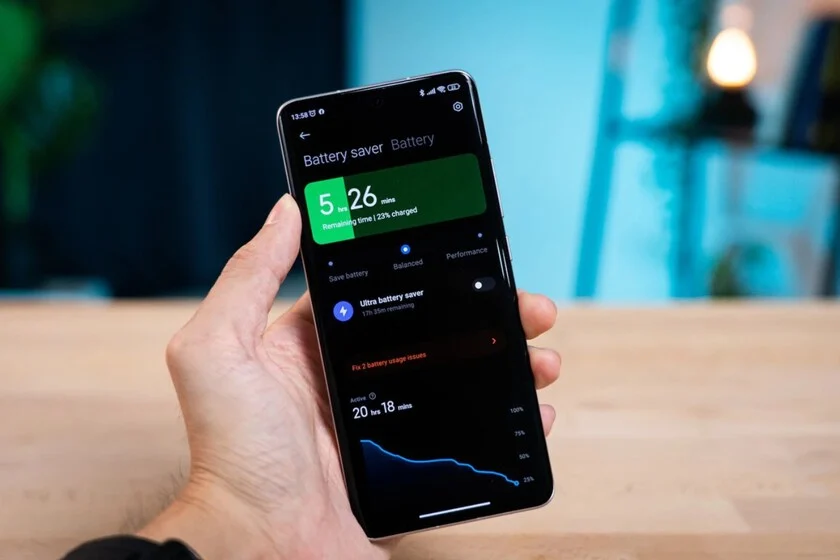

In the ever-evolving landscape of mobile technology, maintaining optimal smartphone performance has become a critical task for users worldwide. Regular operational maintenance, particularly focusing on the ‘Battery’ and ‘Storage’ sections found in both iOS and Android operating systems, offers an invaluable diagnostic tool, providing a clear "x-ray" of which applications are most aggressively consuming device resources. This insight is crucial for implementing corrective measures, ranging from clearing cached data and refining app settings to, in some instances, outright uninstallation. The rationale behind such drastic action often stems from an application’s disproportionate resource consumption relative to its utility, leading to a direct impact on battery longevity and available storage space. This strategic approach has led many users to explore the benefits of replacing resource-heavy native applications with their more efficient web-based counterparts, a methodology proven effective in enhancing device performance and user experience.
The Pervasive Challenge of Application Resource Consumption
Modern smartphones, while powerful, are constantly challenged by the increasing demands of sophisticated applications. These apps often operate in the background, continuously refreshing content, sending notifications, tracking location, and performing data synchronization, all of which exact a significant toll on the device’s central processing unit (CPU), random access memory (RAM), and battery. Social media applications, in particular, are notorious for their substantial resource footprint. Studies consistently show that social networking apps, along with certain messaging and gaming applications, frequently top the lists of highest battery consumers. For instance, data from various tech analyses indicates that popular social media platforms can account for 15-20% of a smartphone’s daily battery drain, even when not actively in use, due to background processes and push notifications. Similarly, their storage requirements escalate rapidly as they cache images, videos, and user data, often accumulating gigabytes of "document & data" over time, silently eroding precious internal storage.
A Practical Case Study: The Transition from Native App to Web Interface
A compelling example of this optimization strategy involves the transition from the native Twitter/X application to its browser-based version. Historically, the Twitter/X app has consistently ranked among the top applications for both battery consumption and data storage, even when accounting for variable usage patterns. This pattern is not unique to Twitter/X; other major social platforms like Facebook and Instagram exhibit similar characteristics. The decision to remove such a pervasive application, including its associated data, is not merely about freeing up space but about reallocating resource management. By accessing Twitter/X through a web browser (e.g., Safari on iOS or Chrome on Android), the device offloads the intensive background processes and persistent data caching inherent in the native app to the browser itself.
This shift mirrors a tactic successfully employed by many users with Facebook years prior. The experience demonstrates that for applications primarily focused on reading and writing content, the functional difference between the native app and its web counterpart is often minimal. The browser version typically offers a familiar interface, complete with navigation menus, content feeds (e.g., ‘For You,’ ‘Following,’ ‘Lists’), and tweet composition functionalities. For frequent users, simply keeping a browser tab open provides instant access, much like a native app. For less frequent engagement, navigating to the website and logging in is a minor inconvenience, easily mitigated by browser auto-fill features. Furthermore, the option to create a web shortcut or "Add to Home Screen" (often referred to as a Progressive Web App or PWA) provides an icon on the home screen that launches the web version directly, blurring the lines between native and web applications and offering a seamless user experience reminiscent of older, lighter apps that were essentially wrappers for web content.
Tangible Benefits of Web-Based Alternatives
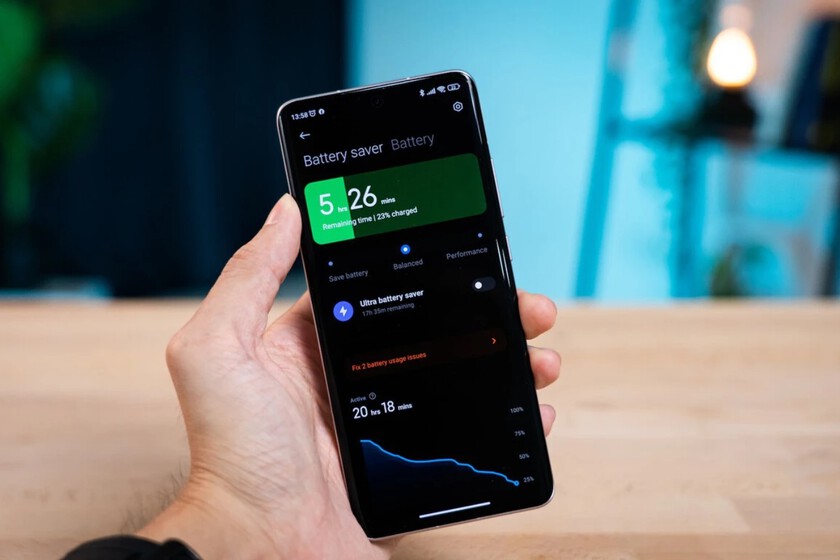
The advantages of this strategy are multifaceted. Foremost among them is the immediate reclamation of significant storage space. Native applications, especially those from major developers, can be hundreds of megabytes in size, with their cached data growing to several gigabytes. Eliminating these frees up valuable storage, preventing the common issue of devices slowing down due to insufficient free space. Secondly, battery management is notably improved. By removing a primary battery drainer, the device’s overall power consumption decreases. While the browser itself consumes battery, its general optimization by operating system developers (e.g., Apple for Safari, Google for Chrome) often makes it a more efficient manager of web content than a third-party native app attempting to replicate similar functionalities.
Beyond performance, there are significant benefits related to user experience and digital well-being. Disabling notifications, a common practice for reducing distractions, becomes less necessary when the native app is absent. The physical removal of the app icon from the home screen can also act as a subtle deterrent, reducing the subconscious urge to open and engage with an addictive platform. This contributes to a healthier digital lifestyle by reducing screen time and fostering more intentional interaction with social media.
The Broader Landscape of Smartphone Resource Management
The strategy of replacing native apps with web versions is part of a larger toolkit for effective smartphone resource management. Understanding the ‘Battery’ and ‘Storage’ sections of a phone’s settings is fundamental. These sections provide detailed breakdowns of app usage, allowing users to identify culprits consuming excessive power or space.
- Battery Usage Monitoring: Both iOS and Android provide granular data on battery consumption by app, showing usage over 24 hours or several days, distinguishing between active usage and background activity. This allows users to pinpoint apps that are draining power even when not explicitly open.
- Storage Analysis: Similarly, storage settings categorize data by app, media, system files, and ‘Other’ (or ‘System Data’ on iOS), highlighting which apps hold the largest caches or accumulated data. Users can often clear an app’s cache without deleting the app itself, offering a less drastic initial step.
- Background App Refresh/Activity: Limiting or disabling background app refresh for non-essential applications can significantly reduce battery drain and data usage. Many apps don’t need to constantly update in the background.
- Location Services: Apps that frequently request location data can be major battery consumers. Reviewing and restricting location access to "While Using" or "Never" for certain apps is another effective measure.
- Push Notifications: While seemingly minor, a deluge of notifications can keep the phone’s radio active, consuming battery. Managing notification settings to only allow essential alerts can contribute to better battery life.
The Rise of Progressive Web Apps (PWAs)
The concept of using web-based alternatives has evolved significantly with the advent of Progressive Web Apps (PWAs). PWAs are websites that leverage modern web technologies to deliver an app-like experience. They are reliable, fast, and engaging, offering features such as offline functionality, push notifications (through the browser), and a home screen icon, all without requiring installation from an app store. Major companies like Starbucks, Pinterest, and even Twitter/X (with its mobile web experience) have invested in PWAs.
The appeal of PWAs lies in their efficiency. They typically consume less storage than their native counterparts, update automatically without user intervention, and often use fewer system resources. For users struggling with older devices, limited storage, or data caps, PWAs offer a compelling solution to access services without compromising device performance. This trend underscores a broader industry movement towards more lightweight and accessible digital experiences.
Implications Beyond Performance: Digital Well-being and Privacy

The decision to streamline smartphone usage by removing resource-intensive apps extends beyond mere technical performance; it touches upon critical aspects of digital well-being and data privacy. By reducing the number of native applications, users inherently limit the avenues through which personal data can be collected, stored, and shared by third-party developers. While web versions still involve data collection, the browser often provides more transparent and user-controllable privacy settings.
From a digital well-being perspective, the deliberate act of removing an app that "hooks" users can be empowering. Social media addiction is a recognized phenomenon, and the constant availability of notifications and the visible presence of app icons contribute to this cycle. By creating a slight barrier to access (even if it’s just opening a browser), users can cultivate more mindful interaction with their devices and digital content, leading to reduced screen time and a greater sense of control over their digital lives. This aligns with a growing societal emphasis on "digital detox" and healthier technology habits.
Expert Perspectives and Industry Trends
Industry analysts and mobile technology experts consistently advocate for proactive resource management. Smartphone manufacturers, in response, have integrated increasingly sophisticated tools within their operating systems to help users monitor and control app behavior. Apple’s "Battery Health" feature and Android’s "Adaptive Battery" are prime examples, using machine learning to optimize battery usage based on individual patterns.
However, the onus also falls on app developers to create more efficient applications. There’s a constant tension between delivering feature-rich experiences and maintaining optimal performance. Developers are increasingly utilizing techniques like lazy loading, efficient data compression, and optimized background processing to reduce their apps’ footprint. The growth of cross-platform development frameworks that compile to smaller, more efficient codebases also signals a move towards better resource management from the developer side. The general consensus is that while hardware continues to advance, software optimization remains a crucial frontier for improving the overall smartphone experience.
Conclusion
In an era where smartphones are indispensable tools, understanding and actively managing their resources is no longer optional but a necessity. The strategy of monitoring app consumption, identifying resource-intensive applications, and strategically replacing them with efficient web-based alternatives represents a powerful approach to optimizing device performance, extending battery life, and reclaiming valuable storage space. This method not only enhances the technical functionality of the device but also contributes positively to user well-being by fostering more intentional digital engagement and offering greater control over personal data. As mobile technology continues its rapid evolution, embracing such proactive maintenance strategies will remain paramount for users seeking to maximize the utility and longevity of their digital companions.
