
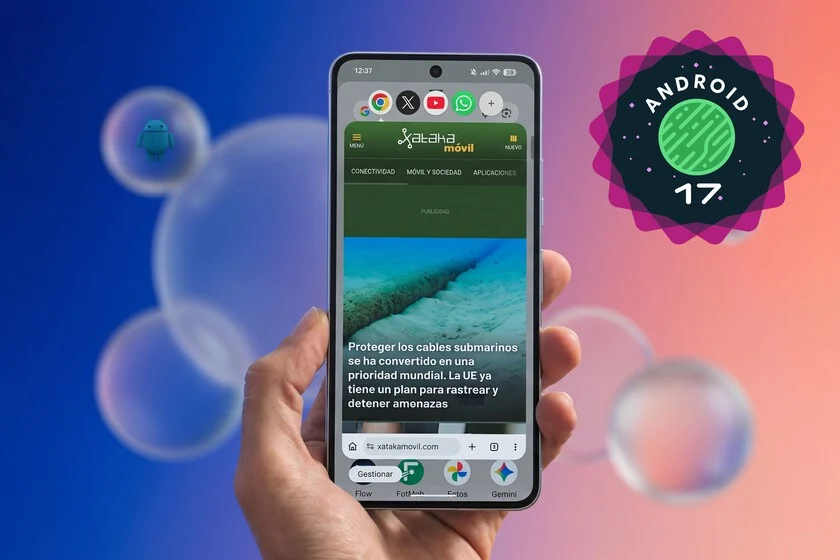

The recent rollout of Android 17 to Google’s Pixel devices has brought a suite of significant enhancements, from advanced anti-theft mechanisms to a more deeply integrated Gemini AI agent. While these features undoubtedly represent crucial advancements in security and artificial intelligence, a seemingly more understated yet profoundly impactful innovation has captured the attention of early adopters: the introduction of a refined and expanded "app bubbles" functionality. This new multitasking paradigm is rapidly being hailed as a transformative step, fundamentally altering how users interact with their non-foldable smartphones and setting a potential new benchmark for mobile productivity.
The Evolution of Multitasking on Android: A Historical Perspective
Multitasking on mobile operating systems has been a continuous area of development and challenge for developers and user interface designers alike. For years, the single-screen form factor of traditional smartphones presented inherent limitations to running multiple applications simultaneously in a truly efficient and non-disruptive manner. Early iterations of Android primarily relied on a sequential app switching model, where users would navigate between full-screen applications through a "recent apps" menu. This method, while functional, often broke the flow of work or communication, requiring constant context switching.
Google’s journey to optimize mobile multitasking began in earnest with features like Split-Screen Mode, introduced with Android 7.0 Nougat in 2016. This allowed users to view two applications side-by-side, a significant improvement for comparative tasks or simultaneous data entry. However, its utility was often constrained by the relatively small screen real estate of most smartphones, leading to cramped views and a less-than-ideal user experience for many applications. Following this, Picture-in-Picture (PiP) Mode arrived with Android 8.0 Oreo in 2017, primarily designed for video playback, allowing a small video window to float above other applications. While effective for its intended purpose, PiP’s fixed size and persistent overlay could still prove intrusive, obscuring parts of the underlying application. More experimental features, such as limited "freeform windows" that offered more flexible resizing, have also existed within Android, often requiring developer options or specific OEM implementations, and never achieved widespread adoption as a core user feature.
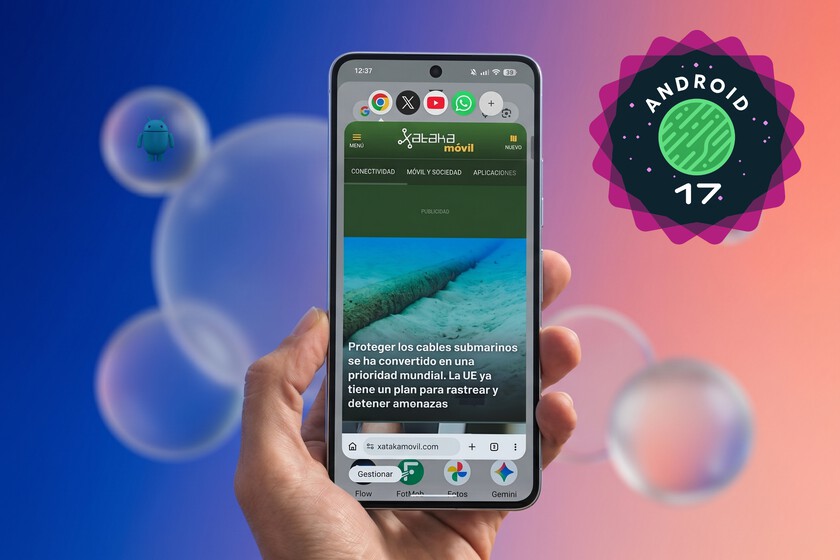
Furthermore, Android 11 introduced "Chat Bubbles" for messaging applications, a feature inspired by Facebook Messenger’s long-standing floating chat heads. These bubbles allowed users to keep conversations accessible as a floating icon, expanding when tapped and minimizing when not in use. While effective for communication, this functionality was largely confined to specific messaging apps and did not extend to general application multitasking. The new "app bubbles" in Android 17 represent a significant leap forward, taking the intuitive, non-intrusive concept of chat bubbles and applying it across nearly the entire application ecosystem.
Understanding Android 17’s App Bubbles: Mechanics and User Experience
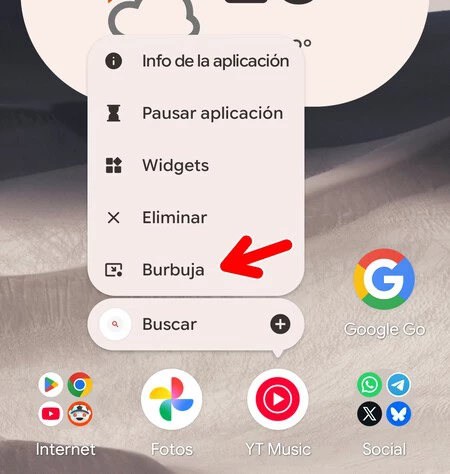
At its core, Android 17’s app bubbles extend the familiar concept of floating interfaces to almost any installed application. Unlike previous multitasking solutions that often dictated screen proportions or confined content to fixed overlays, app bubbles offer unparalleled flexibility and user control. When a user wishes to engage with an application in a bubble format, a simple long-press on its icon in the app drawer or home screen reveals a contextual menu, from which the option to "Open in Bubble" can be selected. This instantly transforms the chosen application into a resizable, movable floating window.
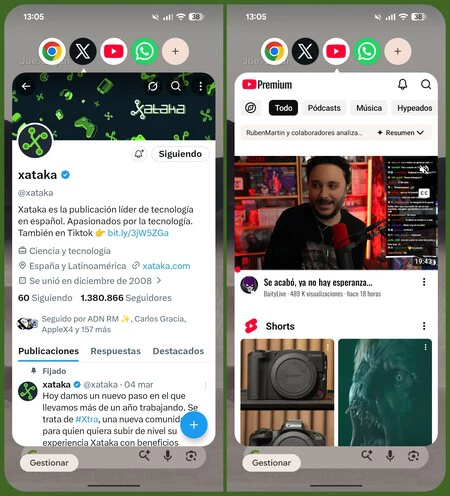
The immediate benefit lies in its non-disruptive nature. While active, the bubble window can be freely dragged across the screen, allowing users to position it wherever it least interferes with their primary task. More importantly, when the app in the bubble is not actively needed, a tap outside its window instantly minimizes it into a small, circular icon anchored to the edge of the screen. This icon, visually consistent with the app’s branding, remains discreetly accessible without consuming valuable screen real estate. A subsequent tap on the icon instantly re-expands the application to its previously defined floating window size, providing seamless and instantaneous access. This fluid transition between minimized and expanded states is a cornerstone of the feature’s appeal, offering an "always-on-top" feel without the persistent visual clutter of other floating window implementations.
Consider practical scenarios: a user might be composing an email or drafting a document in a full-screen application. Simultaneously, they could have WhatsApp open in a bubble, allowing for quick responses to messages without leaving their primary task. Or, as highlighted by early testers, the integration of Gemini AI becomes significantly more powerful. While the assistant version of Gemini is convenient for quick queries, the full Gemini application offers richer conversational contexts and more extensive features. By placing the full Gemini app in a bubble, users can seamlessly switch between deep AI interaction and their main application, sharing information or insights with unprecedented ease.
Even for media consumption, app bubbles offer a superior alternative to traditional PiP. For instance, a YouTube video playing in a bubble can be minimized to its icon when the user needs full screen clarity for another task, and then instantly recalled when they wish to resume viewing. This avoids the common frustration of PiP’s video overlay obscuring critical UI elements on smaller screens, offering a cleaner and more user-centric approach to simultaneous media consumption and productivity.
The Strategic Imperative: Why App Bubbles Matter
The introduction of app bubbles is not merely an aesthetic enhancement; it reflects Google’s strategic focus on enhancing user productivity and optimizing the smartphone experience in an increasingly demanding digital landscape.
User Productivity and Efficiency: Industry reports consistently indicate that the average smartphone user interacts with dozens of applications daily, frequently switching between them for various tasks. Studies on mobile user behavior often highlight the cognitive load and time inefficiency associated with traditional app switching, where each transition requires navigating through system menus or recent app lists. App bubbles directly address this by reducing the friction of context switching. By allowing critical or frequently accessed applications to remain "at hand" in a fluid, accessible format, users can maintain focus on their primary task while seamlessly engaging with secondary applications. This translates into tangible gains in efficiency, potentially saving precious minutes throughout the day and reducing mental fatigue.
Screen Real Estate Optimization for Non-Foldables: While foldable smartphones offer expansive screens for advanced multitasking, the vast majority of the global smartphone market still comprises traditional, non-foldable devices with screen sizes typically ranging from 6 to 7 inches. Optimizing this limited, fixed screen real estate for advanced multitasking has always been a design conundrum. Previous solutions like split-screen often rendered both apps too small to be genuinely useful, while PiP could be overly intrusive. App bubbles offer a novel solution by providing dynamic, on-demand access to secondary applications without permanently sacrificing large portions of the main display. This allows users to maximize their primary application’s view while retaining instant access to others, striking a balance that has long eluded mobile OS designers.

Developer Opportunities: The widespread adoption of app bubbles could also open new avenues for application developers. Designing apps with bubble compatibility in mind might encourage the creation of more modular, "glanceable" app interfaces that deliver critical information or functionality in a condensed format suitable for a floating window. This could lead to a richer ecosystem of companion tools and micro-applications designed to work seamlessly within the bubble framework, further enhancing the overall Android experience. Google’s continuous refinement of Android’s UI/UX often stems from extensive user feedback and observed usage patterns, suggesting that app bubbles are a direct response to a long-standing demand for more fluid and integrated multitasking.
Broader Context of Android 17’s Innovations
While app bubbles stand out as a significant user experience improvement, it’s essential to contextualize them within the broader scope of Android 17. This update also introduces critical security enhancements, such as an advanced anti-theft shield that intelligently locks a device if suspicious movement is detected, leveraging AI to protect user data. The deeper integration of Gemini AI across the system signifies Google’s commitment to infusing artificial intelligence into the core of the Android experience, making devices more intuitive and proactive. App bubbles, in this context, serve as a complementary feature, ensuring that as Android becomes more intelligent and secure, it also remains exceptionally productive and user-friendly, allowing users to leverage these new capabilities more efficiently.
Challenges and Future Outlook: Implications and Industry Reactions
Despite the undeniable promise of app bubbles, their long-term impact will largely hinge on two critical factors: OEM adoption and potential refinements.
OEM Adoption and Fragmentation: Historically, new Android features, particularly those related to UI/UX, have faced challenges in achieving universal adoption across all Android devices. While Google’s Pixel phones showcase the purest form of Android, other manufacturers (OEMs) like Samsung, Xiaomi, Motorola, and Oppo implement their own custom user interfaces (e.g., One UI, MIUI) on top of the base Android system. The extent to which these OEMs will integrate app bubbles into their custom layers, or if Google will mandate this as a standard feature for Android 17 and beyond, remains a crucial question. If app bubbles are relegated to a Pixel-exclusive or a feature that requires significant OEM customization, their widespread impact could be limited, leading to further fragmentation in the Android user experience. However, given the clear user benefit, industry analysts anticipate strong pressure from Google for broader adoption, potentially making it a more integral part of the Android Compatibility Definition Document (CDD).
Potential Refinements: Early feedback, while overwhelmingly positive, has pointed out minor areas for improvement. For instance, the current method of launching apps into bubbles primarily relies on a long-press context menu. Users have suggested that integrating this functionality into the "recent apps" screen – allowing a tap on an app’s title to reveal a "Bubble" option – could further streamline the workflow and make the feature even more intuitive. Such refinements, if implemented in future updates, would further solidify app bubbles as a cornerstone of Android multitasking.
Competitive Landscape and Google’s Vision: In the competitive mobile OS landscape, particularly against Apple’s iOS, Android has often differentiated itself through its openness and flexibility. While iOS has a highly optimized and streamlined user experience, its multitasking capabilities have traditionally been more restrictive. App bubbles provide Android with a distinct advantage in offering a more dynamic and user-controlled multitasking environment, particularly for single-screen devices. Google’s overarching vision appears to be centered on transforming the smartphone from a simple communication device into a truly powerful, adaptable, and less disruptive productivity tool. Features like app bubbles are instrumental in realizing this vision, empowering users to manage their digital lives with greater fluidity and efficiency.
In conclusion, Android 17’s app bubbles are more than just a minor UI tweak; they represent a thoughtful and impactful evolution in mobile multitasking. By combining the intuitive accessibility of floating chat heads with the power of full application functionality, Google has introduced a feature that significantly enhances productivity and user experience on non-foldable devices. As this innovation potentially becomes a standard across the Android ecosystem, it is poised to redefine how millions of users interact with their smartphones, cementing Android 17 as a pivotal release in the ongoing quest for optimal mobile efficiency.
