
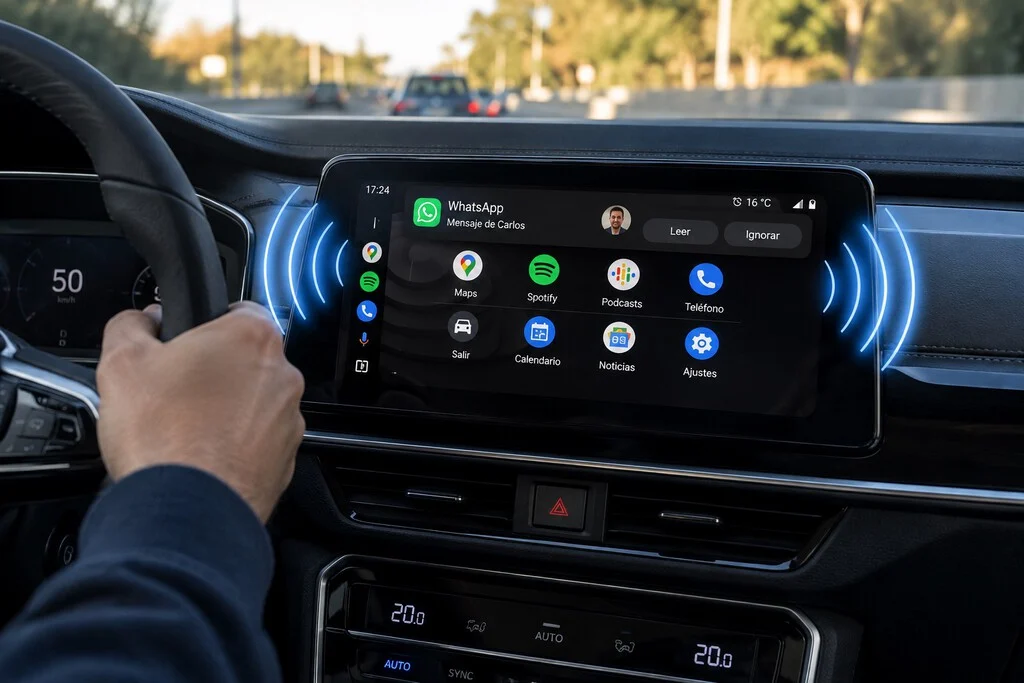

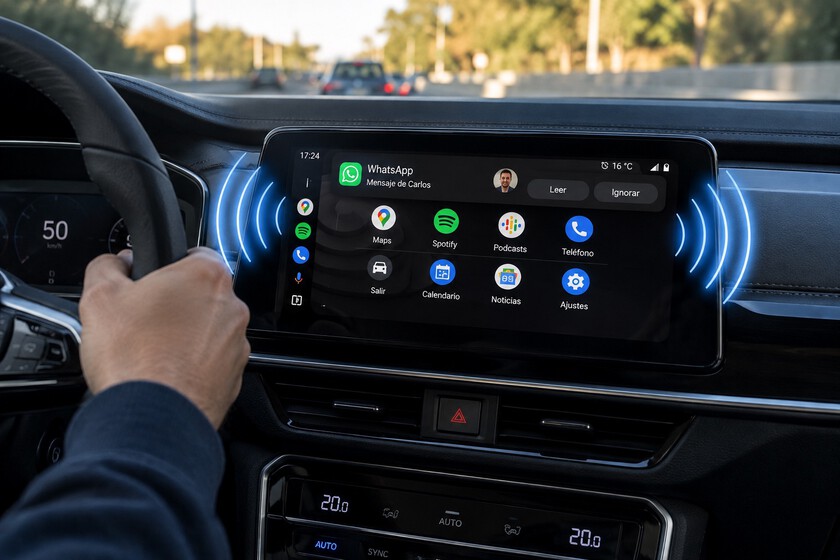
Android Auto has become an essential companion for millions of drivers worldwide, serving as the primary interface for navigation, media consumption, and communication while on the road. However, the integration of messaging services—such as WhatsApp, Telegram, and SMS—into the vehicle’s infotainment system presents a significant challenge regarding passenger privacy. When a message arrives, Android Auto frequently displays a notification on the central console, offering the driver the option to have the content read aloud by Google Assistant or Gemini. While designed for convenience and safety, this feature presents a scenario where private conversations may be inadvertently broadcast through the vehicle’s speaker system to all occupants.
Understanding the mechanics of this feature is essential for those who prioritize discretion during their commutes. By default, the system is designed to minimize driver distraction, but it lacks an automated "privacy mode" for passengers. As a result, the risk of accidental audio playback remains high, whether triggered by a stray touch on the touchscreen, a voice command misinterpretation, or a passenger interacting with the interface.
The Evolution of In-Car Connectivity
The integration of smartphone interfaces like Android Auto into modern vehicles represents a decade-long evolution in automotive technology. Since its official launch by Google in 2014, Android Auto has sought to bridge the gap between mobile software and vehicle hardware. Initially, the focus was on providing a safer, hands-free experience for navigation and basic media control. As the platform matured, the inclusion of messaging apps became a standard requirement, reflecting the "always-on" nature of contemporary digital communication.
According to data from Statista and automotive industry reports, the global market for connected cars is expected to reach unprecedented penetration by 2028. As more vehicles adopt Android Automotive OS—where the software is built directly into the dashboard—the frequency of interaction between the car’s audio system and personal notifications has increased. This shift has necessitated a more granular approach to privacy settings, as users now require more control over how their personal data is exposed in a shared physical space.
Strategic Configuration: Securing Your Notifications
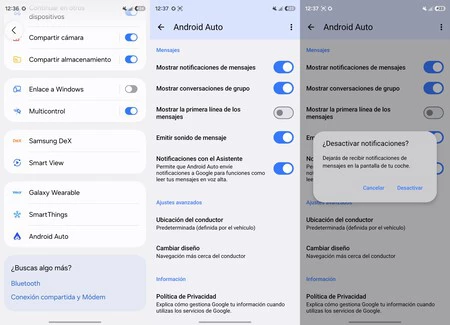
For users seeking to restrict the visibility and audio output of their messages, the most effective solution is to modify the notification settings within the Android Auto configuration menu. This process, while manual, provides a definitive block on message-related interruptions.
To implement these changes, users should follow this protocol:
- Access the "Settings" menu on the smartphone connected to the vehicle.
- Navigate to "Connected Devices" and select "Android Auto."
- Locate the "Assistant Notifications" section.
- Toggle the switch labeled "Show message notifications" to the off position.
It is important to note that user interface nomenclature may vary depending on the specific smartphone manufacturer (such as Samsung, Pixel, or Xiaomi) and the version of the Android operating system installed. If the direct path is not immediately accessible, the system-wide search bar within the "Settings" menu remains the most reliable tool for locating these specific controls. Once this setting is disabled, the system ceases to pull notifications from supported messaging platforms, effectively removing the "Read aloud" prompt that typically appears on the vehicle display.
Distinguishing Between Secondary Settings and Global Privacy
Users often mistake auxiliary notification settings for total privacy controls. Android Auto provides several sub-menus that address user experience but do not guarantee complete data concealment. For instance, "Show first line of messages" is a feature designed to prevent passersby or passengers from reading a preview of a message on the dashboard. While disabling this protects the text, the notification itself remains active, and the "Read aloud" function remains available for interaction.
Similarly, the "Show group conversations" setting only filters out alerts from multi-user chats, leaving individual direct messages exposed. Furthermore, silencing notification sounds—a common adjustment for drivers who find audible pings distracting—does not remove the visual notification card or prevent the system from reading a message if the screen is tapped. These settings should be viewed as "convenience filters" rather than "privacy tools."
The Role of Artificial Intelligence and Message Summarization
A relatively recent addition to the Android Auto suite is the use of generative AI to summarize long messages or high-volume group chats. This feature, powered by Gemini and the Google Assistant, was introduced to reduce the cognitive load on drivers, allowing them to grasp the essence of a conversation without listening to lengthy, multi-part messages.
However, the summarization feature operates as a layer on top of the existing messaging framework. Disabling it within the Android Auto settings—specifically under the "Message Summary" toggle—prevents the AI from processing content, but it does not deactivate the underlying notification system. To achieve total privacy, users must manage both the general notification toggle and the specific AI summary preferences.
Implications for Passenger Privacy and Industry Standards
The current design of Android Auto reflects a "driver-first" philosophy, where the primary objective is to keep eyes on the road and hands on the wheel. By making information accessible through audio, the system minimizes the need for visual engagement. Yet, this design assumes that the vehicle is either a private space or that the driver has no concerns regarding the disclosure of message content.
From a cybersecurity and privacy perspective, the lack of a "Passenger Mode"—a feature that could automatically detect the presence of others or allow for a quick, one-touch privacy toggle—is a notable omission. Currently, disabling notifications is a global change; it remains in effect until the user manually toggles it back on. This means that if a user turns off notifications for a private ride, they must remember to re-enable them for future trips if they wish to receive alerts again.
Industry Context and Future Outlook
Automotive experts suggest that the next generation of infotainment systems will likely integrate more sophisticated privacy profiles. As vehicles move toward higher levels of autonomy and shared mobility (such as ride-sharing services), the ability to link specific user profiles to the vehicle’s hardware will become more common. This would allow a user to log into their Android Auto account and have their specific privacy preferences—such as "mute all notifications"—applied automatically upon connection.
Until such features become standard, the burden of data management remains with the end-user. The ability to customize these settings is a testament to the flexibility of the Android ecosystem, but it also highlights the increasing complexity of managing digital identity in an era of ubiquitous connectivity.
Summary of Best Practices for Enhanced Security
To maintain a secure and private digital environment while driving, users should adhere to the following recommendations:
- Pre-Trip Configuration: Always manage notification settings while the vehicle is parked. Attempting to navigate complex menus while driving creates a significant safety risk.
- Granular Permission Review: Regularly audit the permissions granted to messaging applications within the Android Auto settings menu.
- Utilize "Do Not Disturb" Sparingly: While the "Do Not Disturb" mode on Android phones can suppress all notifications, it is often too blunt an instrument, as it may interfere with emergency calls or essential navigation alerts.
- Stay Updated: Google frequently updates Android Auto. Keeping the app updated ensures that the latest privacy tools and interface improvements are available, as Google continues to refine the balance between connectivity and safety.
In conclusion, while Android Auto provides powerful tools for communication, it requires an active approach to privacy. By understanding the distinction between simple notification silencing and the total disabling of messaging alerts, drivers can better protect their personal communications without sacrificing the utility of their vehicle’s connected technology. As the automotive landscape continues to integrate more advanced AI and connectivity, the ability to control how, when, and where information is presented will remain a fundamental skill for the modern, tech-conscious driver.
