


Virtual machine (VM) software has evolved from a niche tool utilized strictly by software developers and enterprise data center architects into a foundational component of modern computing infrastructure. For individual power users and global enterprises alike, the ability to emulate an entire computer system—spanning CPU, memory, storage, and networking interfaces—on a single physical host has transformed how applications are tested, deployed, and scaled. As organizations increasingly adopt hybrid cloud models, microservices, and multi-platform environments, selecting the right virtualization software for Windows has become a critical strategic decision.
To determine the top solutions available in the marketplace today, industry analysts have evaluated dozens of options based on performance, resource management, security, compatibility, and cost. The evaluation highlights six standout platforms that cater to diverse use cases: Microsoft Azure VM, Azure Stack HCI, VMware Workstation Pro, Citrix Hypervisor, Red Hat OpenShift Virtualization, and Parallels Desktop. Each platform brings distinct architectural advantages to the table, addressing everything from desktop-level virtualization to massive enterprise cloud clusters.

Understanding the Evolution of Windows Virtualization
The landscape of virtualization has undergone radical shifts over the past two decades. Early virtualization solutions were resource-heavy and limited by the constraints of physical hardware. However, with the advent of hardware-assisted virtualization extensions from major silicon manufacturers like Intel and AMD, virtual machines began to achieve near-native performance.
Historically, native hypervisors like Microsoft’s Hyper-V served as the default choice for Windows administrators seeking robust, built-in virtualization capabilities. Yet, recent strategic pivots within the technology sector—such as Microsoft’s lifecycle adjustments regarding standalone Hyper-V Server products and the industry-wide push toward cloud-native and hybrid environments—have forced organizations to re-evaluate their virtualization stacks. Today, businesses are migrating away from legacy, single-server hypervisors toward agile, interconnected platforms that bridge on-premises hardware with cloud infrastructure.

Top Virtual Machine Software Solutions Compared
Navigating the current market requires a careful examination of how each software solution performs across several core metrics, including resource management, system compatibility, network capability, and pricing structures.
Azure VM: Best for Scalable, Cloud-Based Computing
Microsoft Azure Virtual Machines offer scalable, cloud-based computing resources designed to support everything from basic web hosting to mission-critical enterprise databases. Operating entirely within Microsoft’s global cloud ecosystem, Azure VMs eliminate the need for heavy local hardware investments.
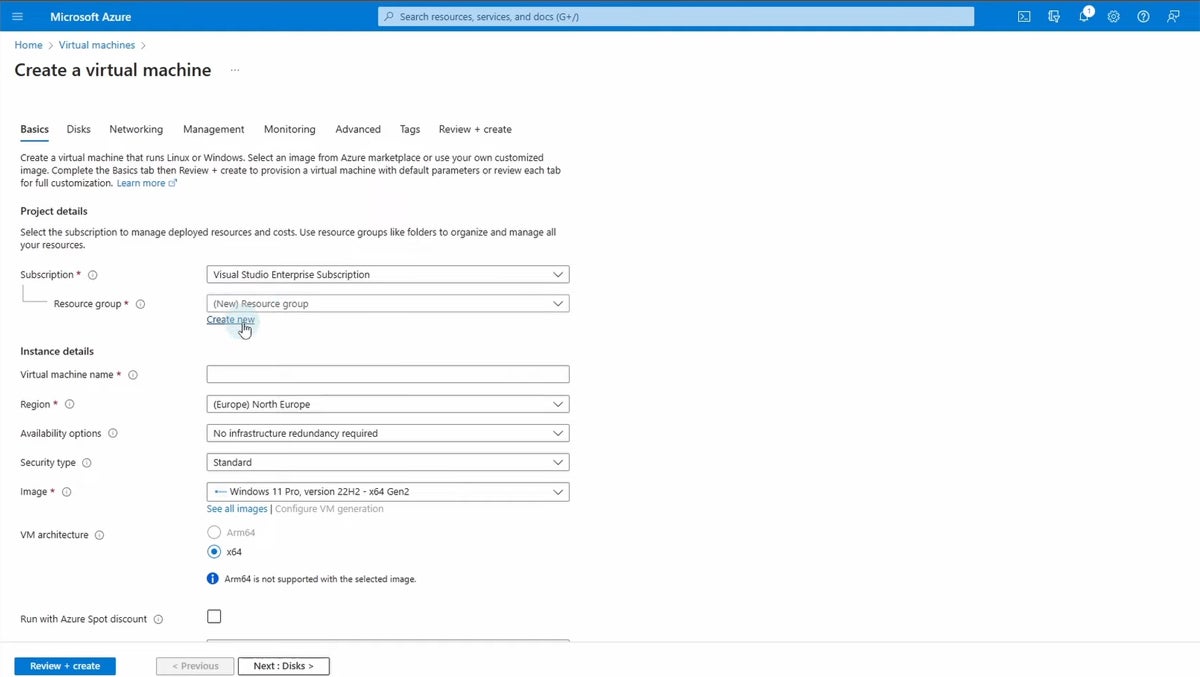
- Pricing: Starting at approximately $7.59 per month, utilizing flexible, consumption-based pricing models.
- Pros: Exceptional scalability, seamless integration with native cloud services like Azure Active Directory and Azure SQL, and high availability backed by Microsoft’s global infrastructure.
- Cons: Costs can escalate rapidly under high-performance configurations; the sheer complexity of Azure’s product catalog can overwhelm smaller organizations.
Azure Stack HCI: Best for Hybrid Cloud Environments
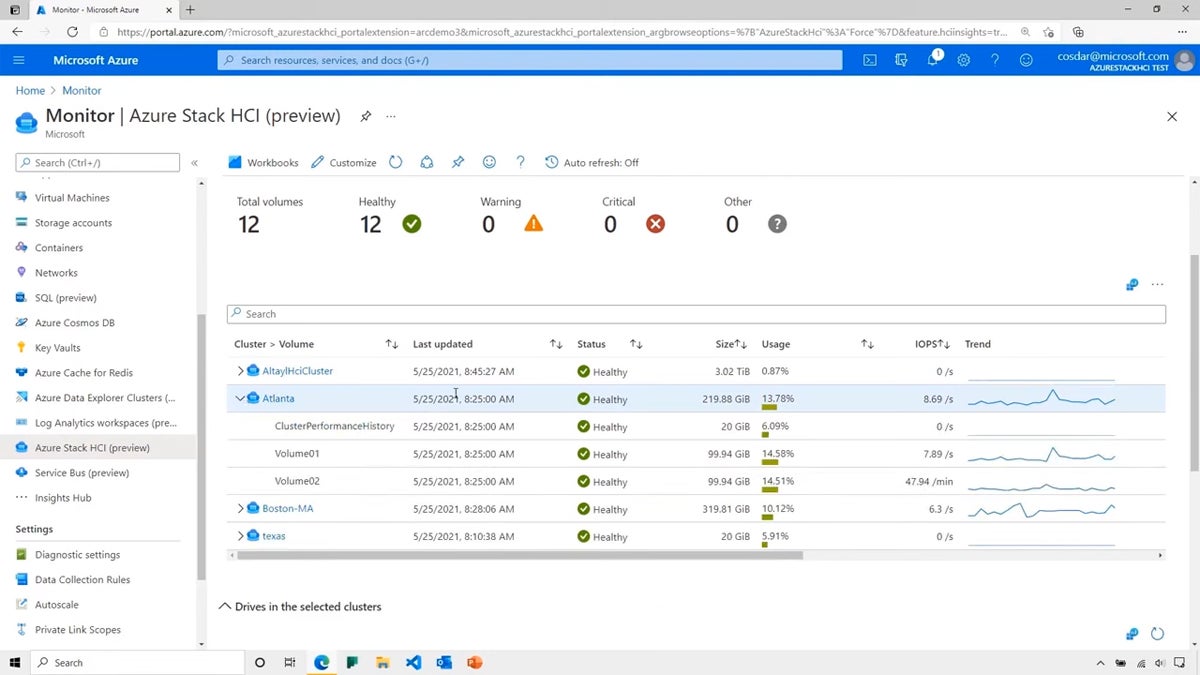
Azure Stack HCI delivers a hyper-converged infrastructure solution that merges virtualization, software-defined storage, and networking into a unified, on-premises appliance. It is engineered specifically for enterprises that require the flexibility of the cloud while maintaining strict local control over sensitive data workloads.
- Pricing: Structured at approximately $10 per month per physical core.
- Pros: Unifies on-premises workloads with cloud services via Azure Arc and Windows Admin Center; highly scalable storage and compute resources.
- Cons: Demands a sophisticated understanding of both local data centers and cloud architecture; initial deployment costs and operational complexities are high.
VMware Workstation Pro: Best for Advanced Local Networking
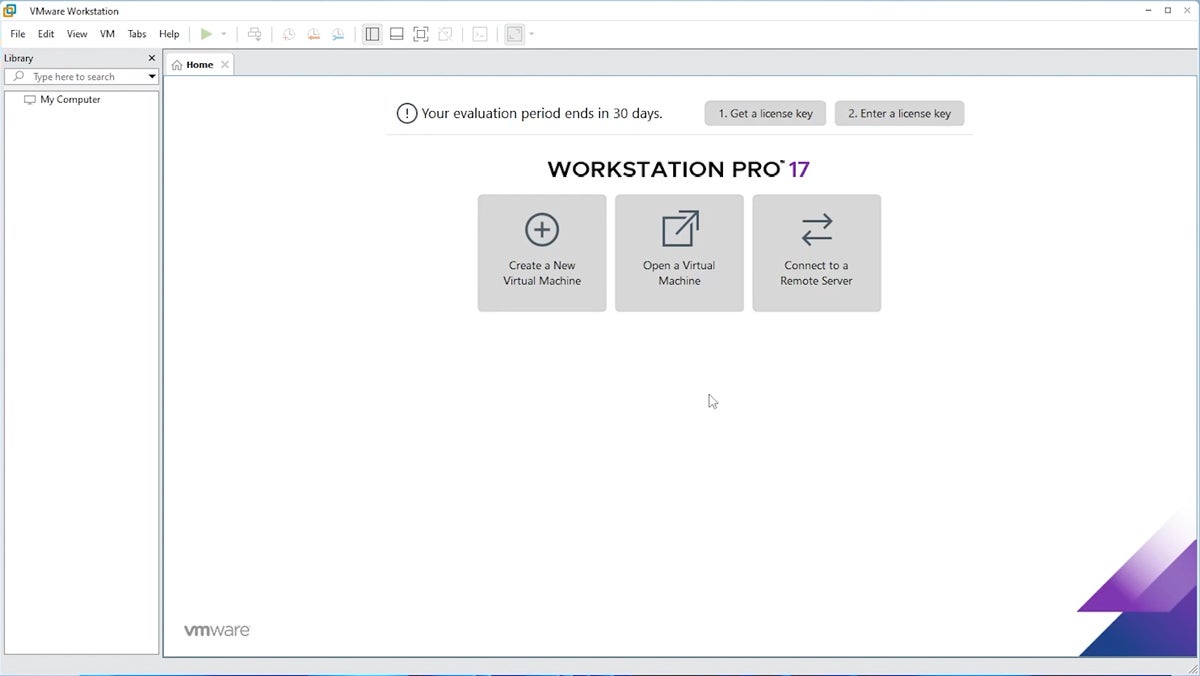
As a long-standing titan in desktop and local virtualization, VMware Workstation Pro allows users to run multiple operating systems concurrently on a single Windows or Linux PC. It remains the gold standard for software developers and IT professionals requiring complex networking simulations and robust snapshot capabilities.
- Pricing: Available for a perpetual license fee of $199 for local virtualization features.
- Pros: Broad operating system support, advanced cloning and snapshot tools, and sophisticated virtual networking simulation capabilities.
- Cons: Can consume significant local system resources; features a steep learning curve for novice users.
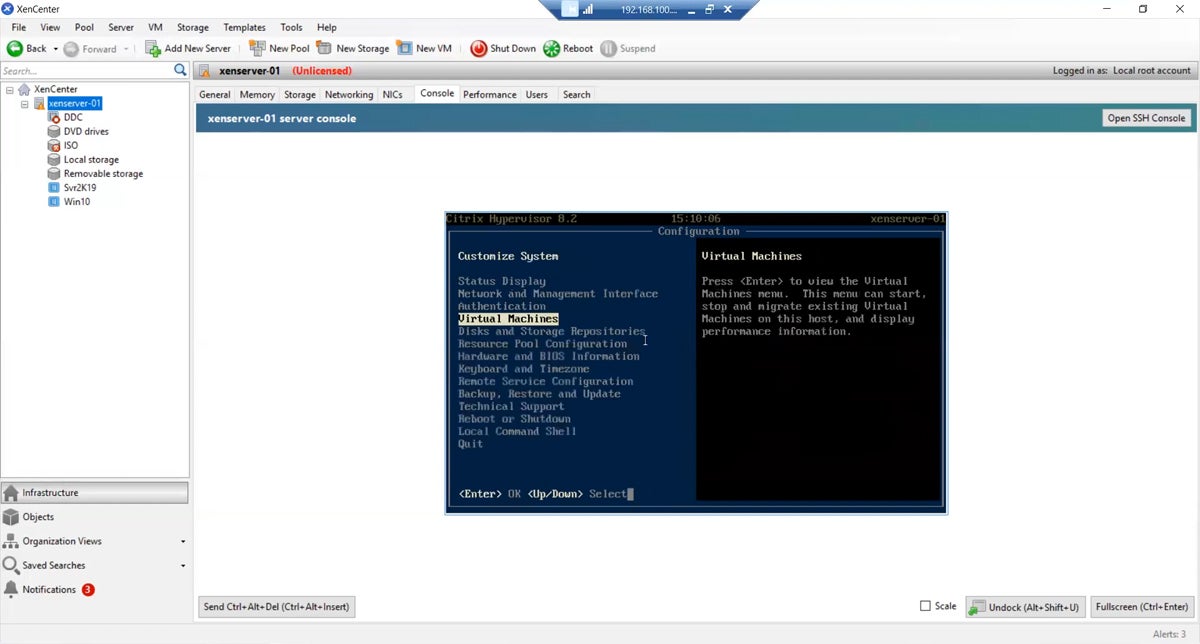
Citrix Hypervisor: Best Open-Source Enterprise Virtualization
Formerly known as XenServer, Citrix Hypervisor is an industry-leading open-source platform optimized for large-scale server virtualization and enterprise cloud environments. It excels at managing dense arrays of virtual servers with high uptime requirements.
- Pricing: Custom enterprise pricing available directly through Citrix sales channels.
- Pros: Highly scalable for massive server deployments; robust performance under heavy loads; open-source flexibility.
- Cons: Complex installation and management overhead; poorly suited for lightweight desktop virtualization tasks.
Red Hat OpenShift Virtualization: Best for Kubernetes Integration
Red Hat OpenShift Virtualization bridges the gap between traditional virtual machines and modern containerized applications. Built on the enterprise Kubernetes platform, it allows organizations to manage VMs and containers side-by-side within a unified dashboard.
- Pricing: Dependent on server editions and enterprise licensing agreements; contact Red Hat for specific quotes.
- Pros: Harmonizes container and VM management; exceptional for modern hybrid cloud strategies; backed by a robust open-source enterprise support ecosystem.
- Cons: Requires deep technical expertise in both Kubernetes orchestration and traditional hypervisor management; resource-intensive.
Parallels Desktop: Best for Running Windows on macOS
Parallels Desktop is purpose-built for macOS users who need to run Windows and Linux environments without rebooting their machines. Its signature Coherence mode allows Windows applications to run seamlessly alongside native Mac software.
- Pricing: Standard Edition starts at $99.99 per year.
- Pros: Extremely user-friendly interface; excellent integration of Mac hardware gestures, shared clipboards, and file sharing with Windows apps.
- Cons: Not optimized for high-end gaming or ultra-intensive graphics rendering workloads on virtualized Windows instances.
Key Architectural Features of Modern VM Software
When selecting a virtual machine platform, administrators and IT decision-makers must evaluate several core technological pillars to ensure long-term efficiency and system stability.
Performance and Resource Management
Efficient resource allocation is paramount. Advanced VM solutions dynamically assign CPU cores, RAM, and storage input/output operations per second (IOPS) based on real-time demand. Automated resource scaling prevents bottlenecks during peak operational hours while throttling back resources during idle periods to maintain overall host stability.
Security and Isolation
Security is a non-negotiable metric in enterprise virtualization. Robust hypervisors enforce strict hardware-level isolation to ensure that a security breach, malware infection, or system crash within a single guest VM cannot propagate to the host operating system or neighboring virtual environments. Features such as hardware-assisted encryption, secure boot configurations, and isolated virtual networks are essential defensive layers.
Networking Capabilities
Virtual networking dictates how VMs communicate internally and interact with external networks. Professional-grade VM software supports multiple operational modes, including Bridged networking (where the VM operates as an independent node on the physical network), Network Address Translation (NAT) (sharing the host machine’s IP address), and Host-Only configurations for isolated testing environments. Advanced capabilities like VLAN tagging and bandwidth throttling are critical for accurate network simulation.
Evaluation Methodology and Weight Distribution
To arrive at an objective, data-driven ranking, industry analysts utilized a rigorous scoring methodology, assigning specific weight percentages to core evaluation categories based on their direct impact on business operations.

Features (50% Total Weight)
- Performance and Resource Management (10%): Scrutinized based on low latency, dynamic scaling, and efficiency under heavy workloads. (Criterion Winner: VMware Workstation Pro)
- Compatibility and System Requirements (7.5%): Evaluated against diverse hardware architectures, peripheral support, and operating system variations. (Criterion Winner: VMware Workstation Pro)
- Usability and Management (7.5%): Measured by interface intuitiveness, ease of deployment, and efficiency of snapshot and backup controls. (Criterion Winners: VMware Workstation Pro, Parallels Desktop)
- Security and Isolation (7.5%): Assessed on encryption standards, firewall integration, and cross-contamination prevention. (Criterion Winners: VMware Workstation Pro, Citrix Hypervisor, Azure VM)
- Networking Capabilities (5%): Graded on the flexibility of NAT, bridged, and VLAN configurations. (Criterion Winner: VMware Workstation Pro)
- Scalability and Flexibility (5%): Tested on the platform’s ability to handle growing fleets of VMs without performance degradation. (Criterion Winners: Azure VM, Citrix Hypervisor)
- Reliability and Uptime (5%): Evaluated through historical stability, crash frequency, and high-availability failover mechanisms. (Criterion Winners: VMware Workstation Pro, Azure VM)
- Infrastructure Integration (2.5%): Assessed via API availability, scripting support, and seamless cloud migration capabilities. (Criterion Winner: Azure VM)
Cost and Transparency (25% Total Weight)
Pricing evaluation extended beyond basic subscription numbers to include price transparency, clarity of licensing tiers, and customizability of enterprise bundles. (Criterion Winners: Azure VM, Azure Stack HCI)
Vendor Support and Reliability (25% Total Weight)
Support responsiveness—spanning direct phone lines, live chat, ticketing systems, and comprehensive knowledge bases—was evaluated to measure how effectively vendors mitigate downtime risks. (Criterion Winners: Azure VM, Azure Stack HCI, Red Hat OpenShift)
The Broader Implications and Future Outlook
The virtualization software market is entering a transitional phase. As traditional hypervisor options face shifting lifecycle support schedules—exemplified by Microsoft’s eventual sunsetting of standalone Hyper-V Server iterations in favor of integrated cloud-hybrid models like Azure Stack HCI—enterprises are forced to rethink their long-term infrastructure strategies.
The convergence of virtualization and containerization, spearheaded by platforms like Red Hat OpenShift, signals a future where infrastructure boundaries continue to blur. Organizations can no longer rely on static, single-purpose hypervisors. Instead, the modern enterprise demands agile, secure, and deeply integrated virtualization ecosystems capable of spanning local hardware and global cloud fabrics simultaneously.

Ultimately, choosing the ideal virtual machine software for Windows requires a meticulous balancing act. Decision-makers must weigh immediate operational budgets against long-term scalability, match platform capabilities with specific workload requirements, and ensure that robust backup and disaster recovery protocols are firmly established. By aligning technical requirements with strategic business goals, organizations can harness the full power of virtualization to drive operational resilience and competitive advantage in an increasingly digital economy.
