
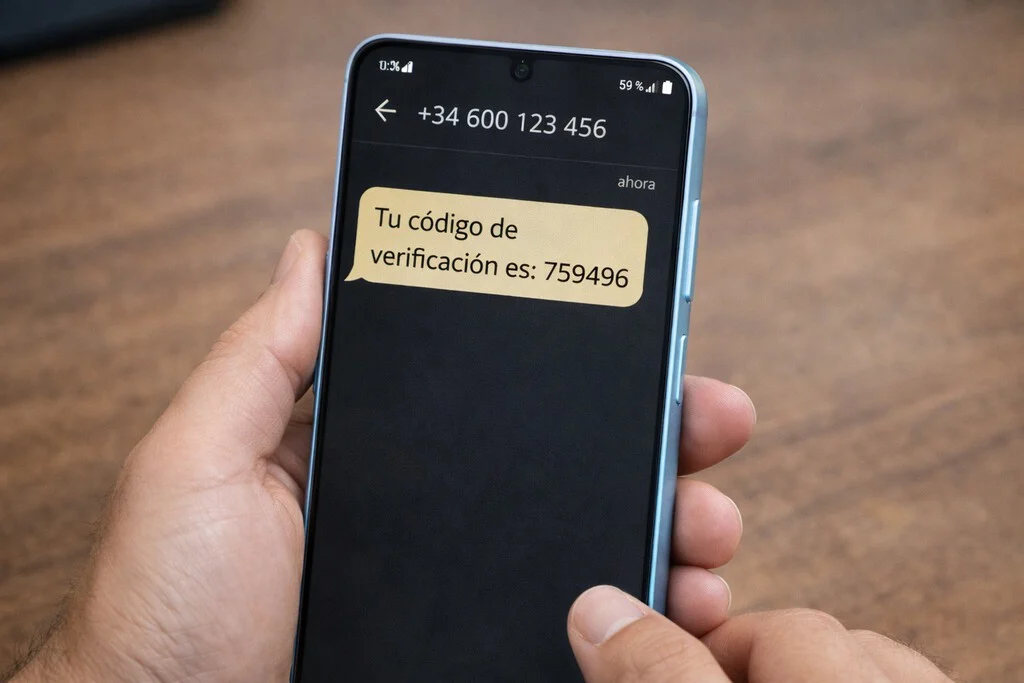

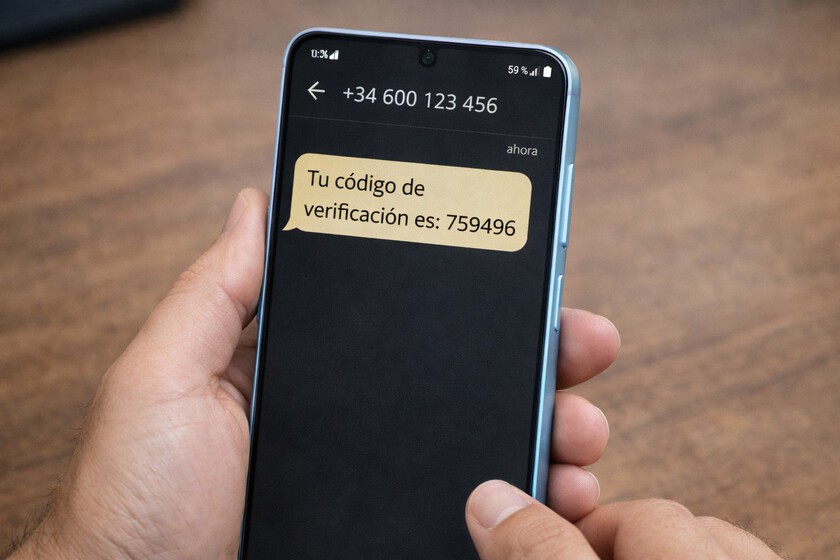
The digital landscape of the 21st century relies heavily on secure authentication methods, and SMS verification codes, also known as One-Time Passwords (OTPs), have emerged as a cornerstone of this security architecture. From banking transactions and social media logins to e-commerce purchases and password resets, these ephemeral codes are critical for confirming user identity and safeguarding sensitive data. The sudden absence of an expected verification code, therefore, transcends mere inconvenience, often halting critical processes and raising immediate concerns about security and access. While an immediate inclination is to point fingers at the cellular provider, attributing the problem to network outages or service limitations, a comprehensive analysis reveals that a significant proportion of these incidents originate within the user’s own device, hidden in plain sight within settings, applications, or even physical hardware. Industry studies, for instance, estimate that while network-related issues account for a substantial portion of SMS delivery failures, upwards of 30-40% of unreceived messages can be traced back to user device configurations or software glitches. This necessitates a more methodical approach to troubleshooting, one that empowers users to diagnose and often resolve these issues independently before escalating to external support channels.
The Pervasive Role of SMS Verification in Modern Security
The widespread adoption of SMS verification stems from its simplicity and accessibility. Nearly every mobile phone user possesses an active phone number, making SMS a universal channel for delivering time-sensitive authentication data. This method is a primary component of two-factor authentication (2FA), a security measure designed to protect user accounts by requiring two different forms of identification before granting access. Beyond security, SMS is also integral to account recovery, transaction confirmations, and various service notifications. Its importance cannot be overstated in an era where digital identities are constantly under threat. The reliance on this technology, however, also exposes a vulnerability: any disruption in SMS delivery can have far-reaching consequences, potentially locking users out of essential services or delaying critical transactions. Financial institutions, for example, heavily leverage SMS OTPs for verifying card payments and online banking logins. E-commerce platforms use them for order confirmations and secure checkout. Social media giants employ them for new account registrations and password resets. The ecosystem of digital interaction is deeply intertwined with the reliability of SMS delivery, making every unreceived code a potential point of friction and frustration.
Initial Diagnostics: Beyond the Network Operator
When a verification code fails to arrive, the natural assumption is often a network problem. While mobile network operators (MNOs) are indeed responsible for the vast infrastructure that enables SMS transmission, their role is but one piece of the puzzle. Common operator-side issues include temporary network congestion, localized outages, incorrect SIM card provisioning, or issues with the Short Message Service Center (SMSC), which is the network element responsible for storing and forwarding SMS messages. International routing of SMS can also be complex, involving multiple carriers and gateways, each a potential point of failure. However, a systematic approach begins closer to home, with the device itself. Mobile phones are intricate systems, and various internal factors can silently intercept, block, or delay the delivery of messages, particularly those from automated senders or short codes commonly used for verification purposes.
Deep Dive into Device-Side Culprits
The journey of an SMS verification code from the sender to the user’s inbox involves several stages, and a failure at any one of these can prevent its successful delivery. Understanding these potential roadblocks within the mobile device is crucial for effective troubleshooting.
1. Blocking Mechanisms and Filters:
One of the most common, yet often overlooked, reasons for not receiving verification codes is an active blocking mechanism on the phone. Modern smartphones come equipped with sophisticated features designed to filter unwanted communications, including spam calls and messages.
- Manual Blocking Lists: Users can inadvertently add short codes or unknown numbers, which are frequently used by verification services, to their personal blocking lists. This could have happened months or even years prior, perhaps during a period of unwanted marketing messages, and then forgotten. Checking the "Blocked Numbers" or "Spam" sections within the phone’s default dialer application (e.g., the ‘Phone’ app on Android or iOS) and the messaging application (e.g., ‘Messages’ app) is a critical first step. These lists can silently prevent messages from specific senders from ever reaching the inbox.
- Automated Spam Filtering: Both operating systems (Android and iOS) and specific messaging applications (like Google Messages) employ intelligent algorithms to detect and filter potential spam. While highly effective against malicious or unsolicited messages, these filters can occasionally misidentify legitimate verification codes, especially those from unfamiliar short codes or new service providers, as spam. Users should diligently check their spam or junk folders within their messaging app, as a critical verification code might be languishing there, awaiting manual approval.
- Do Not Disturb and Focus Modes: While not directly blocking messages, features like "Do Not Disturb" (DND) or "Focus Modes" (on iOS and increasingly on Android) can suppress notifications for incoming messages. This can create the illusion that a message hasn’t arrived, when in fact, it has been delivered but silently routed without an alert. Temporarily disabling these modes can help confirm if they are interfering with notification delivery.
2. Messaging Application Configuration and Permissions:
The messaging application itself plays a pivotal role in SMS delivery. Its correct configuration and appropriate permissions are paramount.
- Default Messaging App Conflicts: Android devices offer users the flexibility to choose their default SMS application (e.g., Google Messages, Samsung Messages, or third-party apps like Signal). If a user has recently switched default apps or if there’s a conflict between two installed messaging applications, SMS delivery can become erratic. It is crucial to ensure that only one application is designated as the default SMS handler and that it is functioning correctly. A simple test involves setting a widely supported app (like Google Messages) as the temporary default and re-requesting the code.
- Permission Revocation: Messaging apps require specific permissions to function correctly, notably access to "SMS," "Phone," and sometimes "Contacts." If these permissions have been inadvertently revoked or were never granted upon installation, the app may be unable to receive or display incoming messages. Navigating to the app settings (Settings > Apps > [Your Messaging App] > Permissions) and ensuring all necessary permissions are granted is a vital troubleshooting step.
- Cache and Data Corruption: Like any software application, messaging apps can accumulate corrupted cache files or encounter temporary glitches that impede their functionality. Forcing a stop to the application, clearing its cache, and then restarting the phone can often resolve these transient software issues. This process essentially gives the app a "fresh start" and reinitializes its connection to the system’s messaging services.
- RCS vs. SMS Ambiguity (Google Messages): Google Messages integrates Rich Communication Services (RCS), an advanced messaging protocol that offers chat-like features over data connections. While beneficial, this integration can sometimes lead to confusion. If the phone’s data connection is unstable, or if there’s a misconfiguration between the RCS and traditional SMS channels, a verification code intended as a standard SMS might get delayed or lost if the system attempts to route it through the RCS channel first. Users experiencing issues with Google Messages might consider temporarily disabling RCS features in the app settings to force SMS-only delivery for testing purposes.
3. SIM Card and Network Settings Integrity:
Even when device software appears fine, the physical SIM card and underlying network configurations can be sources of problems.
- SIM Card Issues: A physically damaged, improperly inserted, or inactive SIM card can prevent the phone from registering correctly with the network, thereby inhibiting SMS reception. Users should carefully eject and re-insert their SIM card, ensuring it is clean and securely seated in its tray. For dual-SIM phones, verifying that the correct SIM is designated as the primary for SMS messages is essential, especially if alternating between personal and work lines.
- Network Settings Reset: Over time, network settings (such as Access Point Names or APNs, Wi-Fi, and Bluetooth configurations) can become corrupted. Resetting these settings to their default values can often resolve underlying connectivity issues that affect SMS delivery. This option, usually found under "System" or "General Management" in phone settings, effectively wipes clean all network-related configurations, forcing the phone to re-establish a fresh connection with the cellular network.
- Airplane Mode Toggle: This simple yet surprisingly effective trick forces the phone to disconnect completely from all wireless networks (cellular, Wi-Fi, Bluetooth) and then reconnect. Toggling airplane mode on for 10-15 seconds and then off can often resolve minor network registration glitches, prompting the phone to re-authenticate with the nearest cellular tower and, in doing so, potentially trigger the delivery of pending SMS messages.
Broader Implications and User Empowerment
The inability to receive SMS verification codes extends beyond personal inconvenience, touching upon significant security and operational implications. For individuals, being locked out of an account due to a missing OTP can lead to stress, missed opportunities, and even financial losses if time-sensitive transactions are involved. From a broader perspective, the reliability of SMS verification impacts the digital trust ecosystem. Businesses that rely heavily on SMS for critical communications face increased customer service inquiries and potential reputational damage when these messages fail to arrive. This underscores the need for robust, multi-channel authentication strategies, including the promotion of authenticator apps or biometric verification where possible, to supplement or, in some cases, replace SMS-based OTPs. Cybersecurity experts consistently advocate for diversifying authentication methods to mitigate single points of failure.
A Systematic Troubleshooting Chronology
To empower users to effectively tackle the problem of unreceived verification codes, a systematic, step-by-step diagnostic process is recommended:
- Immediate Checks (Blocking & Spam):
- Open your phone’s "Phone" app and check the "Blocked Numbers" list.
- Open your default messaging app and check the "Spam" or "Junk" folder.
- If using a specific feature like "Do Not Disturb" or "Focus Mode," temporarily disable it.
- Messaging App Integrity:
- Confirm which app is set as your default SMS application (Settings > Apps > Default apps > SMS app). Ensure it’s an app you trust and actively use.
- Verify that your default messaging app has all necessary permissions (SMS, Phone, Contacts) enabled (Settings > Apps > [Your Messaging App] > Permissions).
- Force close the messaging app (Settings > Apps > [Your Messaging App] > Force Stop).
- Clear the app’s cache (Settings > Apps > [Your Messaging App] > Storage > Clear Cache).
- Restart your entire phone.
- Network Re-establishment:
- Toggle "Airplane Mode" on for 15 seconds, then off.
- Carefully remove your SIM card, inspect it for damage, clean it gently, and re-insert it securely.
- If you have a dual-SIM phone, ensure the correct SIM is selected for SMS messages.
- Reset your network settings (Settings > System/General Management > Reset > Reset Wi-Fi, mobile & Bluetooth/Reset Network Settings). Be aware this will remove saved Wi-Fi passwords and Bluetooth pairings.
- Operator and Service Provider Contact:
- If, after all these steps, verification codes still do not arrive, it is time to contact your mobile network operator. Inquire if there are any network issues in your area, restrictions on your line for short code messages, or provisioning errors with your SIM.
- If the issue is specific to codes from a particular service (e.g., a bank), also contact that service provider to confirm their SMS gateway is functioning correctly and that your number is correctly registered in their system.
Conclusion
The seemingly simple act of receiving an SMS verification code is underpinned by a complex interplay of hardware, software, and network infrastructure. While it is tempting to immediately attribute any failure to the mobile network operator, a significant portion of these frustrating incidents can be resolved by systematically checking and adjusting settings within the user’s own device. From overlooked blocking lists and misconfigured messaging apps to subtle SIM card issues and network glitches, the culprits are often closer than anticipated. By understanding these potential points of failure and adopting a structured troubleshooting approach, users can regain control over their digital security and connectivity, reducing reliance on external support and minimizing the disruption caused by these critical, yet sometimes elusive, verification messages. This empowers users to become proactive participants in maintaining their digital lifeline, rather than passive recipients of an unpredictable service.
