
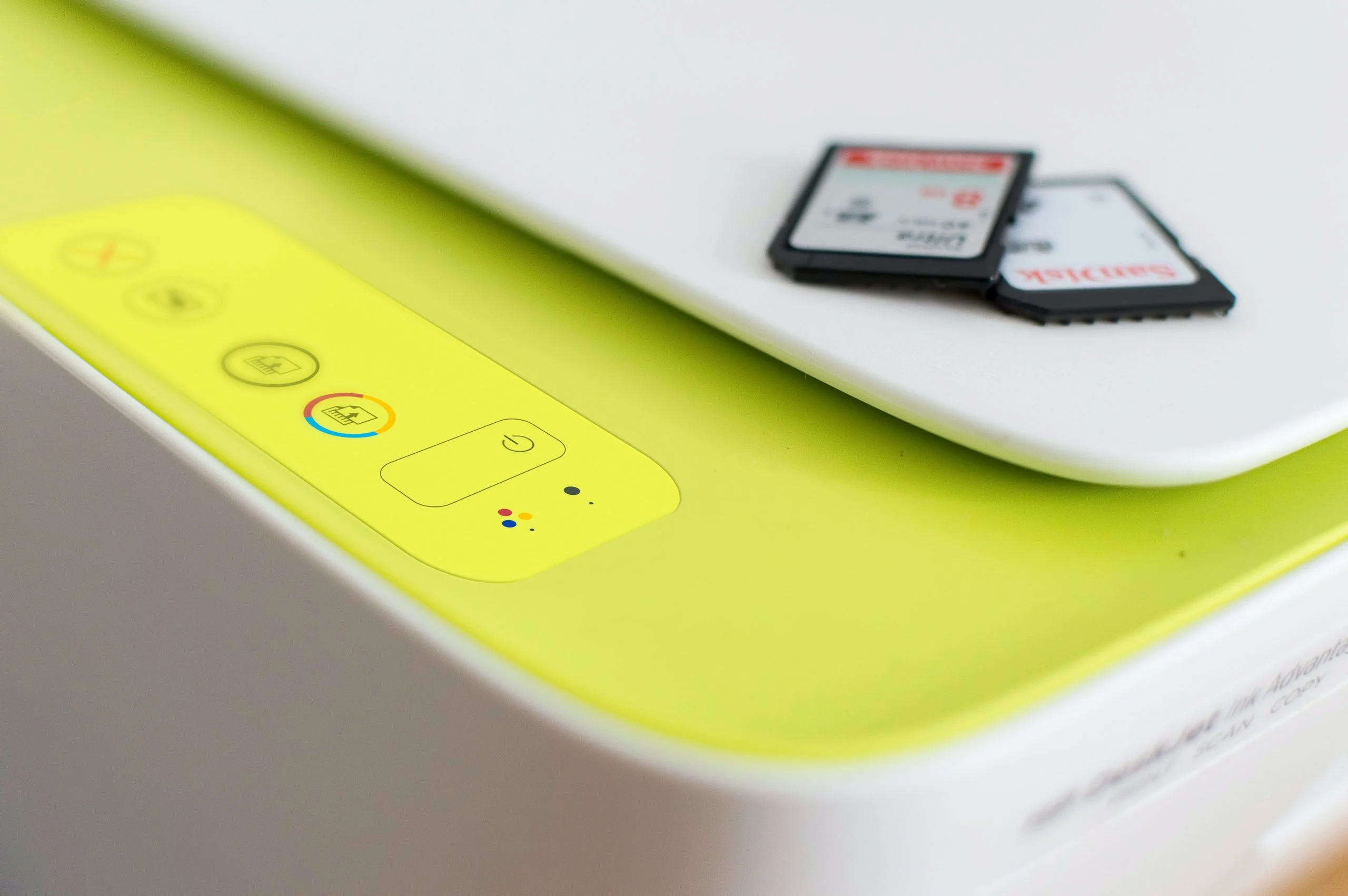

A print server acts as a crucial intermediary, consolidating and managing print requests from numerous devices across a network and efficiently directing them to the appropriate printers. This centralized approach eliminates the need for individual printer connections to each computer, thereby streamlining the printing workflow and optimizing resource utilization. Understanding the purpose, features, and operational nuances of a print server is paramount for organizations aiming to enhance their printing capabilities and maximize the value of their printing infrastructure. This comprehensive analysis delves into the necessity of print servers, explores their multifaceted features and functions, addresses common challenges, and highlights their significant advantages.
What Exactly is a Print Server?
At its core, a print server is a dedicated piece of hardware or software designed to establish and maintain network connectivity between multiple printers and the devices that send them print jobs. Instead of each computer establishing a direct link to a printer, users submit their print requests to the print server. The server then intelligently queues, prioritizes, and dispatches these jobs to the designated printer. This architecture is instrumental in simplifying network connections, optimizing bandwidth allocation, and mitigating potential bottlenecks, ensuring that each print job is processed promptly and accurately.
Print servers generally fall into two primary categories based on their connectivity: wired and wireless. Wired print servers typically utilize Ethernet connections, offering robust and reliable performance, particularly in environments where consistent connectivity is critical. Wireless print servers, on the other hand, leverage Wi-Fi technology, providing greater flexibility in placement and reducing the need for extensive cabling.
It is important to note the evolving landscape of print server functionality. Advances in processing power and wireless technologies have led to the integration of print server capabilities into other network devices. Many networked computers can now effectively manage print queues, and an increasing number of modern printers feature built-in print server functionality, often referred to as "network-ready" or "wireless-enabled" printers. However, for large-scale enterprises with complex printing needs, distributed workforces, or multiple geographically dispersed locations, a dedicated hardware print server often remains the most robust and scalable solution.
The Compelling Case for Implementing a Print Server
The strategic implementation of a print server offers a multitude of benefits that contribute to a more efficient, cost-effective, and manageable printing environment. The primary driver for adopting a print server is the consolidation of print management. Rather than IT administrators having to configure and maintain individual printer connections on dozens or even hundreds of workstations, all print-related tasks are centralized through the print server. This significantly reduces the administrative burden, freeing up valuable IT resources for more strategic initiatives.
Furthermore, print servers enhance the efficiency of the printing process itself. By acting as a central queue, they ensure that print jobs are processed in an orderly fashion, preventing conflicts and ensuring that printers are not overwhelmed with simultaneous requests. This queuing mechanism is particularly vital in busy office environments where multiple users may be attempting to print concurrently.
Resource optimization is another key advantage. A print server allows organizations to share a smaller pool of printers among a larger number of users. This can lead to substantial cost savings by reducing the overall number of printers purchased and maintained, as well as decreasing consumables like ink, toner, and paper. The ability to allocate print jobs dynamically also means that printers are utilized more effectively, minimizing idle time.
Security is also a significant consideration. Print servers can be configured with robust security protocols, controlling access to printers and ensuring that sensitive print jobs are handled appropriately. This centralized control is far more effective than managing security settings on individual workstations.
The Mechanics of Print Server Operation
Print servers function as sophisticated intermediaries, bridging the communication gap between computers and printers via a network. They receive print jobs from client devices, store them temporarily in a queue, and then forward them to the designated printer. This buffering capability is crucial, especially when dealing with high-volume printing or when a printer might be temporarily unavailable or busy.
The basic operational flow of a print server can be understood through these steps:
- Job Submission: A user initiates a print command from their workstation. The print job data, along with associated printer commands and settings, is sent over the network to the print server.
- Queueing and Spooling: The print server receives the job and places it into a virtual queue. This process, known as spooling, involves temporarily storing the print job data on the server’s storage (often a hard drive or dedicated memory). This allows the sending workstation to be released from the printing task, enabling the user to continue their work without waiting for the entire print job to complete.
- Job Processing and Prioritization: The print server manages the print queue, typically processing jobs in the order they were received (First-In, First-Out or FIFO). However, many print servers allow for prioritization, enabling urgent jobs to be moved to the front of the queue. The server also interprets the print data and prepares it for the specific printer.
- Job Transmission: Once a printer is available and the job is at the front of the queue, the print server transmits the processed print data to the printer.
- Printer Execution: The printer receives the data and begins the physical printing process.
- Status Monitoring: Throughout this process, the print server monitors the status of the printer and the print job. It can report errors, provide progress updates, and confirm successful completion or failure of a print job.
Effective maintenance of a print server is critical for ensuring sustained optimal performance and longevity. This includes regular software updates to patch security vulnerabilities and introduce new features, diligent monitoring of disk space to prevent spooling issues, proactive management of print queues to clear stalled or failed jobs, and continuous monitoring of printer status to identify and address hardware malfunctions promptly. Preventive maintenance, such as cleaning printer components and replacing wear parts, also plays a vital role. Implementing robust security measures, including strong authentication and access controls, and maintaining regular backups of server configurations and logs are essential for a reliable and secure printing experience.
The Realm of Print Server Software
Print server software is the operational engine that transforms a computer into a dedicated print management hub. This software is responsible for orchestrating the entire printing process, from receiving jobs to distributing them to network printers and diligently monitoring their status. While some operating systems include basic print server capabilities, more advanced features and enhanced management often necessitate dedicated print server software solutions.
A wide array of print server software options are available, each offering a unique set of functionalities tailored to different organizational needs. Common features found in such software include:
- Job Spooling and Queuing: The fundamental ability to temporarily store and manage print jobs.
- Printer Sharing and Management: Enabling multiple users to access a shared pool of printers and providing tools for administrators to configure and manage these printers.
- Print Job Monitoring and Reporting: Providing real-time visibility into print activity, including job status, user activity, and printer usage statistics. This data is invaluable for troubleshooting and capacity planning.
- Access Control and Security: Implementing user authentication, permissions, and encryption to protect sensitive print data and prevent unauthorized access.
- Print Cost Management: Tracking print volumes and associated costs, often allowing for chargebacks or the implementation of printing policies to reduce unnecessary printing.
- Remote Administration: Allowing IT administrators to manage the print server and its connected printers from a remote location, significantly improving efficiency.
- Load Balancing: Distributing print jobs across multiple printers to prevent any single printer from becoming a bottleneck and to optimize overall throughput.
- Direct IP Printing: The ability to send print jobs directly to printers via their IP addresses, bypassing traditional print queues for specific applications or network configurations.
Print server software is particularly beneficial for businesses and organizations that manage multiple network printers but may not possess the extensive IT infrastructure that would warrant a dedicated, high-end print management system. It offers a cost-effective way to enhance print job efficiency, reduce IT support costs associated with printing issues, and bolster network security.
Navigating the Landscape of Printing Protocols
Printing protocols are the fundamental communication standards that govern how computers and printers interact over a network. These established guidelines ensure that print jobs are transmitted accurately and received correctly, facilitating seamless data exchange. While the underlying technology has evolved, several printing protocols remain in widespread use, each with its own set of advantages and disadvantages.
The most commonly encountered printing protocols include:
- Line Printer Remote (LPR): A relatively simple and long-standing protocol, LPR is still widely used due to its ease of implementation. Its primary advantage lies in its straightforward nature. However, for large or complex print jobs, LPR can be comparatively slow, leading to longer waiting times.
- Internet Printing Protocol (IPP): Representing a more modern and feature-rich approach, IPP offers enhanced capabilities over LPR. It supports advanced features such as real-time job status monitoring, the ability to cancel print jobs remotely, and more robust security options. While more complex to configure than LPR, its advanced functionality makes it a preferred choice for many contemporary networks.
- Server Message Block/Common Internet File System (SMB/CIFS): Primarily utilized within Windows networks, SMB/CIFS is known for its ease of use and seamless integration with Windows operating systems. It simplifies file and printer sharing in these environments. However, compared to LPR or IPP, its capabilities might be considered less powerful for highly demanding print management scenarios.
- JetDirect (also known as Raw): Developed by Hewlett-Packard (HP), JetDirect is a proprietary protocol that has gained significant popularity, particularly with HP printers. It is renowned for its speed and reliability in transmitting print data. However, its proprietary nature means it may not be as universally supported as open standards like LPR or IPP, potentially limiting its compatibility with non-HP devices.
- Transmission Control Protocol/Internet Protocol (TCP/IP): While not strictly a printing protocol itself, TCP/IP is the foundational networking protocol suite upon which many printing protocols operate. It provides a reliable mechanism for data transmission over both wired and wireless networks. Its widespread support and robustness make it an essential component for modern network printing.
Beyond these widely adopted protocols, specialized printing protocols exist for niche applications. These often cater to specific needs, such as printing to large-format plotters, industrial printers, or directly to mobile devices, offering tailored functionalities for these unique use cases.
| Protocol | Description | Advantages | Disadvantages |
|---|---|---|---|
| LPR | Simple protocol, widely used. | Easy to use. | Slow for large print jobs. |
| IPP | Newer protocol, offers more features. | Supports job status monitoring and cancellation. | More complex than LPR. |
| SMB/CIFS | Simple protocol, easy to use. | Easy to use for Windows networks. | Not as powerful as LPR or IPP. |
| JetDirect | Proprietary protocol, popular for HP printers. | Fast and reliable. | Not as widely supported as LPR or IPP. |
| TCP/IP | Reliable protocol for wired and wireless networks. | Widely supported. | More complex than LPR or SMB/CIFS. |
Addressing Common Print Server Challenges and Troubleshooting
Despite their inherent benefits, print servers can encounter various issues that may disrupt the printing workflow and frustrate users. Proactive identification and resolution of these problems are crucial for maintaining a consistently effective and seamless printing environment.
Network Connectivity Issues: When users report an inability to print, the first point of investigation should be network connectivity. This involves verifying that the print server is physically and logically connected to the network. Administrators should confirm that the print server has been assigned a valid IP address and that network cables are securely connected and free from damage. Network diagnostics tools can help pinpoint connectivity failures.
Print Job Failures: A common symptom of print server problems is the occurrence of print job failures. These can stem from a variety of causes, including incorrectly configured printer settings on the server, malformed print data that the printer cannot interpret, or insufficient storage space on the print server to spool the job. To address these failures, administrators should examine the print queue for any jobs that are stuck or marked as failed. Terminating these stalled jobs can often free up resources and allow subsequent jobs to process correctly. Reviewing printer driver configurations and ensuring compatibility between the driver and the printer model is also essential.
Print Queue Management: Inefficient management of the print queue can lead to significant delays and an accumulation of print jobs. Keeping a close eye on the print queue is vital. Regularly scheduled reviews, coupled with the ability to quickly cancel or restart stalled or problematic print jobs, are key to maintaining workflow efficiency. For high-volume environments, automated scripts or software solutions can assist in managing large queues.
Security Vulnerabilities: Print servers, like any network-connected device, can be susceptible to security threats, potentially exposing sensitive or confidential data. It is imperative to keep the print server’s operating system and all associated printer drivers updated with the latest security patches. Implementing strong, unique passwords for accessing the print server and the network is a fundamental security practice. Furthermore, employing firewalls and other robust network security tools to protect the print server from unauthorized access and malicious attacks is paramount. Regular security audits and vulnerability assessments can help identify and mitigate potential risks.
The Bottom Line: Print Servers as Pillars of Modern Printing
In the intricate tapestry of modern network printing systems, print servers have emerged as indispensable components, particularly within larger organizations. They are the linchpins for effective print job management, providing centralized control over printer resources and significantly enhancing security protocols. Whether implemented as dedicated hardware appliances or through the strategic deployment of specialized software applications on existing servers, print servers streamline complex printing processes, reduce overall IT overhead costs, and enable seamless, reliable printing across diverse network configurations. Their ability to consolidate management, optimize resource allocation, and bolster security makes them a foundational element for any organization serious about efficient and secure printing operations.
For organizations seeking to further optimize their server infrastructure management, exploring leading server management tools can provide significant advantages. These solutions, often hand-picked and reviewed by industry experts, can offer enhanced capabilities for monitoring, automation, and security, complementing the role of print servers in a comprehensive IT strategy.
