
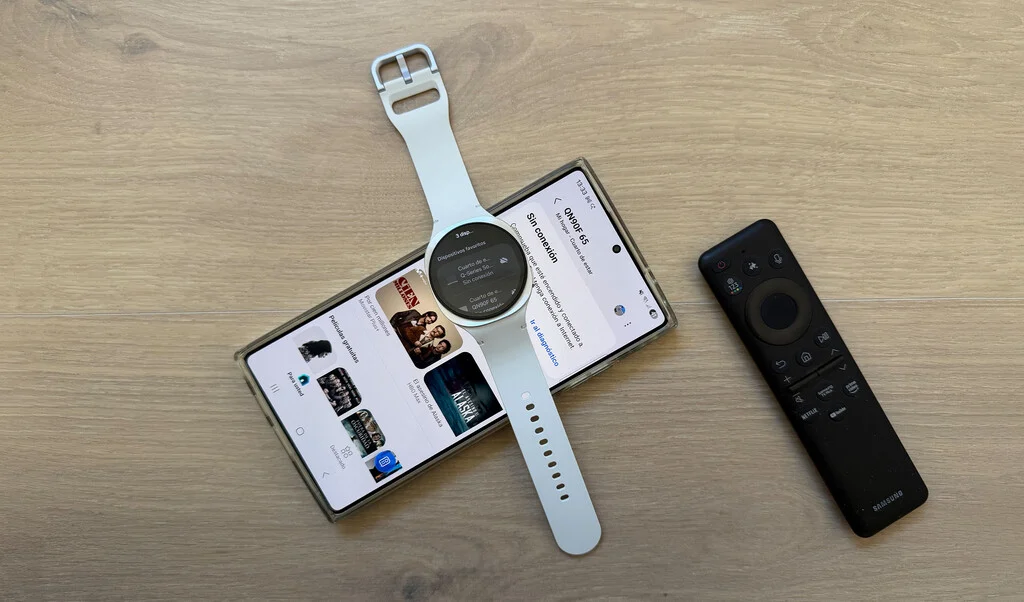

The ubiquitous challenge of the elusive television remote control has long plagued households, interrupting viewing experiences and prompting frantic searches. Whether it’s the sudden blare of commercials necessitating an immediate volume adjustment, or the simple desire to switch channels, the missing remote remains a common source of domestic frustration. While many Samsung Galaxy smartphone users are already familiar with the convenience of transforming their mobile device into a remote, a less-publicized but equally powerful solution lies discreetly on the wrist of Galaxy Watch owners: the wearable device itself can serve as a comprehensive smart home controller.
This remarkable capability is facilitated by the deep integration of Samsung’s smartwatches with its SmartThings ecosystem, a platform designed to connect and control a vast array of smart devices. Far beyond its acclaimed health monitoring functionalities—which include advanced features like sleep apnea detection and mental health insights—the Galaxy Watch is evolving into a central hub for smart living. This expansion into home control represents a strategic pivot for Samsung, enhancing the utility of its wearables and offering users unparalleled convenience, often without the need to even reach for a smartphone.
The Enduring Frustration of the Lost Remote: A Universal Experience
For decades, the remote control has been an indispensable yet perpetually misplaced item in homes worldwide. Its small size, combined with the often-cluttered environment of a living room, makes it prone to disappearing between sofa cushions, under magazines, or into the hands of a mischievous pet. A 2022 survey by OnePoll found that the average American spends 2.5 days a year searching for lost items, with TV remotes consistently ranking among the most frequently misplaced objects. This seemingly minor inconvenience can escalate into genuine frustration, particularly when urgent actions are required, such as muting an unexpected phone call or taming the jarring volume surge of commercial breaks—a common complaint that has even led to regulatory considerations in some regions regarding ad volume levels.
The advent of smart TVs brought with it the promise of app-based remote controls on smartphones. Indeed, Samsung Galaxy phones have long offered this functionality, providing a digital alternative to the physical remote. However, even smartphones, despite their larger screens and more comprehensive controls, are not immune to being misplaced or simply being out of reach when needed. They, too, can slip between sofa cushions or be left in another room, rendering their advanced capabilities temporarily moot. This is where the Galaxy Watch presents a compelling advantage: it is almost invariably on the user’s wrist, making it the most accessible control point in a smart home setup.
SmartThings: Samsung’s Vision for a Connected Lifestyle
At the core of this seamless integration lies Samsung’s SmartThings platform. Launched in 2012 and acquired by Samsung in 2014, SmartThings has grown into one of the most robust and widely adopted Internet of Things (IoT) ecosystems globally. Its mission is to connect disparate smart devices—from TVs and refrigerators to lights, thermostats, and security cameras—under a single, intuitive control interface. This platform allows users to manage their smart home devices from a central app on their smartphone, tablet, or increasingly, their smartwatch.
Samsung’s investment in SmartThings is a cornerstone of its broader strategy to create a hyper-connected living experience. The company envisions a future where all its devices, from consumer electronics to home appliances, work in harmony, intelligently anticipating and responding to user needs. As of 2023, SmartThings boasted over 280 million registered users and compatibility with thousands of devices from hundreds of brands, solidifying its position as a dominant force in the smart home market. This extensive ecosystem provides the foundational infrastructure for the Galaxy Watch to extend its utility beyond personal health and communication into comprehensive home management.
The Evolution of the Galaxy Watch: Beyond Health and Fitness
The Samsung Galaxy Watch series has historically been celebrated for its pioneering health and fitness tracking capabilities. Early models focused on step counting, heart rate monitoring, and workout tracking. Subsequent generations introduced advanced features like ECG, blood pressure monitoring, body composition analysis, and sophisticated sleep tracking. Recent updates have further expanded its health mandate, with Samsung actively developing features for mental health support and early detection of serious conditions such as dementia and sleep apnea. These continuous advancements underscore Samsung’s commitment to making the Galaxy Watch a vital tool for personal well-being.
However, the integration with SmartThings marks a significant expansion of the watch’s role. It transitions the device from a purely personal health and communication tool to an active participant in the broader smart home environment. This strategic move aligns with the industry trend of wearables becoming more versatile, serving as central control points for an increasingly interconnected digital life. By enabling TV control, Samsung is not just adding a new feature; it is enhancing the core value proposition of the Galaxy Watch, positioning it as an indispensable gadget for modern living.
Seamless Setup: Transforming Your Watch into a Remote
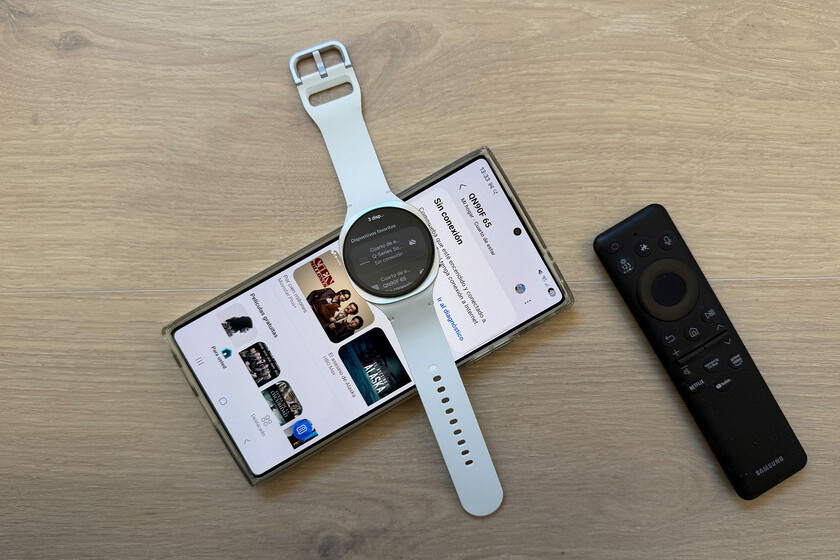
The process of enabling your Galaxy Watch to control your Smart TV is remarkably straightforward, leveraging existing Samsung infrastructure. It primarily relies on three components: your Galaxy smartphone, your Galaxy Watch, and the SmartThings app.
-
Galaxy Phone and Watch Connection: The foundational step involves ensuring your Galaxy Watch is properly paired and connected to your Galaxy smartphone via the Samsung Wear app. This is typically done during the initial setup of the watch and ensures seamless communication between the two devices. The Samsung Wear app manages watch settings, app installations, and data synchronization.
-
SmartThings Configuration on Smartphone: Next, your Samsung Smart TV (and any other SmartThings-compatible devices like soundbars or smart lights) must be set up and integrated into the SmartThings app on your smartphone. This involves adding devices, assigning them to rooms, and configuring basic settings. This step establishes the digital bridge between your devices and the SmartThings ecosystem. Most modern Samsung Smart TVs are inherently compatible with SmartThings, offering a streamlined setup process.
-
Accessing SmartThings on Galaxy Watch: Once the TV is configured in the phone’s SmartThings app, the functionality automatically extends to the Galaxy Watch. Users simply need to open the SmartThings app directly on their watch. Within the watch app, a list of integrated devices will appear, including the Smart TV. Selecting the TV from this list immediately presents a simplified control interface.
This streamlined setup means that for most existing Samsung users, the capability is already present or requires minimal configuration. The design philosophy emphasizes accessibility and ease of use, making the powerful functionality approachable for a wide user base.
Core Functionality: Essential Controls at Your Wrist
While the compact screen of the Galaxy Watch necessitates a more streamlined interface compared to a smartphone app, Samsung has intelligently prioritized the most frequently used TV controls. The watch interface provides immediate access to:
- Power On/Off: The most fundamental control, allowing users to switch their TV on or off with a single tap.
- Volume Adjustment: Intuitive buttons for increasing or decreasing the volume, crucial for reacting to loud commercials or adjusting to ambient noise.
- Channel Navigation: Simple controls to switch between channels, catering to traditional broadcast TV viewing.
These core functionalities are more than sufficient for the vast majority of immediate interactions with a television. While a smartphone app might offer granular controls over picture modes, sound profiles, or smart hub navigation, these are typically less urgent and performed less frequently. The watch excels in providing quick, on-the-spot adjustments, precisely when the physical remote is out of reach or the smartphone is otherwise occupied.
Advanced Interaction: The Power of Gestures and Bezel Control
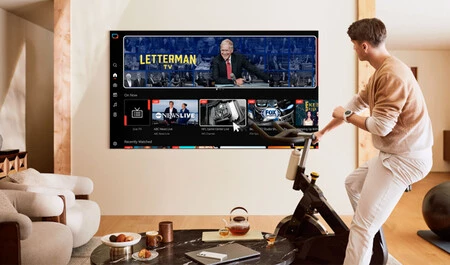
For users with newer Samsung Smart TVs featuring advanced AI capabilities like Vision AI, and more recent Galaxy Watch models such as the Galaxy Watch7 or Galaxy Watch8, the control options extend beyond simple taps to include intuitive gesture controls. These innovations leverage the sophisticated sensors within the watch and the AI processing power of the TV to offer a more immersive and hands-free interaction experience.
- Cursor Movement (Wrist Motion): By simply moving the wrist on which the watch is worn, users can guide a cursor across the TV screen. This mirrors the functionality of a motion-controlled remote, providing precise navigation without physical contact.
- Selection (Pinch Gesture): To select an option highlighted by the cursor, users can perform a simple "pinch" gesture by bringing their index finger and thumb together. This mimics a click, offering a natural and discrete way to interact with on-screen menus.
- Back Function (Fist Closure): Closing the hand into a fist acts as a "back" command, allowing users to easily navigate out of menus or return to a previous screen. This gesture is quick and unambiguous, enhancing fluidity of control.
- Menu Scrolling (Bezel Control): For Galaxy Watch models equipped with a physical rotating bezel (like the Galaxy Watch8 Classic) or a tactile bezel (available on other compatible Galaxy Watches), scrolling through menus or lists on the TV becomes incredibly intuitive. Rotating the bezel allows for smooth vertical navigation, providing haptic feedback that enhances the user experience.
These gesture controls, especially when combined with Samsung’s Vision AI in newer TVs, represent a significant leap in user interface design. They cater to a desire for more natural, less button-dependent interactions, making the watch an even more powerful and engaging remote control.
The Strategic Advantage: Why a Watch, Not Just a Phone?
The critical differentiator for the Galaxy Watch as a remote control lies in its inherent accessibility. Unlike a smartphone, which can be misplaced, charging in another room, or simply buried under cushions, a smartwatch is typically always worn on the wrist. This "always-on-you" factor provides an immediate and consistent point of control for the smart home.
This design philosophy is not accidental. Samsung’s ecosystem strategy aims to make connectivity ubiquitous and seamless, removing friction from daily interactions. While a smartphone offers a richer interface, the watch offers unparalleled immediacy. Imagine receiving an important call and needing to mute the TV instantly; fumbling for a phone or a physical remote can cause delays. With the watch, a quick tap or gesture is all it takes. This convenience translates into a smoother, less interrupted smart home experience, reinforcing the value of the wearable device beyond its traditional functions.
Samsung’s Vision for a Hyper-Connected Future
This integration of the Galaxy Watch into SmartThings underscores Samsung’s unwavering commitment to its "Connected Living" vision. The company consistently emphasizes creating a harmonious ecosystem where devices communicate intelligently to enhance user convenience and quality of life. By empowering the Galaxy Watch with smart home control, Samsung strengthens its ecosystem, potentially increasing user loyalty and driving further adoption of its smart devices. This also positions Samsung competitively against other major players in the smart home arena, such as Apple’s HomeKit and Google Home, by offering a unique and deeply integrated wearable control solution.
"Our goal is to make technology disappear into the background, seamlessly enhancing daily life," a Samsung spokesperson might emphasize. "The Galaxy Watch, with its constant presence on the user’s wrist, is uniquely positioned to be a central orchestrator of this connected experience, offering immediate control and intuitive interaction with the entire SmartThings ecosystem."
Broader Implications and User Experience
The implications of the Galaxy Watch as a universal smart home controller extend beyond mere TV operation. The SmartThings app on the watch can theoretically control any device integrated into the ecosystem—from adjusting smart lights and thermostats to checking the status of smart appliances or disarming a security system. This significantly enhances the utility of the smartwatch, transforming it into a true command center for the modern home.
For users, this means a new level of convenience and efficiency. It can be particularly beneficial for individuals with mobility challenges, offering an accessible way to control home electronics. While the small screen size might pose a slight learning curve for some, the prioritization of essential controls and the introduction of gesture-based interactions mitigate this. The initial setup, though requiring a smartphone, becomes a one-time process, after which the watch operates independently for basic commands.
Market Trends and Data Insights
The integration of wearables with smart home systems is a growing trend, reflecting the broader convergence of personal technology and home automation. The global smartwatch market is projected to reach nearly $100 billion by 2030, driven by advancements in health tracking, connectivity, and increasingly, smart home integration. Samsung, a leading player in both the smartwatch and smart TV markets, is well-positioned to capitalize on this synergy. The company consistently holds a significant share in the global TV market, with its Smart TVs serving as a primary gateway to the SmartThings ecosystem. As of Q1 2024, Samsung remained a dominant force in the global TV market, underscoring the vast installed base of compatible devices for this watch-based control.
The growing penetration of smart home devices, with projections indicating billions of connected devices globally within the next few years, creates a fertile ground for integrated control solutions like the Galaxy Watch. Users are increasingly seeking simplified interfaces and consolidated control points for their complex smart home setups, a need that the wearable remote effectively addresses.
Security and Privacy in a Connected World
As with any deeply integrated smart home ecosystem, security and privacy are paramount. Samsung employs robust encryption protocols and secure authentication methods within the SmartThings platform to protect user data and device control. Users are advised to maintain strong passwords, enable two-factor authentication, and keep their devices and apps updated to the latest software versions (as seen with regular security patches for devices like the Galaxy Watch7). These measures ensure that while convenience is maximized, the integrity and security of the smart home environment are not compromised.
The Road Ahead: Future Enhancements and AI Integration
Looking forward, the capabilities of the Galaxy Watch as a smart home controller are poised for further expansion. Advancements in artificial intelligence and machine learning could enable more predictive and personalized control. Imagine a watch that learns your viewing habits and automatically adjusts settings or suggests content based on your activity or time of day. Further integration with voice assistants like Bixby or Google Assistant could offer even more hands-free control options directly from the wrist.
The continuous evolution of display technology and battery life in smartwatches will also enhance the user experience, potentially allowing for richer interfaces or more complex command sequences directly from the watch. As Samsung continues to refine its Vision AI for TVs and its sensor technology for wearables, the line between device and controller will become increasingly blurred, leading to an even more intuitive and seamless connected living experience.
In conclusion, the Samsung Galaxy Watch, often celebrated for its health and fitness prowess, is rapidly solidifying its position as an indispensable smart home controller. Through its deep integration with SmartThings, it offers unparalleled convenience for managing smart TVs and other connected devices, addressing the age-old problem of the elusive remote. This strategic evolution underscores Samsung’s commitment to a hyper-connected future, where technology seamlessly enhances daily life, always within reach on your wrist. The next time your TV remote plays hide-and-seek, remember: a powerful alternative, complete with essential controls and advanced gestures, awaits at your wrist.
