
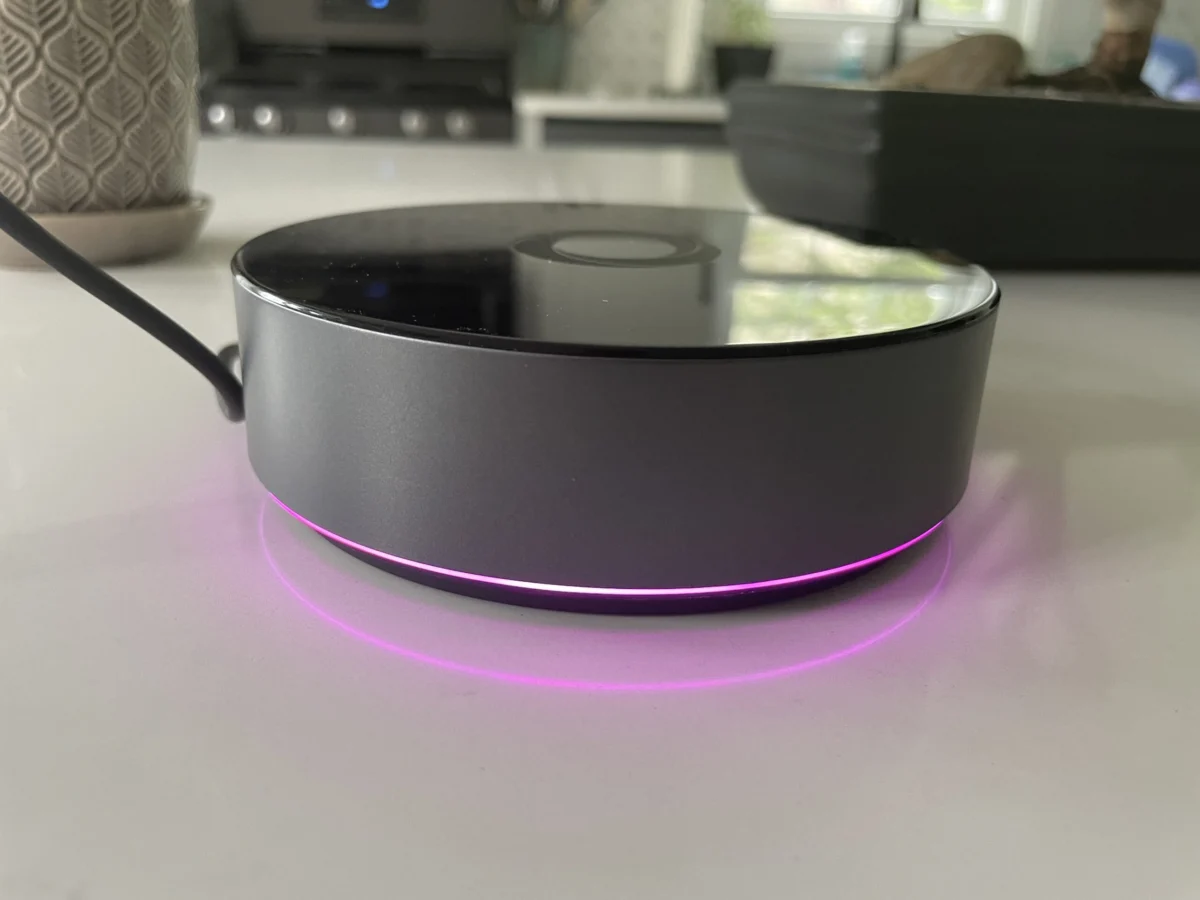

The smart home landscape is continuously evolving, with manufacturers striving to offer more integrated and localized control. Following the earlier release of the $69 Homey Bridge, Athom has officially launched its more robust offering, the $399 Homey Pro, in the United States. This premium smart home hub aims to provide a powerful, locally controlled alternative to cloud-dependent systems. While initial impressions from a previous review of the Bridge model were largely positive, the Homey Pro introduces significant upgrades and a different philosophy, primarily centered around local processing and reduced subscription fees. This review delves into the capabilities and limitations of the Homey Pro, assessing its potential for users with diverse smart home ecosystems.
Enhanced Performance and Local Control
The Homey Pro represents a substantial leap in processing power and memory compared to its more affordable counterpart. Athom claims the Pro boasts 3.5 times more CPU performance than the original 2019 Homey Pro, along with double the storage and memory—8 GB and 2 GB, respectively. This significant upgrade is directly linked to the Pro’s core advantage: its emphasis on local control. Unlike the Homey Bridge, which leans heavily on cloud connectivity, the Homey Pro prioritizes processing smart home commands and automations directly on the device.
This local-first approach offers several key benefits. From a privacy perspective, it means that sensitive data about household routines and device usage remains within the user’s home, reducing reliance on third-party servers. Furthermore, it enhances reliability. In scenarios where internet connectivity is disrupted, the Homey Pro can continue to manage connected devices and execute automations, provided those routines do not inherently depend on external cloud services. This resilience is a critical factor for users seeking a dependable smart home infrastructure.
Core Functionality and Connectivity
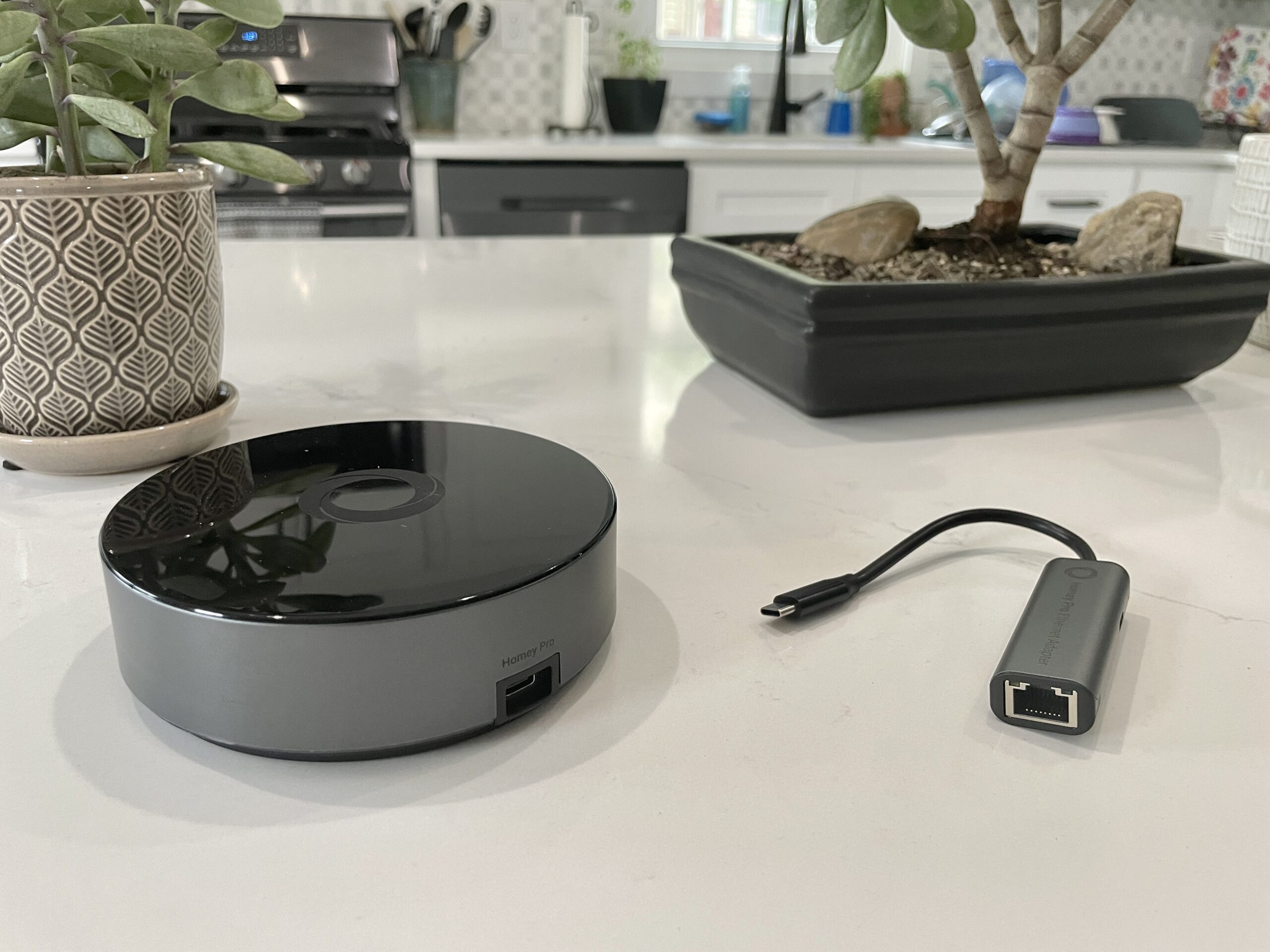
At its heart, the Homey Pro shares much of its fundamental functionality with the Bridge. Both devices enable users to add, manage, and automate smart home devices. The underlying radio technologies are also largely consistent across both models, with the U.S. version of the Homey Pro equipped with Wi-Fi (supporting both 2.4 GHz and 5 GHz bands), Bluetooth, infrared, Zigbee, and Z-Wave.
However, the Homey Pro distinguishes itself with the inclusion of a Thread radio, operating at 833 MHz, which is crucial for the emerging Thread-based smart home devices. This addition signals Athom’s commitment to supporting the latest connectivity standards. Another significant advantage over the Bridge is the removal of the five-connected-device limitation. The Homey Bridge requires a $2.99 monthly subscription for each additional device beyond the initial five. The Homey Pro, on the other hand, incurs no such device-based subscription fees. The only optional subscription offered for the Pro is a $0.99 monthly fee for cloud backups, a feature designed for users who prefer an off-site data redundancy solution.
Seamless Setup and Initial Impressions
The setup process for the Homey Pro mirrors the user-friendly experience noted with the Homey Bridge. Users connect the Pro device via the included USB-C cable and power adapter, download the Homey app onto their smartphone, and proceed through a brief configuration. A particularly commendable aspect of the Homey app’s onboarding is its intelligent approach to home mapping. The app prompts users to specify the number of floors in their residence and then assign rooms to each floor. This detailed spatial organization upfront is a significant advantage over many other smart home platforms, which often require manual room creation and device assignment later in the process, saving considerable time during initial setup.
The Critical Factor: Device Compatibility
While the Homey Pro promises support for over 50,000 devices, the real-world effectiveness of this claim hinges on the specific devices within a user’s smart home. During testing, a notable disparity emerged: despite the extensive claims, the Homey Pro was only able to integrate with approximately half of the devices present in the reviewer’s test environment.

Supported devices included Lutron Caseta switches, Philips Hue bulbs, and Sonos speakers, which responded with near-instantaneous performance. However, a considerable number of other devices failed to integrate. This list includes a Schlage door lock, an Ecobee thermostat, Nanoleaf bulbs and light strips, a Govee electric kettle, Wyze cameras, Eve Home devices, a Logitech video doorbell, and a range of smart plugs.
The reviewer initially attributed the smart plug issue to their Matter certification, anticipating that future Matter support for the Homey Pro would resolve this. However, a clarification from Homey indicated that Matter devices operating over Wi-Fi might be compatible, while those relying on Thread—as was the case with the reviewer’s smart plugs—would not be until broader Thread support is fully implemented. This highlights the nuanced nature of Matter integration and the specific protocols employed by devices.
Further integration challenges were encountered with other brands. While Nanoleaf as a brand is recognized, specific device models were not supported. The reviewer noted that while non-traditional Nanoleaf shapes like triangles and hexagons were recognized, standard Nanoleaf bulbs and smart lights were not. This was again partially attributed to Matter support, but older Nanoleaf Essentials, which are not Matter-certified, also failed to integrate. Similarly, a Meross Garage Door opener and a Cync by GE smart plug (a non-Matter device) lacked direct integrations.
Even established brands presented difficulties. The Schlage Encode Wi-Fi lock, while appearing in the app, failed to connect after authentication. The Govee Wi-Fi kettle integration returned an error message. For Ecobee, only the Ecobee 3 Lite and Room Sensor were listed as compatible, excluding the reviewer’s Ecobee Thermostat Premium and newer sensor. The reviewer mentioned having moved away from most Zigbee and all Z-Wave devices, suggesting that users heavily invested in these protocols might experience better compatibility.

This device support gap is a critical consideration for potential buyers. The Homey website does not prominently feature a comprehensive list of supported product integrations, making it difficult for consumers to verify compatibility before purchase. Homey has since clarified that integrations are available under the "Apps" section of their website. The recommendation for prospective users is to download the free Homey app and thoroughly search for their existing and planned smart home devices within the app’s integration catalog before committing to a Homey Pro purchase.
Developer-Friendly Options and Advanced Features
For users with a technical inclination, the Homey Pro offers a pathway for custom integrations. Through its web interface, users can obtain an API key and access example code for developing their own integrations using JavaScript and Node.js. This suggests that the Homey Pro is architected as a Node.js server, providing a flexible platform for advanced users. While Athom positions these API capabilities for "hobbyists and developers," it represents a powerful feature for those looking to extend the hub’s functionality beyond officially supported devices.
User Experience: The App and Energy Management
Beyond device integration, the Homey Pro’s accompanying mobile application is a significant strength. It presents a modern and intuitive interface, offering access to both basic and advanced smart home controls. The ability to easily assign devices to rooms and floors, though ideally integrated into the initial setup, is a valuable organizational tool.
A particularly noteworthy feature is the Homey Pro’s estimated smart home energy usage monitoring. This feature can be viewed in near real-time and historically. To enable this, users must manually input the wattage of each connected device. While this requires an extra step during setup, it provides valuable insights into energy consumption patterns. The system dynamically adjusts energy usage estimates based on device output, such as dimming lights to 50% and reflecting the corresponding reduction in power draw. Energy data is accessible through both the mobile app and the web interface. The web interface further enhances this by displaying local temperature, barometric pressure, and humidity, adding a layer of environmental monitoring. Homey has also stated that if a device can report its actual electricity usage, the Homey Pro will display and utilize that data.

Powerful Automation with "Flows"
Homey Pro utilizes a system called "Flows" for automations, which bears a strong resemblance to the advanced automation capabilities found in platforms like Home Assistant, rather than the simpler routines offered by major voice assistants. Flows operate on a "When… and… then…" logic, akin to IFTTT but with greater complexity. They support "else" conditions and can trigger other Flows, enabling intricate automation sequences. The reviewer found that setting up Flows was straightforward within the mobile app, and the web interface offers an advanced mode for even more complex logic creation. The web interface also provides full control and viewing capabilities for devices, mirroring the mobile app’s functionality.
Analysis and Implications
The Homey Pro enters a market where many consumers have gravitated towards cloud-dependent smart home ecosystems, often due to perceived ease of use and broader device compatibility. However, the increasing focus on privacy and the desire for resilient, locally controlled systems have created a niche for devices like the Homey Pro. Its comprehensive radio support (Wi-Fi, Bluetooth, Infrared, Zigbee, Z-Wave, and Thread) positions it as a potentially future-proof solution for a wide range of smart home devices.
The $399 price point places the Homey Pro in the premium segment of the smart home hub market. This investment is justifiable for users who prioritize local control, enhanced privacy, and robust automation capabilities. The elimination of recurring device-based subscription fees, a common practice with some competitors, further strengthens its long-term value proposition.
The primary challenge, as identified in this review, is the current state of device compatibility. While Athom claims extensive support, the practical experience suggests that users must meticulously verify compatibility before purchasing. The lack of a readily accessible, comprehensive compatibility list on the company’s website is a significant hurdle. The updates and clarifications from Homey representatives demonstrate a willingness to engage and improve, but the onus remains on the consumer to perform due diligence.

The availability of custom integration options through the API is a compelling feature for developers and power users, offering a level of customization rarely seen in mainstream consumer hubs. This could potentially bridge gaps in official device support over time, driven by the community.
Conclusion: A Promising Hub with a Caveat
The Homey Pro presents a compelling vision for the future of smart home control: a powerful, locally processed hub with broad connectivity and sophisticated automation. Its user-friendly app, energy monitoring features, and advanced Flow system are significant assets. However, its success in the U.S. market will largely depend on Athom’s ability to expand its official device support and clearly communicate compatibility to potential buyers. For consumers with a diverse array of smart home devices, particularly those outside the Zigbee and Z-Wave ecosystems, a thorough check of the Homey app’s device catalog is not just recommended—it is essential. Without this due diligence, the Homey Pro, despite its impressive capabilities, risks becoming an expensive paperweight for a significant portion of a user’s connected home. The market’s shift towards local control is evident, and the Homey Pro is well-positioned to capitalize on this trend, provided its device support catches up to its ambitious potential.
