

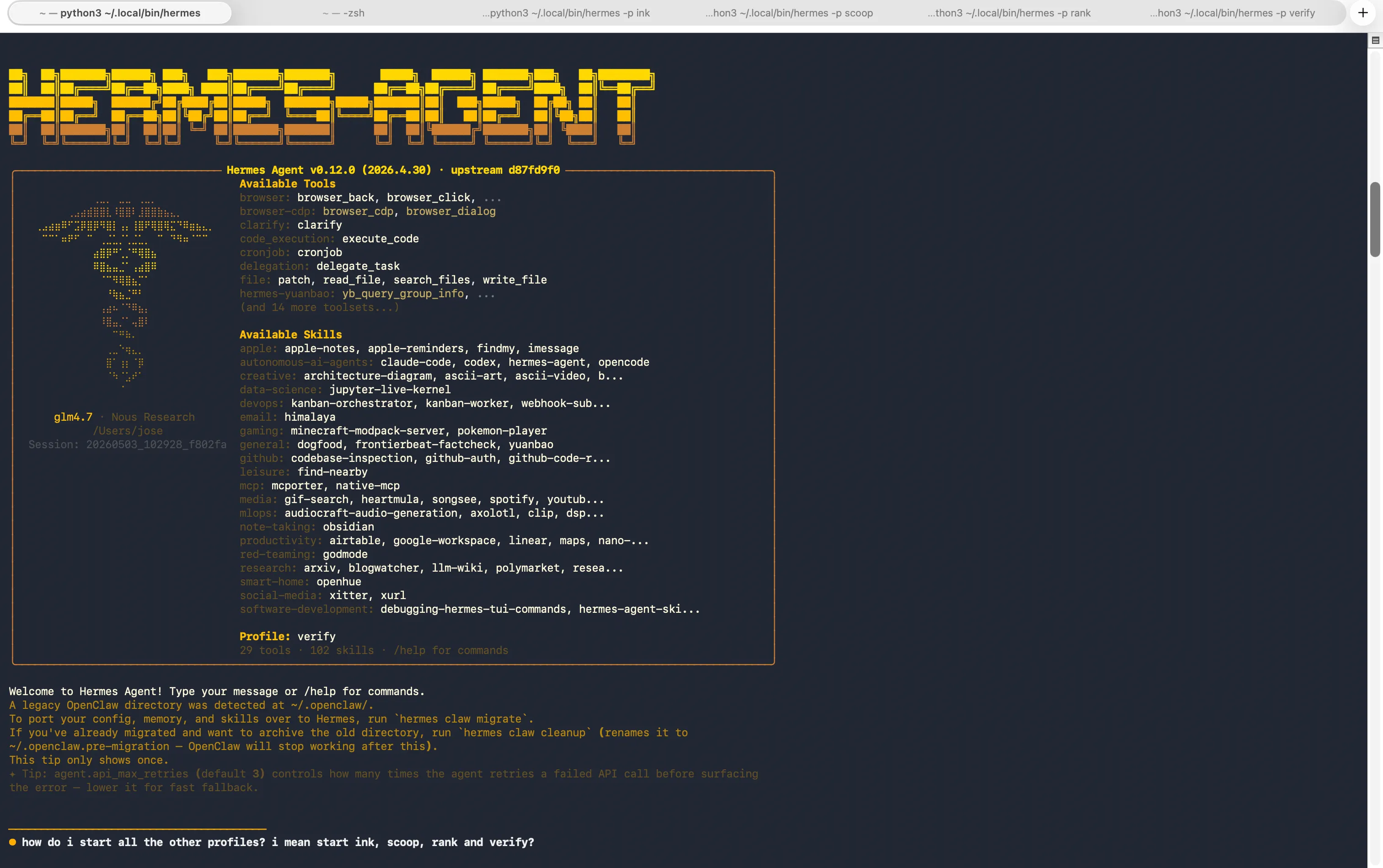
The open-source AI agent, Hermes, has rapidly captured the attention of developers and enthusiasts, evidenced by its impressive trajectory of over 100,000 GitHub stars within a mere ten weeks of its inception. While the core functionality of Hermes—its ability to learn, adapt, and even autonomously develop new skills—is undeniably powerful, many users find themselves grappling with the stark reality of a terminal-centric interface once the initial novelty wears off. This is precisely where the burgeoning community around Hermes has stepped in, creating a diverse and rapidly evolving landscape of user-friendly graphical interfaces (GUIs). These interfaces, developed with remarkable speed and ingenuity, range from sleek, native applications to sophisticated web-based platforms, each offering a distinct approach to managing and interacting with the AI agent. This article explores the four most prominent and promising Hermes GUIs currently available, detailing their unique features, underlying philosophies, and installation processes, and contextualizing their significance within the broader AI development ecosystem.
The Evolution of AI Agent Interaction: From Command Line to Intuitive Interfaces
The initial deployment of sophisticated AI agents like Hermes often relies on command-line interfaces (CLIs) for several strategic reasons. CLIs offer a direct and unadulterated channel to the agent’s core functionalities, facilitating rapid development, debugging, and fine-grained control for experienced users. They also impose fewer overheads, making them ideal for initial proof-of-concept and resource-constrained environments. However, for the broader adoption and integration of these powerful tools into everyday workflows, a more accessible and visually intuitive user experience is paramount. The challenge lies in bridging the gap between the raw power of the AI and the usability expectations of a wider audience, including those without extensive technical backgrounds.

The rapid development of GUIs for Hermes signals a crucial maturation phase for the agent. This proliferation of interfaces is not merely an aesthetic upgrade; it represents a strategic effort to democratize access to advanced AI capabilities, lower the barrier to entry, and unlock new use cases. The community’s response highlights a clear demand for tools that simplify complex AI management, making them more approachable for a wider range of users and applications.
1 Hermes Desktop by Dodo Reach: Native macOS Management and Monitoring
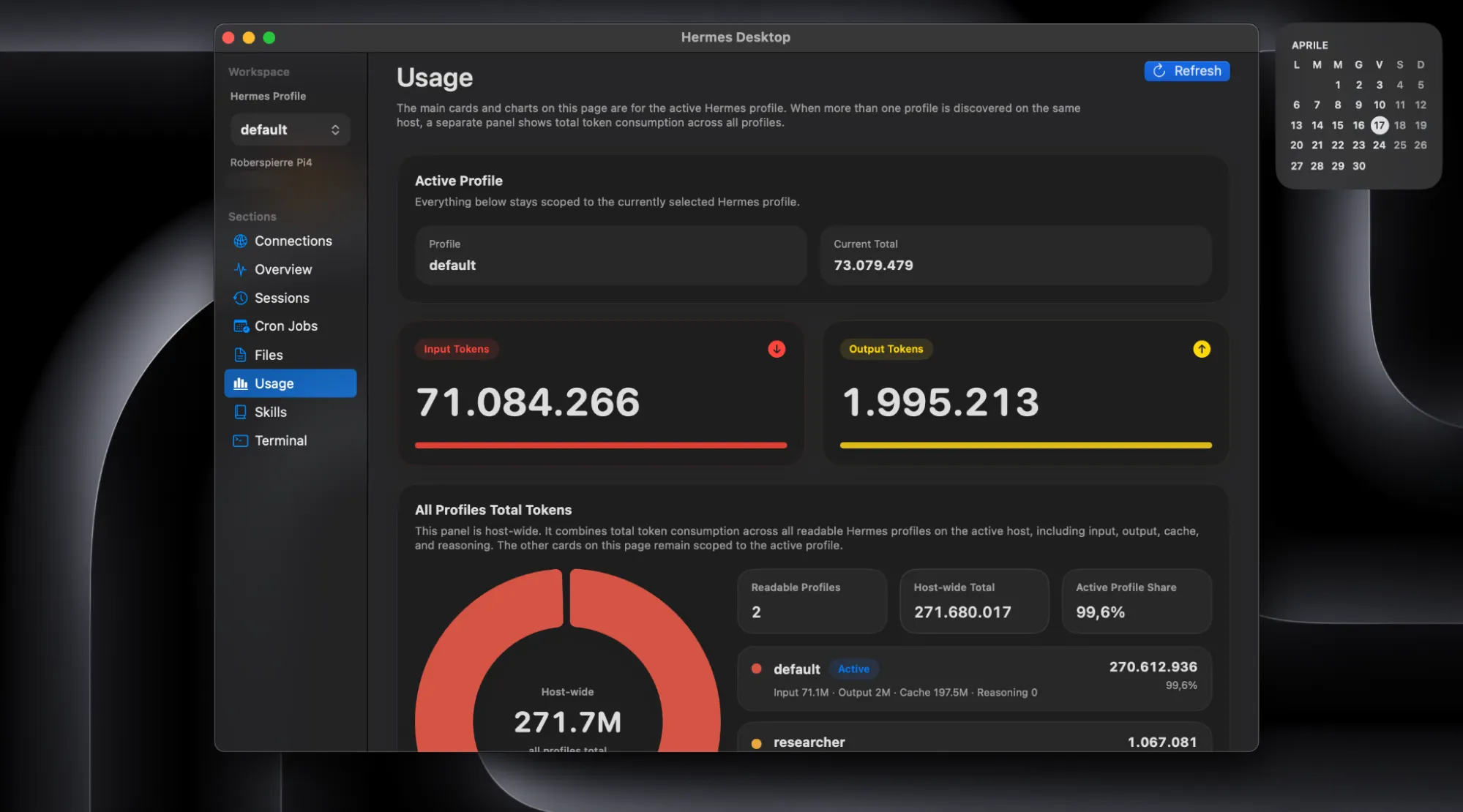
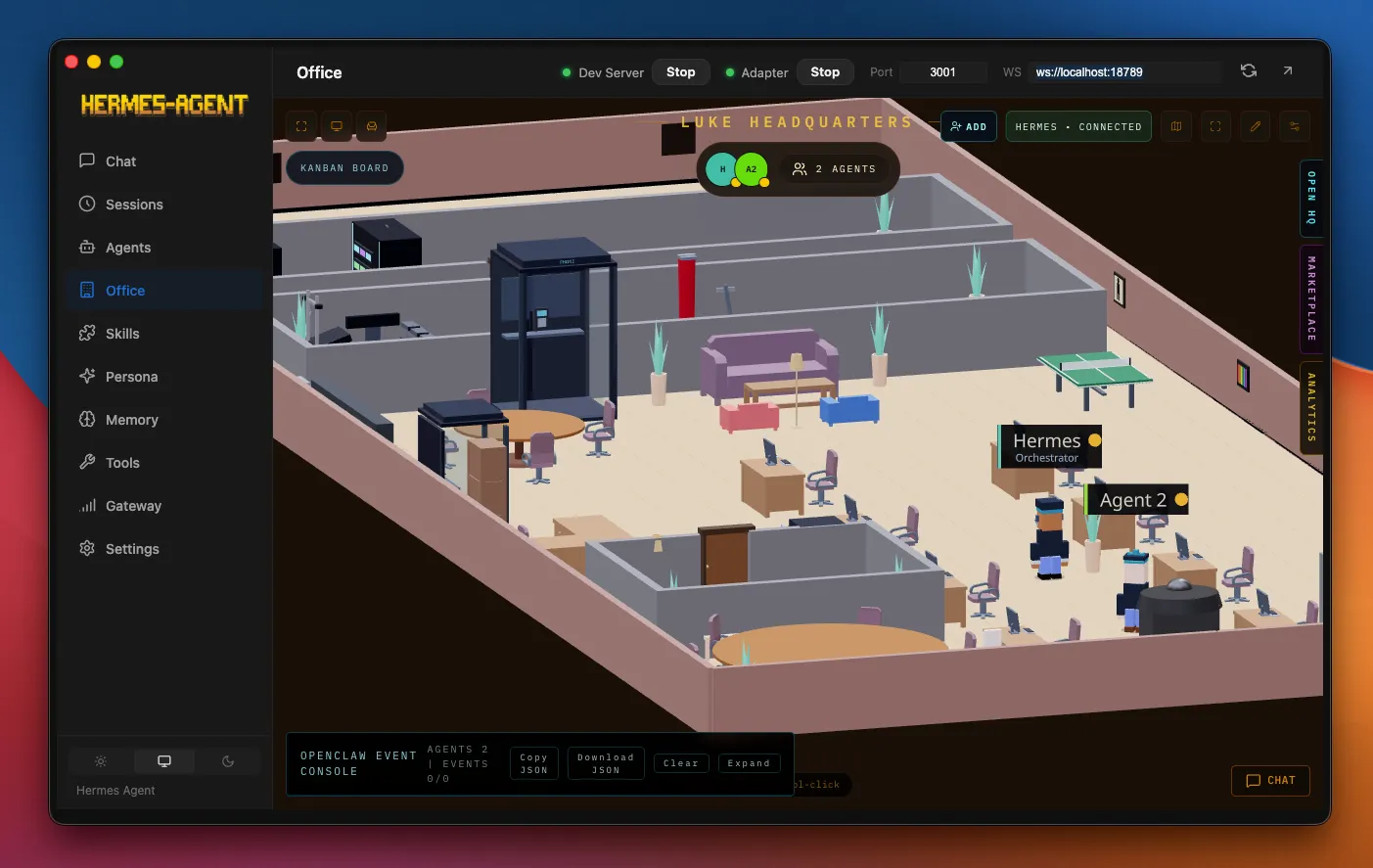
Hermes Desktop, developed by Dodo Reach, presents a sophisticated solution for macOS users seeking a deeply integrated management and monitoring experience for their Hermes agent. Eschewing the traditional chat application paradigm, this interface positions itself as a dedicated companion for orchestrating the agent’s operations. Its core strength lies in its direct, SSH-based communication with the host machine running Hermes. This approach ensures that users are always interacting with live data, free from any intermediary gateway layers or asynchronous synchronization processes that could introduce discrepancies.
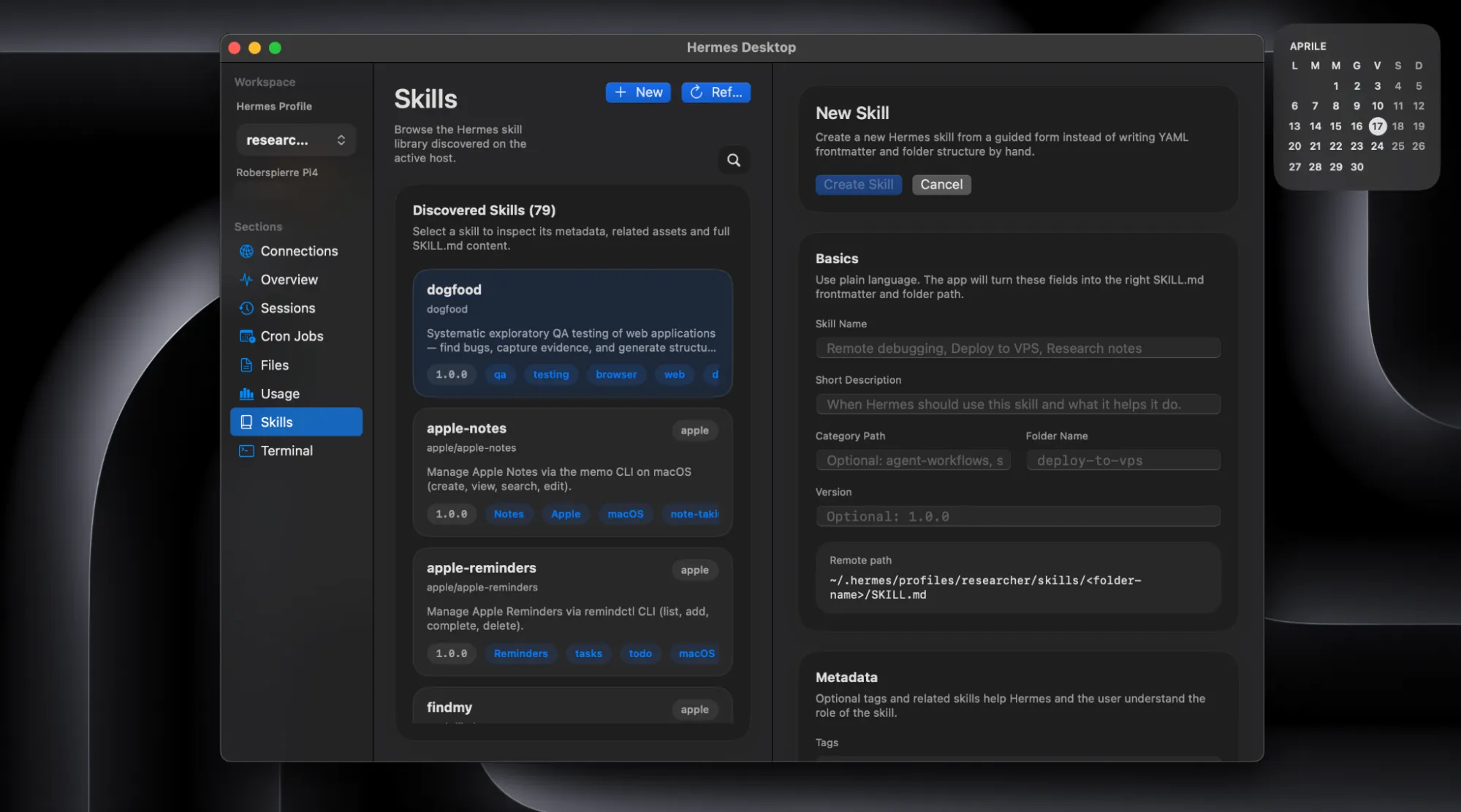
The application provides a comprehensive overview of an active Hermes profile, encompassing session history, token consumption, the agent’s skill library, and scheduled cron jobs. A built-in, multi-tab terminal further enhances its utility, allowing users to execute commands and manage the agent directly within the GUI. Notably, the ability to edit critical configuration files such as USER.md, MEMORY.md, and SOUL.md directly within the app, coupled with a remote conflict check before saving, streamlines the agent’s customization process. Furthermore, Hermes Desktop facilitates the simultaneous management of multiple agents on the same host, ensuring clear differentiation and preventing operational confusion.
The design of Hermes Desktop is a testament to its native macOS focus, exhibiting a fluidity and responsiveness that feels intrinsically aligned with the operating system’s user experience conventions. Recent updates, including version 0.5.0, have introduced robust cron job management and host-wide usage aggregation across profiles, further solidifying its position as a powerful administrative tool.
A significant consideration for users is the absence of a direct chat interface within this particular build. While the integrated terminal offers a functional command-line chat experience, it may not appeal to users prioritizing a conversational UI. For those who value direct control and detailed oversight, the terminal-based interaction, augmented by the contextual information provided by the surrounding interface elements, is a compelling proposition.
It is important to note that, as with many newly developed macOS applications, Hermes Desktop is not yet officially notarized by Apple. This may trigger security warnings upon initial launch. Users can bypass these by right-clicking the application and selecting "Open," or by adjusting their system’s security settings to allow its execution.
Installation:
To install Hermes Desktop, users should navigate to the project’s GitHub Releases page, download the universal build compatible with both Apple Silicon and Intel processors, unzip the archive, and move the application to their Applications folder. A right-click and "Open" command will be necessary for the first launch to address the Gatekeeper warning. Crucially, SSH access to the machine running Hermes is a prerequisite for its operation.
2 Hermes Desktop by Fathah: Rapid Deployment and Cross-Platform Chat Interface
In stark contrast to Dodo Reach’s management-centric approach, Fathah’s Hermes Desktop prioritizes immediate accessibility and a user-friendly chat experience. This version is engineered to guide users from zero to a fully operational chat interface with minimal technical intervention. It streamlines the entire setup process, automatically executing the official Hermes installation script, configuring necessary provider settings, and presenting a functional chat interface within a single, cohesive workflow. The philosophy here is one of effortless deployment: double-click, follow the prompts, and begin interacting.
The feature set of Fathah’s Hermes Desktop is extensive and designed for robust interaction. It includes streaming chat capabilities with visual indicators for tool progress, detailed token tracking per conversation, a comprehensive suite of 22 slash commands, efficient session search functionality, seamless profile switching, an intuitive persona editor for SOUL.md, a user-friendly cron job builder, and broad support for 16 distinct messaging gateways. These gateways span popular platforms such as Telegram, Discord, Slack, WhatsApp, and Signal, among others, significantly expanding Hermes’s reach and integration potential.
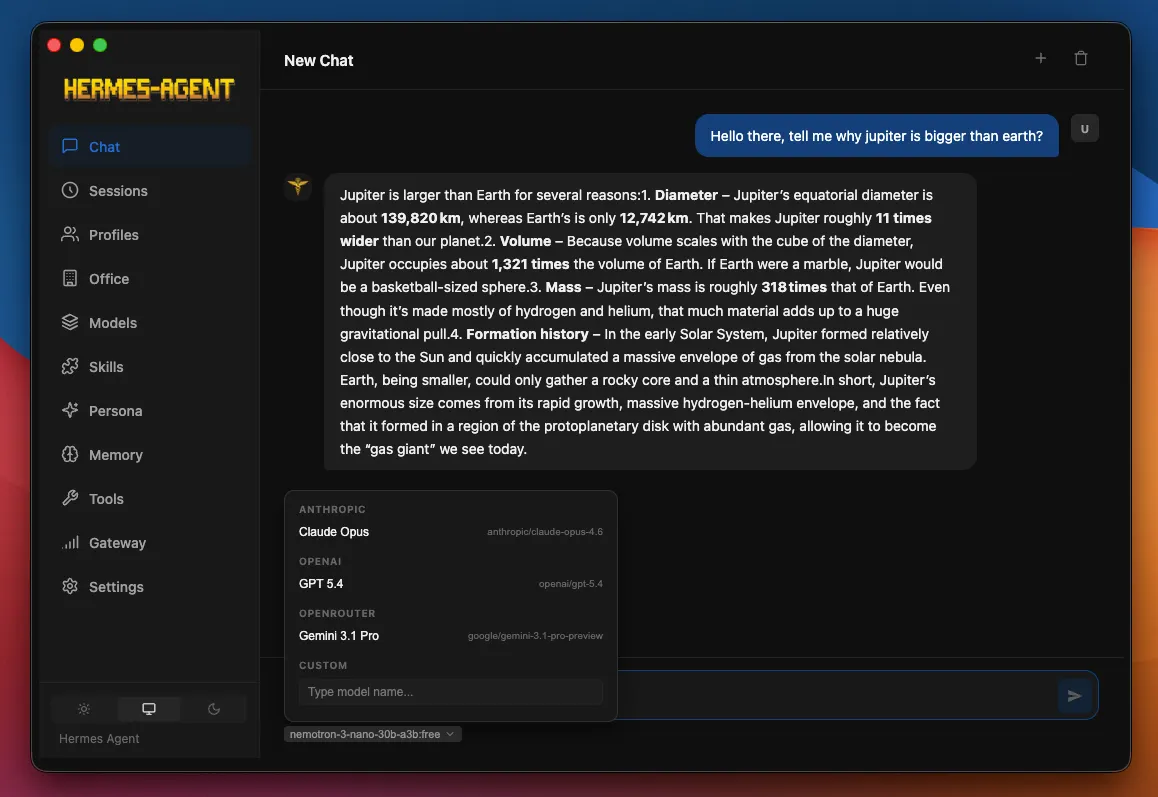
Model compatibility is another key strength, supporting a wide array of popular AI models including those from OpenRouter, Anthropic, OpenAI, Google Gemini, xAI Grok, Nous Portal, Qwen, MiniMax, Hugging Face, and Groq. It also seamlessly integrates with local endpoints running LM Studio, Ollama, or llama.cpp. The ability to switch between these models directly from the user interface, eliminating the need for manual configuration file edits, represents a significant usability enhancement.
The design of Fathah’s Hermes Desktop adopts a more generic, cross-platform aesthetic, prioritizing functionality and consistency across different operating systems. Builds are available for macOS, Windows, and Linux, ensuring that users can experience the same feature set regardless of their preferred operating system. This commitment to cross-platform compatibility is a defining characteristic of this project.
Installation:
Installation is straightforward. Users should visit the project’s GitHub repository, navigate to the Releases section, and download the appropriate build for their operating system. On Windows, users might encounter a SmartScreen warning due to the lack of a digital signature; selecting "More info" and then "Run anyway" will bypass this. For Fedora Linux users, if GPG signature checking is enforced, appending --nogpgcheck to the install command may be necessary. The macOS installation process is standard.
3 Hermes WebUI by Nesquena: Browser-Based Simplicity and Customization
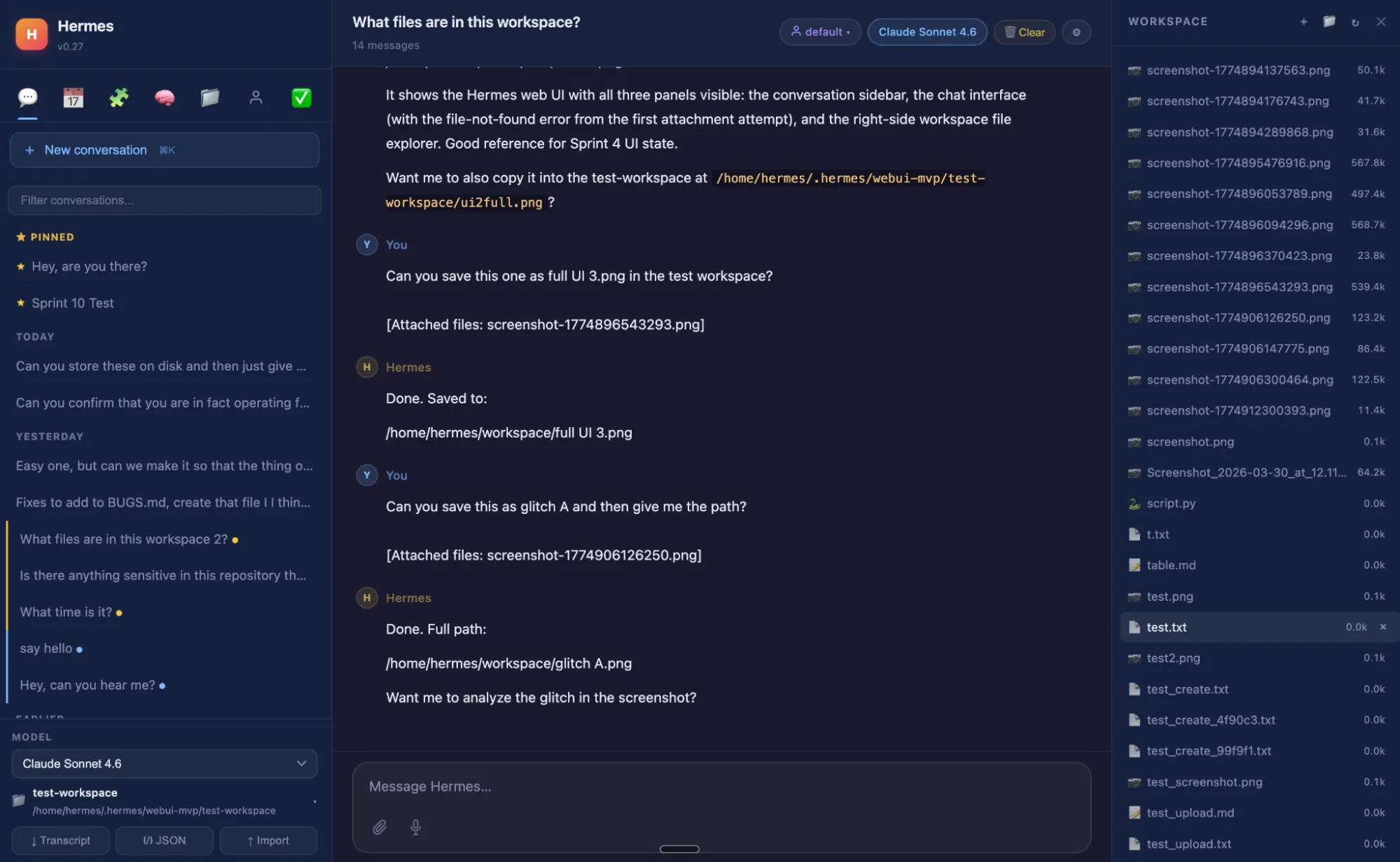
Hermes WebUI, developed by Nesquena, offers a compelling browser-based interface that draws inspiration from the polished user experience of platforms like Claude. Built with a minimalist philosophy using Python and vanilla JavaScript, this project deliberately avoids complex build steps, frameworks, or bundlers, aiming for exceptional ease of deployment. The process involves a single command to initiate a local server, after which the interface is accessible through any web browser.
The layout is thoughtfully structured into three primary panels: a left-hand pane for sessions and navigation, a central area dedicated to the chat interface, and a right-hand workspace featuring a file browser. Key controls, including model selection, profile switching, and workspace management, are conveniently located as "pill buttons" in the composer footer, ensuring constant visibility without the need to delve into menus. A visually intuitive token ring provides an at-a-glance indication of context usage, with cost estimates available upon hovering.
Hermes WebUI empowers users to select their preferred model directly from the UI, adjust "thinking speed" parameters (offering options for fast responses, extended reasoning, or automatic adjustments, akin to ChatGPT’s different modes), and effortlessly browse the agent’s memory, skills, and session history without requiring command-line interaction. Advanced features include inline rendering of Mermaid diagrams and the display of Claude’s extended reasoning as collapsible, gold-themed cards, mirroring the visual cues of the original model.
The project boasts a vibrant community with 66 contributors and a rapid development pace, often shipping new features daily. Recent additions include an embedded terminal, a management UI for MCP servers, JSON and diff viewers, and live reasoning cards, continuously enhancing the user experience. The WebUI also offers seven distinct themes—including dark, light, dim, solarized, monokai, and an OLED mode optimized for energy efficiency and screen longevity—with custom themes easily implementable via CSS.
Installation:
The installation process is detailed within the GitHub repository. In essence, users clone the repository and execute a bootstrap script. This script intelligently detects whether Hermes is already installed and, if not, automatically initiates the official installer.
git clone https://github.com/nesquena/hermes-webui.git hermes-webui
cd hermes-webui
python3 bootstrap.py
After running the script, the interface can be accessed by navigating to http://localhost:8080 in a web browser. For remote or mobile access, users can establish an SSH tunnel between their local machine and the server, enabling access from any location.
4 Hermes Workspace by Outsourc-e: Comprehensive and Polished User Experience
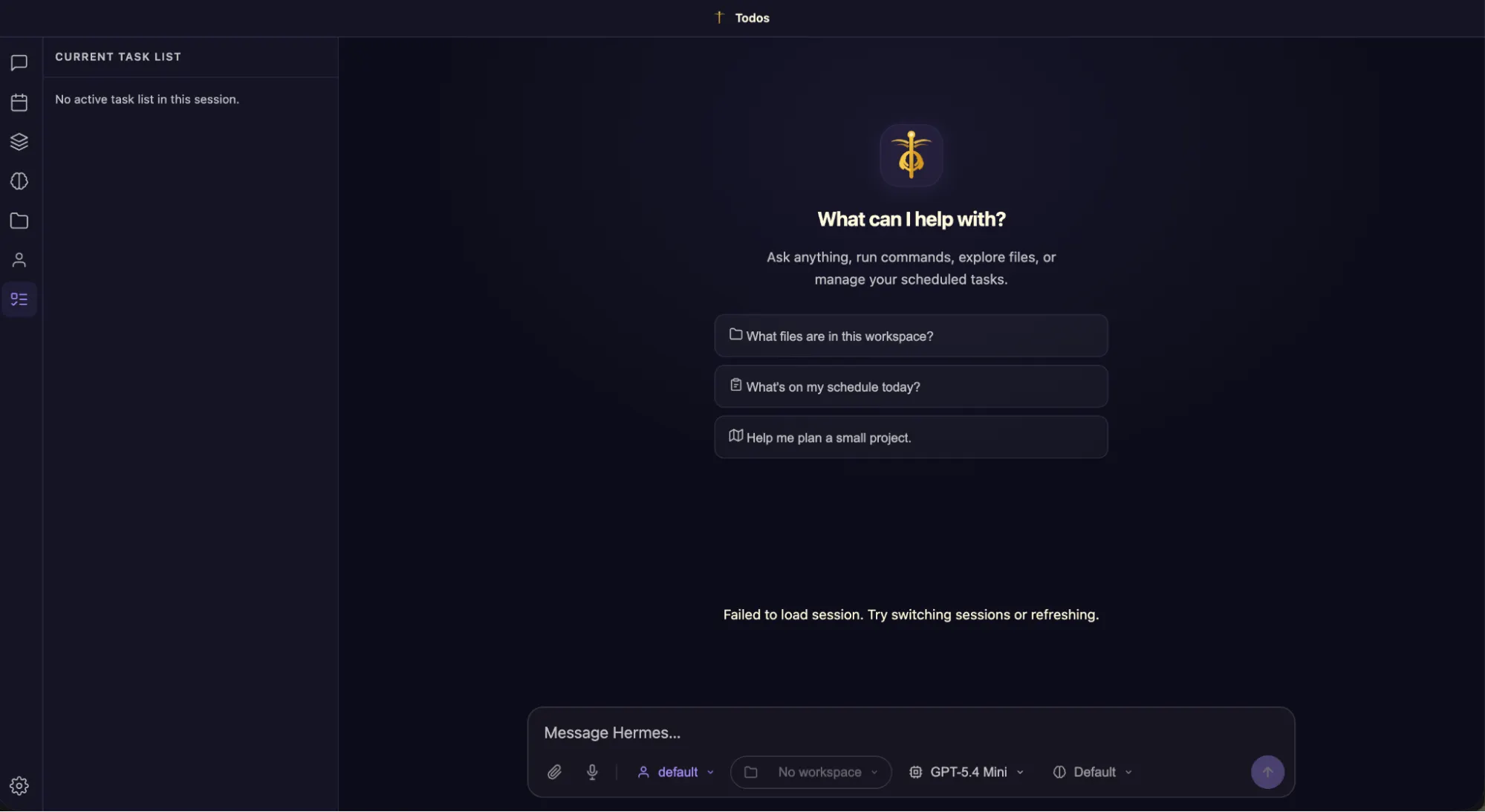
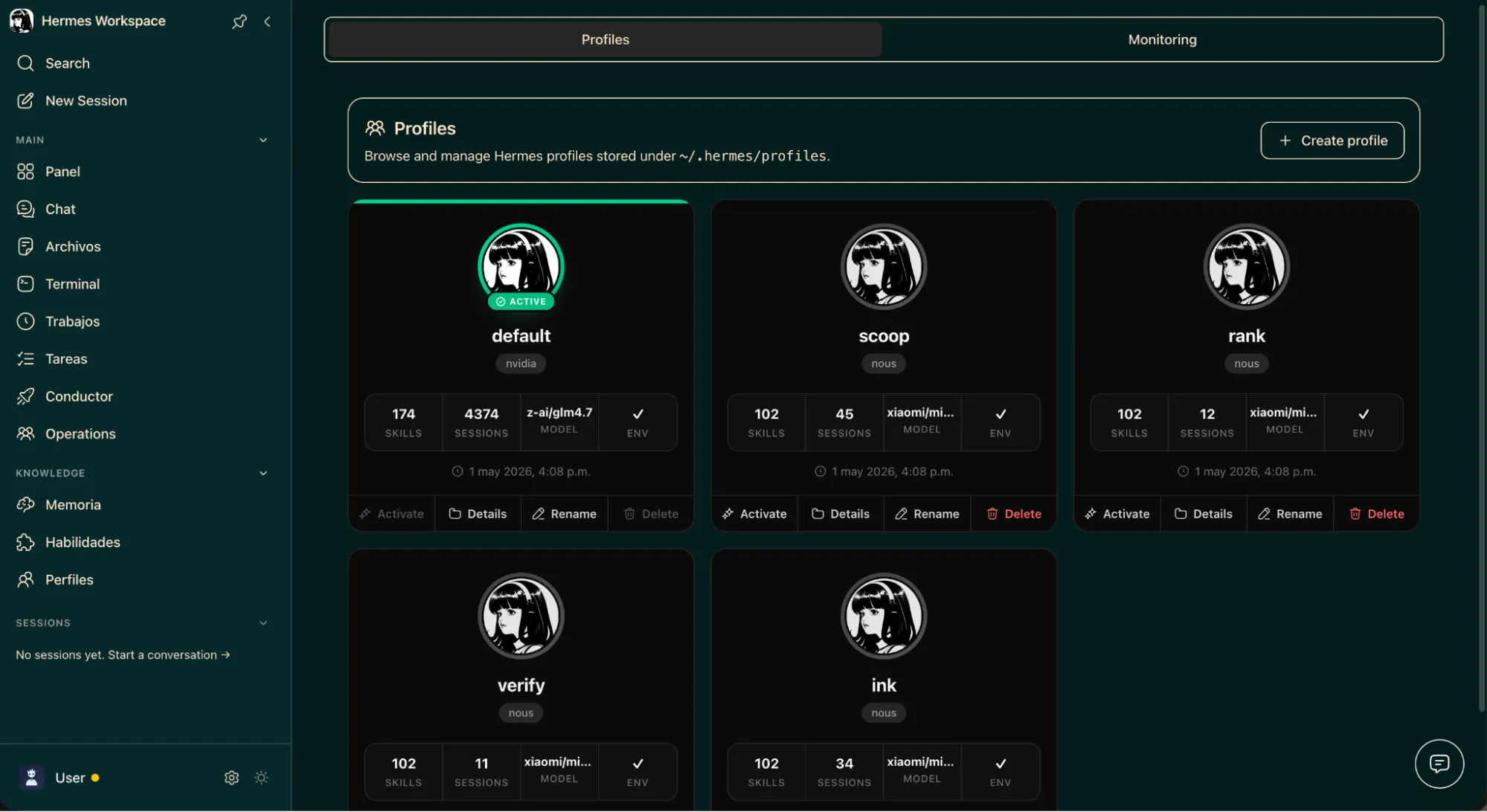
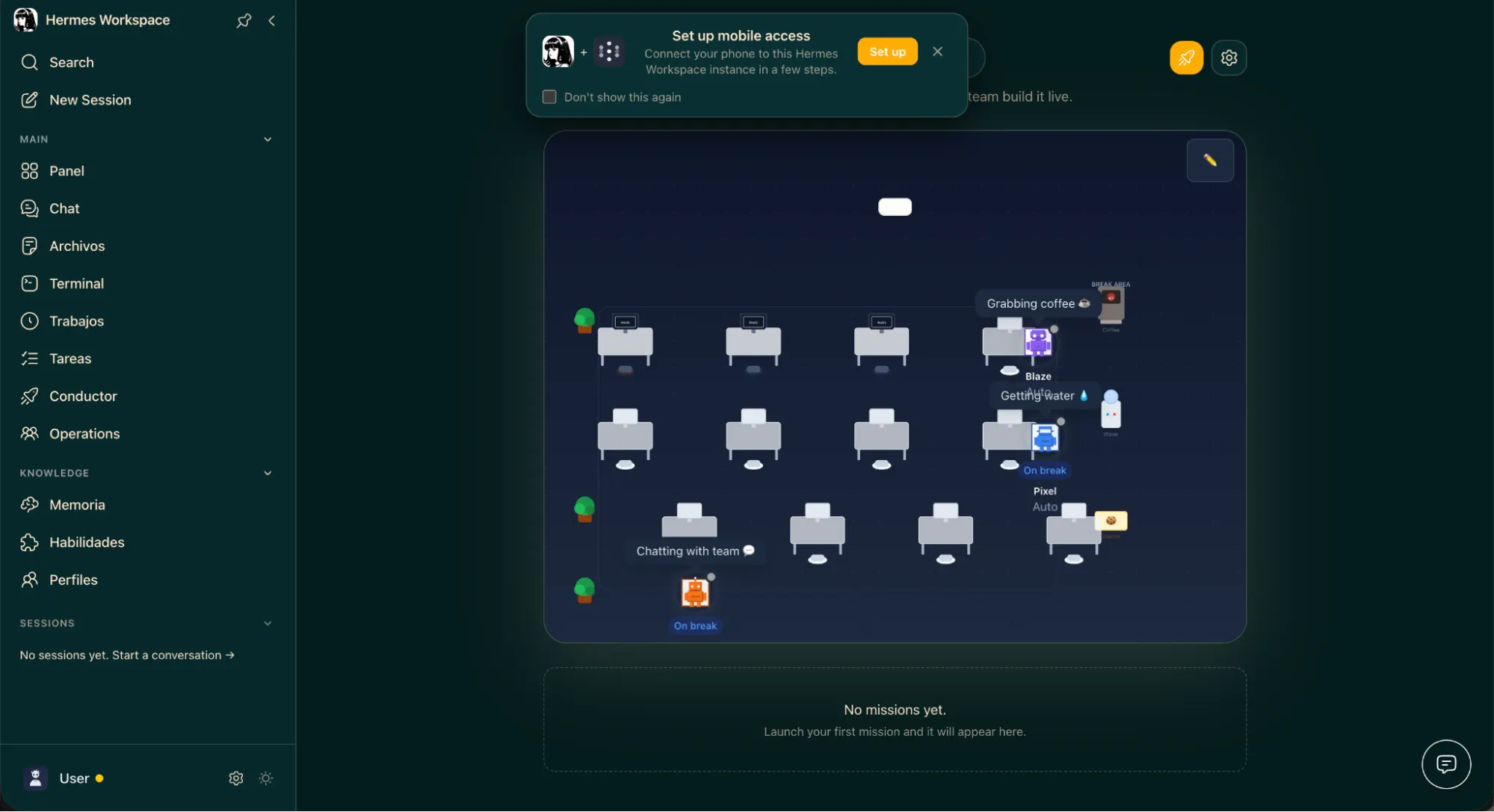
Hermes Workspace, developed by Outsourc-e, stands out as arguably the most ambitious and visually impressive GUI for the Hermes agent. Emerging from the Nous Hackathon 2026, it has quickly become recognized within the community as "the most complete GUI for Hermes," a designation well-supported by its elegant, customizable, and powerful interface. The design aesthetic is notably polished, surpassing even the interfaces of some leading commercial AI platforms, making ChatGPT’s web interface appear somewhat dated in comparison.
The Workspace integrates a comprehensive suite of functionalities, including a seamless chat interface, an embedded terminal, a memory browser, a skills manager, an agent inspector, and live streaming of sub-agent activity. This all-encompassing approach aims to provide users with a single, unified platform for managing all aspects of their Hermes agent.
Eight built-in themes are available—Official, Classic, Slate, and Mono, each with both light and dark variants—allowing for a high degree of personalization. Every configuration option exposed by Hermes is accessible directly within the application, eliminating the need for command-line interaction once the initial setup is complete.
A standout feature of Hermes Workspace is its support for Progressive Web App (PWA) functionality via Tailscale. This enables users to install the workspace as a web app on their smartphones, offering full feature parity with the desktop version. This capability allows users to monitor and interact with their agents, even observing the real-time spawning of sub-agents, from virtually anywhere, effectively bringing advanced AI management to a mobile context.
The setup for Hermes Workspace is more involved than some of the other options, requiring a running Hermes gateway exposed on port 8642 and a configured .env file containing API URLs and authentication tokens. Optional configuration for a Dashboard API connection unlocks the full suite of sessions, skills, and jobs management features. The repository includes a Docker Compose file that simplifies much of this process by managing pre-built images and orchestrating their deployment.
Installation:
For a streamlined, one-liner installation that includes Hermes and the Workspace:
curl -fsSL https://raw.githubusercontent.com/outsourc-e/hermes-workspace/main/install.sh | bashFor users who already have Hermes running and prefer a manual setup:
git clone https://github.com/outsourc-e/hermes-workspace.git
cd hermes-workspace
pnpm install
cp .env.example .env
echo 'HERMES_API_URL=http://127.0.0.1:8642' >> .env
pnpm dev
Once set up, the interface is accessible at http://localhost:3000. Users can expect to dedicate approximately an hour to configuration, especially if they aim to unlock all enhanced features.
The Broader Impact: Democratizing Advanced AI
The availability of these diverse and sophisticated GUIs for Hermes represents a significant advancement in making powerful AI agents more accessible and user-friendly. While commercial chatbots like ChatGPT, Claude, and Gemini offer impressive capabilities, their native interfaces often lack the depth of control and customization found in these community-driven projects. The fact that some of these Hermes GUIs rival or even surpass the polish and functionality of their commercial counterparts is a testament to the ingenuity and collaborative spirit of the open-source community.
The documentation provided within each GitHub repository is comprehensive, and in many instances, a simple copy-paste of installation commands is sufficient to get started. Moreover, the agents themselves are increasingly capable of assisting with their own setup. By providing the relevant repository URL and describing any encountered issues, users can leverage Hermes to guide them through the configuration process, making even complex setups manageable. This self-assistance capability further lowers the barrier to entry, fostering broader adoption and innovation.
The continued development and refinement of these interfaces are crucial for the long-term success and widespread adoption of Hermes. As the agent’s skill system evolves, these GUIs will play an increasingly vital role in enabling users to harness its full potential, transforming complex AI technology into an accessible and powerful tool for a wide range of applications and users. The rapid pace of development, coupled with the collaborative nature of these projects, suggests that the Hermes ecosystem will continue to grow and innovate, offering even more sophisticated and intuitive ways to interact with advanced AI in the near future.
