


The mobile phone has transcended its original function as a mere communication device to become an indispensable hub for social interaction, entertainment, work, and even specialized tasks like photography, effectively replacing many dedicated gadgets. Its ubiquity means that smooth, responsive performance is not just a luxury but a fundamental expectation, underpinning our daily lives. Yet, a pervasive frustration for users worldwide is the gradual, often inexplicable, slowdown of their beloved devices. This article delves into the multifaceted reasons behind diminishing smartphone performance, drawing on technological insights, industry practices, and expert recommendations to provide a holistic understanding of this common dilemma.
The Centrality of the Mobile Device and the Onset of Performance Frustration

In an era where digital connectivity is paramount, the smartphone serves as our primary portal to virtually all aspects of modern existence. From managing professional commitments and navigating complex social landscapes to accessing entertainment and capturing life’s moments, the device in our pocket is often more critical than a laptop. This profound reliance makes any dip in performance immediately noticeable and deeply impactful. The frustration isn’t merely about inconvenience; it’s about a perceived disruption to productivity, accessibility, and overall digital fluency. While once concerns focused primarily on physical damage like scratches or cracks, today, the speed and responsiveness of the operating system and applications are equally, if not more, critical indicators of a device’s health. Understanding when this performance degradation signals the need for intervention or replacement requires a systematic examination of the underlying causes.
Hardware Evolution and Inherent Component Degradation
One of the most straightforward explanations for a phone’s reduced speed lies in its age. Like any piece of sophisticated electronics, mobile phones are subject to the natural degradation of their internal components. Processors, RAM modules, and especially storage units (NAND flash memory) have finite lifespans and performance curves. Over time, the efficiency of these components can diminish. For instance, the read and write speeds of internal storage, crucial for the swift loading of applications and data processing, can decrease due to accumulated wear cycles. This wear is particularly relevant for eMMC (embedded MultiMediaCard) and UFS (Universal Flash Storage) modules, which underpin a phone’s storage system. While modern UFS standards offer significantly improved longevity and performance over older eMMC, continuous heavy usage inevitably leads to some degree of deterioration.
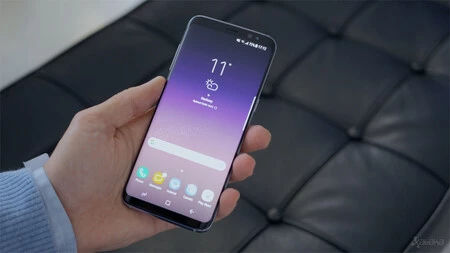
Beyond mere aging, the technological landscape itself is a relentless driver of obsolescence. Software, including operating systems and applications, evolves rapidly, demanding ever-increasing processing power, memory, and graphical capabilities. An application designed today, optimized for the latest processors and abundant RAM, will naturally strain a phone from three or four years ago, even if that phone was top-tier at its release. This phenomenon creates a perceived slowdown, not because the old phone is strictly "broken," but because it can no longer keep pace with the enhanced demands of contemporary software. Industry analysts often point to a typical peak performance window of 2-3 years for flagship devices, with mid-range phones potentially showing signs of struggle even sooner as they navigate this cycle of escalating software requirements.
The Critical Role of Battery Health
The health of a phone’s battery is far more intertwined with overall device performance than many users realize. A landmark case illustrating this was Apple’s "batterygate" scandal, which revealed that the company deliberately reduced the performance of older iPhone models when their batteries had degraded significantly. Apple’s stated rationale was to prevent unexpected shutdowns, prioritizing device stability over peak processing power. This revelation, while technically aimed at extending the usable life of the device and avoiding frustrating crashes, ignited a significant controversy over transparency and consumer choice. It highlighted that a compromised battery, unable to deliver consistent and sufficient electrical current, can directly impact the performance of other components, leading to sluggishness.

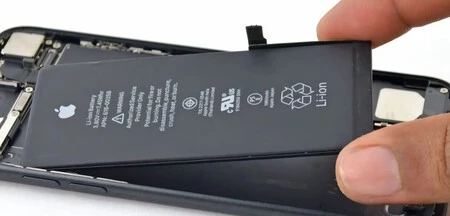
Even without deliberate throttling by manufacturers, a degraded battery inherently affects performance. As lithium-ion batteries age, their internal resistance increases, and their capacity to deliver peak current diminishes. This reduced electrical "blood flow" can starve the processor and other power-hungry components, particularly during demanding tasks, forcing them to operate at lower frequencies or delaying their response. Consequently, apps launch slower, animations stutter, and the overall user experience becomes less fluid. Users should regularly check their battery health status, available in device settings on both iOS and many Android phones, as a deteriorating battery can be a silent culprit behind performance woes. While replacing a battery can offer a new lease on life for an otherwise functional device, it’s a step many users overlook or deem too complex.
The Impact of Software Lifecycle and Updates
The software ecosystem plays a pivotal role in a smartphone’s long-term performance. Modern operating systems like Android and iOS are highly sophisticated, featuring advanced memory management, process scheduling, and self-optimization routines designed to keep devices running smoothly even after extended periods of continuous use without a reboot. However, this ideal scenario relies on continuous software support and updates.
Operating systems evolve not only to introduce new features but critically, to patch bugs, enhance security, and improve underlying performance efficiencies. A phone running an outdated version of its operating system might harbor uncorrected software bugs that lead to memory leaks, inefficient background processes, or general instability, all contributing to a sluggish experience. Furthermore, as app developers target newer OS versions, older operating systems may struggle to run these apps optimally, or even run them at all.
The challenge intensifies when a device reaches its "end-of-life" for software support. While flagship phones might receive 5-7 years of security updates and 3-5 major OS upgrades, budget and older models often have shorter support lifecycles. Once support ends, the device becomes vulnerable to security threats and, crucially, misses out on performance optimizations that could combat the increasing demands of modern applications. This forces users into a difficult choice: continue with a potentially insecure and sluggish device, or upgrade. The lack of continuous updates thus transforms into a significant factor in perceived performance decline, urging users to consider device replacement even if the hardware itself remains physically sound.
The Double-Edged Sword of Applications
While applications are the reason we use smartphones, they can also be significant contributors to performance degradation. This issue stems from several factors:
- Resource Demands: Newer versions of popular applications, especially social media, streaming, and gaming apps, are often designed with richer features, higher-resolution assets, and more complex background processes. These enhancements require more RAM, CPU cycles, and storage bandwidth, taxing older or less powerful hardware. A device that comfortably ran an app version from two years ago might struggle with its current, more demanding iteration.
- Poor Optimization: Not all applications are created equal in terms of optimization. Some apps, particularly from less experienced developers or those with aggressive monetization strategies, may be poorly coded, leading to excessive battery drain, memory leaks, or unnecessary background activity that consumes system resources. Identifying and uninstalling such "rogue" apps can significantly improve performance.
- Malware and Adware: Malicious software, often disguised as legitimate applications, can run hidden processes, display intrusive ads, or even steal data, all of which consume system resources and slow down the device. While official app stores have strong safeguards, sideloading apps from unverified sources increases this risk.
- "Cleaner" and "Optimizer" Apps: Ironically, many third-party applications marketed as "phone cleaners" or "performance boosters" often do more harm than good. They typically run persistent background services, consume RAM, and display ads, thereby exacerbating the very problems they claim to solve. Modern Android and iOS operating systems have robust built-in memory management and optimization tools, rendering these third-party utilities largely redundant and potentially detrimental. Users are generally advised to avoid them.
Regularly reviewing installed applications, uninstalling unused ones, clearing app caches (not data), and being judicious about granting background permissions can help mitigate application-induced slowdowns.
Storage Management: The Unsung Hero of Performance
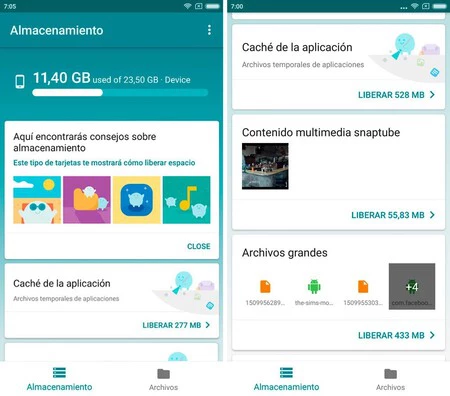
The amount of free storage space on a smartphone has a direct and often underestimated impact on its performance. When a device’s internal storage approaches its capacity limit, several performance bottlenecks can emerge:
- Read/Write Efficiency: Flash memory, the type used in smartphones, performs optimally when it has ample free blocks to write data. When storage is nearly full, the operating system and applications must work harder to find available space, sometimes fragmenting data across non-contiguous blocks. This increases the time required for read and write operations, leading to noticeable slowdowns in app loading, file transfers, and general system responsiveness.
- Virtual Memory/Swap Space: Operating systems often use a portion of the internal storage as "virtual memory" or "swap space" when physical RAM is exhausted. If storage is full, this crucial mechanism is hindered, forcing the system to rely solely on physical RAM, which can quickly become a bottleneck, especially with multiple apps running concurrently.
- System Updates and App Installations: A critical amount of free space is required for downloading and installing system updates and new applications. If storage is too full, these essential updates cannot proceed, leaving the device vulnerable to unpatched bugs and security flaws, further compounding performance issues.
- Application Caches: Many applications store temporary data and caches to improve loading times. While beneficial, these caches can grow excessively, consuming significant storage space over time. Regularly clearing these caches (distinguished from clearing app data, which removes user settings and logins) can free up valuable space without affecting user experience.
Experts recommend maintaining at least 15-20% of the total storage capacity as free space to ensure optimal performance. This provides sufficient room for the operating system to perform its various read/write and virtual memory operations efficiently. Cloud storage solutions for photos and videos, and judicious management of downloaded files, are effective strategies to keep local storage healthy.
The Deceptive Slowdown: Network Connectivity
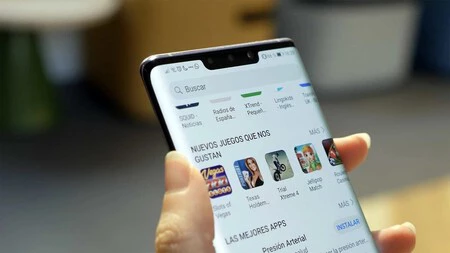
In our hyper-connected world, many perceived "phone slowdowns" are, in fact, symptoms of poor network connectivity rather than inherent device performance issues. Modern smartphones are designed to be constantly online, with countless applications relying on a stable and fast internet connection for content updates, data synchronization, and core functionality.
When a device experiences weak cellular data coverage or a slow, congested Wi-Fi network, applications that depend on internet access will struggle to load content, update feeds, or transmit data. This can manifest as an unresponsive app, delayed webpage loading, or stuttering video playback, leading users to incorrectly conclude that their phone itself is slow. The underlying processor and RAM might be performing perfectly, but the bottleneck lies in the data pipeline.
Factors contributing to poor network performance include:

- Weak Signal Strength: Distance from a cellular tower or Wi-Fi router, physical obstructions (walls, interference), or network congestion can all degrade signal quality.
- Outdated Network Standards: An older router or a phone not supporting the latest Wi-Fi standards (e.g., Wi-Fi 6/6E) can result in slower local network speeds.
- Router Channel Congestion: In densely populated areas, Wi-Fi channels can become saturated with multiple networks, leading to interference and slower speeds.
Understanding this distinction is crucial for accurate troubleshooting. If a phone feels slow only when connected to a specific network or in certain locations, the issue is likely network-related. Improving Wi-Fi coverage with mesh systems or signal boosters, or switching to a stronger cellular network, can often resolve these "slowdowns."
Expert Insights and Consumer Implications
Industry analysts and mobile technology experts consistently reiterate that smartphone performance is a dynamic interplay of hardware capabilities, software optimization, user habits, and external factors like network conditions. "The average smartphone user holds onto their device for about 2.5 to 3 years," notes Sarah Jenkins, a senior analyst at Tech Insights Group. "During this period, software demands typically outpace the device’s initial hardware, leading to a natural decline in perceived responsiveness unless the user actively manages their device."
Dr. Alistair Finch, a professor of computer science specializing in mobile computing, emphasizes the importance of software updates: "Manufacturers invest heavily in optimizing their operating systems, not just for new features, but to extract maximum efficiency from aging hardware. When a device stops receiving updates, it essentially becomes a digital time capsule, increasingly out of sync with modern application requirements and security protocols."
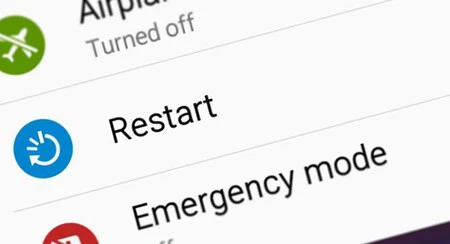
The implications for consumers are significant. The constant pressure to upgrade due to performance issues contributes to e-waste, a growing environmental concern. However, informed users can extend the useful life of their devices. Regular maintenance, such as restarting the phone periodically to clear RAM and close rogue processes, clearing app caches, uninstalling unused apps, and maintaining sufficient free storage, can significantly alleviate slowdowns. For devices with degraded batteries, a professional battery replacement can often breathe new life into an otherwise functional phone, presenting a more economical and environmentally friendly alternative to immediate replacement.
The future of mobile performance aims to address these challenges with more efficient processors, advanced AI-driven resource management, and potentially longer software support commitments from manufacturers. Initiatives like Project Treble for Android have aimed to streamline updates, and the increasing focus on sustainability is pushing for devices with extended longevity. Ultimately, while technology continues its relentless march forward, understanding the fundamental reasons behind performance degradation empowers users to make more informed decisions about their mobile devices, ensuring a smoother and more sustainable digital experience.
