
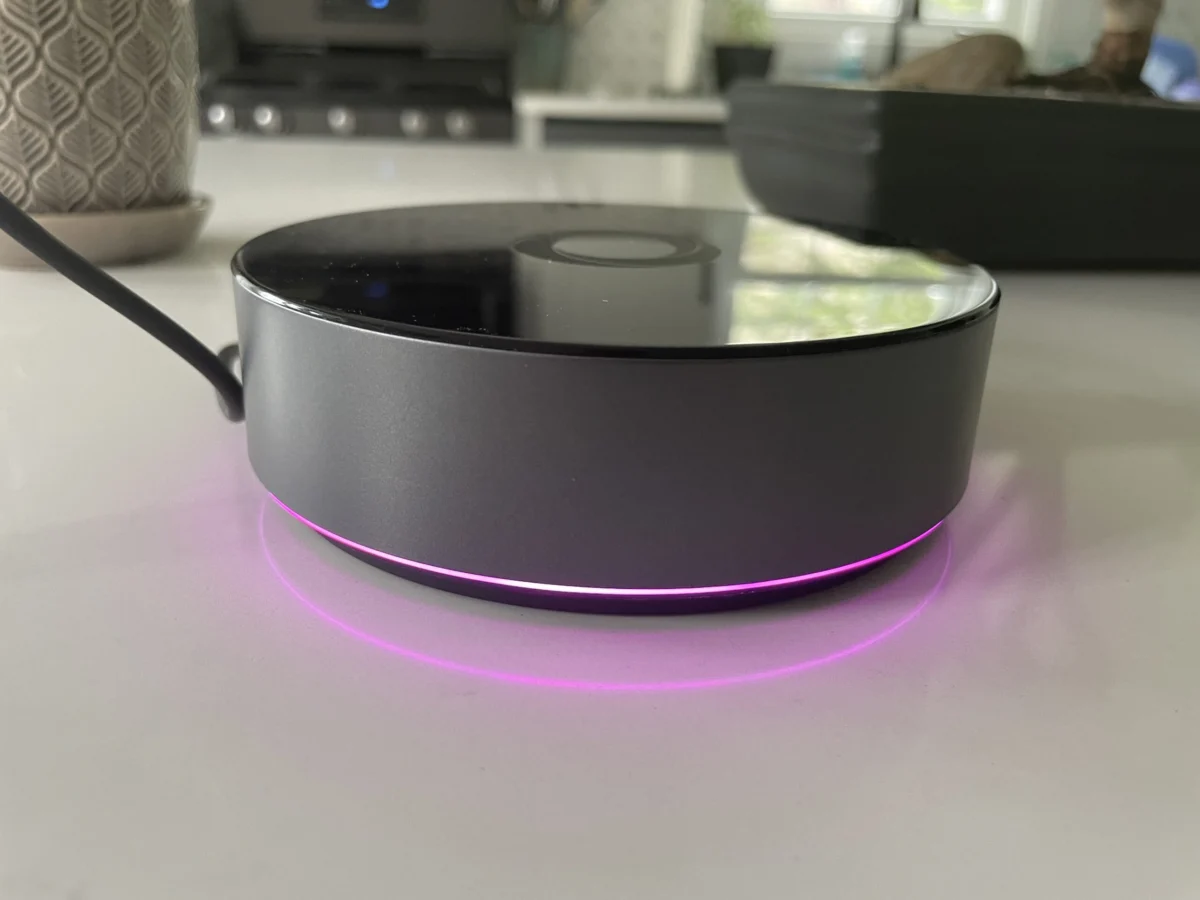

The smart home landscape is continuously evolving, with manufacturers striving to offer seamless integration and robust control over an ever-expanding ecosystem of devices. In this dynamic market, Athom’s Homey Pro has emerged as a significant contender, aiming to provide a powerful, locally-controlled hub for smart home enthusiasts. Following the earlier release of the $69 Homey Bridge, the more advanced $399 Homey Pro is now available in the United States, promising a premium experience with fewer limitations and a focus on local processing.
Homey Pro: An Upgrade in Power and Local Control
The Homey Pro represents a substantial upgrade from its predecessor, the 2019 Homey Pro, boasting a claimed 3.5 times increase in CPU performance. This enhanced processing power is complemented by doubled storage and memory – 8 GB and 2 GB, respectively – compared to the Homey Bridge. This architectural shift is crucial, as the Homey Pro prioritizes local control for smart home operations, a departure from the more cloud-centric approach of the Bridge.
This emphasis on local processing offers significant advantages, particularly concerning user privacy. By minimizing reliance on external servers, the Homey Pro can continue to function and execute automations even during internet outages, provided those automations do not inherently depend on cloud services. This resilience is a highly desirable feature for users seeking a dependable smart home infrastructure.
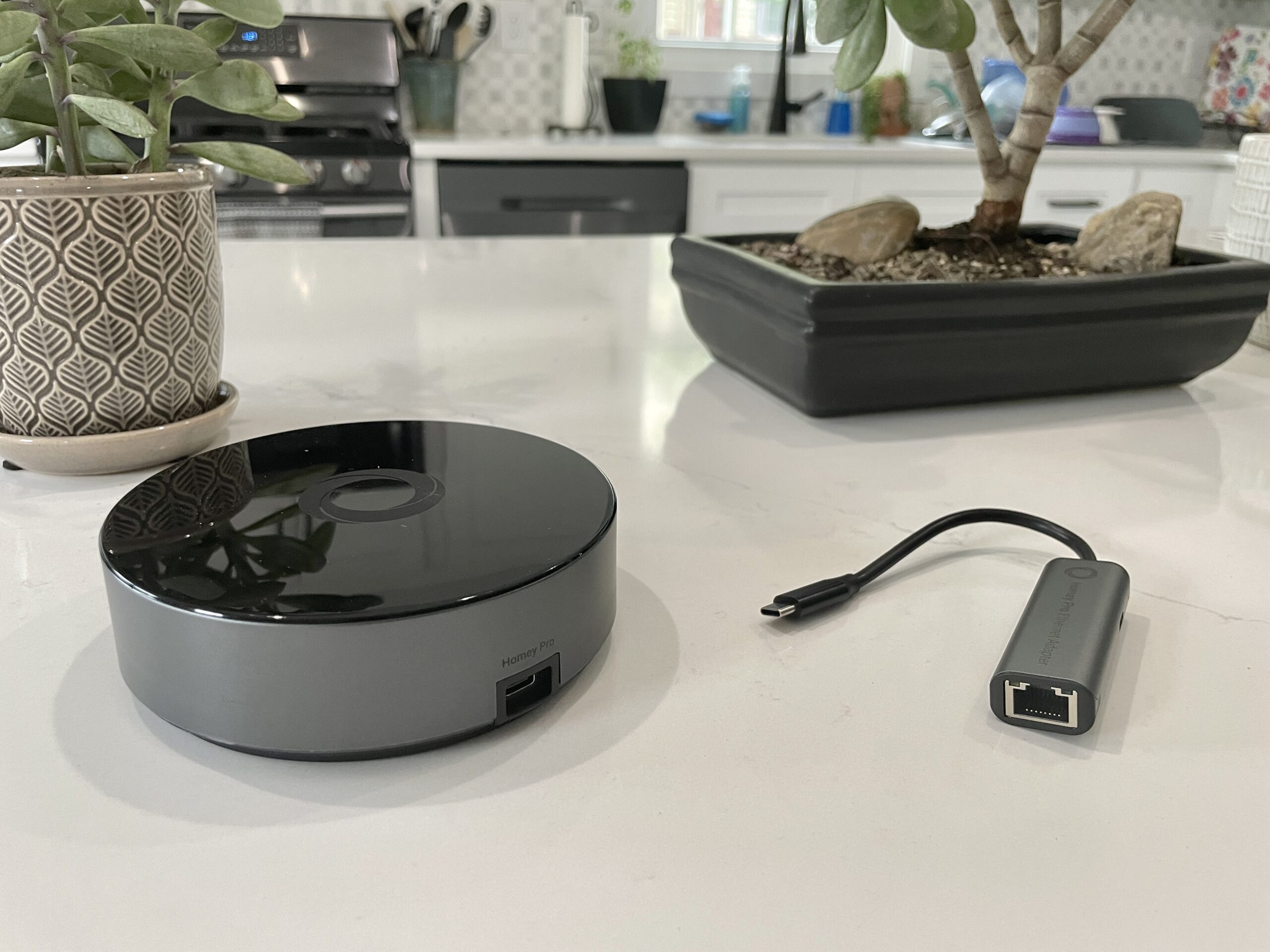
While both the Homey Pro and the Homey Bridge share core functionalities such as device management and automation setup, the Pro model distinguishes itself with additional hardware capabilities and the removal of most subscription fees. For an extra $29, users can opt for optional Ethernet connectivity, enhancing network stability. Furthermore, the Homey Pro is poised to gain future support for Matter, including Matter over Thread, a critical development for cross-platform smart home interoperability.
Key Differentiators: Pro vs. Bridge
A primary distinction lies in the connectivity options and device limitations. The Homey Pro includes a Thread radio, operating at 833MHz for compatibility with older devices, and crucially, it bypasses the Homey Bridge’s limitation of only five connected devices. The Bridge requires a $2.99 monthly subscription to add more devices. The Homey Pro, conversely, offers a single optional subscription: a $0.99 monthly fee for cloud backups.

The setup process for the Homey Pro, mirroring the positive experience reported for the Homey Bridge, is designed to be user-friendly. The device is powered via an included USB-C cable and charger, and initial configuration is managed through the Homey app on a smartphone. The app’s intuitive onboarding process, which inquires about home layout such as the number of floors and the placement of rooms, is a notable advantage, streamlining the organization of smart devices compared to many competing platforms.
Once connected to a home’s wireless network (supporting both 2.4 GHz and 5 GHz Wi-Fi), users begin the process of integrating their smart devices. Homey claims support for over 50,000 devices, a number that, on the surface, suggests broad compatibility. However, as highlighted in this review, the actual integration success can vary significantly depending on the specific devices within a user’s smart home.
Device Compatibility: The Crucial Hurdle
The success of any smart home hub hinges on its ability to communicate with the devices that populate a user’s ecosystem. For the Homey Pro, this proved to be a significant point of contention during testing. While established brands like Lutron Caseta, Philips Hue, and Sonos integrated successfully, a substantial portion of the reviewer’s device collection encountered compatibility issues.

Devices that failed to integrate included a Schlage door lock, an Ecobee Thermostat, Nanoleaf bulbs and light strips, a Govee electric kettle, Wyze cameras, Eve Home devices, a Logitech video doorbell, and several smart plugs. While the lack of support for Matter-certified smart plugs was anticipated due to the Homey Pro’s then-pending Matter support, the failure of numerous other non-Matter devices presented a considerable challenge.
The issue often stemmed not from a lack of brand support, but from specific model incompatibility. For instance, while Nanoleaf’s differently shaped light panels were recognized, standard Nanoleaf bulbs and smart lights were not. Similarly, while the Schlage Encode Wi-Fi lock appeared in the Homey app, authentication through Schlage credentials resulted in a "No devices found" error. The Govee integration, while progressing further, ultimately returned an error message.
Even with established brands like Ecobee, compatibility was limited. The Homey app only listed support for the Ecobee 3 Lite and Ecobee Room Sensor, excluding the reviewer’s Ecobee Thermostat Premium and newer sensor. The reviewer noted that a reliance on older protocols like Zigbee and Z-Wave might yield better results, as these are well-represented in the Homey Pro’s radio array.

Navigating the Integration Landscape
The challenge of device compatibility underscores a critical recommendation for potential Homey Pro buyers: thorough pre-purchase verification. While Homey claims extensive device support, the lack of a readily accessible, comprehensive list of integrated products on their website (though updates indicate integrations are found under the "Apps" section) necessitates a proactive approach. The free Homey app serves as the primary tool for this verification, allowing users to search for their specific devices before committing to a purchase. This diligence is essential to avoid the disappointment of investing in a hub that cannot fully manage one’s existing smart home setup.
For those with a technical inclination, Homey Pro offers the capability to create custom integrations via its web interface. By obtaining an API key, developers can utilize JavaScript and Node.js to code their own device drivers. This open-ended approach, while powerful for tinkerers and developers, is unlikely to be utilized by the average consumer, who prioritizes out-of-the-box functionality.
The Homey App: A Polished User Experience
Despite the integration hurdles, the Homey app itself is a strong asset. Its modern aesthetic and intuitive design contribute to a positive user experience. The app provides access to both basic and advanced features, and the ability to easily assign devices to rooms and floors is a valuable organizational tool, although this functionality could ideally be integrated directly into the device pairing process.

A particularly noteworthy feature is the estimated smart home energy usage monitoring. While this requires manual input of wattage for each device, the resulting data, viewable in near real-time and historically, offers valuable insights into consumption patterns. The system intelligently adjusts energy usage estimates based on light output and, when available, can reportedly utilize actual electricity usage data reported by devices. This energy data can be accessed through the app or the web interface, with the latter also providing local temperature, barometric pressure, and humidity readings.
Flows: Powerful Automation Capabilities
Homey Pro’s automation engine, dubbed "Flows," operates on a "When… and… then…" logic, akin to IFTTT but with a more sophisticated architecture that draws comparisons to Home Assistant. This system supports complex conditional logic, including "else" conditions, and allows Flows to trigger other Flows. The reviewer found the creation of Flows within the mobile app to be straightforward, with the web interface offering an advanced mode for more intricate automation sequences. The ability to create and manage automations through both mobile and web interfaces provides flexibility for users of varying technical expertise.
Analysis and Implications
The Homey Pro enters a market segment that has seen a shift towards cloud-dependent solutions. Its commitment to local control and privacy positions it as an attractive option for a niche audience concerned about data security and internet dependency. The device’s comprehensive radio support (Wi-Fi, Bluetooth, Infrared, Zigbee, and Z-Wave) theoretically equips it to handle a wide array of smart home devices.

However, the critical determinant of its success in the U.S. market will be its device compatibility. The initial testing suggests a significant gap between Homey’s claimed device support and real-world integration for many modern smart home products, particularly those leveraging newer standards like Matter over Thread. While the promise of future Matter support is encouraging, the immediate usability for users with a diverse device portfolio remains a concern.
The $399 price point places the Homey Pro in the premium category of smart home hubs. For this investment, users expect a high degree of compatibility and a seamless experience. The current limitations in device integration, as experienced by the reviewer, mean that many users might find themselves in a similar position to the reviewer, ultimately opting for more cost-effective and broadly compatible solutions like Home Assistant.
The availability of custom integration development through an API is a positive for the technically adept, but it does not address the core need for out-of-the-box support for mainstream consumer devices. The Homey Pro represents a compelling vision for a local, privacy-focused smart home hub, but its widespread adoption will depend heavily on Athom’s ability to expand and refine its device integration library. Potential buyers are strongly advised to meticulously check the compatibility of their existing and planned smart home devices through the Homey app before making a purchase.
