
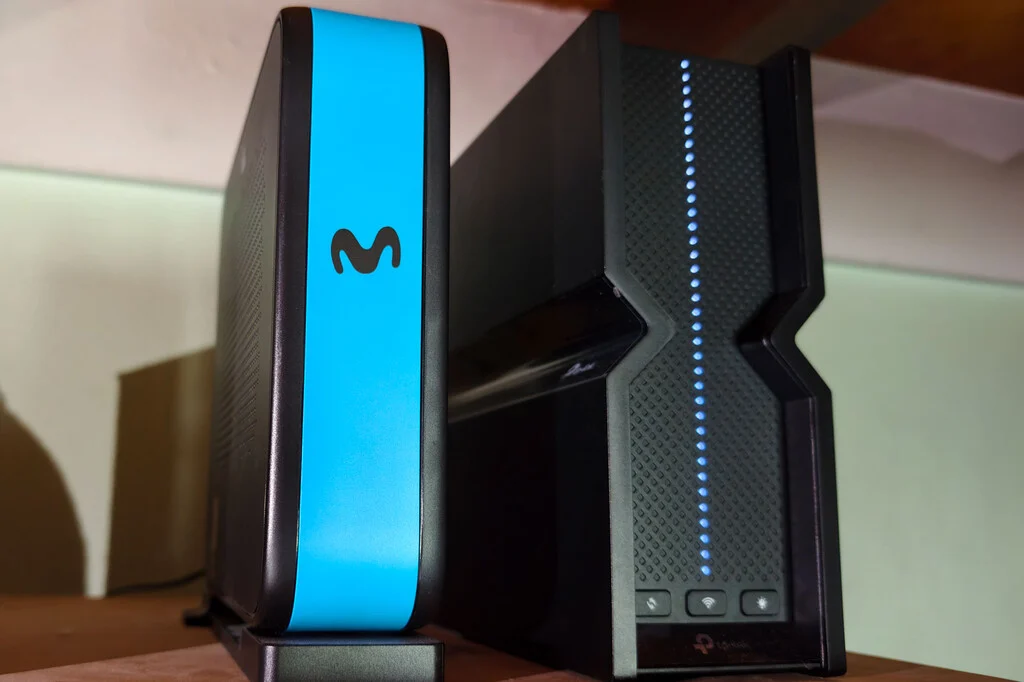

A foundational element of a robust home internet experience, the humble WiFi router, often finds itself relegated to a suboptimal position, critically compromising wireless network performance for an overwhelming majority of users. This prevalent oversight, largely stemming from initial installation practices and subsequent user inaction, has been identified as a significant, yet easily remediable, bottleneck in domestic digital connectivity. Despite continuous advancements in WiFi technology, including the advent of WiFi 6 and WiFi 7 standards, the physical placement of the router remains a paramount factor determining signal quality, stability, and overall user satisfaction, often eclipsing the benefits of higher bandwidth subscriptions or cutting-edge hardware.
The Silent Saboteur: Initial Placement and User Inertia
The journey of many home routers begins not in an optimally chosen central location, but rather at the convenience of an installation technician. Upon the initial setup of fiber optic or broadband services, the technician’s primary objective is to establish a functional internet connection. This typically involves connecting the Optical Network Terminal (ONT) and the router to the Punto de Terminación de Red Óptica (PTRO) – the fiber optic termination point – which is frequently located near the entry point of a residence, in a utility closet, or an inconspicuous corner. While technicians often inquire about a preferred router location, their ability to accommodate such requests is often constrained by cable length limitations, the complexity of routing new wiring, and the sheer volume of daily installations. Consequently, if the desired location is deemed too far from the PTRO, or requires extensive additional work, the equipment is often installed where it is most practical and least time-consuming, such as near the main electrical panel, behind a television, or even within a decorative cabinet.
Research consistently indicates a striking pattern of user inertia following this initial setup. A study by Parks Associates revealed that 71% of U.S. home internet households receive their router or gateway directly from their internet service provider (ISP). Complementing this, a separate investigation by Broadband Genie highlighted that approximately half of all users never access or modify their router’s factory settings. This data strongly suggests that if users are not engaging with basic configuration panels, they are even less likely to undertake the physical relocation of the device. This widespread ‘set-it-and-forget-it’ mentality means that millions of households are operating their wireless networks under conditions far from ideal, accepting diminished performance as an unavoidable characteristic of their internet service, rather than a correctable flaw in their home network setup.
The Unseen Battlefield: How Router Placement Shapes WiFi
The quality of a WiFi signal is fundamentally governed by the principles of radio frequency (RF) propagation. WiFi networks operate on radio waves, typically in the 2.4 GHz, 5 GHz, and increasingly, the 6 GHz frequency bands. These waves are susceptible to a multitude of environmental factors that dictate their strength, reach, and stability.
- Attenuation: As radio waves travel, they lose strength, a phenomenon known as attenuation. This loss is exacerbated by obstacles. Walls, particularly those made of dense materials like concrete or brick, can significantly absorb or block signals. Furniture, large appliances, and even water (present in human bodies, fish tanks, or plumbing) contribute to signal degradation. Placing a router in a closet, behind a television, or within a metal enclosure, effectively creates a Faraday cage or a significant barrier, dramatically reducing its effective range and penetration capabilities.
- Interference: WiFi signals share the radio spectrum with numerous other devices. Common sources of interference include microwave ovens, cordless phones, Bluetooth devices, baby monitors, and even neighboring WiFi networks. Placing a router too close to such devices can lead to signal collisions and reduced throughput. Electrical wiring, power lines, and large electronic devices can also emit electromagnetic interference that disrupts WiFi signals.
- Reflection and Refraction (Multipath Interference): Radio waves can bounce off surfaces (reflection) or bend as they pass through different mediums (refraction). While reflections can sometimes help a signal reach around obstacles, they can also cause multipath interference, where multiple versions of the same signal arrive at a receiver at slightly different times. This can confuse the receiver and degrade signal quality, leading to slower speeds and dropped connections. Metallic surfaces, mirrors, and large appliances are common culprits for reflection.
Understanding these physical principles underscores why the initial, often haphazard, placement by an installer can have such profound and lasting consequences on a home’s wireless network.
Chronology of Connectivity Demands: From Niche to Necessity
The impact of router placement has evolved significantly with the increasing integration of digital technology into daily life.
- Early 2000s – Niche Convenience: In the nascent stages of home WiFi, wireless connectivity was largely a convenience, supplementing wired connections for a few laptops or perhaps an early smartphone. Performance expectations were modest, and the few devices typically clustered near the router. Suboptimal placement might have been noticeable but rarely critical.
- Late 2000s – The Rise of Mobile: With the proliferation of smartphones and tablets, WiFi became essential for mobile internet access throughout the home. Streaming media began to gain traction, placing higher demands on network stability. Users started to notice dead zones or sluggish performance in certain rooms.
- 2010s – Streaming and Smart Homes: The advent of high-definition streaming services (Netflix, YouTube), online gaming, and the nascent smart home ecosystem (smart speakers, thermostats, lighting) transformed WiFi from a convenience into a core utility. A single household might now have dozens of connected devices. Network reliability and consistent coverage became paramount. This era saw the introduction of early mesh WiFi systems as a response to widespread coverage issues.
- 2020s – The Work-From-Home (WFH) Revolution: The global pandemic drastically accelerated the reliance on home internet for critical functions like remote work, online education, and telemedicine. Stable, high-performance WiFi in every corner of the house became non-negotiable. Dropped video calls, slow file transfers, and intermittent connectivity directly impacted productivity and livelihood. This period also saw the wider adoption of advanced WiFi standards like WiFi 6 (802.11ax) and the emergence of WiFi 7 (802.11be), promising higher speeds and greater efficiency, yet still vulnerable to the fundamental flaw of poor physical placement.
This chronology highlights how an issue once considered minor has escalated to become a critical impediment to modern living, directly affecting productivity, entertainment, and communication.
The Ideal Router Location: A Guide to Optimal Performance
To counteract the pervasive issue of suboptimal placement, network engineers and connectivity experts consistently advocate for a set of best practices for router positioning. Adhering to these guidelines can dramatically improve wireless coverage and performance, often without any additional investment in hardware.
- Central Location: The most crucial recommendation is to place the router as close to the geographical center of the home as possible. Since WiFi signals radiate outwards, a central position ensures a more uniform distribution of coverage to all rooms, minimizing signal travel distance and the number of walls signals must penetrate.
- Elevated Position: WiFi signals tend to travel downwards. Placing the router on a higher shelf, on top of a cabinet, or even mounting it on a wall, ideally at eye level or higher, allows the signal to propagate more effectively across the entire floor plan, bypassing ground-level obstructions like furniture.
- Clear Line of Sight: Obstructions are the primary enemy of WiFi signals. The router should be placed in an open area, free from large objects, appliances, and walls. Avoid enclosing it in cabinets, placing it behind TVs, or tucking it into corners. Each wall or dense object between the router and a device attenuates the signal, reducing speed and reliability.
- Away from Interference Sources: Identify and avoid placing the router near devices that emit electromagnetic interference. This includes microwave ovens, cordless phones (especially those operating on the 2.4 GHz band), baby monitors, Bluetooth devices, and large electrical appliances like refrigerators or washing machines. Similarly, avoid areas with dense metallic objects, which can reflect and absorb signals.
- Consider Antennas: If the router has external antennas, adjust them for optimal coverage. A common recommendation is to position one antenna vertically and the other horizontally to maximize coverage for both horizontally and vertically oriented devices. For internal antennas, the general orientation of the router itself can matter.
Numerous informal surveys and anecdotal evidence from network professionals confirm that the vast majority of households do not meet these ideal placement criteria. Modern apartment buildings, for instance, often feature dedicated utility closets for internet equipment, a design choice that, while aesthetically pleasing, severely compromises wireless signal propagation by enclosing the router within dense walls. Similarly, the common practice of concealing the router behind a television unit, driven by a desire to minimize clutter, effectively creates a significant signal barrier.
The Broader Implications: Beyond Slow Downloads
The widespread failure to optimize router placement carries significant implications that extend beyond mere inconvenience.
- Economic Inefficiency: Consumers frequently upgrade their internet plans to higher speeds (e.g., from 300 Mbps to 1 Gbps) or purchase expensive new routers, assuming their slow WiFi is due to insufficient bandwidth or outdated hardware. In many cases, the bottleneck is purely environmental, rendering these investments partially or entirely ineffective. This represents a significant economic inefficiency, with users paying for performance they cannot fully utilize wirelessly.
- Reduced Productivity and Learning: In the era of remote work and online education, stable and fast WiFi is a necessity. Poor router placement leads to dropped video calls, delayed data transfers, and general frustration, directly impacting professional productivity and educational outcomes. Students struggling with intermittent connections may fall behind, and remote workers may face stress and reduced efficiency.
- Diminished Entertainment Experience: Streaming high-resolution video (4K, 8K) or engaging in online gaming requires a consistently strong WiFi signal. Buffering, pixelation, and lag are common symptoms of poor signal quality, degrading the entertainment experience for millions.
- Smart Home Ecosystem Fragility: Smart home devices (security cameras, smart lights, voice assistants, smart appliances) rely heavily on a stable WiFi connection. When the router is poorly placed, these devices may become unresponsive, leading to a fragmented and unreliable smart home experience, undermining the very convenience they promise.
- Environmental Impact: While minor, the premature replacement of functional routers or the purchase of unnecessary range extenders due to perceived performance issues contributes to electronic waste. Optimizing existing equipment’s placement is a more sustainable approach.
Statements from Industry and Experts
While specific official statements on router placement are rare from ISPs, their actions speak volumes. Many internet service providers now actively promote and sell mesh WiFi systems as an add-on service. This offering implicitly acknowledges the common coverage challenges within homes, often exacerbated by a single, poorly placed router. An ISP spokesperson, speaking on background, might indicate, "Our primary goal during installation is to ensure a reliable internet connection to the home. While we advise customers on optimal router placement, the final decision rests with them, and environmental factors within a home can significantly vary."
Network engineers, who frequently troubleshoot connectivity issues, consistently emphasize the foundational importance of physical placement. "You can have the fastest internet plan and the most advanced router, but if it’s tucked away in a cupboard or at one end of a large house, you’re essentially strangling your WiFi," explains Maria Rodriguez, a senior network architect. "It’s the most common and easily fixable problem we encounter, yet it’s often the last thing people consider." Consumer advocacy groups often highlight the need for clearer, more actionable guidance from ISPs during installation and through ongoing customer support, empowering users to optimize their home networks effectively.
A Simple Solution with Profound Impact
The question then returns to its origin: where is your router currently situated? If the answer aligns with the majority—"where the technician left it"—a significant opportunity for improvement likely exists. Unlike the fiber speed contracted or the inherent technology of the equipment, the physical location of the router is entirely within the user’s control.
The process of optimization is remarkably straightforward and cost-effective. Lifting the router off the floor, removing it from an enclosed cabinet, or relocating it away from a television or large appliances requires minimal effort and no financial outlay. Utilizing free WiFi analyzer applications available for smartphones can help identify signal strengths and dead zones, guiding users to the most effective placement. Experimenting with different central, elevated, and unobstructed locations, even temporarily, can yield immediate and noticeable improvements in network performance across the entire residence.
In an increasingly connected world, where the quality of home internet directly influences productivity, education, and leisure, overlooking the simple yet profound impact of router placement is a costly oversight. Investing a small amount of time in optimizing this foundational element of the home network can unlock the full potential of high-speed internet, delivering a more stable, reliable, and satisfying digital experience for all occupants. This simple adjustment represents arguably the most impactful and economical upgrade any household can make to its wireless network.
