


In an era defined by ubiquitous digital connectivity, the smartphone has become an indispensable extension of our lives. We meticulously track new models, compare specifications, and master complex applications, yet often overlook a fundamental practice critical to the device’s sustained performance, security, and longevity: diligent digital hygiene. More significant than mastering the latest app or understanding advanced mobile features is the consistent application of sound digital habits. These practices encompass a range of actions designed to maintain optimal device performance and ensure robust protection against an evolving landscape of digital threats. Among these, the simple act of regularly restarting one’s smartphone stands out as a foundational, yet frequently neglected, element.
Many users can go months, even years, without powering down or restarting their mobile devices. This oversight, often stemming from sheer convenience, forgetfulness, or a misunderstanding of its benefits, contributes significantly to performance degradation and increased vulnerability over time. Unlike their predecessors, modern smartphones are engineered for continuous operation, fostering an "always-on" user expectation. However, this convenience comes at a subtle cost. Over extended periods of uninterrupted use, even the most sophisticated operating systems and hardware accumulate temporary data, background processes, and minor software glitches that can collectively impede efficiency and stability.
The Silent Accumulation: Understanding Performance Degradation
To fully appreciate the importance of a regular restart, it’s crucial to understand what transpires within a smartphone during prolonged periods of continuous operation. Each application launched, every website visited, and every background process initiated consumes system resources, particularly Random Access Memory (RAM) and processor cycles. While operating systems are designed to manage these resources efficiently, they are not infallible. Over time, "memory leaks" can occur, where applications fail to release allocated RAM after they are closed, leading to a gradual but persistent reduction in available memory. Similarly, orphaned processes, remnants of crashed or improperly closed applications, can continue to consume CPU cycles and battery power in the background.
Furthermore, temporary files and cached data accumulate. While caching is intended to speed up access to frequently used data, an excessive build-up can paradoxically slow down the system as the device struggles to manage and search through an ever-growing repository of transient information. This constant, albeit often imperceptible, strain on the system manifests as slower app loading times, reduced responsiveness, increased battery drain, and even intermittent crashes. These symptoms are not necessarily indicative of an aging device or a need for an upgrade; often, they are merely a cry for a digital reset.
Restart vs. Power Off: A Technical Distinction with Practical Implications
While both "restarting" and "powering off" a smartphone achieve a similar fundamental goal – to refresh the system – there are subtle yet important technical differences. Both processes involve clearing temporary memories, specifically RAM and the system cache, and re-initializing all core system processes. This effectively wipes the slate clean, removing accumulated digital clutter and resolving minor software conflicts.
The primary distinction lies in their speed and depth. A restart is generally quicker than a full power-off and subsequent boot-up. This efficiency stems from the fact that during a restart, certain foundational hardware components and parts of the operating system’s kernel remain in a low-power state or active, allowing the device to skip some of the initial boot-up diagnostics and hardware checks. It’s akin to a quick system refresh, prioritizing speed while still flushing most transient data.
A full power-off, conversely, completely de-energizes all hardware components and fully unloads the operating system from memory. When the device is subsequently powered back on, it undergoes a complete boot sequence, re-initializing everything from scratch, including deeper hardware checks and firmware loading. This makes it a more thorough, albeit slower, reset. For most routine maintenance and performance issues, a restart is more than sufficient and is the method generally recommended due to its speed and effectiveness. However, in cases of persistent, deeply embedded software glitches, firmware-related issues, or before major operating system updates, a full power-off might be marginally more effective in ensuring a completely clean slate.
The Multifaceted Benefits of a Regular System Refresh
The consistent practice of restarting your smartphone offers a spectrum of benefits that extend far beyond mere performance enhancement:
-
Optimized Performance and Responsiveness: This is arguably the most immediately noticeable benefit. By clearing RAM and flushing the cache, a restart frees up critical system resources. This results in smoother application transitions, faster loading times, and a generally more responsive user interface. Applications that were lagging or crashing frequently often resolve their issues after a simple reboot, eliminating the need for more drastic troubleshooting steps like app reinstallation.
-
Extended Battery Life: Rogue applications or background processes can consume significant battery power without the user’s knowledge. These processes, sometimes due to bugs or improper shutdown, can persist in the background, constantly drawing power. A restart effectively terminates all such processes, ensuring that only necessary and actively used applications are consuming energy. This can lead to a noticeable improvement in daily battery endurance.
-
Enhanced Security Posture: While not a standalone security solution, regular reboots contribute to a stronger security posture. They can close potential backdoor connections established by malware, terminate malicious processes running in the background, and ensure that any recently applied security patches are fully integrated into the system. Some critical security updates, particularly those affecting the operating system kernel, explicitly require a reboot to take full effect. Clearing temporary data also reduces the amount of potentially exploitable information stored on the device’s volatile memory.
-
Resolution of Minor Software Glitches and Connectivity Issues: Smartphones are complex mini-computers, and like any computer, they can experience minor software bugs. These can manifest as issues with Wi-Fi connectivity, Bluetooth pairing, mobile data problems, GPS inaccuracies, or even camera application freezes. A restart often resolves these transient glitches by resetting the software stacks responsible for these functions, providing a quick and effective fix without requiring user intervention in settings or network configurations.
-
Improved Data Integrity: While less common, prolonged uptime without a system refresh can, in rare instances, contribute to minor data corruption issues, particularly with temporary files or application data. A clean restart ensures that all processes begin from a known, stable state, reducing the likelihood of such integrity issues.
Expert Consensus: The Weekly Reboot Recommendation
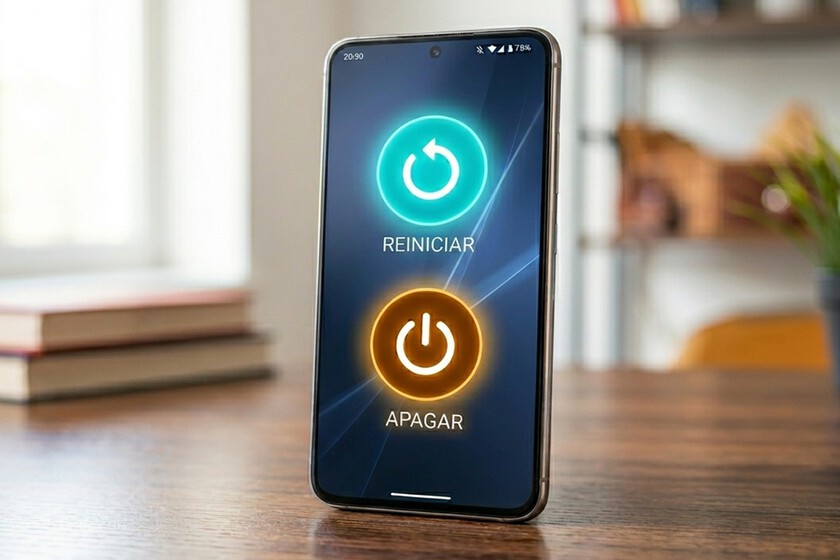
The question of how frequently one should restart their mobile device often arises, and the answer, while somewhat dependent on individual usage patterns and device specifics, benefits from expert consensus. According to the National Security Agency (NSA) of the United States, a leading authority on cybersecurity best practices, the recommended frequency for restarting mobile devices is once per week.
This recommendation is not arbitrary. The NSA’s guidelines for mobile device best practices underscore the importance of regular reboots as a simple yet effective measure against various cyber threats and performance issues. While modern smartphones are indeed robust and can operate for months without a power cycle, this continuous operation allows for the accumulation of the aforementioned digital debris and potential security vulnerabilities. A weekly restart strikes a balance between user convenience and system maintenance, ensuring that the device regularly benefits from a clean slate, optimized resources, and updated security states without being overly disruptive to the user’s workflow.
Tech experts across the industry generally echo this sentiment. While daily restarts might be excessive for most users, and monthly restarts potentially too infrequent, a weekly cycle is widely regarded as an optimal routine. For users who engage in heavy multitasking, frequently download and uninstall apps, or operate in environments with higher security risks, a more frequent restart might even be advisable. Conversely, a light user might find bi-weekly sufficient, though the weekly recommendation provides a solid, safe benchmark for all.
Beyond the Reboot: A Holistic Approach to Digital Hygiene
While the weekly restart is a powerful and often overlooked component of digital hygiene, it is part of a broader ecosystem of practices that contribute to the longevity, security, and optimal performance of a smartphone. A holistic approach involves several key areas:
-
Timely Software Updates: Regularly updating the operating system (iOS or Android) and all installed applications is paramount. Updates often include critical security patches that protect against newly discovered vulnerabilities, as well as performance enhancements and bug fixes. Delaying updates leaves devices exposed to known threats.
-
Proactive App Management: Users should regularly review their installed applications. Uninstalling unused apps frees up storage space and reduces the number of background processes that could consume resources or pose security risks. Restricting background activity for non-essential apps and carefully managing app permissions are also crucial steps. Many apps request more permissions than they actually need, which can be a privacy concern.
-
Strategic Storage Management: Running low on storage can severely impact device performance. Regularly clearing app caches (beyond what a restart does), deleting old photos and videos, and offloading less frequently accessed media to cloud storage or external drives are essential practices. Understanding which apps consume the most storage can help users make informed decisions about their digital footprint.
-
Mindful Battery Health Practices: While modern batteries are sophisticated, certain habits can accelerate degradation. Avoiding extreme temperatures (both hot and cold), refraining from constantly charging to 100% (and leaving it there), and preventing deep discharges (letting the battery drop to 0% frequently) can significantly extend the overall lifespan of the battery. Many devices now offer "optimized charging" features that learn usage patterns to charge the battery just before it’s needed, reducing stress on the cells.
-
Physical Cleanliness: Often overlooked, the physical cleanliness of a smartphone also contributes to its longevity. Regularly cleaning the screen, camera lenses, and especially charging ports (carefully, with appropriate tools) can prevent issues like poor charging connections or reduced camera quality. Dust and debris can accumulate in ports, leading to functionality problems.
-
Robust Security Practices: Beyond reboots and updates, fundamental cybersecurity practices are indispensable. This includes using strong, unique passwords or passcodes, enabling two-factor authentication (2FA) for all critical accounts, being wary of suspicious links and unsolicited messages (phishing attempts), and using a reliable virtual private network (VPN) when connecting to public Wi-Fi networks.
The Broader Implications: Sustainability and User Experience
The collective impact of these digital hygiene practices, particularly the simple act of a weekly restart, extends beyond individual device performance to broader societal and environmental considerations.
-
Environmental Sustainability: In an era of increasing electronic waste (e-waste), extending the useful lifespan of smartphones is a significant step towards environmental sustainability. A device that performs optimally for longer reduces the frequency of replacements, thereby decreasing the demand for new manufacturing and the generation of e-waste. This aligns with circular economy principles and reduces the environmental footprint associated with rapid technological consumption.
-
Economic Impact: For consumers, maintaining a device through good digital hygiene translates directly into economic savings. Delaying the need for a costly upgrade or replacement can save hundreds, if not thousands, of dollars over several years. It empowers users to maximize their investment in technology.
-
Enhanced User Experience and Well-being: A fast, responsive, and reliable smartphone significantly enhances the daily user experience. Reduced frustration from lagging apps, improved battery life, and fewer unexpected crashes contribute to a more seamless and enjoyable interaction with technology. In an age where digital devices are integral to work, communication, and leisure, ensuring their optimal functioning directly impacts personal productivity and mental well-being.
In conclusion, the practice of regularly restarting a smartphone, ideally once a week, is far from a trivial action. It is a cornerstone of effective digital hygiene, offering tangible benefits across performance, security, and battery life. This simple act, supported by expert recommendations from bodies like the NSA, serves as a powerful yet effortless maintenance routine. Coupled with other essential practices like timely updates, app management, and mindful battery care, it empowers users to extend the life of their devices, enhance their digital security, and enjoy a consistently superior user experience. In a world increasingly reliant on mobile technology, understanding and implementing these fundamental habits is not merely an option, but a non-negotiable imperative for both personal efficiency and broader environmental responsibility.
