
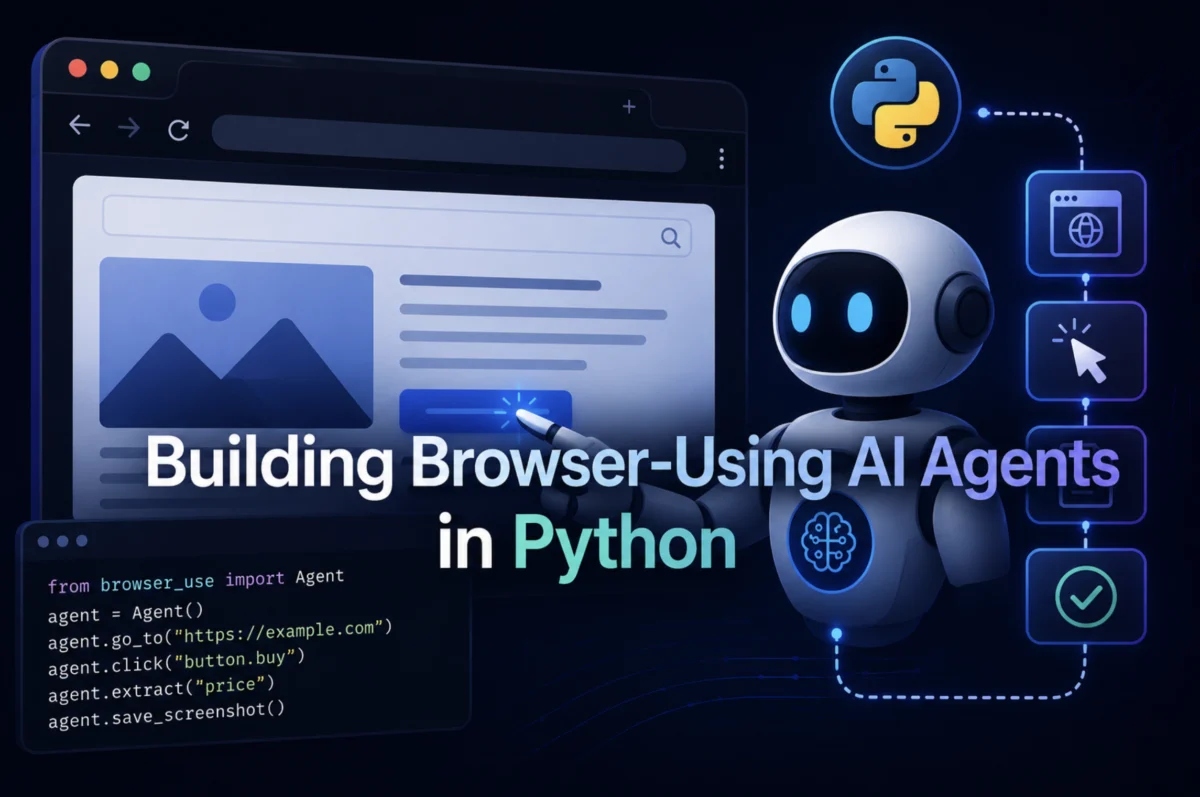

The landscape of artificial intelligence is rapidly evolving, with a significant shift towards agents capable of autonomous interaction with the digital world. This article explores the methodologies and tools for constructing AI agents that can navigate and engage with real websites, moving beyond traditional API-centric automation to unlock a vast domain of tasks previously confined to human workers. The focus will be on Playwright for robust browser control, browser-use for high-level, natural language-driven interactions, and LangGraph for orchestrating complex agentic workflows.
The Expanding Frontier of AI Automation: Bridging the API Gap
For years, AI agent tutorials and practical applications often commenced with an API. This approach, while effective for structured data exchange with well-defined endpoints (e.g., OpenWeather for weather data, Stripe for payments, GitHub for code repositories), represents only a fraction of daily human-computer interaction. The vast majority of the internet’s approximately 1.1 billion websites lack public APIs, communicating solely through browser interactions. This "API gap" severely limits the utility of AI agents to perhaps 5% of tasks a human worker performs daily.
The true potential of AI agents emerges when they are equipped with a browser. This capability extends their reach to tasks like filing government forms, monitoring competitor pricing, extracting research from JavaScript-rendered sites, or logging into legacy portals that predate modern authentication standards like OAuth. Equipping agents with a browser elevates their coverage to nearly all digital tasks, signifying a pivotal advancement in automation. This burgeoning sector is reflected in market projections; the global AI agents market, valued at an estimated $10.91 billion in 2026, is forecast to surge to $50.31 billion by 2030, with browser-capable agents at the vanguard of this growth. Early adoption is already notable, with 27.7% of enterprises reportedly utilizing agentic browsers in production, a dramatic increase from negligible figures just two years prior, underscoring the rapid maturation of tooling and established patterns.
By the conclusion of this exploration, practitioners will possess the knowledge to develop a functional browser agent in Python, capable of navigating live websites, completing forms, extracting structured data, and making autonomous decisions via integration with a Large Language Model (LLM).
Playwright: The Modern Standard for Browser Automation
For those who engaged in browser automation five years ago, Selenium was the ubiquitous choice. While Selenium remains widely deployed and functional, Playwright has emerged as the de facto standard for new projects in 2026, primarily due to practical advantages rather than mere theoretical superiority.
The core difference lies in their communication protocols. Selenium interacts with browsers by dispatching individual HTTP requests to a WebDriver for each action—be it a click, type, or scroll. Each action incurs a separate round-trip cost. Playwright, in contrast, maintains a persistent WebSocket connection throughout the entire session. This optimized channel allows commands to flow with minimal per-action overhead, leading to significant performance gains. Independent benchmarks consistently demonstrate Playwright outperforming Selenium, running 30-50% faster at the test-suite level and averaging approximately 290ms per action compared to Selenium’s ~536ms. For an AI agent executing hundreds of actions, this compound gap translates into substantial efficiency improvements.
Beyond speed, Playwright simplifies the development and deployment experience. It bundles its own browser binaries, providing pre-configured versions of Chromium, Firefox, and WebKit that are guaranteed to be compatible with the installed Playwright version. This eliminates common pitfalls like driver version mismatches and broken continuous integration (CI) pipelines caused by browser updates. Furthermore, Playwright incorporates built-in auto-waiting mechanisms. Before executing an action like a click, it automatically verifies that the target element is visible, enabled, and not animating, removing the need for developers to insert unreliable time.sleep(2) calls and reducing flakiness.
Crucially for AI agents, Playwright simulates genuine human interaction by firing real mouse and keyboard events. Many anti-automation systems are designed to detect synthetic Document Object Model (DOM) clicks. Playwright’s interaction model is far more challenging to distinguish from authentic human input, enhancing the agent’s stealth and resilience against bot detection.
Introducing browser-use: High-Level Browser Control for LLMs
Layered above Playwright is the browser-use library, a Python tool designed to grant an LLM a fully operational browser. While Playwright handles the low-level browser mechanics, browser-use empowers the LLM to interpret the page state and autonomously decide on actions such as clicking, typing, or data extraction, all without requiring explicit CSS selectors. This allows developers to assign tasks in plain English, delegating the intricate navigation and interaction decisions to the agent itself. This article will cover both raw Playwright for precise, predictable control and browser-use for autonomous navigation, catering to diverse development needs.
Setting Up the Environment for Browser-Capable AI
Developing these agents requires Python 3.10 or higher, an OpenAI API key, and approximately five minutes for initial setup.
- Create a Virtual Environment:
python -m venv browser_agent_env # macOS / Linux source browser_agent_env/bin/activate # Windows browser_agent_envScriptsactivate - Install Dependencies:
pip install playwright browser-use langchain langchain-openai langgraph langchain-community python-dotenv - Install Browser Binaries: This critical step is often overlooked. Playwright necessitates the separate download of browser engines. For most agent work, Chromium is sufficient.
playwright install chromium # For all three engines (Chromium, Firefox, WebKit): # playwright install - Store API Key: Create a
.envfile in the project root to securely store the OpenAI API key.OPENAI_API_KEY=your_openai_api_key_hereImportant: Immediately add
.envto your.gitignoreto prevent committing sensitive API keys. -
Verify Installation: A simple script can confirm the environment’s functionality. This script navigates to
example.com, extracts the main heading, and saves a screenshot.# first_run.py import asyncio from playwright.async_api import async_playwright async def main(): async with async_playwright() as p: browser = await p.chromium.launch(headless=True) context = await browser.new_context( viewport="width": 1280, "height": 720, user_agent=( "Mozilla/5.0 (Windows NT 10.0; Win64; x64) " "AppleWebKit/537.36 (KHTML, like Gecko) " "Chrome/120.0.0.0 Safari/537.36" ) ) page = await context.new_page() await page.goto("https://example.com", wait_until="networkidle") title = await page.title() print(f"Page title") h1 = await page.text_content("h1") print(f"H1 heading: h1") await page.screenshot(path="screenshot.png", full_page=True) print("Screenshot saved to screenshot.png") await browser.close() asyncio.run(main())This script demonstrates
async_playwright()as the session entry point,browser_contextfor isolated sessions (akin to incognito windows), andwait_until="networkidle"as a robust waiting strategy for dynamic pages. A successful run resulting in a screenshot confirms a correctly configured environment.
Web Navigation and Data Extraction with Playwright
A key advantage of Playwright over simpler libraries like requests combined with BeautifulSoup is its ability to handle JavaScript rendering. Modern websites frequently deliver a minimal HTML skeleton, with actual content dynamically built and injected into the DOM post-load by frameworks like React, Vue, or Angular. Playwright, by running a full browser, renders the page exactly as a human would see it after all JavaScript has executed.
Consider books.toscrape.com, a publicly available scraping sandbox designed for practice. It features pagination, dynamic class names for elements like ratings, and mirrors the complexity of real e-commerce sites.
# scrape_books.py (Snippet for illustration, full code omitted for brevity)
import asyncio, json
from playwright.async_api import async_playwright

async def scrape_books(max_pages: int = 3) -> list[dict]:
    results = []
    async with async_playwright() as p:
        browser = await p.chromium.launch(headless=True)
        context = await browser.new_context(viewport="width": 1280, "height": 720)
        page = await context.new_page()
        for page_num in range(1, max_pages + 1):
            url = f"https://books.toscrape.com/catalogue/page-page_num.html"
            await page.goto(url, wait_until="domcontentloaded")
            await page.wait_for_selector("article.product_pod", timeout=10000)
            books = await page.query_selector_all("article.product_pod")
            for book in books:
                title_el = await book.query_selector("h3 a")
                title = await title_el.get_attribute("title") if title_el else "N/A"
                price_el = await book.query_selector(".price_color")
                price = await price_el.inner_text() if price_el else "N/A"
                rating_el = await book.query_selector("p.star-rating")
                rating_class = await rating_el.get_attribute("class") if rating_el else ""
                rating = rating_class.replace("star-rating", "").strip()
                results.append("title": title, "price": price, "rating": rating, "page": page_num)
        await browser.close()
    return results

async def main():
    books = await scrape_books(max_pages=2)
    print(f"nTotal books scraped: len(books)")
    print(json.dumps(books[:3], indent=2))

asyncio.run(main())
The wait_for_selector() function is critical here. Instead of arbitrary sleep calls, it monitors the DOM for the target element, proceeding only when it appears or raising a TimeoutError. This "fail fast and explicitly" behavior is superior for debugging and reliability. The example also highlights extracting data encoded in CSS classes (e.g., star-rating Three), a common pattern requiring direct DOM inspection that a raw LLM without browser access could not infer.
Form Completion and Multi-Step Flows: Emulating Human Input
Form interaction is a common failure point for automation scripts. Modern web forms involve a sequence of focus, input, change, and blur JavaScript events, often with client-side validation listeners. Directly manipulating DOM value attributes, a technique of older automation tools, bypasses these events and leads to validation failures.
Playwright’s fill() and click() methods accurately simulate these real browser events in the correct order, ensuring compatibility with complex form validation logic. A prime target for practice is the-internet.herokuapp.com/login, a public test site that validates tomsmith / SuperSecretPassword! as valid credentials.
# form_submit.py (Snippet for illustration, full code omitted for brevity)
import asyncio
from playwright.async_api import async_playwright

async def login_and_verify(username: str, password: str) -> dict:
    async with async_playwright() as p:
        browser = await p.chromium.launch(headless=True)
        context = await browser.new_context()
        page = await context.new_page()
        await page.goto("https://the-internet.herokuapp.com/login")
        await page.wait_for_selector("#username", state="visible")
        await page.fill("#username", username)
        await page.fill("#password", password)
        await page.click("button[type='submit']")
        await page.wait_for_load_state("networkidle")
        success_el = await page.query_selector(".flash.success")
        error_el = await page.query_selector(".flash.error")
        if success_el:
            message = await success_el.inner_text()
            result = "success": True, "message": message.strip()
        elif error_el:
            message = await error_el.inner_text()
            result = "success": False, "message": message.strip()
        else:
            result = "success": False, "message": "Unknown result"
        await browser.close()
        return result

async def main():
    valid_result = await login_and_verify("tomsmith", "SuperSecretPassword!")
    print(f"Valid login:   valid_result")
    invalid_result = await login_and_verify("wronguser", "wrongpass")
    print(f"Invalid login: invalid_result")

asyncio.run(main())
The pattern of fill() -> click() -> wait_for_load_state() -> check for result forms the backbone of most form interactions. The wait_for_load_state("networkidle") after submission is crucial to ensure the DOM has updated with the post-submission state before querying for results. Playwright also offers methods for handling file uploads (set_input_files), dropdown selections (select_option), checkboxes (check), and modal dialogs (page.on("dialog", lambda dialog: asyncio.ensure_future(dialog.accept()))), enabling comprehensive form interaction.
Tool Orchestration with LangChain and LangGraph: The Agentic Loop
Raw Playwright scripts, while powerful, are inherently fixed. They execute predefined steps, breaking if the page structure changes or if the task deviates from the anticipated flow. Integrating Playwright with an LLM via frameworks like LangChain and LangGraph transforms these browser actions into callable tools within an intelligent agent’s reasoning loop. The agent can then analyze a task, decide which tool to employ, execute it, interpret the outcome, and adapt its next action accordingly. This iterative process is the core distinction between a "browser automation script" and a truly "AI agent."
# agent_tools.py (Simplified snippet, full code omitted for brevity)
import asyncio, os
from dotenv import load_dotenv
from langchain_openai import ChatOpenAI
from langchain.tools import tool
from langchain_core.messages import HumanMessage
from langgraph.prebuilt import create_react_agent
from playwright.async_api import async_playwright

load_dotenv()

# Shared browser state for persistence across tool calls
_browser, _page, _playwright = None, None, None

async def get_page():
    global _browser, _page, _playwright
    if _browser is None:
        _playwright = await async_playwright().start()
        _browser = await _playwright.chromium.launch(headless=True)
        context = await _browser.new_context(viewport="width": 1280, "height": 720)
        _page = await context.new_page()
    return _page

async def close_browser():
    global _browser, _page, _playwright
    if _browser:
        await _browser.close()
        await _playwright.stop()
        _browser, _page, _playwright = None, None, None

@tool
async def navigate_and_extract(url: str) -> str:
    # ... (implementation as described in original article)
    pass

@tool
async def fill_and_submit_form(selector_value_pairs: str) -> str:
    # ... (implementation as described in original article)
    pass

@tool
async def take_screenshot(filename: str) -> str:
    # ... (implementation as described in original article)
    pass

llm = ChatOpenAI(model="gpt-4o", temperature=0, api_key=os.getenv("OPENAI_API_KEY"))
tools = [navigate_and_extract, fill_and_submit_form, take_screenshot]
agent = create_react_agent(llm, tools)

async def main():
    result = await agent.ainvoke("messages": [HumanMessage(
        content=("Go to https://example.com, read the page content, "
                 "then take a screenshot called example.png"))])
    print(result["messages"][-1].content)
    await close_browser()

asyncio.run(main())
The @tool-decorated functions become the agent’s capabilities. Their docstrings are crucial, serving as the LLM’s guide to understanding each tool’s purpose and usage. Maintaining a single, shared browser instance (_browser, _page) across tool calls is vital for preserving session state (cookies, navigation history), preventing slow browser re-initialization, and avoiding rate limits. The use of async def for tools mandates invoking the agent with ainvoke() to ensure all operations run on the same event loop. The vertical flow diagram illustrates how a task request cycles through the agent: the LLM (the "brain") decides on an action, calls a tool (e.g., navigate_and_extract), receives the tool’s output, and then processes this information to decide the next step, continuously iterating until the task is complete.
High-Level Agent Tasks with browser-use
While raw Playwright tools offer granular control, they demand explicit selectors and manual handling of edge cases. If a website’s HTML structure changes, selector-based scripts break. The browser-use library provides a higher level of abstraction. It leverages Playwright internally but allows the LLM to interpret the page state at each step and decide on actions in natural language, making agents more resilient to structural changes.
browser-use is ideal for:
- Exploratory tasks: Where the exact navigation path or element selectors are unknown beforehand.
- Highly dynamic websites: Where CSS selectors might be unstable or change frequently.
- Reducing development effort: Eliminating the need to manually inspect DOM and write selectors.
- Tasks requiring flexible reasoning: Where the agent needs to adapt its strategy based on real-time page content.
# browser_use_agent.py (Simplified snippet, full code omitted for brevity)
import asyncio, os
from dotenv import load_dotenv
from langchain_openai import ChatOpenAI
from browser_use import Agent

load_dotenv()

async def run_browser_task(task: str) -> str:
    llm = ChatOpenAI(model="gpt-4o", temperature=0, api_key=os.getenv("OPENAI_API_KEY"))
    agent = Agent(task=task, llm=llm, max_actions_per_step=5)
    result = await agent.run()
    return result.final_result() or "Task completed with no extracted output."

async def main():
    task = ("Go to https://books.toscrape.com and find the 3 most expensive books "
            "on the first page. Return their titles and prices.")
    print(f"Task: taskn")
    output = await run_browser_task(task)
    print(f"Result:noutput")

asyncio.run(main())
In this browser-use example, the agent autonomously navigates, reads, identifies, and extracts information based on the natural language task, without any hardcoded selectors. The max_actions_per_step=5 parameter limits consecutive actions before the agent re-evaluates the page, promoting more frequent self-correction.
Navigating the Hard Parts: Robustness in Production
Deploying browser agents in production uncovers common failure modes, each with practical solutions.
-
Anti-Bot Detection: Websites employ various techniques to detect automation, including checking
navigator.webdriver, analyzing headless browser fingerprints, and detecting unnaturally fast or uniform interaction patterns.- Mitigation: The most crucial step is removing the
webdriverflag. Additionally, using a realistic user agent string, standard viewport dimensions, and a consistent locale/timezone can bypass many detection methods. Playwright’sadd_init_script()allows injecting JavaScript to overridenavigator.webdriverbefore any page script executes. The--disable-blink-features=AutomationControlledlaunch argument further obscures automation. - Advanced Solutions: For highly aggressive anti-bot systems, CAPTCHAs, and sophisticated fingerprinting, managed services like Browserbase, Spidra, and Brightdata’s Scraping Browser offer infrastructure that handles residential IP rotation, CAPTCHA solving, and browser fingerprint management.
- Mitigation: The most crucial step is removing the
-
Smart Waiting: Relying on
time.sleep()for dynamic content loading is unreliable. Playwright offers explicit, event-driven waiting strategies:page.wait_for_selector(selector, state="visible", timeout=10000): Waits for a specific element to appear and become visible in the DOM.page.expect_response(lambda r: "/api/products" in r.url and r.status == 200): Waits for a specific network response (e.g., an XHR/fetch call).page.wait_for_url("**/dashboard**", timeout=10000): Waits for the browser’s URL to match a pattern, useful after redirects.page.wait_for_function("() => window.__dataLoaded === true", timeout=10000): Waits for a specific JavaScript variable or function to return true in the browser’s context.
These strategies are tied to observable events, offering robust and debuggable waiting mechanisms.
-
Session and Cookie Persistence: Losing session state (e.g., authentication cookies) between agent runs necessitates re-logging in, which is slow and can trigger rate limiting.
- Solution: After a successful login, extract and save the
context.cookies()to disk (e.g., as JSON). Before subsequent runs, load these saved cookies back into the new browser context usingcontext.add_cookies(). This allows the agent to start in an authenticated state. Regular checks for session expiration (e.g., detecting redirects to login pages) should be implemented to trigger fresh logins when necessary.
- Solution: After a successful login, extract and save the
Deployment and Scalability of Browser Agents
Transitioning a browser agent from local development to a reliable cloud environment introduces deployment challenges, primarily around system dependencies. Playwright’s Chromium browser requires a specific set of shared libraries often absent from minimal cloud images. Docker provides the cleanest solution, encapsulating all necessary dependencies within a portable container.
# Dockerfile for headless Playwright-based browser agent
FROM python:3.11-slim

# Install system dependencies required by Chromium
RUN apt-get update && apt-get install -y
    libnss3 libatk1.0-0 libatk-bridge2.0-0 libcups2
    libdrm2 libxkbcommon0 libxcomposite1 libxdamage1
    libxrandr2 libgbm1 libasound2 libpangocairo-1.0-0
    libpango-1.0-0 libcairo2 libx11-6 libxext6 libxfixes3
    fonts-liberation wget ca-certificates
    && rm -rf /var/lib/apt/lists/*

WORKDIR /app

COPY requirements.txt .
RUN pip install --no-cache-dir -r requirements.txt

# Install Playwright browser binaries into the image
RUN playwright install chromium
RUN playwright install-deps chromium

COPY . .
CMD ["python", "agent_tools.py"]

# requirements.txt:
# playwright
# browser-use
# langchain
# langchain-openai
# langgraph
# python-dotenv
For concurrent workloads requiring multiple parallel browser sessions, Playwright’s async API combined with asyncio.gather() and asyncio.Semaphore() is essential. A single browser process can host multiple isolated contexts, which are significantly cheaper in terms of memory and CPU than launching a full browser instance for each task. The semaphore caps the number of concurrent contexts, preventing resource exhaustion.
The ecosystem for deploying browser agents is also maturing rapidly. Amazon Nova Act, launched in March 2025, offers a dedicated SDK for building browser agents on AWS, with native Playwright integration. Playwright’s own Model Context Protocol (MCP) server provides AI assistants with full browser control through structured accessibility snapshots, optimizing token costs while maintaining a high understanding of the page state.
An End-to-End Agent: Putting it All Together
A complete browser agent can integrate these components to tackle complex research tasks. Consider an agent tasked with extracting specific data from a public source and summarizing it.
# reference_agent.py (Simplified snippet, full code omitted for brevity)
import asyncio, os
from dotenv import load_dotenv
from langchain_openai import ChatOpenAI
from langchain.tools import tool
from langchain_core.messages import HumanMessage, SystemMessage
from langgraph.prebuilt import create_react_agent
from playwright.async_api import async_playwright

load_dotenv()

_browser, _context, _page, _playwright = None, None, None, None

async def get_page():
    # ... (browser launch and setup with anti-bot measures)
    pass

async def teardown():
    # ... (browser closing)
    pass

@tool
async def navigate(url: str) -> str:
    # ... (implementation to navigate and return page content)
    pass

@tool
async def extract_structured(css_selector: str) -> str:
    # ... (implementation to extract elements by selector)
    pass

@tool
async def get_current_url() -> str:
    # ... (implementation to return current URL)
    pass

llm = ChatOpenAI(model="gpt-4o", temperature=0, api_key=os.getenv("OPENAI_API_KEY"))
tools = [navigate, extract_structured, get_current_url]
agent = create_react_agent(llm, tools)

SYSTEM = (
    "You are a browser-based research agent. You have access to a real browser. "
    "Use navigate() to open pages, extract_structured() to pull specific elements, "
    "and get_current_url() to check where you are. "
    "Always navigate first, then extract. Be concise in your final answer."
)

async def run_agent(query: str) -> str:
    result = await agent.ainvoke("messages": [SystemMessage(content=SYSTEM), HumanMessage(content=query)])
    await teardown()
    return result["messages"][-1].content

if __name__ == "__main__":
    query = ("Go to https://books.toscrape.com and extract the titles and prices "
             "of the first 5 books listed. Return them as a structured list.")
    print(f"Query: queryn")
    answer = asyncio.run(run_agent(query))
    print(f"Answer:nanswer")
This comprehensive agent utilizes a system prompt to guide the LLM’s behavior, ensuring it follows a logical sequence of navigation and extraction. It orchestrates the navigate, extract_structured, and get_current_url tools to fulfill the research query, ultimately synthesizing a structured list of results. The teardown() function ensures that all browser resources are cleanly released after the agent completes its task.
Conclusion: The Future is Browser-Enabled
The integration of AI agents with browser capabilities represents a transformative moment for digital automation. The browser, far from being a niche tool, is the universal interface to the web, the primary arena where the world’s work is conducted. An AI agent proficient in browser interaction circumvents the need for dedicated API integrations, gaining access to virtually any information or function accessible to a human user.
The current practicality of this paradigm is underpinned by the advanced maturity of available tooling. Playwright effectively manages the complexities of browser interaction, providing a robust and performant foundation. For exploratory tasks or highly dynamic web environments, browser-use eliminates the tedious process of manual selector definition, allowing agents to operate with greater autonomy and resilience. LangGraph, with its clean tool hooks and sophisticated reasoning loops, enables LLMs to intelligently orchestrate these browser actions, adapting to variable page structures and unforeseen scenarios. The patterns and techniques outlined in this article are not theoretical demonstrations but reflect the established practices currently employed by a significant percentage of enterprises actively deploying AI agents in production.
For aspiring developers, the journey often begins with basic scraping examples, gradually integrating agent layers for decision-making and browser-use for dynamic interactions. Ultimately, deployment in containerized environments like Docker facilitates reliable operation in cloud infrastructures. The challenge lies not in the code itself, but in discerning the optimal tool for each layer of complexity. This detailed exploration aims to clarify these distinctions, empowering developers to build sophisticated, browser-enabled AI agents that can truly unlock the full potential of the web.
