
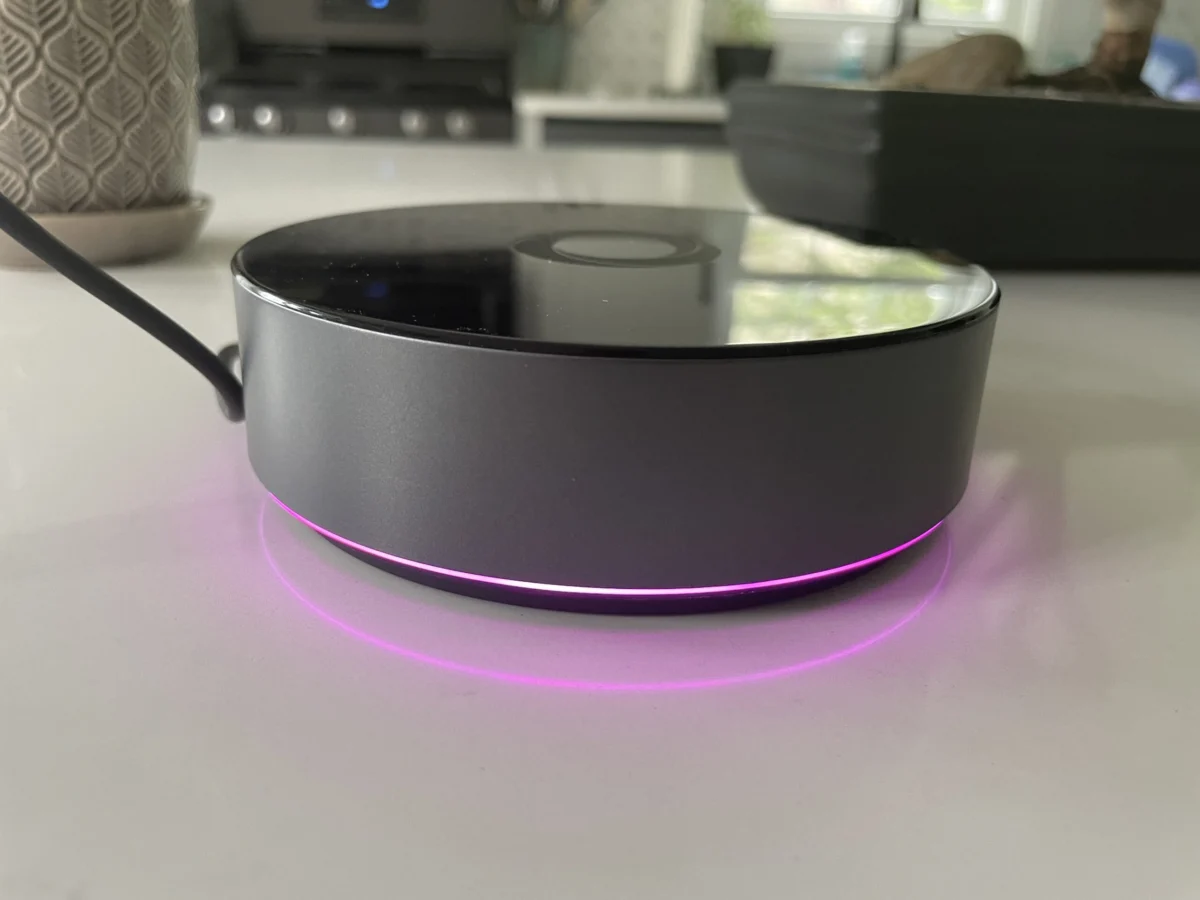

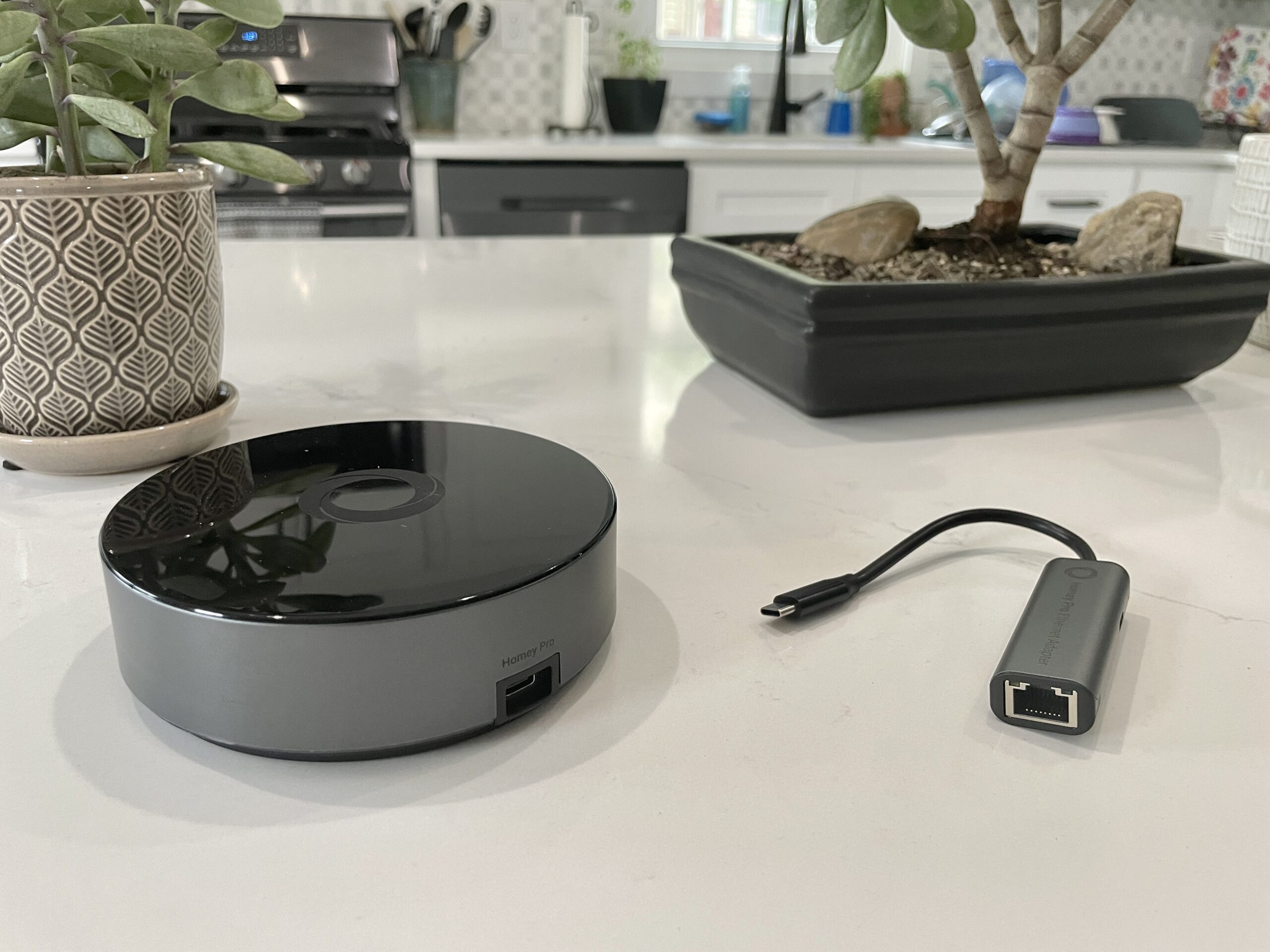
The highly anticipated Homey Pro, a premium smart home hub from Dutch company Athom, has officially launched in the U.S. market, following the earlier release of its more budget-friendly counterpart, the Homey Bridge. Priced at $399, the Homey Pro aims to offer a robust, locally-controlled smart home experience, a significant departure from the cloud-centric approach of many competitors. This premium offering promises to eliminate most subscription fees and limitations inherent in the Bridge model, while also introducing optional Ethernet connectivity for an additional $29 and future support for the Matter smart home standard, including Matter over Thread.
Understanding the Homey Ecosystem
The introduction of the Homey Pro signifies a strategic expansion for Athom into the U.S. market, a region with a mature and diverse smart home landscape. The Homey Bridge, reviewed previously and found to be a "simple but sweet home hub," laid the groundwork by introducing users to the Homey platform. However, it came with certain restrictions, most notably a limit on the number of connected devices without a monthly subscription. The Pro model is designed to address these limitations for power users and those seeking greater control and privacy.
At its core, the Homey Pro represents a significant upgrade from the original 2019 Homey Pro, boasting a claimed 3.5 times increase in CPU performance. It also doubles the internal storage and memory to 8 GB and 2 GB, respectively. These enhancements are crucial for its primary differentiator: a strong emphasis on local control. Unlike the Bridge, which relies heavily on cloud processing, the Homey Pro prioritizes executing commands and automations directly on the device. This approach not only bolsters user privacy by minimizing data sent to external servers but also ensures functionality even during internet outages, provided the connected devices themselves do not require a cloud connection.
Key Features and Connectivity
Functionally, both the Homey Pro and Bridge share a common set of capabilities, including device management and automation setup. The hardware, however, reveals the Pro’s advanced nature. For the U.S. model, the Homey Pro is equipped with Wi-Fi (supporting both 2.4 GHz and 5 GHz bands), Bluetooth, infrared, Zigbee, and Z-Wave radios. A key addition in the Pro model is a dedicated Thread radio, operating at 833MHz, which is essential for future Matter over Thread compatibility.
A significant advantage of the Homey Pro over the Bridge is its removal of the five-device connection limit that necessitates a subscription on the lower-cost model. While the Bridge requires a $2.99 monthly fee for additional devices, the Pro model’s only optional subscription is a $0.99 monthly fee for cloud backups. This tiered approach allows users to select the hardware that best fits their needs and budget.
Setup and Initial Impressions
The setup process for the Homey Pro mirrors the user-friendly experience reported for the Homey Bridge. The device is powered via an included USB-C cable and charger. Users download the Homey app on their smartphone and are guided through a straightforward setup. A notable feature of the Homey app is its intelligent initial questioning about home layout, including the number of floors and the arrangement of rooms. This detailed room-mapping at the outset is a welcome departure from the often more cumbersome manual assignment found in other smart home applications.

Once connected to the home’s Wi-Fi network, the user is prompted to begin adding devices. Athom claims support for over 50,000 devices, a figure that, on the surface, suggests broad compatibility. However, the practical experience can vary significantly based on the user’s existing smart home ecosystem.
Device Compatibility: A Critical Consideration
The most significant point of contention and a key factor for potential buyers is device compatibility. While the Homey Pro boasts an extensive list of supported brands, the specific models within those brands can be a limiting factor. In testing, the reviewer was able to successfully integrate a range of devices, including Lutron Caseta switches, Philips Hue bulbs, and Sonos speakers.
However, a substantial portion of the reviewer’s smart home devices proved incompatible. This included a Schlage door lock, Ecobee Thermostat, Nanoleaf lighting products, a Govee electric kettle, Wyze cameras, Eve Home devices, a Logitech video doorbell, and most smart plugs.
A clarification from Athom addressed some of these issues. For Matter-certified smart plugs, the lack of immediate support was attributed to their reliance on Thread, a protocol for which Matter support is still being integrated into the Homey Pro. The company stated that Matter devices working over Wi-Fi should be discoverable. However, for non-Matter devices, the problem appears to stem from the granular level of device support within brands.

For example, while Nanoleaf is a supported brand, only specific product lines like the triangles, hexagons, and lines were recognized. The standard Nanoleaf bulbs and older Essentials models were not. Similarly, the Schlage Encode Wi-Fi lock, despite appearing in the app, failed to connect when authenticated with Schlage credentials, resulting in a "No devices found" message. The Govee Wi-Fi kettle integration returned an error.
Even with brands like Ecobee, which is listed as supported, only specific older models like the Ecobee 3 Lite and Room Sensor were compatible, leaving newer devices like the Ecobee Thermostat Premium unsupported. The reviewer noted that a shift away from Zigbee and Z-Wave devices in their personal setup might mean better luck for users with a higher proportion of these protocols.
Navigating Device Support
The absence of a readily accessible, comprehensive list of device integrations on the Homey website was a point of concern for the reviewer. An update to the article clarified that integrations are listed under the "Apps" section on the Homey website. The most effective strategy for prospective buyers is to download the free Homey app and proactively search for their existing and planned smart home devices before making a purchase. It’s worth noting that when devices are successfully integrated, their responsiveness with the Homey Pro is reportedly near-instantaneous.
Developer-Friendly Ecosystem

For technically inclined users, the Homey Pro offers a pathway to create custom integrations. The web interface provides an API key and example code using JavaScript and Node.js, suggesting the Homey Pro functions as a Node.js server. While this feature is valuable for developers and hobbyists seeking to extend the platform’s capabilities, it is unlikely to be utilized by the average consumer.
The Homey App: A Polished User Interface
Despite the device compatibility challenges, the Homey app itself is a strong point. It presents a modern and intuitive interface, surpassing many competing smart home applications in terms of design and functionality. The app effectively exposes both basic and advanced features. The ability to easily assign devices to rooms and floors is a significant convenience, although ideally, this could be integrated into the initial device pairing process rather than requiring a separate step in device settings.
Energy Monitoring and Automation Flows
A standout feature of the Homey Pro is its estimated smart home energy usage monitoring. This data can be viewed in near real-time and historically. To utilize this feature effectively, users must manually input the wattage of each connected device. While this requires an initial setup effort, it provides valuable insights into energy consumption. The system dynamically adjusts energy usage estimates based on device output, such as dimming lights, accurately reflecting power draw. Energy data can be accessed via the app or the web interface, with the latter also offering local environmental data like temperature, barometric pressure, and humidity. Athom has stated that if a device can report actual electricity usage, Homey will display and utilize that data.

For automations, Homey employs a system called "Flows," which are described as being more akin to Home Assistant’s automations than the simpler routines found in mainstream ecosystems like Amazon Alexa, Apple HomeKit, or Google Home. Flows utilize a "When… and… then…" structure, allowing for more complex logic, including "else" conditions and the ability to trigger other Flows. The reviewer found these Flows to be robust and reliable, with the option to create even more intricate automations through the advanced mode in the Homey web interface.
Analysis and Implications
The Homey Pro enters a smart home market that has increasingly shifted towards cloud-based services. Its emphasis on local control and privacy is a compelling proposition for a segment of users concerned about data security and reliance on internet connectivity. The device’s comprehensive radio suite, including Zigbee, Z-Wave, Wi-Fi, Bluetooth, and the future-proofing Thread radio, suggests a commitment to supporting a wide array of smart home protocols.
However, the critical hurdle for widespread adoption remains device compatibility. The $399 price point places the Homey Pro in the premium category, and for that investment, users expect near-universal integration with their existing smart home devices. The current limitations, particularly with newer Wi-Fi and Matter-over-Thread devices, could deter many potential buyers.
The availability of developer tools offers a potential long-term solution for expanding compatibility, but this is a niche offering that does not address the immediate needs of mainstream consumers. The successful integration of devices, when it occurs, is reportedly seamless and responsive, highlighting the platform’s underlying potential.

Conclusion
The Homey Pro is a powerful and promising smart home hub that champions local control and user privacy. Its polished app interface, robust automation capabilities, and forward-looking features like Thread support make it an attractive option for tech-savvy users. However, the significant caveat lies in its current device compatibility. Potential buyers must meticulously verify that their existing and planned smart home devices are supported before committing to the $399 investment. For those whose device ecosystem aligns with Homey’s supported integrations, the Pro offers a compelling alternative to cloud-dependent systems. For others, the current limitations may necessitate a continued reliance on more broadly compatible, albeit potentially less private, solutions like a well-configured Home Assistant setup. The success of the Homey Pro in the U.S. market will likely hinge on Athom’s ability to expand its device integration library and clearly communicate compatibility to consumers.
