
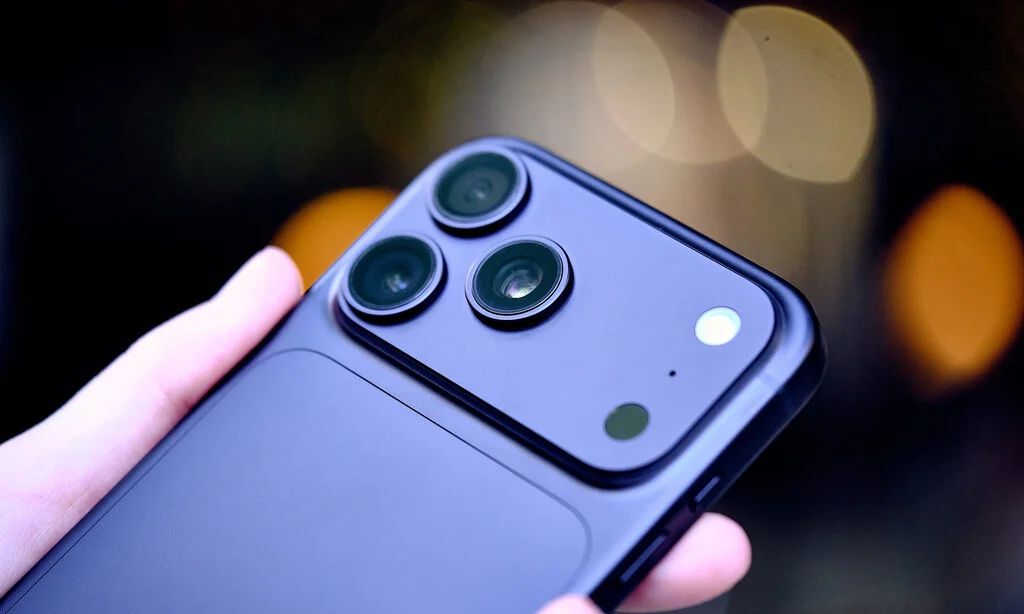

The evolution of mobile photography has transformed the smartphone into a primary capture device for millions of users worldwide, yet this technological leap has introduced a significant digital byproduct: the rapid exhaustion of internal storage capacity. Modern sensors, often capable of capturing images at 64, 108, or even 200 megapixels, generate individual files that can easily exceed 20 to 50 megabytes. When combined with the growing trend of recording video in 4K or 8K resolutions, the storage architecture of even high-capacity devices can be overwhelmed within months of standard usage. This article examines the technical strategies, storage management workflows, and hardware alternatives necessary to maintain device performance without sacrificing the integrity of personal media libraries.
The Technical Evolution of Mobile Imaging and Storage Demand
The shift toward high-resolution mobile photography began in earnest around 2019, when manufacturers moved away from the 12-megapixel standard toward high-density sensors. While these sensors offer superior cropping potential and detail, they necessitate a larger data footprint. A standard 12-megapixel image in JPEG format typically occupies between 3 and 5 megabytes. By contrast, a 50-megapixel shot can balloon to 15 megabytes or more, depending on the complexity of the scene and the sensor’s compression algorithm.
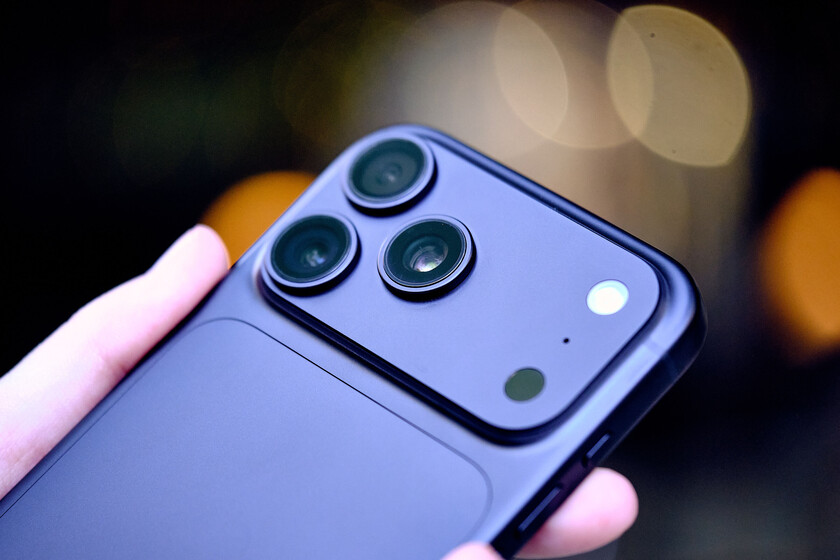
This shift has created a discrepancy between the capacity of internal NAND flash storage—which is often non-expandable in flagship models—and the output volume of the camera systems. Historically, users relied on microSD card slots to manage overflow; however, the industry-wide transition to UFS (Universal Flash Storage) in premium devices has seen the removal of physical expansion slots, forcing users to rely on cloud services or local data offloading techniques.
Optimizing Camera Settings for Efficiency
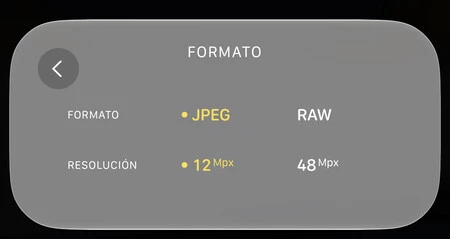
The most immediate strategy for storage conservation involves adjusting the default capture parameters. Most smartphones are configured by manufacturers to utilize "pixel binning" technology. This process combines data from multiple adjacent pixels into one "super-pixel," resulting in a high-quality 12-megapixel image that balances detail with file size. Users often incorrectly assume that forcing the sensor to output its maximum native resolution—such as 64 or 108 megapixels—is necessary for every scenario. In reality, the benefits of such resolution are only visible in large-format prints or professional cropping scenarios.
Furthermore, the choice of file format significantly impacts storage longevity. The industry standard for compatibility remains the Joint Photographic Experts Group (JPEG) format, but the move toward High-Efficiency Image File (HEIF) and the ProRAW or DNG (digital negative) formats has complicated the landscape. RAW formats, which capture uncompressed sensor data, are essential for professional post-processing but can consume upwards of 50 to 100 megabytes per image. For the average user, disabling RAW capture for daily tasks is the single most effective way to preserve storage.
Video Resolution and the 4K/8K Dilemma
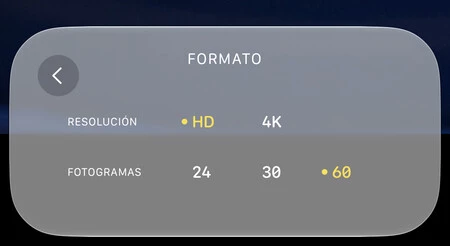
The impact of video recording on storage is exponential rather than linear. While 1080p (Full HD) recording at 30 frames per second remains the "sweet spot" for social media consumption and personal archives, the inclusion of 4K and 8K recording modes in modern smartphones has led to rapid storage depletion. A single minute of 8K video can occupy approximately 600 megabytes to 1 gigabyte of space.
For users who do not intend to produce cinema-grade content, the technical recommendation is to maintain 1080p resolution at 30 or 60 frames per second. This setting provides sufficient clarity for modern displays while keeping file sizes manageable. If high-resolution video is required for specific events, it is advisable to treat those files as "disposable" or "temporary," moving them to an external repository immediately after capture.
Cloud Integration and Ecosystem Strategies
The rise of cloud-based storage solutions—most notably Google Photos for the Android ecosystem and iCloud for iOS—has fundamentally changed how data is stored. These platforms operate on a "tiered" model where the original, full-resolution file is stored in the cloud, while a lightweight, optimized version is kept on the device.
Market analysis shows that as of 2023, the average smartphone user generates over 15 gigabytes of visual data per year. Consequently, native cloud integration is no longer a luxury but a functional requirement for modern smartphones with 128GB or 256GB storage capacities. However, users must be cognizant of the privacy and cost implications of these services. While they offer seamless synchronization, they introduce a recurring monthly cost once the free storage tiers are exhausted.
Hardware Alternatives: The Return of External Storage
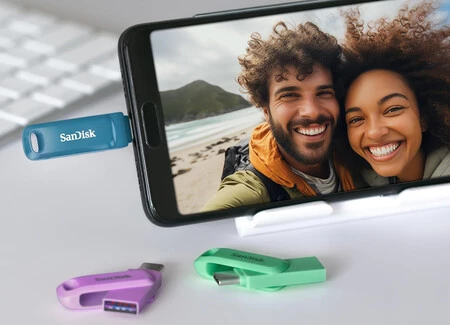
For users who prefer to maintain physical possession of their data, the external storage market has seen a resurgence in the form of compact, high-speed USB-C flash drives. The transition of the iPhone 15 series to USB-C ports has finally unified the connectivity standards across mobile platforms, allowing for "plug-and-play" compatibility between phones and external drives.
Using a USB-C flash drive allows for a robust workflow:

- Capture media at full resolution during an event.
- Connect the drive to the smartphone via the USB-C port.
- Use the integrated file manager to transfer large video files to the external drive.
- Delete the source files from the phone to reclaim internal memory.
This method effectively turns the smartphone into a workstation rather than a permanent storage locker, ensuring that the device remains fast and responsive.
Managing Digital Clutter: The Role of AI and Automation
Modern operating systems have begun incorporating artificial intelligence to address the problem of duplicate media. Internal galleries now routinely scan for "near-duplicates"—burst shots, accidental photos, or identical files received via messaging apps. In iOS, the "Duplicates" album in the Photos application allows users to merge identical assets, preserving the best quality version while discarding the redundant data.
For Android users, similar functionality is often integrated into third-party file managers or security applications. However, caution is advised: when utilizing third-party tools to identify and purge media, users should carefully review privacy policies to ensure their gallery metadata is not being harvested or uploaded to external servers for training purposes.
Long-term Implications for Device Longevity
The correlation between storage capacity and device performance is well-documented in consumer electronics. Flash storage relies on "wear leveling," where the system spreads data across the memory cells to prevent degradation. When storage is filled to 90% capacity or higher, the controller has less room to shuffle data, which can result in significant system slowdowns, app crashes, and failed system updates.
By maintaining at least 15% to 20% of free storage, users ensure that the device’s operating system has the "breathing room" required for cache operations and background processes. The proactive management of photography and video files is therefore not merely a matter of organization, but a critical component of hardware maintenance.
In conclusion, the modern mobile user must adopt a hybrid approach to storage management. By utilizing high-resolution modes only when necessary, embracing cloud-based optimization, and leveraging external hardware for long-term archiving, users can enjoy the benefits of cutting-edge camera technology without the anxiety of constant storage warnings. The transition from a "store everything on the device" mentality to a "curated workflow" is essential for the sustainable use of modern smartphones. While the resolution race shows no signs of slowing down, these strategies provide the necessary framework to balance creative output with the physical limitations of mobile technology.
