
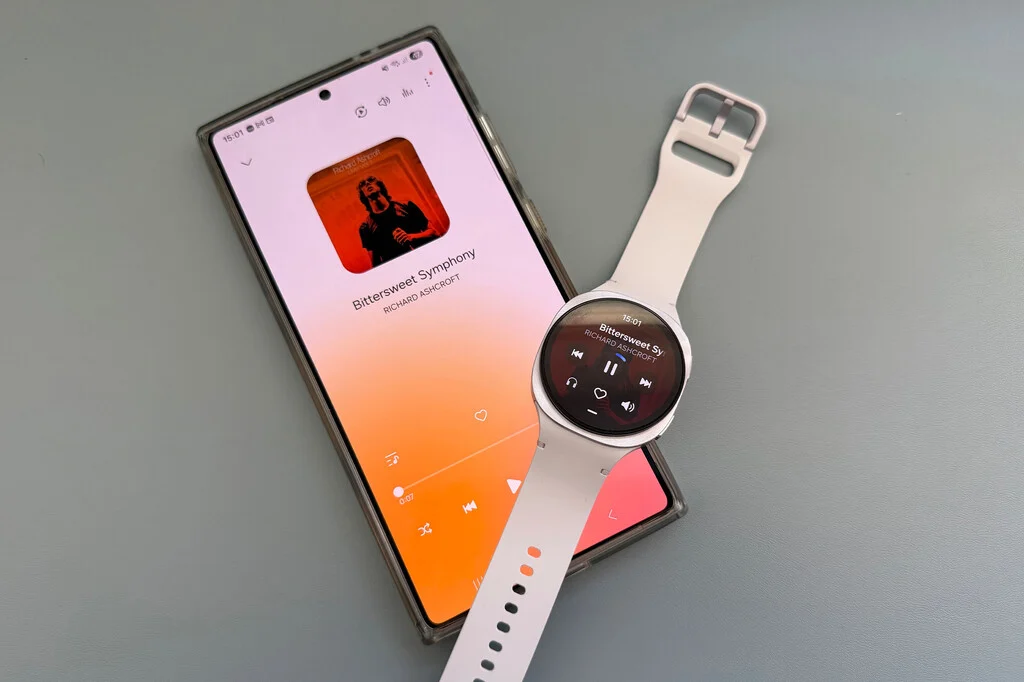

The advent of smartwatches has progressively redefined personal technology, evolving from mere notification conduits to sophisticated standalone devices. At the forefront of this evolution, Samsung’s Galaxy Watch series, including the recently introduced Galaxy Watch7 and Galaxy Watch8, along with their premium Ultra and Classic variants, offers a compelling feature set that underscores a shift towards greater user independence. Central to this paradigm is the significant internal storage capacity — 32 GB for standard models and an impressive 64 GB for the Ultra and Classic editions. While initially perceived by some as excessive for the limited application footprint typically found on a smartwatch, this generous allocation of space proves strategically vital for a core user activity: offline music and podcast storage. This capability transforms the smartwatch from a smartphone accessory into a genuinely autonomous media hub, particularly benefiting fitness enthusiasts and commuters seeking to untether from their mobile phones.
The Evolution of Wearable Independence
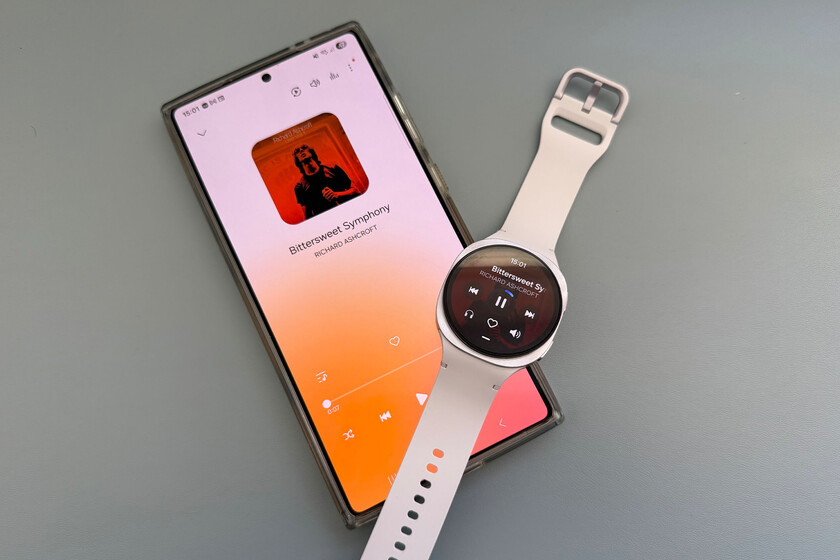
The trajectory of smartwatches has been marked by a continuous drive towards self-sufficiency. Early smartwatches were almost entirely tethered to a smartphone, relying on it for connectivity, processing power, and data storage. However, as silicon miniaturization advanced and operating systems like Wear OS (co-developed by Google and Samsung) matured, the hardware capabilities of wearables expanded dramatically. This evolution has seen the integration of advanced sensors, more powerful processors, and critically, increased onboard storage. For Samsung, a dominant player in both smartphone and wearable markets, equipping its Galaxy Watch lineup with substantial local storage is a deliberate strategic move. It caters to a growing segment of users who demand a seamless, uninterrupted experience, especially during activities where carrying a smartphone is inconvenient or undesirable.
The 32 GB or 64 GB of storage on these devices is far from arbitrary. To put this into perspective, a typical high-quality MP3 audio file, lasting approximately 3-4 minutes, occupies about 5-7 megabytes. This means a 32 GB watch can comfortably store between 4,500 to 6,000 songs, while a 64 GB model can double that capacity, holding 9,000 to 12,000 tracks. Such vast libraries far exceed the needs of an average workout playlist or even several weeks’ worth of daily commutes, providing users with an extensive selection without the need for constant curation. This capacity also accommodates a substantial collection of podcasts, offering hours of spoken-word content for long runs, bike rides, or public transport journeys.
Unlocking the Untethered Experience: Local Storage vs. Streaming
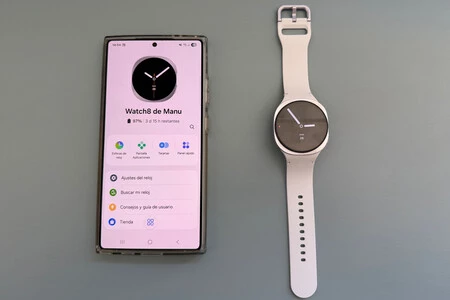
The decision to store music locally on a smartwatch gains significant practical relevance when considering the two primary modes of audio consumption on these devices: streaming via LTE connectivity or playback from local storage. For users equipped with an LTE-enabled Galaxy Watch, direct streaming from services like Spotify, YouTube Music, or other compatible platforms is a convenient option, leveraging the watch’s cellular connection to access a vast online library. This offers unparalleled flexibility, as users can stream virtually any song or podcast available without prior download.
However, the LTE streaming model is not without its limitations. Firstly, it incurs cellular data usage, which can be a concern for those with limited data plans. Secondly, and more critically for many users, LTE connectivity drains battery life at a significantly faster rate than local playback. Furthermore, reliable LTE coverage is not universally available, particularly in remote areas, underground gyms, or certain public transport networks, where signal strength can be intermittent or nonexistent.
This is precisely where the local storage capability of Bluetooth-only Galaxy Watch models, or even LTE models in scenarios of poor connectivity or battery conservation, shines brightest. By pre-loading music and podcasts onto the watch, users achieve true independence from their smartphone and external network dependencies. This ensures a consistent audio experience regardless of location or network conditions, providing peace of mind for athletes venturing off-grid or commuters navigating areas with patchy signal. The ability to pair these smartwatches seamlessly with Samsung Galaxy Buds3, Galaxy Buds4, or a wide array of other Bluetooth headphones further solidifies this untethered experience, creating a compact and highly functional personal entertainment system right on the wrist.
The Practicalities of Music Transfer: A Step-by-Step Guide
Transferring music from a Samsung Galaxy smartphone to a Galaxy Watch is designed to be an intuitive process, leveraging the well-integrated Samsung ecosystem. The procedure is facilitated through the Samsung Wearable application, which acts as the central control hub for managing the smartwatch. This method ensures that users can easily populate their watch with their preferred audio content, typically within minutes.
Prerequisites for Transfer:
- Galaxy Smartphone with Local Music: The source device must be a Samsung Galaxy smartphone containing the desired music files stored locally (not just streamed).
- Synchronized Devices: Both the Galaxy smartphone and the Galaxy Watch must be synchronized, ideally through the Samsung Health app, and logged into the same Samsung account. This ensures a secure and recognized connection for data transfer.
- Samsung Wearable App: The Samsung Wearable application must be installed and active on the Galaxy smartphone, paired with the Galaxy Watch.
The Transfer Process:
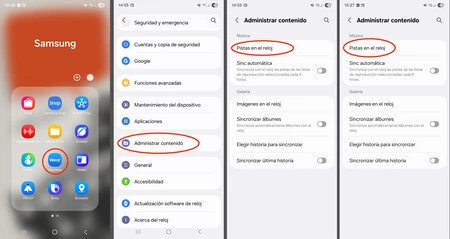
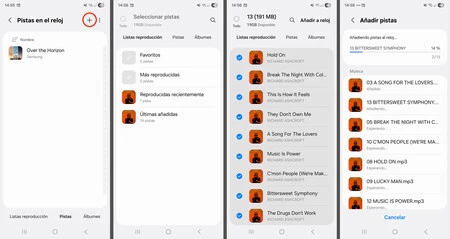
- Initiate Transfer via Wearable App: On the Galaxy smartphone, open the Samsung Wearable app. Navigate to the watch settings, and typically under a section related to "Apps" or "Content," locate the "Add content to your watch" or "Manage storage" option. Within this, there will be a specific entry for "Add music" or "Tracks."
- Select Music Files: The app will then display a list of music files stored locally on the Galaxy smartphone. Users can select individual songs, entire albums, or custom playlists. The interface is designed for ease of selection, allowing for bulk transfers.
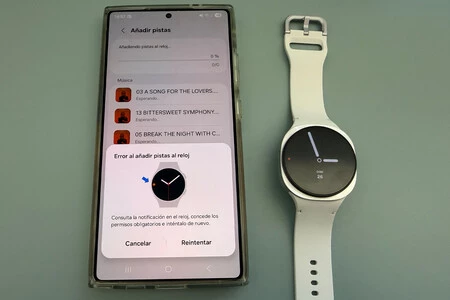
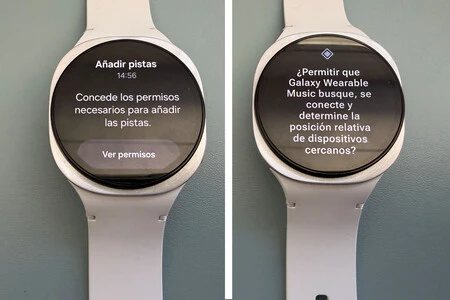
- Granting Permissions on the Watch: The initial transfer of files necessitates a one-time permission grant on the Galaxy Watch itself. Upon initiating the transfer from the phone, the watch will display a notification prompting the user to allow file transfers. To access this, the user typically swipes from the left edge of the watch screen to the center to reveal notifications. Following the on-screen prompts will grant the necessary permissions, a process that usually involves two or three confirmation screens. This security measure ensures that unauthorized data transfers do not occur.
- Monitoring Transfer Progress: Once permissions are granted, a progress bar on the smartphone’s Wearable app will indicate the transfer status. The speed of transfer is generally swift, depending on the volume of data being moved and the Bluetooth/Wi-Fi connection quality between the devices.
- Playback on the Watch: After the transfer is complete, the music files become accessible directly on the Galaxy Watch. To play them, users open the pre-installed "Samsung Music" application on the watch. This app provides standard playback controls, playlist management, and other features akin to a simplified music player.
- Connecting Audio Output: Upon initiating playback, the Galaxy Watch will prompt the user to select an audio output. Options include the watch’s internal speaker (if available and suitable for ambient listening) or, more commonly and preferably, a pair of Bluetooth headphones. This is the opportune moment to pair Galaxy Buds or any other compatible Bluetooth earbuds if they haven’t been connected previously. The pairing process is straightforward, typically requiring the headphones to be in pairing mode and selected from the watch’s Bluetooth settings.
Advanced Features and Considerations:
Samsung has also integrated an option for automatic synchronization of music, allowing the Galaxy Watch to periodically update its music library with new tracks added to the smartphone. This feature, typically set to synchronize every six hours, offers convenience but comes with important caveats. While it keeps the watch’s music collection fresh, it demands a careful balance of storage management and battery consumption. Regularly syncing large music libraries can quickly deplete the watch’s relatively finite 32 GB or 64 GB storage, necessitating frequent deletion of older tracks to make room for new ones. Moreover, these synchronization processes consume battery life on both the smartphone and the watch, a factor to consider for users prioritizing extended battery performance.
Broader Impact and Implications
The emphasis on robust local music storage within the Galaxy Watch series reflects several broader trends in the wearable technology market and user behavior:
- User Empowerment and Freedom: By providing an untethered music experience, Samsung empowers users to engage in activities like running, cycling, or gym workouts without the encumbrance of a smartphone. This fosters a sense of freedom and minimizes distractions, allowing for greater focus on the activity itself.
- Enhanced Fitness Tracking: Music is a significant motivator for many fitness enthusiasts. Having a curated, reliable soundtrack directly on the wrist, independent of network coverage, enhances the overall fitness tracking experience provided by platforms like Samsung Health.
- Market Differentiation: While many smartwatches offer some form of local music storage, Samsung’s consistent provision of substantial capacity across its lineup, combined with seamless ecosystem integration, serves as a key differentiator in a competitive market.
- Battery Optimization: For users who prioritize battery life, local playback is a far more energy-efficient solution than continuous streaming over LTE. This extends the usable time of the watch between charges, a critical factor for wearables.
- Privacy and Data Security: Storing music locally mitigates certain privacy concerns associated with constant online streaming, as the content is accessed directly from the device rather than transmitted over networks.
- Future-Proofing: As smartwatches continue to evolve, the demand for more sophisticated standalone applications, including advanced fitness metrics, navigation, and even enhanced communication features, will only grow. Generous storage ensures that the devices can accommodate these future developments without becoming obsolete too quickly.
The Competitive Landscape and Samsung’s Position
In the competitive landscape of smartwatches, Apple Watch, Garmin, and Fitbit also offer various forms of local music storage. Apple Watch users can sync music from Apple Music or their local iTunes library, mirroring Samsung’s approach of leveraging its ecosystem. Garmin, known for its strong focus on sports and outdoors, often includes substantial storage on its higher-end models, catering specifically to athletes who need reliable offline music for long training sessions. Fitbit, while more geared towards general fitness tracking, also provides some local storage options on select models. Samsung’s strategy, however, is notable for its blend of generous capacity, deep integration with its Android smartphone ecosystem, and the seamless pairing with its popular Galaxy Buds lineup, offering a holistic and user-friendly experience that appeals to a broad consumer base.
Conclusion
The generous local music storage on Samsung Galaxy Watches, ranging from 32 GB to 64 GB, represents more than just a technical specification; it is a fundamental pillar of user autonomy in the modern wearable era. By enabling easy transfer and playback of music and podcasts directly from the wrist, Samsung has significantly enhanced the utility and appeal of its smartwatches, particularly for those who value independence from their smartphones during physical activities or commutes. This capability not only addresses practical considerations such as network availability and battery conservation but also enriches the overall user experience, solidifying the Galaxy Watch’s position as a truly capable and independent personal companion. As wearable technology continues its rapid advancement, the strategic importance of robust local storage will only grow, underscoring Samsung’s foresight in designing devices that meet the evolving demands of an increasingly mobile and connected world.
