


Virtual machine (VM) software has fundamentally transformed how organizations architect, test, and deploy computing infrastructure. By allowing multiple virtualized operating systems to run concurrently on a single physical host, VM solutions maximize hardware efficiency, isolate critical workloads, and streamline software development cycles. For enterprises and IT professionals operating within Windows environments, selecting the right hypervisor or cloud-based virtualization platform is a foundational decision that impacts everything from daily productivity to long-term operational resilience.
To help organizations navigate the crowded market of virtualization tools, industry evaluations frequently analyze options based on performance, resource management, security, and cost. Below is an in-depth examination of the top virtual machine software solutions for Windows, detailing their operational capabilities, strengths, and ideal use cases.

The Evolution of Windows Virtualization and Market Context
The adoption of virtual machine technology has accelerated rapidly over the last two decades. Initially utilized primarily by software developers seeking to test applications across multiple operating systems without purchasing separate hardware, virtualization quickly expanded into the enterprise data center. The rise of cloud computing, containerization, and hybrid IT models further shifted the role of VM software from a niche development utility to a core enterprise infrastructure pillar.
Historically, native solutions like Microsoft Hyper-V served as a default option for many Windows server environments. However, shifting product roadmaps—such as Microsoft’s deprecation timeline for standalone Hyper-V Server—have forced organizations to re-evaluate their virtualization strategies. Concurrently, the growth of hybrid cloud architectures has blurred the lines between on-premises virtualization and cloud-native scaling, leading to the prominence of platforms that bridge local hardware with platforms like Microsoft Azure.

Top Virtual Machine Software Solutions for Windows Compared
Selecting the appropriate VM software requires aligning technical capabilities with specific operational goals. The market currently features six standout solutions tailored to distinct enterprise and individual demands:
-
Microsoft Azure Virtual Machines (Azure VM)
Azure VM delivers scalable, cloud-based computing resources within Microsoft’s global cloud ecosystem. Designed for organizations looking to extend their infrastructure into the cloud, Azure VMs support a wide variety of operating systems, including Windows and Linux. Starting at approximately $7.59 per month with flexible pricing tiers, Azure VM excels in web hosting, data processing, and scalable application deployment. While it offers robust global redundancy and seamless integration with Active Directory and Azure SQL, its complex pricing structures and extensive configuration options can present a steep learning curve for smaller organizations lacking dedicated IT resources.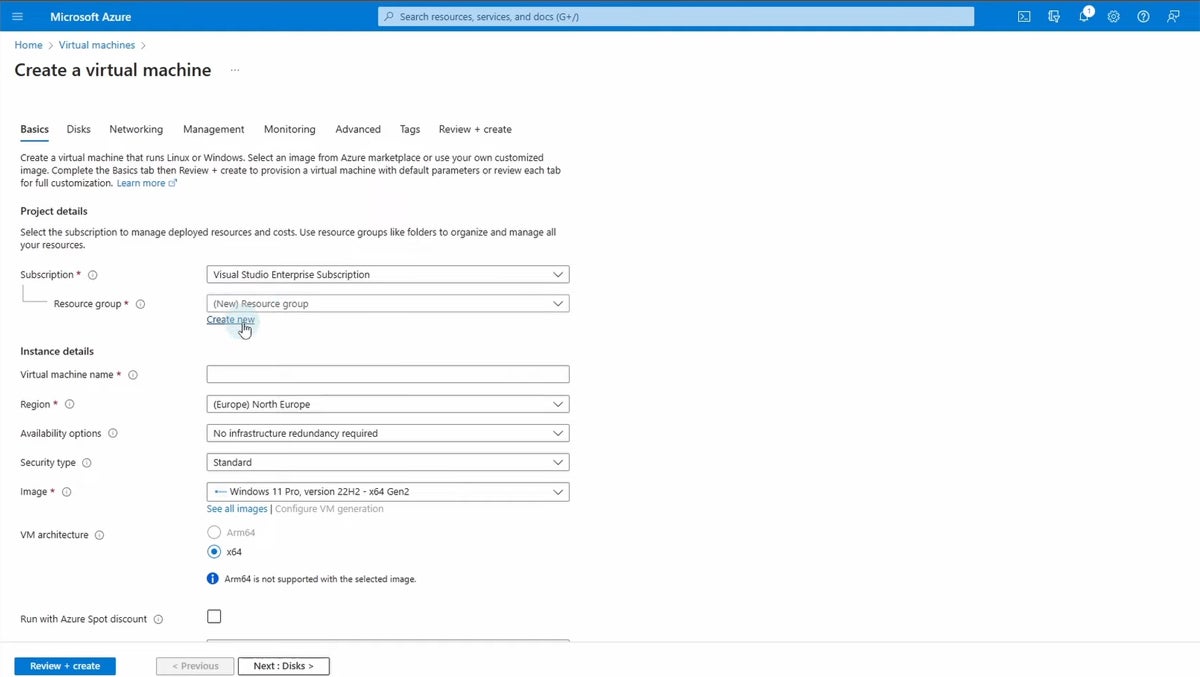
-
Microsoft Azure Stack HCI
For enterprises requiring hybrid cloud environments with stringent on-premises control, Azure Stack HCI offers a hyper-converged infrastructure solution. It integrates virtualization, storage, and networking into a unified on-premises system that links directly with Azure cloud services. Priced at around $10 per physical core monthly, it is optimized for modernizing legacy data centers while keeping sensitive workloads localized. However, initial deployment can be complex, and overall costs scale significantly for larger installations. -
VMware Workstation Pro
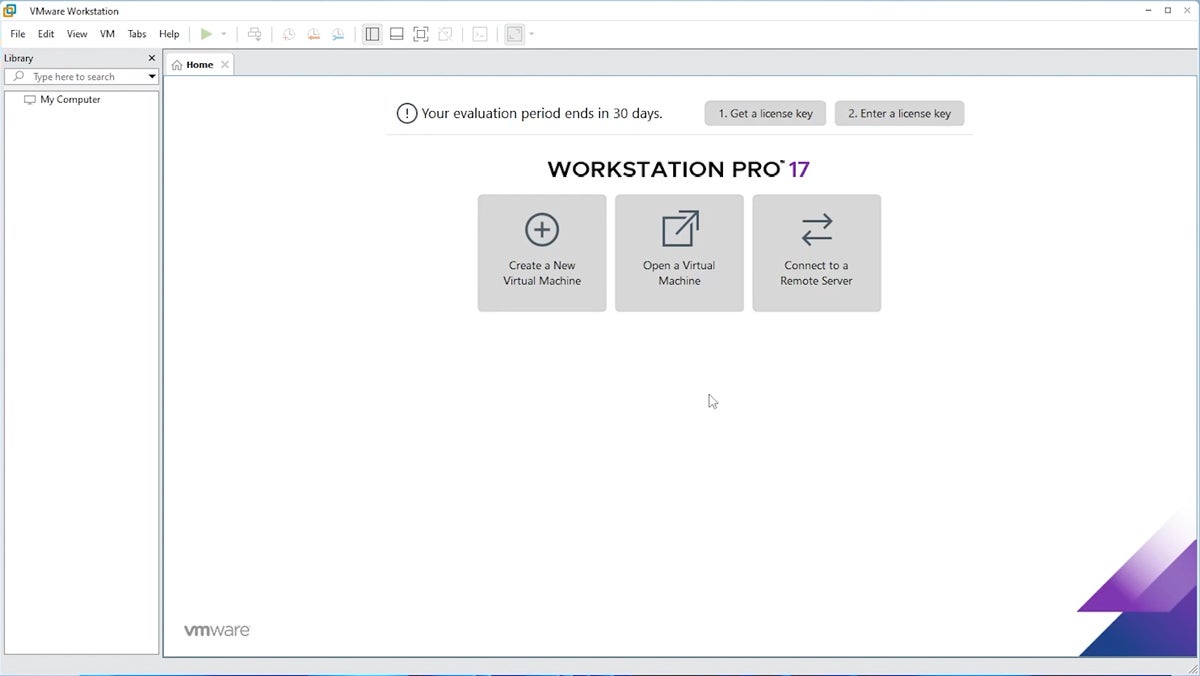
Long recognized as a gold standard for local desktop and advanced networking virtualization, VMware Workstation Pro enables users to run multiple operating systems on a single physical PC. Priced at $199 for local virtualization features, it is heavily favored by developers and IT professionals who need to simulate complex network topologies, execute legacy software, or test cross-platform applications. Its advanced snapshot, clone, and networking capabilities offer unmatched flexibility, though it demands substantial hardware resources on the host machine. -
Citrix Hypervisor (Formerly XenServer)
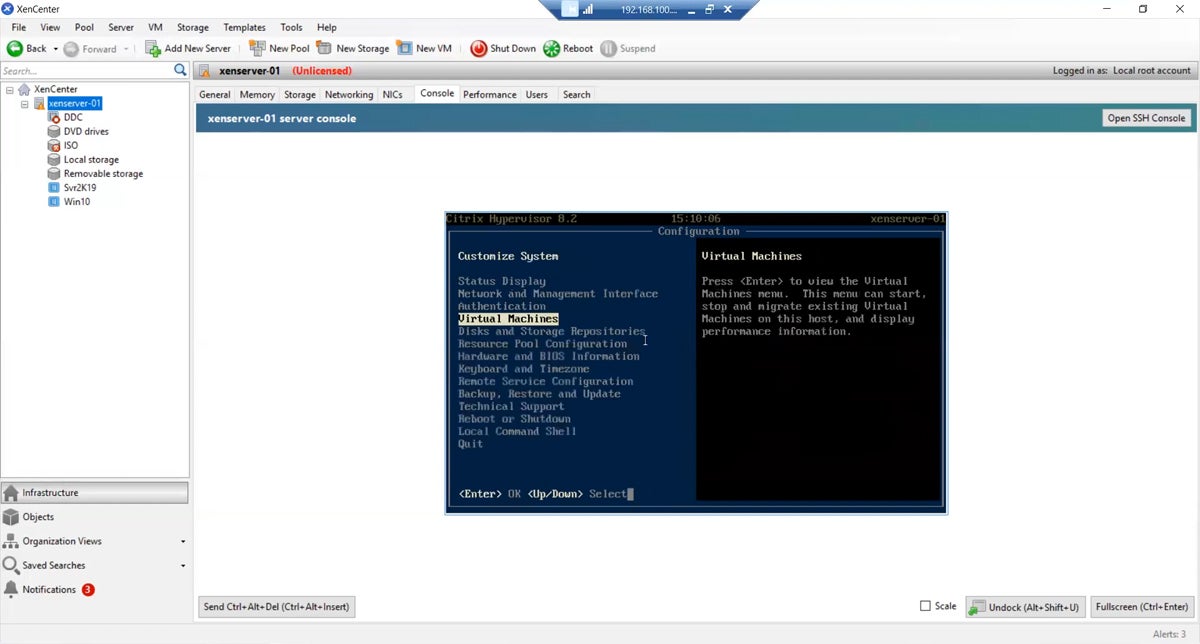
Citrix Hypervisor is an industry-leading open-source virtualization management platform tailored for enterprise-grade server environments. Built for high performance and massive scalability, it efficiently manages large fleets of Windows and Linux virtual servers. While its open-source foundation offers deep customization options for large organizations, its steep configuration curve makes it less suitable for desktop-centric use cases or smaller businesses with limited technical staff.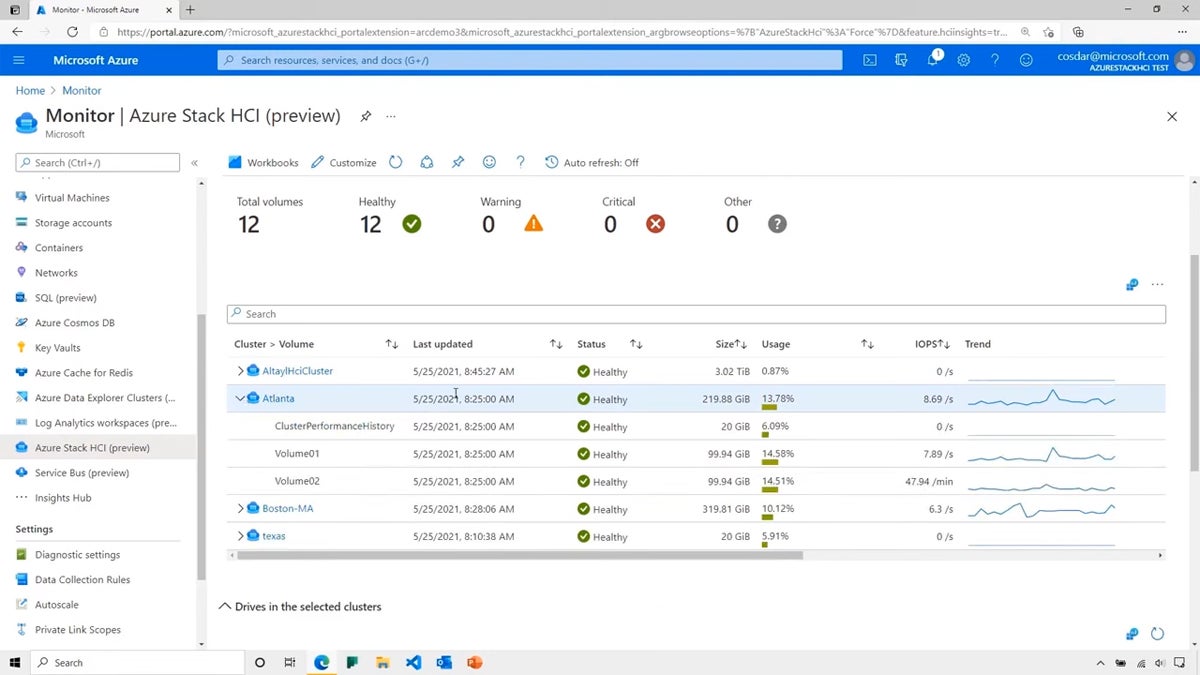
-
Red Hat OpenShift Virtualization
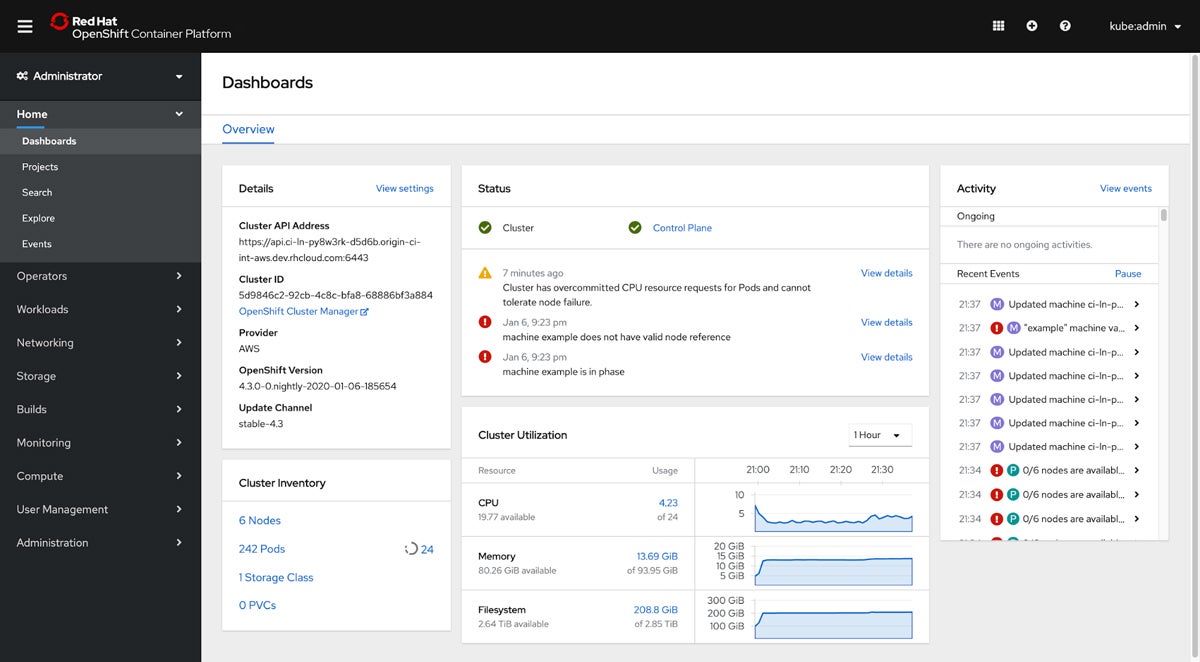
Red Hat OpenShift Virtualization bridges the gap between traditional virtual machines and modern containerized architectures. As a feature of the enterprise Kubernetes platform OpenShift, it allows teams to run VMs and containers side-by-side on a unified infrastructure. This makes it an ideal choice for businesses embarking on a cloud-native transformation journey without abandoning legacy virtualized workloads. While it benefits from robust community and enterprise support, it requires specialized expertise in both Kubernetes and traditional virtualization. -
Parallels Desktop
For professionals operating in mixed hardware environments, Parallels Desktop provides seamless desktop-level virtualization specifically designed for macOS. Starting at $99.99 per year for the Standard Edition, it allows Mac users to run Windows applications natively alongside macOS without rebooting. Its intuitive interface and features like shared clipboards and Coherence mode make it an effective tool for cross-platform workflows, though it is not optimized for heavy server-grade workloads or high-end 3D gaming.
Key Architectural Features to Evaluate
When assessing virtual machine software for Windows, decision-makers must evaluate several core technical pillars:
Performance and Resource Management
Efficient resource allocation is vital to prevent host system degradation. Advanced VM software dynamically distributes CPU, memory, and storage resources based on real-time demand, scaling usage up during peak workloads and throttling back during idle periods. Performance monitoring tools within these platforms help administrators identify bottlenecks and optimize overall server efficiency.
Compatibility and System Requirements
The best software supports a broad spectrum of Windows versions—from legacy builds to the latest Windows 11 and Windows Server releases. Furthermore, hardware compatibility, including support for diverse CPU architectures, advanced graphics rendering libraries (such as DirectX and OpenGL), and high-speed NVMe storage, ensures smooth execution.
Security and Isolation
Security remains non-negotiable in virtualized environments. Robust hypervisors enforce strict isolation between virtual machines to prevent a breach or malware infection in one guest OS from compromising the host system or neighboring VMs. Features such as hardware-assisted security, secure boot, VM encryption, and integrated firewall controls are critical enterprise requirements.
Networking Capabilities
VM software must support flexible networking modes, including bridged networking (where the VM acts as an independent entity on the local network), Network Address Translation (NAT), and host-only configurations. Advanced enterprise deployments also require Virtual Local Area Network (VLAN) support, bandwidth throttling, and network traffic simulation tools for testing environments.
Methodology: How These Solutions Were Evaluated

The evaluation of virtual machine software involves a rigorous framework that weighs operational features, cost transparency, and vendor support channels to reflect real-world enterprise utility.
Features (50% Weight)
The core capabilities of each product were broken down into weighted sub-categories:
- Performance and Resource Management (10%): Evaluated on dynamic scaling, latency, and resource optimization. (Criterion winner: VMware Workstation Pro)
- Compatibility and System Requirements (7.5%): Assessed based on hardware flexibility and OS support breadth. (Criterion winner: VMware Workstation Pro)
- Usability and Management (7.5%): Measured through interface intuitiveness, ease of installation, and snapshot management. (Criterion winners: VMware Workstation Pro, Parallels Desktop)
- Security and Isolation (7.5%): Scrutinized for encryption, firewall integration, and cross-contamination prevention. (Criterion winners: VMware Workstation Pro, Citrix Hypervisor, Azure VM)
- Networking Capabilities (5%): Evaluated on NAT, bridged, and host-only configuration flexibility. (Criterion winner: VMware Workstation Pro)
- Scalability and Flexibility (5%): Measured by the platform’s ability to handle growing VM density without performance loss. (Criterion winners: Azure VM, Citrix Hypervisor)
- Reliability and Uptime (5%): Assessed via system stability, crash frequency, and automated recovery options. (Criterion winners: VMware Workstation Pro, Azure VM)
- Infrastructure Integration (2.5%): Evaluated on API availability and third-party IT tool compatibility. (Criterion winner: Azure VM)
Cost (25% Weight)
Pricing evaluation focused on financial predictability, transparency of public pricing tiers, customizability of licensing bundles, and sales contact efficiency. (Criterion winners: Azure VM, Azure Stack HCI)
Support (25% Weight)
Vendor support infrastructure was assessed based on the availability of multi-channel assistance—including phone, email, live chat, and comprehensive technical knowledge bases. (Criterion winners: Azure VM, Azure Stack HCI, Red Hat OpenShift)
Frequently Asked Questions
What is virtual machine software, and why is it needed for Windows?
Virtual machine software creates isolated software-based emulations of physical computer systems on a host machine. In Windows environments, it allows users to run different operating systems simultaneously, test software safely in sandboxed environments, run legacy applications, and maximize physical hardware utilization.

Is all VM software compatible with every version of Windows?
No. While modern solutions generally support Windows 10, Windows 11, and current Windows Server editions, compatibility with older or specialized editions may vary. Administrators should always verify the system requirements of a specific hypervisor before deployment.
What happened to Microsoft Hyper-V Server?
Microsoft announced the end of mainstream support for Hyper-V Server 2019, with extended support concluding in January 2029. Consequently, Microsoft has redirected enterprise customers toward Azure Stack HCI and cloud-based Azure VM solutions for modern virtualization strategies.
Conclusion and Final Recommendations
Choosing the optimal virtual machine software for Windows requires a careful balancing act between immediate functional requirements, budgetary constraints, and long-term IT scalability. Whether an organization requires the global reach of cloud-based Azure VMs, the robust local testing environment of VMware Workstation Pro, or the hybrid integration of Azure Stack HCI, understanding the trade-offs between performance, security, and usability is paramount.
Regardless of the virtualization platform selected, administrators must pair their deployment with a robust disaster recovery strategy, ensuring that all virtual environments are continuously backed up to protect against unexpected data loss or system failure.
