

The race to imbue artificial intelligence with the ability to interact with computers like humans has reached a critical juncture, with OpenAI unveiling a significant advancement in its Codex platform: a Chrome extension designed to integrate AI agents directly into users’ live browser sessions. This innovation addresses a long-standing challenge in AI development—enabling agents to navigate and operate complex web applications and enterprise tools that often lack robust APIs or seamless integrations, without the cumbersome, screen-by-screen approach of earlier systems.
For years, AI companies have been striving to create "coding agents" capable of mimicking human computer interaction—clicking buttons, scrolling through pages, and manipulating cursors on a desktop. The promise of such agents is immense, potentially automating a vast array of digital tasks, from data entry in customer relationship management (CRM) software to complex research across multiple web platforms. However, the execution has often been clunky, with agents frequently monopolizing browser sessions or struggling to adapt to dynamic web interfaces. OpenAI’s new Chrome extension for Codex represents a strategic pivot, aiming to make these AI agents more fluid, efficient, and integrated into the fabric of everyday digital workflows.
The extension, introduced on Thursday via an announcement on the OpenAI developers’ X account, allows AI agents powered by Codex to operate directly within a user’s active browser session. This grants them access to signed-in websites, multiple browser tabs, and authenticated workflows—capabilities previously difficult to achieve without invasive desktop-level control. By connecting the Codex application on Windows and macOS to the user’s Chrome browser, the extension enables AI agents to interact with popular tools such as Gmail, Salesforce, and LinkedIn, as well as proprietary internal web applications, leveraging the user’s existing browser state, cookies, and logged-in sessions. This marks a departure from earlier methods that relied heavily on visual recognition or limited plugin integrations.

Beyond Screenshot-and-Click: A More Integrated Approach
This launch builds upon OpenAI’s April introduction of "computer use" capabilities within Codex, which allowed agents to operate desktop applications and browsers in the background. However, the company is now drawing a more distinct line between generalized computer-use systems and a specialized, browser-focused approach. This new extension signifies a recognition that a significant portion of modern work occurs within web-based applications, often requiring access to authenticated sessions and complex, multi-tab workflows.
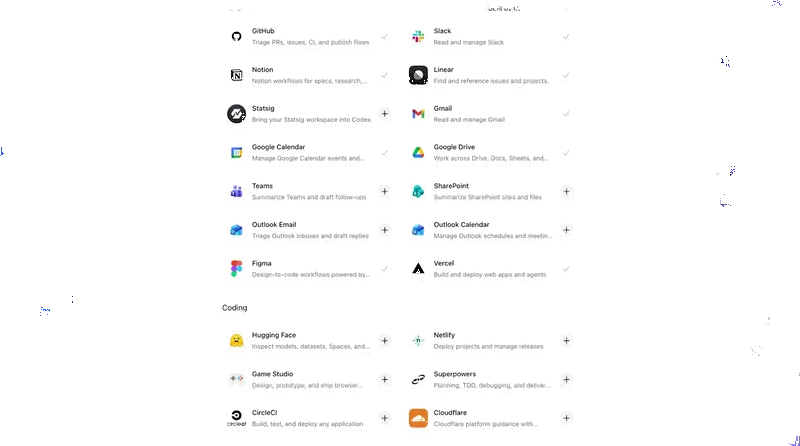
Previously, Codex primarily relied on structured plugins or broader computer-use tooling for browser interactions. Plugins were often the preferred method, allowing Codex to communicate directly with services like Slack, Gmail, and GitHub without needing to manually navigate their interfaces. However, this approach fell short for workflows embedded within full web applications, internal dashboards, or authenticated browser sessions that lacked easy integration points.
Dominik Kundel, OpenAI’s developer experience lead, highlighted the limitations of previous methods in a demo video accompanying the launch. He explained that the new extension bypasses the traditional "screenshot, reason, move the mouse" loop characteristic of many computer-use systems. In these older systems, agents would repeatedly analyze on-screen visuals to determine the next action, a process that could be slow and error-prone. While Codex could already control Chrome as a desktop application, its interaction was fundamentally visual and sequential. The new extension, by contrast, integrates Codex directly into the browser’s architecture, enabling it to manage multiple tabs and authenticated sessions concurrently.
This deeper integration is crucial because the landscape of software utilization has shifted dramatically. A substantial volume of professional tasks now takes place within Software-as-a-Service (SaaS) tools, internal dashboards, and authenticated enterprise applications that often lack the well-defined APIs or structured integrations that AI agents can easily leverage. As Kundel articulated, "Sometimes there is no plugin, or there is one, but the thing you need is only available in the full web app. And sometimes the context is actually the existing logged-in Chrome session. This is what the Chrome extension is for."

Chrome and Codex: A Symbiotic Relationship
The installation process for the Chrome extension is streamlined through the Codex application itself. Users initiate the setup by opening Codex, navigating to the "Plugins" section, and adding the Chrome plugin. This plugin then guides the user through the necessary steps to connect Chrome and grant the required browser permissions. Once installed, Codex can be prompted to perform actions directly within Chrome. Examples include commands like: "Open Salesforce and update the account from these call notes," or "Summarize the feedback and sentiment from community forum comments."
While OpenAI maintains that its existing in-app browser within Codex remains suitable for tasks like localhost testing and frontend development, the Chrome extension is specifically engineered for workflows that depend on a user’s live browser context and the full capabilities of the Chrome browser. In a demonstration, Kundel showcased Codex conducting sentiment analysis across multiple tabs simultaneously, identifying recurring feedback and pain points from community forum discussions before compiling the findings into a spreadsheet.
The extension is positioned to act as a bridge between Codex’s structured plugins and its broader computer-use capabilities. OpenAI indicates that Codex can dynamically switch between direct plugin integrations, the Chrome extension, and its own in-app browser, depending on the specific workflow requirements. It prioritizes direct plugins where available and falls back to browser interaction when tasks necessitate authenticated sessions or the use of full web interfaces.
A key feature of the extension is its non-intrusive operation. Instead of commandeering the user’s active browsing session, Codex activity is contained within its own isolated Chrome tabs. This design allows AI agents to conduct research, navigate websites, and compile information in the background without disrupting the user’s primary browsing activities.

This enhanced browser integration necessitates a greater degree of permissions compared to typical chatbot interactions. According to OpenAI’s documentation, the extension may request access to browsing history, tab groups, download history, bookmarks, website data, debugger functionality, and the ability to communicate with native applications. OpenAI assures users that Codex seeks explicit confirmation before interacting with new websites, unless these prompts are disabled by the user. The company also acknowledges that browser tasks can expose sensitive context, as page content, authenticated sessions, and browsing activity may be utilized by Codex to complete tasks.
Access All Areas: The Browser as the New AI Frontier
The introduction of OpenAI’s Codex Chrome extension arrives amidst a broader industry-wide trend toward developing browser-native AI agents. Increasingly, the browser session itself is emerging as the pivotal battleground for AI innovation.
Other major AI players are pursuing similar strategies. Anthropic, for instance, has been developing its Claude Chrome extension, which has been in beta since August. This extension grants Claude Code the ability to operate within a user’s existing browser session, providing access to authenticated applications, facilitating cross-tab operations, and handling workflows that lack direct API integrations. Earlier this year, Anthropic also expanded Claude Code and Claude Cowork with more comprehensive computer-use capabilities on macOS.
Meanwhile, the French AI startup HCompany recently launched HoloTab, a browser agent designed to navigate websites within Chrome without requiring site-specific integrations. These developments underscore a clear pattern: AI agents are moving closer to the locus of actual work. Rather than attempting to control computers from an external perspective, they are increasingly designed to operate from within the applications, sessions, and contexts where modern professional activities are already taking place. This shift signifies a move towards AI that is not merely a tool but an integrated collaborator, capable of understanding and acting within the complex digital environments that define contemporary work.

The implications of this trend are far-reaching. As AI agents become more adept at navigating the complexities of live browser environments, the potential for automation and augmentation of human tasks expands exponentially. This could lead to significant productivity gains across various industries, from customer service and sales to research and content creation. However, it also raises important questions regarding data privacy, security, and the ethical considerations of granting AI agents access to sensitive user information and authenticated sessions. As the technology matures, the balance between empowering AI agents and safeguarding user privacy will be a critical area of focus for developers and regulators alike. The development of browser-native AI represents a profound evolution in how we interact with technology, promising a future where AI seamlessly integrates into our digital lives, acting as an intelligent partner in our daily tasks.
