
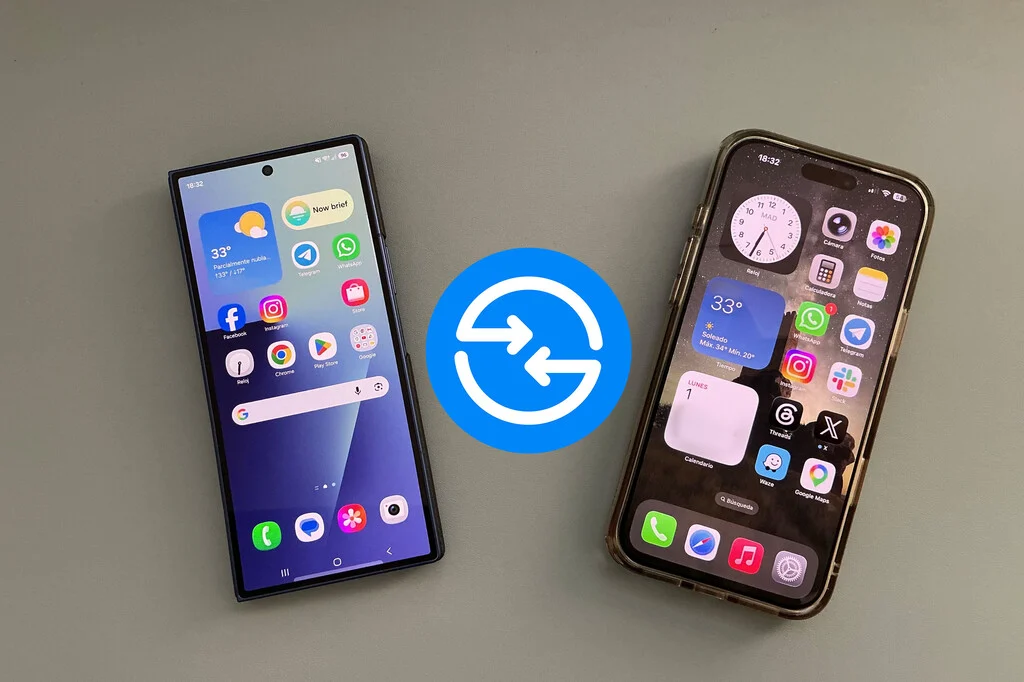

The rollout of a major software update is typically met with enthusiasm by users eager to experience new features, performance improvements, and enhanced security. Samsung’s One UI updates, in particular, are keenly awaited, as they define the user experience across a vast ecosystem of Galaxy smartphones, tablets, and wearables. When One UI 8.5 began its global deployment, it promised an evolution of Samsung’s Android interface, building upon its reputation for customization and integration. Users anticipated a smoother, more intuitive, and feature-rich environment. However, this excitement has been tempered by a growing chorus of reports detailing significant issues with Quick Share, Samsung’s proprietary solution for seamless file transfers, particularly between diverse platforms.
The Unveiling of One UI 8.5 and Initial User Excitement
One UI, Samsung’s custom Android overlay, plays a pivotal role in differentiating Galaxy devices within the crowded smartphone market. Each major iteration brings a suite of new functionalities, design refinements, and under-the-hood optimizations designed to elevate the user experience. One UI 8.5, as a "major update," was expected to continue this tradition, potentially introducing advancements in AI capabilities, further integration with Samsung’s SmartThings ecosystem, or improvements in device performance and battery life. The anticipation surrounding such releases is a testament to Samsung’s massive global user base, which spans hundreds of millions of active devices worldwide. For many, a new One UI version represents a fresh start for their device, promising increased efficiency and new ways to interact with their technology.
The initial phase of any software rollout is often characterized by a period of discovery, where users explore the new interface and test out the promised enhancements. Early feedback typically focuses on the positive aspects, such as improved aesthetics or novel features. However, it is often in the subtle, everyday interactions that unforeseen issues emerge. In the case of One UI 8.5, the problem surfaced not in a flashy new feature, but in a fundamental utility that many users rely on daily: Quick Share.
Emergence of Widespread Quick Share Anomalies
Quick Share is Samsung’s answer to Apple’s AirDrop, providing a fast and convenient way to transfer files between Samsung devices, and increasingly, with non-Samsung devices like Windows PCs and even iPhones, thanks to recent interoperability efforts. Its functionality is critical for productivity and sharing media in an increasingly connected world. The reports of Quick Share failures began surfacing shortly after the One UI 8.5 update became widely available, primarily on Samsung’s official community forums, which serve as a crucial hub for user feedback and technical support.
The nature of these reported issues is varied and perplexing, suggesting a multi-faceted problem rather than a singular bug. One user, for instance, described a scenario involving an iPad and a Galaxy device. While attempting to send three photos from the iPad to their Galaxy phone, the receiving Galaxy device inexplicably registered four incoming files. Upon inspection, only the original three photos were actually accessible, leaving a ghost file in the transfer log and causing confusion. This particular anomaly points to potential discrepancies in file metadata handling or transfer protocol synchronization between the sending and receiving devices, especially across different operating systems.
Another common complaint highlights directional transfer problems. A user reported successful transfers of photos from an iPhone 8 to a new Galaxy S25 Plus – a testament to Quick Share’s cross-platform ambitions. However, attempts to send files in the reverse direction, from the Galaxy S25 Plus back to the iPhone 8, consistently resulted in transfer failures. This one-way street functionality severely undermines the utility of Quick Share for users operating in mixed-device environments, creating frustrating bottlenecks in their workflow. The inability to seamlessly move files back and forth between iOS and Android, even with dedicated tools, represents a significant hurdle for many.
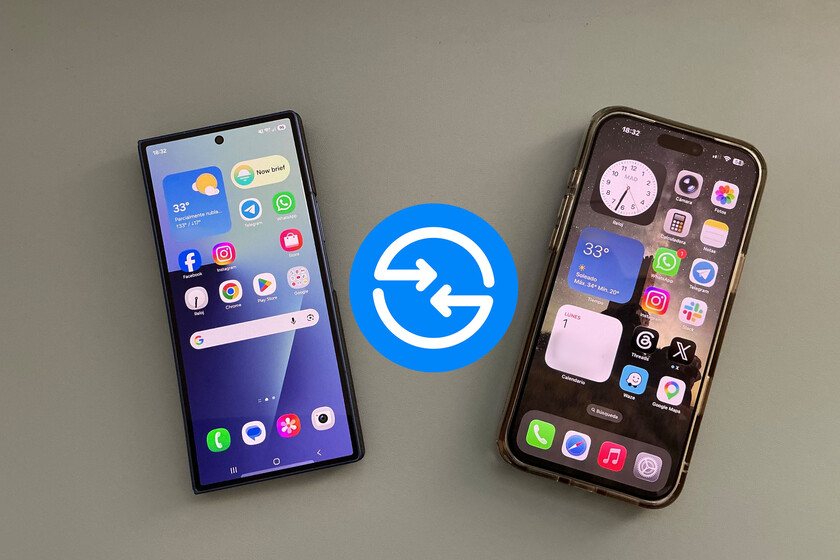
The issues are not confined to cross-platform mobile transfers. PC users have also reported severe degradation in Quick Share performance. Specifically, several users with current-generation Galaxy devices, such as the Galaxy S24, attempting to send files to Windows 11 PCs described excruciatingly slow transfer speeds. What should be a near-instantaneous process for small files, or a swift operation for larger ones, became an "eternal" wait, with speeds far below normal expectations for modern wireless protocols. In some cases, the transfer would fail entirely, displaying a generic "Cannot connect to device" message, despite both devices being correctly configured and in close proximity. This particular problem suggests potential issues with the Quick Share application on the Windows side, or a fundamental incompatibility introduced by the One UI 8.5 update affecting the handshake protocol with Windows machines.
These examples are merely illustrative of a broader pattern of disruption. The consistency and variety of reports across different device pairings – Galaxy to iPad, Galaxy to iPhone, and Galaxy to Windows PC – strongly indicate that the One UI 8.5 update has introduced systemic vulnerabilities within the Quick Share module, impacting its reliability and performance across Samsung’s broader ecosystem integration strategy.
The Technical Core: Understanding Quick Share’s Mechanism
To appreciate the gravity of these issues, it’s essential to understand how Quick Share functions. Unlike simpler Bluetooth transfers, Quick Share leverages a combination of technologies to achieve its speed and versatility. For nearby Samsung devices, it primarily utilizes Wi-Fi Direct, a technology that allows devices to connect directly without a router, enabling high-speed data transfer. For transfers to Windows PCs, it often relies on a dedicated Quick Share application on the PC, which communicates with the mobile device via Wi-Fi or Bluetooth. When transferring to non-Samsung devices or when devices are farther apart, Quick Share can also utilize cloud infrastructure for larger files, facilitating sharing via a temporary link.
The reported symptoms – phantom files, directional failures, and slow speeds – suggest potential problems at multiple layers of this complex architecture. A phantom file could indicate an error in the file indexing or confirmation process. Directional failures might point to specific handshake or authentication issues when a Galaxy device initiates a transfer to an iOS device, or vice-versa. Slow speeds and connection errors with PCs could stem from driver conflicts, protocol mismatches introduced by the new One UI version, or resource management issues within the Quick Share application itself. The fact that these issues are observed predominantly after the One UI 8.5 update strongly implicates changes within this software layer as the root cause.
A Chronology of Disruption and Response
The timeline of these events underscores the rapid feedback loop characteristic of modern software deployments.
- Early-to-Mid-Month X (Hypothetical): Samsung commences the phased rollout of One UI 8.5 to eligible Galaxy devices globally. Users begin updating their devices, eager for the new features.
- Mid-to-Late Month X: Within days or a couple of weeks of the update’s wider availability, users start reporting unusual behavior with Quick Share on Samsung’s official community forums and other tech discussion platforms. Initial reports might be isolated, but their frequency quickly increases.
- Late Month X / Early Month Y: The volume and consistency of the reports become undeniable, highlighting a significant post-update regression in Quick Share’s functionality. The issues are varied, affecting cross-platform transfers (Galaxy to iOS) and transfers to Windows PCs.
- Early Month Y: Samsung’s community moderators, acting on behalf of the Quick Share development team, begin actively engaging with affected users on the forums. This proactive engagement signifies Samsung’s awareness of the problem and its commitment to a timely resolution. The company’s quick acknowledgment, even without a formal press release, demonstrates its understanding of the critical nature of seamless file sharing for its user base.
Samsung’s Official Acknowledgment and Commitment to Resolution
The rapid response from Samsung, channeled through its community moderators, is a crucial aspect of managing such software incidents. Instead of waiting for widespread media coverage, the company’s team directly addressed user concerns on the platforms where they were first raised. These communications confirmed that Samsung was aware of the problems affecting Quick Share, encompassing both general transfer issues and specific compatibility glitches with iPhones and other iOS devices.
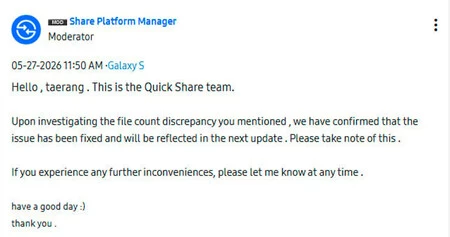
Crucially, Samsung has indicated that a fix is already in development and is slated for deployment through a module update. This approach—updating specific application modules rather than requiring a full system software update—allows for more agile and targeted bug fixes. The specific version identified to contain the resolution is Quick Share module version 1.0.915523159. For affected users, the immediate course of action is to ensure their Quick Share module is updated to this specific version as soon as it becomes available. This typically involves checking for updates within the Galaxy Store or through the device’s system settings. The current expectation is that users should first ensure their devices are on the latest available One UI 8.5 patch, and then remain vigilant for the subsequent Quick Share module update. This multi-step update process highlights the modular nature of modern Android software and Samsung’s ability to push critical fixes without a full OS revision.
Broader Implications for User Experience and Brand Trust
The disruption of a core utility like Quick Share, even temporarily, has several broader implications.
- User Productivity and Frustration: For many, seamless file transfer is not merely a convenience but a necessity for work, education, and personal use. Creative professionals, students, and everyday users rely on Quick Share to move documents, photos, and videos between devices quickly. The failure of this functionality leads to lost time, increased frustration, and a forced reliance on slower, less integrated alternatives (like cloud storage, email, or physical cables). This can severely degrade the overall user experience, undermining the benefits of the new One UI 8.5 update.
- Reputational Impact: Samsung has invested heavily in building a cohesive ecosystem and promoting seamless interoperability, especially with its recent push to enhance Quick Share’s compatibility with Google’s Nearby Share and Apple’s AirDrop. A major bug affecting this cross-platform functionality can damage the brand’s reputation for reliability and its commitment to an open ecosystem. In a highly competitive market, user trust in software stability is paramount.
- Importance of Quality Assurance: This incident serves as a reminder of the complex challenges involved in software development and quality assurance for devices with diverse hardware configurations and operating system interactions. While rigorous testing precedes any major update, unforeseen bugs can still emerge in real-world usage scenarios, particularly those involving cross-platform communication protocols. It underscores the continuous need for robust post-release monitoring and rapid response mechanisms.
The Competitive Landscape of File Sharing
The ability to share files effortlessly is a cornerstone of the modern digital experience. Apple’s AirDrop set a high bar for ease of use within its ecosystem, a benchmark against which all other solutions are often measured. Google’s Nearby Share provides a similar capability for the broader Android ecosystem, while Samsung’s Quick Share aims to offer a premium, integrated experience that extends beyond just Android devices. The ambition to bridge the gap between Android and iOS, specifically, has been a recent focus for Quick Share. Reports in the past have even highlighted Samsung’s efforts to ensure compatibility with AirDrop, even noting minor data loss in certain metadata fields, which Samsung was also addressing. This context makes the current issues with Quick Share’s cross-platform functionality particularly salient, as it directly impacts an area where Samsung has been actively striving for excellence.
Navigating the Interim: Advice for Affected Users
While waiting for the module update, users facing Quick Share issues may consider several temporary workarounds:
- Cloud Services: Utilizing cloud storage platforms like Google Drive, Dropbox, or Samsung Cloud remains a reliable method for transferring files across devices and operating systems, albeit often slower and requiring an internet connection.
- Email or Messaging Apps: For smaller files, sending them via email or messaging applications (e.g., WhatsApp, Telegram) can serve as a quick alternative.
- USB Cable: The most basic and often most reliable method for transferring files to a PC is still a physical USB cable, bypassing any wireless software issues.
- Nearby Share (for Android to Android): If the issue is specific to Quick Share’s proprietary protocols, Google’s native Nearby Share might still function reliably for transfers between Android devices.
- Check for Updates Regularly: The most important advice is to frequently check for updates to the Quick Share module in the Galaxy Store.
Looking Ahead: The Path to Restoration
The prompt acknowledgment and planned resolution by Samsung’s Quick Share team underscore the company’s commitment to maintaining a high-quality user experience. While the emergence of these bugs post-One UI 8.5 is an inconvenience, the quick identification of the problem and the impending release of a targeted fix through module version 1.0.915523159 demonstrate an effective post-deployment support strategy. As users await this crucial update, the incident serves as a reminder that even the most anticipated software releases can present unforeseen challenges, and that robust feedback channels and rapid response mechanisms are vital for restoring user confidence and ensuring the continued seamless operation of modern digital ecosystems. The successful deployment of this fix will be key to re-establishing Quick Share as a cornerstone of the Samsung Galaxy experience and reinforcing the brand’s reputation for integrated and reliable technology.
