
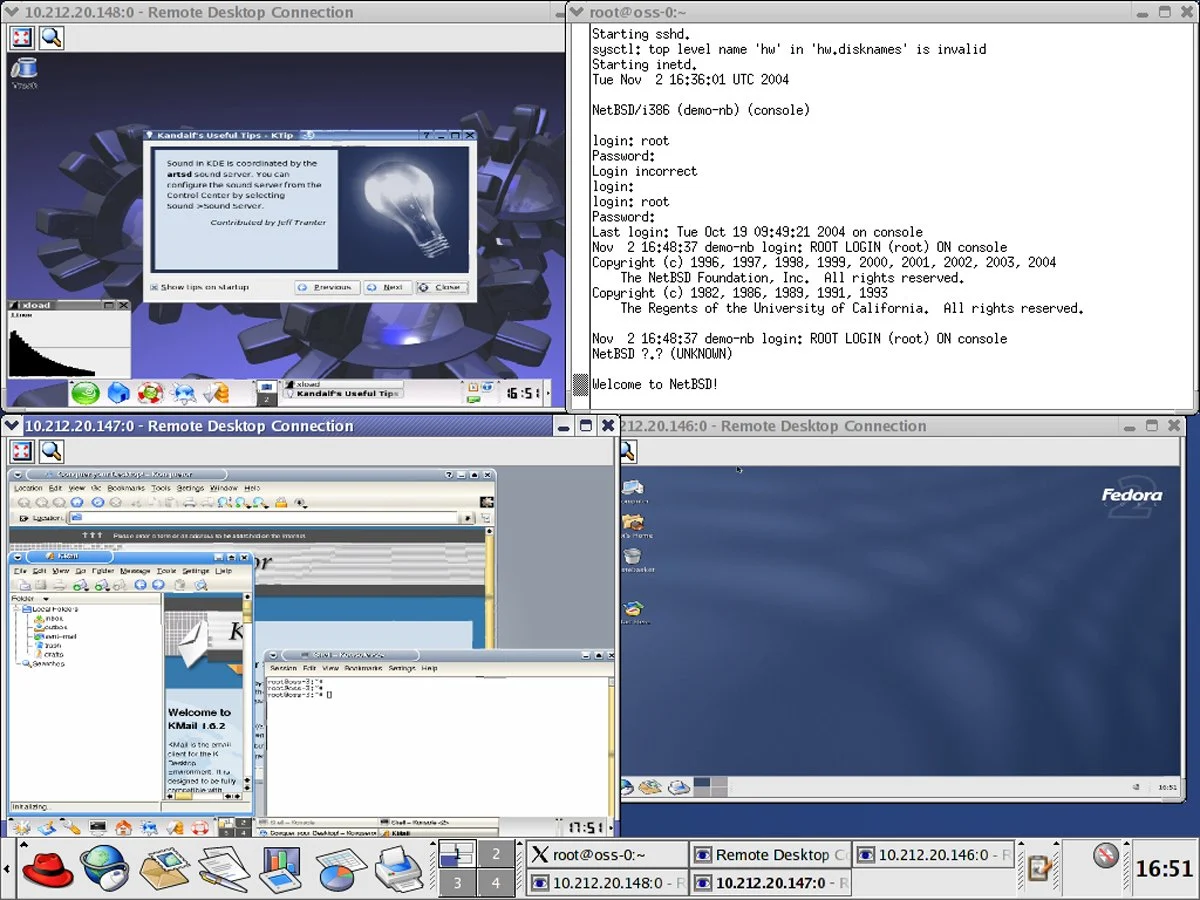

Virtualization software for Linux provides a versatile platform for running multiple operating systems and applications on a single physical machine. This technology allows Linux users to create isolated virtual environments, known as virtual machines (VMs), each with its own set of virtual hardware resources and operating system, independent of the host system. In the Linux context, virtualization software ranges from lightweight solutions designed for desktop users to more robust and feature-rich platforms tailored for enterprise-grade deployments. For example, software developers can use VMs to test applications across different operating systems without needing multiple physical machines. This article will help simplify the decision-making process of choosing the right solution by highlighting the six best virtual machine software for Linux in 2023.
Our selection is based on a comprehensive analysis of various factors such as performance, usability, feature set, scalability, and the specific requirements of Linux-based systems. Whether you are an IT professional, a developer, or a business owner, understanding the nuances of these top VM solutions can significantly impact your virtualization strategy.
Top Virtual Machine Software for Linux: A Comparative Overview
The landscape of Linux virtualization is diverse, offering solutions that cater to a wide spectrum of needs, from individual developers to large-scale enterprise deployments. Our comparison focuses on key attributes that define the effectiveness and suitability of each platform.
| Feature | Red Hat OpenShift Virtualization | oVirt | Linux-KVM | QEMU | Xen Project | VirtualBox |
|---|---|---|---|---|---|---|
| Performance & Resource Management | Robust, built on KVM, excellent for enterprise. | Good, built on KVM, suitable for data centers. | High performance, efficient resource management, integrated into kernel. | Broad hardware support and emulation capabilities. | Strong enterprise performance, especially for paravirtualization. | User-friendly but generally less efficient in resource management. |
| Compatibility & System Requirements | Primarily Red Hat/Kubernetes focused; high requirements. | Good with Linux, higher requirements for data center management. | Excellent on Linux systems, integrated with kernel. | Highly compatible across architectures and OSs. | Strong in server environments, compatible with Linux and some Windows. | High compatibility with multiple host/guest OSs. |
| Security & Isolation | KVM-based with additional enterprise-level features. | KVM-based with added platform complexity. | Robust security features integrated into the kernel. | Good isolation, configuration-dependent. | Highly regarded for strong security and isolation in enterprise/cloud. | Effective isolation for most use cases. |
| Networking Capabilities | Enhanced KVM capabilities for cloud-native/Kubernetes. | Robust for data center management. | Advanced, high performance, highly configurable. | Comprehensive network emulation and configuration. | Strong features for enterprise and cloud deployments. | User-friendly with decent capabilities for standard use. |
| Starting Pricing | Varies by server edition; contact Red Hat. | Free, open-source. | Free, open-source. | Free, open-source. | Free, open-source. | Free, open-source. |
Red Hat OpenShift Virtualization: The Hybrid Cloud Powerhouse
Best Overall Virtualization Solution for Linux
Overall Rating: 3.75/5
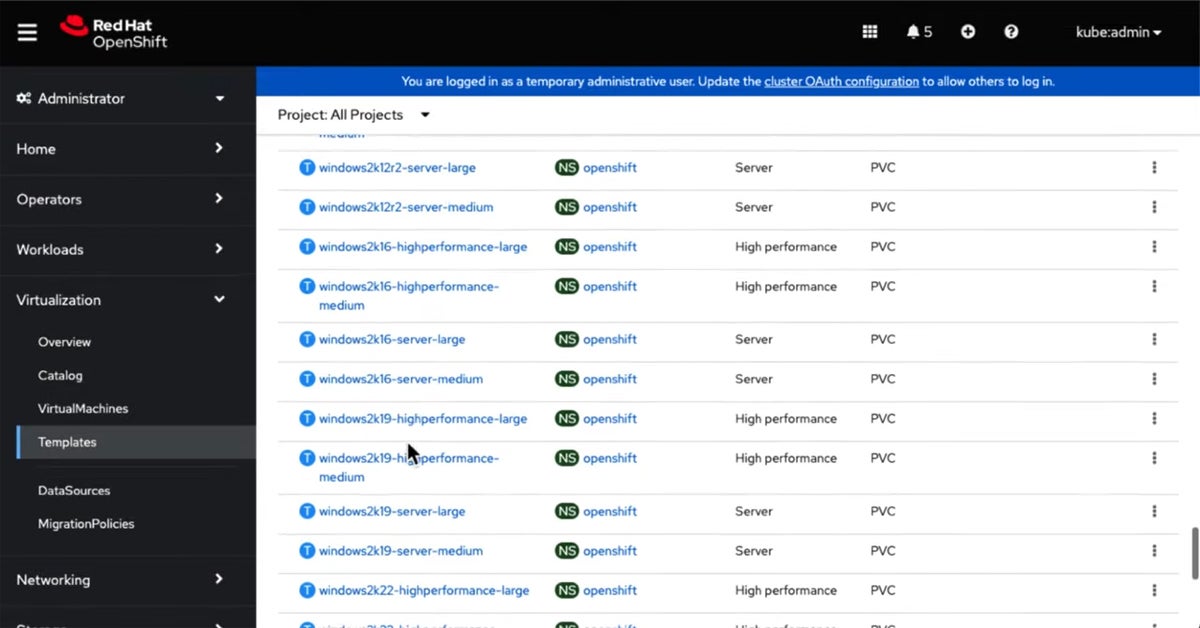
Red Hat OpenShift Virtualization emerges as a leading solution, masterfully blending traditional virtual machine workloads with containerized applications. This integration provides businesses with a unified, cloud-native environment, making it an ideal choice for organizations looking to modernize their existing infrastructure without discarding legacy systems. Its evolution from a standalone VM management tool to an integral part of Red Hat’s comprehensive OpenShift container orchestration platform signifies a strategic move towards hybrid cloud architectures. This alignment with cloud-native principles empowers businesses to harness the flexibility and scalability of the cloud while preserving their existing VM-based investments.

Red Hat OpenShift Virtualization offers a unique proposition by unifying VM and container management within a single pane of glass. This approach streamlines operations, reduces complexity, and fosters a more cohesive IT environment. The platform leverages Kernel-based Virtual Machine (KVM) for its underlying virtualization capabilities, ensuring robust performance and efficient resource management.
Pros:
- Seamlessly combines VMs and containerized applications, facilitating a hybrid cloud approach.
- Offers centralized management of both VMs and containers, simplifying administrative tasks.
- Supports scalable deployment, making it easier to adjust resources according to business needs.
Cons:
- Requires understanding of both container and VM technologies, which can be challenging for some teams.
- May demand significant resources for optimal performance, especially in large-scale deployments.
- The only solution on this list that isn’t free, requiring commercial licensing.
oVirt: Orchestrating Large-Scale Data Centers
Best for Managing Large-Scale Virtualized Data Centers
Overall Rating: 3.25/5
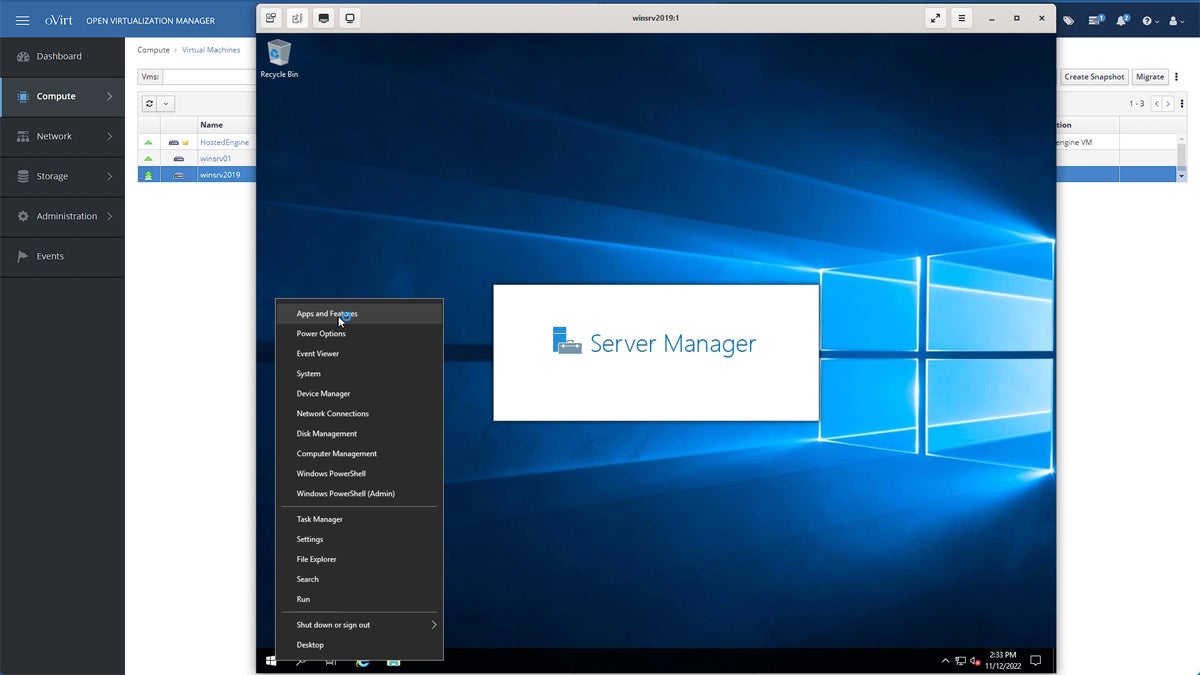
oVirt is a potent open-source virtualization management platform that excels in the demanding environment of large-scale virtualized data centers. It is particularly well-suited for enterprises that require robust management capabilities for numerous VMs across diverse hardware infrastructures. Originating as a core component of Red Hat Enterprise Virtualization (RHEV), oVirt has evolved into a fully-featured, standalone solution emphasizing scalability, stability, and seamless integration with other open-source tools. This evolution makes it a compelling choice for organizations seeking a powerful yet cost-effective virtualization management platform.
oVirt’s strength lies in its centralized management console, which simplifies the deployment, monitoring, and administration of a vast number of virtual machines. Its architecture is built upon KVM, benefiting from its performance and security features, while adding an enterprise-grade management layer.

Pros:
- Being open-source, it offers a budget-friendly alternative to proprietary virtualization solutions.
- Excellently handles large numbers of VMs, making it ideal for large data centers.
- Provides comprehensive management features for complex virtualization tasks.
Cons:
- Can be challenging to set up and maintain, especially for smaller organizations without dedicated IT staff.
- While improving, it still lags behind some proprietary solutions in terms of integration with other enterprise systems.
Linux-KVM: The Kernel’s Native Powerhouse
Best for Linux Enthusiasts Seeking Powerful, Integrated Virtualization
Overall Rating: 3/5
Linux-KVM (Kernel-based Virtual Machine) stands as a cornerstone of Linux virtualization, offering a deeply integrated and highly performant experience. As an integral part of the Linux kernel since 2007, KVM transforms Linux into a Type-1 (bare-metal) hypervisor, enabling the efficient execution of multiple VMs with diverse operating systems on a single Linux host. Its development is intrinsically tied to the Linux kernel’s advancements, benefiting directly from kernel updates in performance, security, and hardware compatibility. This close integration makes KVM an optimal choice for users who prefer a Linux-centric environment, providing excellent performance and hardware support, especially for systems where Linux is the primary OS.
KVM’s architecture leverages hardware virtualization extensions (Intel VT and AMD-V) present in modern CPUs, which significantly boosts VM performance by allowing direct hardware access. This results in near-native performance for many workloads.
Pros:
- Offers seamless integration with the Linux kernel, ensuring high efficiency and stability.
- As a part of the Linux kernel, it is open-source and benefits from a global developer community.
- Utilizes hardware virtualization features of modern CPUs, providing strong performance for VMs.
Cons:
- Primarily beneficial for Linux environments, which might limit its appeal for users of other operating systems.
- Demands a good understanding of Linux systems for effective use and troubleshooting.
QEMU: The Master of Emulation and Virtualization
Best for Versatile Emulation and Virtualization of Various Architectures
Overall Rating: 3/5
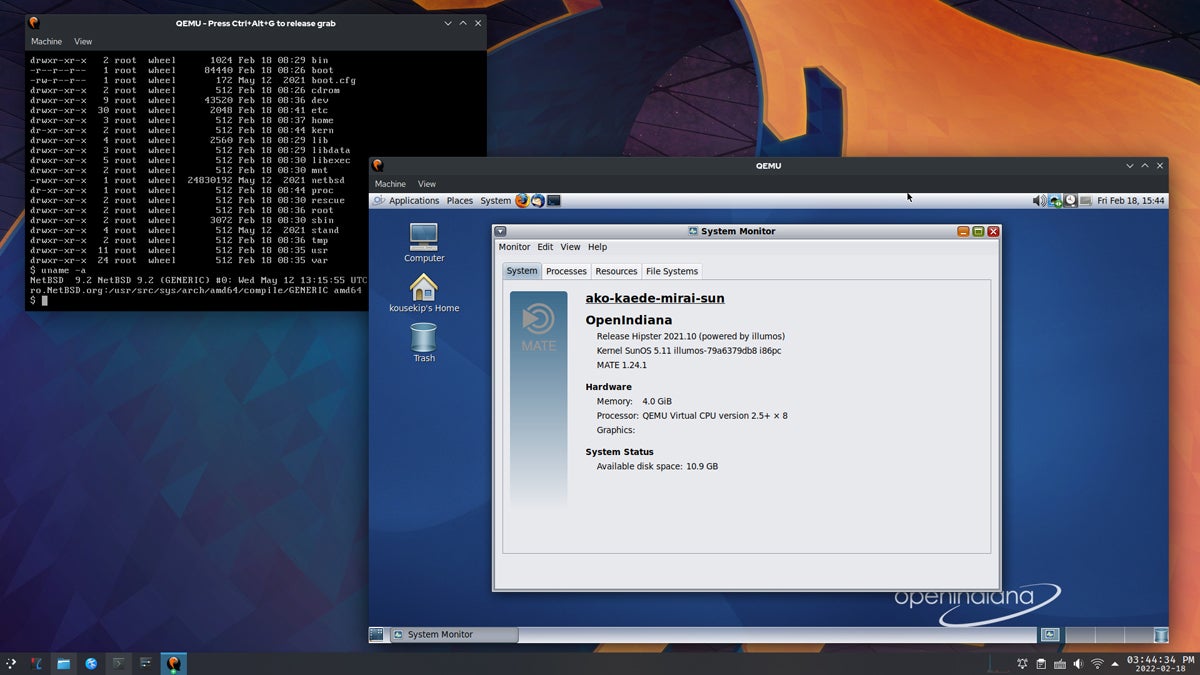
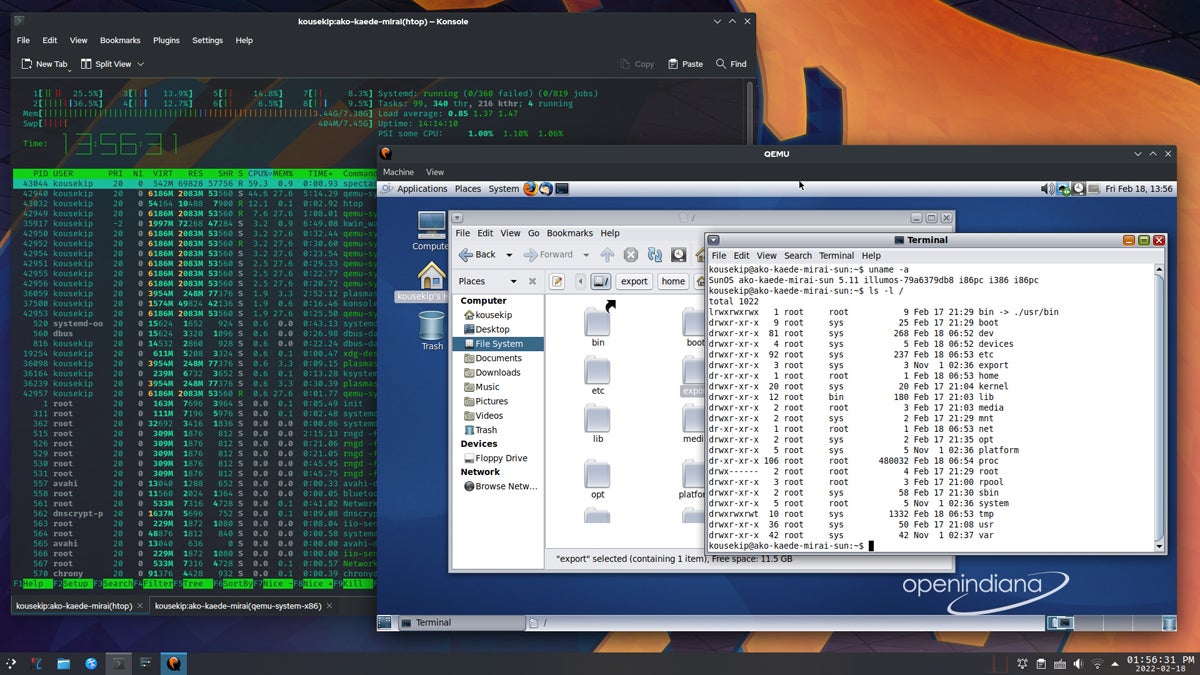
QEMU (Quick Emulator) is a highly versatile open-source tool renowned for its dual capability in both emulation and virtualization. Its defining feature is the ability to emulate a wide array of hardware architectures, making it an indispensable solution for developers and system administrators requiring flexible, cross-platform environments. Unlike virtualization technologies that are bound to specific host-guest combinations, QEMU can simulate diverse hardware types, enabling an operating system running on one architecture to simulate another. This capability is invaluable for development, testing, and deployment across varied hardware platforms.
QEMU’s evolution has been marked by significant enhancements in performance, user interface, and compatibility with numerous guest operating systems and hardware types. Its continuous development, fueled by an active open-source community, solidifies its position as a comprehensive tool for both hardware emulation and virtualization. QEMU can operate in two main modes: user-mode emulation (running programs compiled for one architecture on another) and system-mode emulation (simulating a full system, including hardware).
Pros:
- Capable of emulating a wide range of CPU architectures, ideal for cross-platform development and testing.
- Can perform emulation even on systems without hardware virtualization capabilities.
- Benefits from community-driven development and is freely available.
Cons:

- Can be complex to configure, particularly for advanced emulation scenarios.
- Emulation mode can be slower compared to native execution or hardware-assisted virtualization.
Xen Project: Fortifying Security with a Secure Hypervisor
Best for Advanced Users Needing a Secure, Open-Source Hypervisor
Overall Rating: 3/5
The Xen Project is a highly respected open-source hypervisor celebrated for its security, performance, and scalability. It stands as a premier choice for advanced users and organizations that place a high premium on a secure and robust virtualization environment. Originating from a research project at the University of Cambridge, Xen has grown into a pivotal technology in cloud computing, with many major cloud service providers utilizing Xen as their foundational hypervisor.
Xen distinguishes itself through its sophisticated paravirtualization capabilities, allowing multiple operating systems to run with minimal overhead. Its strong isolation features make it particularly well-suited for multi-tenant environments where security is paramount. Xen’s architecture separates the hypervisor from the operating system, enhancing security by minimizing the attack surface.
Pros:
- Offers robust isolation and security capabilities, essential for multi-tenant environments.
- Efficient paravirtualization reduces the performance overhead typically associated with virtualization.
- Benefits from a wide community of contributors, ensuring constant improvements and updates.
Cons:
- Can be challenging to set up and manage, especially for those without extensive virtualization experience.
- While it supports Windows guests, Xen is more optimized for Linux and Unix-like operating systems.
VirtualBox: Simplicity and Accessibility for Cross-Platform Virtualization
Best for Quick and Easy Cross-Platform Virtualization
Overall Rating: 2.75/5
VirtualBox, an open-source virtualization software developed by Oracle, is recognized for its user-friendliness and extensive cross-platform compatibility. This makes it an excellent choice for users seeking a straightforward solution for running multiple operating systems. Initially developed by Innotek GmbH, it was later acquired by Sun Microsystems and subsequently by Oracle. VirtualBox has consistently focused on intuitive user interfaces and broad guest operating system support.
Its ability to run on Windows, macOS, Linux, and Solaris as host systems, while supporting a wide array of guest operating systems—from older Windows versions to contemporary Linux distributions—positions VirtualBox as a versatile tool for both personal and professional use. This adaptability, coupled with its free availability, makes VirtualBox a go-to option for users needing a flexible and accessible virtualization platform. While it may not always match the performance of more enterprise-focused solutions for demanding workloads, its ease of use and broad compatibility make it a popular choice for developers, testers, and casual users.
Pros:
- Runs on multiple host OSs including Windows, macOS, Linux, and Solaris.
- Offers a user-friendly interface, making it accessible even for those new to virtualization.
- Available at no cost, with the benefits of open-source flexibility and community support.
Cons:
- May not match the performance level of more sophisticated virtualization solutions, particularly for intensive tasks.
- While suitable for basic use, it lacks some advanced features needed for complex enterprise environments.
Key Features of Virtual Machine Software for Linux
Virtual machine software for Linux empowers users to create and manage multiple isolated virtual environments on a single physical machine. These solutions are engineered to meet the specific demands of Linux users, focusing on performance optimization, resource management, enhanced security, advanced networking capabilities, and seamless integration with existing Linux infrastructure. Understanding these key features is paramount for anyone looking to fully harness the potential of virtualization on Linux platforms, whether for development, testing, or production environments.
Performance and Resource Management
Efficiently managing system resources while maintaining optimal performance is a critical aspect of Linux VM software. These tools enable IT professionals to precisely allocate and manage resources such as CPU, memory, and storage for each virtual machine, tailoring them to specific operational needs. Advanced functionalities like dynamic resource scheduling and load balancing ensure that resources are distributed optimally among VMs based on their current workloads, preventing any single VM from monopolizing system resources. Furthermore, integrated performance monitoring tools provide real-time insights into the resource usage and performance metrics of each VM, allowing for proactive adjustments and troubleshooting. For instance, KVM’s direct integration with the Linux kernel allows it to leverage the kernel’s advanced scheduling algorithms for efficient CPU allocation.

Compatibility and System Requirements
The ability of VM software to be compatible with a broad range of Linux distributions and versions is crucial for flexibility and widespread applicability. This includes support for popular distributions like Ubuntu, Fedora, and CentOS, as well as more specialized or legacy versions. Compatibility extends to supporting various Linux kernels, including custom ones, which is vital for organizations operating specialized or highly customized Linux environments. Additionally, compatibility with different hardware architectures is a significant consideration. While most VM software supports x86_64 architectures, support for ARM-based systems is increasingly relevant, especially with the rise of energy-efficient and low-cost ARM servers. This broadens the applicability of VM software in diverse environments, from traditional data centers to edge computing scenarios.
Usability and Management
The most effective VM software for Linux typically features an intuitive user interface, facilitating the easy creation, configuration, and management of VMs. This often includes both graphical user interfaces (GUIs) and command-line tools, catering to the diverse preferences and expertise levels of users. The ease of migrating VMs between different hosts or from physical to virtual environments is another significant aspect of usability. This capability is essential for maintaining operational flexibility and minimizing downtime during hardware upgrades, maintenance, or in disaster recovery scenarios. For example, VirtualBox is widely lauded for its simple, intuitive GUI that makes VM creation accessible even to novice users.
Security and Isolation
VMs operate within isolated environments, ensuring that the processes, data, and system configurations of one VM are kept separate from others. This isolation is fundamental for security, as it prevents issues within one VM, such as a security breach or software failure, from affecting other VMs on the same host. VM software often incorporates additional security features to bolster this isolation. These include network security controls, such as firewalls and isolated virtual networks, which govern the flow of traffic between VMs and external networks. Linux-KVM, being part of the kernel, benefits from the kernel’s robust security mechanisms.
Networking Capabilities
The networking capabilities of VM software for Linux are designed to provide flexibility and control over how VMs interact with each other and with external networks. The software typically supports a variety of networking options, including bridged, NAT, and host-only networking modes. Advanced features such as virtual LAN (VLAN) support and network isolation are also key aspects, allowing for the segmentation of VMs into separate network domains, thereby enhancing security and improving traffic management. Red Hat OpenShift Virtualization, for instance, integrates advanced networking features that leverage Kubernetes networking concepts for cloud-native environments.
Scalability and Flexibility
Scalability is essential, ensuring that the virtual infrastructure can expand or contract in line with application demands and available resources. This includes the effortless addition or removal of VMs, as well as the ability to adjust their resource allocations (CPU, memory, and storage) on-the-fly without requiring a system restart. The flexibility of VM software also extends to the types of workloads it can support, accommodating everything from lightweight development environments to resource-intensive data processing applications. Linux-KVM’s ability to integrate with various management tools allows for significant scalability.
Reliability and Uptime
Reliability and uptime are critical considerations for VM software on Linux, directly impacting the availability and performance of the applications running within VMs. To ensure high reliability, the software typically incorporates features like automated failover, which enables VMs to be automatically migrated to another host in the event of hardware failure. Backup and disaster recovery capabilities are also integral to the reliability of VM software. Regular backups of VMs ensure that data and configurations can be restored in case of corruption or loss. Some software solutions offer advanced features such as snapshotting, which captures the state of a VM at a specific point in time, facilitating quick rollbacks.
Integration and Compatibility with Existing Infrastructure
Seamless integration and compatibility with existing infrastructure are vital for the smooth operation of VM software in Linux environments. This involves ensuring that the VM software can integrate with existing management tools, authentication systems, and storage solutions. Furthermore, the ability to integrate with popular monitoring and analytics tools is essential, providing IT teams with a comprehensive view of their infrastructure, encompassing both physical and virtual components. Red Hat OpenShift Virtualization, by design, integrates deeply with the broader OpenShift ecosystem.
How to Choose the Best Virtual Machine Software for Linux
Selecting the optimal VM software for a Linux environment is a critical decision that can profoundly influence both technical operations and business outcomes. Whether you are an IT professional managing a complex infrastructure or a business owner aiming to optimize technological resources, a thorough understanding of the key factors involved in choosing the best VM software is essential.
1. Assess Business and Technical Needs
Begin by meticulously assessing the specific requirements of your business or project. Consider the scale of your operations, the nature of your workloads, and your projected growth. For smaller businesses or those with less complex needs, a simpler, more user-friendly VM solution might suffice. Larger enterprises or those managing more complex, dynamic workloads may require a more robust solution equipped with advanced features like automated scaling and extensive integration capabilities. Crucially, ensure the VM software is compatible with your existing Linux environment and any other operating systems you need to support. This includes verifying compatibility with the specific Linux distribution and version you are using, as well as with the hardware and architectures (e.g., x86_64 or ARM) present in your existing infrastructure.
2. Optimize Performance and Resource Management
Prioritize VM software that offers efficient resource management, enabling you to maximize hardware utilization. Features such as dynamic resource allocation and the ability to overcommit resources can be highly beneficial, particularly in environments characterized by fluctuating workloads. Opt for software that provides comprehensive monitoring and analytics tools. These instruments can assist in tracking VM performance and making informed decisions regarding resource allocation and scaling strategies. Linux-KVM’s inherent efficiency makes it a strong contender here due to its direct kernel integration.
3. Usability and Management
Evaluate the ease of deployment, configuration, and overall management of VMs. For teams with limited technical expertise, software featuring an intuitive user interface and straightforward setup processes might be more appropriate. For larger or more dynamic environments, seek solutions that offer automation features and support scalability. This includes the capacity to automate routine tasks and effortlessly scale your VM environment up or down in response to demand. VirtualBox, with its well-regarded GUI, is often cited for its ease of use.
4. Security and Reliability
Security must be a paramount consideration in every facet of your technology stack. Select VM software that offers robust isolation features, comprehensive network security options, and support for encrypted storage and communications. Also, consider the software’s reliability, including features such as automated failover, backup, and disaster recovery options. Reliable VM software should guarantee minimal downtime and provide swift recovery capabilities in the event of failures. Xen Project’s strong security reputation makes it a top choice for sensitive environments.

5. Budget and Support
Strike a balance between the cost of the VM software and its features relative to your specific needs. While some open-source solutions may offer cost-effectiveness, they might necessitate more in-house expertise for management. Conversely, commercial solutions might provide more extensive support and advanced features but at a higher price point. Evaluate the level of support offered by the software vendor, including customer service, technical support, and the availability of regular updates. Additionally, consider the strength and activity of the software’s user community, which can serve as a valuable resource for troubleshooting and best practices.
6. Long-Term Considerations
Ensure the VM software can scale to accommodate future business requirements. This encompasses the ability to handle an increasing number of VMs, integrate with emerging technologies, and adapt to evolving business needs. The chosen VM software should align with your broader IT strategy and integrate seamlessly with other tools and systems within your infrastructure, such as cloud services, container orchestration systems, and network storage solutions. Red Hat OpenShift Virtualization’s integration with the OpenShift ecosystem exemplifies this long-term strategic alignment.
How We Evaluated Virtual Machine Software for Linux
Our evaluation methodology for VM software targeting Linux systems was comprehensive and systematic, focusing on essential attributes that impact business operations. Each characteristic was quantitatively scored, reflecting its significance and influence on performance, user-friendliness, and security.
Feature Evaluation – 50%
The core functionality of the VM software formed the crux of our assessment. We meticulously analyzed various features, categorized as follows:
-
Performance and Resource Management – 20%: This critical aspect received the highest weighting. Our evaluation centered on the software’s efficiency in allocating and managing resources like CPU, memory, and storage, particularly under varying loads. We favored software demonstrating outstanding performance, low latency, and seamless handling of demanding tasks.
- Criterion winners: Linux-KVM, Xen Project, Red Hat OpenShift Virtualization, oVirt
-
Compatibility and System Requirements – 15%: We examined the software’s adaptability to different Linux versions and hardware configurations, including peripheral support. Higher scores were awarded to software exhibiting broad compatibility and modest hardware requirements, underscoring its adaptability and ease of integration.
- Criterion winners: VirtualBox, QEMU
-
Usability and Management – 15%: The focus here was on installation ease, user interface intuitiveness, and management simplicity. Software offering an intuitive experience, comprehensive management tools, and straightforward daily operation integration scored higher.
- Criterion winners: VirtualBox, GNOME Boxes (Note: GNOME Boxes was not explicitly listed but is a common desktop virtualization tool for Linux, often mentioned in similar contexts.)
-
Security and Isolation – 15%: Considering the importance of data security, we scrutinized built-in security features and VM isolation levels. Software with robust security measures and strong isolation capabilities, reducing cross-VM contamination risks, were scored favorably.
- Criterion winners: Xen Project, Linux-KVM
-
Networking Capabilities – 10%: This involved assessing the software’s network configuration and management capabilities, particularly for NAT, bridged, and host-only networks. Superior and flexible networking options, facilitating efficient internal and external VM communication, were highly scored.
- Criterion winners: Linux-KVM, Red Hat OpenShift Virtualization
-
Scalability and Flexibility – 10%: We evaluated the software’s scalability and configuration flexibility in line with business growth. Software adept at managing increasing VM numbers without performance loss, and offering extensive customization, received higher scores.
- Criterion winners: Linux-KVM, Red Hat OpenShift Virtualization
-
Reliability and Uptime – 10%: We assessed software stability, downtime frequency, and uptime assurances. Software demonstrating high reliability and consistent performance with minimal downtime was highly rated.
- Criterion winners: Linux-KVM, Red Hat OpenShift Virtualization
-
Integration and Compatibility with Existing Infrastructure – 5%: Our focus was on the software’s integration ease with existing IT ecosystems and compatibility with various systems and applications. Highly integrative and supportive of third-party integrations software scored higher.
- Criterion winners: Red Hat OpenShift Virtualization
Cost Considerations – 25%
Understanding the pricing structure of VM software is complex. We evaluated not only the cost but also price transparency, clarity of pricing information, sales channels, and customization options for bundled offerings. Many of the solutions listed are open-source and free of charge. Therefore, our evaluation prioritized the clarity and accessibility of download pages and past versions over hard numerical costs, as would be typical for commercial software.
- Criterion winners: QEMU (for its open-source nature and straightforward accessibility)
Support Evaluation – 25%
Recognizing the critical role of support in technology, we assessed the availability and range of support options for each software, including phone, email, chat, knowledge bases, and forums. Solutions offering comprehensive and accessible support were rated highly, as effective support can significantly mitigate the impact of technical issues.
- Criterion winners: Red Hat OpenShift Virtualization
Frequently Asked Questions (FAQs)
What is Linux virtualization software, and how does it work?
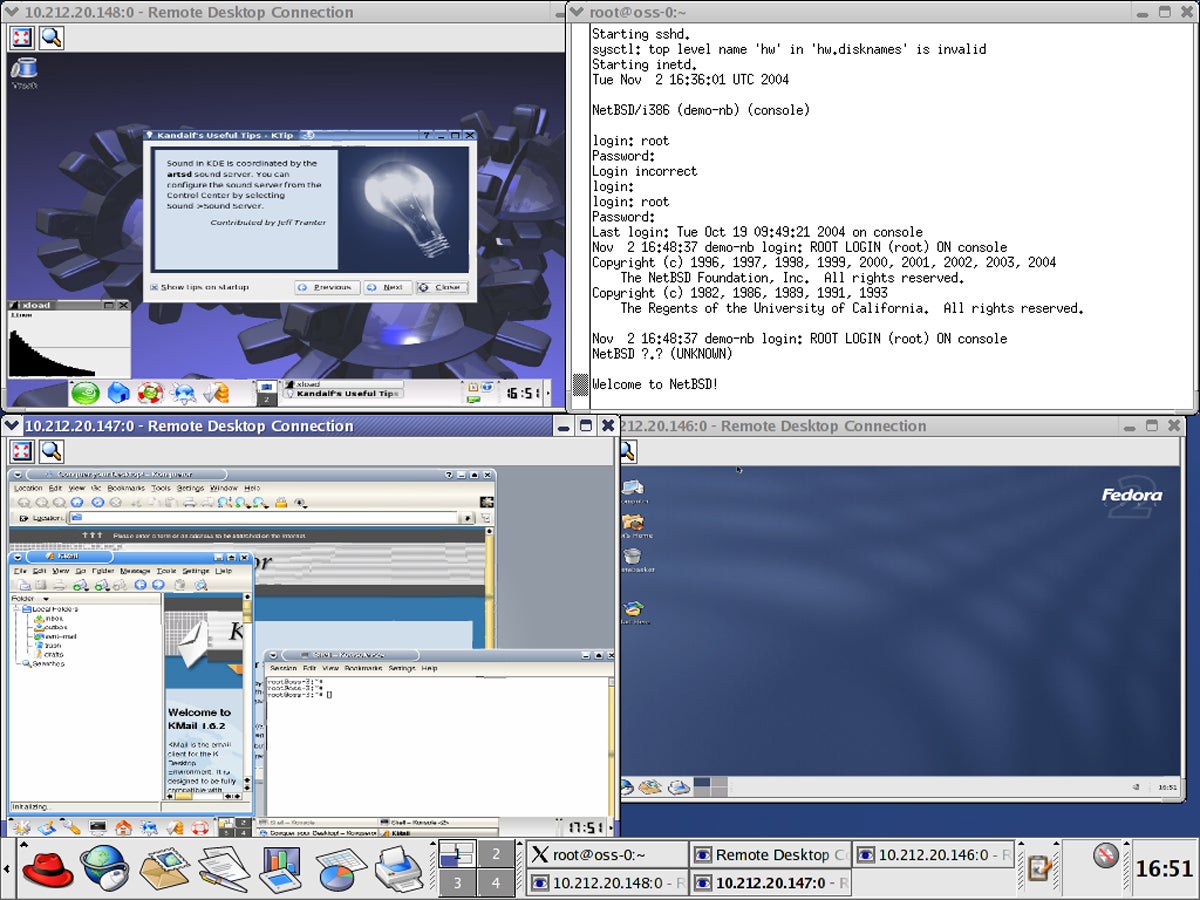
Linux virtualization software, often referred to as a hypervisor or VM manager, is a tool that enables the creation and management of multiple virtual machines (VMs) on a single physical host system. Each VM emulates a complete hardware system—from the processor to the network interface—allowing it to run its own operating system and applications in isolation from other VMs. This is achieved by the software partitioning the physical server’s resources (CPU, memory, storage) among the VMs. The hypervisor acts as an intermediary between the hardware and the VMs, managing resources and ensuring each VM remains separate and secure.
What are the primary benefits of using Linux virtualization software?
The advantages of using Linux virtualization software are numerous. It promotes resource efficiency by allowing multiple operating systems and applications to run on a single physical server, thereby reducing hardware costs and optimizing resource utilization. Flexibility is another key advantage, enabling rapid deployment and scaling of applications without requiring additional physical hardware. Isolation ensures that issues in one VM do not affect others, enhancing security and stability. Furthermore, it supports disaster recovery efforts, as VMs can be easily backed up and restored.
Is Linux virtualization software suitable for server or desktop virtualization?
Linux virtualization software is highly versatile and can be employed for both server and desktop virtualization. Server virtualization is commonly utilized in data centers and enterprises to host multiple environments on a single physical server, optimizing resource usage and simplifying server management. Desktop virtualization, conversely, provides users with a virtual desktop environment, offering significant benefits for remote access, centralized management, and ensuring a consistent user experience across different hardware.
Is open-source VM software for Linux reliable for enterprise use?
Yes, many open-source VM software options for Linux are reliable and well-suited for enterprise use. These solutions often benefit from strong community support, regular updates, and robust security features. Enterprises frequently opt for open-source solutions due to their inherent flexibility, absence of licensing fees, and the ability to customize the software to meet specific requirements. However, it is crucial for enterprises to evaluate the level of community and commercial support available, alongside the software’s compatibility with their existing infrastructure and its scalability potential.
Can VM software for Linux scale with my business growth?
Absolutely, VM software for Linux is designed to scale alongside business expansion. It facilitates the seamless addition of new VMs as a business grows and requires increased computing resources. Many VM solutions offer features like dynamic resource allocation, load balancing, and automated scaling, which are indispensable for adapting to evolving business needs. Moreover, the ability to integrate with cloud services and other technologies means that VM environments can extend beyond the physical limitations of the host hardware, offering even greater scalability.
Bottom Line: Leveraging Open-Source Solutions for Virtualization in Linux
Open-source virtualization solutions for Linux present a compelling proposition for businesses and IT professionals seeking to harness the advantages of virtualization in a cost-effective and flexible manner. These solutions are distinguished by their robust community support, extensive customization capabilities, and the absence of licensing fees, making them particularly attractive for organizations prioritizing adaptability and budget-conscious options.
However, the decision to implement an open-source virtualization solution within a Linux environment should be approached with careful consideration of the organization’s specific requirements and internal capabilities. While the elimination of licensing costs is undeniably advantageous, it is essential to assess the level of in-house technical expertise available, as open-source solutions often demand a deeper understanding for effective customization and management.
Whatever virtualization solution you adopt, prioritize security. Explore the best server security solutions to safeguard your VMs and data.
