
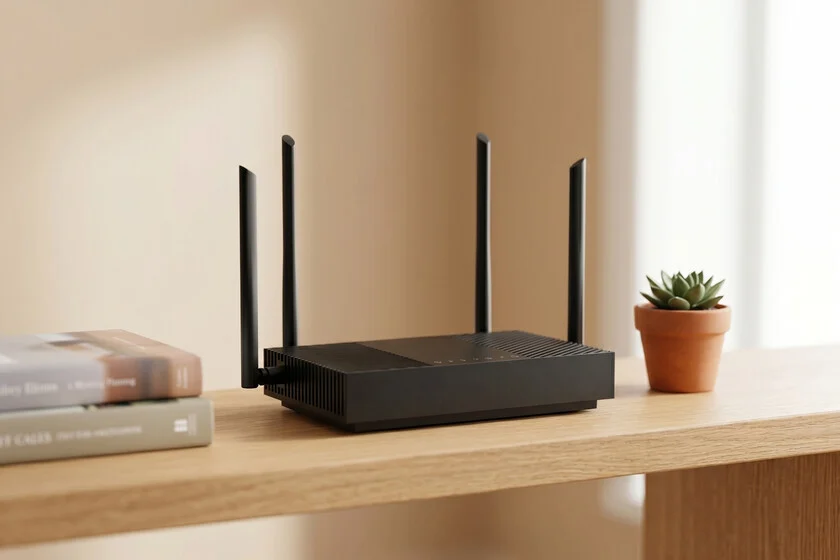

The relentless march of technological progress invariably leads to a cycle of obsolescence, particularly evident in home networking equipment. As internet service providers (ISPs) upgrade broadband connections, they frequently replace existing routers, consigning older units to storage bins or, worse, landfills. This phenomenon contributes significantly to the growing global challenge of electronic waste (e-waste). However, a deeper examination reveals that these "obsolete" devices often retain substantial utility, capable of being repurposed for various local network functions without the inherent security risks associated with connecting outdated firmware to the public internet. This article explores several innovative ways to extend the lifespan of old routers, transforming them into valuable assets for enhanced home connectivity, data management, and even educational experimentation, while simultaneously addressing environmental concerns.
The Inevitable Cycle of Obsolescence and the E-Waste Challenge
The modern digital home relies heavily on a robust and secure internet connection, necessitating regular upgrades to networking infrastructure. Industry reports indicate that residential routers are typically replaced every two to four years, driven by advancements in Wi-Fi standards (e.g., from Wi-Fi 5 to Wi-Fi 6, and now Wi-Fi 7), increased bandwidth demands, and ISP-mandated equipment refreshes. While these upgrades bring faster speeds and improved performance, they also generate a massive volume of electronic waste. The United Nations’ Global E-waste Monitor reported that 53.6 million metric tons of e-waste were generated worldwide in 2019, with only 17.4% formally recycled. Network equipment, including routers, modems, and switches, constitutes a notable portion of this waste stream. Each discarded router, often containing valuable metals and hazardous materials, represents a missed opportunity for reuse and a potential environmental burden.
The primary temptation for many users is to repurpose an old router as a Wi-Fi extender or a secondary access point to improve home coverage. While technically feasible, this approach carries significant cybersecurity risks if the device is no longer supported by its manufacturer with security updates. Outdated firmware can contain unpatched vulnerabilities, making the network a prime target for malicious actors. A recent breach affecting several routers from a popular manufacturer, for instance, underscored the dangers of connecting end-of-life devices to the internet. Therefore, the key to safe and effective repurposing lies in leveraging the router’s core functionalities – its ability to direct traffic between devices – without granting it direct access to the wider internet. This local-only operation mitigates the most critical security concerns. Before embarking on any repurposing project, a crucial first step is always to perform a factory reset, access the router’s configuration interface (typically via 192.168.1.1 or 192.168.0.1), and change the default Wi-Fi network name (SSID) and password. This foundational security measure ensures a clean slate and prevents unauthorized access to the new local network.
Navigating Security: Why Offline Use is Key for Older Devices
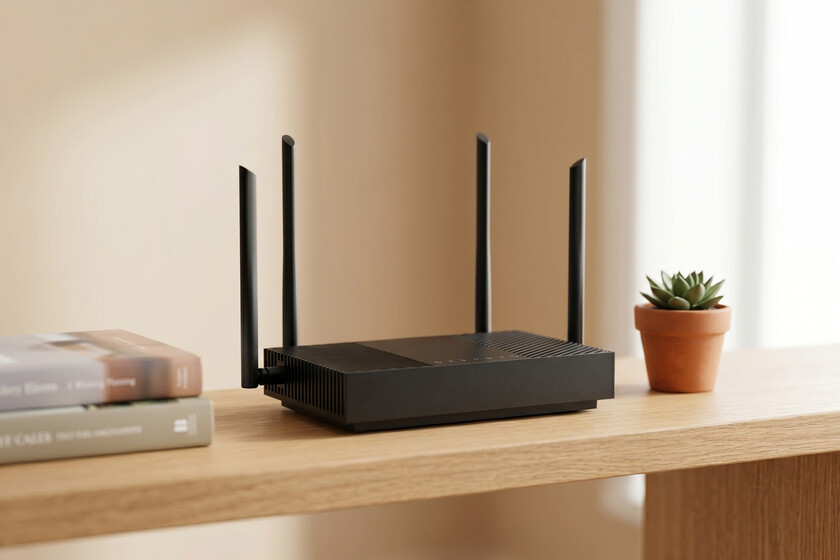
The central premise for safely repurposing an old router revolves around disconnecting it from the internet gateway. By preventing the device from receiving or transmitting data beyond the local network, users effectively wall off potential vulnerabilities. This strategy transforms the router from an internet access point into a specialized network appliance. Cybersecurity experts consistently advise against using unsupported hardware with internet access, as manufacturers cease providing security patches once a product reaches its end-of-life. These unpatched vulnerabilities can range from simple denial-of-service attacks to sophisticated exploits allowing remote code execution and data theft.
However, when an old router operates purely within a confined local network, isolated from the public internet, these risks are drastically reduced. The device’s primary function then shifts to managing internal network traffic, file sharing, or providing a segregated Wi-Fi segment. This approach not only breathes new life into otherwise discarded hardware but also offers a secure environment for specific tasks, circumventing the need to purchase new, specialized equipment.
Transforming Your Old Router: Practical Applications
Old routers, despite their age, possess fundamental networking capabilities that can be harnessed in creative and secure ways. The following applications leverage these inherent strengths for various home and small office needs.
1. Establishing a Local Network Attached Storage (NAS) System
Many modern and even some older routers are equipped with one or more USB ports and support common file sharing protocols like Server Message Block (SMB) or File Transfer Protocol (FTP). This often-overlooked feature can be the gateway to creating a rudimentary, yet highly effective, Network Attached Storage (NAS) system at a fraction of the cost of a dedicated NAS device.
Technical Overview and Implementation:
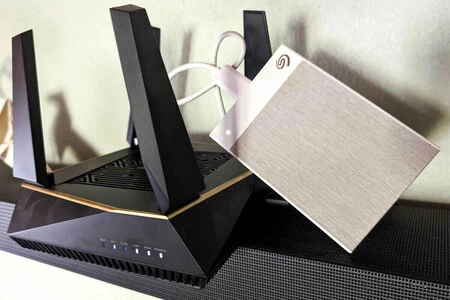
To set this up, simply connect a USB external hard drive or a large-capacity USB flash drive to the router’s USB port. The router’s firmware typically includes options to configure file sharing, allowing you to define user permissions and network shares. Once configured, any device connected to the router’s local Wi-Fi or Ethernet network can access the stored files. This means that family photos, documents, media libraries, and other digital assets can be centralized and accessed from multiple computers, smartphones, or smart TVs within the home network.
Advantages and Use Cases:
While the transfer speeds may not rival those of high-end dedicated NAS units, this setup provides a robust solution for a local repository of documents or a home media server. For instance, you could store your entire movie collection and stream it to any connected device without consuming internet bandwidth or relying on cloud services. Crucially, because this NAS system is isolated from the internet, it offers an enhanced layer of security for sensitive backups. It becomes virtually impossible for external threats to access your data from outside your home network, offering peace of mind that cloud-based storage solutions might not always provide without advanced encryption. This local control is a significant advantage for personal data privacy.
2. Creating an Isolated Network for Smart Home Devices
The proliferation of smart home devices, from intelligent light bulbs and thermostats to security cameras and voice assistants, has introduced new complexities and potential vulnerabilities into residential networks. Many of these Internet of Things (IoT) devices, particularly those using protocols like Matter, are often considered the weakest link in home network security due to their sometimes rudimentary security implementations and infrequent firmware updates.
Addressing IoT Security Concerns:
A highly effective remedy for this security dilemma is to segregate these devices onto their own isolated network. An old router, operating without internet access, can host this dedicated Wi-Fi network. By connecting all your smart home devices to this separate network, you create a "sandbox" environment. Your primary home network, which carries sensitive data from computers and smartphones, remains protected from potential compromises originating from vulnerable IoT devices.
Functionality and Limitations:
Within this isolated network, you can still control your smart devices locally via your smartphone or tablet, provided your control device is also connected to the same isolated Wi-Fi network. This allows for seamless operation of smart lighting, climate control, and other automated functions. However, it is important to acknowledge a key limitation: this setup forfeits any cloud-dependent functionalities of these devices. Remote control from outside the home, integration with cloud-based services, or reliance on manufacturer-provided online platforms will not be possible. For users prioritizing local control and enhanced security over remote accessibility, this is an excellent trade-off.
3. Enabling a Wireless Print Server for Legacy Printers
Many older printers, while still perfectly functional, lack integrated Wi-Fi connectivity, limiting their use to a single computer via a USB cable. If your old router features a USB port, it can breathe new life into such a printer by transforming it into a network-accessible print server.
Simple Setup, Broad Accessibility:
The process is straightforward: connect the USB printer to the router’s USB port. Many routers include built-in functionality to share printers over the local network. By configuring the printer sharing settings within the router’s administration panel, the printer becomes discoverable and usable by any device connected to that local network. This eliminates the need for a dedicated computer to host the printer or for cumbersome cable swapping.

Enhanced Convenience:
This setup significantly enhances convenience, allowing multiple users from various devices (laptops, desktops, tablets, smartphones) within the household to send documents to print wirelessly. It’s an efficient way to maximize the utility of existing hardware, reducing the need for new purchases and contributing to a more sustainable tech ecosystem.
4. Expanding Wired Connectivity: The Router as a Network Switch
In an increasingly wired world, the demand for Ethernet ports often outstrips the supply. Modern homes frequently integrate wired connections for devices requiring maximum speed and minimal latency, such as gaming consoles, desktop PCs, smart TVs, or home theater systems. When wall ports are scarce or a specific area requires multiple wired connections, an old router can readily function as a simple, unmanaged network switch.
Extending Your Wired Network:
By connecting one of the router’s LAN ports to your main network (either directly to your primary router or a wall Ethernet jack), the remaining LAN ports on the old router become additional wired connections. This is particularly useful for areas like a home office or an entertainment center where several devices need reliable, high-speed wired access.
Ideal for Local Area Network (LAN) Gaming:
Beyond general connectivity, this application is perfect for organizing local area network (LAN) gaming sessions with friends. Both classic and many modern video games support local multiplayer servers, allowing participants to play together over a wired connection without relying on external internet servers. This provides a stable, low-latency gaming experience, free from internet-related lag or server outages, and fosters a unique social gaming environment. It’s a cost-effective way to create a dedicated gaming hub, ensuring optimal performance for competitive play.
5. A Secure Sandbox for Network Experimentation and Custom Firmware
For tech enthusiasts and aspiring network administrators, an old router represents an invaluable, low-risk laboratory. Experimenting with advanced network configurations or attempting to install custom firmware on a primary, internet-connected router can be perilous; a single misstep could render the device inoperable, leading to significant internet downtime.
Exploring OpenWRT and Customization:
An old router, however, is the ideal "disposable" testbed for such ventures. Users can safely explore alternative operating systems like OpenWRT, a popular open-source firmware project that replaces the manufacturer’s default system. OpenWRT unlocks a wealth of advanced functionalities, including enhanced routing protocols, VPN client/server capabilities, improved quality of service (QoS) management, and extensive customization options not available in standard firmware.
Learning Without Consequence:
While there is always a risk of "bricking" the device (rendering it permanently inoperable) during firmware installation, the consequences are minimal when dealing with a device that was destined for obsolescence. This hands-on experience provides an unparalleled opportunity to learn about network internals, command-line interfaces, and advanced routing principles in a controlled environment. The educational value and the potential to discover new capabilities for network management far outweigh the minimal risk involved.
The Broader Impact: Sustainability and Digital Empowerment
The act of repurposing old routers extends beyond mere technical convenience; it carries significant environmental and economic implications. From an environmental perspective, extending the life cycle of electronic devices directly contributes to reducing e-waste, lessening the demand for new raw materials, and mitigating the energy consumption associated with manufacturing new products. As environmental organizations increasingly highlight the urgent need for a circular economy, individual actions like these collectively make a difference.
Economically, repurposing saves consumers money by avoiding the purchase of new, specialized equipment that an old router can effectively emulate. A basic NAS enclosure, a dedicated print server, or a network switch can each cost a significant amount. By leveraging existing hardware, individuals can achieve similar functionalities at virtually no additional cost.
Furthermore, engaging in these projects fosters digital literacy and empowers users with a deeper understanding of their home networks. The hands-on experience of configuring a router for a specific purpose demystifies networking technology, building confidence and problem-solving skills that are increasingly valuable in a digitally driven world. This empowerment can lead to greater self-sufficiency and a reduced reliance on external technical support.
Expert Recommendations and Best Practices

Industry experts and environmental advocates largely support the responsible repurposing of electronic devices. Cybersecurity professionals emphasize the critical importance of ensuring that any repurposed device, especially an old router, operates in an isolated, local-only mode if it no longer receives security updates. "The golden rule," advises a representative from a leading cybersecurity firm, "is to never connect an end-of-life device directly to the internet if it’s not receiving security patches. Use it for local tasks only, or ensure it’s properly secured and monitored."
Environmental groups, meanwhile, laud initiatives that divert e-waste from landfills. "Every device given a second life is a win for the planet," states an environmental sustainability spokesperson. "Repurposing, repairing, and recycling are crucial steps towards a more sustainable future for electronics." They also recommend checking for local e-waste recycling programs for devices that truly cannot be repurposed.
Conclusion: Beyond Connectivity – A New Lease on Digital Life
The journey of a router from being a primary internet gateway to an "obsolete" piece of hardware in a drawer doesn’t have to end there. As demonstrated, the utility of a router transcends its initial purpose of providing internet access. Before considering that old piece of plastic with antennas as mere trash, it is worthwhile to revisit its connectivity options and technical specifications. With a bit of ingenuity and technical exploration, an old router can be transformed into a secure private file server, a robust network switch, a shield for your smart home devices, or an invaluable learning platform. These creative solutions not only extend the economic and functional life of electronic goods but also represent a conscious effort towards reducing e-waste and fostering a more sustainable approach to technology consumption. The true power of these devices, it turns out, lies not just in their ability to connect us to the world, but also in their capacity to serve our local needs with renewed purpose.
