
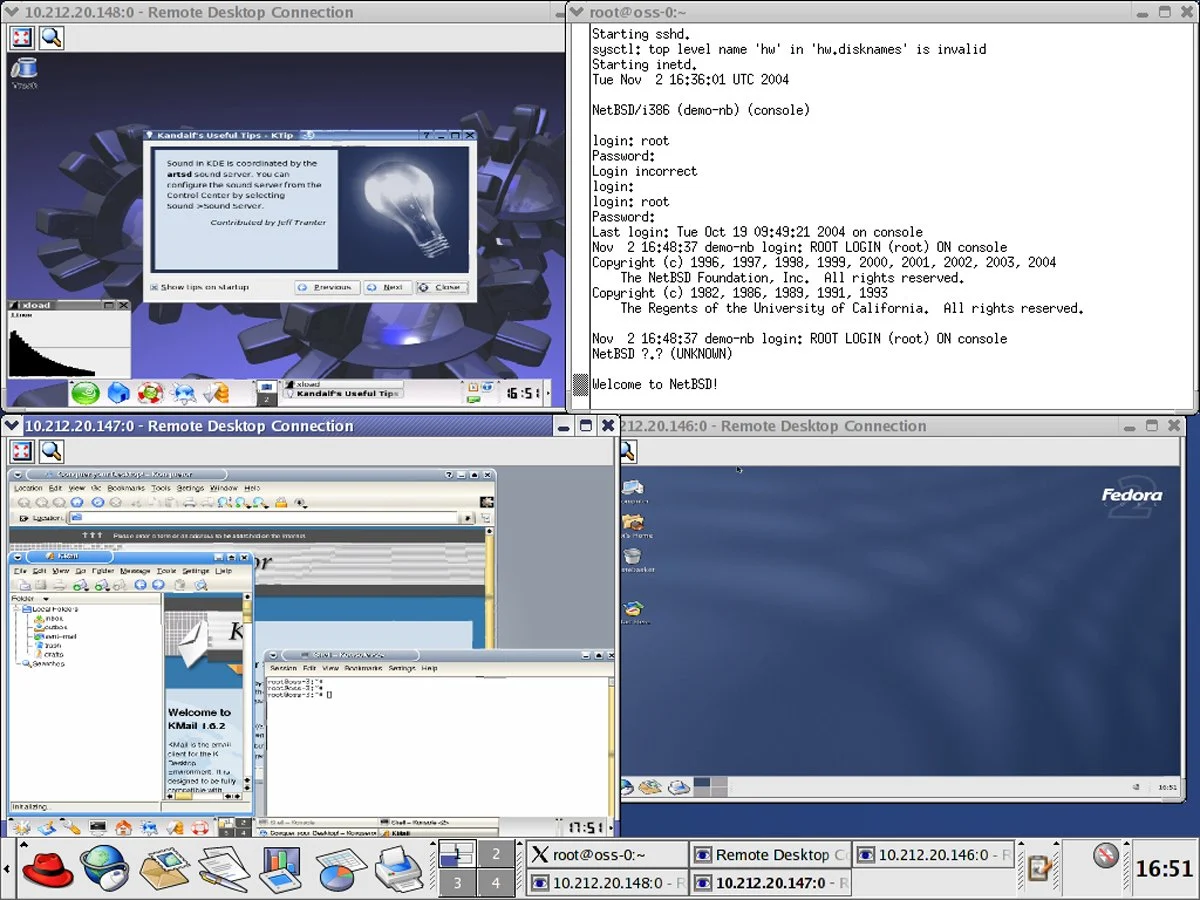

Virtualization software for Linux provides a versatile platform for running multiple operating systems and applications on a single physical machine. This technology allows Linux users to create isolated virtual environments, known as virtual machines (VMs), each with its own set of virtual hardware resources and operating system, independent of the host system. In the Linux context, virtualization software ranges from lightweight solutions designed for desktop users to more robust and feature-rich platforms tailored for enterprise-grade deployments. For example, software developers can use VMs to test applications across different operating systems without needing multiple physical machines. This article will help you simplify the decision-making process of choosing the right solution by highlighting the six best virtual machine software for Linux in 2023, based on a comprehensive analysis of performance, usability, feature set, scalability, and the specific requirements of Linux-based systems.
Top Virtual Machine Software for Linux Comparison
Our selection is based on a comprehensive analysis of various factors such as performance, usability, feature set, scalability, and the specific requirements of Linux-based systems. Whether you are an IT professional, a developer, or a business owner, understanding the nuances of these top VM solutions can significantly impact your virtualization strategy.
| Performance and Resource Management | Compatibility and System Requirements | Security and Isolation | Networking Capabilities | Starting Pricing | |
|---|---|---|---|---|---|
| Red Hat OpenShift Virtualization | Built on KVM, it offers robust performance and resource management. | Primarily designed for Red Hat environments and Kubernetes; enterprise-level deployments; high system requirements. | Builds on KVM’s security and adds additional enterprise-level security features. | Inherits KVM’s capabilities and enhances them for cloud-native networking and Kubernetes integration. | Contact Red Hat for pricing |
| oVirt | Built on KVM, offers good performance and resource management for data centers. | Based on KVM, good compatibility with Linux environments; generally higher system requirements for managing data centers. | Built on KVM, inherits its strong security and isolation features but with added complexity of a management platform. | Built on KVM, it provides robust networking features, especially for data center management. | Free, open-source |
| Linux-KVM | Integrates directly into the Linux kernel, offering high performance and efficient resource management. | Integrated with Linux kernel; excellent performance on Linux systems. | Integrated into the Linux kernel, offering robust security features and strong isolation capabilities. | Offers advanced networking features, high performance, and is highly configurable. | Free, open-source |
| QEMU | Offers broad hardware support and emulation capabilities. | Highly compatible across different architectures; flexible with various OSs. | Offers good isolation; highly dependent on the configuration. | Offers comprehensive network emulation and configuration options. | Free, open-source |
| Xen Project | Known for strong performance in enterprise settings, especially for paravirtualization and cloud computing. | Strong in server environments; compatible with various Linux distributions and some Windows versions. | Highly regarded for strong security and isolation, often used in enterprise and cloud environments. | Provides strong networking features, suitable for enterprise-level and cloud deployments. | Free, open-source |
| VirtualBox | Very user-friendly, but generally considered less efficient in terms of resource management. | High compatibility with multiple host OSs (Windows, Linux, macOS) and guest OSs. | Provides effective isolation for most use cases. | User-friendly with decent networking capabilities for most standard use cases. | Free, open-source |
Red Hat OpenShift Virtualization
Best overall virtualization solution for Linux
Overall rating: 3.75/5

Red Hat OpenShift Virtualization is a powerful solution that merges traditional VM workloads with containerized applications, offering businesses an integrated cloud-native environment. This solution is particularly advantageous for businesses looking to modernize their existing infrastructure without completely discarding their legacy systems.
The platform has evolved from a standalone VM management tool into an integrated component of Red Hat’s larger container orchestration platform, OpenShift. This evolution signifies a strategic shift towards hybrid cloud environments, where both VMs and containers coexist and operate seamlessly. Its alignment with cloud-native principles makes it an ideal choice for businesses seeking to leverage the flexibility and scalability of the cloud while maintaining their existing VM-based workloads.
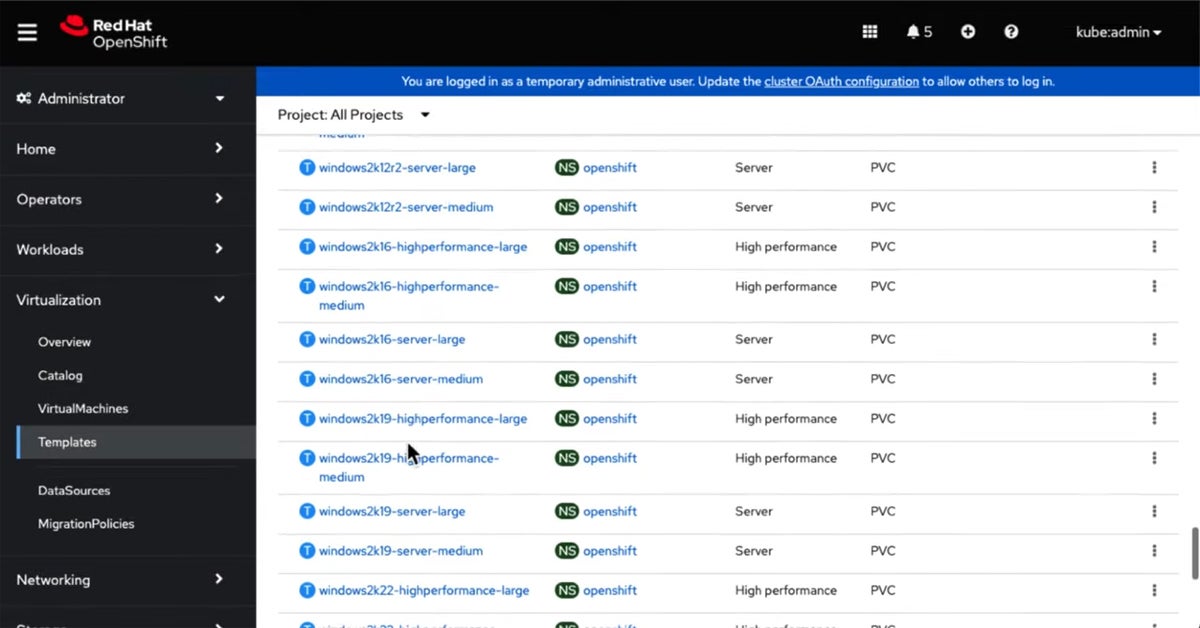
Virtualization templates in Red Hat OpenShift Virtualization
Pricing
Pricing for Red Hat OpenShift Virtualization is typically tied to Red Hat OpenShift subscriptions and server editions. Specific costs depend on the scale of deployment and required support levels, necessitating direct consultation with Red Hat sales representatives.

| Pros | Cons |
|---|---|
| Seamlessly combines VMs and containerized applications, facilitating a hybrid cloud approach. | Requires understanding both container and VM technologies, which can be challenging for some teams. |
| Offers centralized management of both VMs and containers, simplifying administrative tasks. | May demand significant resources for optimal performance, especially in large-scale deployments. |
| Supports scalable deployment, making it easier to adjust resources according to business needs. | The only solution on this list that isn’t free. |
Features
Red Hat OpenShift Virtualization integrates with Red Hat OpenShift, offering a unified platform for managing both virtual machines and containerized applications. It leverages KVM for virtualization, providing robust performance and resource management. Key features include live migration of VMs, snapshotting capabilities, and advanced networking integration with OpenShift’s software-defined networking (SDN) solutions. Its strong focus on automation and self-service provisioning through the OpenShift console makes it a powerful tool for modern IT environments.
oVirt
Best for managing large-scale virtualized data centers
Overall rating: 3.25/5
oVirt is an open-source virtualization management platform that excels in managing large-scale virtualized data centers. It is particularly well-suited for enterprises that require robust management of numerous VMs across diverse hardware environments.
oVirt, developed as a community project, has evolved significantly over the years, emerging from its origins as a core component of Red Hat Enterprise Virtualization (RHEV) to a standalone, fully-featured virtualization management solution. Its evolution has been marked by an increasing emphasis on scalability, stability, and integration with other open-source tools, making it a compelling choice for organizations seeking a cost-effective yet powerful virtualization management platform.
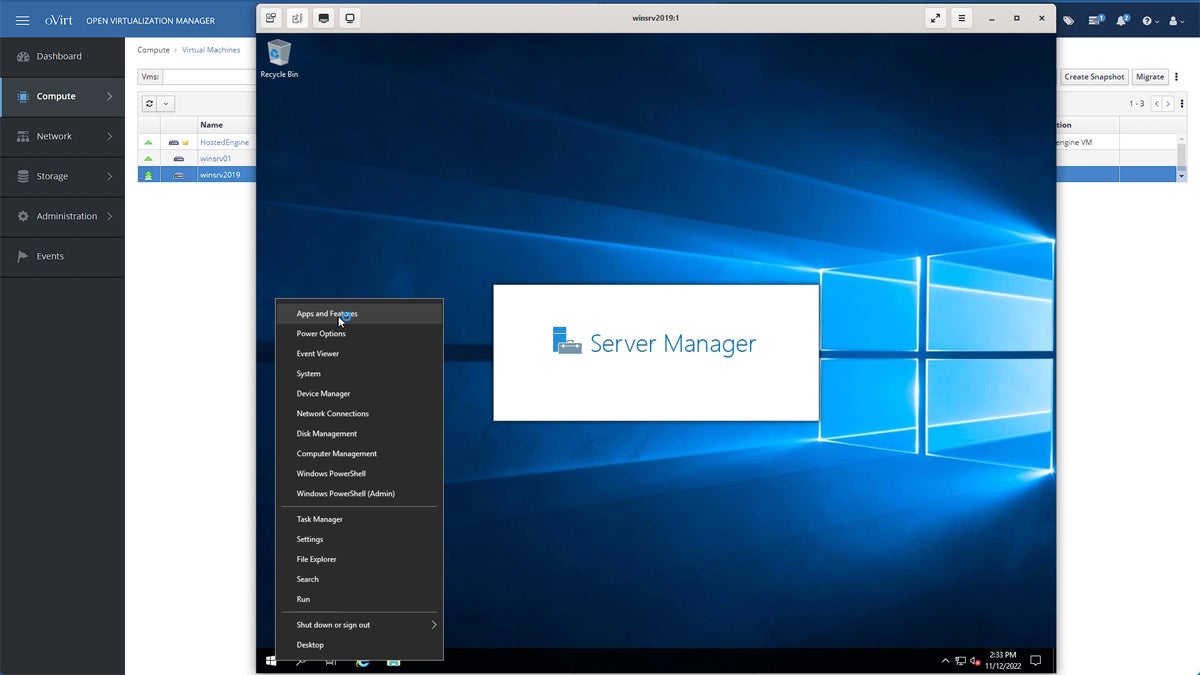
Deploying Windows VM in oVirt
Pricing
oVirt is a free and open-source solution, making it a highly cost-effective choice for organizations of all sizes. There are no licensing fees associated with its use, though commercial support packages may be available from third-party vendors.
| Pros | Cons |
|---|---|
| Being open-source, it offers a budget-friendly alternative to proprietary virtualization solutions. | Can be challenging to set up and maintain, especially for smaller organizations without dedicated IT staff. |
| Excellently handles large numbers of VMs, making it ideal for large data centers. | While improving, it still lags behind some proprietary solutions in terms of integration with other enterprise systems. |
| Provides comprehensive management features for complex virtualization tasks. |
Features

oVirt leverages KVM for its underlying virtualization engine, providing efficient performance and stability. Its management capabilities include a web-based interface for centralized control, live migration, storage management, and high availability features. oVirt supports various storage solutions, including iSCSI, Fibre Channel, and NFS, and offers advanced networking features like VLAN tagging and network bonding. Its extensibility through APIs allows for integration with other management tools.
Linux-KVM
Best for Linux enthusiasts seeking powerful, integrated virtualization
Overall rating: 3/5
Linux-KVM (Kernel-based Virtual Machine) is a prominent virtualization solution for Linux enthusiasts and professionals seeking a powerful and deeply integrated virtualization experience within the Linux ecosystem. As a part of the Linux kernel since 2007, KVM turns Linux into a type-1 (bare-metal) hypervisor, allowing users to run multiple virtual machines (VMs) with varied operating systems on a single Linux host.
The evolution of KVM has been closely tied to the advancements in the Linux kernel, benefiting directly from the kernel’s updates in performance, security, and hardware compatibility. This close integration with the Linux kernel makes KVM an optimal choice for those who prefer a Linux-centric environment, offering efficient performance and excellent hardware support, particularly for systems that run Linux as their primary operating system.
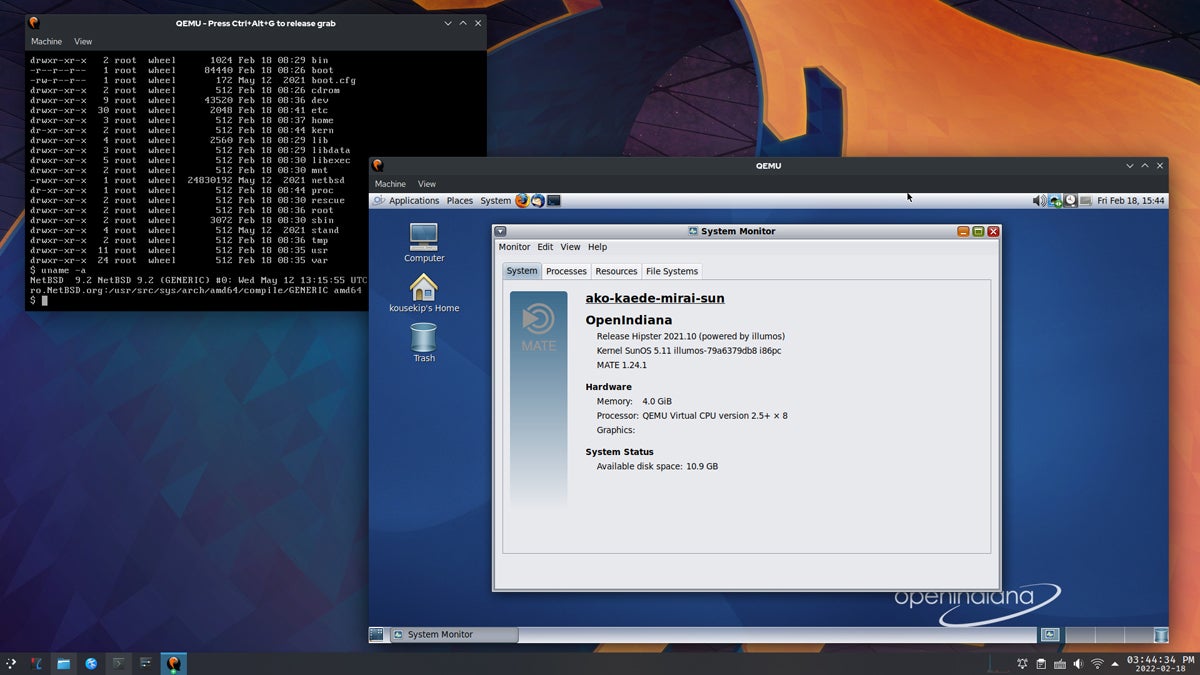
Running QEMU through Linux-KVM on Arch Linux
Pricing
Linux-KVM is a core component of the Linux kernel and is therefore free and open-source. Its use incurs no licensing fees, making it a highly accessible and cost-effective virtualization solution.
| Pros | Cons |
|---|---|
| Offers seamless integration with the Linux kernel, ensuring high efficiency and stability. | Primarily beneficial for Linux environments, which might limit its appeal for users of other operating systems. |
| As a part of the Linux kernel, it is open-source and benefits from the contributions of a global developer community. | Demands a good understanding of Linux systems for effective use and troubleshooting. |
| Utilizes hardware virtualization features of modern CPUs, providing strong performance for VMs. |
Features
KVM leverages hardware virtualization extensions (Intel VT-x and AMD-V) for high performance. It provides robust isolation between VMs, ensuring security and stability. KVM’s integration with the Linux kernel means it benefits from kernel features like memory management, scheduling, and device drivers. It is often used in conjunction with management tools like libvirt, QEMU, and virt-manager to provide a complete virtualization solution with features such as live migration, snapshotting, and flexible networking configurations.

QEMU
Best for versatile emulation and virtualization of various architectures
QEMU (Quick Emulator) is a versatile open-source tool for both emulation and virtualization, renowned for its ability to emulate various architectures, making it a go-to solution for developers and system administrators who require a flexible, cross-platform environment.
Unlike other virtualization technologies that are limited to specific host and guest combinations, QEMU can simulate a wide range of hardware types, running on one architecture and simulating another. This capability is invaluable for development, testing, and deployment across different hardware platforms.
Since its inception, QEMU has evolved significantly, enhancing its performance, user interface, and compatibility with various guest operating systems and hardware types. Its continuous development, driven by an active open-source community, has solidified its position as a comprehensive tool for both hardware emulation and virtualization.
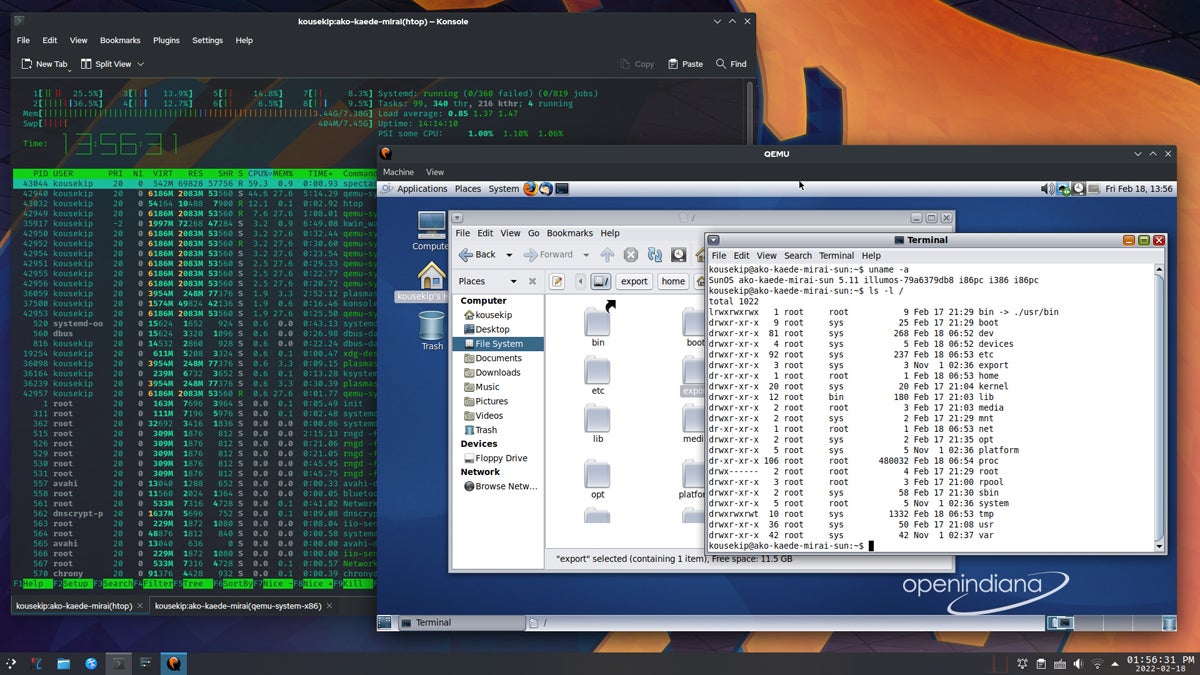
OpenIndiana Hipster 2021.10 running within QEMU
Pricing
QEMU is a free and open-source project, distributed under the GNU General Public License. This means there are no costs associated with its use or distribution.
| Pros | Cons |
|---|---|
| Capable of emulating a wide range of CPU architectures, ideal for cross-platform development and testing. | Can be complex to configure, particularly for advanced emulation scenarios. |
| Can perform emulation even on systems without hardware virtualization capabilities. | Emulation mode can be slower compared to native execution or hardware-assisted virtualization. |
| Benefits from community-driven development and is freely available. |
Features
QEMU’s core strength lies in its ability to act as both a machine emulator and a virtualizer. As an emulator, it can simulate different CPU architectures, allowing users to run software designed for one platform on another. When used with KVM, it leverages hardware virtualization extensions for near-native performance. QEMU supports a wide array of guest operating systems and offers extensive options for configuring virtual hardware, including network devices, storage controllers, and graphics cards.
Xen Project
Best for advanced users needing a secure, open-source hypervisor

Overall rating: 3/5
The Xen Project is a highly regarded, open-source hypervisor known for its security, performance, and scalability, making it a top choice for advanced users and organizations that prioritize a secure and robust virtualization environment.
Originating from a research project at the University of Cambridge, Xen has evolved into a powerful tool in the world of virtualization. It has been instrumental in shaping cloud computing, with many large cloud service providers utilizing Xen as their underlying hypervisor technology.
Xen distinguishes itself through its paravirtualization capabilities, allowing users to run multiple operating systems with minimal overhead, and its strong isolation features, making it ideal for environments where security is paramount.
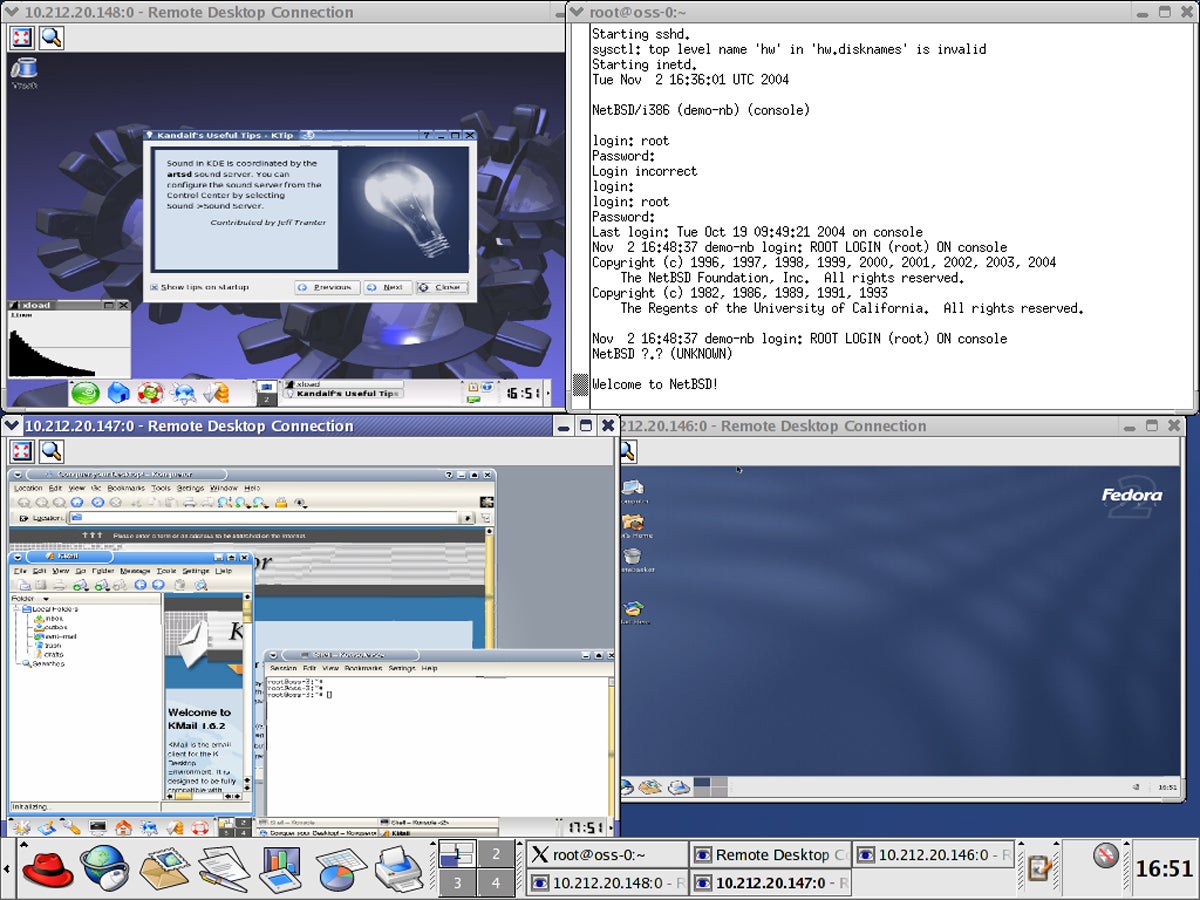
Xen running Linux distributions
Pricing
The Xen Project is an open-source hypervisor, meaning it is freely available for use and modification under the GNU General Public License. There are no licensing costs associated with its core technology.
| Pros | Cons |
|---|---|
| Offers robust isolation and security capabilities, essential for multi-tenant environments. | Can be challenging to set up and manage, especially for those without extensive virtualization experience. |
| Efficient paravirtualization reduces the performance overhead typically associated with virtualization. | While it supports Windows guests, Xen is more optimized for Linux and Unix-like operating systems. |
| Benefits from a wide community of contributors, ensuring constant improvements and updates. |
Features
Xen is a type-1 hypervisor, meaning it runs directly on the host hardware. It supports both hardware-assisted virtualization and paravirtualization. Paravirtualization involves modified guest operating systems that are aware they are running in a virtualized environment, leading to improved performance. Xen’s architecture is known for its strong security isolation, making it a popular choice for cloud infrastructure. It offers advanced features for managing virtual machines, including live migration and resource control.
VirtualBox
Best for quick and easy cross-platform virtualization

Overall rating: 2.75/5
VirtualBox, an open-source virtualization software developed by Oracle, stands out for its ease of use and cross-platform compatibility, making it an ideal choice for users seeking a quick and straightforward solution for running multiple operating systems. Initially created by Innotek GmbH before being acquired by Sun Microsystems and subsequently by Oracle, VirtualBox has continually evolved, emphasizing user-friendly interfaces and broad guest operating system support.
Its ability to run on Windows, macOS, Linux, and Solaris as host systems, and to support a wide range of guest operating systems, from older versions of Windows to modern Linux distributions, makes it a versatile tool for both personal and professional use. This adaptability, combined with its no-cost offering, positions VirtualBox as a go-to solution for users needing a flexible and accessible virtualization platform.
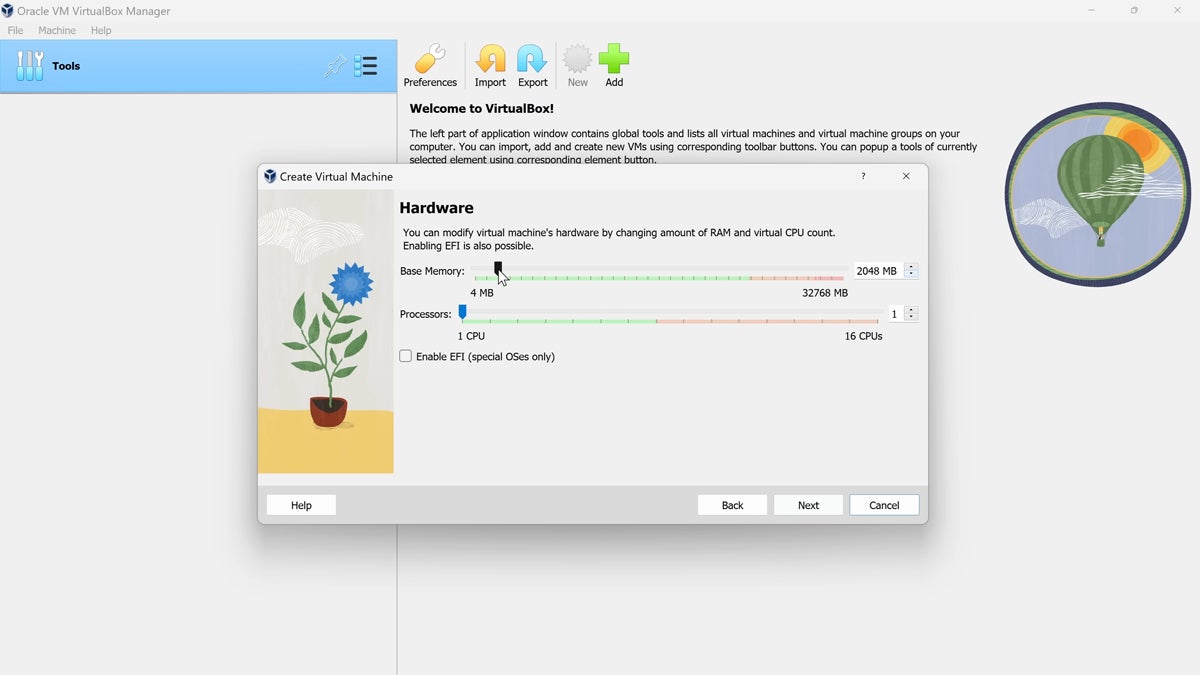
Allotting VM hardware in VirtualBox
Pricing
VirtualBox is free and open-source software. The base product is available under the GNU General Public License (GPL) version 2. An additional extension pack, which provides features like USB 2.0/3.0 support, RDP, and disk encryption, is also available for free for personal and educational use, but requires a commercial license for enterprise deployments.
| Pros | Cons |
| :—————————————————————-0000000000000000000000000000000000000000000000000000000000000000000000000000000000000000000000000000000000000000000000000000000000000000000000000000000000000000000000000000000000000000000000000000000000000000000000000000000000000000000000000000000000000000000000000000000000000000000000000000000000000000000000000000000000000000000000000000000000000000000000000000000000000000000000000000000000000000000000000000000000000000000000000000000000000000000000000000000000000000000000000000000000000000000000000000000000000000000000000000000000000000000000000000000000000000000000000000000000000000000000000000000000000000000000000000000000000000000000000000000000000000000000000000000000000000000000000000000000000000000000000000000000000000000000000000000000000000000000000000000000000000000000000000000000000000000000000000000000000000000000000000000000000000000000000000000000000000000000000000000000000000000000000000000000000000000000000000000000000000000000000000000000000000000000000000000000000000000000000000000000000000000000000000000000000000000000000000000000000000000000000000000000000000000000000000000000000000000000000000000000000000000000000000000000000000000000000000000000000000000000000000000000000000000000000000000000000000000000000000000000000000000000000000000000000000000000000000000000000000000000000000000000000000000000000000000000000000000000000000000000000000000000000000000000000000000000000000000000000000000000000000000000000000000000000000000000000000000000000000000000000000000000000000000000000000000000000000000000000000000000000000000000000000000000000000000000000000000000000000000000000000000000000000000000000000000000000000000000000000000000000000000000000000000000000000000000000000000000000000000000000000000000000000000000000000000000000000000000000000000000000000000000000000000000000000000000000000000000000000000000000000000000000000000000000000000000000000000000000000000000000000000000000000000000000000000000000000000000000000000000000000000000000000000000000000000000000000000000000000000000000000000000000000000000000000000000000000000000000000000000000000000000000000000000000000000000000000000000000000000000000000000000000000000000000000000000000000000000000000000000000000000000000000000000000000000000000000000000000000000000000000000000000000000000000000000000000000000000000000000000000000000000000000000000000000000000000000000000000000000000000000000000000000000000000000000000000000000000000000000000000000000000000000000000000000000000000000000000000000000000000000000000000000000000000000000000000000000000000000000000000000000000000000000000000000000000000000000000000000000000000000000000000000000000000000000000000000000000000000000000000000000000000000000000000000000000000000000000000000000000000000000000000000000000000000000000000000000000000000000000000000000000000000000000000000000000000000000000000000000000000000000000000000000000000000000000000000000000000000000000000000000000000000000000000000000000000000000000000000000000000000000000000000000000000000000000000000000000000000000000000000000000000000000000000000000000000000000000000000000000000000000000000000000000000000000000000000000000000000000000000000000000000000000000000000000000000000000000000000000000000000000000000000000000000000000000000000000000000000000000000000000000000000000000000000000000000000000000000000000000000000000000000000000000000000000000000000000000000000000000000000000000000000000000000000000000000000000000000000000000000000000000000000000000000000000000000000000000000000000000000000000000000000000000000000000000000000000000000000000000000000000000000000000000000000000000000000000000000000000000000000000000000000000000000000000000000000000000000000000000000000000000000000000000000000000000000000000000000000000000000000000000000000000000000000000000000000000000000000000000000000000000000000000000000000000000000000000000000000000000000000000000000000000000000000000000000000000000000000000000000000000000000000000000000000000000000000000000000000000000000000000000000000000000000000000000000000000000000000000000000000000000000000000000000000000000000000000000000000000000000000000000000000000000000000000000000000000000000000000000000000000000000000000000000000000000000000000000000000000000000000000000000000000000000000000000000000000000000000000000000000000000000000000000000000000000000000000000000000000000000000000000000000000000000000000000000000000000000000000000000000000000
