

The modern digital landscape has rendered stable internet connectivity an essential utility, akin to electricity or water. Consequently, few experiences are as universally frustrating as a sudden degradation in internet speed, particularly during critical activities such as online gaming, large file uploads, or high-definition streaming. Often, the immediate inclination is to suspect the internet service provider’s (ISP) infrastructure. However, a frequently overlooked culprit, and one that often resides within the user’s home network, is the router itself. These devices, especially the integrated units provided by ISPs that combine a router and an Optical Network Terminal (ONT), are designed to be functional but can often be limited by their internal hardware and memory management capabilities. Symptoms such as intermittent connectivity drops, inexplicable speed reductions, or complete system freezes are common indicators of an overloaded or struggling router. In numerous instances, a simple reboot is sufficient to restore the device to optimal performance, clearing its memory and resetting its operational parameters. This article explores a practical, automated solution to this recurring problem, leveraging smart home technology to ensure consistent network stability without constant manual intervention.
The Pervasive Problem of Connectivity Challenges
In an era defined by ubiquitous digital interaction, the reliability of a home internet connection is paramount. From remote work and virtual schooling to entertainment and smart home management, nearly every aspect of daily life now hinges on a stable network. Data from the global broadband market indicates a steady increase in average household internet speeds, with many users subscribing to gigabit-level services. For example, reports from organizations like Ookla (Speedtest.net) consistently show rising global broadband speeds, yet user satisfaction often remains tied to consistency rather than peak theoretical performance. When a 1 Gbps connection consistently underperforms, it leads to significant user frustration and productivity losses.
The devices at the heart of these home networks—routers—are complex pieces of hardware, responsible for directing data traffic, managing Wi-Fi signals, and often serving as the gateway to the wider internet. While robust, many ISP-provided routers are designed for cost-effectiveness and ease of deployment rather than peak, long-term performance under heavy load. Over time, these devices can exhibit a range of issues, from memory leaks that clog their processing power to thermal inefficiencies that cause overheating, especially during periods of high usage or elevated ambient temperatures. The summer months, for instance, can exacerbate these thermal issues, leading to more frequent performance degradation.
The Technical Rationale for Regular Reboots
Understanding why routers benefit from regular reboots requires a brief delve into their operational mechanics. A router’s firmware, much like an operating system on a computer, manages all its functions. As data flows through the device, temporary files and connection states are stored in its volatile memory (RAM). Over extended periods of continuous operation, this memory can become fragmented or filled with residual data from terminated connections, a phenomenon often referred to as a "memory leak." These leaks reduce the available memory for new processes, leading to slower data processing, increased latency, and eventually, system instability or crashes.
Furthermore, routers are constantly managing numerous connections simultaneously, assigning IP addresses, handling Wi-Fi authentication, and filtering traffic. This continuous workload generates heat. While routers have passive or active cooling mechanisms, prolonged operation, especially in warm environments or enclosed spaces, can lead to thermal throttling—where the device intentionally slows down to prevent damage from excessive heat. A reboot effectively clears the RAM, allowing the firmware to start fresh, and provides a brief cooling period, which can significantly improve performance and stability. Industry best practices, often echoed by network engineers and tech support professionals, frequently list a router reboot as the first step in troubleshooting connectivity issues precisely because of these underlying technical benefits.
Embracing Smart Home Technology for Network Stability
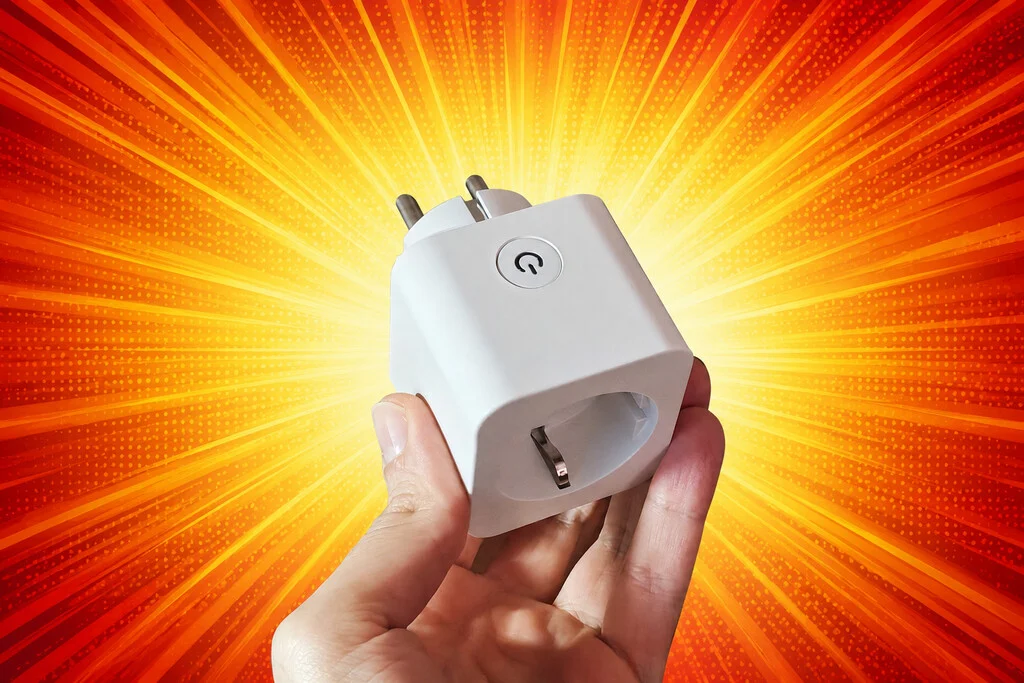
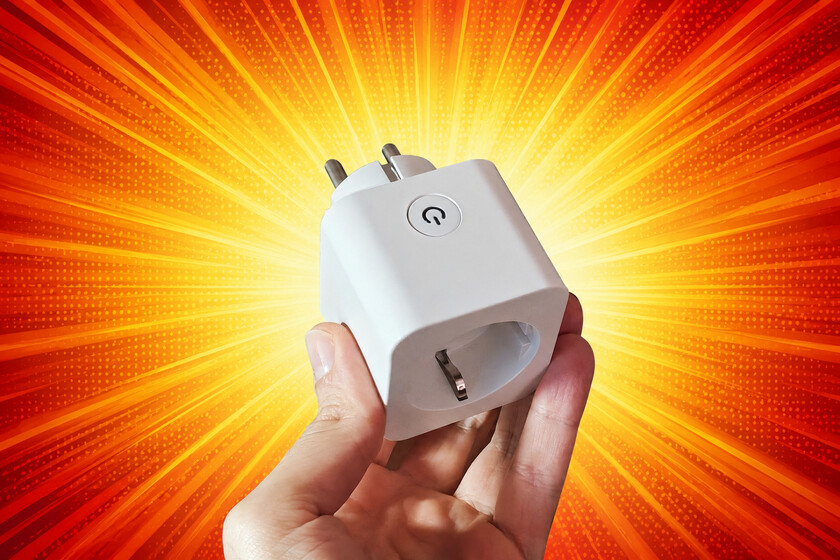
Faced with the recurring need for reboots, and the inconvenience of manual intervention, a growing number of tech-savvy users are turning to smart home devices for practical solutions. The advent of smart plugs, which allow users to remotely control the power supply to any connected appliance, offers a straightforward yet highly effective method for automating router reboots. These devices, often costing as little as eight to fifteen euros, represent a minimal investment for a significant improvement in convenience and network reliability.
The core principle is elegantly simple: connect the router to a smart plug, and then program the smart plug to periodically cut and restore power. This delegates the mundane task of physically unplugging and replugging the router to an automated system. The integration of smart plugs into broader smart home ecosystems, such as Google Home, Amazon Alexa, or Apple HomeKit, further enhances their utility. Users can monitor the plug’s status, initiate reboots manually via voice commands or smartphone apps, and, crucially, set up automated schedules. This level of control empowers users to manage their home network proactively, minimizing disruptions without requiring physical presence or complex technical knowledge.
Implementing the Automated Reboot Protocol
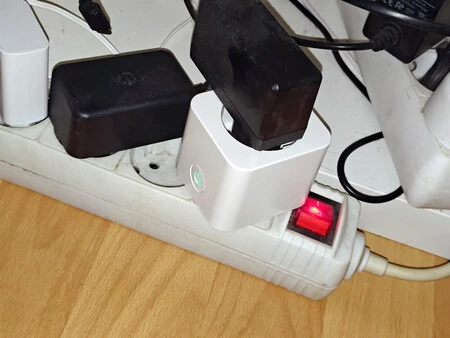
The implementation of an automated router reboot system using a smart plug is surprisingly simple. The first step involves physically connecting the ISP-provided router to the smart plug, which is then connected to a power strip or wall outlet. For users already invested in a smart home ecosystem, integrating the smart plug is typically a seamless process. For instance, devices compatible with Google Home allow for control and scheduling through the Google Home app, voice commands via Google Assistant-enabled speakers (like the Nest Mini), or even through integrated controls on smart displays or Chromecast remotes.
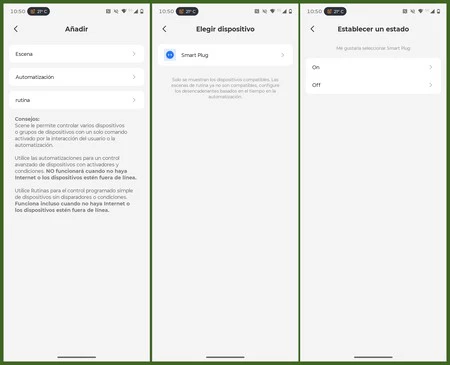
The critical aspect of programming the automated reboot lies in understanding the temporary loss of internet connectivity. When the smart plug cuts power to the router, the router goes offline, which means the smart plug itself temporarily loses its internet connection if it relies on Wi-Fi for control. To circumvent this, the automation needs to be structured as two distinct, timed events rather than a single on/off toggle.
For example, using a manufacturer’s app like "Meross" (a popular brand for smart home devices), a user can configure two separate routines:
- Routine 1 (Power Off): Scheduled to execute at a specific time (e.g., 3:00 AM) every three days, this routine sends an "off" command to the smart plug, cutting power to the router.
- Routine 2 (Power On): Scheduled for approximately one minute after Routine 1 (e.g., 3:01 AM), this independent routine sends an "on" command, restoring power.
The one-minute interval is crucial. It provides sufficient time for the router to fully power down and for its internal components to discharge, ensuring a complete "cold boot" when power is restored. This allows the router to perform a clean startup, reload its firmware, and re-establish network connections, effectively resolving many of the performance issues accumulated during continuous operation. The choice of time, typically late at night or early morning, ensures minimal disruption to household internet usage.
Initial Outcomes and User Satisfaction
The results observed from implementing such an automated reboot system have been overwhelmingly positive for many users. The frequency of connectivity issues, such as random disconnections, slowdowns, and system freezes, significantly decreases. By proactively addressing the router’s performance degradation, the system ensures that the network operates closer to its subscribed speed and stability levels. For users with high-speed fiber connections, such as 1 Gbps, this means consistently being able to utilize the full bandwidth for demanding applications, gaming with low latency, and uninterrupted streaming.
While this solution is undeniably a "patch" rather than a fundamental upgrade of substandard hardware, its effectiveness in mitigating performance issues cannot be overstated. It extends the functional lifespan of ISP-provided routers, postponing the need for a full hardware replacement or a complex network overhaul. The cost-benefit analysis strongly favors this approach: a relatively inexpensive smart plug provides a tangible improvement in daily internet experience, saving users the frustration and time associated with manual troubleshooting or dealing with ISP technical support.
Broader Implications for Home Network Management
This ingenious application of a smart plug highlights a broader trend in home technology: the increasing empowerment of consumers to optimize their digital environments using readily available, affordable smart devices. It reflects a shift from passively accepting the limitations of provided hardware to actively managing and enhancing its performance. This DIY approach not only solves immediate problems but also familiarizes users with smart home automation, potentially paving the way for further integration of smart devices into their daily routines.
Moreover, the prevalence of this issue underscores a systemic challenge with ISP-provided equipment. While offering convenience, these devices often lag behind third-party routers in terms of raw performance, advanced features, and longevity. The "set it and forget it" model promoted by ISPs often clashes with the reality of continuous, high-demand internet usage, leading users to seek their own workarounds. This situation could prompt ISPs to consider offering higher-quality standard equipment or providing more transparent information about router maintenance.
Expert Perspectives on Router Maintenance and Longevity
Network professionals generally concur that regular reboots are beneficial for maintaining router performance, especially for consumer-grade devices. However, they also emphasize that this is a symptomatic treatment rather than a cure for inherent hardware limitations. According to industry analysts, the average lifespan of a consumer router is typically three to five years. Beyond this period, even with regular reboots, the device may struggle to keep pace with evolving network demands or new Wi-Fi standards (e.g., Wi-Fi 6, Wi-Fi 7).
Experts would advise that while an automated reboot schedule is an excellent interim solution, it should not replace proper network planning and hardware upgrades when necessary. Factors like router placement, interference from other devices (e.g., microwaves, cordless phones), and outdated firmware can also significantly impact performance. Users are often encouraged to check for firmware updates, which can introduce performance enhancements or fix bugs, although this is often difficult with ISP-locked devices. When a router consistently fails to perform even after regular reboots, it’s a strong indicator that a hardware upgrade or replacement is warranted.
Looking Ahead: Beyond Temporary Fixes
While the smart plug solution provides immediate relief, the underlying desire for a robust, high-performance home network remains. Many users eventually consider replacing their ISP-provided router with a "neutral" or third-party router, which offers superior performance, advanced features (like better Quality of Service controls, enhanced security, or support for newer Wi-Fi standards), and greater control over network settings. This often involves purchasing a compatible ONT (Optical Network Terminal) to bridge the fiber connection to the new router, a process that can be daunting for the uninitiated and often deferred due to its perceived complexity.
However, the experience with the smart plug illustrates that even after upgrading to a more capable router, the smart plug itself retains its utility. Its versatility allows it to be repurposed for other smart home automations. It can be used to control lighting, appliances, or even smart climate control systems, ensuring that the initial investment continues to provide value long after its primary role in router management has concluded. This flexibility underscores the long-term benefit of investing in smart home infrastructure.
Recommendations for Users Facing Connectivity Woes
For users experiencing persistent internet slowdowns or intermittent connectivity, the automated smart plug reboot method offers a compelling, low-cost, and effective temporary solution. It minimizes the frustration of manual reboots and maintains a more stable network performance.
However, it is crucial to approach this as a strategic patch rather than a definitive fix. If a router consistently underperforms, even with regular reboots, the following steps are recommended:
- Contact ISP Support: Report the issues to your internet service provider. They may be able to diagnose problems remotely, push firmware updates, or offer a replacement router if theirs is deemed faulty.
- Evaluate Hardware: Consider the age of your router. If it’s more than 3-5 years old, or if you’ve significantly upgraded your internet plan, it might be struggling to meet current demands.
- Explore Upgrades: Research third-party routers that offer better performance and advanced features. This might involve purchasing a separate ONT if your ISP’s router is an all-in-one unit.
- Optimize Placement: Ensure your router is centrally located, elevated, and free from obstructions or interference from other electronic devices.
In conclusion, while the lure of convenience might lead one to tolerate subpar performance from ISP-provided equipment, a touch of ingenuity and the strategic application of smart home technology can significantly enhance the daily internet experience. The smart plug solution stands as a testament to practical problem-solving in the digital age, offering a clear path to greater network stability and user satisfaction.
