
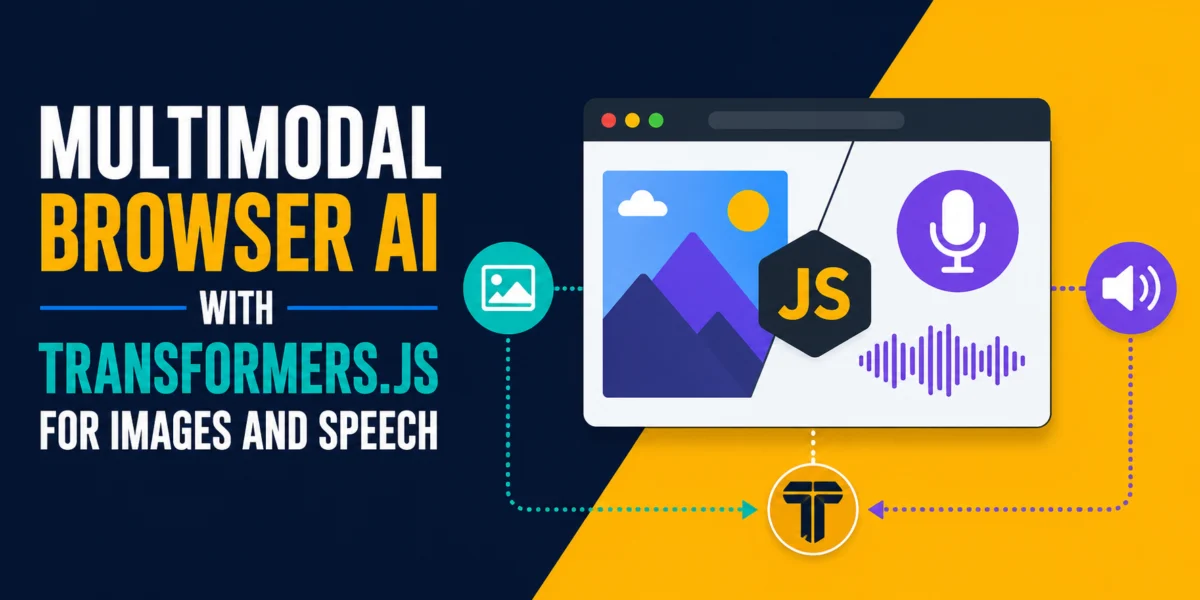

The landscape of artificial intelligence is undergoing a significant transformation, with advanced AI models increasingly moving from cloud-based servers to the client-side, running directly within web browsers. A recent development showcases how developers can now integrate sophisticated multimodal AI functionalities—including image classification, image captioning, and speech transcription—into web applications using the Transformers.js library. This innovative approach allows these capabilities to operate entirely within the user’s browser, eliminating the need for backend servers, API keys, or data transmission off the user’s device, thereby enhancing privacy and enabling offline functionality.
This breakthrough addresses a critical demand for more versatile AI applications. While early browser-based AI demonstrations often focused solely on text processing, real-world user interactions frequently involve diverse data types such as photographs, voice notes, and screenshots. The ability to process these multimodal inputs locally marks a pivotal shift, bringing powerful AI tools closer to the user and fostering a new generation of privacy-centric web applications.
The Evolution of Browser-Based AI
For years, deploying complex AI models in the browser presented significant technical hurdles. Traditional deep learning models, often immense in size and computationally intensive, typically required powerful server infrastructure to operate. This architecture meant user data had to be sent to remote servers for processing, raising concerns about data privacy, security, and latency. Furthermore, developers faced the overhead of managing backend infrastructure and API costs.
The advent of WebAssembly (WASM) and, more recently, WebGPU has revolutionized this paradigm. These browser technologies provide high-performance execution environments for code, allowing computationally demanding tasks, previously restricted to native applications or server-side processing, to run efficiently on the client. Transformers.js, a JavaScript port of the popular Hugging Face Transformers library, leverages these underlying technologies to bring state-of-the-art AI models directly into the browser environment. Proponents of this approach emphasize the democratization of AI, making advanced capabilities accessible to a broader range of developers without the traditional infrastructure barriers.
Transformers.js: Enabling Local Multimodal AI
Transformers.js acts as a crucial bridge, adapting the vast ecosystem of Hugging Face models for browser-native execution. It supports a wide array of tasks across different modalities, including computer vision (e.g., image classification, object detection, segmentation), audio processing (e.g., automatic speech recognition, audio classification, text-to-speech), and complex multimodal tasks. The library handles the intricate details of model loading, WASM compilation, and tensor operations, simplifying the development process for web engineers.
A core advantage of Transformers.js is its "zero-dependency" philosophy for runtime. Once a model is downloaded on the first run, it is cached in the browser, allowing subsequent operations to be near-instantaneous and fully functional even offline. This local execution model inherently ensures user privacy, as no sensitive data ever leaves the device.
Demonstrating Key Multimodal Capabilities
To illustrate the practical application of Transformers.js, several core multimodal AI capabilities can be implemented as self-contained HTML files, easily runnable on a local web server:
1. Image Classification: Understanding Visual Content
Image classification is a foundational computer vision task where an AI model assigns predefined labels to an input image. The demonstration typically utilizes a Vision Transformer (ViT) model, such as Xenova/vit-base-patch16-224. This specific model, originally trained by Google on the extensive ImageNet-21k dataset and fine-tuned on ImageNet-1k, is capable of classifying images into 1,000 distinct categories. For browser deployment, the model is converted into the optimized ONNX (Open Neural Network Exchange) format, which allows for efficient execution within the WebAssembly runtime.
Upon processing an image, the model returns a ranked list of potential labels, each accompanied by a confidence score (a float between 0 and 1). For example, uploading an image of a dog might yield classifications like "golden retriever" (0.9421 confidence) and "Labrador retriever" (0.0312 confidence). The default output typically includes the top five results, though this can be configured. The model’s size, around 88 MB (quantized to 8-bit for browser efficiency), represents a manageable download for a client-side application, especially given its broad classification capabilities. This functionality can power features like automated image tagging, content organization, or even basic content moderation within web applications.
2. Image Captioning: Describing the Unseen
Moving beyond simple categorization, image captioning represents a more advanced multimodal task: generating a natural language sentence that comprehensively describes the contents of an image. Unlike classification, which selects from a fixed set of labels, captioning models produce free-form text, offering richer and more nuanced interpretations. For instance, instead of merely identifying "golden retriever," a captioning model might generate "A golden retriever running through a field of tall grass."
The Xenova/vit-gpt2-image-captioning model is a prominent example. This architecture combines a Vision Transformer encoder to process the visual input with a GPT-2 (Generative Pre-trained Transformer 2) decoder to generate the descriptive text. The generative nature of the GPT-2 decoder makes this model significantly larger than a pure classification model, typically around 246 MB in its quantized ONNX form. Despite the increased size, running this complex generative model entirely in the browser is a testament to the capabilities of Transformers.js and modern web technologies. This capability is invaluable for accessibility tools, such as screen readers for visually impaired users, or for automatically generating alt text for images in web content, enhancing SEO and user experience.
3. Speech Transcription: Converting Audio to Text
The third core capability, speech transcription, focuses on processing audio input to generate textual transcripts. This task leverages OpenAI’s renowned Whisper architecture, specifically the Xenova/whisper-tiny.en model for browser deployment. This English-only model, approximately 78 MB when quantized, is optimized for efficient execution via WebAssembly in the browser environment.
A crucial aspect of speech transcription is the audio input format. The automatic-speech-recognition pipeline requires audio samples as a Float32Array at a precise 16,000 Hz sample rate. The browser’s Web Audio API plays a vital role here, handling the conversion of various supported audio formats (e.g., WAV, MP3, MP4, OGG, FLAC) into the required AudioBuffer format. The AudioContext.decodeAudioData() method seamlessly manages decoding and, if necessary, resampling the audio to the target 16 kHz. This allows developers to integrate speech-to-text functionality directly into web forms, voice assistants, or dictation tools, offering real-time transcription without external server interaction. The ability to transcribe audio from microphone input also opens doors for privacy-preserving voice interfaces.
The Combined Multimodal Media Analyzer
Bringing these individual capabilities together, a "Multimodal Media Analyzer" application demonstrates the full power of client-side AI. This single-page application can accept either an image or microphone audio input. Upon receiving an image, it simultaneously triggers both the image classification and image captioning pipelines. If audio is provided, it activates the speech transcription pipeline. The results are then presented in a unified dashboard, providing a comprehensive analysis of the uploaded media.
A critical design consideration for such a combined application is the initial model loading. To optimize user experience, all three models—classifier, captioner, and transcriber—are loaded in parallel upon page access. This parallel loading, facilitated by JavaScript Promises, significantly reduces the perceived waiting time compared to sequential loading. A progress indicator for each model download (totaling approximately 400 MB on the first run) is essential for transparent user feedback. Once loaded, the application becomes fully interactive and operates without any further network requests for inference, showcasing the robustness of an entirely client-side AI architecture.
Technical Implementation Insights
The implementation of these browser-based AI capabilities relies on a few key technical components:
- CDN Import: Transformers.js is typically imported via a Content Delivery Network (CDN), such as
https://cdn.jsdelivr.net/npm/@huggingface/[email protected], simplifying setup by eliminating the need for Node.js, npm, or complex build tools for basic projects. - Local Server: For features requiring microphone access (due to browser security policies), the HTML files must be served over HTTP, even if locally. Simple Python or Node.js commands can quickly spin up a local server.
pipeline()function: The core of Transformers.js is thepipeline()function, which abstracts away the complexities of model instantiation and execution. Developers specify the task (e.g.,'image-classification','image-to-text','automatic-speech-recognition') and the model identifier ('Xenova/model-name').- Quantization (
dtype: 'q8'): To reduce model size and improve inference speed on client-side CPUs, many models are available in quantized versions (e.g., 8-bit integer quantization, denoted by'q8'). This significantly reduces the download size and memory footprint without a drastic loss in accuracy, making them suitable for browser environments. - Web Audio API: For audio processing, the Web Audio API provides the necessary tools to access microphone input (
navigator.mediaDevices.getUserMedia()), decode various audio formats, and resample audio to the required 16 kHz for Whisper models.
Performance, Optimization, and Future Directions
While highly functional, running complex AI models on the main browser thread via WebAssembly (WASM) can introduce noticeable latency. On a modern laptop, image classification might take 1-2 seconds, image captioning 2-4 seconds, and speech transcription (for a 30-second audio clip) 3-5 seconds. These times, while acceptable for many applications, can be optimized further.
1. WebGPU for Accelerated Inference:
The emergence of WebGPU, a new web standard that provides low-level access to a user’s GPU, promises significant performance gains. On compatible browsers (e.g., Chrome 113+), integrating device: 'webgpu' into the pipeline() configuration can accelerate inference times by 3-5x. Using dtype: 'fp16' (16-bit floating-point) is also preferred for WebGPU to leverage GPU-specific optimizations. Developers should check for WebGPU availability before enabling it.
2. Web Workers for Responsiveness:
For production-grade applications, moving model loading and inference into Web Workers is crucial. Web Workers execute scripts in background threads, preventing computationally intensive tasks from blocking the main UI thread and ensuring a smooth, responsive user experience. The pattern involves sending input data to the worker via postMessage() and receiving results back on the main thread. Due to limitations in transferring complex JavaScript objects, Transformers.js tensors might need to be converted to plain arrays before being sent across worker boundaries.
3. Model Size and Accuracy Trade-offs:
The choice of model often involves a trade-off between size, speed, and accuracy. While whisper-tiny.en is compact and fast, whisper-base.en (145 MB) offers superior transcription accuracy, especially for accented speech or specialized vocabulary, making it a worthwhile upgrade if accuracy is paramount. Similarly, for image tasks where a smaller footprint is critical, relying solely on the more compact image classification model might be preferable over the larger captioning model.
The availability of models is also a factor. Only models with ONNX-compatible weights can currently be used with Transformers.js. The Hugging Face Hub provides filters to identify models specifically tagged for transformers.js, offering a curated list of compatible architectures like DistilBERT, Whisper, and T5.
Conclusion
Multimodal AI in the browser is no longer a futuristic concept; it is a tangible reality, powered by libraries like Transformers.js and advancements in web platform technologies. This capability empowers developers to build a new generation of intelligent, privacy-preserving web applications that run directly on user devices. From enhancing web accessibility with automated image descriptions and voice-driven interfaces to enabling offline content analysis and pre-screening without data ever leaving the client, the implications are vast. The demonstrated examples of image classification, image captioning, and speech transcription are merely a glimpse into the potential. As web technologies continue to evolve and AI models become even more efficient, the boundary between local and server-side AI will continue to blur, ushering in an era of truly intelligent and user-centric web experiences.
