

The Anatomy of a Home Network Bottleneck
In the current digital landscape, the expectation of "gigabit speeds" has become the industry standard for residential fiber plans. However, the hardware supplied by internet service providers (ISPs) often serves as a baseline solution. These routers, while functional, frequently lack the advanced processing power or multi-band capabilities required for modern high-bandwidth environments. A common point of contention arises when users, having signed up for high-speed tiers, find their actual throughput hovering around 100 Mbps, regardless of their proximity to the router or the quality of their wireless signal.
The primary culprit in these scenarios is often the "bottleneck effect," where one component in the signal path cannot handle the data throughput required by the others. When a user attempts to upgrade their home network by implementing a secondary router—often via a bridge or access point configuration—the physical connection between the primary ISP-provided modem and the secondary device becomes the critical junction.
Chronology of a Connectivity Troubleshooting Process
When a user identifies a discrepancy between their contracted speed and their actual speed, a standard diagnostic procedure is typically initiated. This chronology often mirrors the experience of many consumers:
- Initial Verification: The user performs speed tests across multiple devices, confirming that wireless throughput is consistently underperforming compared to the ISP’s advertised metrics.
- Software and Firmware Optimization: The user attempts to resolve the issue through conventional means: power-cycling the hardware, updating router firmware, and manually configuring Domain Name System (DNS) servers to improve latency.
- Hardware Isolation: Recognizing that the router supplied by the ISP is limited to the 2.4 GHz band—which is prone to interference and lower throughput—the user introduces a high-performance secondary router capable of 5 GHz or 6 GHz bands.
- The Bridge Configuration: The ISP router is placed into "bridge mode," effectively turning it into a modem, while the secondary router manages the routing and wireless distribution.
- The Persistent Failure: Despite the hardware upgrade, the performance remains stagnant. At this stage, the assumption is often that the bridge configuration is faulty or that the ISP is throttling the connection.
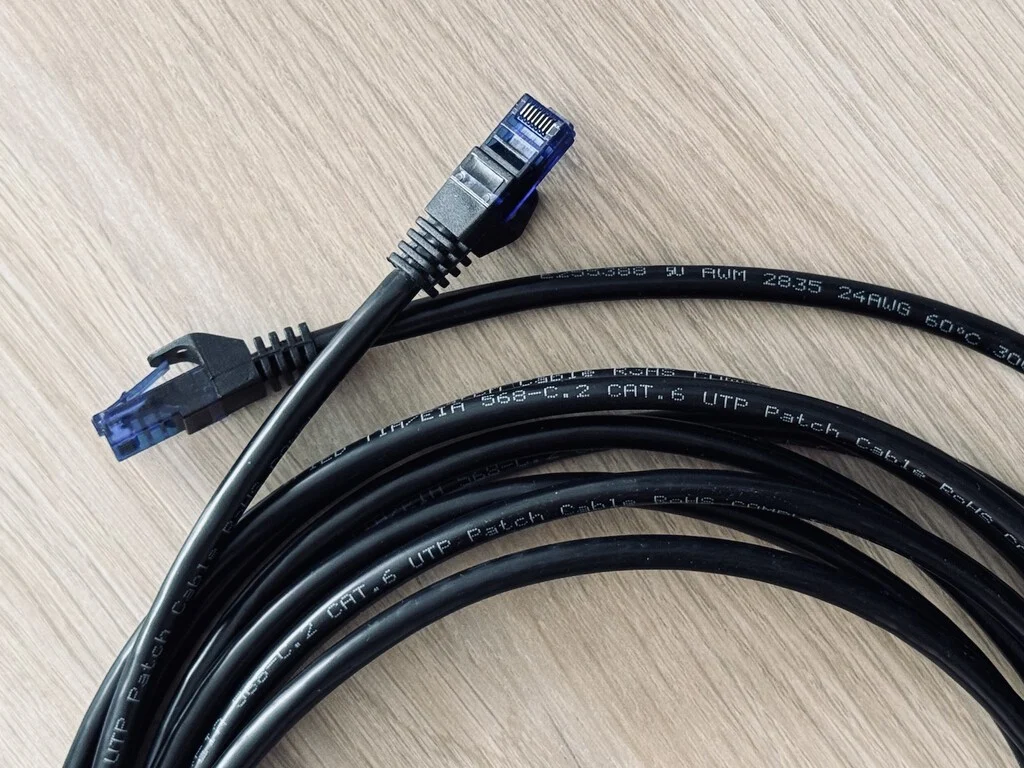
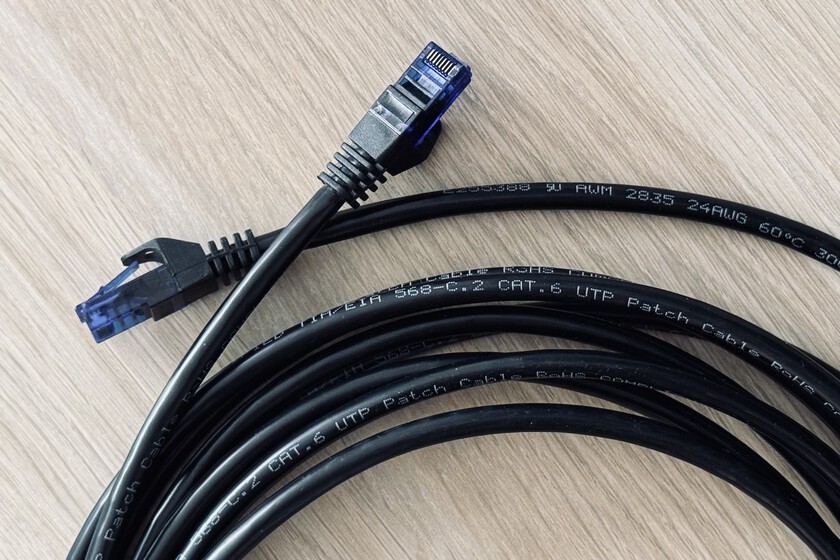
- The Physical Layer Discovery: The final step involves inspecting the physical infrastructure—specifically the Ethernet cabling used to connect the two devices—leading to the identification of an outdated cable category.
The Critical Role of Ethernet Cable Categories
The distinction between Ethernet cable categories is frequently overlooked by consumers who view all cables as interchangeable conduits. However, these cables are strictly categorized by the Telecommunications Industry Association (TIA) based on their shielding, twists per inch, and frequency support.
The specific failure point in many home networks is the use of legacy Cat 5 cabling. Standardized in 1995, Category 5 (Cat 5) cabling was designed for 10/100 Mbps Ethernet. It is fundamentally incapable of supporting Gigabit (1,000 Mbps) speeds. When a user connects a modern, high-speed router to an ISP modem using an old Cat 5 cable, the entire network is forced to negotiate down to the lowest common denominator, effectively capping the connection at 100 Mbps.
Comparative Performance Standards
| Category | Maximum Speed | Bandwidth |
|---|---|---|
| Cat 5 | 100 Mbps | 100 MHz |
| Cat 5e | 1 Gbps | 100 MHz |
| Cat 6 | 1 Gbps | 250 MHz |
| Cat 6A | 10 Gbps | 500 MHz |
| Cat 7 | 10 Gbps | 600 MHz |
| Cat 8 | 40 Gbps | 2000 MHz |
As shown in the data above, the transition from Cat 5 to Cat 5e or Cat 6 represents a tenfold increase in potential bandwidth. For modern households, Cat 6 has become the recommended baseline, as it provides sufficient headroom for high-speed fiber internet and reduces the likelihood of signal crosstalk and electromagnetic interference.
Implications for Modern Residential Connectivity
The broader implication of this issue is the "hidden" cost of home network maintenance. As ISPs push for higher-tier service plans—offering 1 Gbps, 5 Gbps, and even 10 Gbps connections—the burden of ensuring that internal infrastructure can support these speeds falls entirely on the consumer.

Industry analysts point out that many users continue to pay for premium bandwidth without realizing their internal hardware is incapable of delivering that service to their end devices. This leads to a disconnect between the service provider’s delivery and the consumer’s perceived quality of experience. ISPs often report that a significant percentage of "slow internet" support tickets are resolved not by resetting the line, but by instructing the customer to replace an outdated Ethernet cable or to switch to a more modern wireless standard, such as Wi-Fi 6 or Wi-Fi 6E.
Expert Guidance on Infrastructure Upgrades
To ensure a home network is performing at its theoretical maximum, network engineers suggest a three-tiered approach to infrastructure management:
- Audit Physical Links: Replace all legacy cables. If a cable has a "Cat 5" label, it should be discarded or repurposed for low-speed devices, such as printers or smart home hubs. For any connection between a router and a high-demand device (like a gaming console, streaming box, or secondary router), Cat 6 or higher is essential.
- Evaluate Hardware Placement: Beyond the cabling, the physical environment of the router remains paramount. Obstructions, such as metal cabinets, concrete walls, or interference from other electronic appliances, can cause signal degradation that even high-quality cabling cannot solve.
- Understand Hardware Compatibility: When upgrading to a multi-gigabit service, users must ensure that not only the router but also the network interface cards (NICs) in their computers and the ports on their switches support the higher throughput. A 10 Gbps connection is effectively throttled if it terminates at a device with a 1 Gbps port.
Conclusion: The Importance of the Physical Layer
The modern digital home is a sophisticated ecosystem, but its performance is rooted in fundamental physical principles. While wireless technology has made significant strides in convenience and range, the "backbone" of any reliable network remains the wired connection. By identifying and upgrading legacy components—specifically the overlooked Ethernet cable—users can ensure that they are actually receiving the value of the internet service they are paying for.
The next time a connection appears to lag, despite a modern router and an active fiber plan, the solution may not be found in complex software settings or calls to the ISP’s technical support. Instead, a simple inspection of the physical cabling is often the most efficient path to restoring full service capacity. As internet speeds continue to climb, the importance of maintaining a high-performance physical infrastructure will only increase, making the choice of cable as critical as the choice of the service provider itself.
